turtle.onscreenclick() function in Python (original) (raw)
Last Updated : 29 Aug, 2025
turtle.onscreenclick() function binds a function to a mouse click event on the Turtle graphics canvas. Whenever the user clicks on the canvas, the bound function is called with the coordinates of the clicked point.
**Syntax
turtle.onscreenclick(fun, btn=1, add=None)
**Parameters:
- **fun: Function with two arguments, the coordinates of the clicked point on the canvas.
- **btn: Mouse button number (default is 1 -> left button).
- **add: Boolean. If True, adds a new binding otherwise replaces any previous binding.fun
**Returns: This function does not return any value.
Example: Changing background color on click
Python `
import turtle import random
list of colors
col = ['red', 'yellow', 'green', 'blue', 'white', 'black', 'orange', 'pink']
def fxn(x, y): ind = random.randint(0, 7) sc.bgcolor(col[ind])
sc = turtle.Screen() sc.setup(400, 300) turtle.onscreenclick(fxn)
sc.mainloop()
`
**Output :
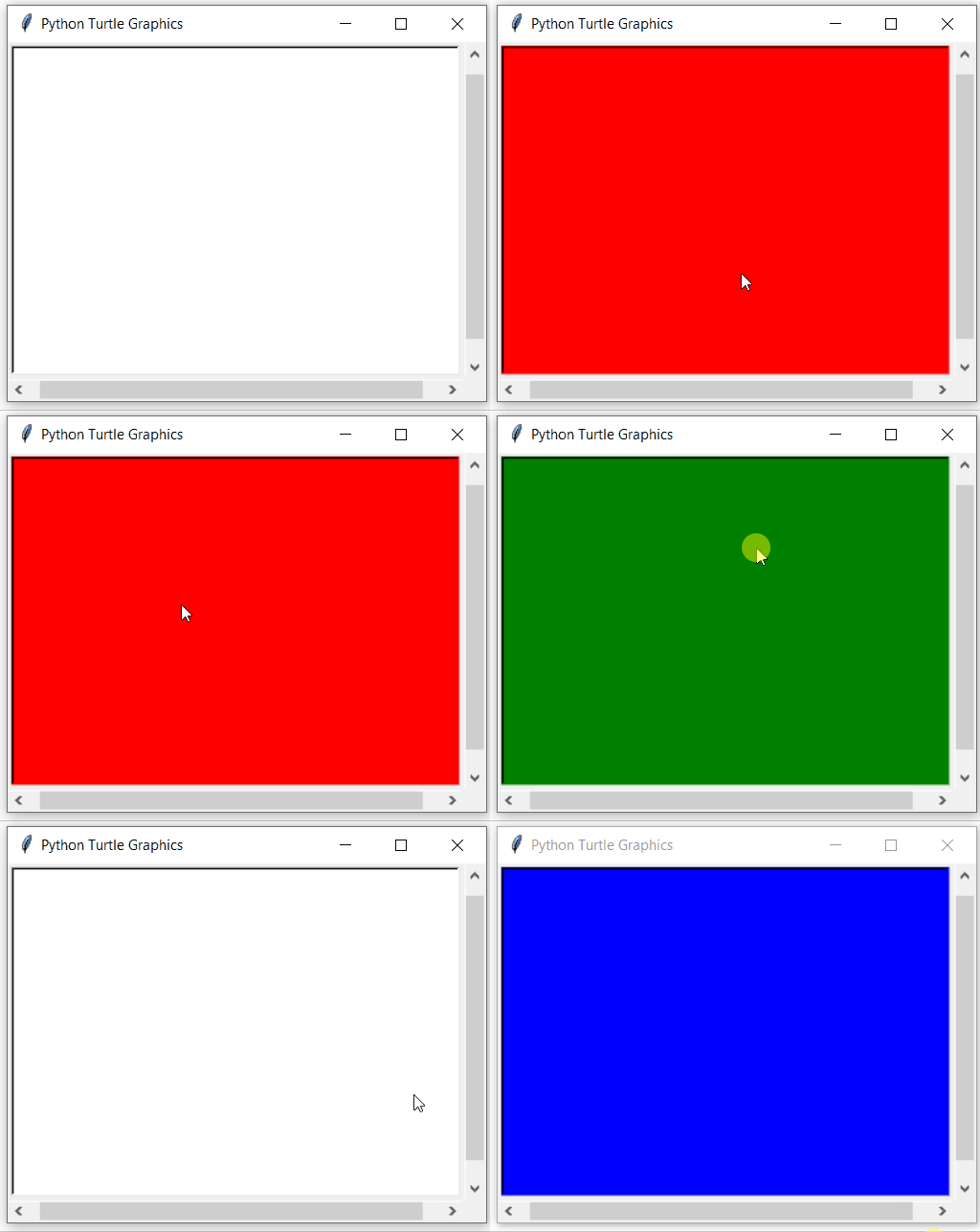
**Explanation:
- function **fxn(x, y) randomly selects a color and sets it as the background whenever the user clicks the canvas.
- turtle.onscreenclick(fxn) binds this function to mouse clicks (left button by default).
- Clicking anywhere on the screen changes the turtle graphics window background randomly.