turtle.resetscreen() function in Python (original) (raw)
Last Updated : 28 Jul, 2020
The turtle module provides turtle graphics primitives, in both object-oriented and procedure-oriented ways. Because it uses Tkinter for the underlying graphics, it needs a version of Python installed with Tk support.
turtle.resetscreen()
This function is used to reset all Turtles on the Screen to their initial state. It doesn't require any argument.
Syntax :
turtle.resetscreen()
Below is the implementation of the above method with some examples :
Example 1 :
Python3 `
import package
import turtle
motion
for i in range(20): turtle.forward(2+2*i) turtle.left(45)
reset the work
turtle.resetscreen()
`
Output :
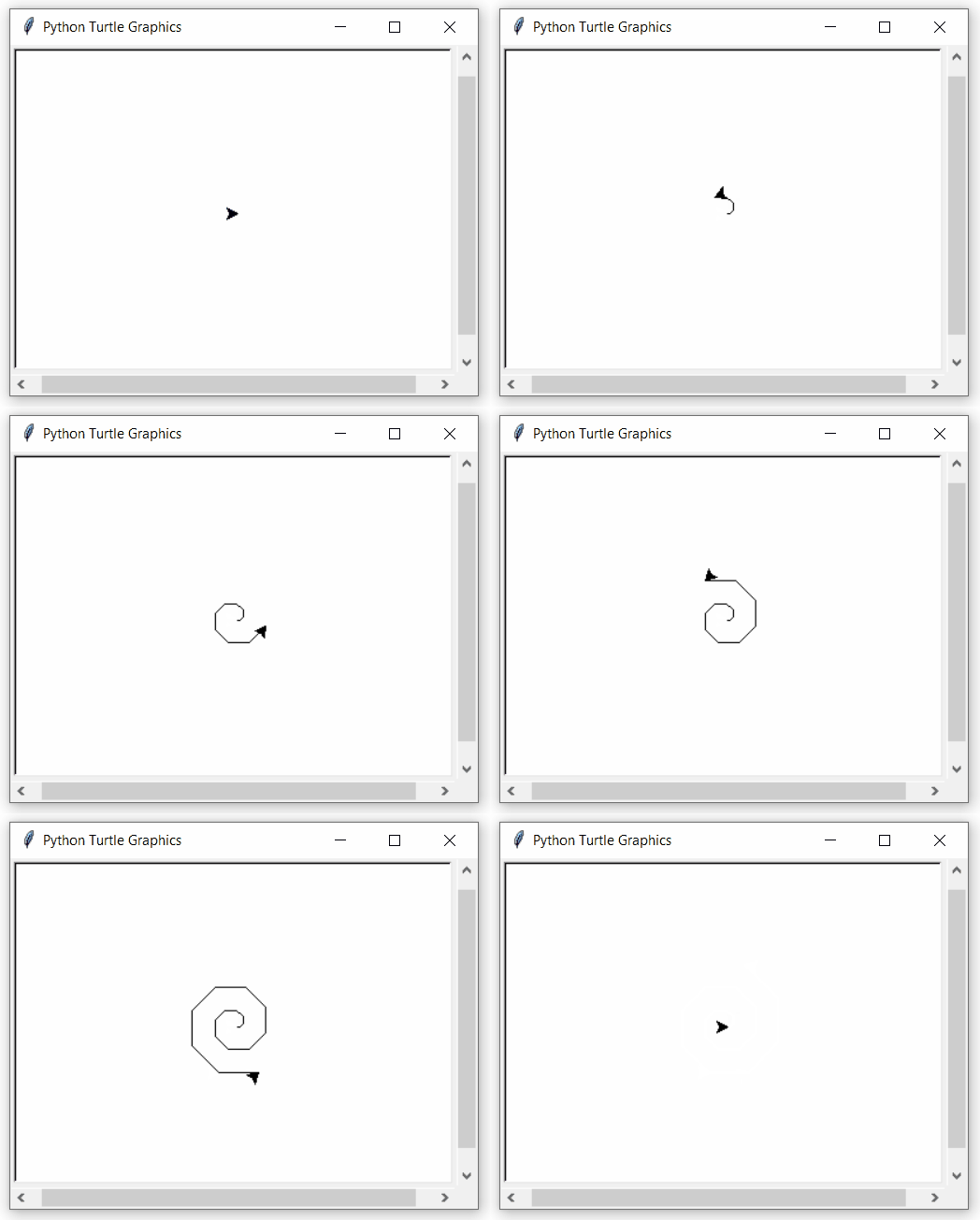
Example 2 :
Python3 `
import package
import turtle
make turtle objects
and set position
t1 = turtle.Turtle() t2 = turtle.Turtle() t1.up() t1.setpos(-70, 0) t1.down() t2.up() t2.setpos(70, 0) t2.down()
loop for pattern
for i in range(20): t1.forward(2+2i) t1.left(45) t2.forward(2+2i) t2.left(90)
reset all turtles on the screen
t1.resetscreen()
`
Output :
