turtle.Screen().turtles() function in Python (original) (raw)
Last Updated : 27 Aug, 2021
The turtle module provides turtle graphics primitives, in both object-oriented and procedure-oriented ways. Because it uses Tkinter for the underlying graphics, it needs a version of Python installed with Tk support.
turtle.Screen().turtles()
This function is used to return the list of turtles on the screen. This doesn't require any argument.
Syntax :
turtle.Screen().turtles()
Below is the implementation of the above method with some examples :
Example 1 :
Python3 `
import package
import turtle
make screen object
and set size
sc = turtle.Screen() sc.setup(400,300)
make turtle object
t1=turtle.Turtle(shape='square')
do some motion with properties
t1.color("red") t1.circle(50)
make another turtle object
t2=turtle.Turtle(shape='circle')
do some motion with properties
t2.color("green") t2.circle(40)
get all turtle objects on screen
print(sc.turtles())
`
Output :

[<turtle.Turtle object at 0x000001E90622DAC8>, <turtle.Turtle object at 0x000001E90625CC88>]
Example 2 :
Python3 `
import package
import turtle
make screen object and set size
sc = turtle.Screen() sc.setup(400, 300)
make first turtle and do something
t1 = turtle.Turtle(shape='square') t1.color("red") t1.circle(50)
make another turtle and do something
t2 = turtle.Turtle(shape='circle') t2.color("green") t2.circle(40)
get all turtles object
turt = sc.turtles()
use first turtle object
turt[0].circle(-40)
use another turtle object
turt[1].circle(-50)
`
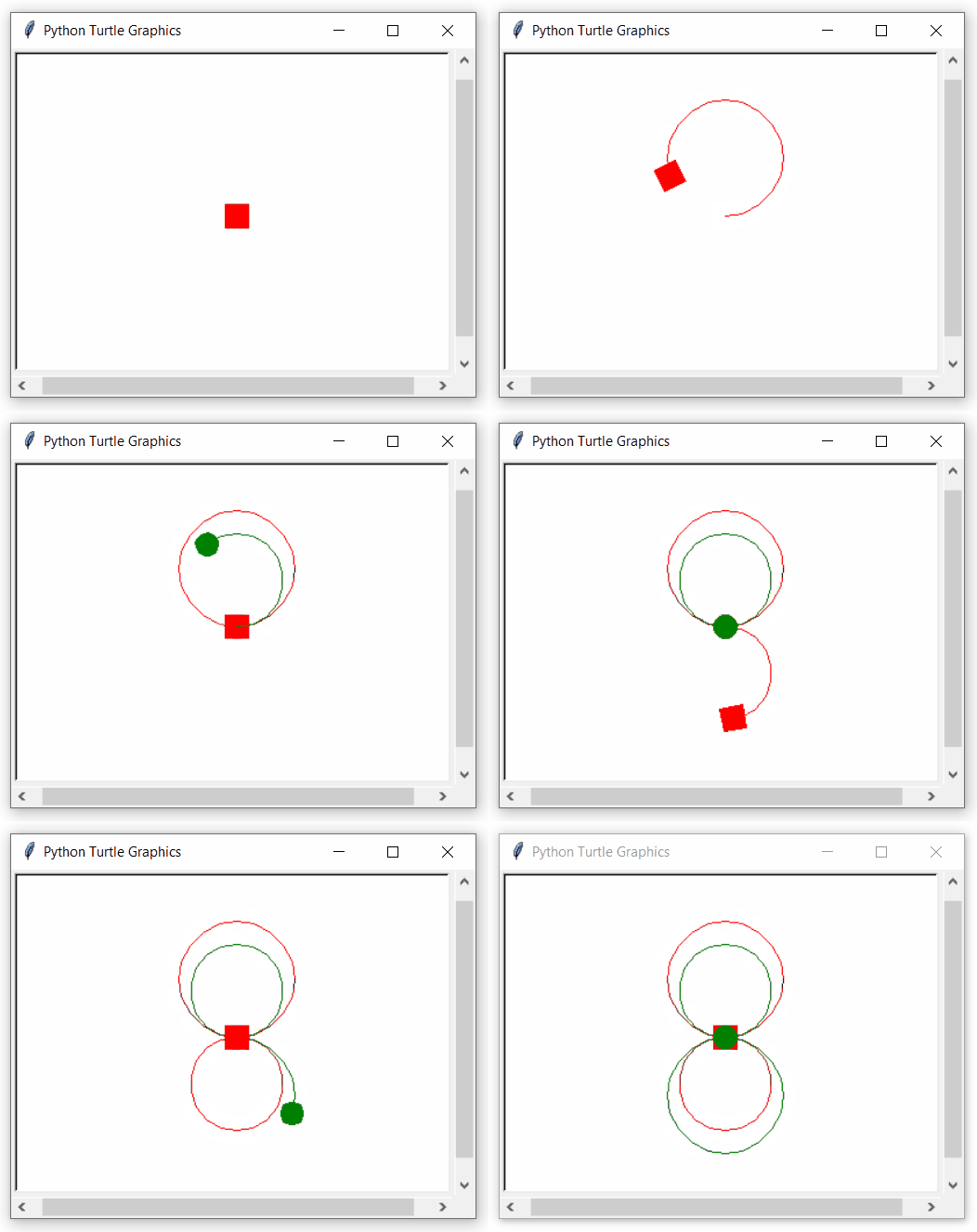
Output :