turtle.shapetransform() function in Python (original) (raw)
Last Updated : 29 Aug, 2025
turtle.shapetransform() function in the Turtle graphics module set or return the current transformation matrix of the turtle’s shape. The transformation matrix defines stretching, skewing or rotating effects on the turtle’s visible shape.
- If no arguments are provided, it returns the current transformation matrix as a 4-tuple (t11, t12, t21, t22).
- If arguments are given, it sets the transformation matrix with those values and changes the shape of the turtle accordingly.
**Syntax:
turtle.shapetransform(t11=None, t12=None, t21=None, t22=None)
**Parameters: t11, t12, t21, t22 are optional floats for the transformation matrix. The determinant ****(t11 × t22 – t12 × t21)** must be non-zero, otherwise a singular matrix error is raised.
**Returns:
- **Tuple (t11, t12, t21, t22) : If no arguments are passed, returns the current transformation matrix.
- **None : If arguments are passed, updates the matrix.
Examples
**Example 1: Checking the default transformation
Python `
import turtle
print(turtle.shapetransform()) turtle.done()
`
**Output :
(1.0, 0.0, 0.0, 1.0)
**Explanation: The default matrix (1.0, 0.0, 0.0, 1.0) is returned, meaning no scaling, rotation or skewing is applied (identity matrix).
**Example 2: Error on invalid matrix
Python `
import turtle
invalid transform: determinant = (20 - 02) = 0
raises an error because matrix must not be singular
turtle.shapetransform(2, 0, 2, 0) turtle.done()
`
**Output:
turtle.TurtleGraphicsError: Bad shape transform matrix: must not be singular
**Explanation: The determinant of (2, 0, 2, 0) is zero, making the matrix singular. Hence, Python raises turtle.TurtleGraphicsError.
**Example 3: Applying transformations while drawing
Python `
import turtle
for i in range(5): for j in range(10): turtle.forward(5 + 5 * (i + j)) turtle.left(45)
# scale the turtle’s shape
turtle.shapetransform(i + 1, 0, 0, i + 1)
turtle.done()
`
**Output:
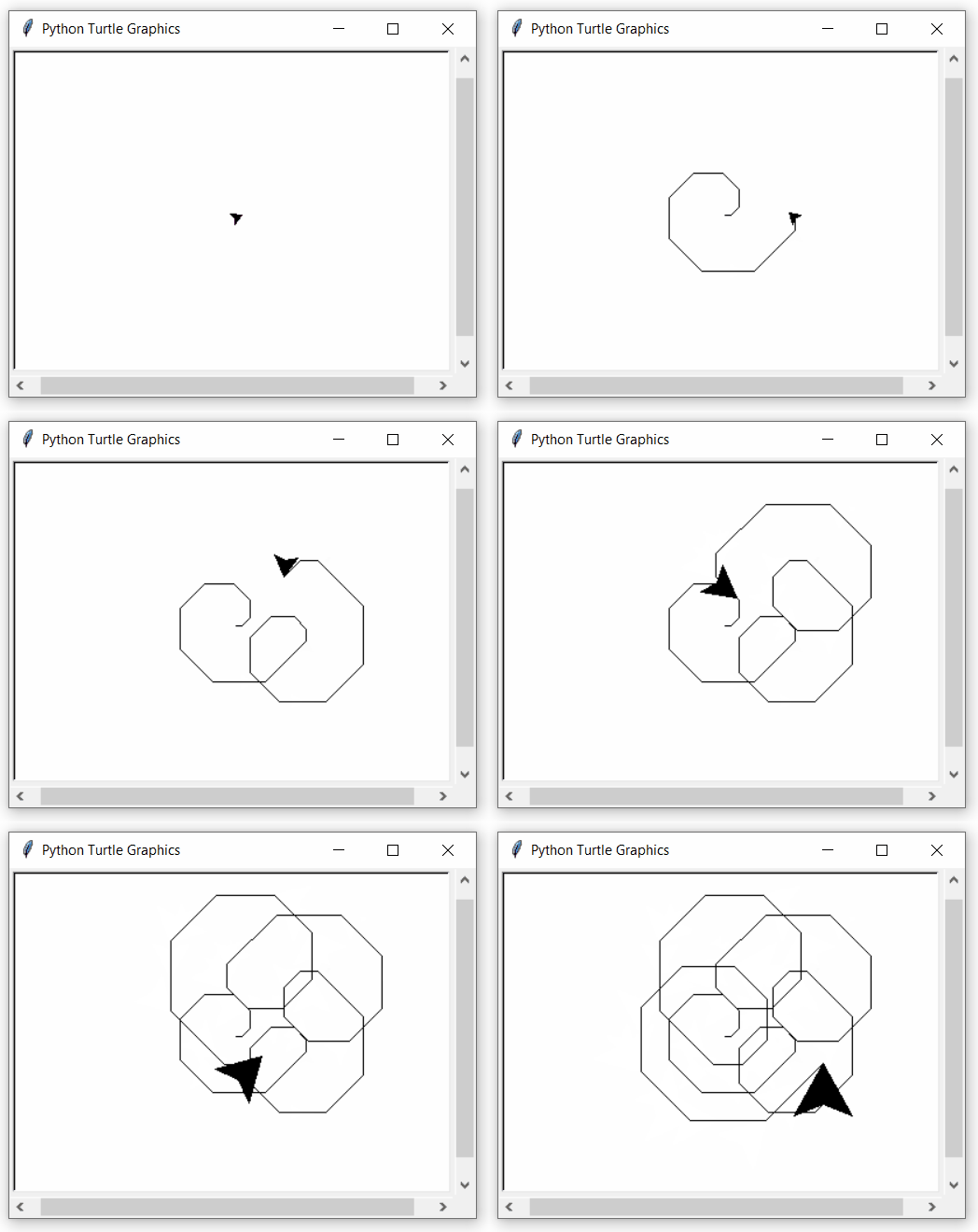
**Explanation: The turtle draws a spiral pattern. After each loop, its shape is scaled larger with **shapetransform(i+1, 0, 0, i+1), so the turtle grows in size as it continues drawing.