How to create an empty matrix in R ? (original) (raw)
Last Updated : 25 Feb, 2022
The term empty matrix has no rows and no columns. A matrix that contains missing values has at least one row and column, as does a matrix that contains zeros. In this article, we are going to see how to create an empty matrix in R Programming Language.
There are three ways of creating an empty matrix:
- Using row and column.
- Using only row.
- Using only column.
Method 1: Using both row and column:
Here in this, we need to pass both row and column to create an empty matrix:
Syntax: matrix name = matrix(, nrow = value 1, ncol = value2)
Where:
- Here matrix name can be any valid identifier
- Value 1 is for number of rows.
- Value 2 is for number of columns.
Example 1: In the below example, we created a mat variable, After creating mat variable we are using the matrix function to create a matrix and mentioning a number of rows and columns in it.
Below is the implementation:
R `
creating empty matrix,
storing in variable mat and passing
number of rows and columns
mat = matrix(, nrow = 1, ncol = 1)
printing empty matrix.
print(mat)
`
Output:
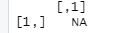
Here we got NA as output which means not a number or not available.
Example 2:
R `
creating empty matrix,
storing in variable mat1 and passing
@ number of rows and columns mat1 = matrix(, nrow = 10, ncol = 10)
printing empty matrix.
print(mat1)
`
Output:
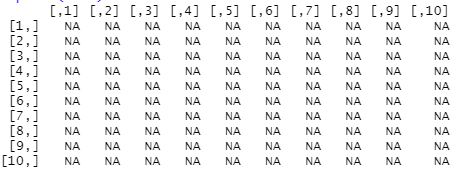
Method 2: Using only row :
Here we need to pass the only one row to create an empty matrix
Syntax: matrix name = matrix(, nrow = value 1)
Where,
Here matrix name can be any valid identifier
value 1 is for number of rows.
Example 1:
R `
Mat<-matrix(,nrow=10)
printing empty matrix.
print(Mat)
`
Output:
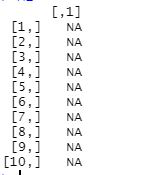
Method 3: Using only column.
Here we need to pass the only columns to create an empty matrix.
Syntax: matrix name = matrix(, ncol = value 1)
Where,
Here matrix name can be any valid identifier
Value 1 is for number of column.
Below is the implementation:
R `
Mat<-matrix(,ncol=10)
#printing empty matrix. print(Mat)
`
Output:
