Data Types in R (original) (raw)
Last Updated : 2 Jun, 2026
Data types in R specify the type of information stored in a variable and determine how it behaves during calculations and analysis. They define how data is represented in memory and how functions interpret it. R is a dynamically typed language, so the data type is assigned automatically when a value is created.
- Choosing the correct data type improves program performance and memory efficiency.
- Proper data types ensure accurate mathematical, logical and statistical computations.
- Selecting the right data type simplifies data processing and improves overall code clarity.
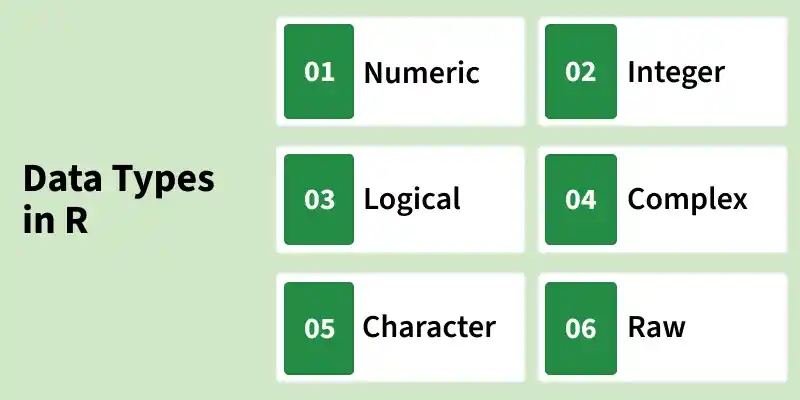
Data Type in R
1. Numeric Data Type
In R, numbers with decimal points are called numeric. This is the default data type for numbers and it is used to store real values for calculations. Numeric values are stored using double-precision floating-point format, which allows accurate representation of decimal numbers.
- Any number with a decimal point is automatically treated as numeric.
- Numeric is the standard type for performing arithmetic and statistical operations in R.
When R stores a number, it typically uses double-precision format. There is no fixed number of decimal places; representation depends on precision. Numbers without a decimal are not true integers unless explicitly defined.
R `
Numeric variable with decimal
x <- 5.6
print(class(x))
print(typeof(x))
Integer-like number without decimal
y <- 5
print(class(y))
print(typeof(y))
Check if y is an integer
print(is.integer(y))
`
Output
[1] "numeric" [1] "double" [1] "numeric" [1] "double" [1] FALSE
- class() identifies the general type of a variable (numeric, character, etc.).
- typeof() identifies how the value is stored internally (double, integer, logical, etc.).
- is.integer() confirms whether the value is a true integer. Here, y is not an integer because R stores it as a double by default.
2. Integer Data Type
The integer data type is used for storing numbers without decimal points. Integers can be created using the as.integer() function or by adding the suffix L to a number. This explicitly tells R to store the value as an integer rather than the default double type.
- Integer values in R are stored as 32-bit signed integers, with a range from -231 to 231-1.
- Integers are used when exact whole numbers are required, such as counts, indexes or categorical numeric codes.
Here we create integer variables in R using as.integer() and the L suffix. as.integer() converts a numeric value into an integer, while L directly defines a literal integer.
R `
Creating integer using as.integer()
x <- as.integer(5)
print(class(x))
print(typeof(x))
Creating integer using L suffix
y <- 5L
print(class(y))
print(typeof(y))
`
Output
[1] "integer" [1] "integer" [1] "integer" [1] "integer"
3. Logical Data Type
Logical data types in R represent Boolean values as TRUE or FALSE. Logical values are often created using comparisons between variables or by directly assigning Boolean values. This data type is used in decision-making, conditional statements and filtering data.
R `
Creating a logical value using comparison
x <- 4
y <- 3
z <- x > y
print(z)
print(class(z))
print(typeof(z))
Creating a logical value using direct assignment
logi <- FALSE
print(class(logi))
print(typeof(logi))
`
Output
[1] TRUE [1] "logical" [1] "logical" [1] "logical" [1] "logical"
4. Complex Data Type
Complex data types are used to store numbers with both real and imaginary components. The imaginary part is denoted using the suffix i. Complex numbers are useful in scientific computations, signal processing and mathematical modeling where imaginary numbers are required.
Here we create a complex number in R and check its class and internal type.
R `
Creating a complex number
x <- 4 + 3i
print(class(x))
print(typeof(x))
`
Output
[1] "complex" [1] "complex"
5. Character Data Type in R
Character data types are used to store text, including alphabets, numbers and special symbols. Character values also called strings are enclosed in single (') or double (") quotes. This data type is commonly used for names, labels, messages and textual information in datasets.
In this example, we will create a character variable in R
R `
Creating a character variable
char <- "Geeksforgeeks"
print(class(char))
print(typeof(char))
`
Output
[1] "character" [1] "character"
6. Raw Data Type in R
The raw data type in R is used to store and manipulate data at the byte level. It represents unprocessed binary values, making it useful for low-level operations such as working with files, network data or binary protocols. Raw vectors consist of elements in the range 00 to FF (hexadecimal notation).
Here in this code
- The raw vector x contains five elements, each representing a single byte.
- Hexadecimal notation (0x) is used to define raw values in R. R `
Creating a raw vector
x <- as.raw(c(0x1, 0x2, 0x3, 0x4, 0x5)) print(x)
`
Type Verification in R
R provides functions to verify the data type of an object. If you are unsure about an object's type, you can use the is. prefix followed by the data type name. This returns TRUE if the object matches the type and FALSE otherwise.
**Syntax:
is.data_type(object)
Here we check the data type of different objects in R using is. functions.
R `
print(is.logical(TRUE)) print(is.integer(3L)) print(is.numeric(10.5)) print(is.complex(1+2i)) print(is.character("12-04-2020"))
print(is.integer("a")) print(is.numeric(2+3i))
`
Output
[1] TRUE [1] TRUE [1] TRUE [1] TRUE [1] TRUE [1] FALSE [1] FALSE
Data Type Conversion in R
Data type conversion (coercion) is the process of changing an object from one data type to another in R. It can be done automatically by R or manually by the programmer.
- **Implicit coercion: R automatically converts an object to another type when needed.
- **Explicit conversion: The programmer manually changes the type using functions like as.numeric(), as.character(), as.logical() or as.complex().
- **Conversion limits: Some conversions may not be possible; attempting them returns NA with a warning.
**Syntax:
as.data_type(object)
Here we convert different types of objects to other data types in R.
R `
print(as.numeric(TRUE)) print(as.complex(3L)) print(as.logical(10.5)) print(as.character(1+2i)) print(as.numeric("12-04-2020"))
`
**Output:
[1] 1
[1] 3+0i
[1] TRUE
[1] "1+2i"
Warning message in print(as.numeric("12-04-2020")):
“NAs introduced by coercion”
[1] NA