Portfolio Website Using React (original) (raw)
Last Updated : 26 Feb, 2026
A portfolio website built with React showcases your skills, projects, and professional details online, serving as a key tool for personal branding.
- Highlights your talent, past work, and expertise in an interactive, user-friendly format.
- Provides contact information and a professional presence accessible to employers or clients.
Steps to Create Portfolio Webpage
**Step 1: Set up the React project with Vite:
npm create vite@latest portfolio-website --template react
**Step 2: Install necessary dependencies:
cd portfolio-website npm install
**Step 3: Styling and design with Tailwind CSS:
npm install -D tailwindcss postcss autoprefixer
**Step 4: Initialize the Tailwind CSS configuration:
npx tailwindcss init
Approach
To build a portfolio website using React, follow a structured component-based approach.
- Create multiple function-based components such as Navbar, Hero, About, Skills, Projects, Contact, and Footer, and integrate them into the App.js file.
- Implement styling using Tailwind CSS. Tailwind can be connected via CDN inside the index.html file, allowing the project to run locally without installing Tailwind separately.
- Store all components inside a dedicated components folder for better organization.
- Connect assets and external resources using hyperlinks wherever required.
The approach outlined above has been implemented in the provided code.
HTML `
Project | PortFolio WebPage using React You need to enable JavaScript to run this app.JavaScript
// Index.js import React from 'react'; import ReactDOM from 'react-dom/client'; import App from './App';
const root = ReactDOM.createRoot(document.getElementById('root')); root.render( <React.StrictMode> </React.StrictMode> );
JavaScript
// App.js import Navbar from "./components/Navbar"; import About from "./components/About"; import Skills from "./components/Skills"; import Projects from "./components/Projects"; import Contact from "./components/Contact"; import Footer from "./components/Footer"; import Hero from "./components/Hero";
export default function App() { return ( <>
JavaScript
// Navbar.js export default function Navbar() { return (
); }JavaScript
// Hero.js export default function Hero() { return (
Hi and welcome to
My Portfolio Website
I am your friendly neighbourhood osm developer...

JavaScript
// About.js export default function About() { return (

About Me :
As I said, I am your friendly neighbourhood osm developer...
I am a passionate self taught developer (which is quite a subjective thing as i learnt from teachers on youtube so does that really counts? idk). I am having an experience of about 4 years and had a deep understanding of creating web products.
JavaScript
// Skills.js export default function Skills() { const skills = ["Python", "HTML", "CSS", "Javascript", "React", "NextJs"]; return (
My Skills...
JavaScript
// Projects.js export default function Projects() { return (
My Projects
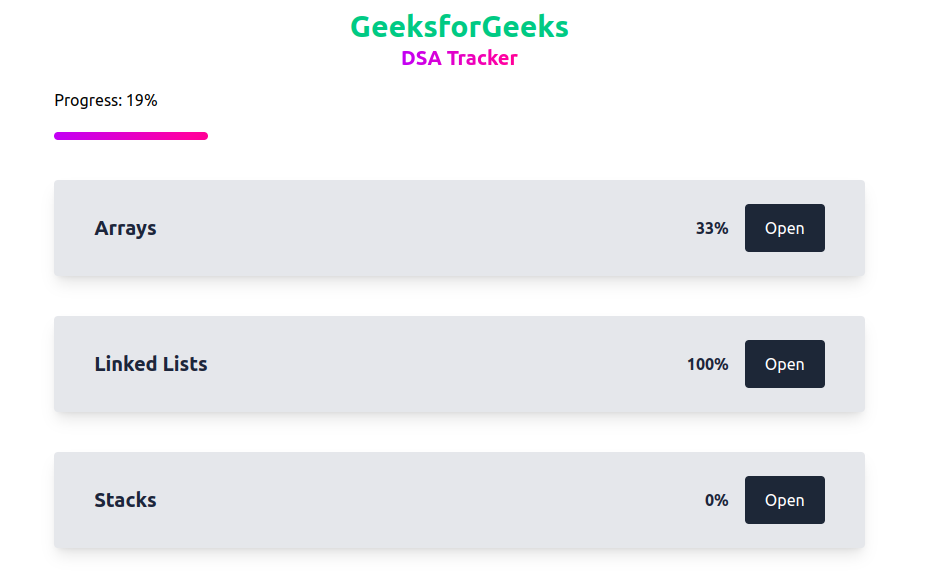
DSA Progress Tracker
This is a project built on react which tracks your progess in dsa and stores that in the local storage.

15 Puzzle Game
15 puzzle game is basically a tile-based game in which there are 16 tiles out of which 1 tile is left empty and the remaining tiles are filled with numbers from 1 to 15 in random order. The user has to arrange all the tiles in numerical order with the rule that they can only move the tile that is a direct neighbor of the empty tile.
JavaScript
// Contact.js export default function Contact() { return (
Contact
JavaScript
// Footer.js export default function Footer() { return (
©Copyright 2023. All rights are reserved by Geeks for Geeks
`
**Run and Test Your Application:
npm run dev
Output:
Follow the given link to Build and Host your own Portfolio Website using HTML,CSS and JavaScript.