React Hooks (original) (raw)
**ReactJS Hooks, introduced in React 16.8, are among the most impactful updates to the library, with over 80% of modern React projects adopting them for state and lifecycle management. They let developers use state, side effects, and other React features without writing class components. Hooks streamline code, improve readability, and promote a functional programming style, making functional components as powerful—if not more—than their class-based counterparts.
Types of React Hooks
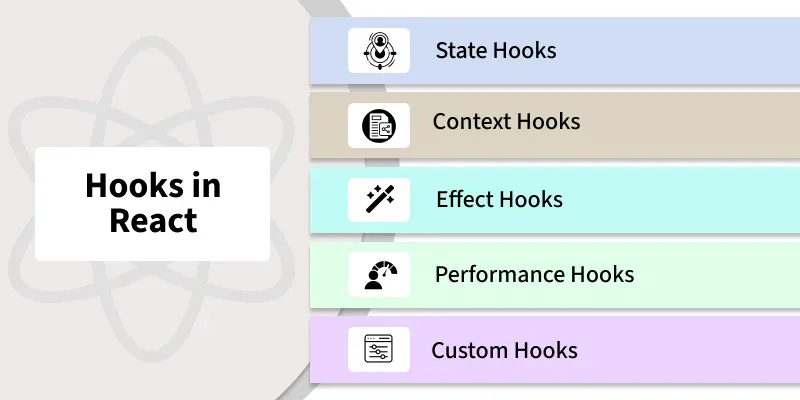
React offers various hooks to handle state, side effects, and other functionalities in functional components. Below are some of the most commonly used types of React hooks:
1. State Hooks
State hooks, specifically useState and useReducer, allow functional components to manage state in a more efficient and modular way. They provide an easier and cleaner approach to managing component-level states in comparison to class components.
**useState: The useState hook is used to declare state variables in functional components. It allows us to read and update the state within the component.
**Syntax
const [state, setState] = useState(initialState);
- **state: The current value of the state.
- **setState: A function used to update the state.
- **initialState: The initial value of the state, which can be a primitive type or an object/array
**useReducer: The useReducer hook is a more advanced state management hook used for handling more complex state logic, often involving multiple sub-values or more intricate state transitions.
**Syntax
const [state, dispatch] = useReducer(reducer, initialState);
- **state: The current state value.
- **dispatch: A function used to dispatch actions that will update the state.
- **reducer: A function that defines how the state should change based on the dispatched action.
- **initialState: The initial state value.
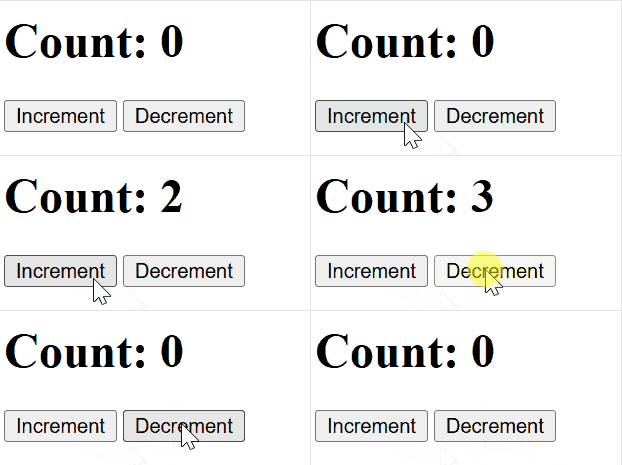
Now let's understand how state hook works using this example
JavaScript `
import React, { useState } from "react";
function App() { const [count, setCount] = useState(0); const increment = () => setCount(count + 1); const decrement = () => setCount(count - 1);
return (
    <div>
        <h1>Count: {count}</h1> {/* Display the current count */}
        <button onClick={increment}>Increment</button> {/* Increment the count */}
        <button onClick={decrement}>Decrement</button> {/* Decrement the count */}
    </div>
);
}
export default App;
`
**In this code
- useState is used to declare state variables in functional components.
- The state variable (count) and the updater function (setCount) allow you to read and update the state.
**Output
State hook
2. Context Hooks
The useContext hook in React is a powerful and convenient way to consume values from the React Context API in functional components. It allows functional components to access context values directly, without the need to manually pass props down through the component tree
const contextValue = useContext(MyContext);
const contextValue = useContext(MyContext);
- The useContext hook takes a context object (MyContext) as an argument and returns the current value of that context.
- The contextValue will hold the value provided by the nearest <MyContext.Provider> in the component tree.
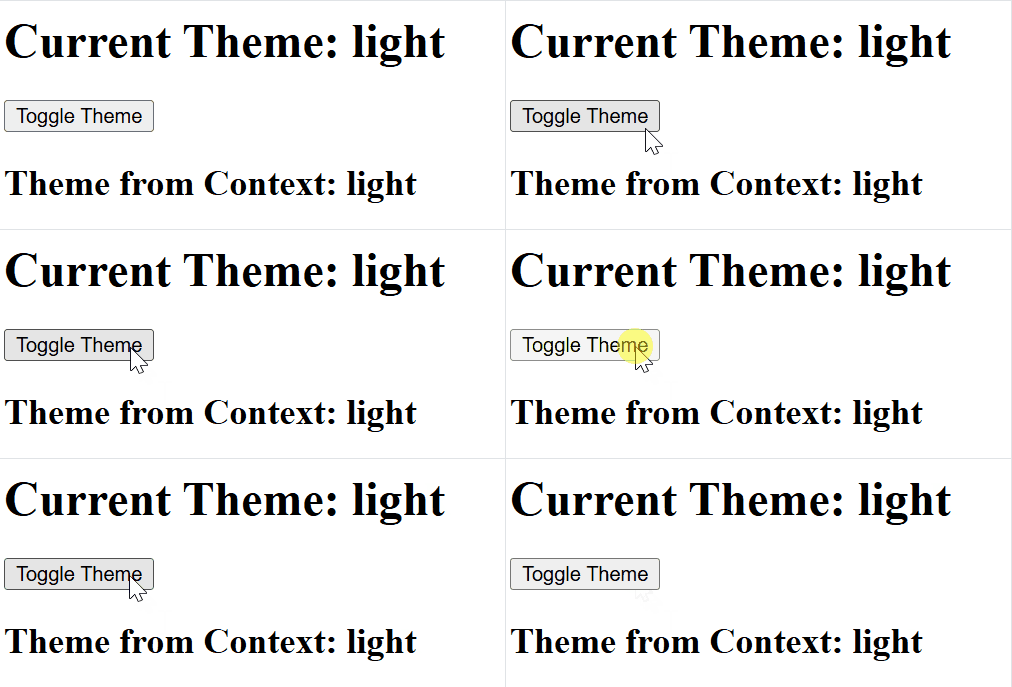
Now let's understand how context hook works using this example
JavaScript `
import React, { createContext, useContext, useState } from "react";
const ThemeContext = createContext();
function App() { const [theme, setTheme] = useState("light");
const toggleTheme = () => {
    setTheme((prevTheme) => (prevTheme === "light" ? "dark" : "light"));
};

return (
    <ThemeContext.Provider value={theme}>
        <div>
            <h1>Current Theme: {theme}</h1>
            <button onClick={toggleTheme}>Toggle Theme</button>
            <ThemeDisplay />
        </div>
    </ThemeContext.Provider>
);
}
function ThemeDisplay() { const theme = useContext(ThemeContext);
return <h2>Theme from Context: {theme}</h2>;}
export default App;
`
**In this code:
- useContext allows you to consume context values, making it easier to share data across components without prop drilling.
- The Provider makes the context value accessible to all components below it in the component tree.
**Output
Context Hook
3. Effect Hooks
Effect hooks, specifically useEffect,useLayoutEffect, and useInsertionEffect, enable functional components to handle side effects in a more efficient and modular way.
**useEffect: The useEffect hook in React is used to handle side effects in functional components. It allows you to perform actions such as data fetching, DOM manipulation, and setting up subscriptions, which are typically handled in lifecycle methods like componentDidMount or componentDidUpdate in class components.
**Syntax
useEffect(() => { // Side effect logic here }, [dependencies]);
- useEffect(() => { ... }, [dependencies]); runs side effects after rendering.
- The effect runs based on changes in the specified dependencies.
**useLayoutEffect: The useLayoutEffect is used when we need to measure or manipulate the lawet before the browser paints, ensuring smooth transitions and no flickering.
**Syntax
useLayoutEffect(() => { // Logic to manipulate layout or measure DOM elements }, [dependencies]);
**useInsertionEffect: The useInsertionEffect is designed for injecting styles early, especially useful for server-side rendering (SSR) or styling libraries, ensuring styles are in place before the component is rendered visually.
**Syntax
useInsertionEffect(() => { // Logic to inject styles or manipulate stylesheets }, [dependencies]);
Now let's understand how effect hook works using this example:
JavaScript ``
import React, { useState, useEffect } from "react";
function App() { const [count, setCount] = useState(0);
useEffect(() => {
    document.title = `Count: ${count}`;
    console.log(`Effect ran. Count is: ${count}`);

    return () => {
        console.log("Cleanup for previous effect");
        document.title = "React App";
    };
}, [count]);

return (
    <div>
        <h1>Count: {count}</h1>
        <button onClick={() => setCount(count + 1)}>Increment Count</button>
    </div>
);
}
export default App;
``
**In this code
- useEffect is great for handling side effects like data fetching, subscriptions, or manually manipulating the DOM (like changing the document title).
- The cleanup function is useful to clean up resources (like timers or event listeners) when the component is unmounted or before the effect runs again.
**Output:

Effect Hook
4. Performance Hook
Performance Hooks in React, like useMemo and useCallback, are used to optimize performance by avoiding unnecessary re-renders or recalculations.
**useMemo: useMemo is a React hook that memoizes the result of an expensive calculation, preventing it from being recalculated on every render unless its dependencies change. This is particularly useful when we have a computation that is expensive in terms of performance, and we want to avoid recalculating it on every render cycle.
**Syntax
const memoizedValue = useMemo(() => computeExpensiveValue(a, b), [a, b]);
**useCallback: The useCallback is a React hook that helps to memoize functions, ensuring that a function is not redefined on every render unless its dependencies change. This is particularly useful when passing functions as props to child components, as it prevents unnecessary re-renders of those child components.
**Syntax
const memoizedCallback = useCallback(() => { doSomething(a, b); }, [a, b]);
- useMemo caches the computed value (num * 2), recalculating it only when num changes.
- This prevents unnecessary calculations on every render.
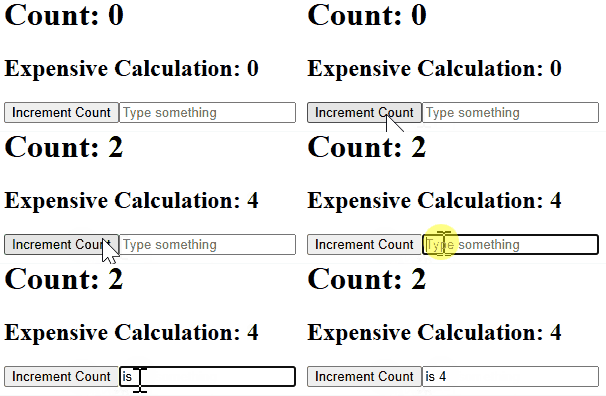
Now let's understand how performance hook works using this example
JavaScript `
import React, { useState, useMemo } from "react";
function App() { const [count, setCount] = useState(0); const [text, setText] = useState("");
const expensiveCalculation = useMemo(() => {
    console.log("Expensive calculation...");
    return count * 2;
}, [count]);

return (
    <div>
        <h1>Count: {count}</h1>
        <h2>Expensive Calculation: {expensiveCalculation}</h2>
        <button onClick={() => setCount(count + 1)}>Increment Count</button>

        <input
            type="text"
            value={text}
            onChange={(e) => setText(e.target.value)}
            placeholder="Type something"
        />
    </div>
);
}
export default App;
`
**In this code
- useMemo memoizes the result of expensiveCalculation.
- It only recomputes when count changes.
- When text changes, the calculation is not re-run, optimizing performance.
- console.log appears only when count changes, showing memoization works.
**Output
Performance Hooks
5. Resource Hooks(useFetch)
The useFetch is typically a custom hook used for fetching data from an API. It is implemented with useEffect to fetch data when the component mounts or when dependencies change.
**Synatx
const { data, loading, error } = useFetch(url);
- useFetch is a custom hook for fetching data from a given URL.
- It uses useEffect to fetch data when the URL changes and updates the data state.
Now let's understand how resource hook works using this example
JavaScript `
import React, { useState, useRef } from "react";
function App() { const countRef = useRef(0); const [forceRender, setForceRender] = useState(false);
const increment = () => {
    countRef.current += 1;
    setForceRender(!forceRender);
};

return (
    <div>
        <h1>Count: {countRef.current}</h1> {/* Display count value */}
        <button onClick={increment}>Increment</button>
    </div>
);
}
export default App;
`
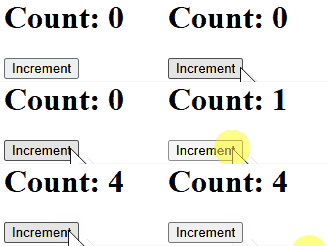
**In this code
- countRef holds the mutable count value.
- useState (forceRender) triggers re-renders to reflect changes in the UI.
- When the Increment button is clicked, countRef is updated.
- setForceRender forces a re-render to update the UI.
- The updated count is displayed in an
tag, not in a prompt.
**Output
Resource Hooks
6. Other Hooks
React offers additional hooks for specific use cases
- **useReducer****:** For complex state management.
- **useImperativeHandle****:** Customizes the instance value exposed by useRef.
- **useLayoutEffect****:** Like useEffect but fires synchronously after DOM updates.
7. Custom Hooks
Custom Hooks are user-defined functions that encapsulate reusable logic. They enhance code reusability and readability by sharing behavior between components.
JavaScript `
//useWidth.js
import { useState, useEffect } from "react";
function useWidth() { const [width, setWidth] = useState(window.innerWidth);
useEffect(() => {
    const handleResize = () => setWidth(window.innerWidth);
    window.addEventListener("resize", handleResize);
    return () => window.removeEventListener("resize", handleResize);
}, []);

return width;
}
export default useWidth;
`
**Using a Custom Hook
JavaScript `
import React from "react"; import useWidth from "./useWidth";
function App() { const width = useWidth(); return
Window Width: {width}px
; }export default App;
`
- The custom hook useWidth encapsulates the logic for tracking the window's width.
- It reduces redundancy by reusing the logic across components.
we can see a Complete list of React Hooks in **ReactJS Hooks Complete Reference****.**
Difference Between Hooks and Class Components
| Feature | Class Components | React Hooks |
|---|---|---|
| **State Management | this.state and lifecycle methods | useState and useEffect |
| **Code Structure | Spread across methods, can be complex | Smaller, focused functions |
| **Reusability | Difficult to reuse logic | Easy to create and reuse custom hooks |
| **Learning Curve | Familiar to OOP developers | Requires different mindset than classes |
| **Error Boundaries | Supported | Not currently supported |
| **Third-party Libraries | Some libraries rely on them | May not all be compatible yet |