Image Sharpening using Laplacian, High Boost Filtering in MATLAB (original) (raw)
Last Updated : 28 Jul, 2025
Image sharpening is a crucial process in digital image processing, aimed at improving the clarity and crispness of visual content. By emphasizing the edges and fine details in a picture, sharpening transforms dull or blurred images into visuals where objects stand out more distinctly from their backgrounds. This not only makes photographs more visually appealing but also enhances their usefulness in analysis, recognition and interpretation tasks. Two effective and commonly used sharpening techniques in MATLAB are the Laplacian filter and high boost filtering.
Laplacian Filter
The Laplacian filter is an edge-detection operator that highlights regions of rapid intensity change, which are typically found at edges within an image. It works by applying a special convolution mask that calculates the second derivative of pixel values in all directions. This method:
- Detects edges regardless of direction.
- Produces an "edge map" that can be added or subtracted from the original image to enhance sharpness.
- Is sensitive to noise, so minor details may appear more pronounced after processing.
High Boost Filtering
High boost filtering is a technique that sharpens an image by boosting its edge information while still retaining the low-frequency (smooth) areas. This method goes beyond simple edge enhancement by allowing us to control the degree of sharpness through an amplification constant (often denoted as "A"). The essential steps are:
- Create a mask that accentuates details and edges even further than a traditional Laplacian filter.
- Combine the original image with the enhanced edge information, with the degree of sharpening controlled by the parameter A.
- Particularly useful for images that need strong emphasis on details without losing the context of the entire image.
Implementation
**Step 1: Load a Test Image
Matlab `
a = imread('cameraman.tif');
imshow(a);
title('Original Image');
`
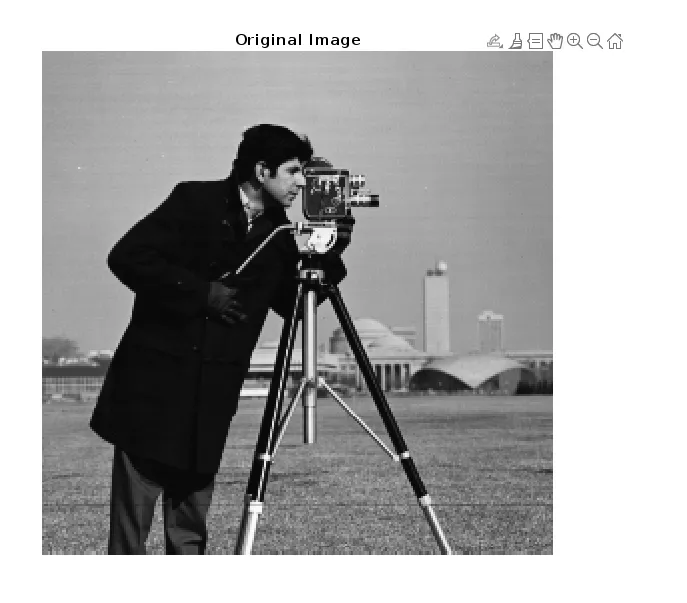
Original Image
**Laplacian Filter Sharpening
The Laplacian filter is a simple edge detector, we can sharpen the images by either subtracting or adding the edge map, based on the filter used.
**1. Using a Basic Laplacian Filter
- The filter highlights edges.
- We subtract the filtered image from the original to highlight the edges. Matlab `
Lap = [0 1 0; 1 -4 1; 0 1 0];
a1 = conv2(double(a), Lap, 'same'); a2 = uint8(a1);
sharp1 = abs(double(a) - double(a2)); imshow(uint8(sharp1), []); title('Sharpened Image (Basic Laplacian)');
`
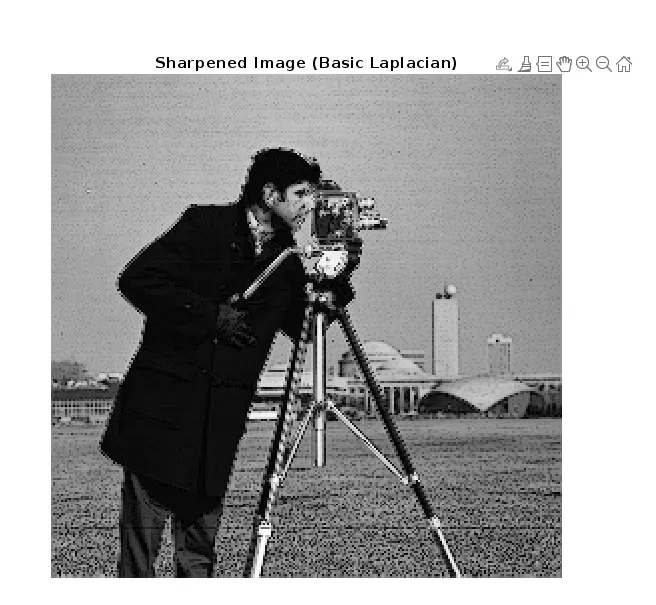
Basic Laplacian
**2. Using a Stronger Laplacian Filter
- This mask intensifies the edge detection.
- We add the filtered image to the original for sharpening. Matlab `
lap = [-1 -1 -1; -1 8 -1; -1 -1 -1];
a3 = conv2(double(a), lap, 'same');
a4 = uint8(a3);
sharp2 = abs(double(a) + double(a4));
imshow(uint8(sharp2), []);
title('Sharpened Image (Strong Laplacian)');
`
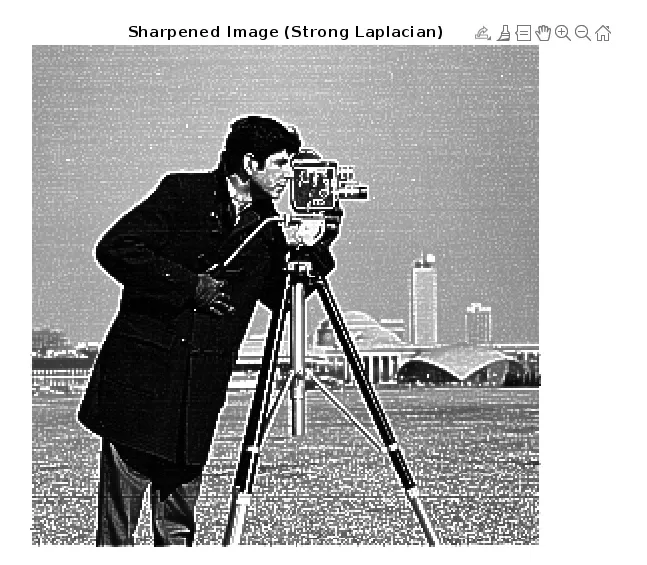
Sharpened Image
High Boost Filtering
High boost filtering combines the original image with an edge-enhanced version for more aggressive detail enhancement.
**1. Standard High Boost Filter: The filter enhances image details by combining edge emphasis and the original image.
Matlab `
HBF = [0 -1 0; -1 5 -1; 0 -1 0];
a1 = conv2(double(a), HBF, 'same');
a2 = uint8(a1);
imshow(a2, []); title('High Boost Filtered Image (A=1)');
`
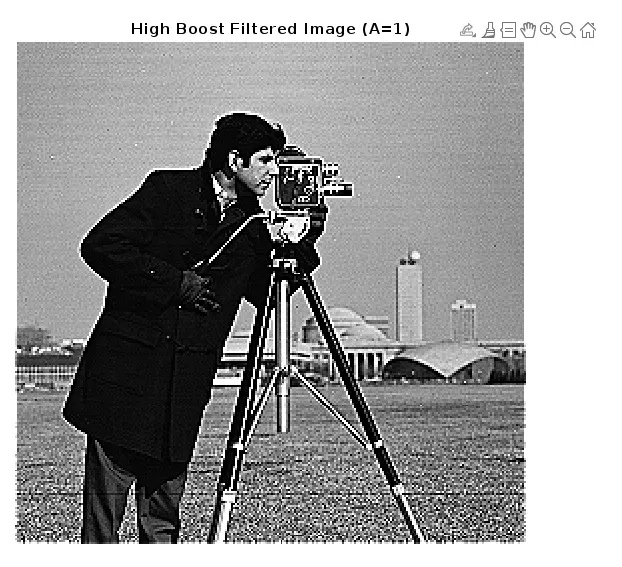
Standard High Boost Filter
**2. Stronger High Boost Filter:
- Larger central value increases sharpening intensity.
- Use this for images where we want very clear, crisp edges. Matlab `
SHBF = [-1 -1 -1; -1 9 -1; -1 -1 -1];
a3 = conv2(double(a), SHBF, 'same'); a4 = uint8(a3);
imshow(a4, []); title('High Boost Filtered Image (A=2)');
`
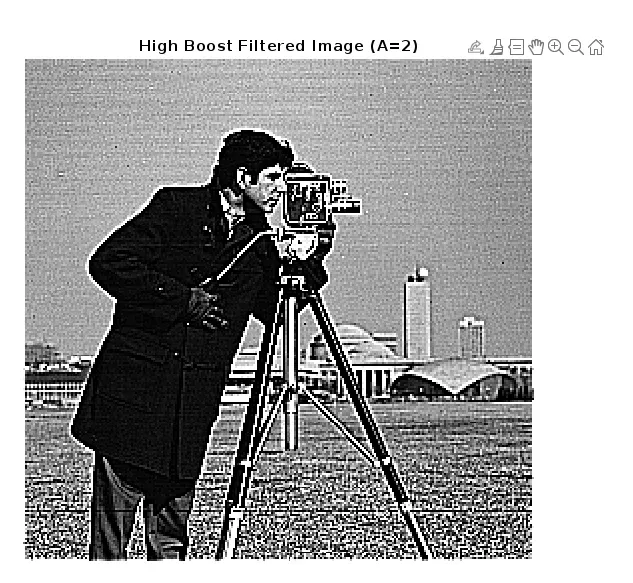
Stronger High Boosted Filter
Image sharpening enhances the clarity and distinction of edges in digital pictures. Using MATLAB, both Laplacian and high boost filtering offer straightforward, effective ways to make images look crisper and more detailed. By applying these filters, we can quickly improve image quality for better analysis, presentation or interpretation.