What is Jira Epic? (original) (raw)
Last Updated : 15 Sep, 2025
Jira is a popular product management tool used by organizations for different purposes in their project. It helps in increasing the efficiency of the work to be completed. Jira gained huge popularity among different industries for managing various projects and workflows. This article is a step-by-step guide for exploring Epic in Jira and how to use it in Project Management.
What is Jira Epic?
Epic in Jira provides an overview of the task that needs to be done. Epic shows the path to achieving a particular target for the team by showing the major goals and objectives of the project. Within this epic, you can create small tasks that can be assigned to individual team members so that everyone in the team can contribute towards the goal. This structure helps manage the product easily and gives a clear overview of the project's progress.
**Why is Jira Epic Useful?
- **High-Level Overview: Creating an Epic in Jira helps in managing the project with a top-down approach
- **Better Visualisation: Creating an Epic will help in better visualization of your goal and objective.
- **Task Association: Many small tasks are associated with Epic making it easier to manage.
- **Project Tracking: Epic helps check the project status and ensure its destination.
When to Use Jira Epics?
- Large Projects: Epics are used when the project is large and requires multiple phases in execution.
- Collaboration: Different mode of communication medium is given within Epic so that the team can collaborate easily within the project
- Product Development: Epics comes with various features and updates in the software that can help in product development.
Steps of creating Jira Epic
**Step 1: Log in to your Jira account.
**Step 2: Under the project, section Go to 'Create New Project'.

**Step 3: Select Scrum from the given options. [Note I have chosen Scrum as it is widely used in the Industry.

**Step 4: Click on use this template.

**Step 5: From the below option choose 'Team Manage Project' as 'Company Manage Project' requires a Premium Account.
.jpg)
**Step 6: Give a Suitable Project Name for our case we Gave "TechyGeek" and Click Next.
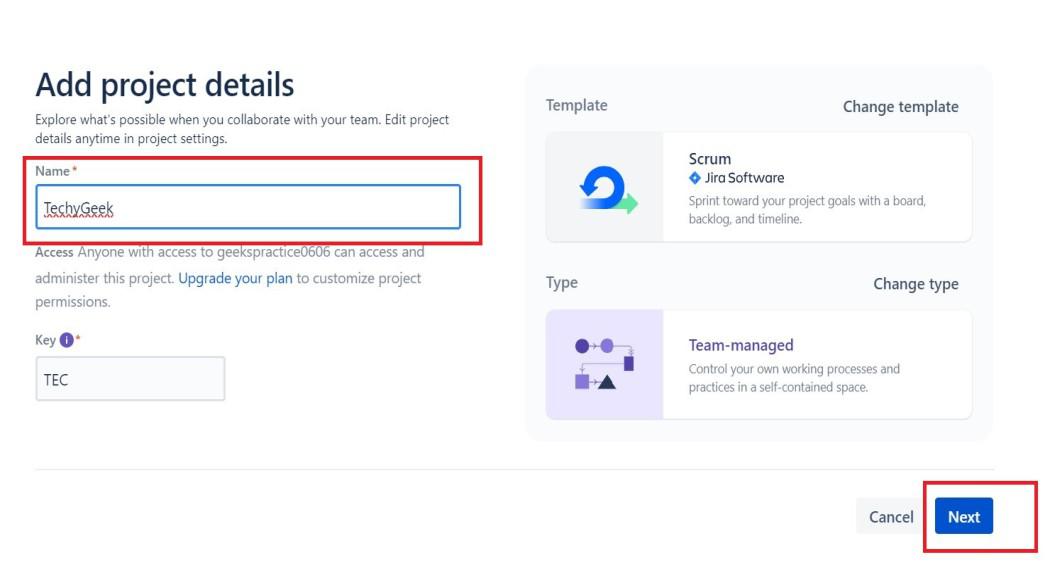
**Step 7: The Project is Successfully created, and a new Page will open.
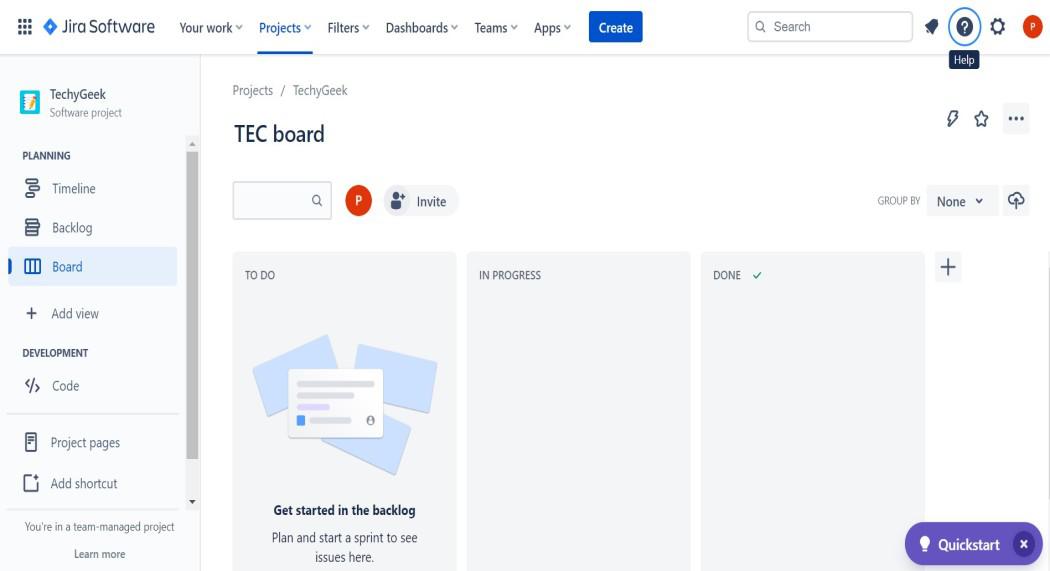
**Step 8: Click on Create Button.

**Step 9: Select Issue Type 'Epic' from the drop-down.
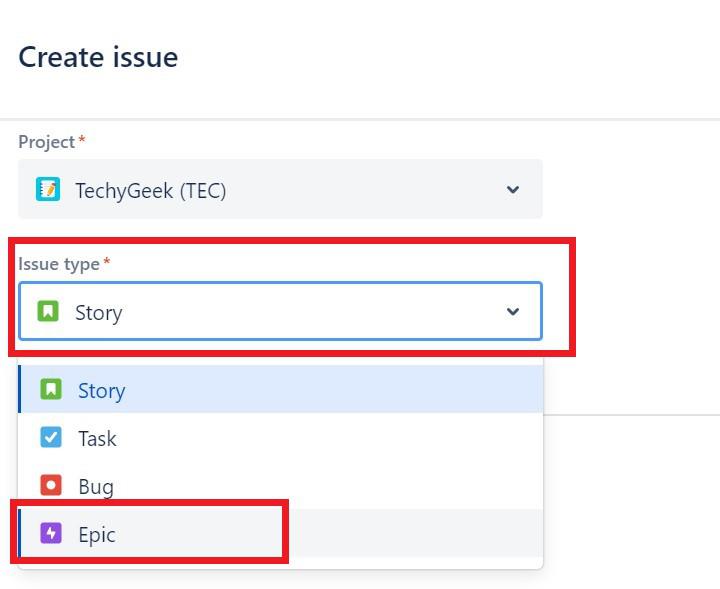
**Step 10: For the Summary Section, You can give any overview you like. We have written 'Making Application for Techies'.
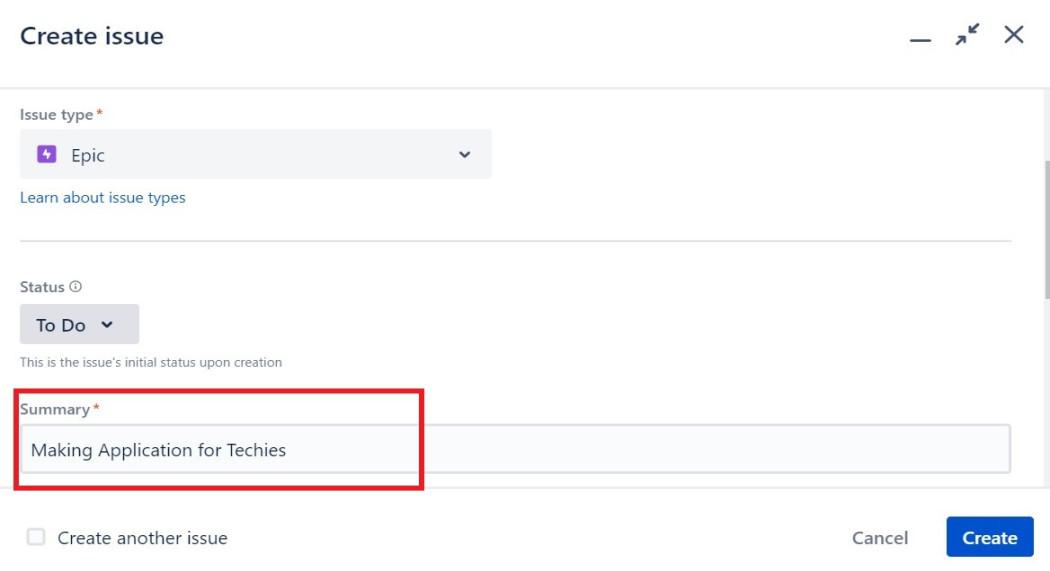
**Step 11: Give a Brief Description, for our article we gave 'Develop and launch our new mobile app for iOS and Android platforms:

**Step 12: Leave the rest of the Column As it is. and click on Create.
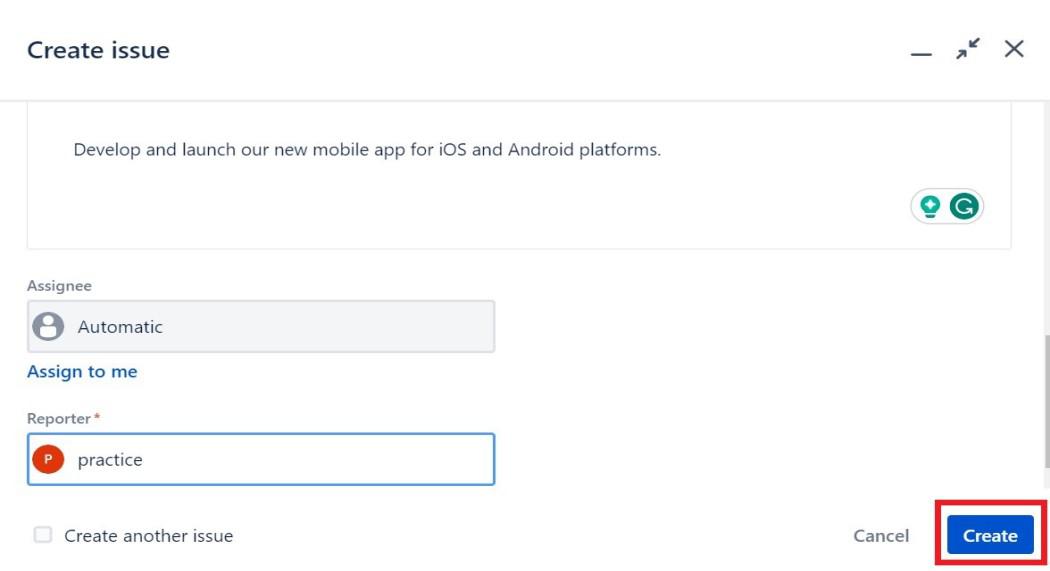
**Step 13: Congratulations! Epic in Jira was created Successfully. You can have a tour by clicking on Quickstart.

**Step 14: If all your work is done then click on Timeline.
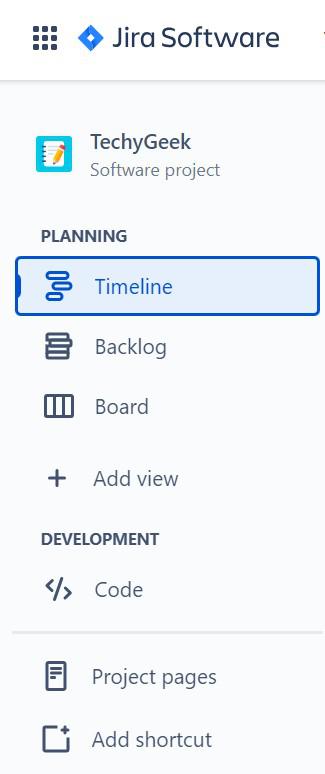
**Step 15: Click on the '+' icon there.
.jpg)
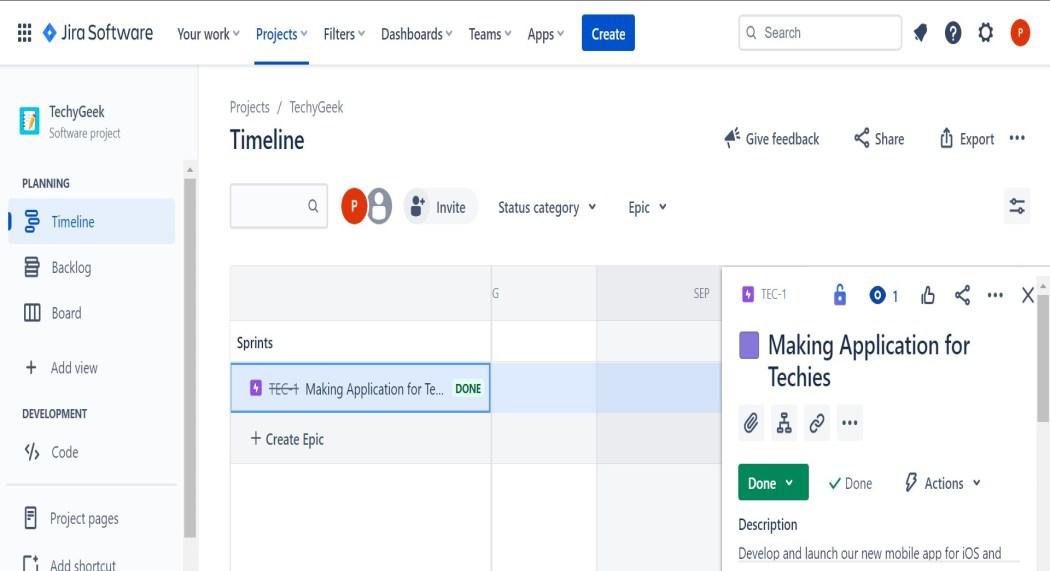
**Step 16: Change Status to 'Done'.
.jpg)
**Step 17: The epic is now closed.
**Tips of creating Jira epics
- Must have a clear and well-defined objective.
- Always include a good description or summary.
- Break the larger task into smaller manageable chunks.
- Assign work to the appropriate team player.
- Monitor/Update the progress of the Project.
Conclusion
Jira Epic is a valuable tool when it comes to project management. It provides a step-by-step structured way to manage a large complex project easily. Effectively implementing Jira Epic can enhance your project management skills and also reduce the burden of managing the project.