ECommerce Website Testing | Software Testing (original) (raw)
Last Updated : 19 May, 2026
E-Commerce websites handle thousands of customer interactions and online transactions every day, making quality and reliability extremely important. Proper testing helps ensure smooth shopping experiences, secure payments, and uninterrupted business operations.
E-Commerce Website Testing covers
- Verifying important features such as product search, shopping cart, and checkout process
- Ensuring website performance and stability under heavy user traffic
- Protecting customer and payment data from security threats and vulnerabilities
Key Areas to Test on an E-Commerce Website
Before understanding different testing types, it is important to identify the major areas where defects commonly occur in an e-commerce system:
- **Homepage & navigation: menus, banners, category links
- **Search & filters: keyword search, sorting, category filtering
- **Product pages: images, descriptions, prices, and stock status
- **Shopping cart: add/remove items, quantity updates, price calculations
- **Checkout & payment: address forms, coupon codes, payment gateway integration
- **User accounts: registration, login, order history, wishlists
- **Order management: confirmation emails, tracking, returns & refunds
Types of E-Commerce Testing
Below are the different types of testing used in e-commerce systems:
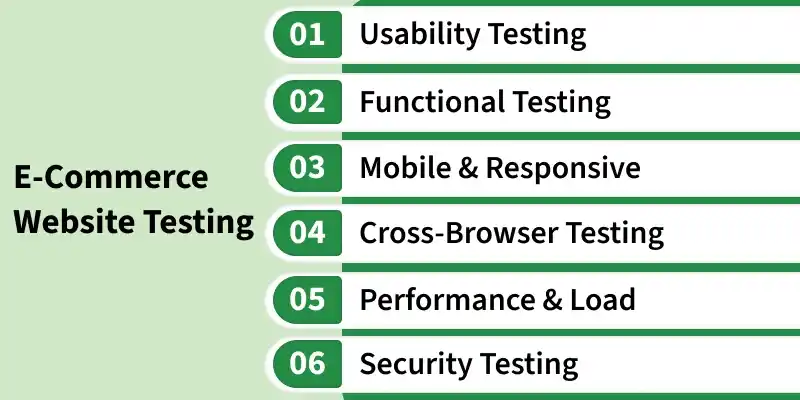
Types of E-Commerce Testing
- **Usability Testing: Evaluates the overall user experience. Can a first-time visitor find a product and check out without friction? Poor usability can negatively impact customer experience and conversions.
- **Functional Testing: Validates that every feature works as expected — from adding a product to cart to completing a payment. It's the foundation of all e-commerce QA.
- **Mobile & Responsive Testing: Confirms the site looks and functions correctly across all screen sizes and devices — phones, tablets, and desktops.
- **Cross-Browser Testing: Ensures consistent behavior across Chrome, Firefox, Safari, and Edge. A broken layout in a browser like Safari can result in poor user experience and customer loss.
- **Performance & Load Testing: Simulates heavy traffic to identify bottlenecks. Critical before sales events, product launches, or seasonal peaks like festivals and holidays.
- **Security Testing: Checks for vulnerabilities like SQL injection, XSS attacks, and weak authentication. Ensures payment data and user information are fully protected.
- **Selenium: An open-source automation tool used for functional and regression testing of e-commerce applications across multiple browsers.
- **Cypress: A modern end-to-end testing tool that simplifies testing of user workflows, forms, and checkout processes.
- **JMeter: An open-source performance testing tool used to simulate heavy user traffic and measure website performance under load.
- **Postman: Tests and validates APIs that power product listings, payments, and orders.
- **OWASP ZAP: A free security testing tool that identifies common web vulnerabilities like SQL injection and XSS attacks.
- **BrowserStack: A cloud-based platform used to test websites across different real browsers, devices, and operating systems.
- **Google Lighthouse: A browser-based auditing tool used to measure website performance, accessibility, SEO, and best practices.
- **Playwright: A powerful automation framework that supports reliable cross-browser testing for modern web applications.
Best Practices for E-Commerce Testing
- Write a comprehensive test plan covering all user journeys before development ends.
- Automate regression tests so every new release is validated against existing features.
- Always test in a staging environment that closely mirrors the production environment before deployment.
- Integrate testing into your CI/CD pipeline for continuous quality assurance.
- Perform load testing well before peak traffic events — not the night before.
- Validate all third-party integrations such as payment gateways, shipping APIs, and analytics tools independently.
- Cover edge cases: empty carts, expired coupons, failed payments, out-of-stock items.
Common Mistakes to Avoid
- Skipping mobile testing and assuming desktop coverage is enough.
- Ignoring edge cases in the checkout flow — where most revenue is lost.
- Not testing third-party integrations like payment gateways and shipping APIs.
- Running load tests too late — days before a major sale or launch.
- Overlooking accessibility standards, which can also affect SEO rankings.
- Testing only the happy path and ignoring failure scenarios like declined cards.
Importance of E-Commerce Website Testing
A poorly tested e-commerce site doesn't just annoy users — it costs real money. Here's why testing should be a priority from day one:
- **Revenue protection: Bugs in checkout or payment flow directly kill conversions.
- **Customer trust: Security flaws or crashes erode brand credibility fast.
- **SEO impact: Slow pages and broken links hurt search rankings.
- **Regulatory compliance: Payment and data handling must meet PCI-DSS and GDPR standards.
- **Mobile reach: Over 60% of shopping happens on mobile; untested mobile UX means lost sales.
Challenges of eCommerce Testing
- Security standards must be very high because sensitive user information, including card details, is stored.
- Ensuring application scalability during high traffic conditions.
- User interaction should be smooth, simple, and user-friendly.
- Accessibility to reach different domestic markets