Stages of Automation Testing Life Cycle (original) (raw)
Last Updated : 18 May, 2026
The Automation Testing Life Cycle (ATLC) is a structured process that helps teams plan, develop, execute, and maintain automated tests efficiently. It improves software quality, reduces manual effort, and supports faster and more reliable releases.
- Covers key stages from identifying automation scope to script maintenance.
- Ensures efficient test execution and continuous improvement.
- Helps achieve better quality, faster feedback, and optimized testing efforts.
Stages of Automation Testing Life Cycle
The Automation Testing Life Cycle (ATLC) is a structured process that guides teams in planning, developing, executing, and maintaining automated tests. It helps improve software quality, reduce manual effort, and enable faster releases.
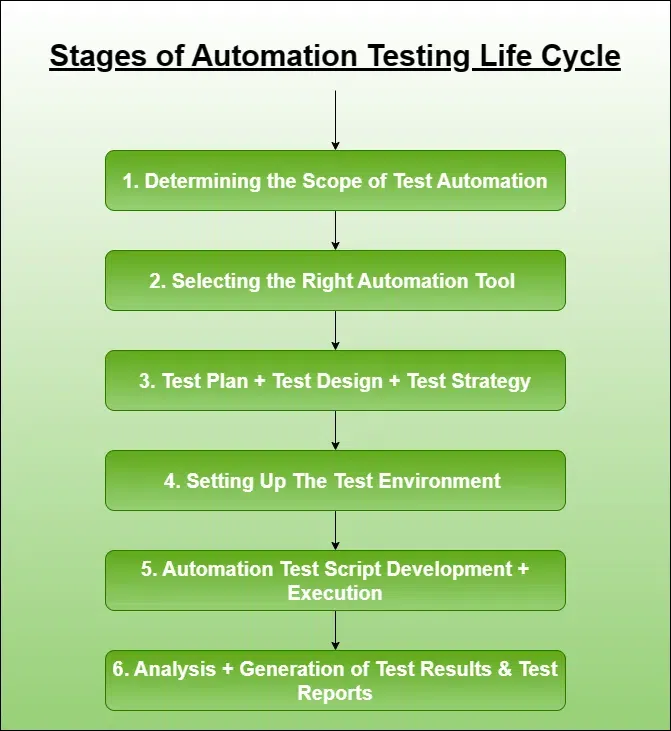
Stages of Automation Testing Life Cycle
1. Determining the Scope of Test Automation
This stage focuses on identifying what should and should not be automated to ensure maximum return on investment.
- Analyze the application thoroughly, including its features, architecture, and business priorities.
- Identify test cases that are repetitive, stable, data-driven, and frequently executed.
- Evaluate factors like complexity, risk areas, and maintenance effort before selecting tests for automation.
2. Selecting the Right Automation Tool
Choosing the appropriate automation tool is essential for effective and scalable testing.
- Select tools based on application type (web, mobile, API), technology stack, and project requirements.
- Consider factors like ease of use, team expertise, cost, and integration with CI/CD pipelines.
- Ensure the tool supports features like cross-browser testing, reporting, and scalability.
3. Test Planning, Design, and Strategy
This phase defines the overall approach for implementing automation effectively.
- Prepare a detailed test plan covering scope, objectives, timelines, resources, and risks.
- Design reusable, maintainable, and scalable test cases covering different scenarios.
- Define a strategy including framework selection, test data management, and execution approach.
4. Test Environment Setup
A stable and production-like environment is necessary for reliable and accurate test execution.
- Set up required hardware, software, browsers, devices, and network configurations.
- Prepare realistic test data to cover normal, edge, and error scenarios.
- Configure integrations and ensure the environment is consistent, isolated, and repeatable.
5. Test Script Development and Execution
This stage involves creating automation scripts and executing them to validate application functionality.
- Develop test scripts using selected tools and frameworks following best coding practices.
- Use modular design and reusable components to improve maintainability and scalability.
- Execute tests across environments, monitor results, and debug failures efficiently.
6. Result Analysis and Maintenance
This stage focuses on evaluating test outcomes and keeping automation scripts up to date.
- Analyze test results to identify defects, failures, and root causes.
- Generate reports and share insights with stakeholders for decision-making.
- Continuously update and maintain scripts based on application changes and new requirements.