SQL Natural Join (original) (raw)
Last Updated : 27 Aug, 2025
Natural Join is a type of join that automatically matches and combines rows from two tables based on columns with same name and compatible data types. Unlike other joins, you don’t need to manually specify condition; SQL detects common columns and returns a result without redundant duplicate columns.
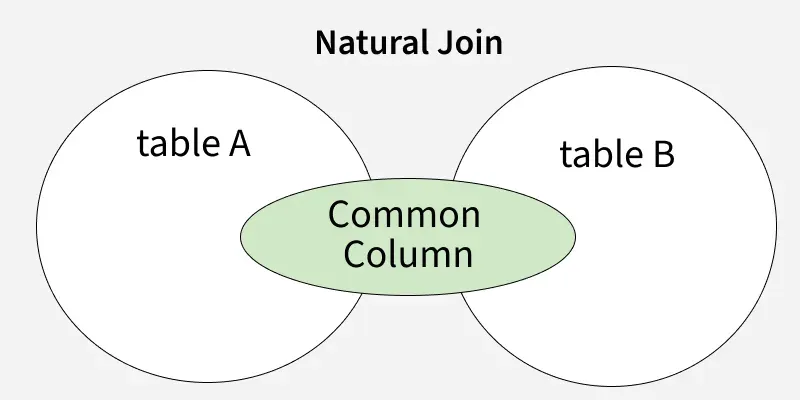
Natural Join
**Syntax:
SELECT *
FROM table1
NATURAL JOIN table2;
Steps to implement Natural Join
Let’s break down the process of performing a Natural Join through a practical example. We will create two tables and join them using SQL Natural Join.
Step 1: Create and Use Database
First, create a database named geeks and switch to it:
CREATE DATABASE geeks;
USE geeks;
Step 2: Create Tables
Let’s define two tables in the geeks database, department and employee.
**1. Department Table
CREATE Table department (
DEPT_NAME Varchar(20),
MANAGER_NAME Varchar(255) );
**2. Employee Table
CREATE Table employee (
EMP_ID int,
EMP_NAME Varchar(20),
DEPT_NAME Varchar(255) );
Step 3: Insert Data into the Tables
Let’s insert sample data into both the department and employee tables.
**1. Insert data into the department table:
INSERT INTO department (DEPT_NAME, MANAGER_NAME)
VALUES
("IT", "ROHAN"),
("SALES", "RAHUL"),
("HR", "TANMAY"),
("FINANCE", "ASHISH"),
("MARKETING", "SAMAY");
**2. Insert data into the employee table.
INSERT INTO employee (EMP_ID, EMP_NAME, DEPT_NAME)
VALUES
(1, "SUMIT", "HR"),
(2, "JOEL", "IT"),
(3, "BISWA", "MARKETING"),
(4, "VAIBHAV", "IT"),
(5, "SAGAR", "SALES");
Step 4: Verify the Inserted Data
To ensure the data has been inserted correctly, run the following queries to view the data in both tables:
SELECT * FROM employee;
**Output
| EMP_ID | EMP_NAME | DEPT_NAME |
|---|---|---|
| 1 | SUMIT | HR |
| 2 | JOEL | IT |
| 3 | BISWA | MARKETING |
| 4 | VAIBHAV | IT |
| 5 | SAGAR | SALES |
**Query:
SELECT * FROM department;
**Output
| DEPT_NAME | MANAGER_NAME |
|---|---|
| IT | ROHAN |
| SALES | RAHUL |
| HR | TANMAY |
| FINANCE | ASHISH |
| MARKETING | SAMAY |
Step 5: Perform SQL Natural Join
Now, we can perform the Natural Join between the employee and department tables. The join will be based on the DEPT_NAME column, which is common to both tables.
**Query:
SELECT *
FROM employee
NATURAL JOIN department;
**Output
| EMP_ID | EMP_NAME | DEPT_NAME | MANAGER_NAME |
|---|---|---|---|
| 1 | SUMIT | HR | TANMAY |
| 2 | JOEL | IT | ROHAN |
| 3 | BISWA | MARKETING | SAMAY |
| 4 | VAIBHAV | IT | ROHAN |
| 5 | SAGAR | SALES | RAHUL |
**Explanation:
- DEPT_NAME column appears only once, even though it exists in both tables because Natural Join automatically merges common columns.
- The result combines employee details with their respective department managers
Difference Between Natural Join and Inner Join
While Natural Join and Inner Join are both used to combine data from two tables, they differ in the following ways:
| Feature | Natural Join | Inner Join |
|---|---|---|
| Join Condition | Automatically matches columns with the same name and data type | Requires explicit join condition using ON clause |
| Common Columns | Includes only one copy of each common column | Includes both copies, which can lead to duplicate column names |
| Syntax Simplicity | Shorter and simpler (no need to write the join condition) | More flexible but needs join condition to be defined |
| Control Over Join Logic | Less control (relies on column names being the same) | Full control over how tables are joined |
| Use Case | When tables share common column names and you want a quick join | When you want to join on specific columns or use different column names |