How to Create a Disposable Email Address with Gmail (original) (raw)
Last Updated : 5 Dec, 2025
Using a disposable email address is a smart way to protect your primary inbox from spam, unwanted promotions, and one time sign up services. While many users rely on third party temporary email services, Gmail actually allows you to create disposable email variations using built in features. These Gmail aliases help you manage incoming mail more efficiently without revealing your main address.
- Gmail supports disposable email aliases using the “+tag” method.
- You can filter, organize, or auto delete emails sent to these aliases.
- No new account is needed everything works within your main Gmail ID.
- A safe and convenient way to keep your primary inbox clean.
How to Set Up a Disposable Email Address in Gmail
**Creating a disposable email address in Gmail is straightforward. Follow these steps:
Step 1:
- Open Gmail and login to your account
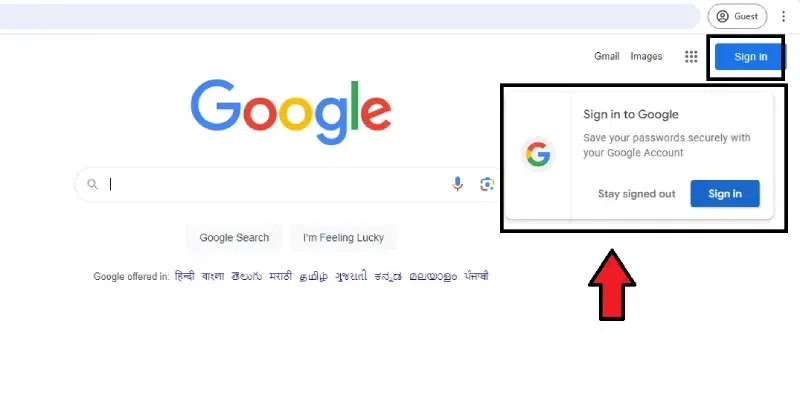
Log in to Your Gmail Account
Step 2:
- Tab to "Settings" by clicking the menu option in the top right corner.
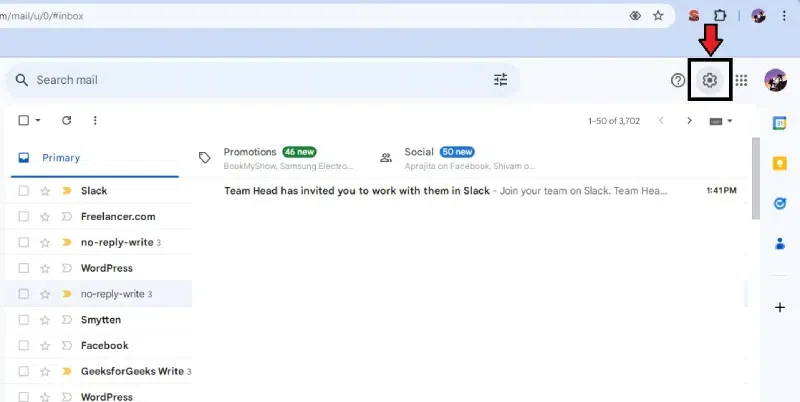
Click the "Settings" option
Step 3:
- Go to the "Accounts" tab and click on it.
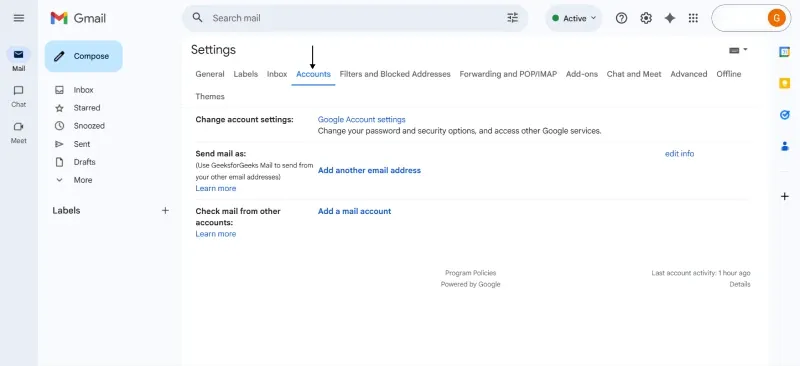
Click on Accounts tab
Step 4:
- Go to "Send mail as" and add another email address.
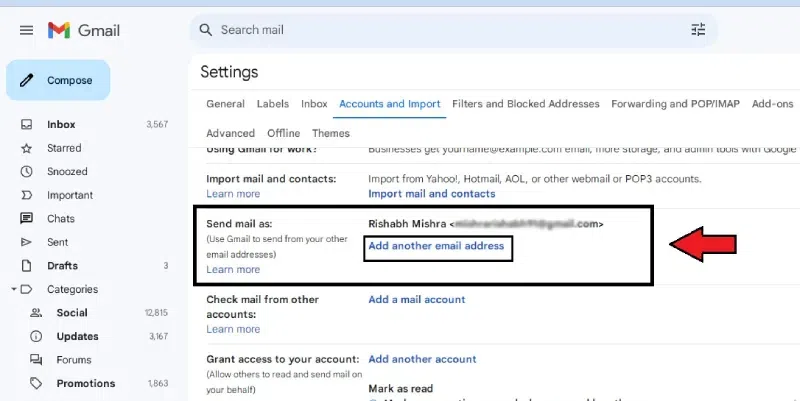
Go to "Send mail as" and add another email address.
Step 5:
- Please provide your name and select "Next Step" to proceed.
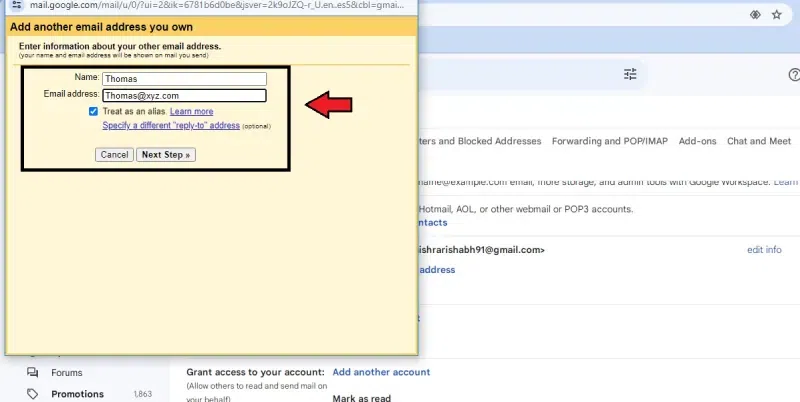
Step 6:
- Please input your want to use alias email and then click "Next Step" to proceed.
Step 6: Tap at the "Next step"
Step 7:
- Verify your email address using the code sent to your primary Gmail account.
Step 8:
- Your email name is set up and ready for use.
How do Disposable Gmail Accounts work
- Gmail aliases (****+aliases**) behave like temporary email addresses but still deliver messages to your main Gmail inbox.
- They help you track who shared your email or caused spam.
- You don’t need to create a new inbox or verify anything aliases work instantly.
- You can create filters to auto-label, delete, or separate emails sent to these disposable addresses.
- Gmail treats all aliases as part of your main account.
- No new inbox is created, but the aliases help you track who sends spam.
- If an alias receives junk mail, you can block or filter it instantly.
- No separate configuration, servers, or apps are needed.