What is UI Design ? (original) (raw)
Last Updated : 25 Jul, 2024
UI Design, or User Interface Design, is all about creating the look and feel of a website or app. It focuses on how things look on the screen and how users interact with them. A good UI design makes a product not only attractive but also easy to use. In this article, we will explore what UI Design is, why it is important, and how it can improve user experience. Whether you're new to design or looking to enhance your skills, understanding UI Design is key to creating successful digital products.
UI Design
What is UI Design?
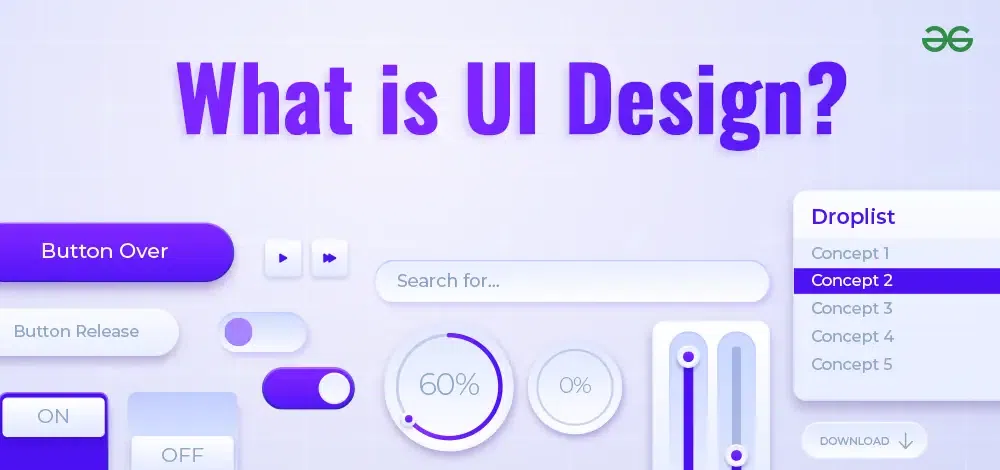
UI Design, or User Interface Design, is about creating the visual layout and interactive elements of a website or app. It focuses on how everything looks on the screen, including buttons, icons, spacing, and colors. Good UI Design makes a digital product attractive and easy to use. It ensures that users can navigate the site or app smoothly and find what they need without confusion. By paying attention to details like typography and visual hierarchy, UI Design improves the overall user experience, making digital products more enjoyable and efficient to use.
What is UX Design?
UX Design, or User Experience Design, is about making products easy and enjoyable to use. It involves understanding what users need and creating designs that help them complete tasks smoothly and efficiently. UX design covers everything from how a product feels when you use it to how easy it is to navigate. The goal is to create products that are both functional and enjoyable.
Difference Between UI and UX Design
**UI Design and **UX Design are closely related but focus on different aspects of a product. Here are the main differences:
| Difference | UI Design | UX Design |
|---|---|---|
| **Focus | Looks and feels of the product | Overall experience and usability |
| **Main Tasks | Designing buttons, icons, colors, and layouts | Researching user needs, designing user flows, testing |
| **Goal | Make the product visually appealing and intuitive | Make the product easy and enjoyable to use |
In simple terms, UI design is about how the product looks, while UX design is about how the product works and feels to the user. Both are essential for creating great digital products.
Types of UI Design
UI design can be categorized into several types, each offering a unique way for users to interact with digital products. Here are the five main types:
**1. Command-Line User Interface (CLI)
- **Description: The Command-Line Interface is a traditional and straightforward type of user interface. It consists of a single-colored screen where users input commands in text form and receive text-based output. Operating systems like Unix and Linux offer powerful command-line interfaces.
- **Features: CLIs are highly scriptable, can be used over remote connections, and have a small memory and processing footprint, making them efficient for advanced users and developers.
**2. Graphical User Interface (GUI)
- **Description: A Graphical User Interface contains various visual elements like images, buttons, text boxes, and icons. Users interact with these elements to manipulate programs and navigate through the software.
- **Features: GUIs are user-friendly and visually engaging, making them ideal for a wide range of applications, from desktop software to web applications. They help users perform tasks through point-and-click actions, drag-and-drop operations, and other visual interactions.
**3. Touchscreen User Interface (TUI)
- **Description: The Touchscreen UI is primarily used in mobile devices, tablets, and touch-enabled laptops. It relies on a touch-sensitive screen for accessing and interacting with software.
- **Features: Users can interact with the device by tapping, swiping, pinching, and other gestures directly on the screen. This type of interface is intuitive and enhances the user experience by making interactions more direct and engaging.
**4. Gesture-Based User Interface (GbUI)
- **Description: Gesture-Based UI design uses sensors and algorithms to recognize and interpret specific hand or body movements. These gestures can include waving, pointing, pinching, swiping, or other predefined movements.
- **Features: GbUI allows users to control devices in a way that mimics real-world actions. It is commonly used in gaming, virtual reality (VR), and augmented reality (AR) applications, providing an immersive and interactive experience.
**5. Voice-Controlled User Interface (VUI)
- **Description: Voice-Controlled UI is designed for devices like smart speakers, virtual assistants, and other voice-activated technologies. It relies on voice commands for performing operations.
- **Features: VUIs contain sensors that detect and analyze speech, allowing users to control devices and perform tasks using their voice. This type of interface is increasingly popular in smart home devices and mobile assistants like Amazon Alexa, Google Assistant, and Apple's Siri.
An Overview of User Interface (UI)
A User Interface (UI) is crucial for making digital products easy to understand and use. Here’s a complete overview of its importance:
**Easy Interaction:
The UI makes it simple for users to interact with a product. Imagine trying to read an article about UI Design without a clear interface; you’d see only confusing codes, tags, and scripts. Thanks to UI, you can easily find the article, navigate through the page, click the like button, and explore other articles or courses. Everything is organized and accessible with just a few clicks.
**Competitive Advantage:
A well-designed UI attracts more users than a poorly designed or nonexistent one. A good UI sets your product apart from competitors by offering a better user experience. When users find your product easy and pleasant to use, they are more likely to choose it over others.
**Increased Engagement:
An attractive and intuitive UI keeps users engaged, leading to longer sessions and higher retention rates. When users spend more time on your product, it improves overall user satisfaction and boosts the product’s ratings and reviews.
**Reduced Learning Curve:
A good UI reduces the time users need to understand how to use your product. With clear and intuitive design elements, users can quickly learn to navigate and use the features, making their experience seamless and enjoyable.
**Enhanced Accessibility:
A well-designed UI also considers accessibility, ensuring that people with disabilities can use the product effectively. This inclusivity broadens your user base and improves overall user satisfaction.
**Consistent Experience:
Consistency in UI design across different pages and devices ensures a smooth and predictable user experience. Users know what to expect and where to find things, which enhances their overall interaction with the product.
**Better User Feedback:
A clear and intuitive UI encourages users to provide feedback. This feedback is essential for making continuous improvements to the product, ensuring it meets user needs and expectations.
In summary, a thoughtfully designed User Interface is essential for easy interaction, competitive advantage, increased engagement, reduced learning curve, enhanced accessibility, consistent experience, and better user feedback. It makes digital products not only functional but also enjoyable to use.
Key Principles of UI design
- **Clarity and Simplicity: The user interface should be very clear and easy to understand. User interface is designed to present code or programming in an easy to to understand visual representation
- **Good Navigation: Easy navigation in important in a UI design in order to understand proper working of product. In a Good UI design user should not struggle to find the things he want to see
- **Feedback: A Good UI should provide proper feedback when user performs an action for example buttons should change appearance when clicked, forms should indicate errors, and progress should be visible during tasks. It makes the User Interface alive
- **Color and Typography: Choose a harmonious color scheme that aligns with your brand and evokes the desired emotions. Select readable fonts and use typography consistently for headings, body text, and other elements.
- **Responsive Design: Responsive design means a design which fits its size and resolution according to needs. For example I may open this site in laptop or mobile both have different screen size. So a good UI design should fits perfectly in both situations
- **Scalability: Design the user interface according to scalability and future growth, so in future we can add additional features without disturbing user interface usability.
- **Security and Privacy: Clearly state how users data will be managed or shared in user interface to build trust with the users. Tell users about security measures which are there for maintaining user's privacy
- **Consistency: Maintain consistency in visual design, terminology, and interaction patterns throughout the application. This helps users predict how different elements will behave.
Benefits of a Good UI Design
- Well-designed interfaces streamline user tasks and processes, enabling users to accomplish their goals more efficiently.
- Clear and intuitive UI design can minimize user errors and prevent costly mistakes, especially in critical applications like medical software or financial systems.
- When users find an interface easy to use and visually appealing, they are more likely to be satisfied with the product, which can lead to positive reviews and recommendations.
- Good UI design makes it easier for users to interact with a product or application, leading to a more enjoyable and efficient user experience.
- Good UI design allows for easy adaptation to different devices and screen sizes, ensuring a consistent user experience across various platforms.
UI Accessibility
Creating of a Good UI have following main steps:
- First Understand the target audience, their needs, and pain points through surveys, interviews, and usability testing.
- Create low-fidelity wireframes to outline the layout and functionality of the interface without focusing on visual design
- Develop interactive prototypes that simulate the user experience, allowing for user testing and feedback.
- Apply visual elements such as colors, typography, and imagery to create an appealing and cohesive design.
- Continuously test the interface with real users to identify issues and make improvements
- Release the product to the target audience, closely monitoring its performance and user feedback.
Best practices for UI design
- **Clear and intuitive UI design can minimize user errors and prevent costly mistakes, especially in critical applications like medical software or financial systems.
- **Make user centered design understand the needs of users what your audience want. You can do proper research and testing for getting insights about UI
- **Accessibility- Ensure that your design is accessible to all type of users whether they are using different screen such as tablet or mobile. Make it multilingual so users who don't know specific language can use it
- Use of White Spaces- White space are empty spaces of calm color between elements. White space can help reduce visual clutter, improve readability, and highlight important elements.
- **Use icons and images to enhance communication and engagement. Icons and images can convey meaning and information more quickly and effectively than text
What practices to avoid?
- **Poor Navigation: Navigation is important for website as it tells your where your content is, if users don't find they are looking for they wont think much and switch your site. So add navigation in the way that it is visible in first impression where are the topics or chapters or exact page they are searching for.
- **Not using good keywords: You should find the keywords which users are searching for using google trends or keyword tools. If you will not use right keywords like people are searching "Best laptops for gaming" and you are providing same content using title keywords for example "Top laptop choices for gaming" then google will prefer sites with keywords best gaming laptops rather then yours
- **Not Optimizing pages: If your page is slow to load then user will switch to other pages that will lead to bad site performance so better use optimization techniques such as Asset Compression, Font Optimization etc.
- **Ignoring mobile users: You should understand that a big amount of your users use mobile phone, so your website should be properly optimized and responsive for mobile users.
- **Intrusive Ads and Pop-ups: An excessive number of ads and pop-ups can frustrate users and detract from the overall experience.
Conclusion
UI Design is all about creating the visual layout and interactive elements of a website or app, making them easy and enjoyable to use. Throughout this article, we've learned that a well-designed UI allows for easy interaction, provides a competitive advantage, increases user engagement, and reduces the learning curve. We also discussed how a good UI ensures accessibility, consistency, and encourages user feedback. By understanding these key points, you can see why UI Design is essential for creating successful digital products. A great UI makes all the difference in how users experience and enjoy your product.