Express.js req.baseUrl Property (original) (raw)
Last Updated : 8 Jan, 2025
The **req.baseUrl property is the URL path on which a router instance was mounted. The req.baseUrl property is similar to the mount path property of the app object, except app.mountpath returns the matched path pattern(s).
**Syntax:
req.baseUrl
**Parameter: No parameters.
**Return Value: String
**Installation of the express module:
You can visit the link to Install the express module. You can install this package by using this command.
npm install express
After installing the express module, you can check your express version in the command prompt using the command.
npm version express
After that, you can just create a folder and add a file, for example, index.js. To run this file you need to run the following command.
node index.js
**Project Structure:
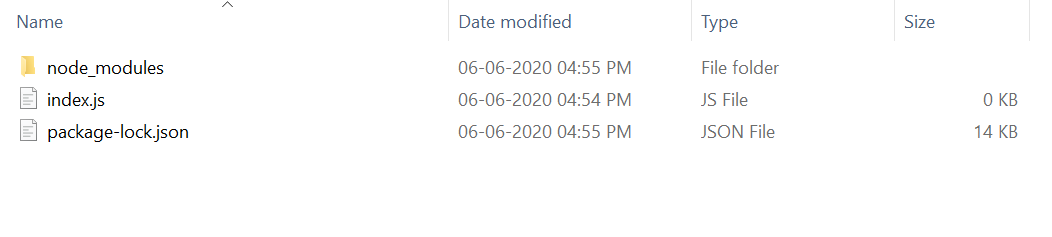
**Example 1: **Filename: index.js
javascript `
const express = require('express'); const app = express(); const PORT = 3000;
const user = express.Router();
user.get('/login', function (req, res) { console.log(req.baseUrl); res.end(); })
app.use('/user', user);
app.listen(PORT, function (err) { if (err) console.log(err); console.log("Server listening on PORT", PORT); });
`
**Steps to run the program:
Make sure you have installed the **express module using the following command:
npm install express
Run the index.js file using the below command:
node index.js
**Output:
**Console Output:
Server listening on PORT 3000
**Browser Output:
Now open your browser and go to **http://localhost:3000/user/login, now you can see the following output on your console:
Server listening on PORT 3000
/user
**Example 2: **Filename: index.js
javascript `
const express = require('express'); const e = require('express'); const app = express(); const PORT = 3000;
const student = express.Router(); app.use('/student', student);
student.get('/signup', function (req, res) { if (req.baseUrl == '/student') { console.log("Show Signup Form"); res.end(); } else { console.log("Invalid Request") res.send("Invalid Route") } })
app.listen(PORT, function (err) { if (err) console.log(err); console.log("Server listening on PORT", PORT); });
`
**Steps to run the program:
Run the index.js file using the below command:
node index.js
**Output: Now open your browser and make a GET request to **http://localhost:3000/student/signup, now you can see the following output on your console:
Show Signup Form
**Reference: https://expressjs.com/en/4x/api.html#req.baseUrl