Web Hosting: What Is It? (original) (raw)
Last Updated : 29 Nov, 2025
Web hosting is what makes your website visible on the internet. It stores your website’s files on special computers called servers and delivers them to visitors when they type in your domain name.
- Web hosting allows websites to be online 24/7 by storing files (images, text, code) on servers.
- When someone enters your domain (like - [www.geeksforgeeks.org](https:// www.geeksforgeeks.org)), the server sends the website files to their browser.
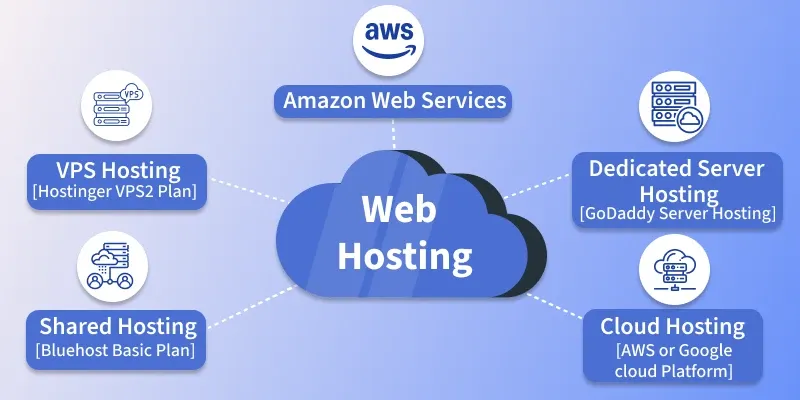
Web Hosting
To ensure your site performs well and remains secure, it's important to choose a reliable hosting provider by considering key factors like cost, server uptime, customer support, scalability, and security features.
What Makes Web Hosting Servers Unique?
Web Hosting servers are kind of like regular home computers but they have a few important extra features/requirements to help them do their job better.
The most important thing is stability, a server needs to stay online all the time without crashing. That’s why many web servers use the Linux operating system. Linux is more stable and reliable than Windows for this kind of work.
**For example: Google uses over 15,000 Linux servers to keep its search engine running smoothly.
Hosting a Website: Complete Setup and Maintenance Flow
When setting up for the web hosting, it is required first to pick a unique website name and purchase it that will act as an address to your website. Once you have done this you need to choose the service provider that is needed for your site which will allocate the space on their servers. After configuring the server, you upload the website's files and set up any necessary databases.
To make your site accessible for users, you have to configure the Domain Name System (DNS) to point your domain to your hosting server's IP address. Once the website is live and everything is set, people can visit your website by typing its name, apart from this you have to keep regular maintenance: including updates, security checks, and backups as this is crucial to ensure optimal performance and security for your website.

1. Domain Registration
Before hosting your website you need a Domain Name like for example: www.geeksforgeeks.org this unique domain will act as an address for your website.
2. Choose a Hosting Provider
Now, once you have acquired your Domain Name you need to select a web hosting provider based on your website’s requirements such as storage, bandwidth, security features, and support, you select a company to host your site. These companies have servers, which are powerful computers specifically designed to store web files and serve them to visitors.
3. Server Configuration
Once you have chosen a hosting provider, that will allocate the space for your website on one of their servers like shared, VPS, dedicated, or cloud. The type of server is dependent upon your website requirement and the hosting package which you have chosen.
4. Uploading Website Files
Here, you have transferred your website's files (HTML, CSS, images, etc.) from your local computer to the server of your hosting provider. This is typically done using FTP (File Transfer Protocol) or through a control panel like cPanel.
5. Database Setup
You can set up your database using tools like MYSQL, and PostgreSQL, if your website is using dynamic content like WordPress, or blogs, then you’ll need a database for storing the content. By setting up the database this will link it to your website.
6. DNS (Domain Name System) Configuration
This ensures that when someone types in your domain name, it directs them to your hosted website on the correct server. DNS (Domain Name System) translates your friendly domain name for example www.geeksforgeeks.org into an IP address.
**Note: if you want to learn more about DNS check out - Domain Name System
7. Website accessibility
After the configurations you have done, including DNS, are set, and have propagated through the global network, your website becomes accessible to the world. Now anyone will type your website’s domain name and it will be accessible to them.
8. Ongoing Maintenance
Websites are not "set it and forget it" projects. They require regular updates to both their content and underlying software. This also includes monitoring for potential issues, ensuring security measures are updated, backing up site data, and optimizing for performance.
9. Handle Traffic
Depending on the traffic your website gets, you might need to scale your resources. This could mean purchasing more bandwidth, and storage, or even upgrading your hosting plan.
10. Technical Support and Troubleshooting
If there are any issues like website downtime, slow performance, or any type of fallback in your website, then you or your hosting provider will need to troubleshoot and resolve them immediately.
Below are the most used and trusted tools to check a website’s status, DNS propagation, page load speed, and availability across regions:
| **Purpose | **Tool Name | **Website Link | **Description |
|---|---|---|---|
| Check Domain Availability | GoDaddy Domain Checker | https://www.godaddy.com/ | This helps you in picking a right domain for your business/blog. |
| DNS Propagation Status | WhatsMyDNS | https://www.whatsmydns.net/ | Since DNS propagation takes time, this helps you to see the current status. |
| DNS Lookup (Public Records) | MXToolbox | https://mxtoolbox.com/ | Lookup MX, A, CNAME, SPF, and other DNS records publicly. |
| Global Page Load & Uptime Check | GeoPeeker | https://www.geopeeker.com/ | Check how your site appears from multiple geographic locations. |
| Website Uptime Monitoring | UptimeRobot | https://uptimerobot.com/ | Monitor site uptime with alerts for downtime. |
| Page Load Speed (Performance Test) | GTmetrix | https://gtmetrix.com/ | Analyze page load speed, waterfall, and performance suggestions. |
| Website Performance by Location | Pingdom | https://tools.pingdom.com/ | Test site performance from different global locations. |
| DNS, WHOIS, and Web Info Checker | DNSChecker | https://dnschecker.org/ | Combines DNS lookup, propagation, WHOIS, and IP tools in one place. |
| WHOIS and DNS Records | ICANN WHOIS | https://lookup.icann.org/ | Official WHOIS information from the domain registrar authority. |
| IP, Hostname, and Geolocation Info | IPinfo | https://ipinfo.io/ | Shows IP address, hosting provider, ASN, and geolocation of a website or IP. |