What is Typography? (original) (raw)
Last Updated : 23 Jul, 2025
What is typography? It's an art and technique that breathes life into written words. Typography encompasses everything from the design of a logo's typeface to the style of text on a T-shirt. It involves choosing typefaces and fonts, designing text layouts, and modifying font styles to enhance readability and visual appeal. This guide looks into various aspects of typography, including logo typeface design, cursive and handwriting styles, and the use of typography in different media like posters, artworks, and T-shirts.

Typography
Whether it's for branding, creating compelling typography art, or developing unique typefaces for digital and print media, typography is a fundamental element of graphic design that shapes how we interpret and interact with text.
Table of Content
- What is Typography and why is it important?
- What is the Difference Between a Font and a Typeface?
- What are the Different Types of Typefaces in Typography?
- Typeface Properties
- Top Typography Fonts
- How do I Choose the Right Font for my Brand?
- Best Practices for Good Typography
- Typography mistakes to avoid
What is Typography and why is it important?
Typography simply is a technique in user interface design to **create readable, appealing, attractive, and easy-to-eye text for users to read. Typography plays an integral role in any website's design.
Good typography is soothing to the eyes and creates a long-lasting impression on the minds of the user.
What is the Difference Between a Font and a Typeface?
| Aspect | Typeface | Font |
|---|---|---|
| Definition | Design of a set of characters | Specific size, weight, and style of a typeface |
| Example | Arial, Times New Roman | Arial 12-point bold |
| Use | Describes the look of the text | Used to implement the typeface in specific sizes and styles |
What are the Different Types of Typefaces in Typography?
Typefaces simply are the way of designing typography. Typefaces are distinct styles of writing for any font. It includes design for everything every set of characters - from letters, numbers, and punctuation marks, to symbols.
Typefaces define the visual appearance of character and hence the visual appearance of the entire typography. It is one of the most important parts of typography that sets the tone of the text.
1. Serifs
Serifs are the **oldest font styles whose characteristics are the small feet at the end of a stroke on the letter. Serifs help the reader follow the letter easily making them highly clear and readable. Serif fonts convey a very traditional vibe you can find these fonts being used in long-form copies for example, on books, magazines and newspapers.
Going back in history, characters used to be created by chiseling on stone, and the chisel created small feet at the end of each stroke. This is how Serifs were born.
**Example: Times New Roman
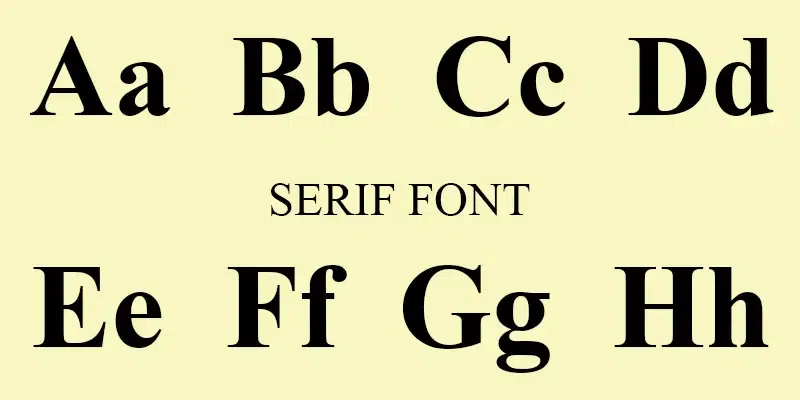
Serif Fonts
There are **multiple types of Serif font styles, most important ones are:
- Old Style Serifs
- Transitional Serifs
- Modern Serifs
- Slab Serifs
- Clarendon Serifs
- Glyphic Serifs
- Didone Serifs
- Tuscan or Western Serifs
- Contemporary or Transitional Serifs
To read more about Sans Serif Fonts click Serif Fonts
2. Sans-Serifs
****"Sans"** in the word Sans-Serif in French basically **means "without", therefore, **sans-serif typefaces are those that lack serifs. San-serifs fonts are simpler to look and are mostly used as body copy, display and headlines. Sans-Serifs fonts are considered as clean, minimal and modern looking. They were first used in the 15th century.
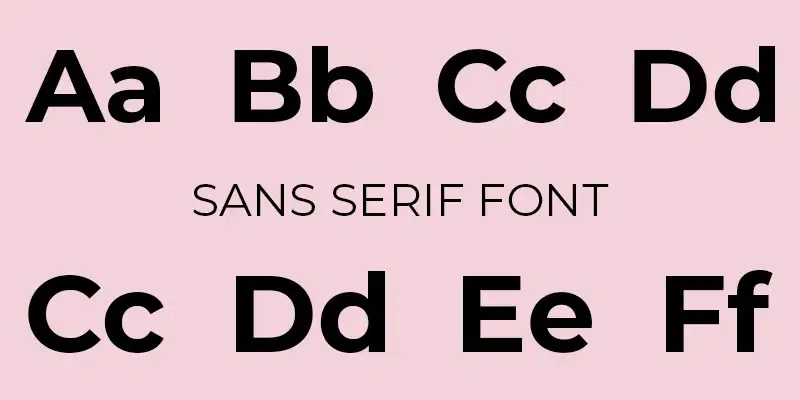
Sans Serif Fonts
**Example: Helvetica
There are **multiple types of San-Serif font styles, most important ones are:
- Grotesque Sans-Serif
- Neo-Grotesque Sans-Serif
- Humanist Sans-Serif
- Geometric Sans-Serif
- Transitional and Contemporary Sans-Serif
- Display and Decorative Sans-Serif
- Monospaced Sans-Serif
To read more about Sans Serif Fonts click Sans Serif Fonts
**Script Typefaces:
Script Typefaces are designed to emulate the flow and flourish of handwriting. They range from elegant, formal styles to more relaxed and whimsical variations. These typefaces often feature connected letters and varying strokes that mimic the movements of a pen or brush on paper. They can be further categorized into two main types:
- **Formal Script Typefaces: These are based on the letterforms and calligraphic styles developed by writing masters from the **17th and 18th centuries. They are characterized by their sophisticated and ornate design, making them ideal for formal occasions like wedding invitations, certificates, and elegant branding.
- **Casual Script Typefaces: These are less structured and more free-form compared to formal scripts, often embodying a more contemporary or laid-back vibe. Casual scripts are versatile and used in a variety of contexts from advertising to logo design, where a personal, human touch is desired.
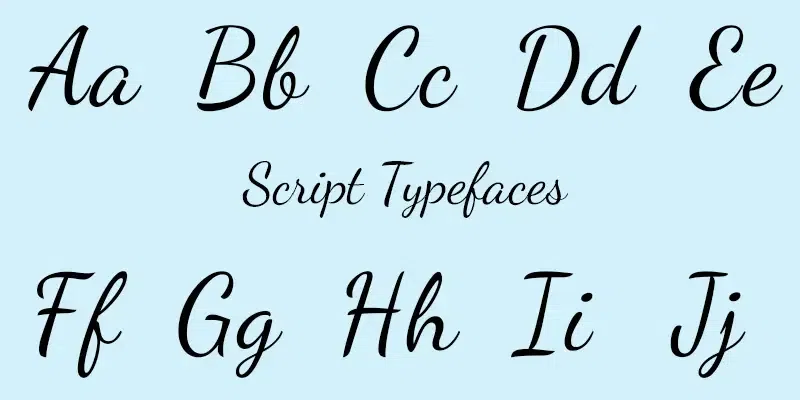
Script Typefaces
**Display or Decorative Typefaces:
These are highly stylized fonts designed for maximum impact and are not suitable for body text. They come in an array of styles—from retro and funky to modern and edgy—and are used to attract attention and set a mood or theme. Because of their unique and striking features, display typefaces are best used in small doses, such as for titles, headers, and other standout elements in a design. They can convey a variety of moods and associations, making them a favorite choice for branding, promotional materials, and other applications where a strong visual impact is needed.
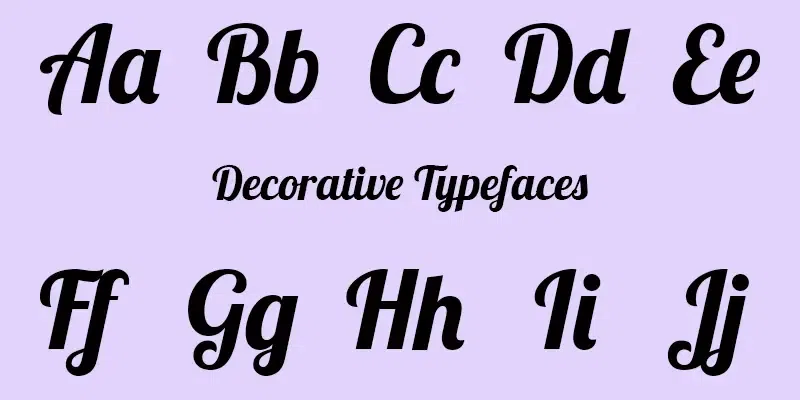
Display Typefaces
**Monospaced Typefaces:
Unlike most typefaces, which are proportionally spaced (each character occupying a width that corresponds to its size), every character in a monospaced font occupies the exact same amount of horizontal space. This uniform spacing is reminiscent of a typewriter and is crucial for aligning characters in certain technical materials such as computer code and tabular data. The consistent spacing helps to make code easier to read and debug. Monospaced fonts are also popular in environments that require text alignment in vertical columns, and they bring a nostalgic, mechanical feel to any layout.
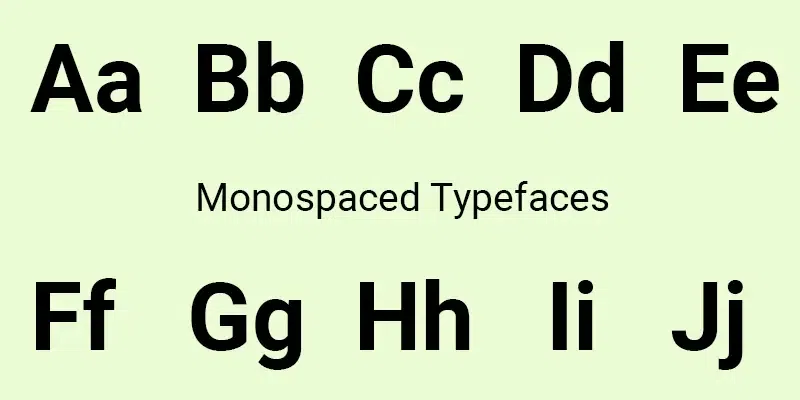
Monospaced Typefaces
Typeface Properties

Typeface Properties
**1. Baselines
It is an invisible imaginary line on which all the characters sit. Helps in measuring **x-heights and line heights in typography. Using baseline we check the ascender and descender of a character.
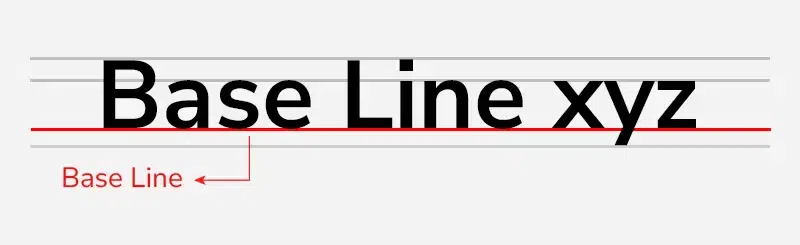
Baseline
**2. x-height
As the name suggests, it is the height of the lowercase alphabet letter “x”. It is measured **without any ascender or descender.
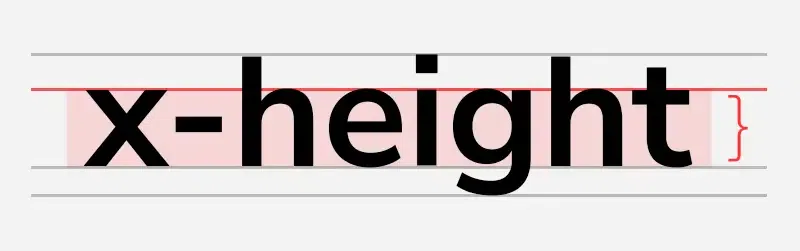
x-height
**3. Ascender
A portion of a lowercase letter that is raised upwards from the letter’s body. Ascender is measured using x-height. For example, the lowercase letter “f” has an ascender.
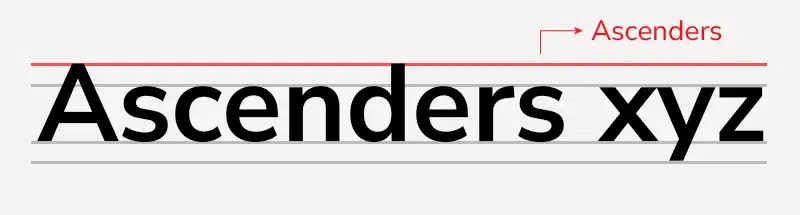
Ascenders
**4. Descender
A portion of a lowercase letter that is **extended downwards from the letter’s body. It is also measured using x-height. For example, the lowercase letter “p” has a descender.
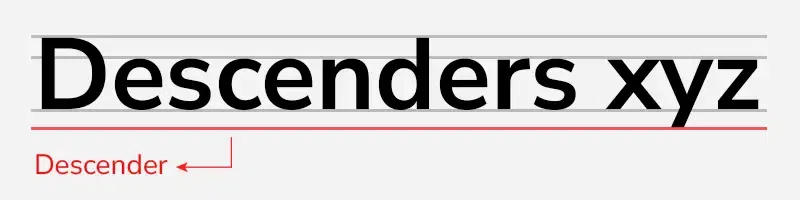
Descenders
**5. Font Size
Also called “Point size”, determines the **distance between the top of the ascender and the bottom of the descender. Basically is the overall size of a font. As per the W3C recommendation, it is good to use relative font sizes( in ems). As it allows ease in scaling up or down fonts based on the screens and browser settings.
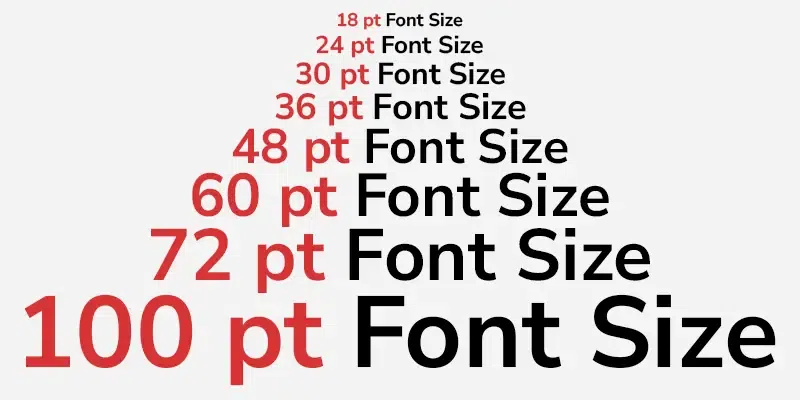
Font Size
**6. Letter Spacing
It is the **spacing given to each letter in a particular section like a sentence or paragraph. It can be normal, tight, and loose. Letter spacing is also known as tracking.
It is good to keep in mind while using letter spacing that while using uppercase text, increase the letter spacing and when using larger fonts, decrease the letter spacing. This leads to better readability and legibility. Also, keep the letter gap reduced when the font weight is increased.
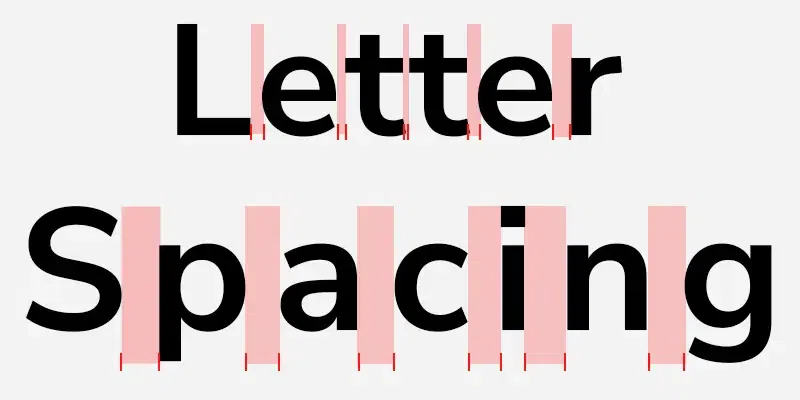
Letter Spacing
**7. Line Spacing
The **vertical spacing between lines that are measured through the baseline is called line spacing. It is also known as leading and in CSS it is called line height. It is preferred to use more leading when using white or light text on a dark or black background.
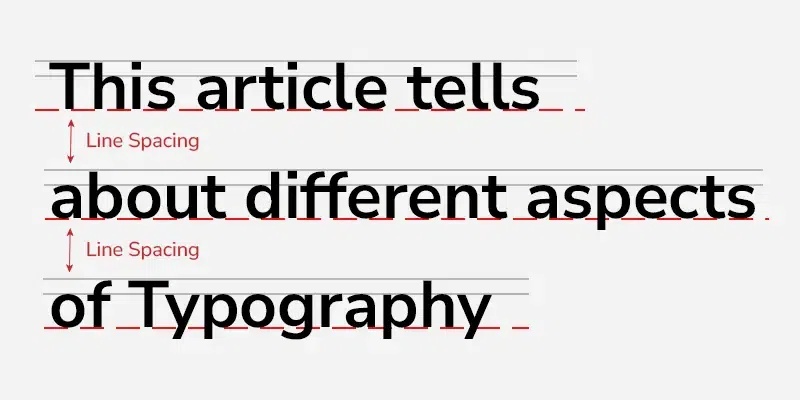
Line Spacing
To learn about the difference between typeface and fonts click here
Top Typography Fonts
When it comes to UI design for websites and applications, there are certain **very important fonts that most of the UI designers use. Here is a list of most common font families that you will need to create a good typography UI design so that you can save your time searching for fonts online:
- **Inter
- **Space Grotesk
- **Work Sans
- **DM Sans
- **Satoshi
- **Supreme
- **Switzer
- **Open Sans
How do I Choose the Right Font for my Brand?
Choosing the right font for your brand involves a few straightforward steps:
- **Understand Your Brand Identity: Reflect on what your brand stands for—its personality, values, and audience. This will guide your font choice.
- **Consider Legibility: Pick a font that’s easy to read across different mediums and sizes. This is crucial for effective communication.
- **Look for Versatility: Ensure the font works well across various applications, from your logo to your website and printed materials.
- **Test for Compatibility: Make sure the font displays well on different devices and browsers to maintain a consistent look.
- **Seek Uniqueness: Choose a font that sets you apart from competitors but still resonates with your brand's character.
Best Practices for Good Typography
Here are a few best practices you should follow for perfect typography in your interface design:
**1. Visual balance
We have to make sure that the font properties especially the **font color go well with the other visuals in the design, as well as we must make sure that the font matches the mission we want to communicate through the website or application.
**2. Use a limited amount of fonts
A lot of fonts being used on a page makes it stressful for the users to look in. Many UI designers recommend to only **use two fonts in a website or an application, rather change other properties if the fonts to make them distinct. You can do that by changing various properties of the font like, font weight, color, line height, spacing etc.
**3. Proper Typography contrast
Contrast can be created by using two distinct fonts rather than similar ones, by changing the font weight, by **changing the text spacing, or through font color and background color. While creating typography, we should also take in account how the typography is going with the overall contrast of the design.
**4. Line Width
Make sure that the text line-length/line-width is not too long. The problem with longer lines of text is that it becomes harder to read on a screen. Therefore, make sure that you have a good size to check your line length.
**5. Proper use of plugins
There are so many plugins like **Count text in Adobe XD, Font Fascia in Figma, etc. that you can use to enhance your work flow, increase your productivity and improve your output.
**6. Line Height
Line height simply is the **spacing between two adjacent base lines. An 100% line height will make your text look cluttered and compact. A perfect range of line height is somewhere between 120% to 180%.
**7. Font Sizes
A very important practice in typography for web design is to make sure that you are using readable font sizes. When it comes to body and paragraph text a **minimum of 16 to 17 points is the perfect font size. Use at least 15 pixels for long text and at least 14 pixels for dense interfaces. This is the font size that takes most of your webpage/application's font.
**8. Mobile typography
Whenever you are using large headings make sure that when you design the mobile version of the application/website, you scale those large headings down. Adjust the font size accordingly for the mobile version of the application or the website.
Typography mistakes to avoid
Typography is a double edged sword, make sure you don't make these mistakes to get the best out of your typography:
- **Rags: Rags are the uneven vertical margin of a block of text depending that depends on the the **text alignment. you should pay a close attention to the shape of the rag on the **block of a text. Rags should be **evened out by adding another line and using **hyphens for removing Rags.
- **Improper font selection: Font selection is one of the most crucial part of typography, a lot of the message tone depends on the font selection. For new projects, choose fonts based on **personality traits and the type of project and content. Make sure that the font tone and the message you want to communicate are matching.
- **Avoid mixing typefaces: We already discussed what Typefaces are, never **mix up your typefaces. The typography should be consistent and easy on the eyes of the user. Always avoid mixing the typefaces.
- **Avoid using longer line width: Like we discussed in the above sections, make sure to not have a **longer line-length/line-width for text. The problem with longer lines of text is that it becomes harder to read on a screen. The golden rule is to never go over **90 characters in a line.
- **Using a lot of fonts: Simplicity is the ultimate sophistication. One of the best ways to create a soothing typograph is to use a limited amount of fonts. A lot of fonts being used in a page makes it stressful for the users to look in. The ideal number of fonts would be two. You can rather change the properties of the fonts for creating hierarchy.
Conclusion
Typography plays essential role in communicating with the users, it is not just about text decorations but it also improves the visual appeal of the website or application. In this article we discussed about Typography which is a technique in user interface design to create readable, appealing, attractive and easy on eyes text for the users to read. We learned about tips and tricks as well as best practices for typography. We have learned about the best fonts out there. We hope that this article helped you improve your understanding about typography and you got to learn something new from the article.