How to Create Ecommerce Website using WordPress ? (original) (raw)
Last Updated : 16 Jul, 2024
Creating an e-commerce website using WordPress is an excellent choice for many reasons. WordPress is user-friendly, highly customizable, and has several plugins to add functionality.
This guide will walk you through the process of setting up an e-commerce site with any WordPress theme.
**Once you have set up your word press you are ready to go.
Why Choose WordPress for Your E-commerce Website?
- **Ease of Use: WordPress is known for its user-friendly interface.
- **Customization: A wide variety of themes and plugins allow for extensive customization.
- **Scalability: WordPress can handle a small store or a large e-commerce website.
- **SEO-Friendly: WordPress is built with SEO best practices in mind.
**Steps to Create an Ecommerce Website
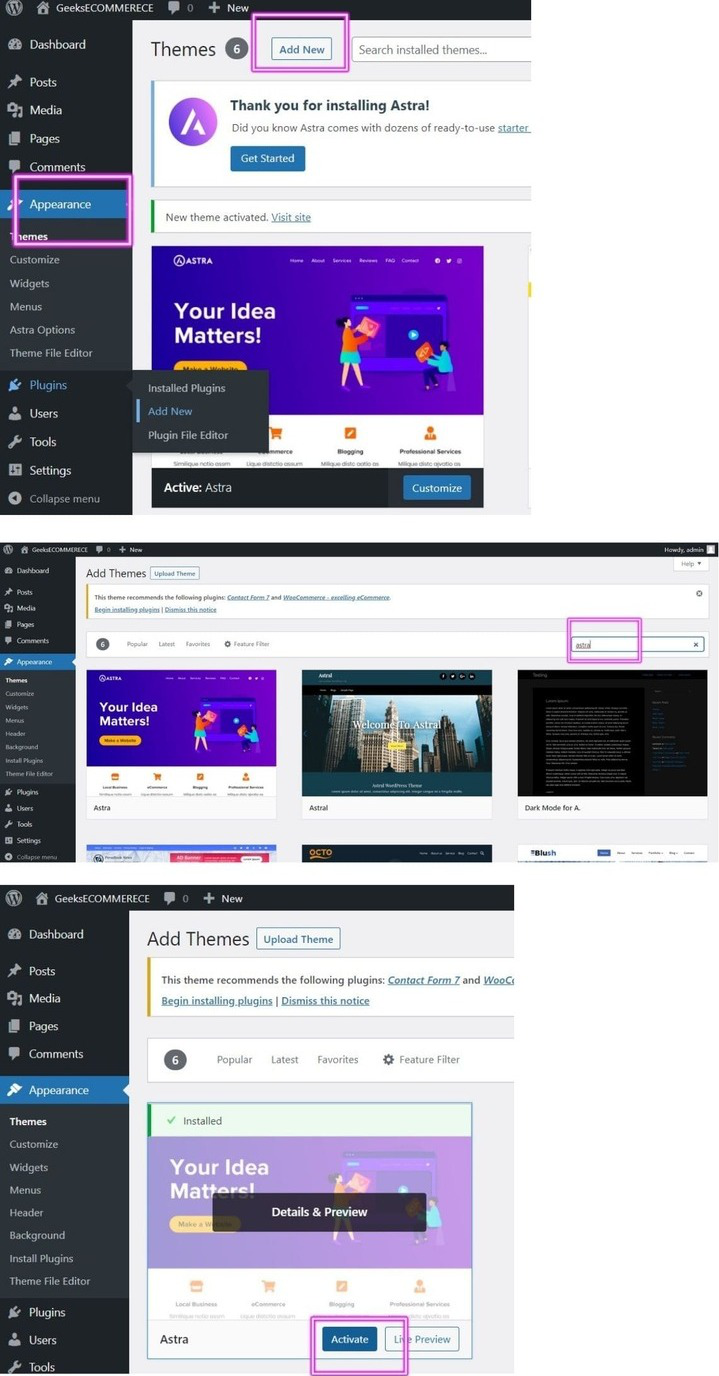
**Step 1: Go to sidebar appearance then select 'Add New' select any you like for now I want astra.
**Step 2: Under appearance theme search Astra.
**Step 3: Click on install and select activate.
**To Edit/Customize the We Need To Install Plugins:
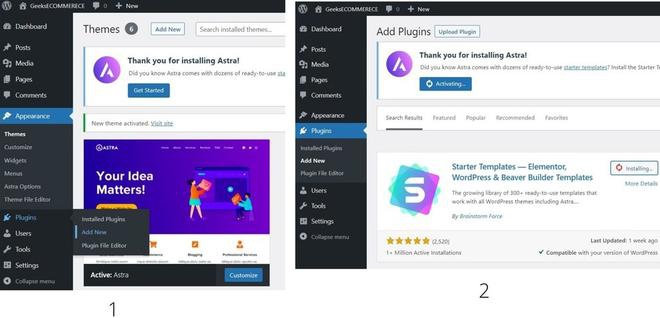
**Step 1: Go to sidebar Plugins >> Add new
**Step 2: Search for Astra starter. Click on Install and Activate It.
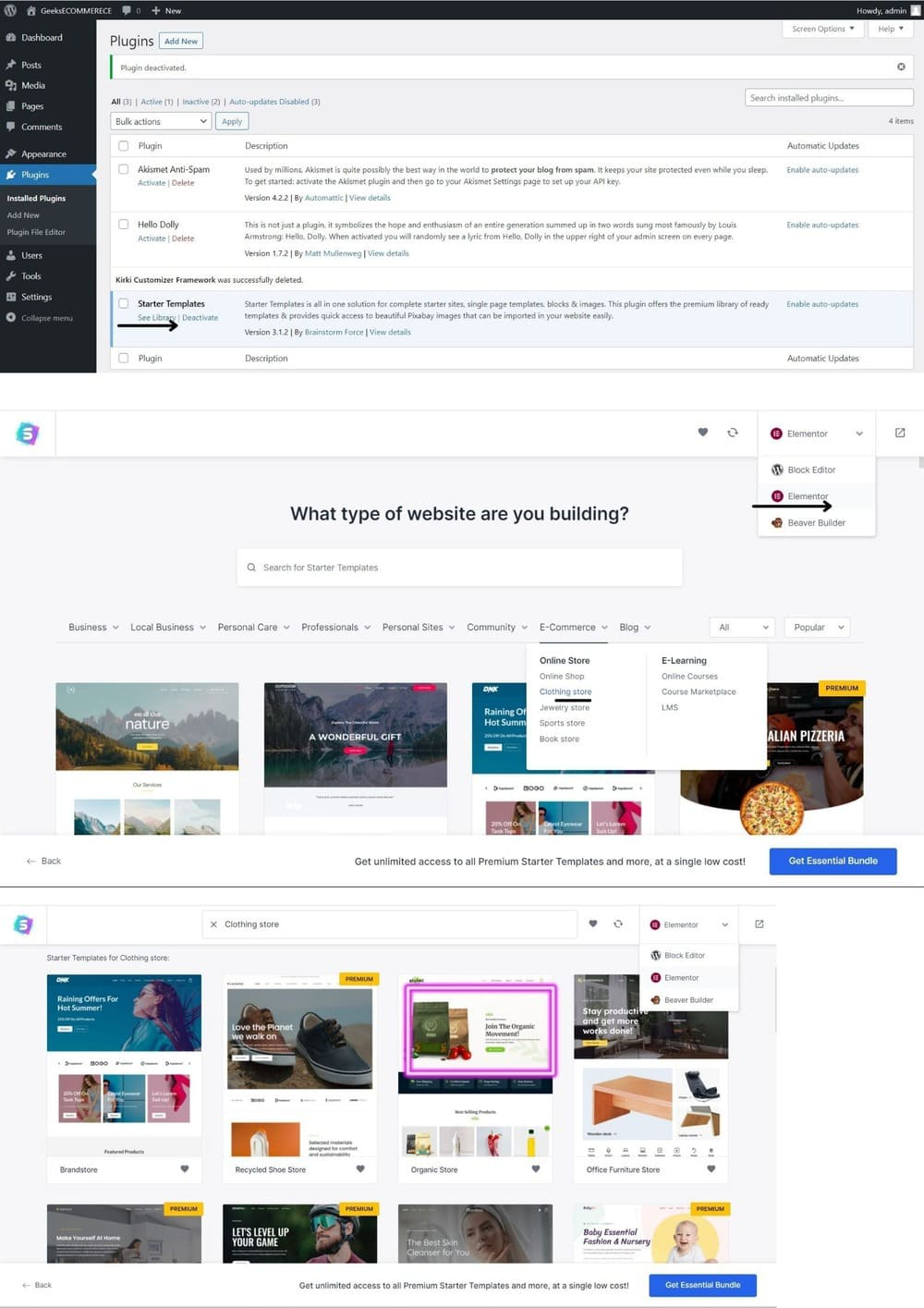
**Step 1: Go to Plugins >> Installed Plugins >> See Library.
**Step 2: Scroll down click on go to the site (if prompted for the tutorial) there will be three options to choose from elementor.
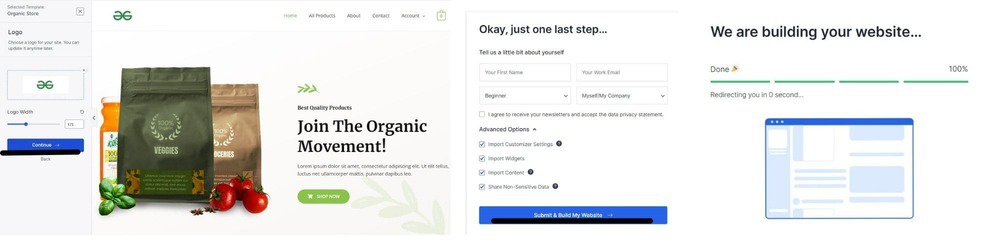
**Step 3: Apply the filter for searching the website if you like it, choose the website you like. Click on the import site.
**To Further Customize Your eCommerce Website Like Adding Product:
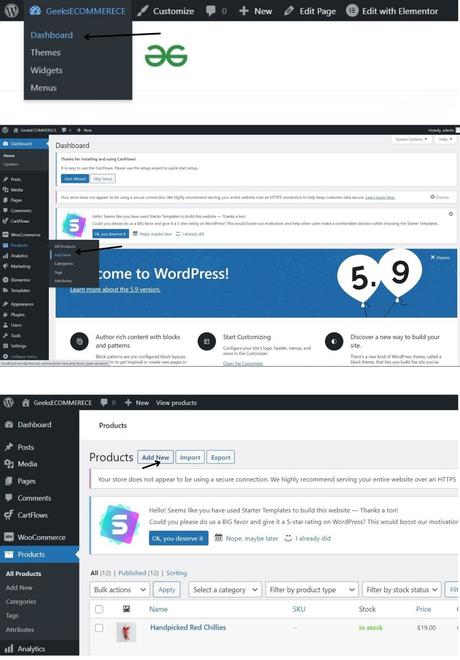
**Step 1: Go to the Dashboard.
**Step 2: On the sidebar click on the product.
**Step 3: And click on Add New.
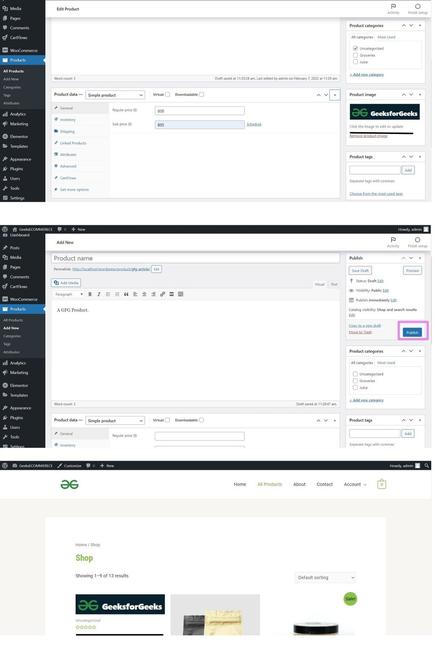
**Step 4: As the New Window Appears add the product name description and the price, you can also add the product image by the URL or by uploading It.
**Step 5: When you are done with your editing click on publish.
**Step 6: Now go to the website and check the product will be available on the product page.
**For Customising The Front End of The Page:
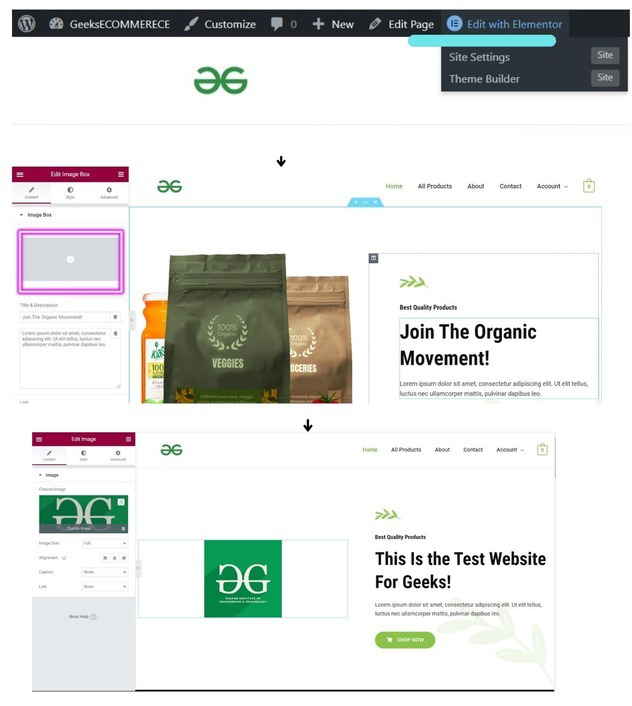
**Step 1: Go to the top of the page select the edit with elementor.
**Step 2: And select anything you want to edit whether it's the text or the image.
**Set up Payment Gateway For Your Ecommerce
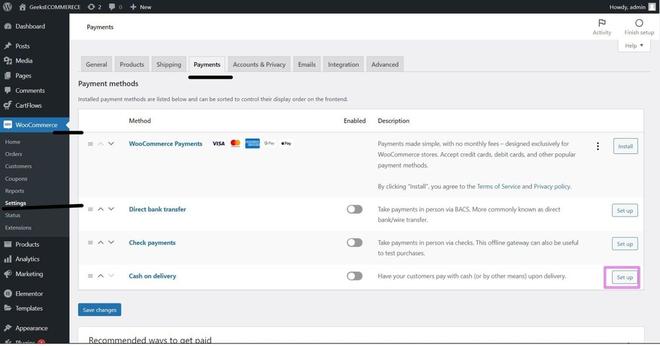
**Step 1: Go to the sidebar of your website name click on the setting
**Step 2: Go to the payment option and set up the payment method that will be visible to the users.