How to Make Sticky Posts in WordPress ? (original) (raw)
Last Updated : 14 May, 2024
**Sticky posts is a useful feature that allows you to highlight important content on your WordPress website. This feature ensures that your announcement, featured article, or special event stays at the top of your blog feed. By default, WordPress arranges your posts in chronological order, with the newest post appearing at the top of the page. As you add more posts, they move down the page and eventually become archived."
What Are Sticky Posts?
Sticky posts are regular blog posts that “stick” to the top of your blog feed, even when you publish new content. They remain visible to visitors, making them ideal for announcements, promotions, or evergreen content.
Why Use Sticky Posts?
Sticky posts offer several benefits:
- **Highlight Important Content: Keep essential information visible to your audience.
- **Promote Featured Content: Showcase special offers, events, or popular articles.
- **Improve User Experience: Visitors can easily find relevant content.
How to Make a Post Sticky
Now let's see how we can make any post on the WordPress website the sticky post step by step:
**Step 1: Log in to Your WordPress Dashboard:
- Navigate to your WordPress admin area and log in using your credentials.

**Step 2: Access Your Posts:
- Click on “Posts” in the left sidebar.
- Select “All Posts.”

**Step 3: Edit the Post:
- Choose the post you want to make sticky and click “Edit.”

**Step 4: Make It Sticky:
- In the “Status and Visibility” section on the right, check the “Stick to the top of the blog” box.
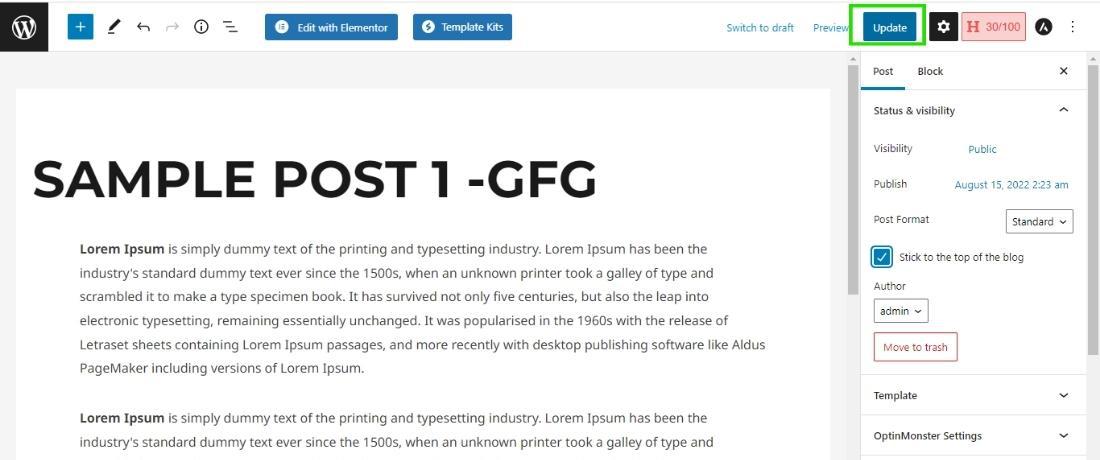
- Click “Update” to save your changes.

**Step 5: Verify the Result:
- Visit your blog page to confirm that the post is now sticky and appears at the top.
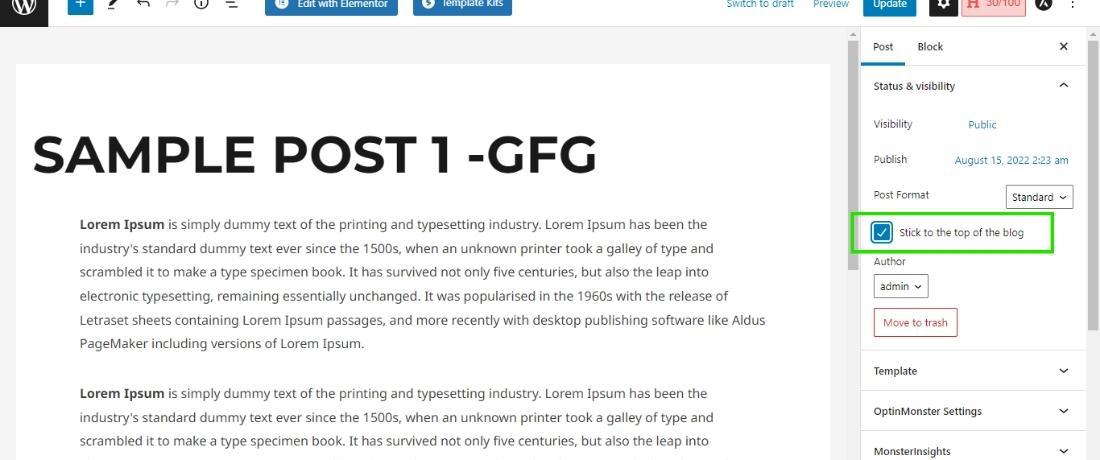
**Step 6: And finally click on the "Update" button to make all the changes save to your blog page.
Now the blog post (Sample Post 1 -GFG) appears on the top of the blog page, by following this method you can make any blog post the sticky post on your WordPress website.
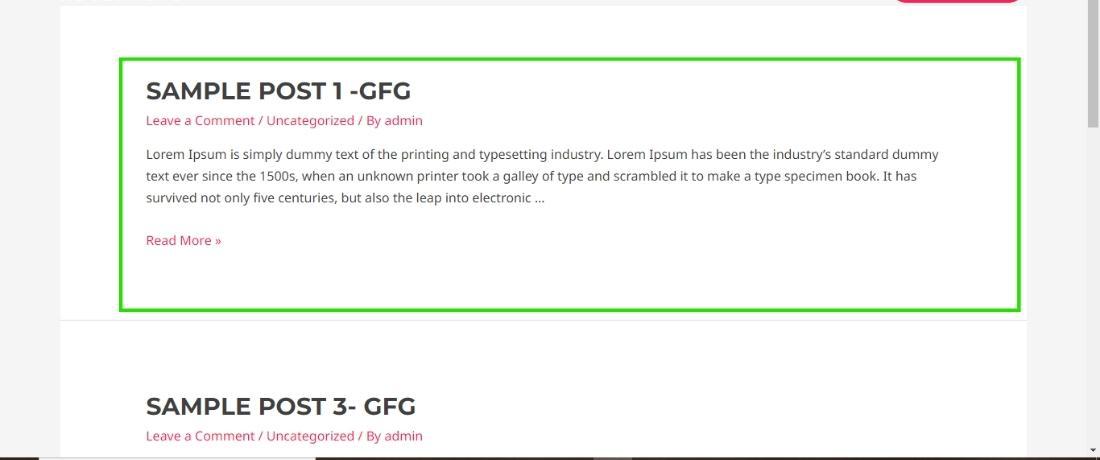
This is how you can make the blog post sticky to your website and make the user aware of your important posts.