What is a CMS? (original) (raw)
Last Updated : 18 Sep, 2024
A **CMS is a short form for **Content Management System, a web application or software that allows users to manage digital content such as building websites and managing web pages without writing any one line of code or we can say zero knowledge of programming language. With a CMS we can create, manage, modify, and publish content in a user-friendly manner, we can customize the webpages and download the templates using the CMS tool without worrying about code. This is how CMS works.

These are the following topics that we are going to discuss:
Table of Content
- How is a CMS working?
- key Features of CMS
- Examples of CMS Platforms
- Installing and Setting Up the CMS
- Customizing the CMS
- Maintaining the CMS
How is a CMS working?
A CMS is a combination of two major parts firstly CMA (Content Management Application ) and second CDA ( Content Delivery Application ). These applications are responsible for handling all the code so that you can focus on the front end of the website.
In CMS we have a dashboard or admin panel where we can control the web pages for example choose desired templates, add or remove images, add bold effects on text, and add links and CTA's. After the changes are done, the CDA will take all the input you entered into CMA, assemble the code, and display it to your front-end visitor without writing any HTML, CSS, or JAVASCRIPT code.
key Features of CMS
Here are the key features of the Content Management System:
1. No Knowledge of Coding is Required
CMS system creates a platform for non-developer and others to build their websites without coding knowledge. This enables normal users to develop their websites independently without relying on the web developer and hassle-free recruitment of good developers.
CMS takes care of all of the designs, fonts, and colors used on the websites by just navigating the CMS dashboard panel, in a summarized way want to say that it saves time and engages the nontechnical person in a technical field.
2. Easy Collaboration
CMS system allows users to work in multiple areas at the same time IT professionals could work on the security protocol at the same time when your developer adds custom code to create an impressive theme and this is enough they all can work simultaneously on the same landing page.
3. SEO Feature
CMS system provides built-in SEO features to better rank your site on search engines.
- Customize the page title and add a meta description.
- Add image alt text.
- Create XML site map.
4. Security Features and Extensions
CMS platforms offer built-in security features or a dedicated team to oversee the security lapses in your website so they can fix the problem behind them.
For example, CMS provides security features like web application firewall, SSL, custom CDN, SSO membership, etc.
5. Predesigned Templates
A website is called a good website if its appearance looks good, so CMS has built-in features to maintain good-looking websites by customizing the website theme by choosing good-looking templates.
6. Simple Updates
Hiring a freelance developer is costier in case of doing small changes in the website like website redesign, and changing the image of the landing page. This can all be done by ourselves because CMS provides the dashboard for doing all changes we want to do with our websites.
Examples of CMS Platforms
- **WordPress
- **Webflow
- **Joomla
- **Magento
- **Ghost
- **Sitecore
- **Content Hub
Installing and Setting Up the CMS
- Below, we take an overview of how to set up WordPress in our system.
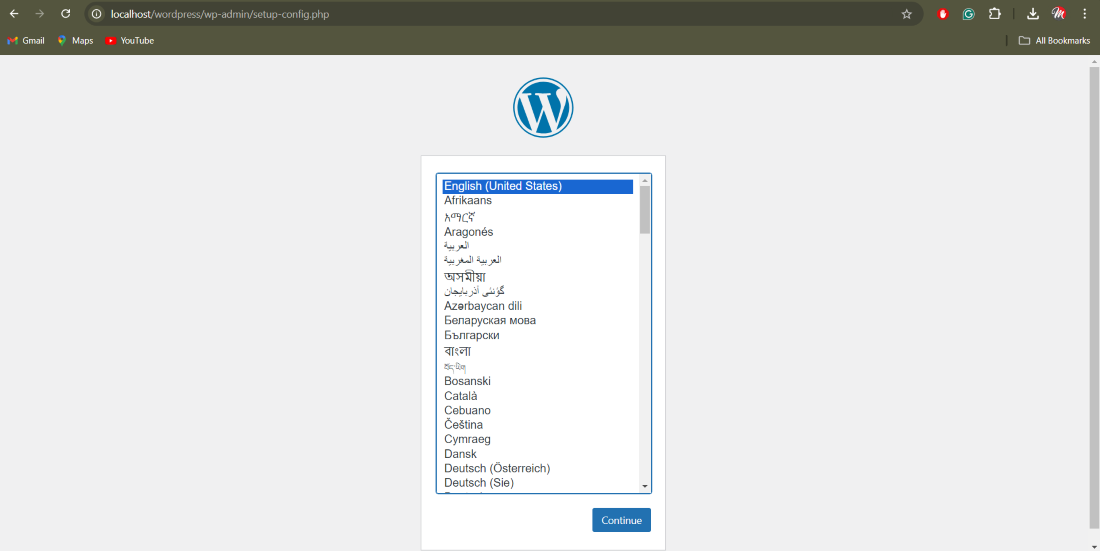
Set up language
- The above image shows we have to select our preferred language and then click on the continue button.
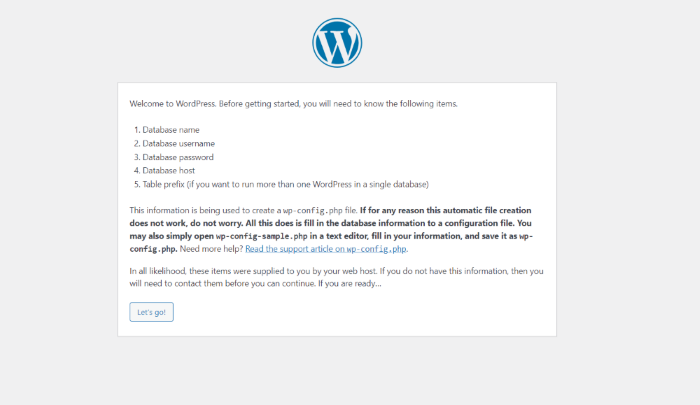
- After the language selection, it shows some key points please read before continuing and click on the Let go button.
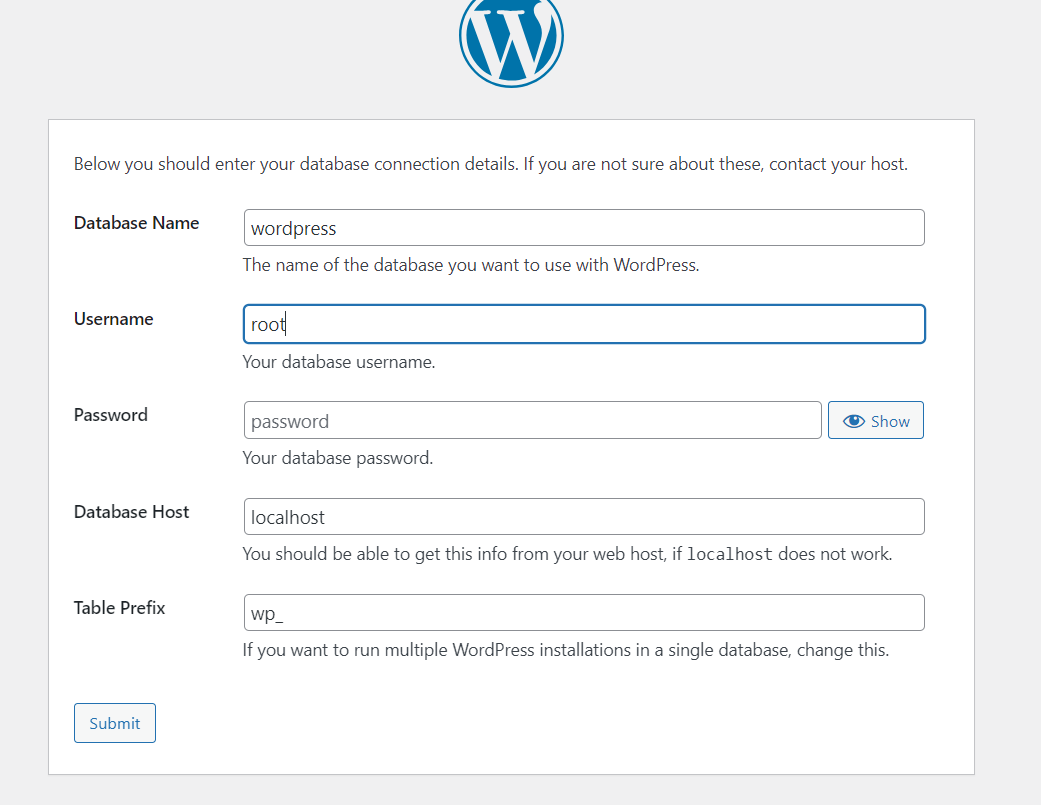
- On this page, Wordpress is asked for basic database and username details so for example please fill database name as Wordpress and username as root and the password should be blank then click on the submit button.
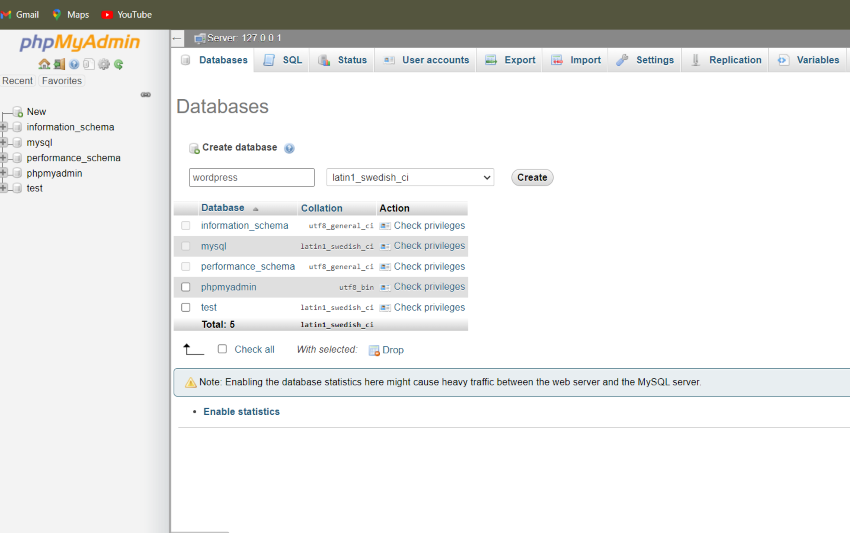
To open this window on your system please type localhost/phpmyadmin case you are using localhost on your system then create a database for example I created Wordpress for this website. please ensure that the database name is the same on Wordpress as I mentioned on the database name as Wordpress because I made the database name Wordpress in PHP my admin panel.
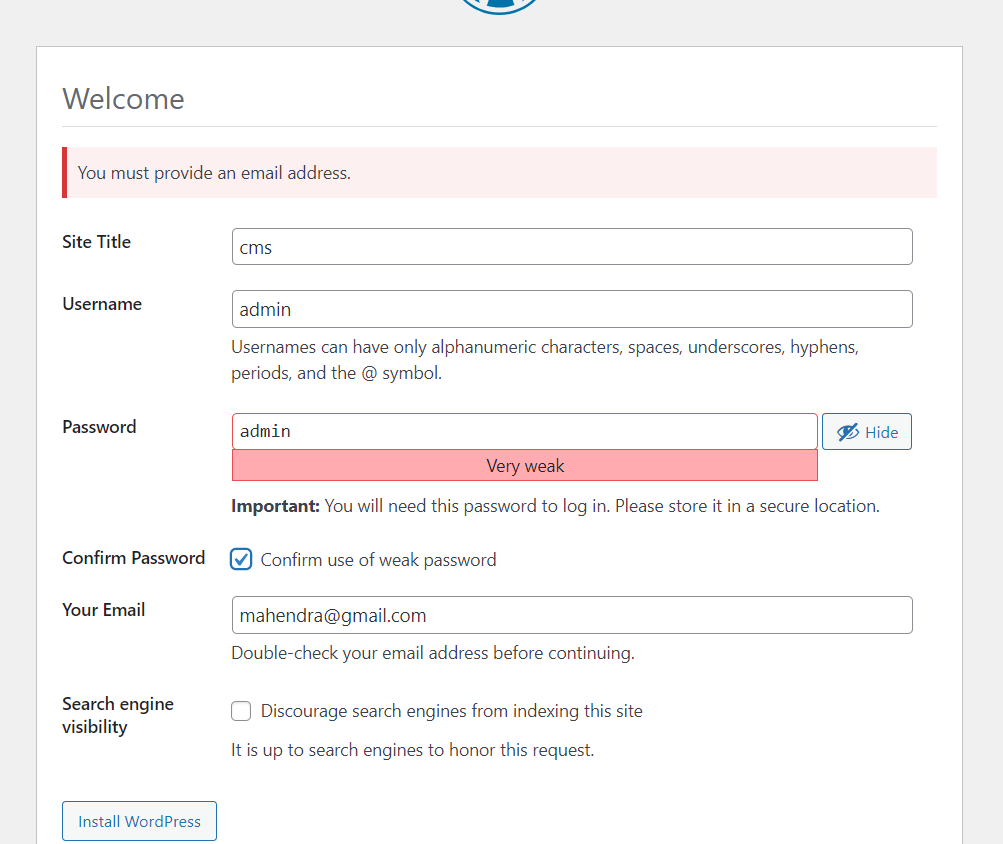
- In the above Wordpress asked a few basic details about your site for example site name, username, password, email ID, etc.
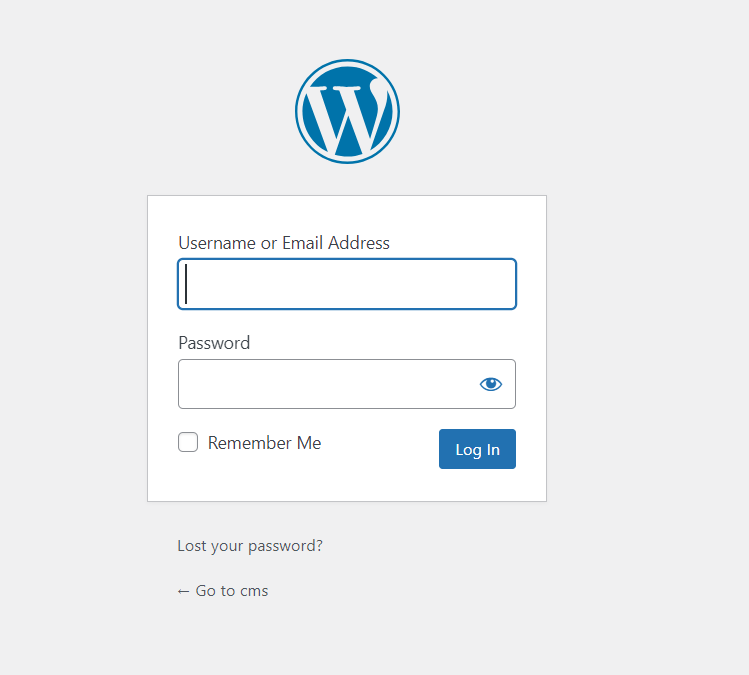
- After filling basic details above please go to the login panel and log in with the same login credentials as you input just before.
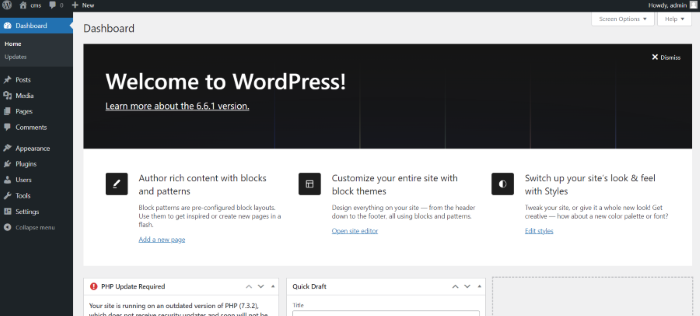
- After the successful login attempt, you get the dashboard panel of the Content Management System.
Customizing the CMS
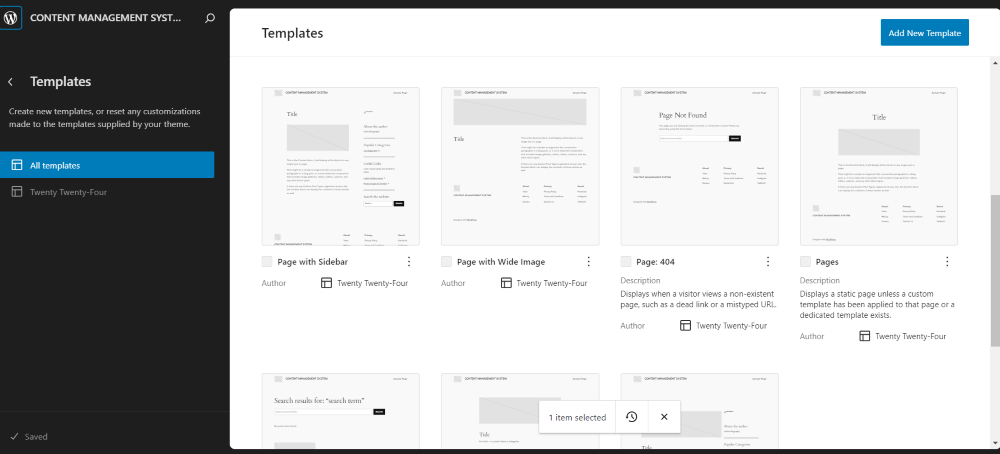
- Here we can customize all things you can see as you want such as the heading of webpages, paragraphs, site titles, images, etc.
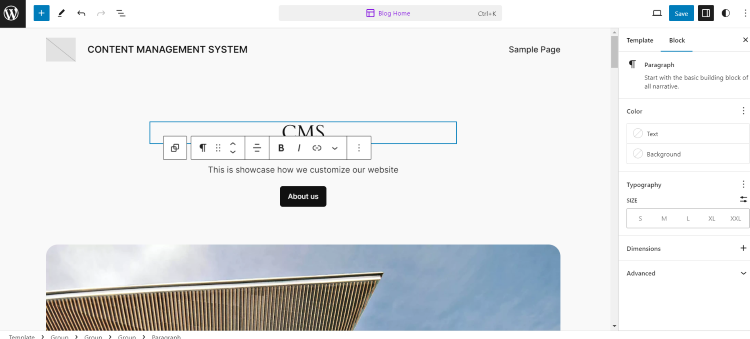
- Here we can customize the button of webpages.
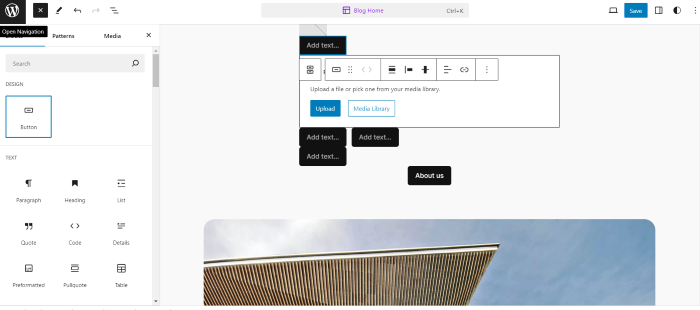
Maintaining the CMS
To maintain the CMS we have multiple options to make a better appearance of our sites like adding plugins can help our sites to work better in terms of performance, here we have multiple tools to customize the theme of our site as we want. Here we can maintained the all the things like text, media, design, widgets, theme etc.
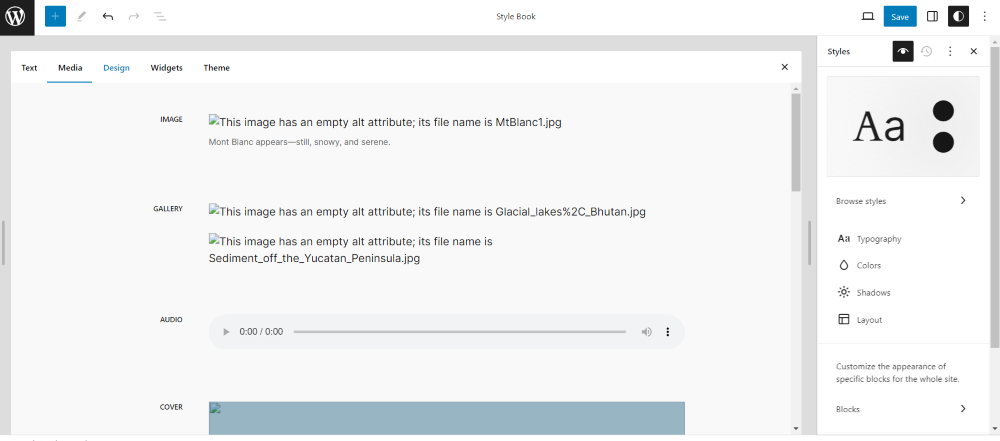
Maintain your media size