WordPress Add Categories (original) (raw)
Last Updated : 23 Jul, 2025
Categories in WordPress allow you to group related posts, making it easier for users to find content and for search engines to understand your site’s structure. They act as broad labels that describe the topics or themes of your posts, providing a simple way to manage and sort your content into different sections.
How to Create WordPress Categories: Step-by-Step Guide
The category is an interface that is used to indicate sections of your site and group-related posts. It allows us to sort the content into different groups of sections.
Let’s see the steps to **WordPress Add Category easily and quickly :
**Step 1: Go to the WordPress login panel and provide the username and password to log in to the WordPress Dashboard.
- Open your web browser and go to your WordPress login page by adding /wp-login.php at the end of your website URL (e.g., example.com/wp-login.php).
- Enter your username and password to access the WordPress dashboard.
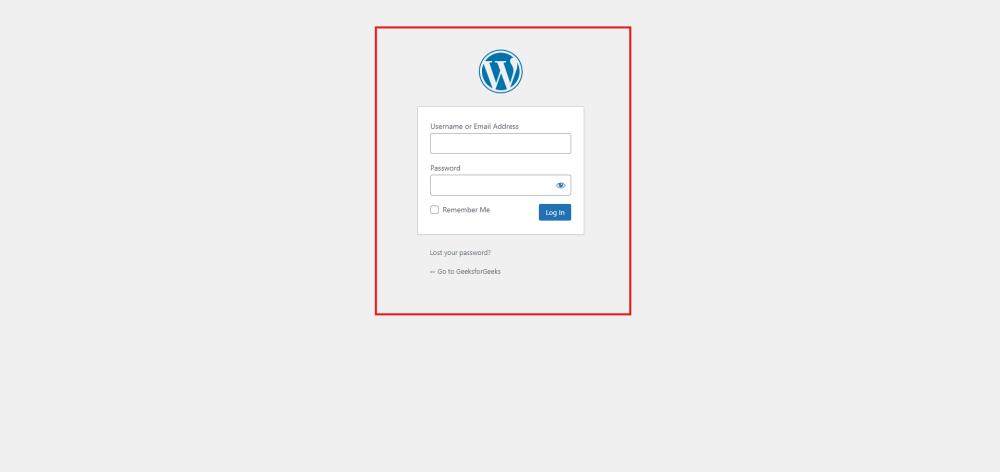
Wordpress login
After login into WordPress, you will be able to see a dashboard like this:

Wordpress Dashboard
Step 2: Navigate to the Categories Section
- From the WordPress dashboard, look at the menu on the left-hand side.
- Hover over Posts and click on Categories. This will take you to the Categories page, where you can manage your existing categories or add new ones.
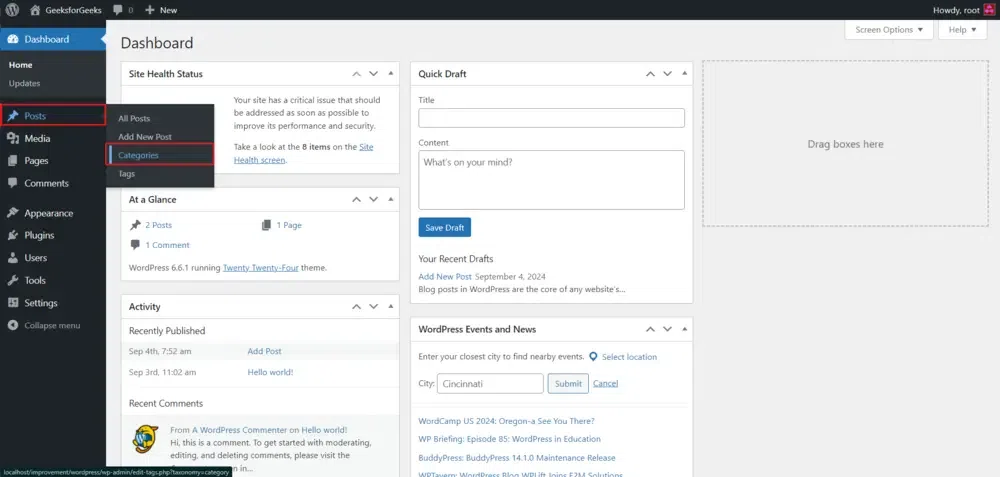
Step 3: Add a New Category
After Clicking, you will see a similar pop window like this:
- On the Categories page, you'll see a form on the left side titled **Add New Category.
- Fill in the following fields:
- **Name: Enter the name of your category (e.g., "Blog Tips").
- **Slug: This is the URL-friendly version of the category name. If you leave it blank, WordPress will automatically generate one based on the category name.
- **Parent Category: If you're creating a subcategory, select a parent category from the dropdown list. If not, leave it as **None.
- **Description: Enter a brief description of the category. This is optional and may be displayed depending on your theme.
- Click the **Add New Category button to save your new category.
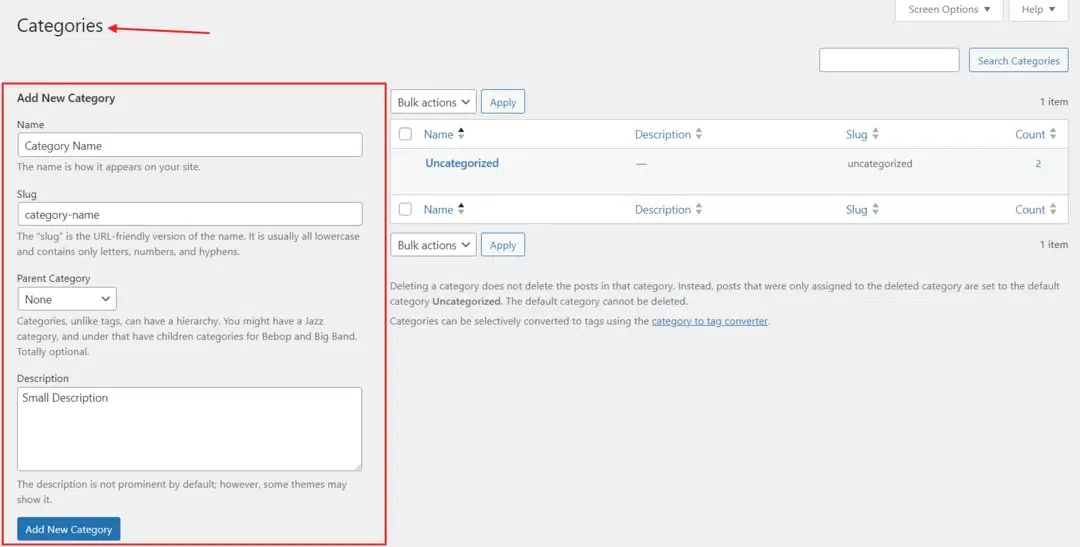
That’s it, you have now successfully learned how to add category to WordPress Posts on your WordPress website.
Step 4: Assign Categories to Your Posts
- When creating or editing a post, you can assign it to one or more categories by checking the appropriate boxes in the **Categories panel on the right side of the post editor.
- If needed, you can also create a new category directly from the post editor by clicking on the **Add New Category link.
Conclusion
WordPress Add Category is a simple yet powerful way to organize and structure your website's content. By categorizing your posts, you enhance user experience, making it easier for visitors to navigate and find relevant information.
The step-by-step guide provided above ensures a smooth process for adding categories through the WordPress Dashboard. Utilising categories effectively can contribute to a well-organized and user-friendly website.
**Also Read: