WordPress Customize Theme (original) (raw)
Last Updated : 23 Jul, 2025
A WordPress theme is a collection of files that work together to create the design and functionality of a WordPress website. It defines the layout, style, and appearance of your website, including the header, footer, sidebar, and various page templates. Customizing a WordPress theme allows you to tailor its design and layout to suit your specific needs and preferences, enhancing the overall look and user experience of your site.
**Why Customize Your WordPress Theme?
Customizing your WordPress theme helps you:
- **Enhance Visual Appeal: Modify elements like colors, fonts, and images to align with your brand identity.
- **Improve User Experience: Rearrange widgets, adjust the layout, and add interactive elements to make your site more user-friendly.
- **Stand Out: Personalize your site’s appearance to differentiate it from others using the same theme.
How to Customize WordPress Theme?
The steps to customize a WordPress theme can vary depending on the changes you want to make. Here’s a simple guide to get you started:
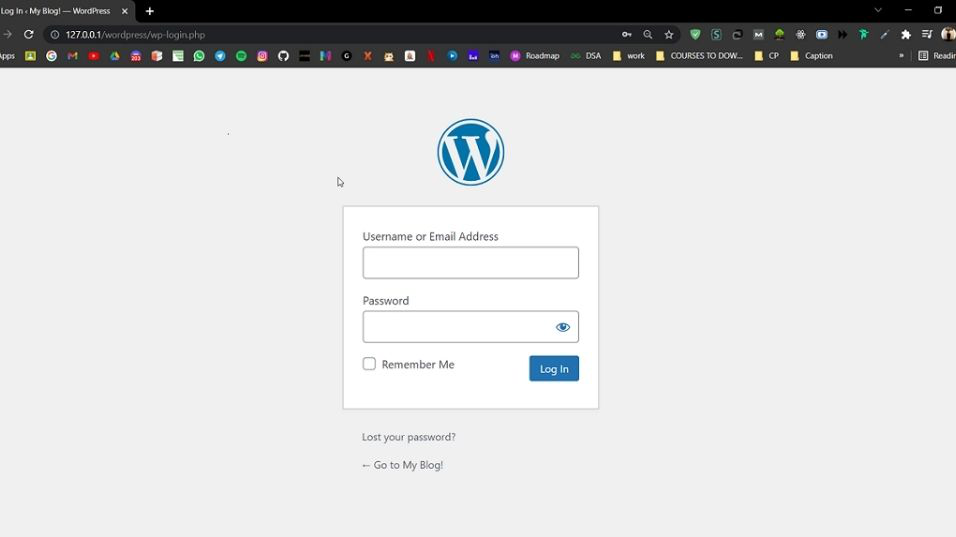
**Step 1: Go to the WordPress login page and enter the **username and **password to log in to the WordPress Dashboard.
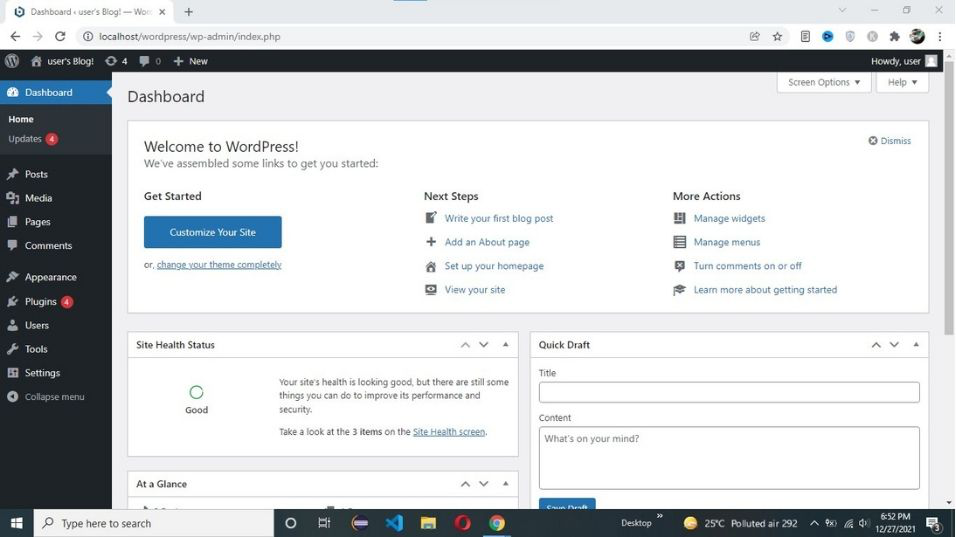
When you successfully log in to your WordPress. your dashboard looks similar to this.
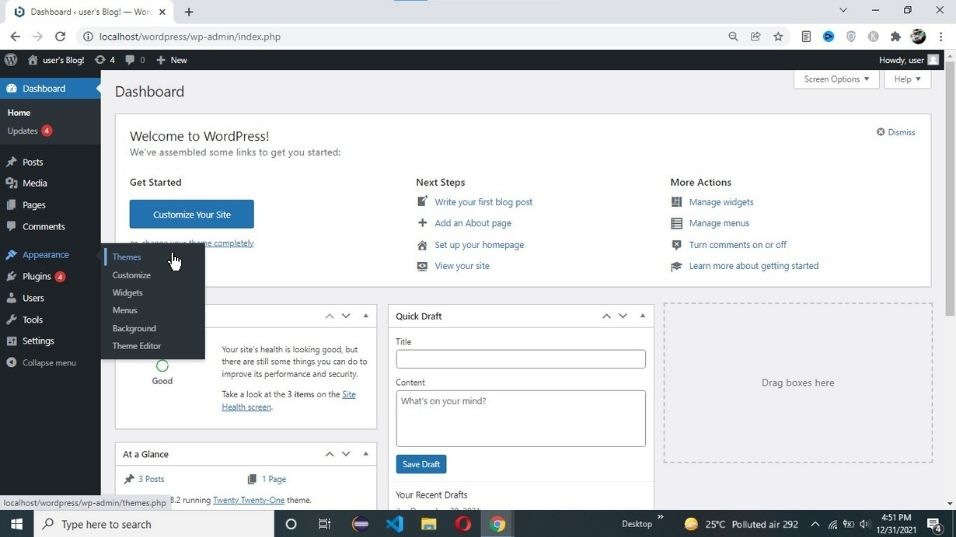
**Step 2: Navigate to the Appearance Section
- From the Dashboard, go to the left-hand menu.
- Click on **Appearance > Themes to view your installed themes.
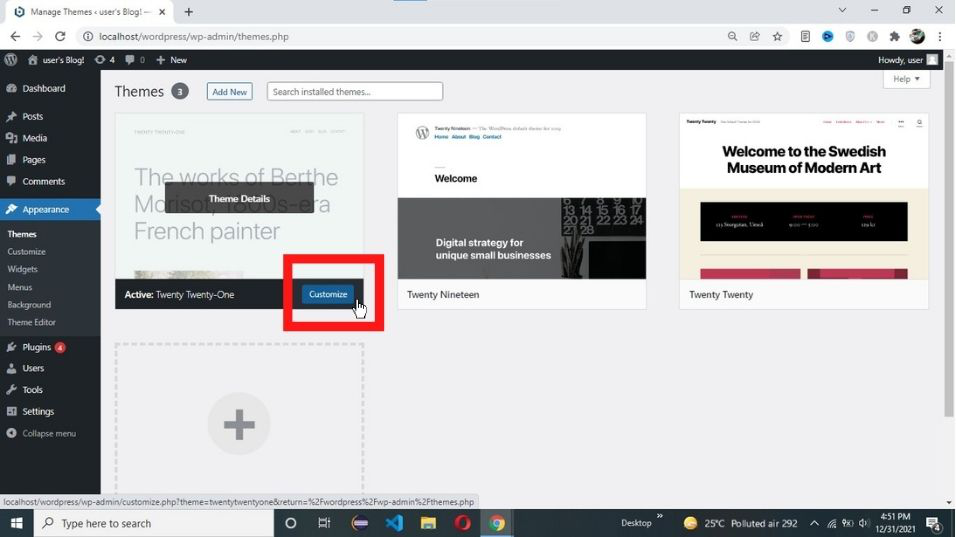
**Step 3: Select Your Theme and Click on Customize
- Find the theme you want to customize and click on the Customize button below the theme thumbnail.
- This will open the WordPress Customizer, which provides a live preview of your site along with various customization options on the left side.
**Step 4: Now you theme is ready for customization. After customize your theme click on the **publish button.
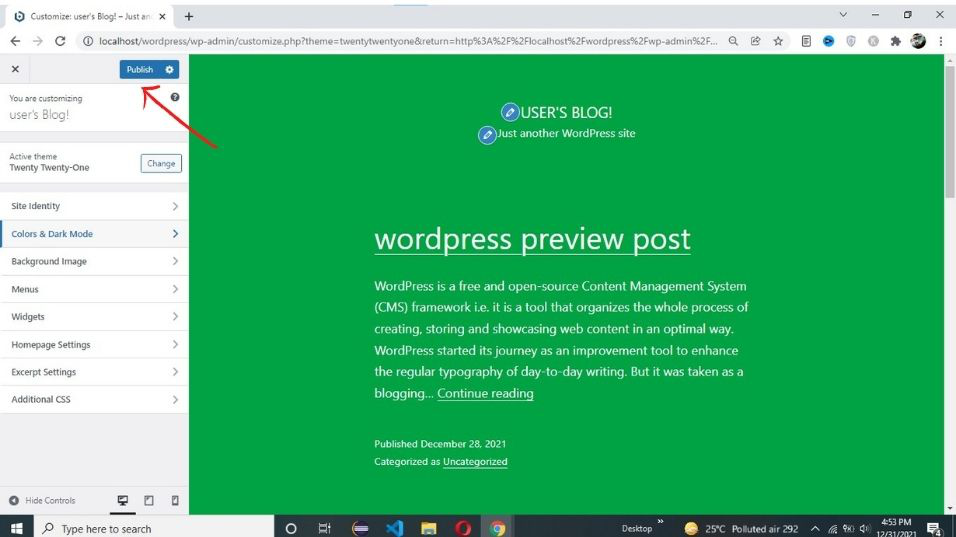
In the above example, we are changing the background color.
**Also Read:
Conclusion
In conclusion, customizing a WordPress theme allows for the enhancement of design and layout to meet specific preferences and needs. By modifying elements such as colors, fonts, images, and widget placement, a WordPress site can become more visually appealing and user-friendly. The process of customizing a WordPress theme involves accessing the WordPress Dashboard, navigating to the "**Appearance" tab, selecting "**Themes," and utilizing the "**Customize" option to make desired changes. This easy-to-follow approach provides users with the flexibility to customize WordPress theme according to their preferences, regardless of their coding knowledge.