Best guitar plugins 2026: my top plugins to level up your recorded guitar tones (original) (raw)
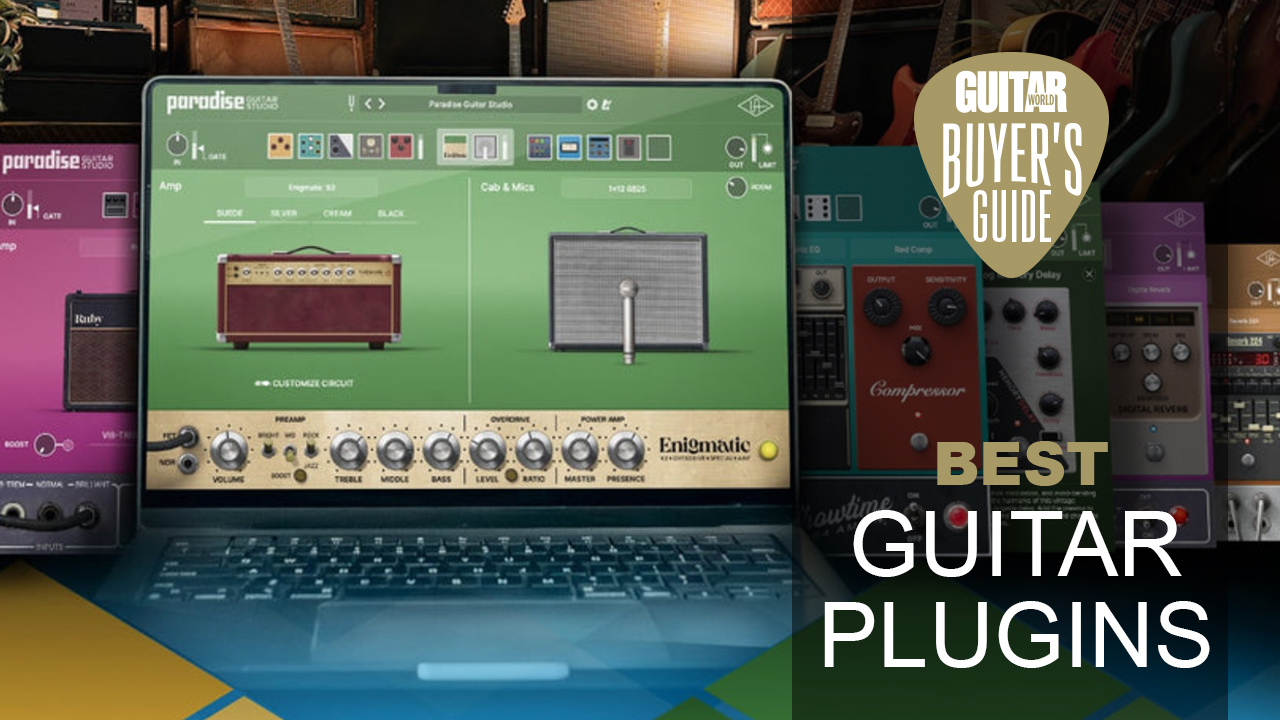
(Image credit: Universal Audio)
Thanks to the increase in power available from laptops and computers, more and more guitarists are turning to using plugins when it comes to playing, practicing, and recording their guitar playing. I've been using guitar plugins ever since POD Farm was released back in 2008, so if you want to find the best guitar plugin for your workflow, you're in the right place.
If you want to start using guitar plugins, you'll need a laptop or PC, an audio interface, and a pair of studio monitors or headphones. Latency, the delay between playing a sound and hearing it, is the big enemy you'll face doing this, which means you need a computer with a decent CPU and RAM. For more details on this, check out the what you need section of this guide, which will tell you everything you need to know.
For me, the absolute cream of the crop when it comes to guitar amp plugins is Line 6 Helix Native. Packed with pretty much any amp model and effect you can think of, it’s not the cheapest option, but it’s definitely one of the most all-encompassing. If you’re after something on a budget, then check out Positive Grid BIAS FX 2, which has a great selection of amps and effects. Alternatively, if you need a free option, you should check out the incredibly powerful Neural Amp Modeler.
For those new to guitar plugins, you'll find a very detailed FAQs section further down the guide that answers all the most common questions I've faced over the years. I've also included a glossary of key terms, as there's a lot of technical lingo used throughout the guide. For now, keep scrolling to see learn everything there is to know about the best guitar plugins available right now.
Best overall
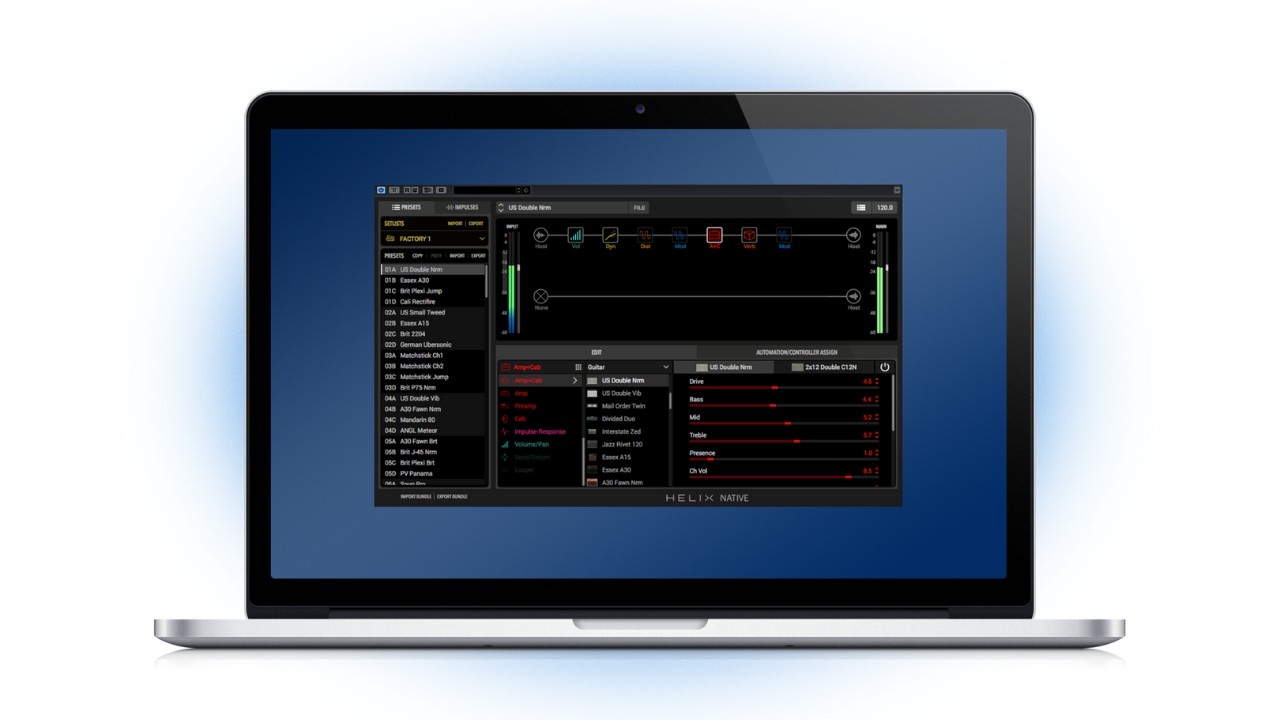
With its huge depth and plentiful supply of amp and effects models, Helix Native is the ultimate guitar plugin. (Image credit: Line 6)
1. Line 6 Helix Native
The best guitar plugin overall for pure choice
Specifications
Amps: 111
Effects: 276
Custom IRs: Yes
System requirements: Dual-Core 2.0GHz processor or faster, 4GB of RAM, 100MB Disk space
Mac: Mac OS X 10.10 and 10.11 & macOS 10.12
Windows: Windows 7 SP1, Windows 8.1, & Windows 10
Formats: 64-bit AAX Native, AU, VST3 or VST2
Reasons to buy
Incredible choice of amps and effects
Easy-to-use interface
Consistent updates
Reasons to avoid
-
Not the cheapest
-
Could give you option paralysis
At a glance
✅Buy if you want the most choice: With over 100 amps and over 200 effects, Helix Native is a playground for the recording guitar player.
❌Avoid if you want simplicity: There's a lot of choice in terms of sounds and options in terms of signal path, so look elsewhere if you want simplicity.
I’ve been a longtime user of Helix Native and for me, it’s the most all-encompassing choice if you want a guitar plugin. With a gigantic array of amp and effects models and plenty of ways to order your signal chain, it’s a playground for guitar tones that can give you pretty much any sound you desire.
One of the best things about being a Helix Native user has been the consistent updates. At least a couple of times a year I’ve been the recipient of new amps, effects, and cab models for no extra cost. It means the choice has expanded significantly since I first bought it, giving me a huge amount of options for recording and silent practice.
The amp and cab models will require some tweaking to get the best out of them, and you can unlock a lot of extra capacity with the use of third-party impulse responses, but if you’re willing to put a little time into sculpting your sounds you will absolutely be rewarded. I also love the ability to make uber-complex signal chains, run effects in parallel, or put together huge stereo rigs. One for those who love experimenting with effects order and signal chains.
Best budget
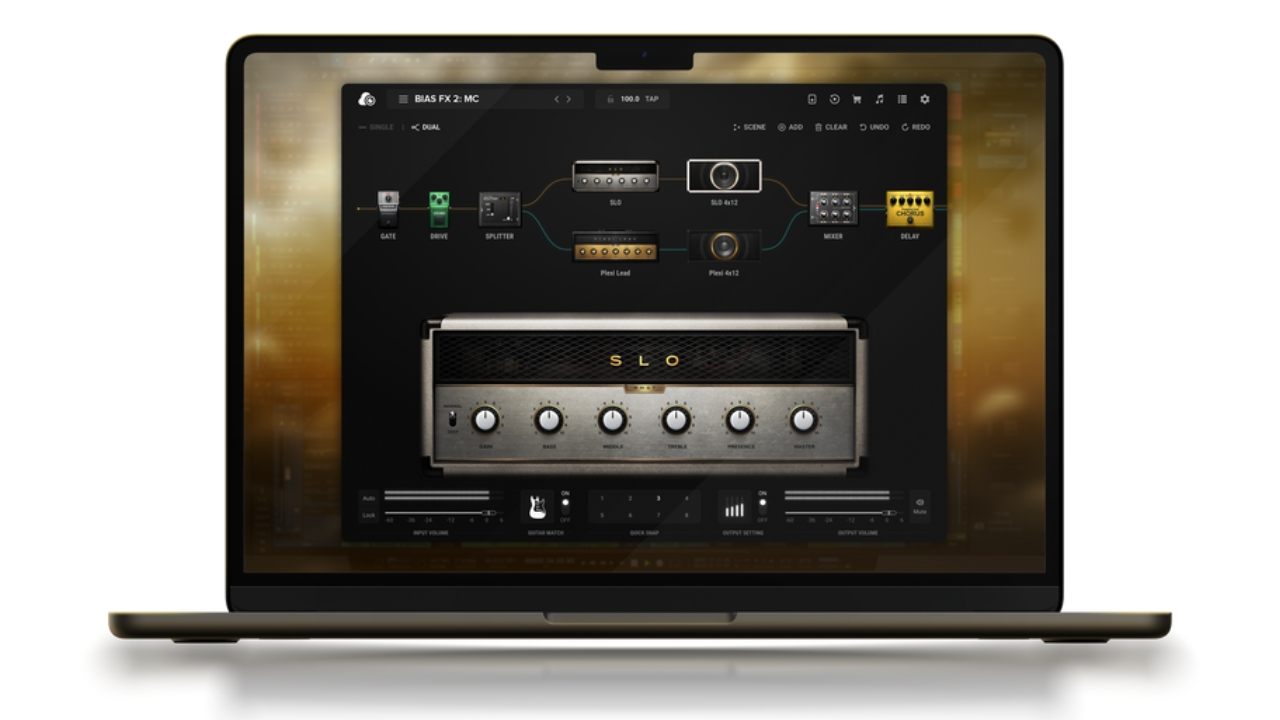
If you want great tones that don't cost all that much, BIAS FX 2 Standard is very reasonably priced. (Image credit: Positive Grid)
2. Positive Grid BIAS FX 2 Standard
A great guitar plugin for those on a tighter budget
Specifications
Amps: 39
Effects: 43
Custom IRs: N/A
System requirements: 1.5GHz Dual core processor minimum, 2.0GHz Dual core or more recommended, Apple silicon using Rosetta, 4GB of RAM minimum, 8GB or more recommended, 1GB free disk space
Mac: macOS Sierra 10.12 to Big Sur 11.6.1
Windows: Windows 7 (SP1), Windows 8, and Windows 10
Formats: 64-bit Audio Units, VST 2, AAX Native
Reasons to buy
A relatively cheap option
Huge amount of effects
Ultra-responsive amp tones
Reasons to avoid
-
Need to pay more for IR support
At a glance
✅Buy if you want something low-cost: Coming in around the $/£100 mark, and even less during PG's regular sales, BIAS FX 2 is a great choice if you don't have loads of cash to spend.
❌Avoid if you want to use 3rd party IRs: You'll need to buy one of the higher tiers to gain access to 3rd party impulse response loading.
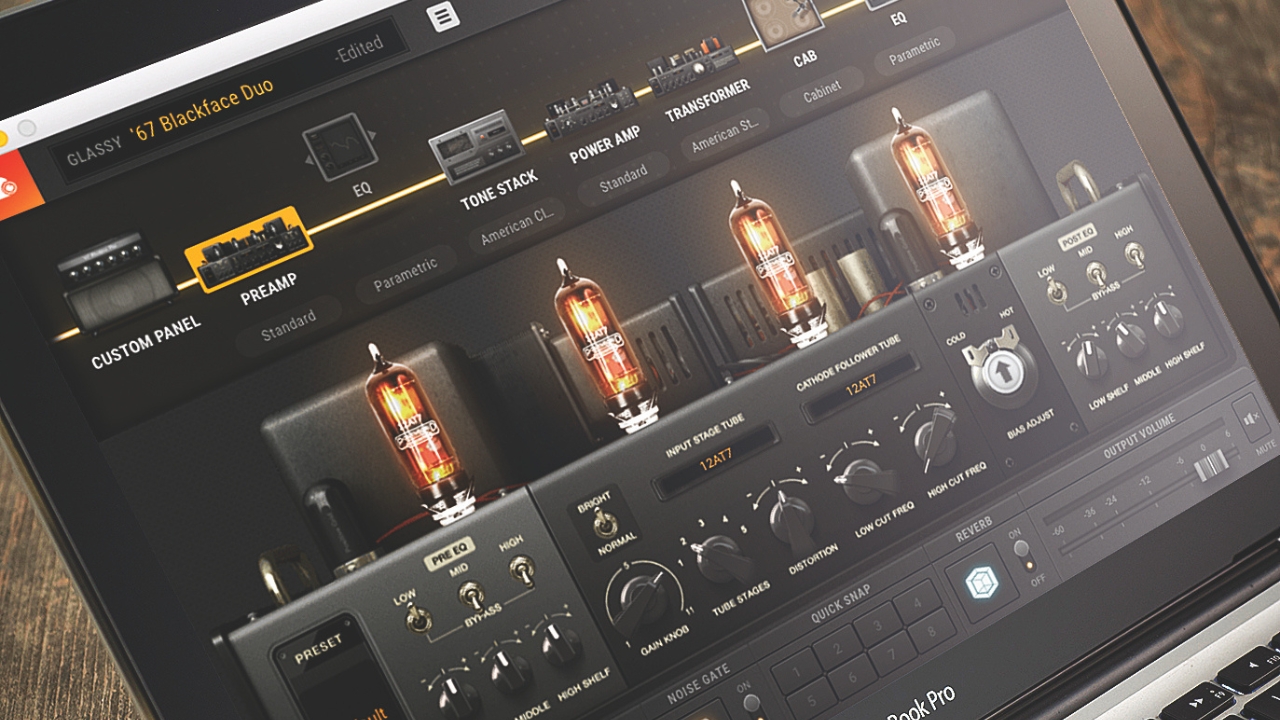
If you’re looking for something good quality on a budget, then the standard edition of Positive Grid BIAS FX 2 is a great choice. It’s got plenty of amp and effects models for you to choose from, and a decent amount of customization options when it comes to signal path. It can typically be found for around the $/£100 mark, but if you hold on for one of PG’s regular sales it can be had for a lot less.
The user interface of BIAS FX 2 is really good-looking, making it a pleasure to work with in your DAW or as a standalone. I found it really easy to start putting together my own rigs, as well as creating them from scratch. The guitar match feature is a neat tool for giving you the feel of a different type of pickup if you need it, and it also comes with a metronome and looper, making it a great option for home practice.
A large update to the DSP engine a couple of years ago gave BIAS FX 2 a significant boost, putting it on a similar level to Line 6 and Neural DSP plugins in terms of quality. There’s more than enough choice to keep all but the most experimental guitar players happy in terms of amps and effects, making it excellent value for money.
EXPERT VERDICT: POSITIVE GRID BIAS FX 2
EXPERT VERDICT: POSITIVE GRID BIAS FX 2
"The Guitar Match feature alone makes BIAS FX 2 worth the price, but when added to the stunning new amps and effects it offers, it is truly a must-buy for guitarists who want to explore an entirely new world of expressive power, freedom and convenience."
Read more: Positive Grid BIAS FX 2 review
Best for classic tones
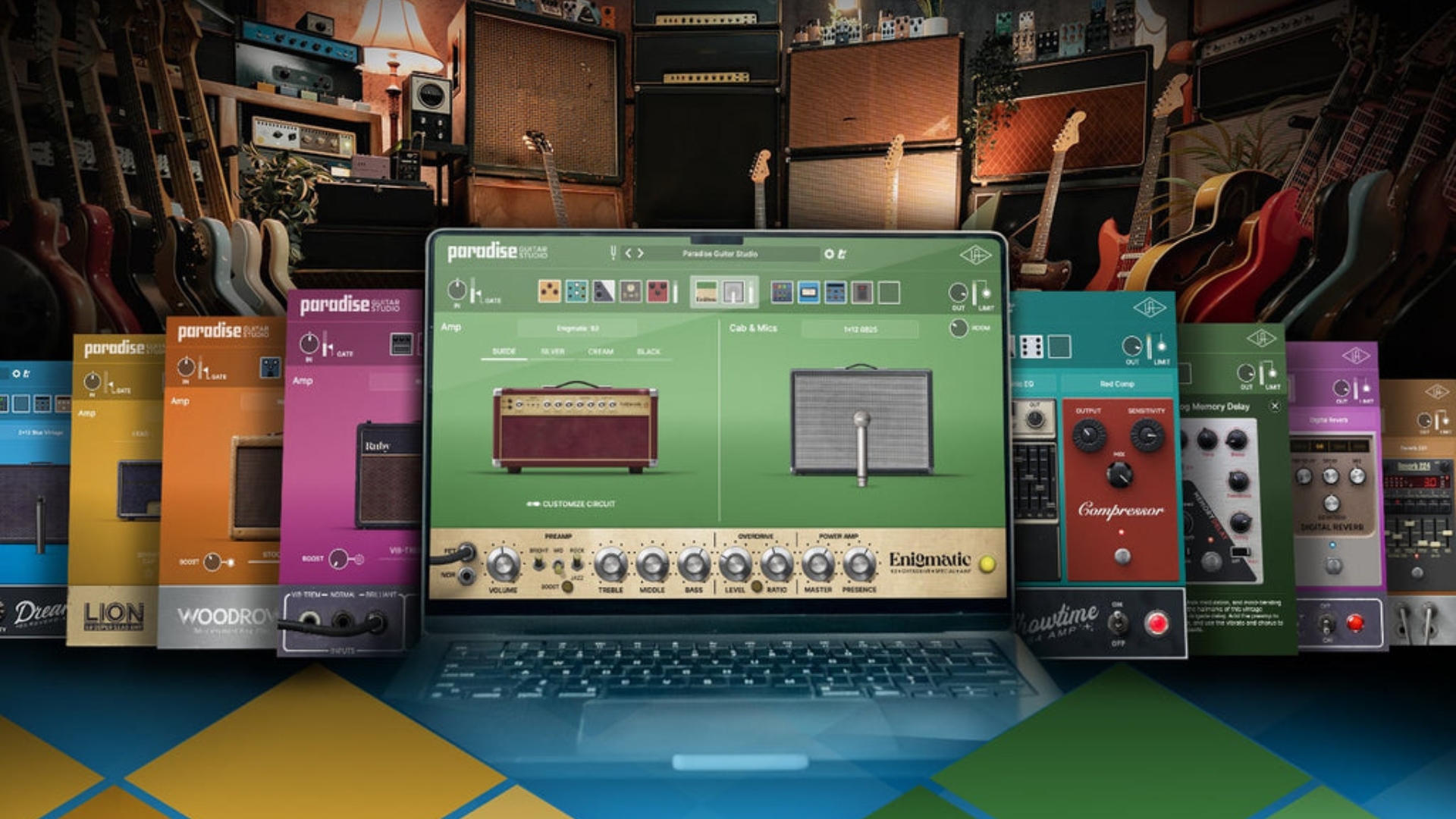
For classic amps and guitar tones, Paradise Guitar Studio is where it's at. (Image credit: Universal Audio)
The best guitar plugin for classic amp tones
Specifications
Amps: 11
Effects: 25
Custom IRs: No
System requirements: Intel, AMD, or Apple silicon processor, Internet connection to download software and authorize UAD Native plug-ins (UADx), Free iLok account, Compatible with iLok USB (2nd generation or higher) but not required
Mac: macOS Big Sur 11, Monterey 12, Ventura 13, Sonoma 14, Sequoia 15 and Tahoe 26
Windows: Windows 10 or Windows 11 (64-bit editions)
Formats: VST 3, AAX Native
Reasons to buy
Models most of the classic guitar amplifiers
Presets are fantastic quality and ready to use
Interface is super easy to navigate
Reasons to avoid
-
Lacking options to adjust the cabinet
-
No custom IR loading
At a glance
✅Buy if you want classic guitar tones: With some of the most iconic amps of all time from Marshall, Fender, Vox, Dumble, and more all realistically modeled, this is the perfect plugin for vintage tone hunters.
❌Avoid if you want cab customisation: You can't do much with the cabinets in this plugin, and there's no custom IR loading either.
Universal Audio originally designed these amp model algorithms for their range of hardware pedals, and now they’re available via your computer thanks to the release of the Universal Audio Paradise Guitar Studio. With amps modeled on Fender, Vox, Marshall, Dumble, and more available to play with, this is the ideal choice for vintage tone hunters.
These are native plugins, so you don’t need any specific UA hardware to use them, unlike their previous guitar plugin offerings. It is a shame that there’s no standalone version, though, so you’ll need a DAW to run them. What I love most is that it's super easy to navigate the presets and make changes to the tones, which gives you more time to start playing and less time faffing around.
The curation of presets is simply stunning, too. Thanks to painstaking work by the developers at UA, you can instantly get your hands on pretty much any iconic guitar tone. It’s really quite an amazing selection of sounds, great for recording or practicing late at night with your headphones on, and I found that I didn't need to tweak them all that much to get them to my liking either.
EXPERT VERDICT: UNIVERSAL AUDIO PARADISE GUITAR STUDIO

EXPERT VERDICT: UNIVERSAL AUDIO PARADISE GUITAR STUDIO
"Universal Audio’s Paradise Guitar Studio is a welcome addition to the UA guitar lineup, offering a usability that’s more in line with what Line 6, Positive Grid, and IK Multimedia have been doing for a long time now. The sandbox of great guitar amp tones and a range of effects is pulled off in typical UA fashion, delivering a stunning sound quality that’s easily the match of any other guitar plugin out there."
Read more: Universal Audio Paradise Guitar Studio review
Best for metal
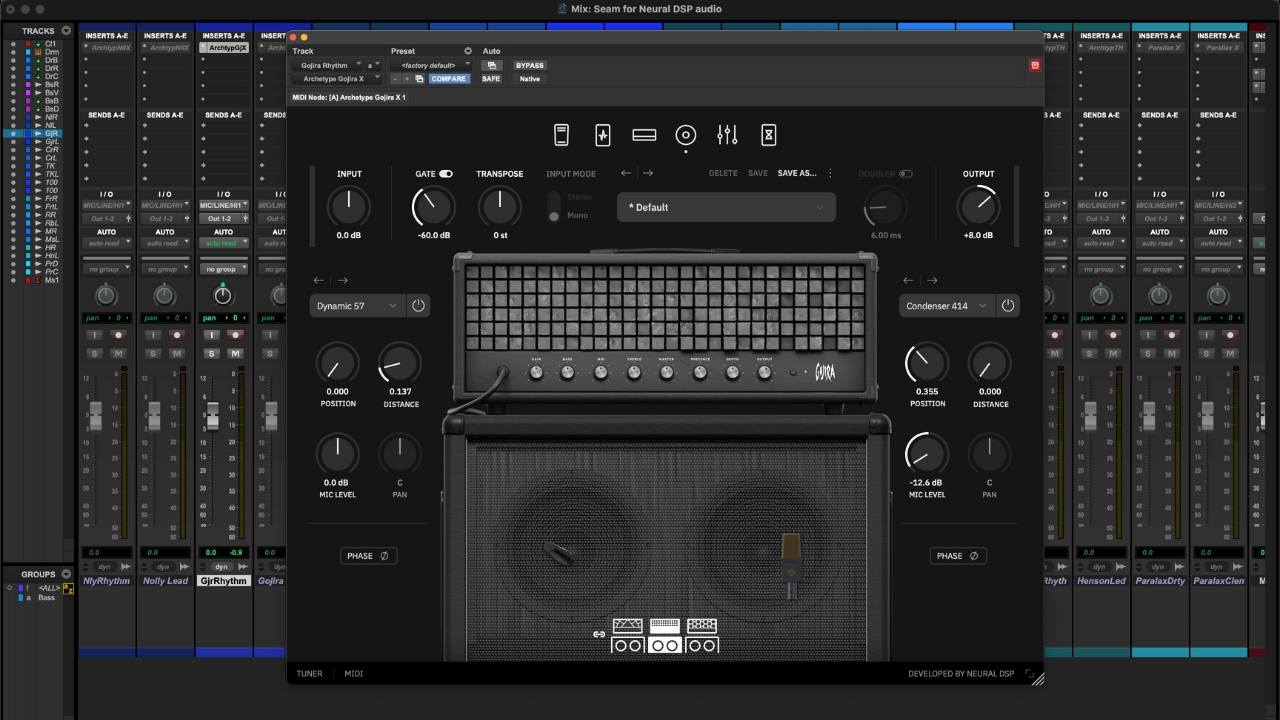
If you want crushingly heavy guitar tones, Archetype: Gojira delivers and then some. (Image credit: Future/Matt McCracken)
4. Neural DSP Archetype: Gojira X
The best guitar plugin for metal tones
Specifications
Amps: 3
Effects: 9
Custom IRs: Yes
System requirements: Intel Core i3 Processor (i3-4130 / i5-2500 or higher), AMD Quad-Core Processor (R5 2200G or higher), Apple Silicon (M1 or higher), 8GB of RAM or more
Mac: macOS 11 Big Sur (or higher)
Windows: Windows 10 (or higher)
Formats: 64-bit VST3, AU and AAX
Reasons to buy
Great for all types of metal
Fantastic selection of presets
Usable whammy and octave tones
Reasons to avoid
-
Not the most versatile
At a glance
✅Buy if you want metal tones: Created with the guitarist responsible for some of the most iconic modern metal guitar tones, Gojira X is perfect for those who want to get heavy.
❌Avoid if you want versatility: It can do clean and mid-gain tones, but Gojira X is best used for crushingly heavy sounds so look elsewhere if you want lots of variety.
Coming from one of the most copied metal bands of the modern age, Neural DSP Archetype Gojira X offers quintessential metal tones for players who like to get heavy. Three amp types give you clean, rhythm, and lead tones to choose from, and there’s a nice selection of effects for adding extra texture to your sounds.
Neural DSP plugins are really easy to use, thanks to their excellent selection of presets and this is no different. Featuring sounds from Joel Duplantier himself, as well as a host of others from famous guitar players and producers like Nolly and Ihsahn of Emperor, you’ve got a huge selection of starting points for a variety of metal tones modern and classic.
The amps give you a decent amount of variety in terms of clean and mid-gain tones, but it’s definitely best used for chugging and shredding. I really love the octave and whammy effects, which offer excellent tracking and are perfect for beefing up those heavy riffs and leads. One thing that is a bit of a letdown is the lack of ability to change the signal order, so if you like tweaking your tone you might want to look elsewhere.
EXPERT VERDICT: NEURAL DSP ARCHETYPE GOJIRA X
EXPERT VERDICT: NEURAL DSP ARCHETYPE GOJIRA X
"I had to pick Neural DSP Archetype: Gojira X as my top plugin for modern metal players. Gojira’s tone and techniques are so widely aped now that they’ve become a staple part of the genre, and this plugin gives you those exact sounds quickly and easily. With three amps and matching cabs that give you clean, rhythm, and lead tones plus a great selection of effects it’s the best choice for modern metallers."
Read more: Neural DSP Archetype Gojira X review
Best for effects
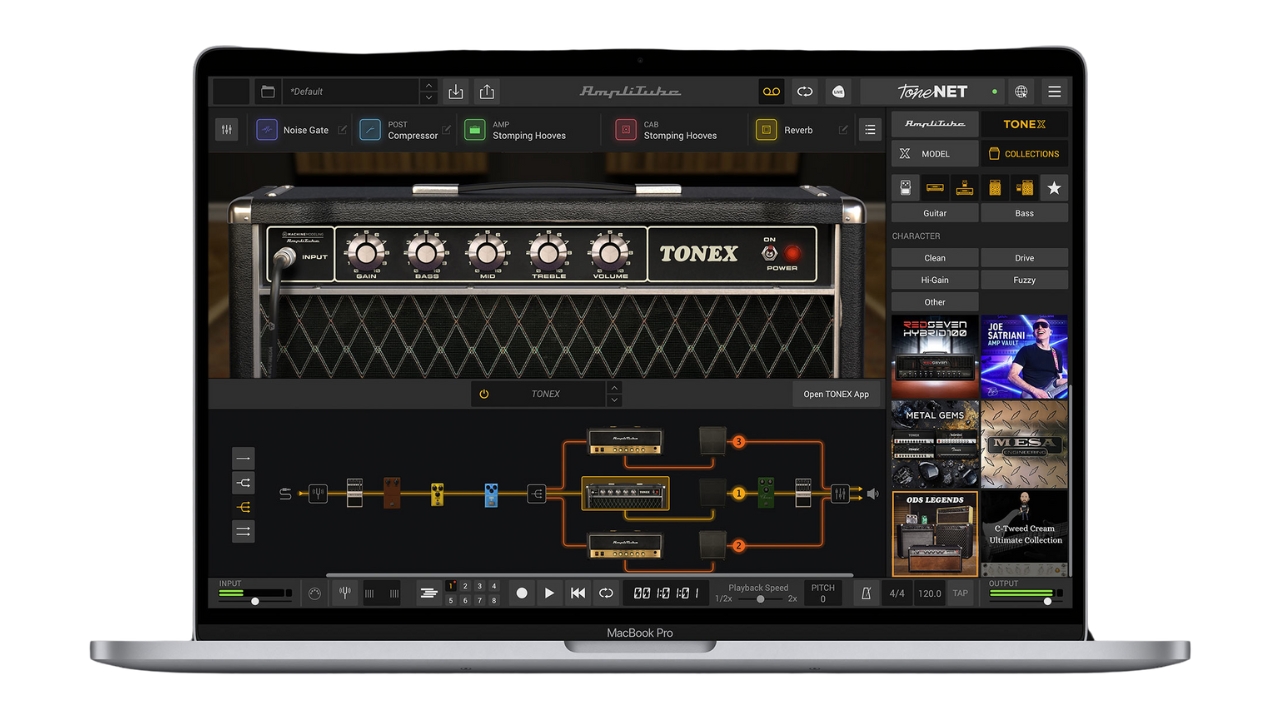
If you want a boatload of effects to play with, AmpliTube 5 has more than you'll know what to do with. (Image credit: IK Multimedia)
An excellent guitar plugin if you want lots of different effects
Specifications
Amps: 107
Effects: 107
Custom IRs: Yes
System requirements: Apple M1 or Intel Core i5 Processor, 8 GB of RAM, 3 GB of hard drive space
Mac: macOS 10.15 or newer (macOS 11 or newer required for Apple Silicon Processors)
Windows: Windows 10 (64 bit) or newer
Formats: 64-bit Audio Units, VST 3, AAX
Reasons to buy
Great selection of effects
Plenty of amp models
Officially licensed models
Reasons to avoid
-
UI showing its age
At a glance
✅Buy if you want lots of FX: With a huge selection of stompboxes AmpliTube 5 is a great choice for those seeking a variety of effects pedals.
❌Avoid if you want ease of use: The UI of AmpliTube is a little dated and clunky, so if you prefer a more streamlined workflow consider looking elsewhere.
If you want a huge selection of amps and effects, IK Multimedia AmpliTube 5 MAX is a great shout. It’s also one of few guitar amp plugins to feature officially licensed models, with 11 brands like Fender, Orange, Marshall, and more.
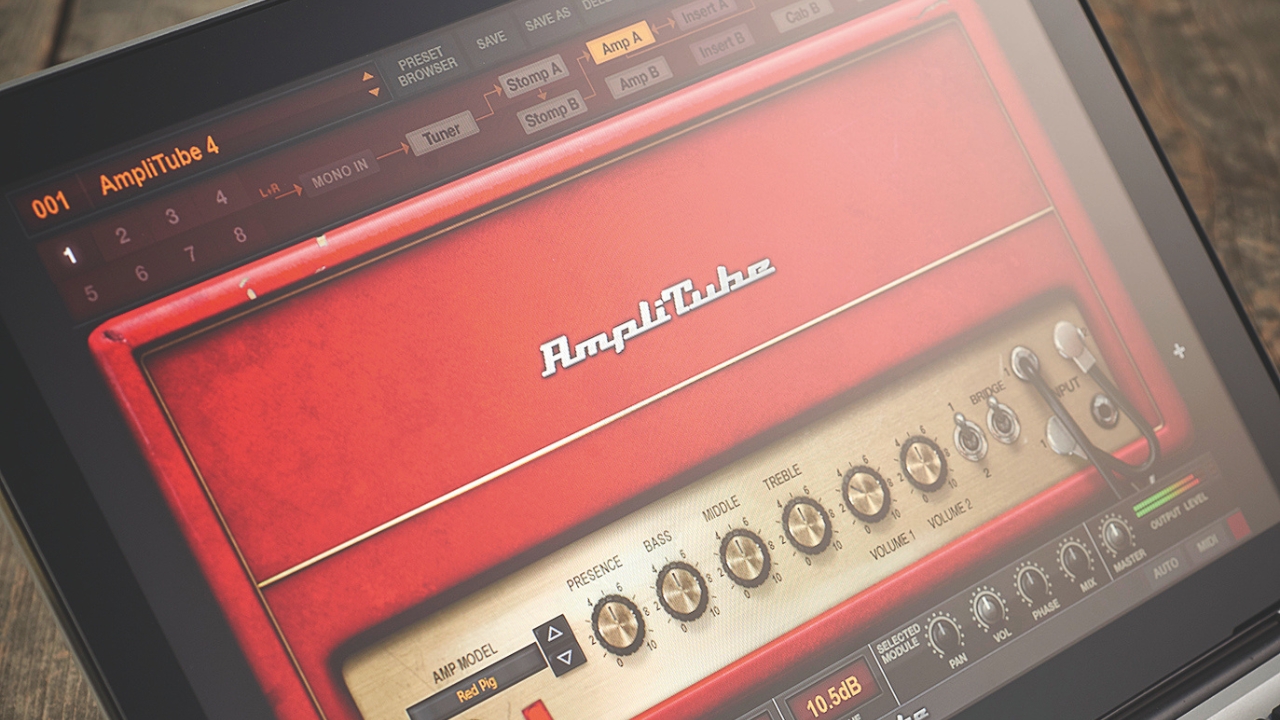
The interface of AmpliTube 5 is ultra-realistic, so each piece of official gear looks exactly the same as its real-life counterpart, which can’t be said of many of the amp plugins here. It makes it very nice to look at, but it can feel a little bit clunky to use at times. I do like how many possibilities you get for manipulating your signal chain, however, and it’s similar to Helix Native in terms of how deep you can into tweaking it.
AmpliTube does its modeling on a component level, so you get some scarily realistic guitar tones here. The cabs are modeled using around 600 IRs per speaker so you can rest assured you’ll be getting some great sounds out of it. I love the sheer amount of effects it has too, with a massive range of modeled stompboxes that’ll keep even the most picky guitarists busy.
EXPERT VERDICT: IK MULTIMEDIA AMPLITUBE 5

EXPERT VERDICT: IK MULTIMEDIA AMPLITUBE 5
"AmpliTube has evolved into an extraordinarily powerful sound design environment. The quality of the modelling is superb, the quantity of included gear is unsurpassed and the scope of what it can achieve is limited only by your creativity. Whether you want to dabble with rare boutique amps, develop characterful tones from unusual routings in your DAW or use it to play complex live sets, it’s hard not to recommend AmpliTube 5."
Read more: IK Multimedia AmpliTube 5 review
Best for bass
(Image credit: Future/Matt McCracken)
6. Neural DSP Parallax X
The best guitar plugin for bass guitarists
Specifications
Amps: 1
Effects: 3
Custom IRs: Yes
System requirements: Intel Core i3 Processor (i3-4130 / i5-2500 or higher), AMD Quad-Core Processor (R5 2200G or higher), Apple Silicon (M1 or higher), 8GB of RAM or more
Mac: macOS 11 Big Sur (or higher)
Windows: Windows 10 (or higher)
Formats: 64-bit VST3, AU and AAX
Reasons to buy
Superb-sounding low tones
Versatile preset selection
Can do clean or dirty sounds
Reasons to avoid
-
UI not the most intuitive
-
No built-in effects
At a glance
✅Buy if you want a dedicated plugin for bass: One of few bass-specific plugins out there, Parallax X is a playground for lovers of the low-end.
❌Avoid if you need FX: There's not much in the way of built-in effects here, so look elsewhere if you like using stompboxes with your bass guitar.
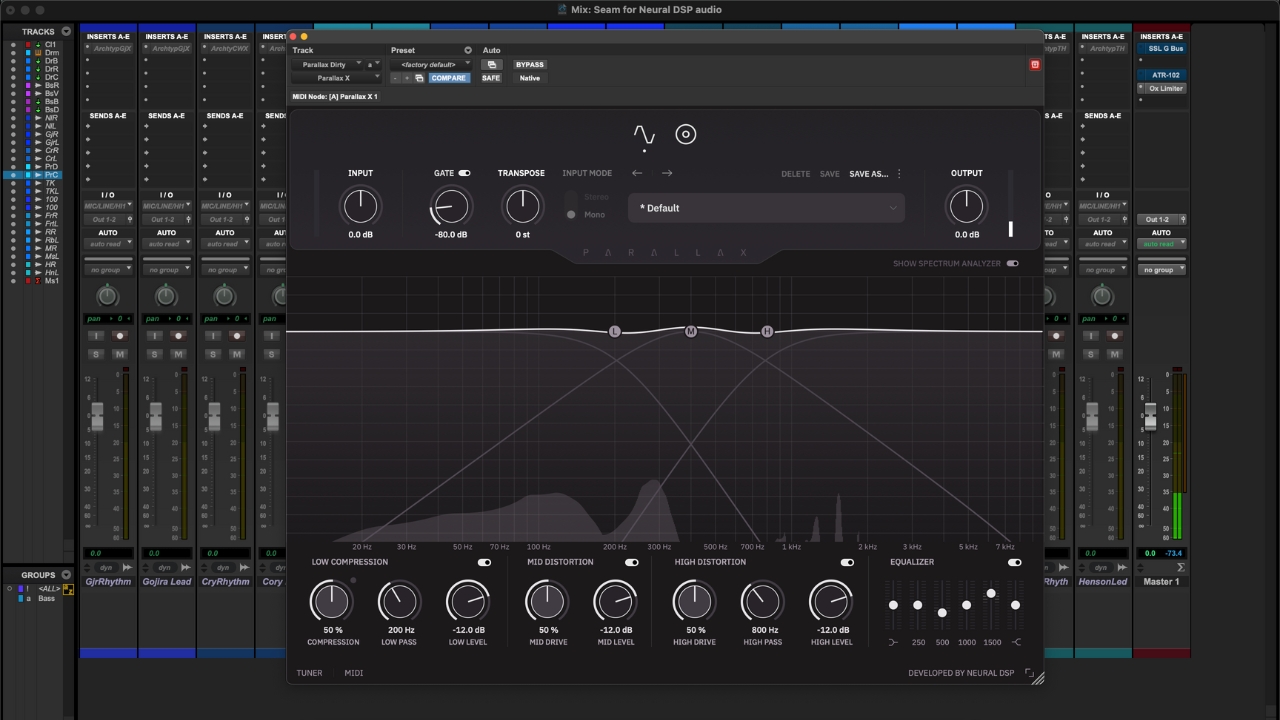
If you’re looking to record or practice your bass guitar with your computer, Neural DSP Parallax X offers a fantastic array of bass guitar tones. Typically you’d have to buy a bigger guitar amp plugin to get some bass tones, so having a dedicated plugin for the low end makes Parallax X stand out in a competitive market.
The user interface isn’t the easiest to use when you first get it, looking more like an EQ plugin than a bass guitar amp plugin, but once you get the hang of it it’s surprisingly powerful. The ability to drag your cab mic around in real time is a nice touch, and you can load in third-party IRs too.
The preset selection is excellent here, with plenty of readily available tones that are great for guitarists moonlighting on the bass for a recording. For actual bassists, you can dive into the built-in EQ and distortion components, as well as a compressor for controlling the low end. One thing to note is that there are no built-in effects besides the ones I’ve just mentioned, so if you like chorus or reverb on your basslines you’ll need to add these in your DAW.
EXPERT VERDICT: NEURAL DSP PARALLAX X
EXPERT VERDICT: NEURAL DSP PARALLAX X
"In terms of tones, you might think it’s limited with only one amp and cab to choose from, but you can get a surprisingly huge range of sounds out of it. Whether it’s funky slap tones, punchy pop, or metal grind Parallax absolutely delivered in my tests."
Read more: Neural DSP Parallax X review
Best for recording
(Image credit: STL Tones)
7. STL ToneHub
The best guitar plugin for professionally recorded guitar tones
Specifications
Amps: 1000+
Effects: 1000+
Custom IRs: Yes
System requirements: N/A
Mac: Mac OS 10.13 (or higher)
Windows: Windows 7 (or higher)
Formats: 64-bit VST3, AU and AAX
Reasons to buy
Huge selection of sounds
Features pro captures
Great for recording guitarists
Reasons to avoid
-
Subscription only
At a glance
✅Buy if you want great tones for recording: With captures made by loads of pro engineers and producers, this is a great plugin if you're mainly aiming to create your own music.
❌Avoid if you don't like subscriptions: STL is subscription only, which over time will make it significantly pricier than others here.
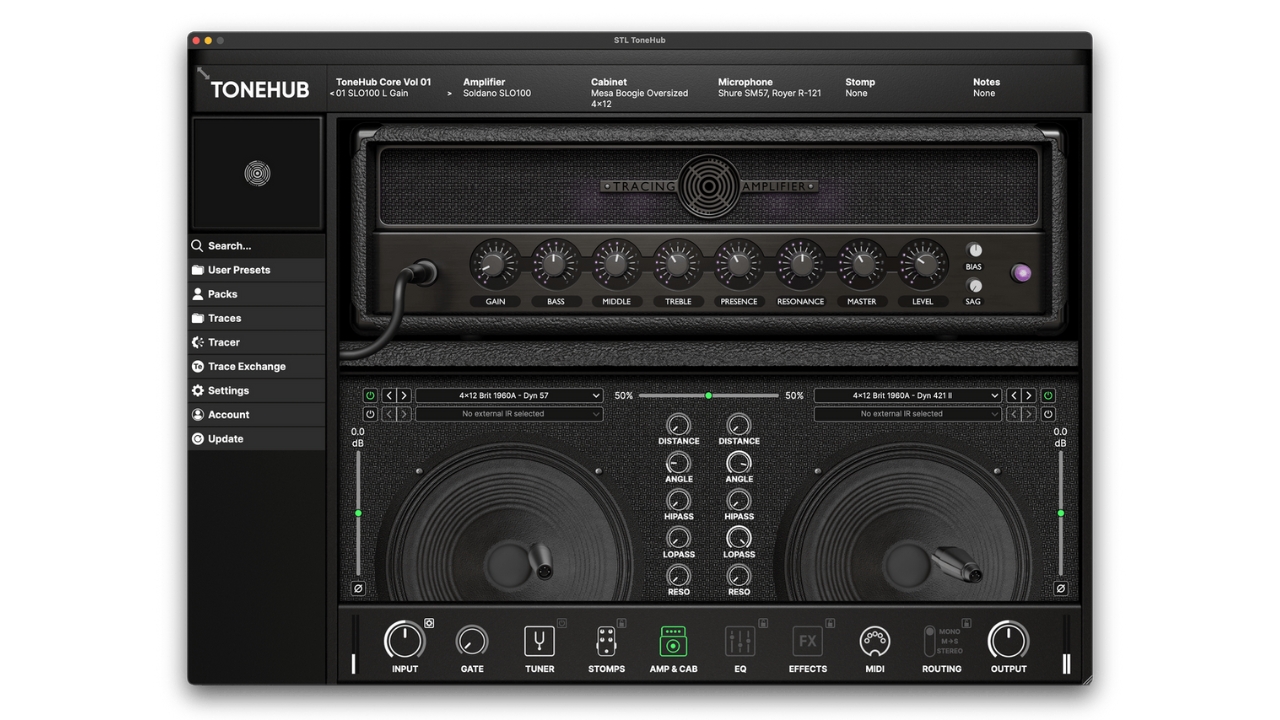
If you’re a regularly recording guitarist who needs quality tones quickly, I highly recommend you go and check out STL ToneHub. I first came across this awesome bit of software while recording at No Studio, using it to back up actual amp recordings from my Orange combo and the studio’s EVH 5150 tube amp head. Needless to say, the results were incredible.
ToneHub features tones from Tue Madsen, Colin Richardson, and Will Putney amongst many other pro producers, so you know you’re getting great quality sounds from professional engineers. The quality of the presets is simply superb, and they’re great for dropping into your mix when you need to double or quad-track guitars.
Some might be put off by the fact that it’s subscription-only, so users who are only practicing at home with their guitar might want to look elsewhere. If you’re serious about getting quality guitar tones for your recorded mixes however, STL ToneHub is one of the best out there.
Best free guitar plugin
(Image credit: Neural Amp Modeler)
8. Neural Amp Modeler
A great free guitar amp profiler with a staggering amount of sounds
Specifications
Amps: 100,000+
Effects: Various OD, boost, fuzz
Custom IRs: Yes
System requirements: ntel Core i3 or higher, AMD equivalent, or Apple M-series chips, 8GB RAM or higher
Mac: macOS 10.15 (Catalina) or higher
Windows: Windows 10 (64-bit) or higher
Linux: Supports LV2 plugin formats
Formats: 64-bit VST3, AU and AAX
Reasons to buy
Features a huge number of user-generated tones
The plugin is very easy on your computer
Doesn't cost you a penny
Reasons to avoid
-
User captures vary in quality
At a glance
✅Buy if you want something free: Costing absolutely nothing, Neural Amp Modeler is an open-source software that features some phenomenal tones.
❌Avoid if you need FX: There are no stompboxes other than drives available with this plugin, so you'll need to find free options for your DAW or invest in some paid effects plugins.
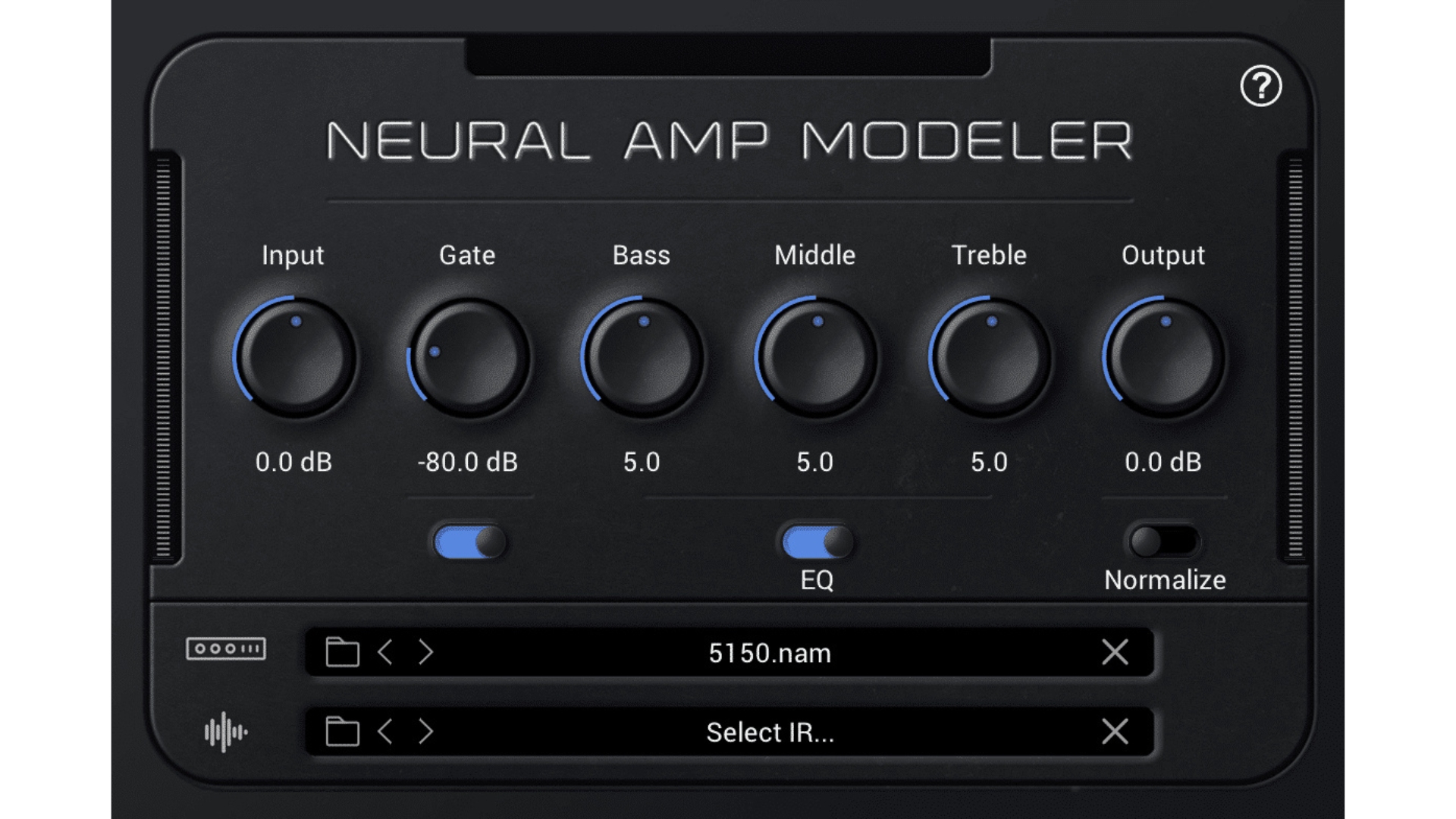
Neural Amp Modeler has been quietly taking the guitar plugin world by storm over the past few years. Developed as an open-source, completely free profiler plugin that utilizes machine learning to create some scarily accurate profiles of classic guitar amps.
It's an incredibly lightweight bit of software, so it doesn't take up too much space and doesn't need a beastly machine to run. It takes a minute to get your head around the loading of profiles (you need to select the directory rather than the captures themselves), but once that's done, you've got instantly great tones at your fingertips for absolutely nothing. Unfortunately, it doesn't yet work in Pro Tools without a wrapper or workaround, but any DAW that uses VST3 or AU is fine.
There are some phenomenally good sounds available in the Tone 3000 library of captures, especially considering they're free. Many users offer a taster, with you having to pay for access to more tones, but you can absolutely get by without spending a penny. I downloaded a fantastic Fender Deluxe Reverb capture, an awesome Plexi tone, and a high-gain 5150-style amp, all of which sounded fantastic. If you're prepared to dig through a lot of different sounds, you'll find everything you need here.
Also consider
For me, the above plugins should cover 90% of guitarists' needs when it comes to recording and home practice. I do appreciate not every guitarist thinks like me however, so here are some other options you can consider.
What you need
(Image credit: Future)
If you’re just getting started with guitar plugins, I’m here to help. I’ve been using plugins for nearly twenty years now so it’s fair to say that I’ve been there and got the t-shirt. So for all the beginners out there, here’s what you need to get up and running.
1. Computer
You can trust Guitar World Our expert reviewers spend hours testing and comparing guitar products so you can choose the best for you. Find out more about how we test.
You’ll need a laptop or computer to start with, and ideally, something that isn’t completely ancient. Most guitar amp plugins ask for at least an i3 or i5 processor if you’re on Windows, and an Apple Silicon chip for Mac users. It does vary however, with older plugins requiring older machinery and vice versa.
A lot of plugins can run on older operating systems too, but I’d recommend Windows 10 or Mac OS 11 as a minimum to run your plugins. The general rule is the newer your OS is, the better, but of course that can run the other way as musicians found out with some of the recent Apple OS updates that nerfed their software.
You can probably get by with a machine that has 4GB of RAM, but to be on the safe side I’d recommend at least 8GB. Most newer machines will ship with this as a minimum. In terms of hard drive space, it can be anything from a few MB to several GB when it comes to how much space the plugin will take up so you’ll need to do your own research here.
Most plugin manufacturers list their system requirements on their website, so be sure to check those out if you have an older machine and want to run the latest plugins on it.
2. Audio interface
If you’re planning on recording or practicing at home with your computer and your guitar, then you’ll need an audio interface. An interface allows you to plug your guitar in, converting your real-world sounds into 1s and 0s that your computer can understand. Working like a tonal middleman, it’ll then convert those 1s and 0s back into analog sound so you can hear it through your monitors or headphones.
In terms of performance at the home studio level, modern audio interfaces are all very similar. To ensure you get good performance for your own setup, the combination of a modern computer and modern audio interface with a good driver on Windows will ensure your chosen guitar plugin performs well.
I recommend the following audio interfaces to get you started, all of which I’ve owned or tested:
Focusrite Scarlett 2i2 4th Gen - a good all-rounder.
Audient iD4 MKII - great sounding option, good for beginners.
Universal Audio Apollo Twin X - one for those who want a more premium experience.
IK Multimedia AXE I/O - a guitar-specific interface.
3. DAW
Once you’ve got your computer and interface sorted, if you want to record you’ll need to get your hands on a DAW. A good DAW will allow you to start creating your recordings, manipulating your sounds, and adding other instruments like drums, bass, and vocals.
I prefer to use Pro Tools which is the industry standard DAW, but there are a lot of different options out there that you can use like Ableton Live, Steinberg Cubase, Studio One, and Apple Logic Pro. Many of these have free versions or free trials, so I highly recommend you try out a few to find which works best for your particular workflow.
4. Studio headphones
I highly recommend going the route of studio headphones for beginners versus monitors, mainly because they’re cheaper, but they also prevent you from running into more complex issues with room resonances that studio monitors can present.
A good pair of studio headphones will ensure you’re getting the best possible sound from your guitar tones, isolating you from the room. They’re also a great shout for quiet practice later at night.
There are a million different options when it comes to studio headphones, so if you’re struggling to decide which to go for there are loads of great choices in our best guitar amp headphones guide.
S5. tudio monitors
Studio monitors are a popular choice for guitarists who are primarily into recording, as they allow you to craft other elements of your mix accurately alongside your guitar playing. Be warned however, good studio monitors aren’t cheap, so you’ll need to spend if you’re going this route.
Studio monitors also benefit from an optimized space, which could potentially mean acoustic treatment to your room, monitor stands to get them in the right position, and isolation pads to prevent any sympathetic resonance with your stands or desktop. If you’re just practicing then these aren’t so much of a worry, but if you want to get accurate mixes you’ll need to start diving into these.
Some studio monitors that are good choices for those who want to head down this route:
Yamaha HS5 - a very neutral-sounding speaker.
KRK Rokit 5 G5 - a good option if you want more low-end.
Adam Audio T5V - a more premium option for better sound.
FAQs
(Image credit: Future)
What is a guitar plugin?
A guitar plugin is software that emulates a guitar amp, allowing you to play your guitar through a huge variety of amps without having to buy the physical units. As well as being referred to as amp simulators, they can also be called a guitar amp plugin, although they’re all essentially the same thing.
What is the difference between a VST and a plugin?
There’s a lot of confusion with these two terms, and that’s because technically a VST and a plugin are the same thing. Where they differ however is in the usage. Musicians generally think of VSTs as instruments in their own right, for example, a drum VST or piano VST.
When looking for a guitar VST, most people are actually after a software instrument that allows them to ‘play’ the guitar with a MIDI controller. Whereas those searching for a guitar plugin are typically looking for software that imitates a guitar amp that they can use with their actual guitar.
Do you need a DAW to use guitar plugins?
It all depends on the plugin in question. All guitar plugins can be used in a DAW, but only certain plugins have a standalone version that you can use without your DAW. Make sure to do your research before you purchase if you’re looking for a plugin you can use sans DAW.
Do you need an audio interface to use plugins?
Yes, you do. An audio interface is an essential piece of equipment if you want to use guitar plugins to record or practice at home. See our what you need section for more info on audio interfaces.
Do I need a DI box?
DI boxes are only necessary if you're recording an actual guitar amp with mics in front of it. A DI box is used to get a clean take of the guitar playing, that you can then put through another amp or guitar plugin at a later date if you're not happy with the original tone.
Can I listen to guitar plugins with Bluetooth speakers?
You can, but it won't work very well. Bluetooth induces latency of around 100 to 300ms, but this can be more or less depending on the device you're using, interference from other devices, and the distance between the transmitter and receiver. This amount of latency will be very noticeable if you're playing guitar, so stick to a wired pair of speakers or headphones.
What are impulse responses and do I need them?
Impulse Responses are high quality captures of guitar cabinets that include the microphones, the room the cabinet is in, and additional processing like the preamp on a desk or studio compression. This gives you a much more realistic feeling guitar amp when paired with a good quality profile or capture. Most guitar plugins already come with these, and if you're a beginner I'd say avoid them for now. For those who know their stuff, IRs can be a great way to enhance the recording quality of your guitar plugin, provided they support third party IRs.
Can I run physical pedals into a guitar plugin?
Yes you can, but just like you would with your amp, you'll need to tweak the settings to make sure that it's hitting the input of your interface correctly. Too hot or too soft and you can get some weird results. Also bear in mind that on a lot of recordings time-based and modulation effects come after the preamp, which won't be what's happening if you're going straight into the front of your interface.
Can I use a laptop and a guitar plugin to play a live gig?
With the right laptop, yes you can. Using an Apple Silicon chip MacBook will offer enough power to run guitar plugins at a low latency for live playing. The only issue here is that laptops are more susceptible to failures like running out of power, dropping internet connections, starting a mid-set update, or even just the lid closing shut under the vibrations of a live show. For most players, a hardware modeler is a more reliable option for live playing.
Key terms
- AAX: The plugin format used for Pro Tools.
- AU: The plugin format used for Logic Pro and GarageBand.
- Amp model (amp sim): A software emulation designed to replicate the circuitry and response of a guitar amplifier.
- Audio interface: A hardware device that converts your guitar's signal into a digital one that the computer can understand, and back into an audio signal to come out of your speakers.
- Buffer size: A setting that tells your computer how much time it has to process audio. Lower results in less latency, but more strain on the computer.
- Cab model: A digital recreation of a guitar cabinet.
- CPU load: How much strain a plugin or software places upon your computer to process.
- DAW (Digital Audio Workstation): A piece of software used for recording, editing, and mixing music.
- DI box: A hardware device that takes an unbalanced instrument signal and turns it into a balanced, mic-level signal.
- DSP (Digital Signal Processing): The algorithms and computing power used to alter digital audio.
- Gain staging: Managing volume levels at every point of your signal chain to ensure you avoid unwanted or harsh distortion.
- Hi-Z: A type of instrument input designed primarily for electric guitars, boosting the low-level signal of passive guitar pickups to something more usable.
- IR (Impulse Response): A snapshot of a guitar cabinet, microphone, and a room, that creates a very realistic cabinet sound.
- Latency: The delay between you picking a note and the sound coming out of the speakers.
- Parallel processing: Splitting your signal into two or more paths, applying different effects, and then blending them back together.
- Signal chain (signal path): The order in which your audio passes through your pedals, amps, and recording gear.
- Standalone: A version of a guitar plugin that runs without needing a DAW.
- Studio monitors: Speakers specifically designed to output audio neutrally, resulting in a tone that translates well on other systems.
- VST: The plugin format used in lots of different DAWs like Cubase, Reaper, Ableton, etc.
How we test
(Image credit: Future)
When I test a guitar plugin I’m looking at them from a place of experience. My first guitar plugin was Line 6’s POD Farm which came out in 1998 (although I didn’t start using it til the early noughties) and I’ve been a regular user of guitar amp plugins ever since then. Together with my colleagues on the Guitar World team, we’ve got a considerable amount of real-world experience with guitar amp plugins, and the actual amplifiers that inspire them.
Before getting stuck into the plugin itself, I’ll need to install it and make a note of the installation process. Installing some music software can be a real pain, so I’m looking for an error-free, simple installation that will have me up and running as quickly as possible. All being well, a great guitar amp plugin will install quickly and be seamlessly picked up by my DAW, allowing me to get started straight away.
My next test is to look at the usability of the plugin. I’m looking to see how easy it is to create your own rig from scratch, as well as the general look and feel of things. A good guitar plugin should be easy enough for a newbie to navigate but also have enough depth for more experienced players to get the most out of it. I’ll try it both in my DAW and as standalone if it has that option, all the time being careful to note how easy it is to use.
Next, I’ll look at the sound of the plugin itself, using decades of experience testing and using actual guitar amps. I’m looking to see accurate representations of the actual amps the models are based on, and a similar thing with the effects. I’ll look at how easy it is to get the sound you want when creating something from scratch, how the EQ controls effects the amp and parameter controls affect the pedals, as well as getting in-depth with the cabinets to examine how each cab reacts differently to microphone positions.
Much in the same way we’d test a guitar amp, the sound portion of testing a guitar plugin is the real crux of the matter. This means we’ll spend a good amount of time testing, ideally two weeks or more to really live with the plugin in question and ensure we have a good understanding of how it will perform over time.
Read more about how how we test products and services and how we make our recommendations.
- Record your acoustic with the best acoustic guitar microphones
- Upgrade your machinery with the best laptops for music production
- Break out of the box with the best microphones for recording guitar
- The best amp modelers let you take your tone on the road
- Get modeled tones on the go with the best modeling amps
All the latest guitar news, interviews, lessons, reviews, deals and more, direct to your inbox!
Matt is a Junior Deals Writer here at Guitar World. He regularly tests and reviews music gear with a focus on guitars, amps, pedals, modelers, and pretty much anything else guitar-related. Matt worked in music retail for 5 years at Dawsons Music and Northwest Guitars and has written for various music sites including MusicRadar, Guitar Player, Guitar.com, Ultimate Guitar, and Thomann’s t.blog. A regularly gigging guitarist with over 20 years of experience playing live and writing and recording in bands, he's performed everything from jazz to djent, gigging all over the country in more dingy venues than you can shake a drop-tuned guitar at. When not writing articles for Guitar World, you'll find him making a racket with northern noise punks Never Better.