Video Editor 2026 and Other Cool Programs from Movavi – Download for Free (original) (raw)
Get the new Movavi Video Suite 2026
3-in-1 bundle for every video task – video editor with automatic tools, fast converter, and handy screen recorder
- Edit fast – cut, join, add auto-subtitles, remove silence in a click
- Pick from hundreds of effects – titles, transitions, filters, music
- Convert and record – 180+ formats, screen and sound capture
Get the new Movavi Video Suite 2026
3-in-1 bundle for every video task – video editor with automatic tools, fast converter, and handy screen recorder
- Edit fast – cut, join, add auto-subtitles, remove silence in a click
- Pick from hundreds of effects – titles, transitions, filters, music
- Convert and record – 180+ formats, screen and sound capture
Try all Movavi programs
Your simple yet powerful editor for creating wow videos
- Fast and easy editing: cut, crop, adjust colors and speed
- One-click AI tools: auto subtitles, noise removal, and more
- Hundreds of filters, transitions, titles, overlays
Your smart and simple photo editor for creating wow pictures
- Intuitive tools for quick and easy photo editing
- AI: retouching, background swap, object removal, and more
- Atmospheric effects, color correction presets, and caption settings
Your go-to converter for changing media formats in seconds
- Lightning-fast file conversion
- Powerful video compression
- AI video upscaling: up to 8X
Your hassle-free screen capture tool for more efficient projects
- Full-screen or custom area recording
- Webcam capture and drawing on recordings in real time
- Highlighting mouse cursor and keystrokes
All Movavi programs and effects in one pack for creating stunning content
- Auto subtitles with one click, ready-made templates
- Intuitive video and photo editing, file conversion, screen recording
- Over 10,000 effects and 1,500 music tracks for any mood
Recommendations from influencers
Why This Video Editor Is Perfect for Beginners (Movavi Video Editor 2026)
By Dylan John, Mar 6, 2026
83,900 subscribers, 1,352 views on the review
Specialty: tutorials on video editing, gear reviews
“The real power of a tool like Movavi isn’t that it’s just easy – it’s that it removes the technical barriers that usually stop people from finishing their projects. It is intuitive while giving you professional-grade features like AI silence removal, smart beat detection, and AI auto captioning right where you can find them in the software.”
Movavi Video Editor 2026 Review – Does the AI Really Save Time?
By TECH DRONE MEDIA, Mar 16, 2026
121,000 subscribers, 846 views on the review
Specialty: in-depth reviews of the latest drones, tutorials and tips on using drones and editing footage.
“After testing the Movavi Video Editor 2026 with my own footage, it does what it promises. It focuses on accessibility and speed. What I really like about the Movavi Video Editor 2026 is that it’s very simple and very easy-going for beginners. It’s not trying to pretend to be a high-end cinematic editor; it’s built for creators who just want a streamlined workflow without unnecessary complexity.”
Movavi Video Editor 2026: The BEST Video Editing Software For Beginners?
By Matt WhoisMatt Johnson, Feb 25, 2026
444,000 subscribers, 8,440 views on the review
Specialty: filmmaking gear reviews, video-editing tutorials
“Movavi is incredibly easy and simple to use, with effects and tools that rival a lot of their competition – and some of which exceed them. If you are a beginner video editor and want a quick, easy-to-use program that isn’t intimidating at all and puts a ton of powerful features, effects, tools, elements, etc. at your fingertips, I highly recommend checking out Movavi.”
Learn Movavi Video Editor 2026 in 15 MINUTES (Beginner Tutorial)
By Matthias Dangl, Oct 30, 2025
74,000 subscribers, 34,470 views on the review
Specialty: filmmaking and testing latest tech innovations
“Let me show you how to edit a full YouTube video in Movavi Video Editor 2026. No matter if you want to edit YouTube videos, Instagram Reels, or TikToks, I’ll show you all the tools you need.”
Make YouTube Shorts in 7 Minutes — Movavi 2026 Full Workflow
By Joe Sbiti, Nov 29, 2025
76,100 subscribers, 15,773 views on the review
Specialty: sharing tips on how you can grow your social media
“In this tutorial. I’m going over everything from finding clips to generating a voiceover and then editing the clip. And it’s all going to be done inside the new "Movavi Video Editor 2026.”
How To Edit Your First Hybrid Wedding Video with Movavi Video Editor
By Taylor Jackson, Apr 11, 2026
723,000 subscribers, 99,884 views on the review
Specialty: wedding photography and video creation
“Movavi is a simple editing tool that does a lot of the things I need every single day, and it puts it all in one place and makes it really easy and efficient to edit videos. Plus, there are tools in here that are not in my more expensive video editors. So, if you’re looking for that quick and easy video-editing tool, check out Movavi.”
Stop Letting Editing Hold You Back - Movavi Video Editor 2026 Full Tutorial for Fast, Easy Editing
By Tamara Gabriel, Nov 21, 2025
81,900 subscribers, 2,500+ views on the review
Specialty: practical filming tips for vloggers
“I’ll show you a real-time demo of four features that are really going to help to speed up your workflow and also enhance your edits. That way, you get a really good of what it’s actually like to use and whether it’s an editor that you would actually want to try out for yourself.”
10,000+ effects and 1,500+ music tracks
- Overlays
- Titles
- LUTs
- Music
- Transitions
- Stickers
- Intros and outros
- Backgrounds
- Frames
Easily create wow videos with these features
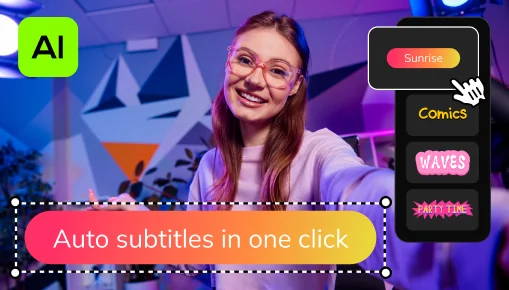
One-click automatic subtitles
Let AI quickly turn your speech into text and automatically create captions for your videos in almost any language. Just choose the font, text color, position – and you’re all set!
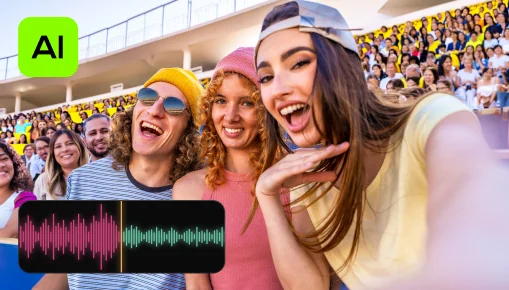
AI noise removal
Automatically remove car, wind, and other uncool sounds from your clips with our AI-driven audio denoiser. Create videos with crisp sound that viewers are sure to appreciate.

AI motion tracking
Enhance reality in your videos with additional moving graphics. Just click, and AI will quickly attach any photos, videos, emojis, or memes to objects in your footage.
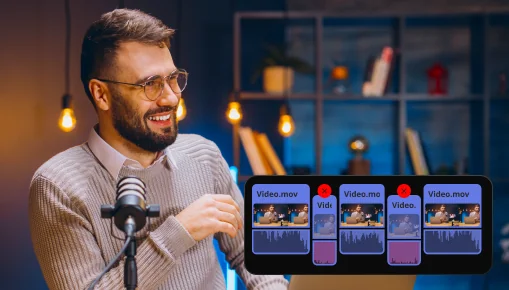
Silence removal
Cut out unwanted pauses automatically or fine-tune the pause length and volume threshold yourself. You’ll save time and be able to skip the tedious cleanup – so you can focus on the fun.
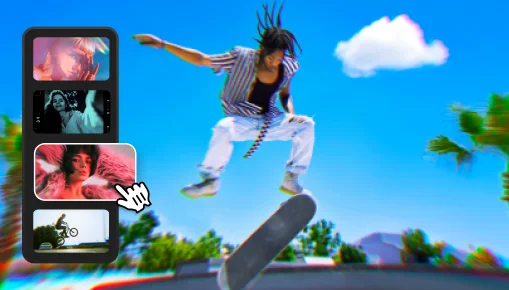
Adjustable effects
Enhance your videos in a click with new realistic effects – from dust particles and light leaks to retro-style and VHS. Every effect is fully customizable – so it will fit any clip perfectly and bring an extra spark to your edits.
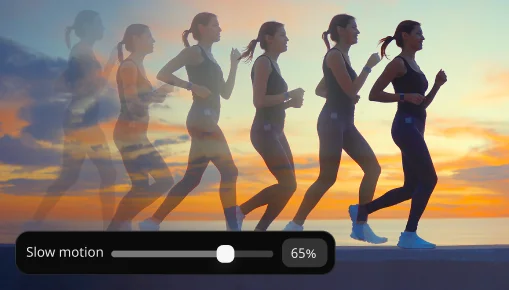
Slow motion
Slow down your footage to make movements clearer, focus attention on key details, and control the speed and rhythm in every scene.
Frequently asked questions
There are many free video editors available on the internet. However, completely free third-party software can contain malicious code that may steal your personal data and financial information.
That's why we created Movavi Video Editor – it's 100% safe and easy to use! You can try the free version with these limitations: the inclusion of a Movavi watermark, 60-second video or half audio length, and locking of some advanced features when exporting files. If you like the software, you can buy a lifetime license or annual subscription to the full version and edit videos without restrictions and with all features available.
We work hard to make our software as easy and intuitive as possible. Sometimes we even test it on our grandparents! Thus, we can definitely say that Movavi Video Editor is one of the best video editors for beginners.
Even if you’ve never tried to edit videos before, you’ll master the Movavi editor in less than 20 minutes – thanks to the easy-to-follow interface, handy tooltips, and our Support Team who is always ready to help you out and facilitate your creativity.
If you need a video editor with a free download option, Movavi Video Editor is a very solid choice. It’s a free video editor to download and try out, though you’ll need to buy the full version after 7 days. The app has awesome intro presets, tons of eye-catching effects and transitions, and an intuitive interface that lets you focus on creating instead of reading complex manuals.
If you’re working with professional video-editing software, adding even the simplest video transition may take you hours of pressing wrong buttons and digging for advice. Certainly not a pleasant experience.
With Movavi Video Editor, adding a transition takes about 3 seconds – you just drag and drop the transition you want between the clips. Yes, it really is that simple. To learn more about different types of transitions, follow the link below:
How to choose transitions for your video
If you’ve read the answers above, you might be able to guess which software we are going to recommend here. But all joking aside, Movavi Video Editor is a great alternative to iMovie in terms of functionality and ease of use. Just try it and you’ll see what we’re talking about.
To learn more about iMovie equivalents for Windows, read the article below:
iMovie Alternatives for Windows
70M+ people love Movavi
Hear from our users how simple tools make a big impact
The program is great! and your support is amazing! I experienced a bug on the steam version on with I was not able to merge subtitles with the video, but I contacted the support and you guys sent me a licence key for the website version of the program! This versions works flawless!! this is one of the best video software that I've ever used! thanks for the great product and the amazing support! keep the great work!

Nice product. I did not think it would help me because initially, it did not do what I thought it would (to transfer a video into a .jpg with individual pictures. But today, I needed to incorporate a DVD into a video and it worked perfectly.

Excellent program and does just what I need in the way of converting the mts files I am using to the Quicktime format I need for the finished product. Also the editing tools are simple and intuitive for helping me pick out the scenes and getting them ready for converting.

It is very helpful it has helped reduce my space in my PC. Thank u and i recommend every one to use this video converter

Great, simple and so easy to use. Keep developing.

awsome application and software really like it so much thank you guys

The fastest and most intelligent software, a life saver.
News
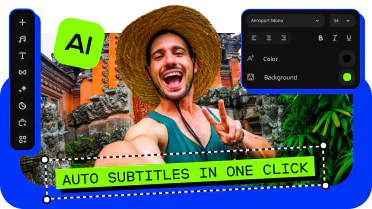
Meet the new Movavi Video Editor 2026 – faster and packed full of effects
Speed up editing with auto-tools and enjoy 40+ new adjustable effects – save time and bring extra wow to your every video. Automatically cut out unwanted pauses, copy effects from one clip to another in a snap, and enjoy 30+ new auto-subtitle styles
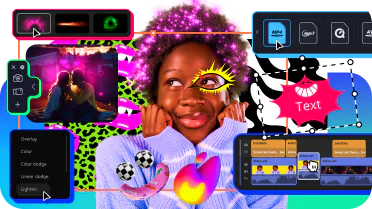
Make editing effortless with Movavi Video Suite 2026
The new Movavi Video Suite is packed with features that will make your video creation a breeze! Skip the tedious stuff with powerful auto-tools. Make any project effortless with hundreds of effects, lightning-fast file conversion, and a handy screen recorder.
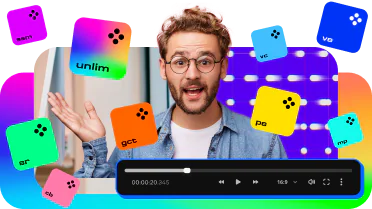
Get all the latest apps and effects at once with Movavi Unlimited 2026
Streamline your video and photo editing with the new auto-tools and enhanced performance. Create attention-grabbing videos, make informative screen recordings, convert media files to any format, and amuse with loads of effects.
Our video editor is officially one of the best in 2024!
Movavi Video Editor is on the 2024 Capterra Shortlist! If you haven’t tried our video-editing software yet, try it now and see why it’s one of the best.
Geekflare
Its ease of use is probably why it has over 70 million users worldwide and great ratings on review sites like TrustPilot, Crozdesk, and G2.
Fixthephoto
The video-editing program has a rather impressive set of tools for a wide variety of purposes in its arsenal [...] You get all the video editing essentials, plus [...] Beat Detection, Noise Removal, Quick Video Creation, which turn video-making into an easy process. No software in this price range can beat the offer with a better toolkit.
Windows Report
If you're looking for a powerful but simple video editor, you should definitely consider Movavi Video Editor.
Android Authority
Movavi’s Video Editor is a powerful desktop video editor that offers both manual and automatic creation modes. You can edit to your heart’s content or craft a carefully themed video in as little as five steps.
Macworld
Movavi have always sought to make the ability to access, edit and distribute media as easy as possible. Their powerful software with a friendly, easy-to-use interface gives anyone the chance to interact with audio and video on a professional level.
MUO
Movavi sits in the sweet spot between price and functionality. It combines a broad set of tools with an easy-to-use interface and has the benefit of being both a quick capture tool and a fully-featured editor.
TechRadar
You want a simple video editor: We were pleasantly surprised with how effective video editing within Movavi actually is. We found it well-organized and simple to use.
Movavi Video Editor 2026
Processor
Intel®, AMD®, or compatible dual-core processor, 1.5 GHz
Graphics card
Intel® HD Graphics 2000, NVIDIA® GeForce® series 8 and 8M, Quadro FX 4800, Quadro FX 5600, AMD Radeon™ R600, Mobility Radeon™ HD 4330, Mobility FirePro™ series, Radeon™ R5 M230 or higher graphics card with up-to-date drivers
Display
1280 × 768 screen resolution, 32-bit color
Show allHide
Hard drive space
400 MB available hard disk space for installation, 600 MB for ongoing operations
System permissions
Administrator permissions are required for installation
*The free version of Movavi Video Editor may have the following restrictions depending on the build: watermark on exported clips, 60-second video or 1/2 audio length limit, and/or some advanced features unavailable when exporting videos.
Learn more
Join us for discounts, editing tips, and content ideas


1.5M+ users already subscribed to our newsletter