The Best Website Builders for 2026 (original) (raw)
PCMag editors select and review productsindependently. If you buy through affiliate links, we may earn commissions, which help support ourtesting.
Want to build a website with minimal cost and effort? The best website builders we've tested include useful tools for quickly creating attractive, well-designed pages for blogs, online businesses, and everything in between.

Principal Writer, Software
OUR EXPERT
Jordan has been writing about consumer technology for more than a decade, specializing in video games, streaming, and software.
LOOK INSIDE PC LABS HOW WE TEST
65 EXPERTS
44 YEARS
43K+ REVIEWS
Table of Contents
The best website builders let you carefully craft online pages with more design flexibility than anything you'll find on social media, though with fewer tools than traditional web hosting services. We've been testing website builders for a decade, regularly updating our reviews as companies add and remove features. There are many services to explore, so take advantage of our expert advice to find the one that's right for your task. Wix is an ideal place to start—it's our top pick overall thanks to its price, e-commerce options, and intuitive editing interface. It isn't the only service we highly recommend, so read on for the rest of our favorites, followed by everything you should know before signing up for a website builder.
Our Top Tested Picks
See (5) More
Best Early Prime Day Website Builder Deals This Week*
- Hostinger Premium Website Builder — $2.69 Per Month + 3 Months Free With Code "PCMAG10"
- Network Solutions — 50% Off Annual Builder Plans With Code "PCMAG50"
- IONOS Website Builder — $1 Per Month (Save 96% Off 1 Year IONOS MyWebsite Plus Plan)
- Gator Website Builder — $3.46 Per Month (Save 55% Off 2 Years HostGator Starter Plan)
- Bluehost Website Builder — $3.99 Per Month (60% Off 1 Year Bluehost Starter Plan) *Deals are selected by our commerce team
Deeper Dive: Our Top Tested Picks
EDITORS' NOTE
June 12, 2026: With this update, our lineup of recommended website builder services remains unchanged. The existing picks have been vetted for currency and availability.
- Remarkably intuitive interface
- Numerous widgets
- Hundreds of templates for specific businesses and other uses
- Good tools for mobile site building
- Rich web store features
- Excellent uptime and customer service support
- Many commerce options, including the ability to sell digital downloads
- Free option
- Third-party apps offer better analytics
- Doesn't let you switch templates
Wix has nearly everything you could want from a website builder. An intuitive interface lets you create beautiful pages from hundreds of available templates. Widgets and mobile-specific tools enhance the flexibility and functionality of your website. Robust e-commerce tools let businesses sell memberships and digital downloads. And, finally, an excellent uptime promise (99.9%!) ensures that your site will be online.
Webmasters on tight budgets: In addition to its powerful, business-friendly features, Wix also offers a free tier. With it, you'll give up some premium features (custom URLs, e-commerce options) and must tolerate on-site ads. Still, Wix is far and away the best option for anyone looking to build great sites without paying monthly fees.
Free Version Offered
Unlimited Monthly Data Transfers With All Plans
Unlimited Storage With All Plans
Web Store
Blogging Tool
Download Selling
Basic Image Editing
Site Portability
Site Membership
- Beautiful, responsive designs
- Fluid Engine makes designing a site more intuitive
- Deep e-commerce capabilities, including digital downloads
- Lets you use custom code
- Blogging tool lets you schedule posts
- Good help and analytics tools
- Free SSL certificate
- Unlimited storage and monthly data transfers with all plans
- Doesn't let you switch templates
- No free tier
- Lacks phone-based customer support
Squarespace is another well-known website builder, and for good reason. It enables you to create truly eye-catching websites with its extensive array of templates, as well as a responsive design for mobile screens. Squarespace sites are more than just pretty, though. Custom code, blogging tools, and deep e-commerce capabilities give sites all the powerful functionality serious users need.
Web designers who value attractive sites: Squarespace offers numerous visually appealing templates, which we've highlighted in a separate article showcasing the best ones. Some templates cater to musicians and photographers, while others specialize in serving specific small businesses. Of course, templates are just the starting point; Squarespace is an ideal choice for those who want to customize sites to fit their unique needs.
Free Version Offered
Unlimited Monthly Data Transfers With All Plans
Unlimited Storage With All Plans
Web Store
Blogging Tool
Download Selling
Basic Image Editing
Site Portability
Site Membership
- Flex templates offer truly responsive designs
- Strong tools for crafting phone and tablet sites
- Powerful traffic analysis and AI SEO assistance
- Capable web store tools
- More than 100 templates
- Lets you use custom CSS and HTML code
- Strong e-commerce options, with support for digital downloads and memberships
- Unlimited storage and monthly data transfers with all plans
- Expensive
- Limited widget catalog
- Doesn't let you easily switch templates
Duda is a relatively expensive website builder, but at least you get what you pay for. In this case, that means a top-tier editor for building desktop and mobile sites, powerful analytics and e-commerce tools, and unlimited storage and monthly data transfers. You can even write your own custom CSS and HTML code to customize your site even further.
Users building businesses: Duda is pivoting away from individual users and toward enterprises. You can see this in the price (its highest-end White Label plan starts at $149 per month) and features (the top tiers focus on integrating software-as-a-service platforms and detailing client management options). This makes the website builder attractive to web design agencies. Need even more flexibility? You can call Duda to get a custom quote.
Free Version Offered
Unlimited Monthly Data Transfers With All Plans
Unlimited Storage With All Plans
Web Store
Blogging Tool
Download Selling
Basic Image Editing
Site Portability
Site Membership
- Eases you into learning the WordPress CMS
- WooCommerce storefronts
- Excellent uptime
- AI tools
- Free SSL
- Helpful customer service
- Lacks a free option
- Limited image editing
- Doesn’t let you switch templates
- Sections could be better organized
The best website builders streamline the site-creation process, allowing novices to create webpages with ease. Bluehost achieves this with its highly accessible, alternative interface to the already popular WordPress platform. Using it, you can leverage WordPress's power and robust e-commerce options without learning the full CMS. And if you do want to learn more, Bluehost helps you make the leap.
Users in the Bluehost family: Bluehost's focus on WordPress means it’s better suited for users eager to join that ecosystem rather than go with something more standalone. Given how proven and capable WordPress is on the web, that's not a bad choice at all. Bluehost is also already a quality, traditional web hosting service, so these site-building tools just sweeten the deal for existing users.
Free Version Offered
Unlimited Monthly Data Transfers With All Plans
Unlimited Storage With All Plans
Web Store
Blogging Tool
Download Selling
Basic Image Editing
Site Portability
Site Membership
- Good-looking sites on desktop and mobile
- Unlimited storage and monthly data transfers
- Great marketing and SEO tools
- More than 100 templates that you can swap with ease
- Excellent uptime and customer service
- AI tools
- Free tier
- Limited layout customization
- E-commerce option not available with all tiers
GoDaddy's website builder helps you create a great website to pair with a GoDaddy domain. With GoDaddy Websites + Marketing, you get unlimited monthly data transfers and unlimited storage at every tier, including the free one. Select premium plans let you tap e-commerce features to create an online store.
People with limited marketing budgets: This tool puts marketing right in the title, after all. GoDaddy’s builder not only helps you create sites, but also gives you the features needed to get that site in front of as many eyeballs as possible. Thanks to its powerful marketing and SEO functionality, this is an excellent builder for promoting a website, business, or general online presence with mathematical efficiency.
Free Version Offered
Unlimited Monthly Data Transfers With All Plans
Unlimited Storage With All Plans
Web Store
Blogging Tool
Download Selling
Basic Image Editing
Site Portability
Site Membership
- Easy drag-and-drop interface
- Useful, AI-powered tools
- Excellent uptime
- Included logo maker
- Free SSL certificate
- Useful photo repository
- Unlimited storage and bandwidth in all plans
- Comes included with Hostinger Web Hosting
- Doesn't let you switch templates
- Photo-editing tool could use more features
- Lacks a free tier
Hostinger's website builder has a growing list of features and welcome improvements that help it stand out in the crowded space. For example, you can easily drag and drop elements to make attractive pages and functional e-commerce shops. We also appreciate the included extra touches, such as its logo maker, free SSL certificate, and photo repository for uploaded images. Please note that it does not offer a free tier.
Beginners: Hostinger's most intriguing feature is its suite of AI-powered tools. You tell the builder what your site is about by selecting an option, such as entertainment or small business. Then, Hostinger generates site designs, writes website copy, and predicts how users will navigate your site based on heatmaps. Hostinger is ideal for anyone seeking an easy-to-use website builder that offers substantial support and guidance.
Free Version Offered
Unlimited Monthly Data Transfers With All Plans
Unlimited Storage With All Plans
Web Store
Blogging Tool
Download Selling
Basic Image Editing
Site Portability
Site Membership
- Impressive CMS
- Robust third-party app store
- Useful AI tools
- Strong community assistance
- 24/7 live chat
- Free tier
- Many templates cost extra money
- Tight bandwidth and storage limits
- Separate e-commerce tier
- Lacks phone customer support
Webflow is a well-designed website builder with intuitive, modern tools that let novices create capable sites. Its more advanced features push sites even further. For example, its AI helpers assist in the site-building process, the CMS tool efficiently manages content, and third-party apps expand functionality.
People who want choices: Webflow is ideal for anyone who wants a range of options for how much or how little they're willing to pay for creating their site (including a free tier). If you're willing to spend cash, you can unlock e-commerce features, increased monthly data transfers, and premium templates. Webflow's upcharges are annoying, but having choices is nice.
Free Version Offered
Unlimited Monthly Data Transfers With All Plans
Unlimited Storage With All Plans
Web Store
Blogging Tool
Download Selling
Basic Image Editing
Site Portability
Site Membership
- Attractive, responsive-design themes
- Full commerce options, including the ability to sell digital goods
- Site stats included
- Lets you switch themes without rebuilding your site
- Unlimited data transfers with all plans
- Free tier
- Limited theme customization
- Lacks reusable photo storage
- No interface-wide undo feature
Some users are more than happy to give up certain advanced features if it means having an easier overall experience. Weebly doesn't offer the most customization options, but you can still create high-quality sites with its numerous attractive themes. The website builder allows you to monitor statistics to see how your site performs and sell both physical and digital goods.
Webmasters who value convenience: You don't need to tinker with themes to create a good-looking website. It's one of the few builders that allows you to switch themes without rebuilding the site, which is a significant advantage. And it offers unlimited monthly data transfers across the board.
Free Version Offered
Unlimited Monthly Data Transfers With All Plans
Unlimited Storage With All Plans
Web Store
Blogging Tool
Download Selling
Basic Image Editing
Site Portability
Site Membership
- Easy-to-use site-building tools
- Attractive themes, with responsive designs
- Lets you switch templates without rebuilding your site
- Less customization than competing website builders
- Many standard features require a premium account
- Free tier limited to single product
Strikingly doesn't offer many templates, and it lacks robust site customization, but what's there is responsive and attractive. If you choose Strikingly, you'll rest easy knowing that your site is online, thanks to the service's excellent uptime promise (99.9%).
People who frequently switch templates: Despite its limitations, Strikingly has a surprising amount of flexibility. With its easy-to-use tools and ability to switch templates, you can preview your site and quickly make changes without committing to a lot of extra work. And with its free tier, you don't need to commit to paying before seeing if the website builder is right for you.
Free Version Offered
Unlimited Monthly Data Transfers With All Plans
Unlimited Storage With All Plans
Web Store
Blogging Tool
Download Selling
Basic Image Editing
Site Portability
Site Membership
- Strong mobile site customization options
- Modern site templates
- Useful image repository
- Collaborative site editing
- Good online store options
- Placing elements on the page was wonky in testing
- Limited free version lacks visual editor
Ucraft is a serviceable website builder that has become even more competitive thanks to the Ucraft Next e-commerce improvements. Although its interface isn't the most intuitive, Ucraft allows you and your collaborators to design attractive, custom sites for both desktop and mobile.
Users who want free e-commerce: Ucraft's free tier makes it a good choice for anyone looking to try building a website or an online store without a full commitment. If you like what you see, you can subscribe to a premium tier to remove the currency and language limitations (among others).
Free Version Offered
Unlimited Monthly Data Transfers With All Plans
Unlimited Storage With All Plans
Web Store
Blogging Tool
Download Selling
Basic Image Editing
Site Portability
Site Membership
The Best Website Builders for 2026 Compare Specs
Buying Guide: The Best Website Builders for 2026
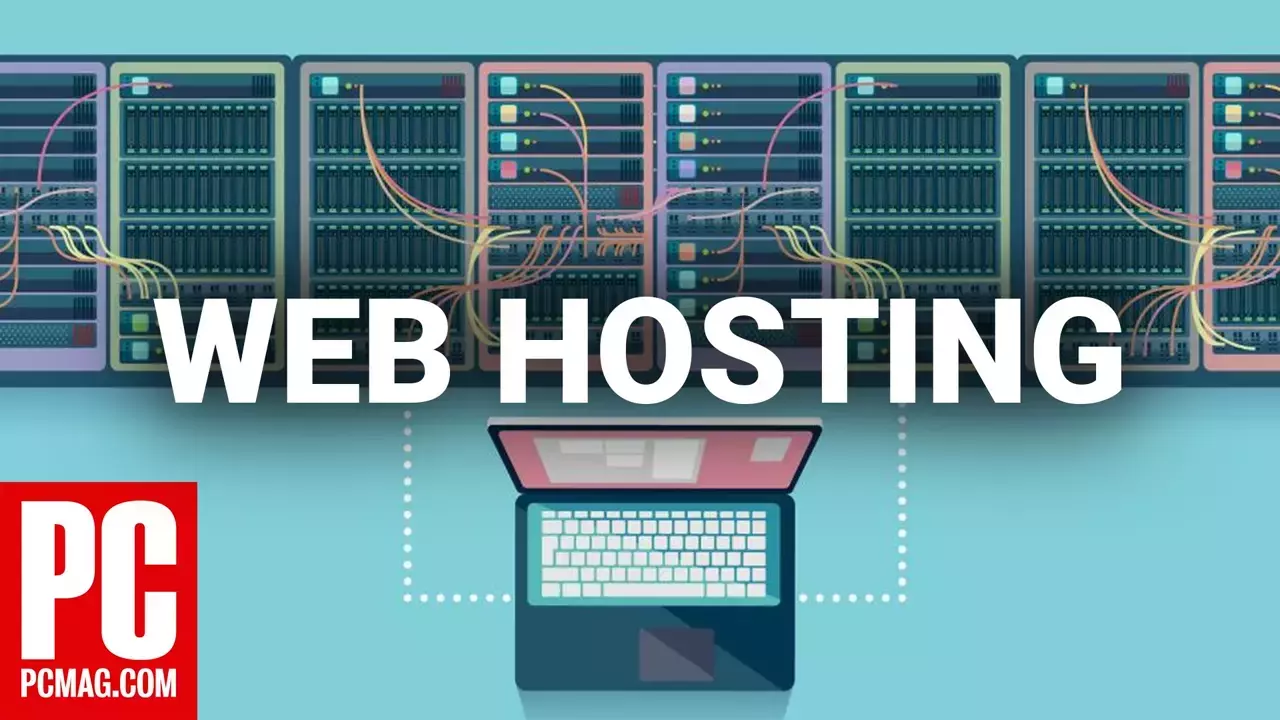

5 Things You Need to Know About Web Hosting
What Is a Website Builder?
A website builder is a service that lets you create a website, typically using software featuring a simple, drag-and-drop interface for positioning text, images, and videos. But why would you need one? On a personal level, you wouldn't want to send prospective employers to your Facebook page, so a website makes more sense as an online, customized resume. On a business level, you can quickly spin up a site to focus on sales. Another reason worth considering, for both personal and business purposes, is that building your own site means endless design choices. You have total control over the products and services you sell (and how they're delivered, too).
Furthermore, having a dedicated, real site makes a business appear more authoritative and trustworthy than a Facebook presence can on its own (though you should also consider those services as part of your online presence). It's as much an opening ante in the business world as having a business card for your company.
How Do Website Builders Work?
In the past, building a website required significant technical expertise, including knowledge of servers, HTML, FTP, domain registrars, and web hosting services. Thankfully, website builders make the process super simple. The services included here enable you to create a well-designed, mobile-friendly site with minimal technical knowledge. They can help a small or sole proprietor business achieve profitability through buy links, online stores, and other revenue-generating options.
Larger businesses spend thousands of dollars on custom-designed and programmed sites. However, there's no need for smaller organizations and individuals to incur such expenses. For about 10permonth(oraround10 per month (or around 10permonth(oraround25 if you're selling products) and a few hours of your time, the DIY services included here can help you create a unique, eye-catching website.
With all these services, you build everything yourself, starting with a template that you choose from a (hopefully) wide and well-categorized selection. Some website builders let you restrict viewing by implementing a password and offering site memberships.
What Are the Best Free Website Builders?
Several of the website builders included here also offer free options. If you choose that path, your site will include the service's branding, which makes your site less impressive to savvy surfers and shoppers. Free offerings vary greatly in storage, bandwidth, and site options, so read the small print to find out how much you get with each web host. Strikingly, Weebly, and Wix are among the most generous with their free services. For more, check out the best free website builders.
How to Register Your Domain
Before you start building your home on the web, you need a domain name. Most site builders let you register a unique domain, or give you a web address using the provider's URL (yourname.sitebuilder.com, for example). Some plans include a custom domain name, typically requiring a one-year commitment. The services also let you use a URL you've acquired from a third-party registrar, such as pairNIC, but you often must pay the site builder for that privilege.
Key Features to Consider
After you create an account, the first website builder task you must complete is selecting a template. The better builders use templates that automatically reformat your site for viewing on mobile devices. Squarespace, in particular, has many useful and attractive templates. These services also provide specifically targeted templates based on your site's purpose, such as promoting a bakery's sales, getting gigs for a musician, or keeping wedding guests informed.
Most site builders let you tweak the color scheme, fonts, and page layouts, and add new pages. A good one provides sub-templates for the most commonly used page types, such as About, Blog, Contact, FAQ, Galleries, and Products.
You'll also want to add custom content to those pages, such as text areas, photos (see Photos and Galleries section below), buttons, and other widgets. The best site builders have a plug-in/widget/integrations marketplace for adding chat rooms, forums, social feeds, and other features to your website.
Note that some website builders restrict you to placing page objects in specific areas to prevent your site from looking garish. This can be an advantage if design isn't your forte. Other builders give you more freedom.
Many website builders provide AI-powered tools. They let you enter social accounts and other personal or business info and automatically deliver a no-work website. Wix's Artificial Design Intelligence (ADI) tool even impressed a professional designer acquaintance with its results. These tools are only growing more capable as they implement generative text functionality similar to ChatGPT.
Several website builders, including GoDaddy, Hostinger, Squarespace, and Wix, offer AI tools that enable you to enter a prompt to create themed designs, blocks of descriptive text, effective marketing strategies, or even an entire website. That said, you can (and should) tweak the elements from there; nothing replaces that human touch, after all. AI can potentially save you time and money, but it sometimes comes at the cost of quality.
How Important Is Mobile Site Design?
Responsive design is a popular web design strategy used by some website builders. This approach reformats web page content to fit different screen sizes. For search engine optimization (SEO), search engines only care about whether a site displays suitably on mobile screens. Bing and Google have pages where you can enter your URL to check if your site functions well on mobile devices.
Simvoly, uKit, and Weeby's strict response approach means you cannot control the mobile view. Ucraft and Wix, by contrast, display a mobile site preview and let you make customizations that only apply to mobile viewing. For example, you may want to create a splash page to welcome mobile viewers or exclude an element that doesn't display well on smaller screens.
The Best Website Builders for Photography
The highlighted website builders provide some degree of photo and gallery display. Some, like Squarespace and Wix, include stock photography. Others let you touch up images with editing tools such as cropping, brightness, and Instagram-like filters.
Photo gallery options widely vary. For example, Weebly has a good selection of styles for your online galleries, while GoDaddy has more limited visual options.
The Best E-Commerce Website Builder for Businesses
If you want to go all out for sales, you need to move up to a dedicated e-commerce service, but that's a step you might not be ready to take. Many services highlighted here let you sell items from your site, albeit in the form of a PayPal button (for some platforms, this option is limited to premium website builder accounts). Comparing Shopify to Squarespace highlights this dichotomy.
Some builders' more advanced options allow you to process credit card payments and customize your cart and checkout pages. They also include product promotions, email marketing, and tools for inventory and shipping management. Some platforms let you sell digital downloads, while others don't; see the table to find out which ones do. Only a few website builders allow you to put ads on your site, although most permit some custom HTML code insertion.
Recommended by Our Editors
Which Website Builder Has the Best Social and Site Stats?
The site builders included here allow you to add Facebook Like and Twitter/X Follow buttons to your pages, and some let you display feeds from social networks. Many products include SEO tools, but too often, this is just a form for entering meta tags. You're mostly left to wrestle with that black magic known as SEO on your own. It's essential to submit and verify your site to the search engines.
Many website builders provide insights into your site traffic, though the amount of detail varies. For example, Weebly displays the page views and unique visitors for each day of the month, as well as the search terms that brought people to the site, referring sites, and top-visited pages. Wix and uKit, on the other hand, have little or even nothing in the way of built-in site stats, instead encouraging you to create your own Google Analytics account (which requires a paid website builder account). Another drawback of that approach is that you typically see traffic from the preceding day and earlier; it's not up-to-the-minute or even hourly.
What About WordPress Hosting?
WordPress is a big name that powers more than 40% of the internet. It comes in two flavors: WordPress.com and WordPress.org.
What most internet-savvy people mean by the term WordPress is the free, open-source blogging platform that comes from WordPress.org. In fact, it's such a popular site-building platform that many web hosting services use it for their WordPress hosting plans.
WordPress.com, on the other hand, acts as a website builder. If you're interested in a WordPress-centric website builder, we recommend Bluehost WonderSuite over WordPress.com.
How to Move Your Files to Another Website Builder
These services have a major downside. Due to the website builders' custom code, you're out of luck if you want to move to another web host. Only a few services let you transfer your site to another web hosting service. A notable example is Weebly, which lets you download the site folders from the server. Squarespace offers some transferability by allowing you to export your site in the WordPress format. As you might expect, the same transferability holds for WordPress.com.
Customer Service Options
Website builders provide varying levels of customer support. For instance, Wix has a telephone callback service—even for free accounts. Many site builders have comprehensive online support knowledge bases and FAQs, so there's a good chance you won't need to contact the company directly. We test each service's support as part of the review process by asking about some less common site-building procedures.
The Best Website Builders for Small Businesses
The best website builders help individuals and businesses create and maintain a web presence. Small business owners already have plenty to deal with, so trusting these builders to make a great website is a huge relief. You should look for a robust e-commerce option, such as Wix's, to sell your products. Likewise, Hostinger's generative AI tools may help save valuable time for other important tasks. And the marketing and SEO tools in GoDaddy Website Builder can help spread the word about your brand.
Jeffrey L. Wilson contributed to this article.
About Our Expert
Jordan Minor
Principal Writer, Software
Experience
My PCMag career began in 2013 as an intern. Now, I'm a senior writer, using the skills I acquired at Northwestern University to write about dating apps, meal kits, programming software, website builders, video streaming services, and video games. I was previously a senior editor at Geek.com and have written for The A.V. Club, Kotaku, and Paste Magazine. I'm the author of the gaming history book Video Game of the Year: A Year-by-Year Guide to the Best, Boldest, and Most Bizarre Games from Every Year Since 1977, and the reason everything you know about Street Sharks is a lie.