Take photos in the dark with your Galaxy phone or tablet (original) (raw)
Note
The availability of the Night mode feature will vary based on the model and software version.
Use Night mode
Illuminate your photos and videos with Night mode on your Galaxy phone or tablet.
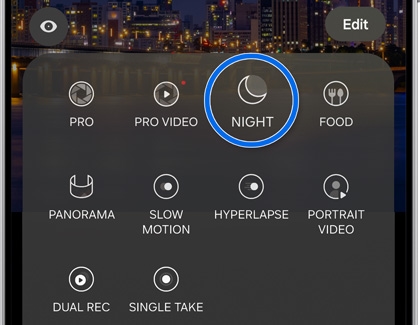
- To begin, open the Camera app, and then swipe to and tap MORE.
- Tap NIGHT, and then tap the zoom icons if you'd like to get a closer shot.
- Tap Capture when you’re ready to take your photo.
Night mode uses multi-frame processing to combine 30 images into one clear photo. The extra light captured by the phone or tablet's camera sensors will help your photos appear bright and enhanced.