Python Arrays - Scaler Topics (original) (raw)
While Python lacks native array support, lists serve as viable alternatives. For array-specific functionalities in Python, importing libraries like NumPy becomes essential. Arrays store multiple values within a singular variable context. Analogously, envision an array as steps on a staircase, each step representing a distinct value, aiding in easy value identification based on step count. Python offers an 'array' module to manage arrays, ensuring consistent data type storage. Unlike lists, arrays demand uniform data types for all elements, providing a structured approach. While lists offer flexibility, arrays via the 'array' module enforce type consistency, optimizing specific data type manipulations.
What is Array?
An array is defined as a container that stores the collection of items at contiguous memory locations. The items that are stored in array should be of the same type. The array is an idea of storing multiple items of the same type together and it makes it easier to calculate the position of each element. It is used to store multiple values in a single variable. Python arrays are much faster than list as it uses less memory.
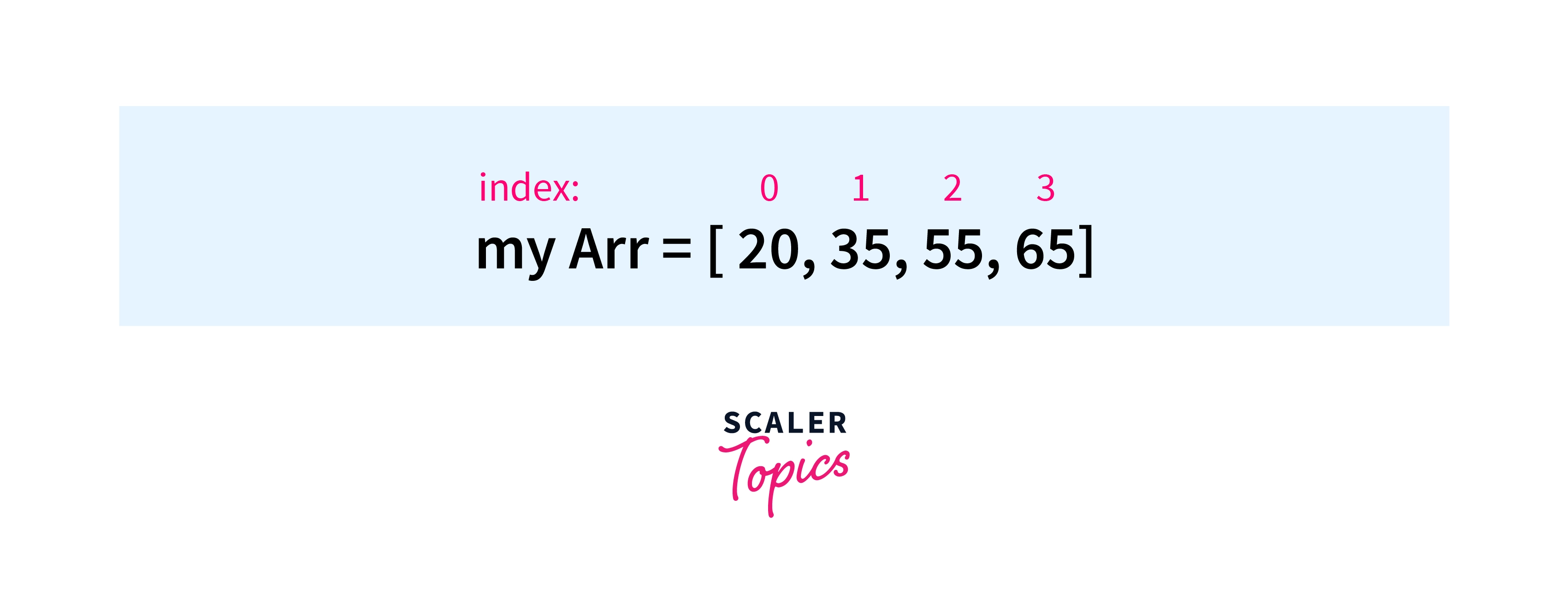
As we know, Python arrays are dynamic in nature so we don't need to specify the size of the array at the beginning of the code. We can have as many of the elements inside the array.
As we have studied earlier, arrays are mutable so we can update the array at any point in time. We can add an element to the existing array, delete any of the elements, even update the particular index with the new values.
There are several features and methods which are used on arrays for searching, deleting, adding an element, etc. Read along to know more.
Creating an Array in Python
For creating an array in Python, we need to import the array module.
After importing, the array module we just have to use the array function which is used to create the arrays in Python.
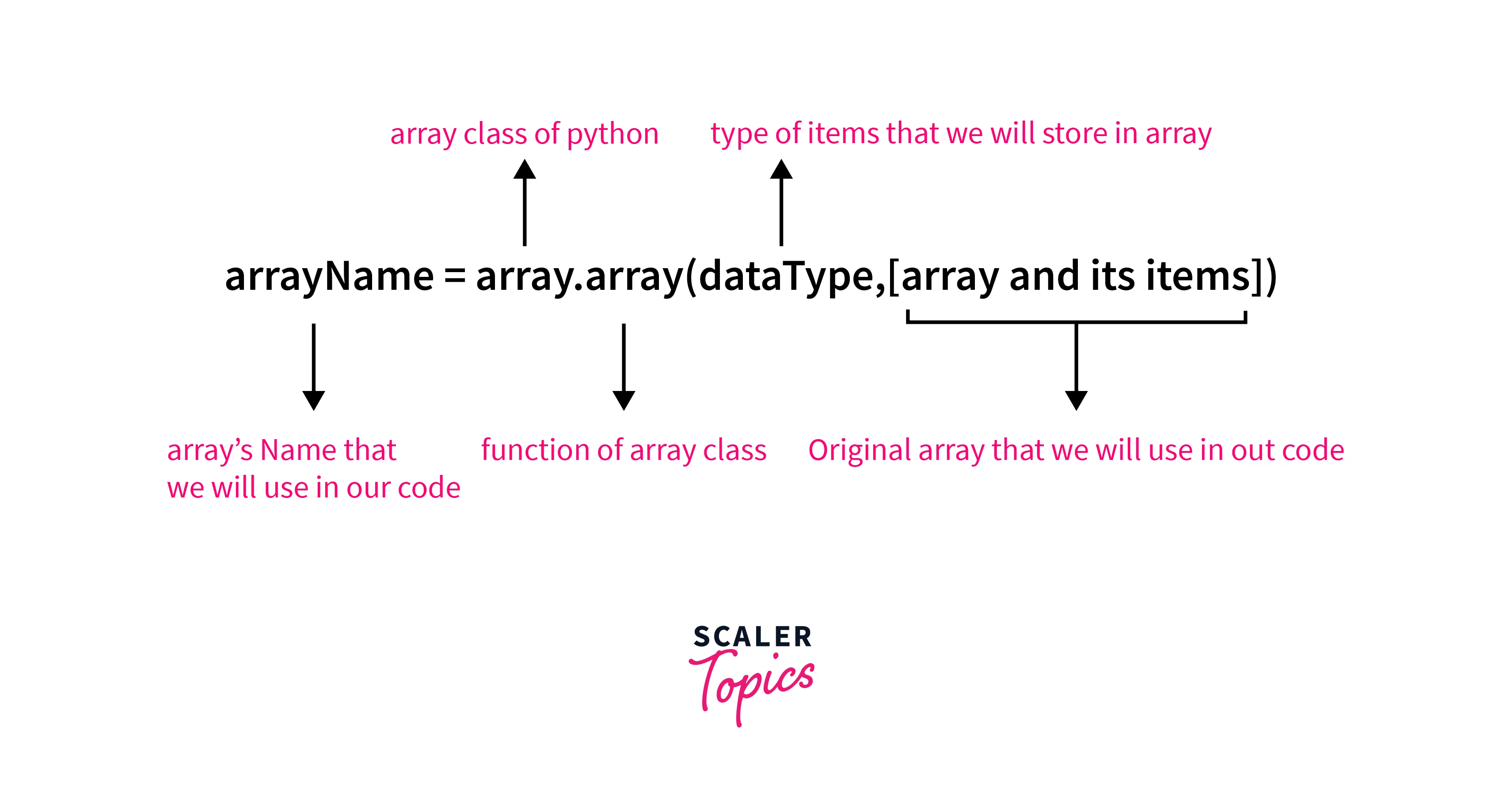
Syntax
Code for Data Types which are used in array Function
| Code Type | Python Type | Full Form | Size(in Bytes) |
|---|---|---|---|
| u | unicode character | Python Unicode | 2 |
| b | int | Signed Char | 1 |
| B | int | Unsigned Char | 1 |
| h | int | Signed Short | 2 |
| l | int | Signed Long | 4 |
| L | int | Unsigned Long | 4 |
| q | int | Signed Long Long | 8 |
| Q | int | Unsigned Long Long | 8 |
| H | int | Unsigned Short | 2 |
| f | float | Float | 4 |
| d | float | Double | 8 |
| i | int | Signed Int | 2 |
| I | int | Unsigned Int | 2 |
Example
Here, we have created an array with the name myArr and printed it to get the output.
Output
Explanation
First of all, we have imported array class in our code. After that, we passed 2 parameters to the array function where the first one is the data type in which we want to create an array and the other is the items of the array which we need inside it. Finally, we printed the array of `double type which has different elements in it.
Adding Element to Array in Python
As we all know, arrays are mutable in nature. So we can add an element to the existing array.
We can use 2 different methods to add the elements to the existing array. These methods are:
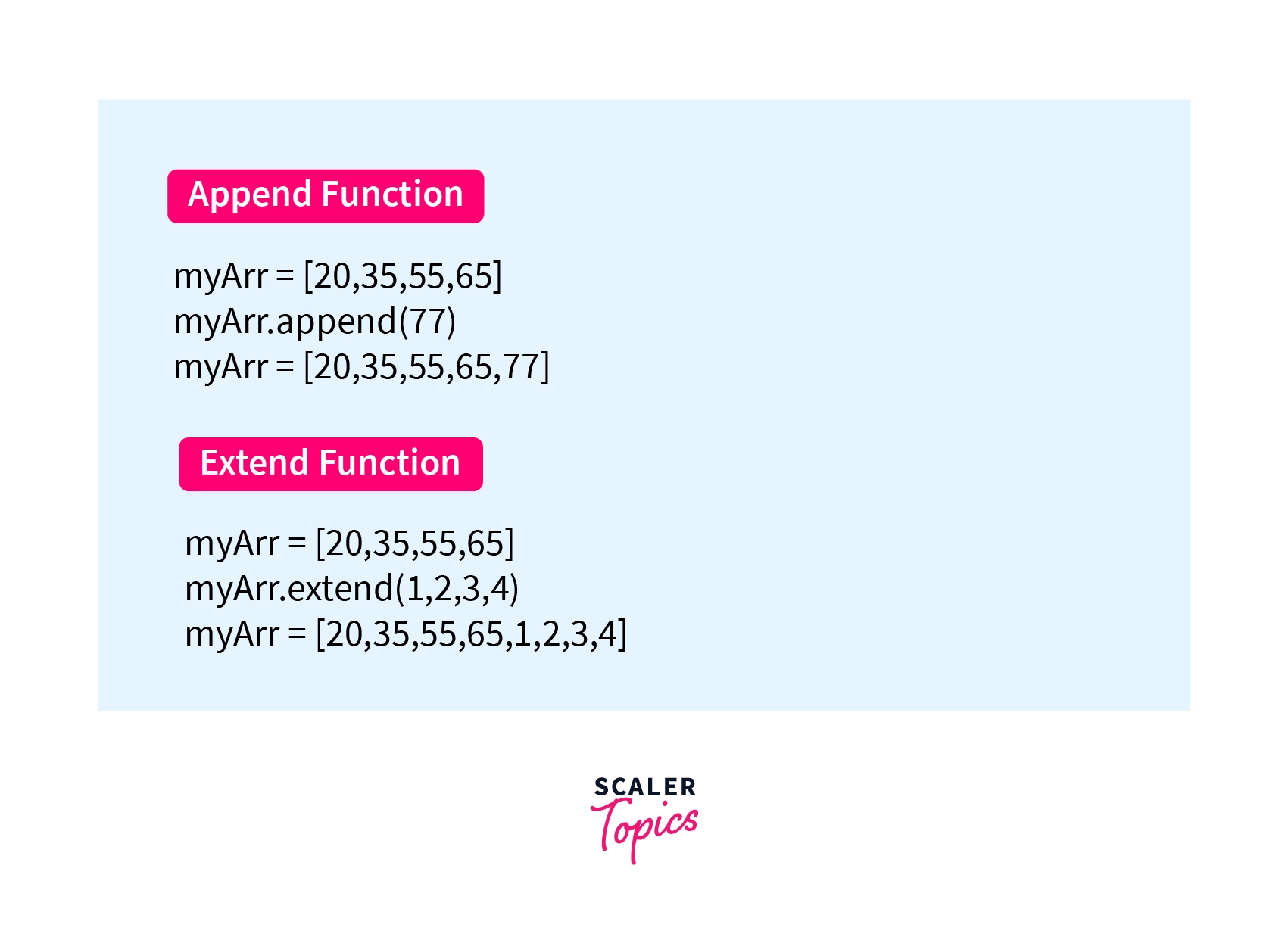
- .append(): This is used to add a single element to the existing array. By using the append method the element gets added at the end of the existing array.
- .extend(): This is used to add an array to the existing array. By using the extend method the array that we have added to the extend function gets merged at the end of the existing array. And, finally, we got the updated array where we have the combination of the original and the new array.
Let's checkout with the help of an example of how these functions are used to add elements at the end of the array.
Syntax
Example
This code helps us to understand how we can use .append() and .extend(), to add the elements in the array.
Output
The above code adds the elements to the end of the existing array.
Explanation
We have imported the array class into our code. Then we have created the array in which we have stored different values. After that, we have used 2 different functions append() & extend() for adding the elements at the end of the array.
Accessing Elements from Array in Python
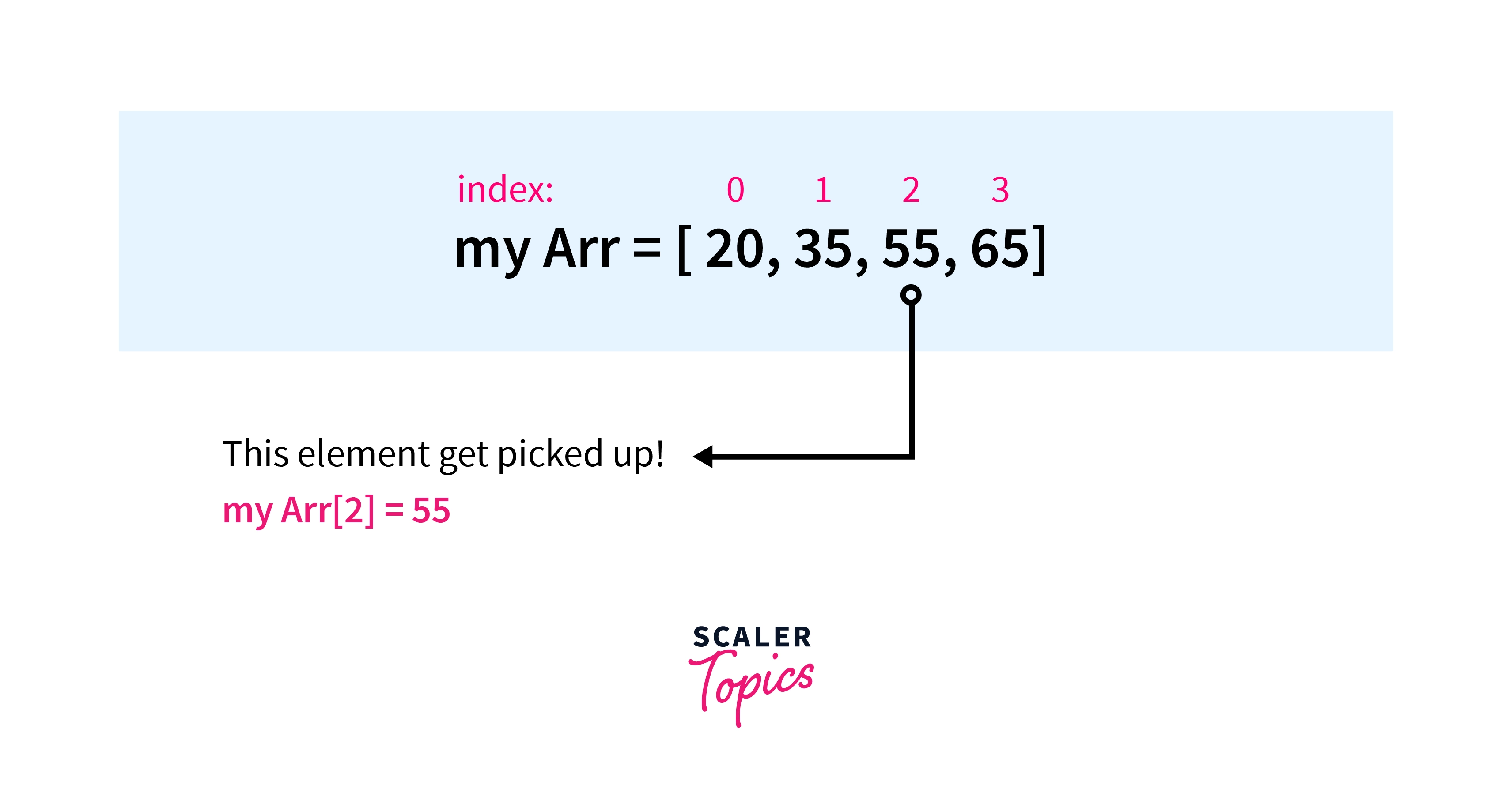
We can access the elements of the array by using the index of the elements of the array.
Note: If we are trying to access that index of the array which is greater than the last index of the array then it will raise the out of bound error.
Example
This code access the element of the array at a particular index.
Output
The above code prints the element at the 2nd index of the array.
Explanation
First of all, we have imported the array class into our code and then create an array that has different values/elements. Then we access the element using their index positions and stored them into the variable. Finally, we print that variable to get the value at that specific index.
Removing Elements from Array in Python
We can use the .remove() and pop() functions to remove the elements from the array.
- The pop function deletes the element which is present at the last index of the array.
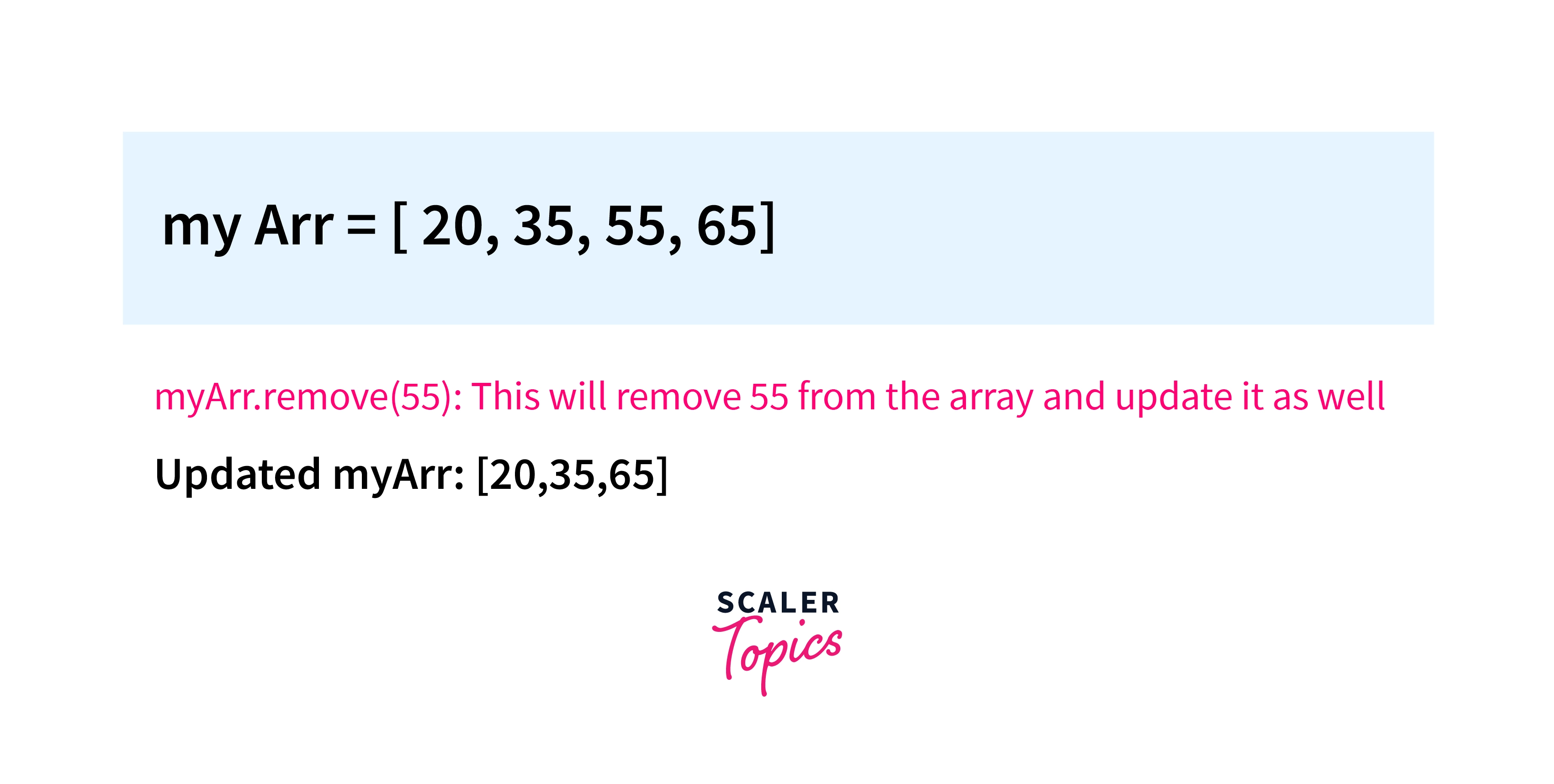
- The remove function takes an element as a parameter that should be removed from the array. If there are duplicates of the same element which is to be removed from the array, then it will remove the first occurrence of that element.
Note: If we pass an element that is not present in the array as a parameter to the remove() then it will raise a value error i.e that particular element, not in the array. After running this method, the array items are re-arranged, and the index of the elements is re-assigned.
 Syntax
Example
This code removes the element 55 from the existing array and re-arranges the array at the same time.
Output
The above code removes 55 from the array and prints the updated array as the output.
Explanation
First of all, we have imported the array class into the code and then create an array. After that, we have used .remove() and .pop() function for removing a specific element from the array. Finally, we printed the array to get the desired output.
Searching Elements from Array in Python
From the sentence "searching an element from the Array" this means we have to find the index of the particular element of the array.
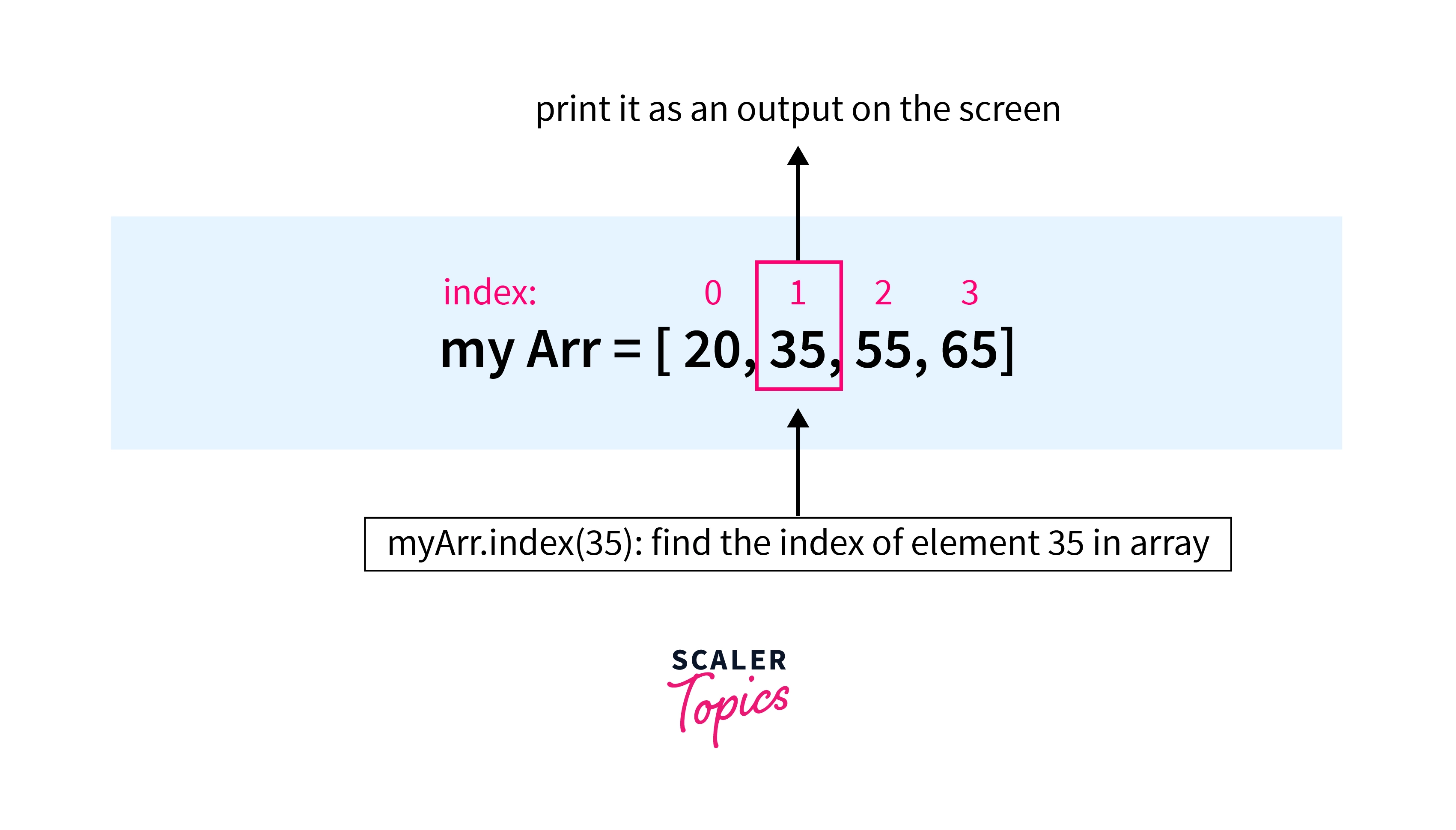
- This can be achieved with the help of .index() which returns the index of the element which is present in the array.
- If we have duplicate elements whose index is to be calculated then the .index() will return the index of the first occurrence of that element.
- if we passed an element that is not present in the array as a parameter to the index() then it will raise the ValueError i.e. the particular element is not present in the array.
Syntax
Example
This code finds the position/index of the searched element in the array.
Output
The above code prints the index of the element which is searched inside it.
Explanation
First of all, we have imported array class into our code. Then, we create the array with the array function of the class which we have imported earlier. At last, we have used index() on the array which returns the index of the element which we have entered as a parameter to the function and then prints it on the output screen.
Updating Elements in Array in Python
For updating a value/element in an array we just need to re-assign a new value at the desired index where we want to update the old value with the new one.
Note: If we are trying to update the element whose index is greater than the last index of the array then it will raise the error i.e. index out of range or in general terms we can say that index is out of bounds.
Example
This code will update the value which is present at index 2 with 100.
Output
The above code updates the value which is present at the 2nd index of the array with 100 and prints it as an output.
Explanation
First of all, we have imported array class into our code. Then, we create the array with the array function of the class which we have imported earlier. Then we use the rectangular brackets to update the value at a particular index with a new value. In the end, we print the updated array on our output screen.
Reverse an Array
Python includes a built-in function that is used to create a reverse iterator: the reverse() function. This iterator works because arrays are indexed, so each value in an array can be accessed individually. The reverse iterator is then used to iterate through the elements in an array in reverse order.
So, For reversing an array we just need to use the .reverse() function which flips the array.
Example
In this code, we used to reverse() to reverse the array.
Output
The above code reverses the array with the help of .reverse() and prints it as an output.
Explanation
First of all, we have imported array class into our code. Then, we create the array with the array function of the class which we have imported earlier. Finally, we have used the reverse function on the array which reverses the array and then prints the reversed new array on the output on the output screen.
Example
Let's assume you have a marks array in which you have stored marks of 5 subjects. You have to update the array where marks are 20 and then update it with 90 marks.
Let's write the code to do so.
Code
This code updates the 20 marks with the 90 marks.
Output
Slicing of an array
Slicing in Python allows you to extract a portion of an array, list, or string by specifying a range of indices. It provides a concise and efficient way to access specific elements or subarrays within a larger sequence. The basic syntax for slicing is start:stop, where:
- start: The index where the slice starts (inclusive). If not specified, it defaults to the beginning of the sequence.
- stop: The index where the slice ends (exclusive). If not specified, it defaults to the end of the sequence.
- step: The interval between elements to be included in the slice. If not specified, it defaults to 1.
Example:
Output:
Let's see another example in which we will try to slice a list using step
Example:
Output:
Counting Elements in a Array
To count the number of elements in an array in Python, you can use the built-in len() function. The len() function returns the number of items in a sequence, such as an array or a list. Here's how you can use it:
Output:
Array methods in Python
| Method | Description |
|---|---|
| append() | Adds an element to the end of the array. |
| extend() | Appends elements from an iterable to the end of the array. |
| insert() | Inserts an element at the specified position in the array. |
| remove() | Removes the first occurrence of a specified element from the array. |
| pop() | Removes and returns the element at the specified position. |
| index() | Returns the index of the first occurrence of a specified element in the array. |
| count() | Returns the number of occurrences of a specified element in the array. |
| sort() | Sorts the array in ascending order. |
| reverse() | Reverses the order of elements in the array. |
| copy() | Returns a shallow copy of the array. |
Conclusion
- First of all, we understand what are arrays in python and understand the different properties of arrays in python.
- Then we go through the steps that how we can create an array, how can we access elements of the array, and much more.
- At the end, we made a case in which we have stored marks of a student in an array and we are updating that array with the array methods.