Python String replace() Method - Scaler Topics (original) (raw)
Overview
The replace() function in python is used for replacing a single character or substring with a new character/substring. It returns an updated copy of the string while leaving the original string unmodified.
Syntax
The syntax of replace() function in Python is as follows,
The myStr is the original string for which replace method is called.
Parameters
There are three parameters that are accepted by the replace() function and are explained below:
- oldValue: old value(character or a string) which you want to replace.
- newValue: new value (character or a string) with which you would replace the old value.
- count (Optional): an integer value that represents the number of occurrences of the old character/substring which you want to replace with the new character/substring. By default (when we don't pass this parameter), it will replace all the occurrences of the old character/substring in the current string.
Return Value
Return Type: str
It returns a new string by replacing all the old values with the new value from the original string.
If the oldValue which we have passed as a parameter to the replace() is not present in the original string. Then, the original string is returned as an output.
Example
In this example, we will change all the occurrences of 'f' with 'F' in the string.
For replacing all the occurrences of the old character/substring with the new value, we don't have to pass the optional parameter to the replace function.
Output:
Explanation:
- First, we stored a string in a variable named oldString.
- After that, we used replace function without optional parameter for replacing all the existing occurrences of character f in the original string. And then, we stored the new string in the new variable newString.
- At last, we printed the oldString and newString.
What is replace() Function in Python?
Suppose you have written an article, and while typing, you mistyped a word repeatedly in the article. So how do you replace all of those mistyped words with the correct word effectively and efficiently? In Python, there is a replace() function that helps to update the old value(character/substring) with a new value (character/substring).
To replace one or more occurrences of a character/substring from the original string with the new character/substring, we have to use Python's string replace() function. As we know, strings are immutable. So, replace() function in Python creates a copy of the string, which gets modified (oldValues replaced by the newValues).
We need to pass the old value and the new value as the parameter to the replace function, which will give us the new replication of the string by replacing the old value with the new value.
More Examples
Example 1: Replace Only N Occurrences
In this example, we will change the first two occurrences of 'f' with 'F' in the string used below in the code. For replacing the first N occurrences of the old character/substring with the new value, we have to pass the optional parameter with count(integral value) to the replace function.
Output:
Explanation:
- First, we stored a string in a variable named oldString.
- After that, we used replace function and passed the , optional parameter count with a value of 3 for replacing the first three existing character f occurrences in the original string. And then, we stored the new string in the variable newString.
- At last, we printed the string to get our new string in which the first three occurrences of f are replaced by F.
Example 2: Replace Only First Occurrence(Single Replace)
In this example, we will change the first occurrence of 'fo' with 'FO' in the string used below in the code. For replacing only the first occurrence of the old character/substring with the new value, we must pass the optional parameter with 1 as the value to the replace function.
Output:
Explanation:
- First, we stored a string in a variable named oldString.
- After that, we used replace function with optional parameter count and set it as 1 for replacing only the first existing occurrence of substring fo in the original string. And then, we store the new string in the variable newString.
- At last, we printed the string to get our new string in which the first occurrence of fo is replaced by FO.
Example 3: Replacing Numbers
Replace function also helps us to replace the numeric data inside the string with a character/substring. We need to check whether the current element in the string is numeric or not by using the isdigit() function in Python. Let's check out the Example for a better understanding.
We have a hypothetical address of the area where we have some numeric elements in it. We need to replace all the numeric data from the original string with a character (let's say #). Let's code it and understand how it works.
Output:
Explanation:
- First, we stored a string in a variable named oldString.
- We have stored a character in the variable replacingCharacter with which we need to replace the numeric characters in the original string.
- Then, we use a for loop for iterating over each string element.
- While iterating over the string, we are checking whether the current element is numeric or not.
- If the current element is numeric, then we use replace function to replace the numeric element with the variable we initialized earlier.
- At last, we printed the string to get our new string in which all the numeric elements got replaced with #.
Example 4: Multiple String Replace
We can replace multiple old values with the new value by adding all the old Values to a list and iterating over that list to update the string at every occurrence of the old Value.
In this example, we are replacing many characters/substrings from the original string with the new values. We have to create a function for doing these changes. This can be easily understood with the help of the below example.
Output:
Explanation:
- First of all, we have created a user-defined function that accepts three arguments:
- oldString: which we want to update.
- oldValueList: All the old values we have to replace with the newValue.
- newValue: value with which old values have to be replaced.
- Inside the user-defined function, we iterate over the list of old values. While iterating over the lists, we need to update the old string so that at every iteration, it keeps the record of the previous replacements.
- In the end, we just need to call the user-defined function and pass appropriate parameters to the function so that all the old values get replaced by the new values.
Example 5: Replacing All the Errors with the Correct Word
Suppose you wrote an article for your project and made some typing errors at different places in the article. You can correct them all in a few seconds by using replace() function in Python. Let's code this for better understanding.
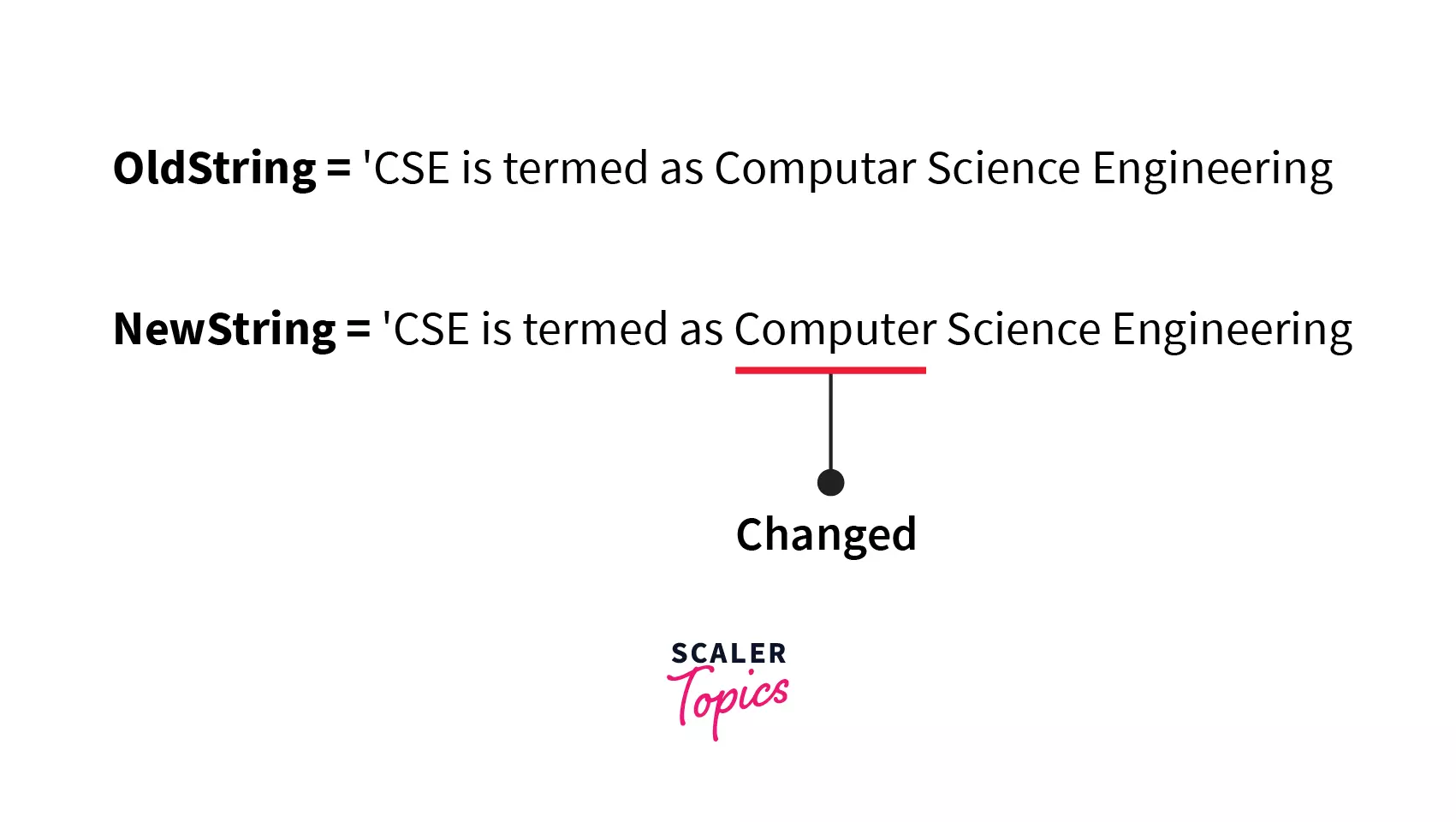
Output:
Explanation:
Here, we can see that all the typing errors of the word Computar are replaced by the correct word Computer.
Example 6: Updating the Old Data with New Data
Suppose you have a huge database of contact numbers of the citizens of a particular country. In a hypothetical situation, the phone code of that country got changed(supposedly from +91 to +19). This is done with the help of the replace() function in Python. Let's code this for better understanding.
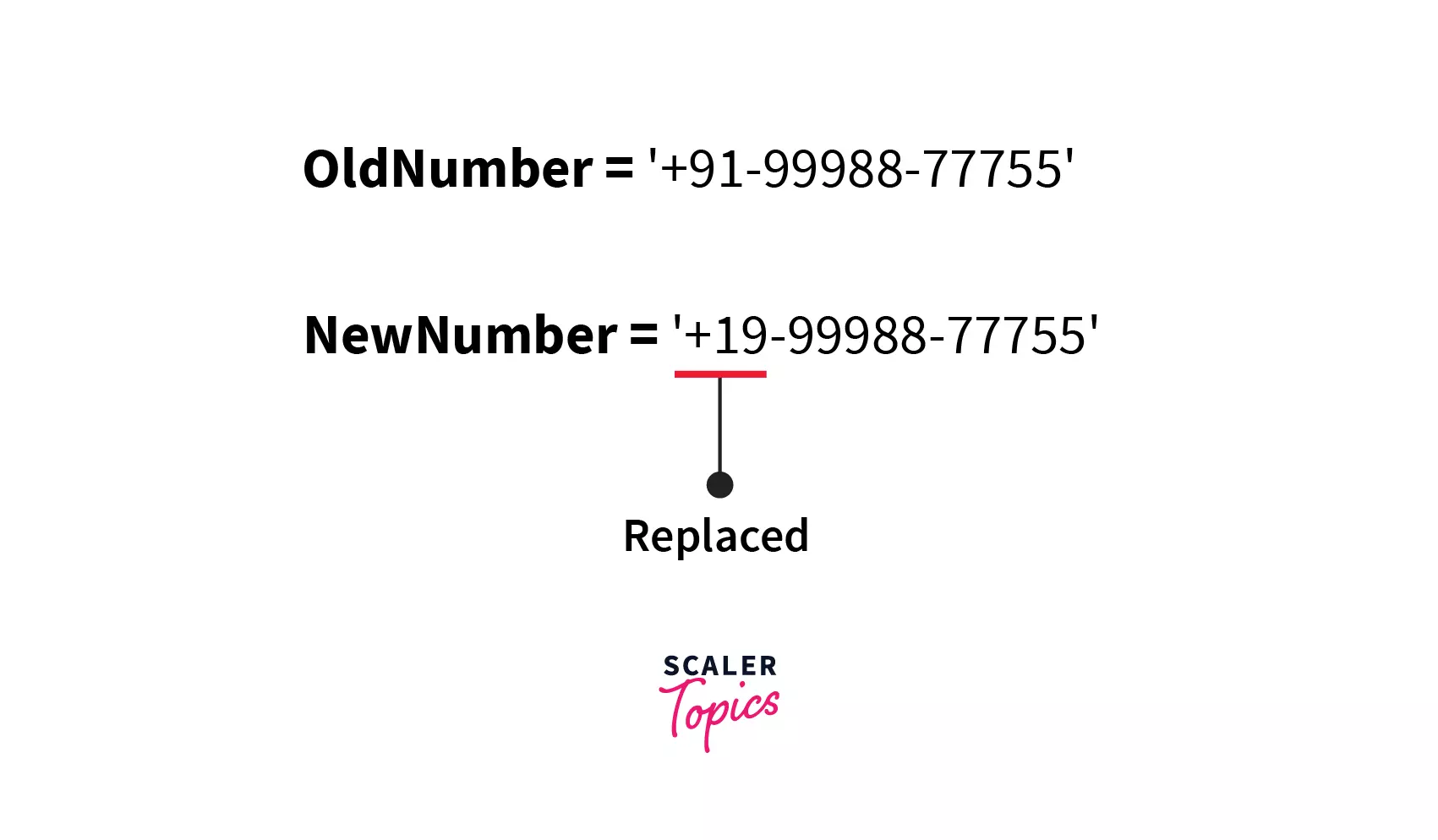
Output:
Explanation:
Here, we can see that the country code of the phone number is updated with the help of replace function by passing the oldValue as +91, which gets replaced by +19.
Example 7: Replacing Full Forms to Abbreviations
We can use replace function to replace all the full form which is used in the text with their respective abbreviations. Let's code this for better understanding.
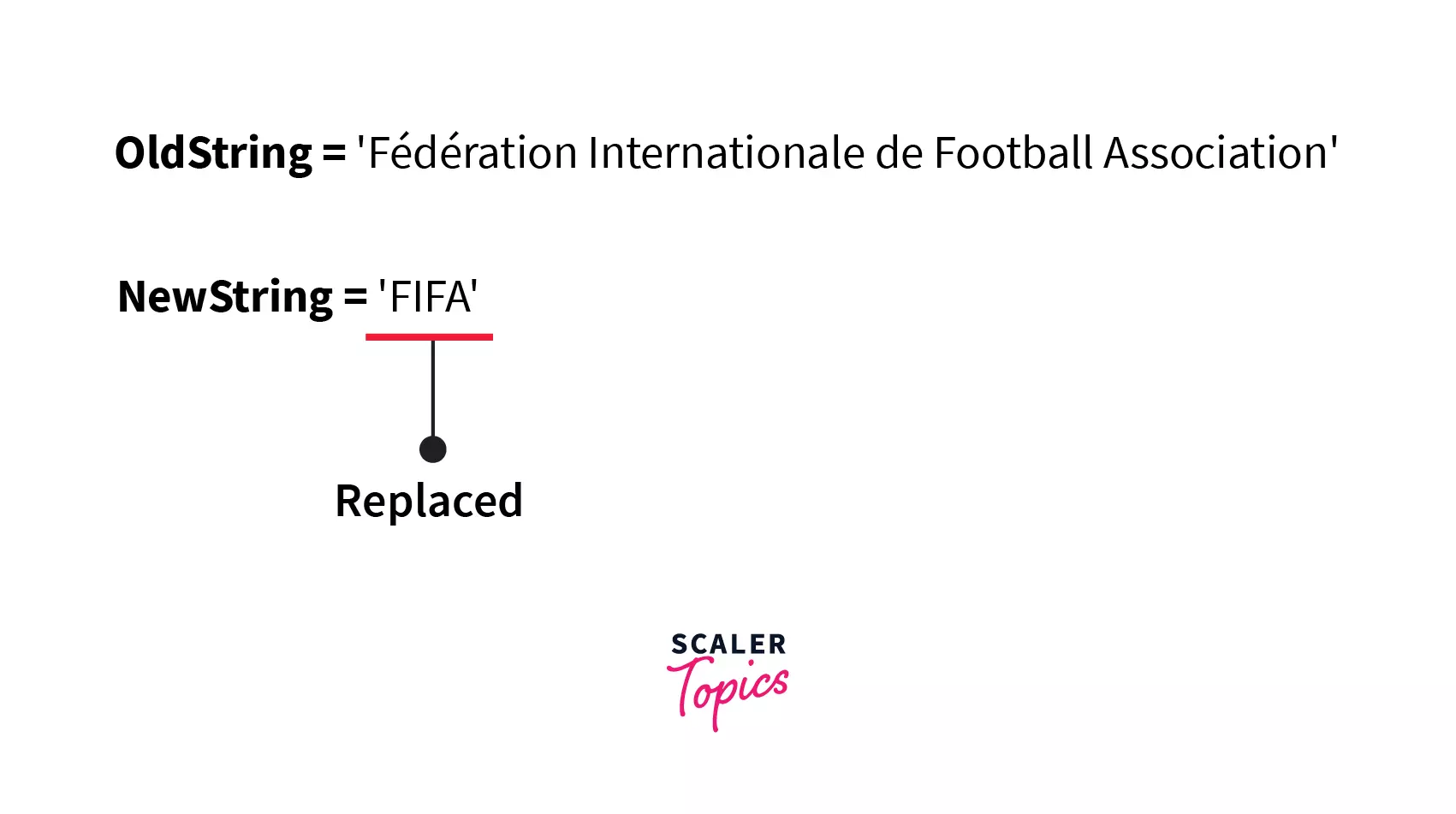
Output:
Explanation:
Here, we can see that all the occurrences of the full form Fédération Internationale de Football Association got replaced by its abbreviation FIFA.
Replacing with Regex
The re module in Python provides us with several functions and methods which support regular expressions. The sub() function of the re module in Python is used for replacing the old substring with the new substring.
.sub() in Python is used when we have to replace the string which matches a regular expression instead of perfect matching of the substring.
Syntax of sub()
The syntax of the sub() function is as follows:
re.sub is being used to access the sub method of re module.
Parameters of sub()
The sub() function of re module in python accepts four different parameters.
- regularExpression: Expression which would be replaced.
- newString: New string with which regularExpression is to be replaced.
- originalString: Initial/Original String in which changes have to be done.
- count (optional): no. of the regular expression, which we must change. By default, the value is set for all, i.e., if we don't pass this parameter, then all the substrings having similar regular expressions got replaced with the new substring.
Return Value of sub()
Return Type: str
It returns a duplicate string by replacing all the old values with the new values.
Example
In this example, we are going to replace the first occurrence of the regular expression, which we have passed into the .sub() as the parameter.
Output:
Explanation:
- First of all, we have imported the re library of Python to use its inbuilt functions.
- Then, we stored a string in a variable named oldString.
- After that, we used a sub-function with count(optional parameter) and set it as 1 for replacing only the first existing occurrence of regular expression xxx in the original string. And then, we stored the new string in the new variable newString.
- At last, we print the string to get our new string in which the first occurrence of xxx is replaced by 000.
Conclusion
- At the start of this article, we understood the basics of replace() function in Python.
- After we got familiar with the replace() function, we understood the syntax of the replace() function. We then explored the detailed explanation and examples. Here are some points as takeaways:
- The replace function accepts three parameters, oldValue, newValue, and optional Count.
- It doesn't modify the original string; instead creates a copied one and then returns after some manipulations.
- The sub() method of re module is used when the oldValue is not a string but a regular expression.
- Various text editors and other text-related software heavily use this replacement technique. Hence it is a practical and useful topic.