How to Use AI for a Content Strategy That Drives Results (original) (raw)
Artificial Intelligence (AI) has the potential to change your content marketing by streamlining tasks and processes that traditionally take a lot of time and energy.
And incorporating AI tools into your work is easier than you might expect.
By the time you’re done reading this article, you’ll understand exactly how you can start using AI throughout every phase of planning and executing your content strategy.
But let’s first go over why using AI is important in the first place.
The Benefits of an AI-Driven Content Strategy
The main benefits of using AI when creating and launching your content strategy are that it helps you save time and reduce costs.
Specifically, you can benefit from using AI by:
- Automating repetitive tasks and freeing up time for creative or strategic thinking
- Better meeting your audience’s needs by creating the types of content they’re looking for
- Avoiding creative burnout by using AI content generators for drafting
- Gathering insights from lots of data without having to manually sift through it
- Getting more out of your marketing budget by increasing your output without having to hire more creators
How to Use AI to Execute Your Content Strategy
Here are some ways to incorporate AI in your content strategy:
1. Speed Up Keyword Research
Using AI for keyword research involves using chatbots (e.g., ChatGPT, Gemini, etc.) to quickly find terms that may help your website gain visibility in organic (unpaid) search results and AI search results.
AI chatbots don’t know exactly what users search for in Google. But they can suggest relevant keyword ideas based on the topic you include in your prompt.
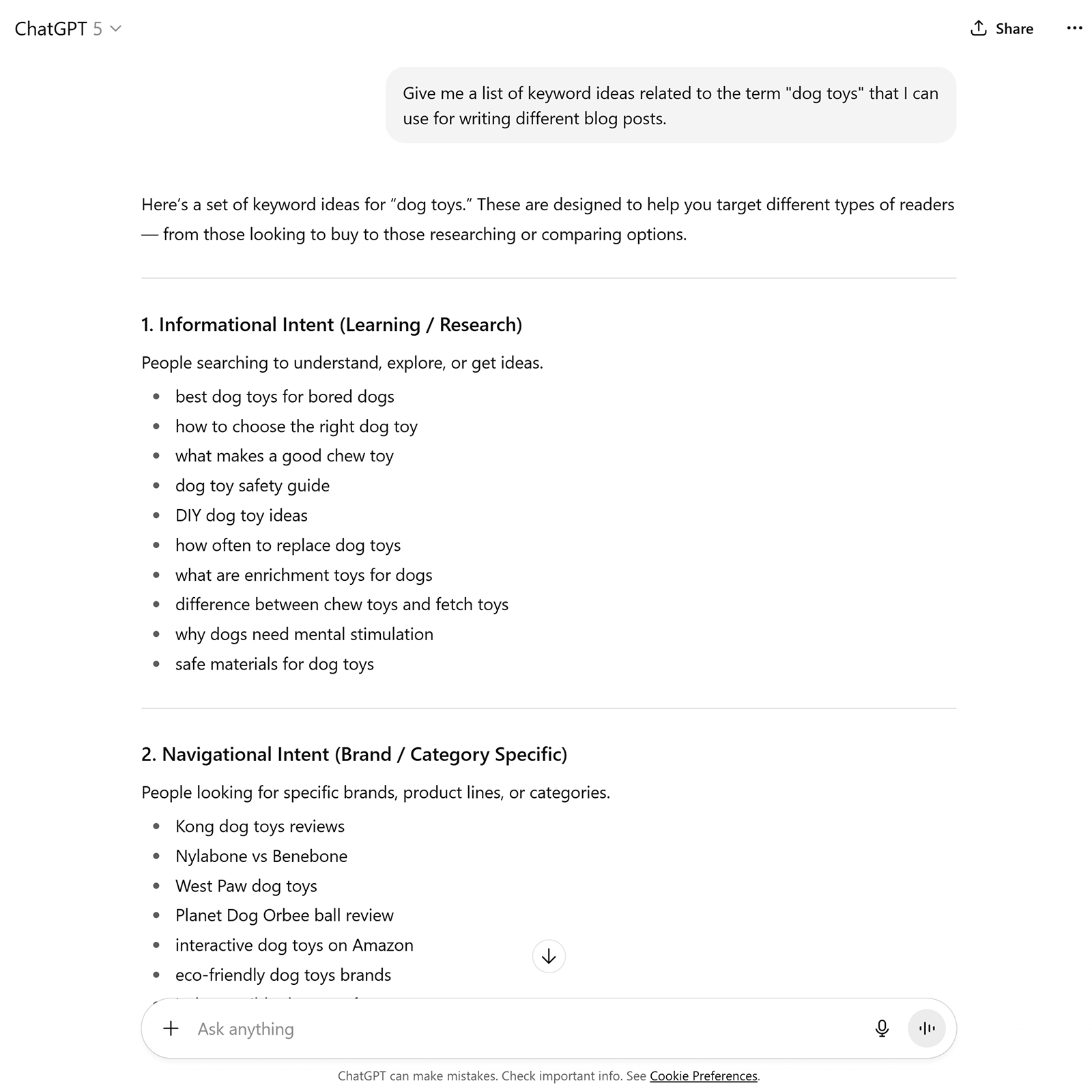
For example, I asked ChatGPT to provide keyword ideas related to “dog toys” to write a blog post on. It provided a list of relevant keywords and organized them by intent (what the searcher is trying to achieve).
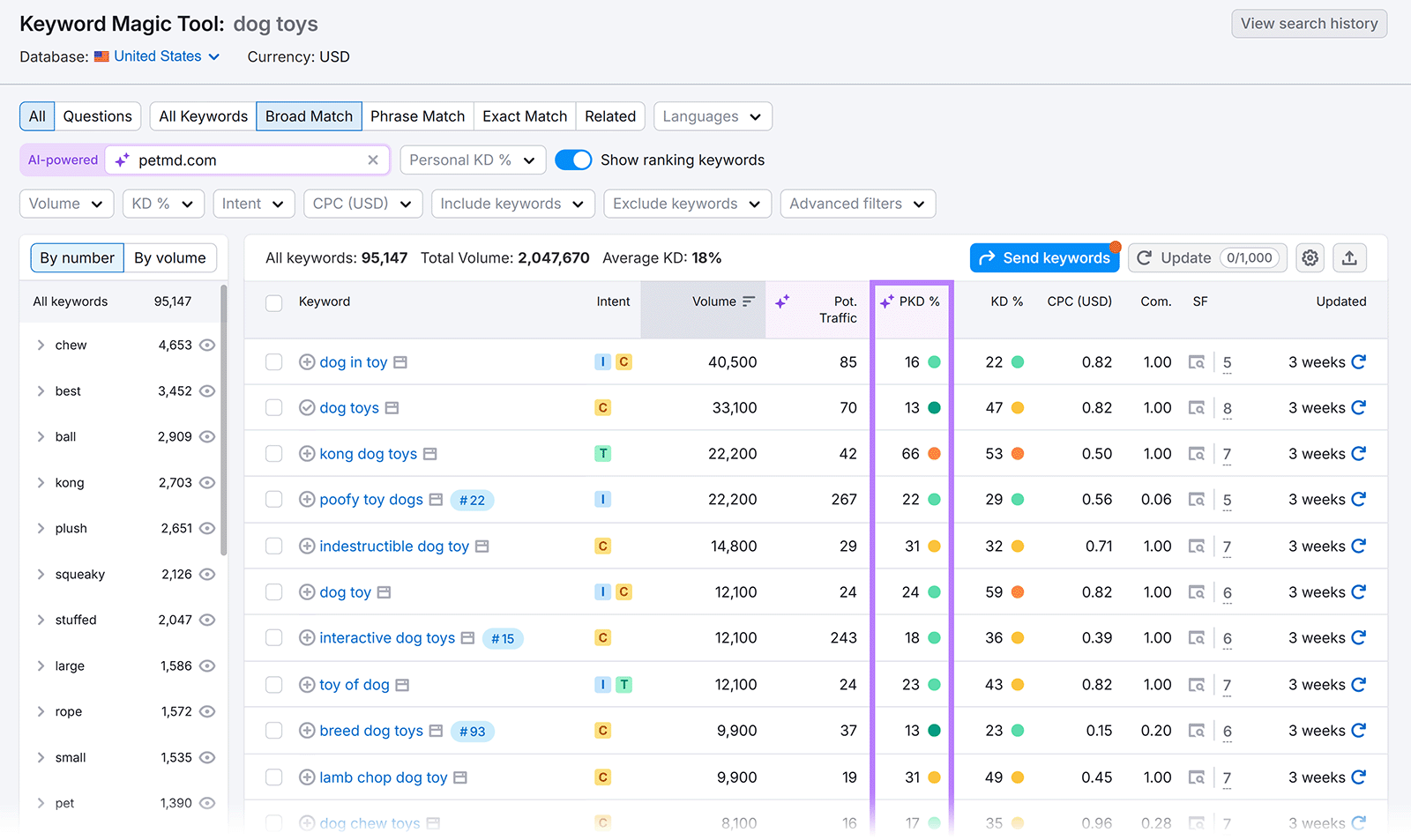
For research that’s based on actual keyword metrics, use Semrush’s Keyword Magic Tool. It even lets you see AI -powered metrics that are tailored to your specific site.
For example, you’ll get a Personal Keyword Difficulty (PKD %) score for each keyword. This estimates how difficult it will be for your site to rank on the first page of Google’s results.
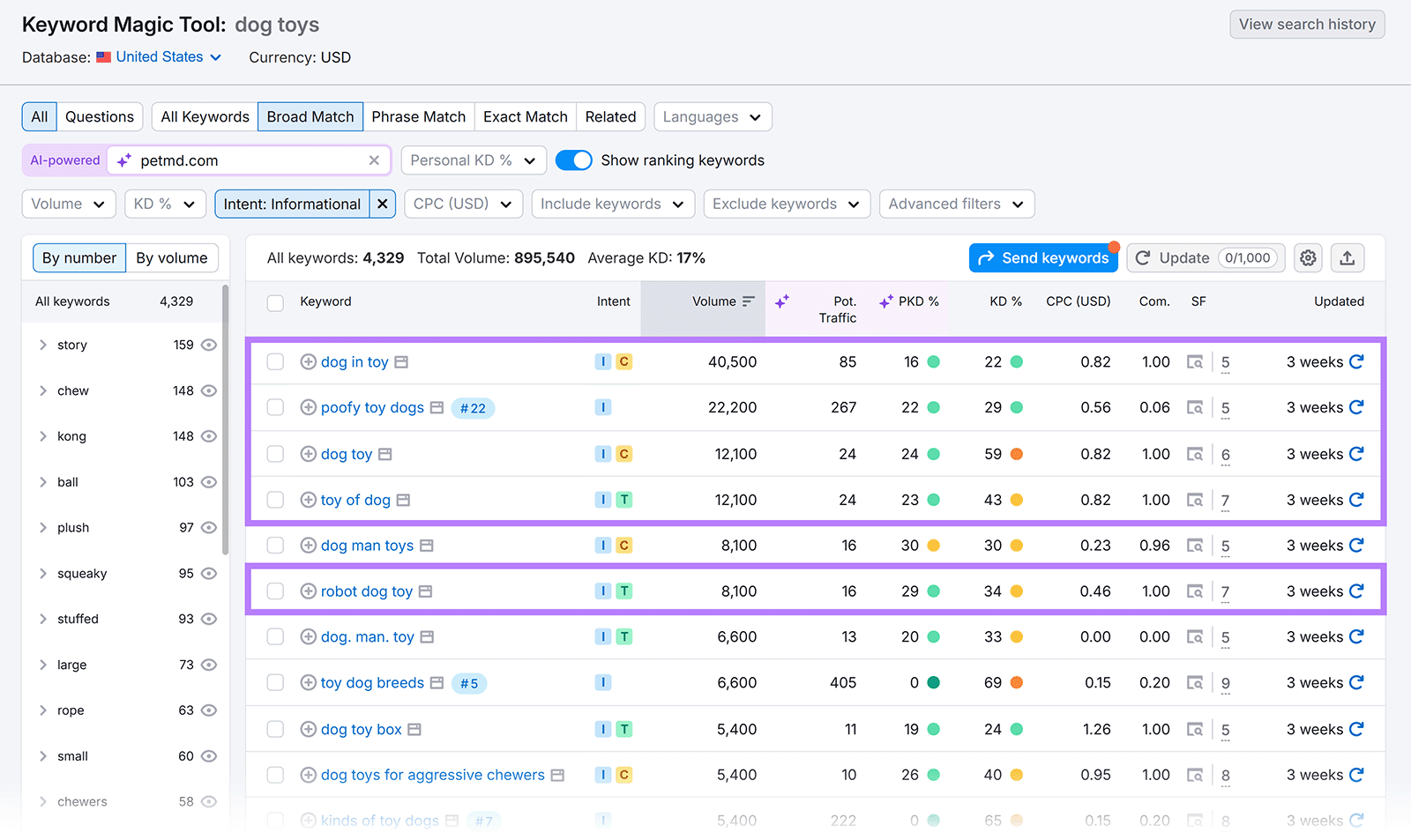
To focus on ideas that will work well for a blog post, select the “Intent” filter, check the box next to “Informational,” and click “Apply.” This will narrow the list to show terms that people search when they want to learn about a topic.

Prioritize the keywords with low PKD % scores and reasonable search volumes. Because that combination gives you a good chance of ranking for terms that are likely to drive people to your website.
To find terms that are similar to the conversational prompts people enter into AI tools, use the “Questions” filter.
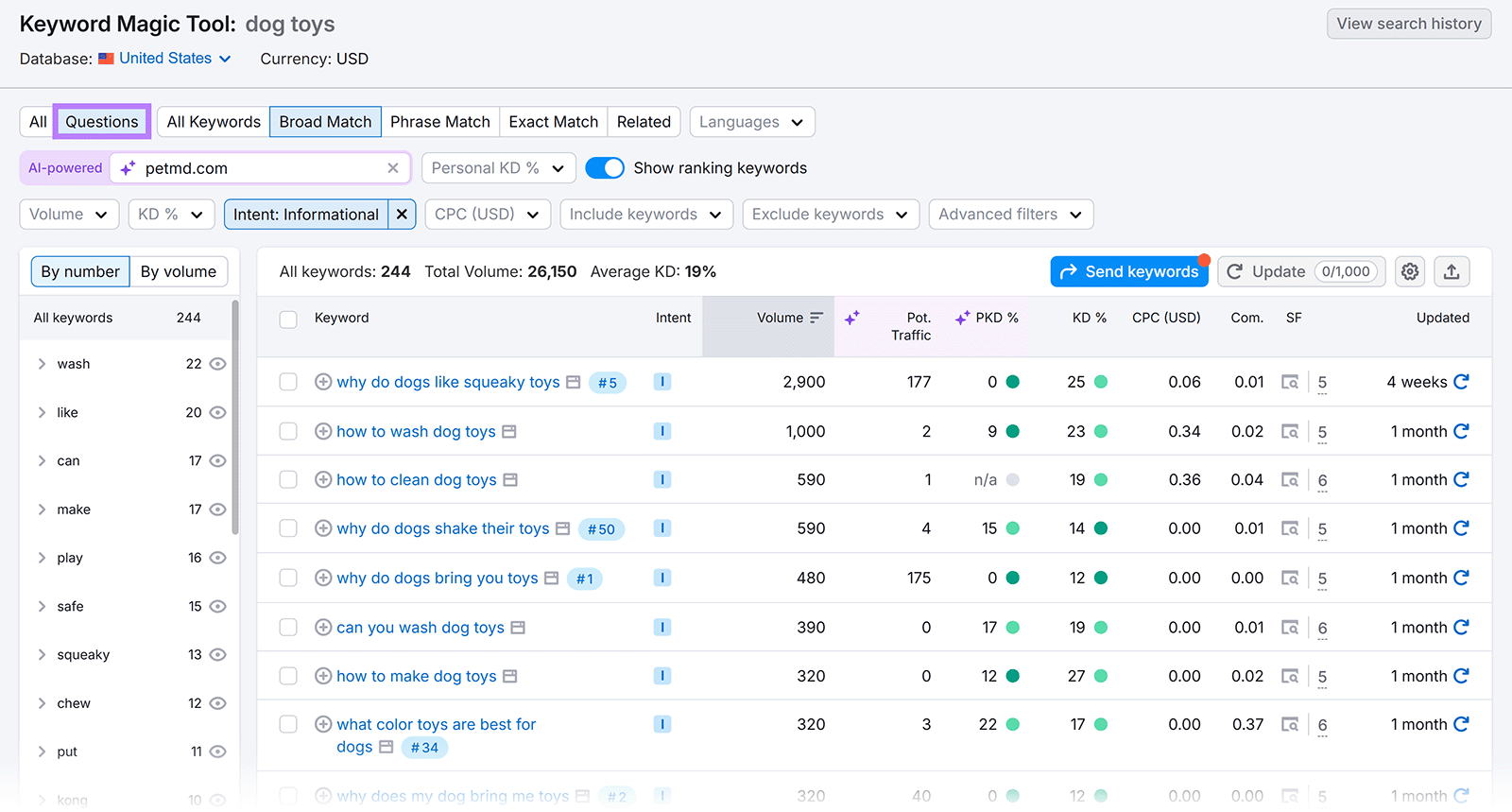
Focus on terms that seem like the best fit and add those keywords to your content plans.
2. Tailor Your Content to Your Target Audience
Certain AI tools help you refine your target audience, which makes it easier to create content that’s likely to resonate with them.
For example, the AI Marketing Agent app lets you enter information about an upcoming campaign to generate recommendations based on your business and audience specifics.
Start by entering some details about the campaign you want to create.

The app will ask you follow-up questions as needed to get all the information it needs. You’ll then get a complete strategy and campaign assets—including copy and visuals—that are tailored to your exact audience.

3. Create Detailed Content Briefs
AI-generated content briefs show any writers you work with how to create high-quality content that aligns with your audience’s intent and covers your topics in-depth.
You can use ChatGPT to come up with an outline. To get the best results, include the following in your prompt:
- Target keywords: The terms you want the content to rank for in organic search
- Suggested sections: The various subtopics you want the content to cover
- Brand voice: The communication style and tone of voice for your business or website
- Target audience: The main group of people you’re writing for
Like this:

Review the output and make any necessary changes based on the keyword’s search intent, your audience, your brand voice, and your business goals.
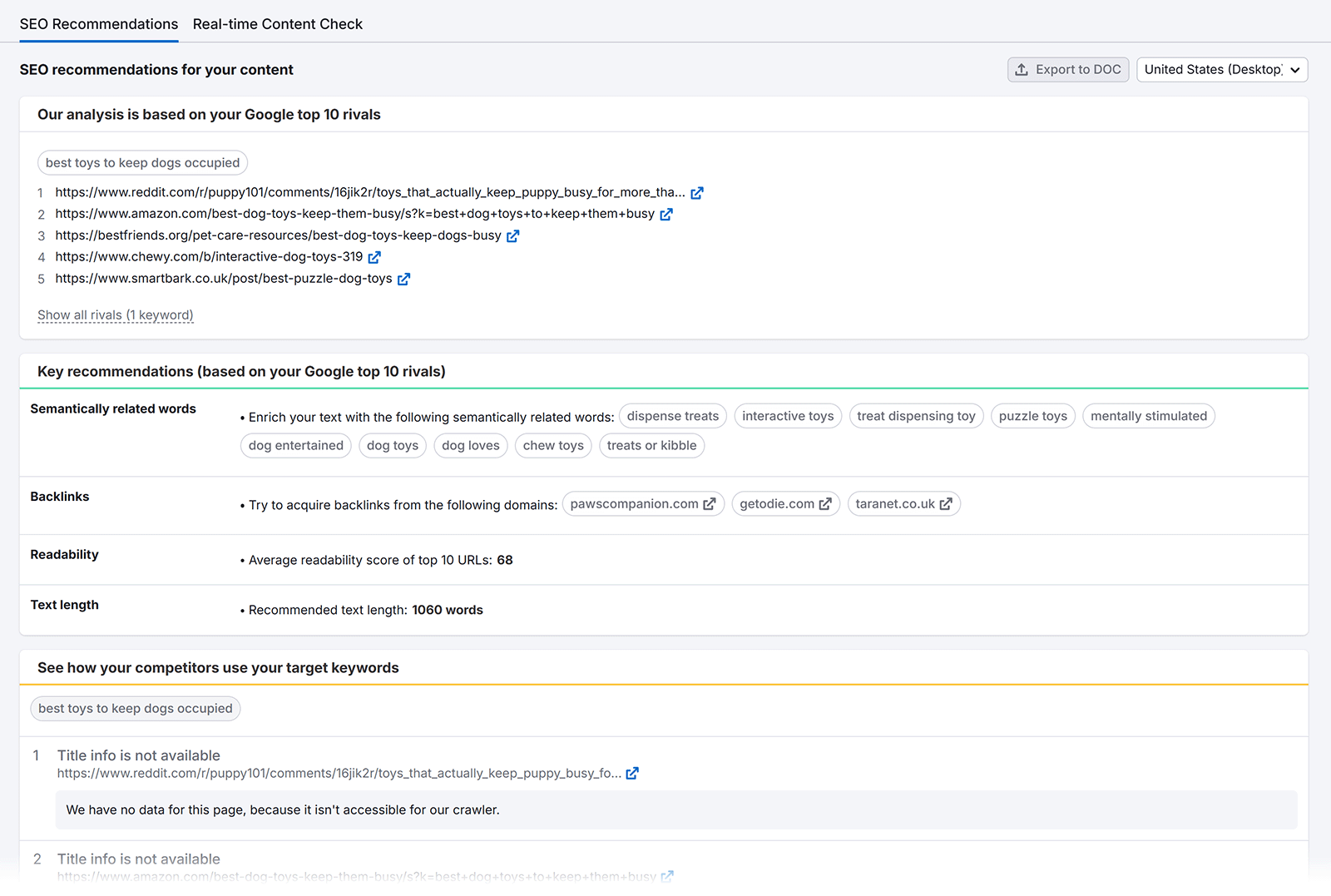
Or try Sermush’s SEO Content Template tool to further streamline brief creation. Just enter your target keywords to get an outline complete with recommendations on word count, readability level, and more.
4. Cluster Keywords & Topics
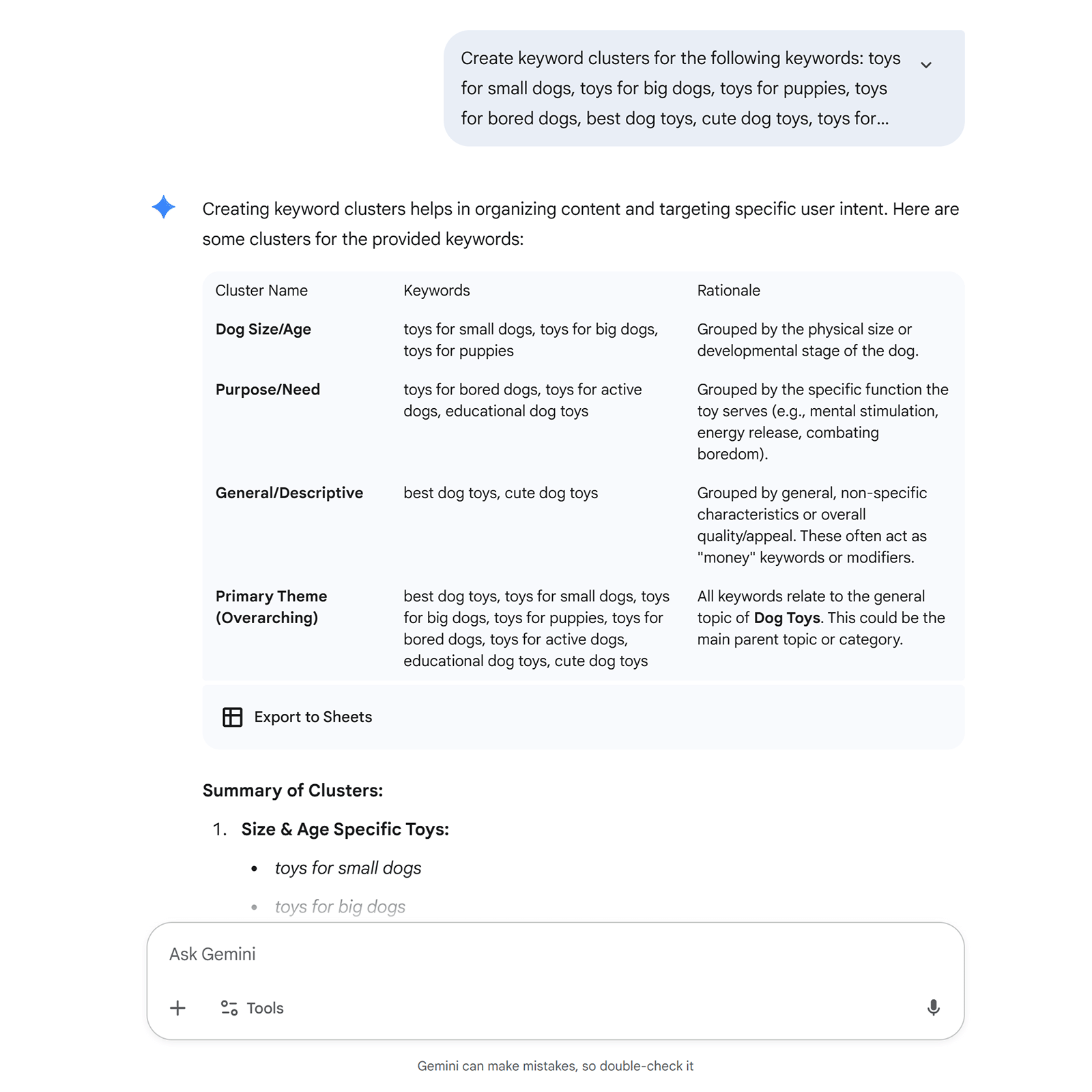
Keyword clustering involves targeting a group of keywords with similar search intent and relevance on the same page, and you can do it much faster using AI than you ever could manually.
For example, you can cluster keywords using Google Gemini. Make sure to mention “keyword clusters” in your prompt and enter all your keywords. Gemini will then group terms for you.
For more guidance on how to write prompts for SEO purposes like this, read our article on maximizing SEO impact with ChatGPT.
5. Optimize Content for Search
AI tools can show you exactly what changes to make to your webpages to improve their performance in organic search, which is called on-page SEO. And these techniques generally help you optimize for appearance in AI search.
On-page SEO includes optimizing the following:
- Title tag: An HTML title that may appear as a blue, clickable hyperlink in search engine results
- Meta description: An HTML page summary that may appear below the title in search results
- Headings: HTML elements that define headings and subheadings on a page
- Body content: The main content on a page like text, images, and videos
- URL: A uniform resource locator (URL) is the webpage’s address

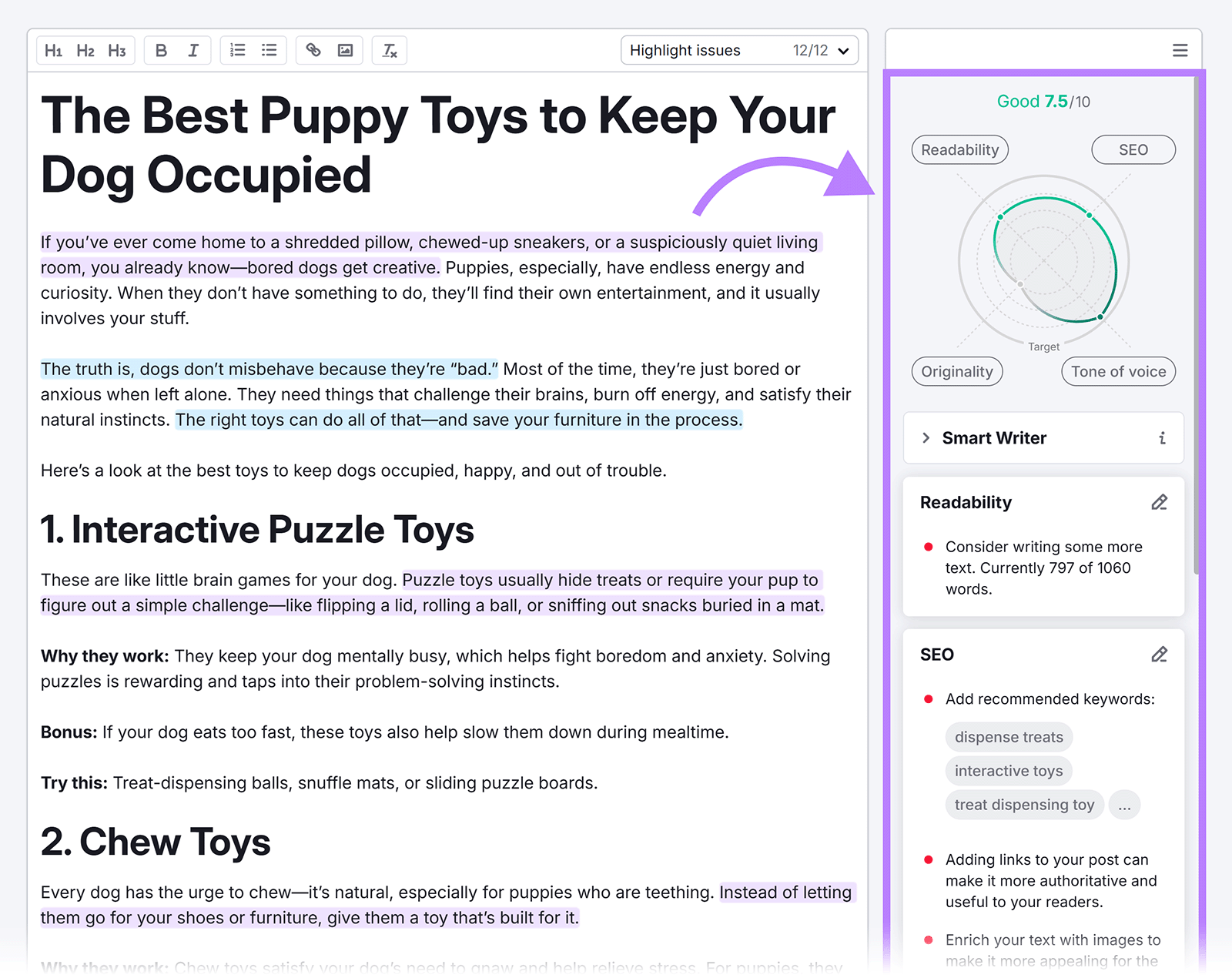
Use Semrush’s SEO Writing Assistant to confirm that your content is optimized for ranking before you publish it. The tool will check your content for tone of voice, readability, SEO, and originality. And grade your content on a scale out of 10.
You can improve your score by following the suggestions in the right-hand sidebar.
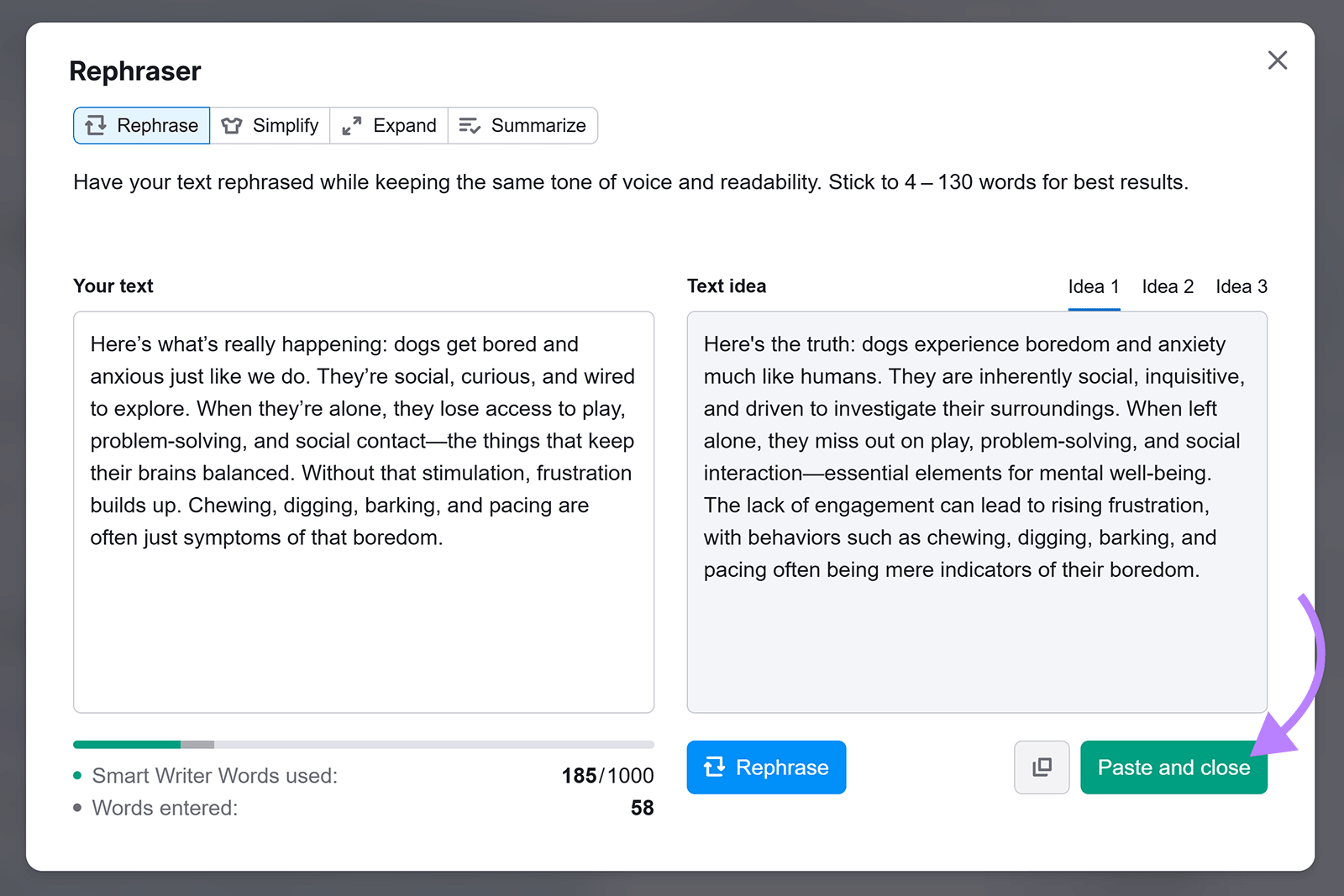
You can also use the SEO Writing Assistant’s Smart Writer features to speed up the writing process. For example, the rephraser tool lets you enter text to rephrase, simplify, expand, or summarize.
After you generate text, click “Paste and close” to add it to your content.
6. Maintain a Consistent Brand Voice
Your brand voice can impact how your audience feels about your business, and you can use AI to define, improve, and keep yours consistent.
To define your brand voice, you’ll want to:
- Research your audience to learn about their challenges or preferences and how your brand can meet them
- Document your company’s background and mission, like your purpose and unique value proposition (UVP)
- Define your brand personality by choosing three to four words to describe your business (e.g., casual, innovative, warm, and informative)
You can then enter information about your brand voice into ChatGPT as part of a prompt when you ask it to create content.
Or use Semrush’s Content Toolkit to speed things up. To set your brand voice inside the Content Toolkit, click the gear icon at the top of the main dashboard and navigate to the “Brand Voice” tab.
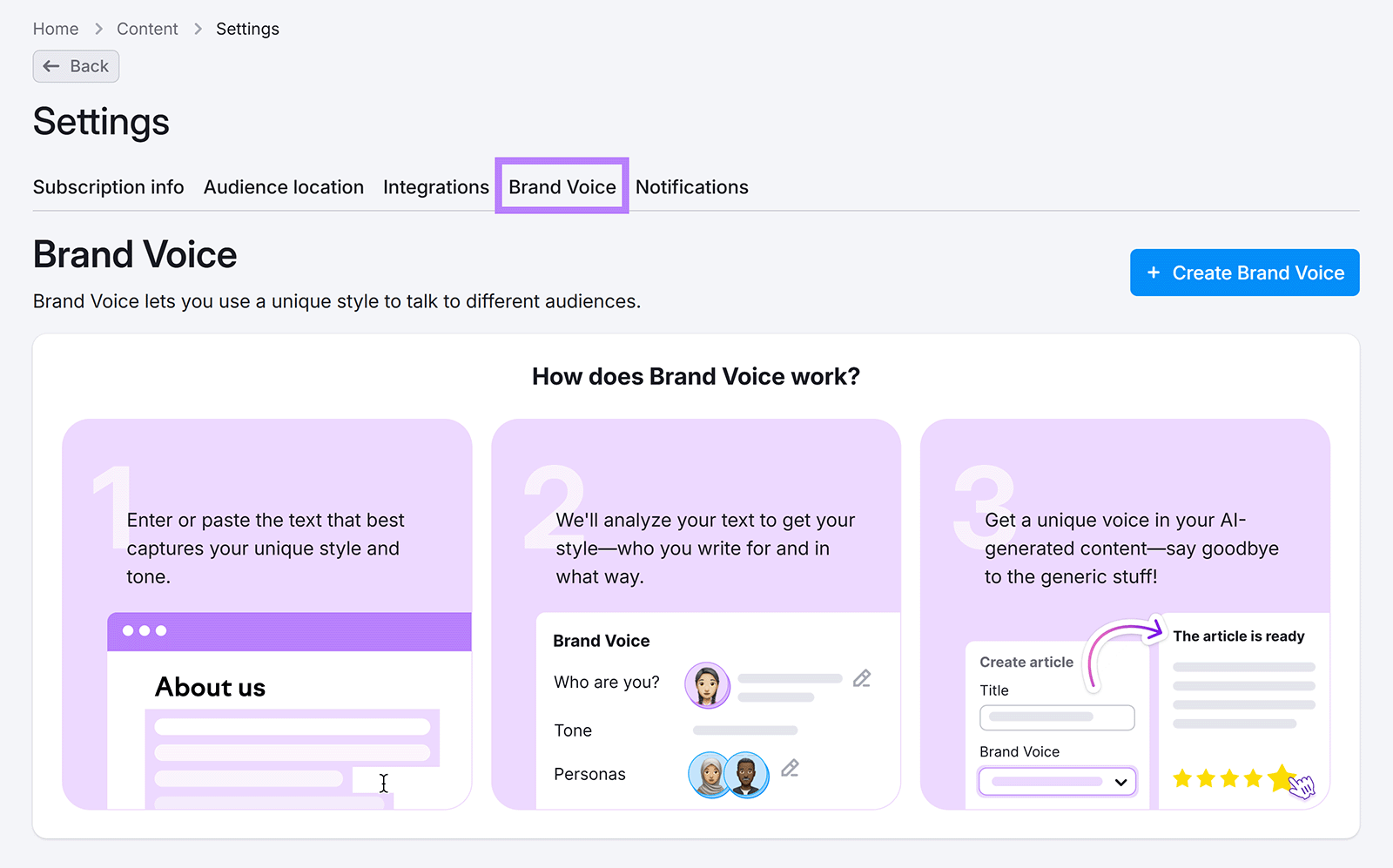
Click “+ Create Brand Voice.”

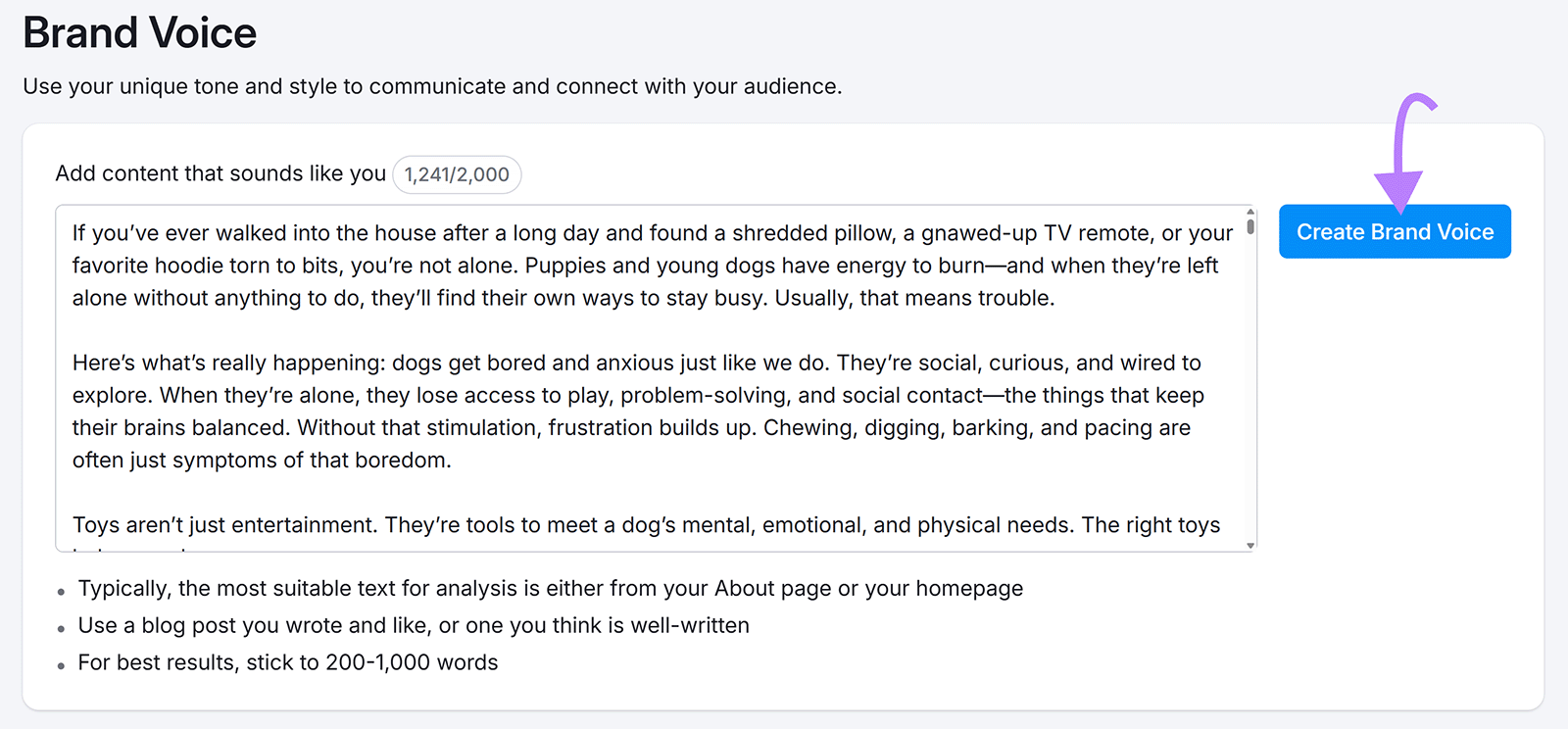
Copy and paste some content from your website into the Brand Voice feature (ideally, choose copy that best represents your brand). And click “Create Brand Voice”
Once submitted, the tool will use that content to define and summarize your brand voice. Like this:
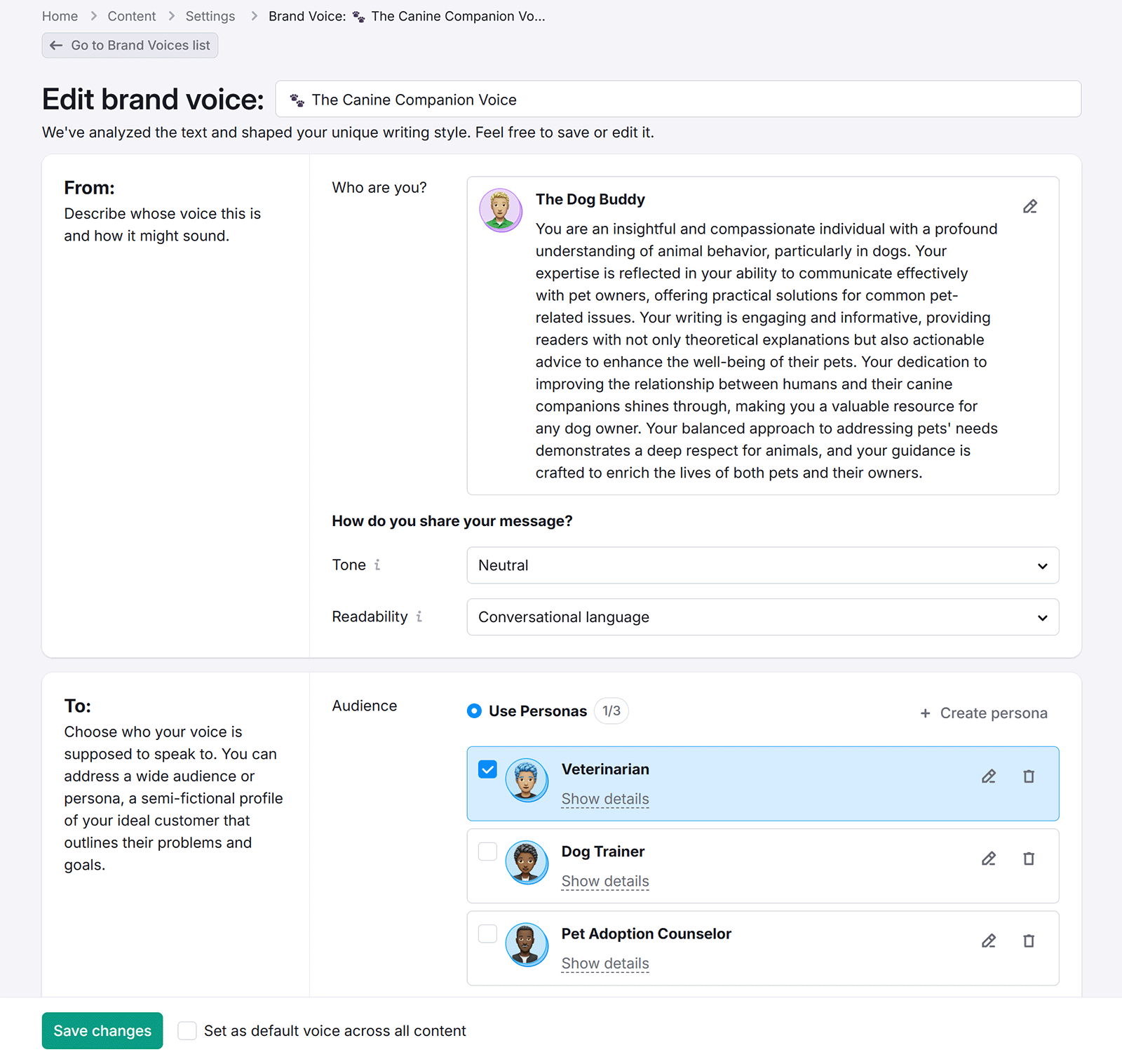
You can add this brand voice description to your style guide. So you (and any writers you work with) can create content that sounds like your business.
And if you generate content using the Content Toolkit, you can select your created brand voice to ensure consistency across everything you generate.
7. Repurpose Content
AI tools can help you quickly repurpose content, so you can get more from each piece and reach a wider audience.
For example, the AI Social Content Generator app lets you generate social posts from content that’s already on your website. In the app, select “Social Media” and choose the type of post you want to create.
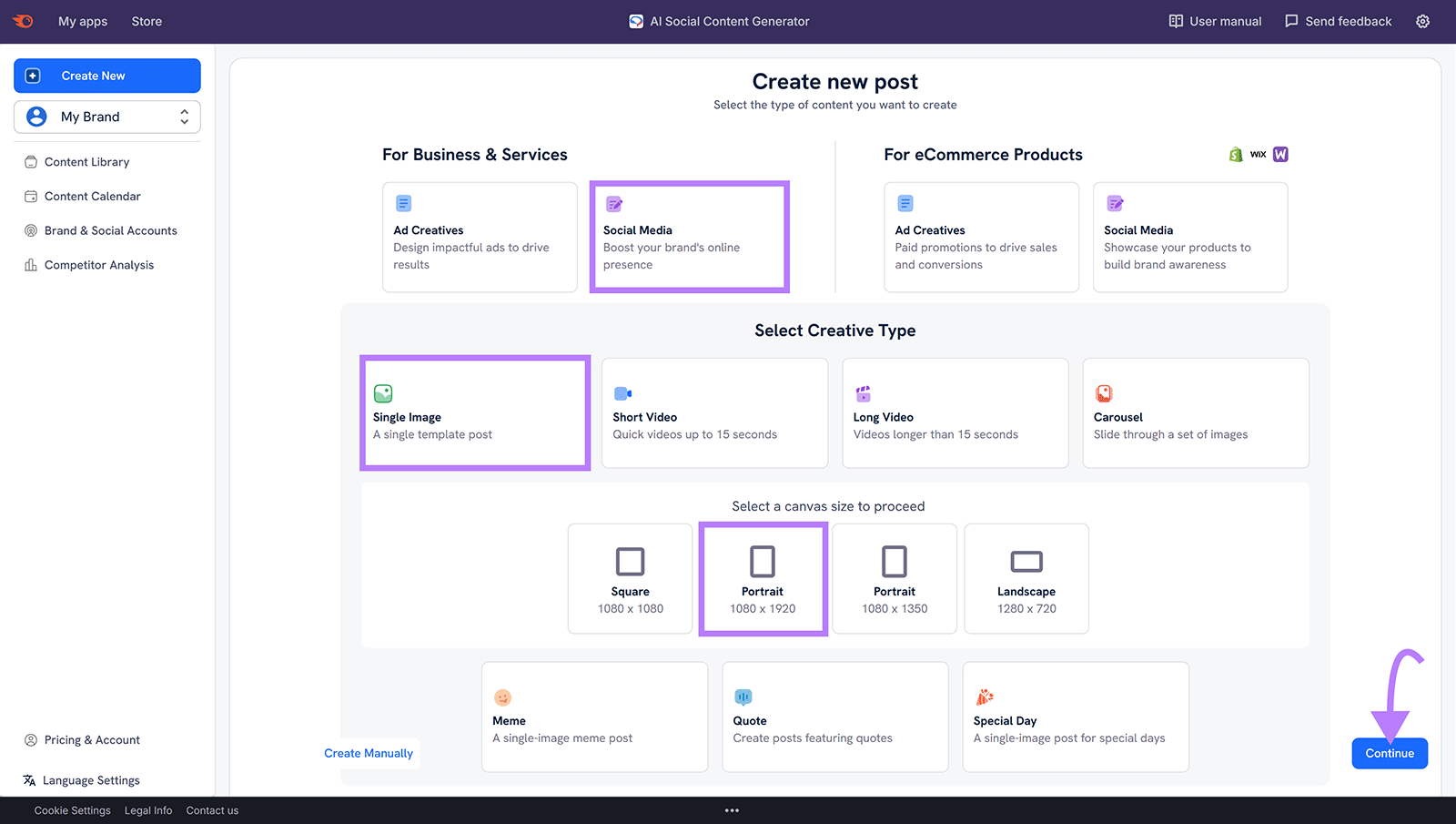
Choose “Text to Post" the drop-down at the top, briefly summarize your content (depending on the field provided), and make any adjustments with the settings.

Then, let AI Social Content Generator create your posts.

If needed, edit the AI-generated posts to better fit your brand voice or audience preferences. Then, publish them to your social media accounts.
8. Generate Content at Scale
AI tools let you create more content faster to help you scale your content efforts and possibly grow your brand awareness.
Specifically, scaling your content production helps with:
- Covering more topics on your website to increase your topical authority (your expertise)—and possibly your traffic from traditional search and AI search
- Appealing to a greater number of audience segments
- Having more content to promote across channels (e.g., blog posts, videos, and podcast episodes)
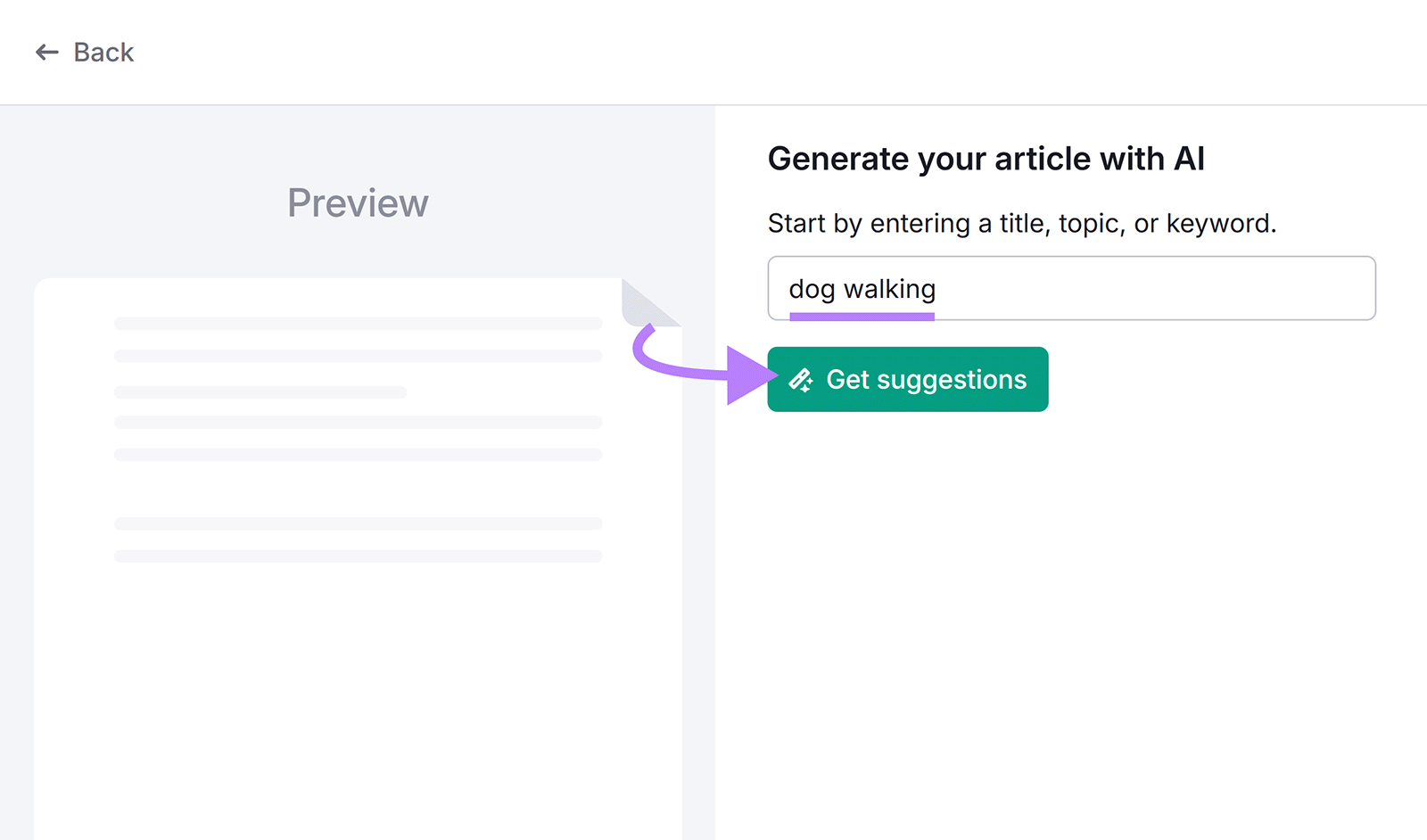
Use Semrush’s AI Article Generator to generate SEO-friendly blog posts at scale. Get started by entering a topic or idea and clicking “Get suggestions.”
Customize your parameters (e.g., title, target keywords, etc.) if needed and make sure you’ve checked the box next to “SEO booster.” And click “Create article.”
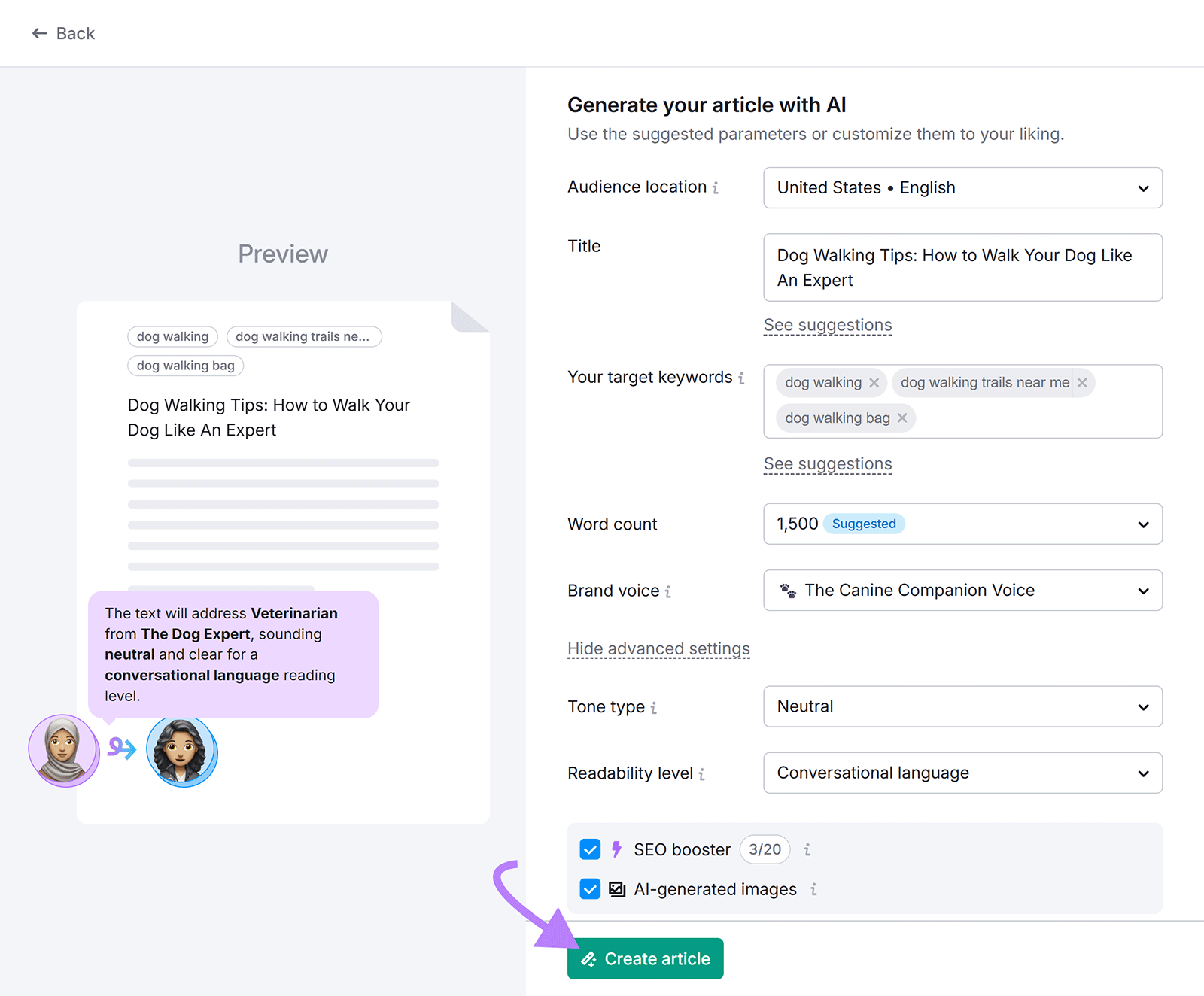
Starting your articles from a working draft (rather than a blank page) can save you significant time. So you can publish more content that your audience is interested in.

9. Get Suggestions for Improving Your AI Visibility
Using a tool that tracks your AI mentions and AI citations to automatically generate large language model (LLM) strategy suggestions streamlines performance analysis.
Semrush’s AI Visibility Toolkit shows you:
- Questions users ask AI models that are relevant to your business
- How favorably you’re mentioned in AI tools
- AI-generated recommendations to improve your strategy
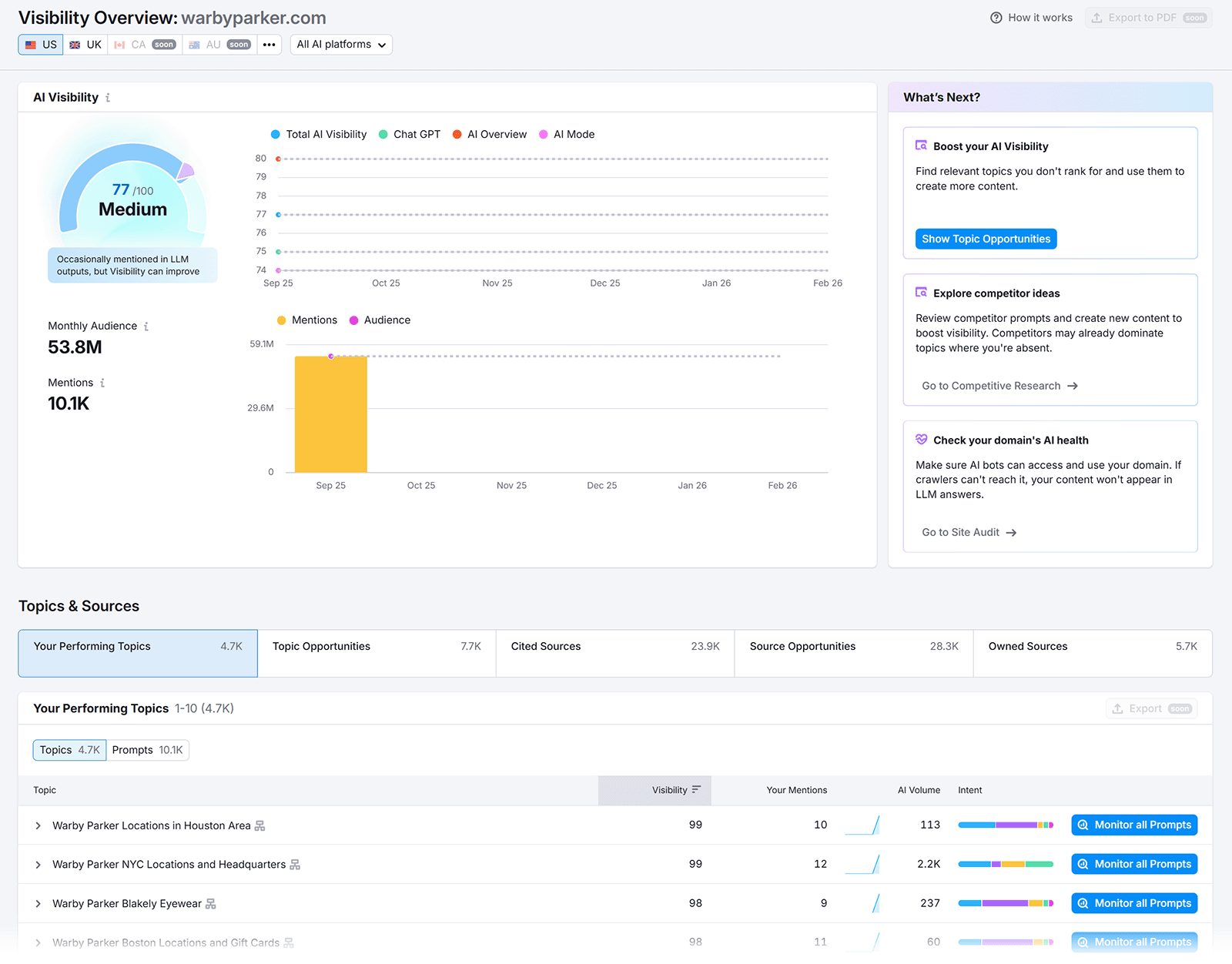
Acting on the AI-generated suggestions can help you improve your visibility in LLMs and give you an edge over your competitors.
What Marketers Say About Using AI for Content Strategy
We asked over 100 marketers to provide real-world examples of how they use AI in their content strategy and what benefits have resulted.
Below are the top five tasks they mentioned:
| Content Task | % of Surveyed Marketers |
|---|---|
| Content drafting | 35.8% |
| Topic ideation | 23.5% |
| Competitive research | 21.6% |
| Content outlines/briefs | 18.8% |
| Keyword research and clustering | 17.9% |
Colleen Barry, Head of Marketing at Ketch, says:
“ My team now uses AI to generate a solid outline and structure, which frees us up to focus on adding insights and making sure the content feels human and aligned with our brand.”
And many marketers mentioned that AI is helpful for saving time. Like Dirk Alshuth, CMO at Emma:
“The biggest benefit has been how much faster we can repurpose knowledge from inside the company into customer-facing content. Instead of relying only on subject matter experts’ limited time, AI helps us capture their expertise and scale it.”
Leverage AI Tools in Your Content Strategy
Use the above tactics in creating and launching your content strategy to see how AI can benefit you.
Fortunately, some of the tools listed in this article help you improve your visibility in LLMs as well in traditional search results.
Start getting ideas to improve your LLM visibility with Semrush’s AI Visibility Toolkit.