How to Reduce Bounce Rate: 12 Tips for Better Site Results (original) (raw)
What Is Bounce Rate?
Bounce rate measures the percentage of sessions where users don’t engage meaningfully with your site, according to Google Analytics 4 (GA4). And an unengaged session is counted when:
- A user views only one page
- The session lasts less than 10 seconds
- No conversion events are triggered
Bounce rate isn’t a confirmed Google ranking factor. But a high rate often signals users aren’t getting what they want or that there are other issues with your site.
Working to address these problems can positively affect your performance.
A good bounce rate varies by industry. But most websites should aim for 40%-60%. Lower is generally better.
12 Tips to Reduce Your Bounce Rate
1. Satisfy User Intent
Your SEO-focused pages need to align with what users are looking for. Otherwise, those visitors will leave and contribute to a higher bounce rate.
For example, the search "how to fix a leaky faucet" reveals people are looking for a step-by-step guide. Which you can tell by looking at the results:
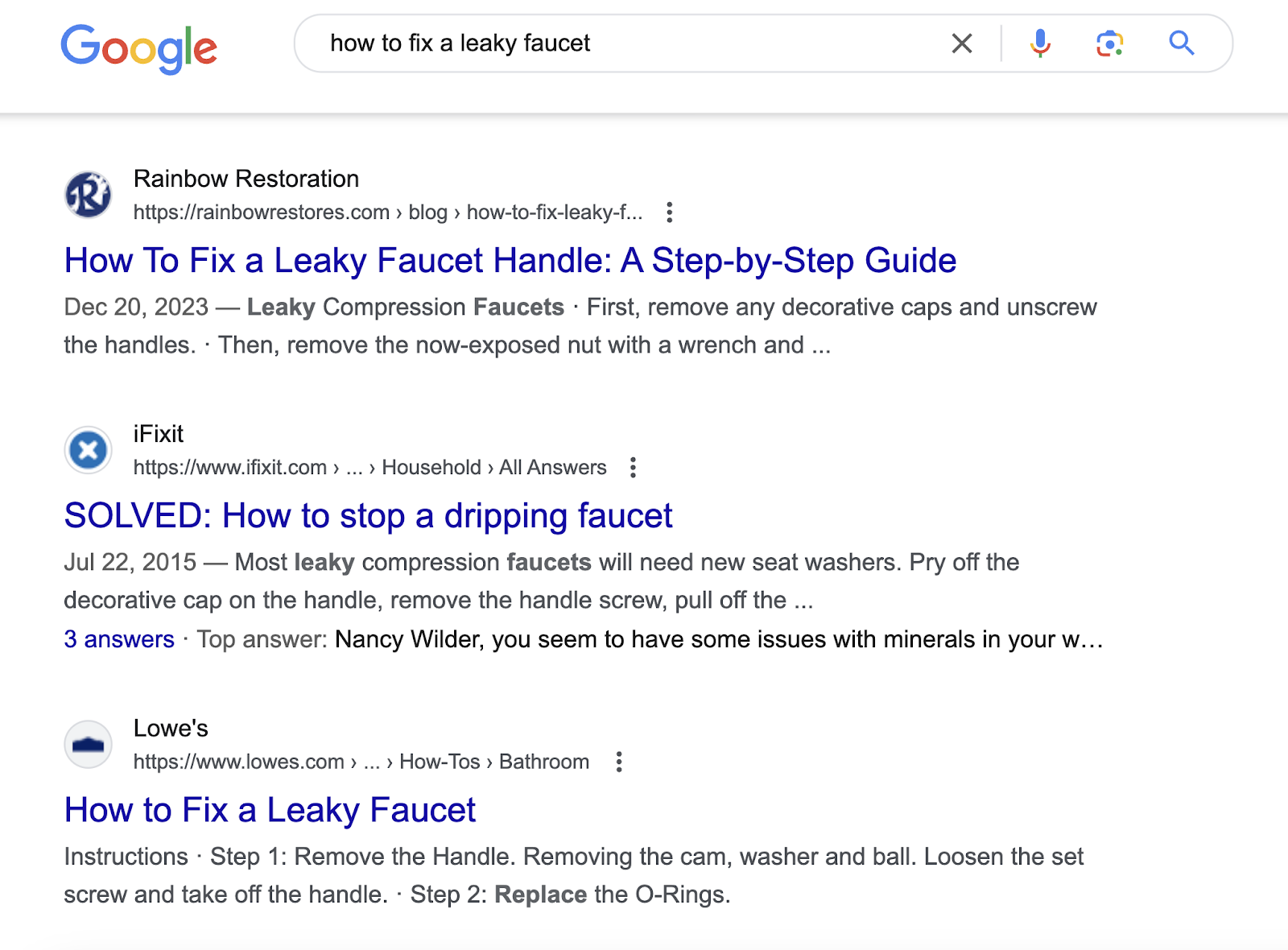
So, if your page focuses on selling plumbing services and doesn’t include any DIY information, it doesn’t satisfy the user's intent.
To match your content with what users want from search results, identify the intent behind your target keywords using Keyword Overview.
Open the tool, enter your keyword, select your country, and click “Search.”
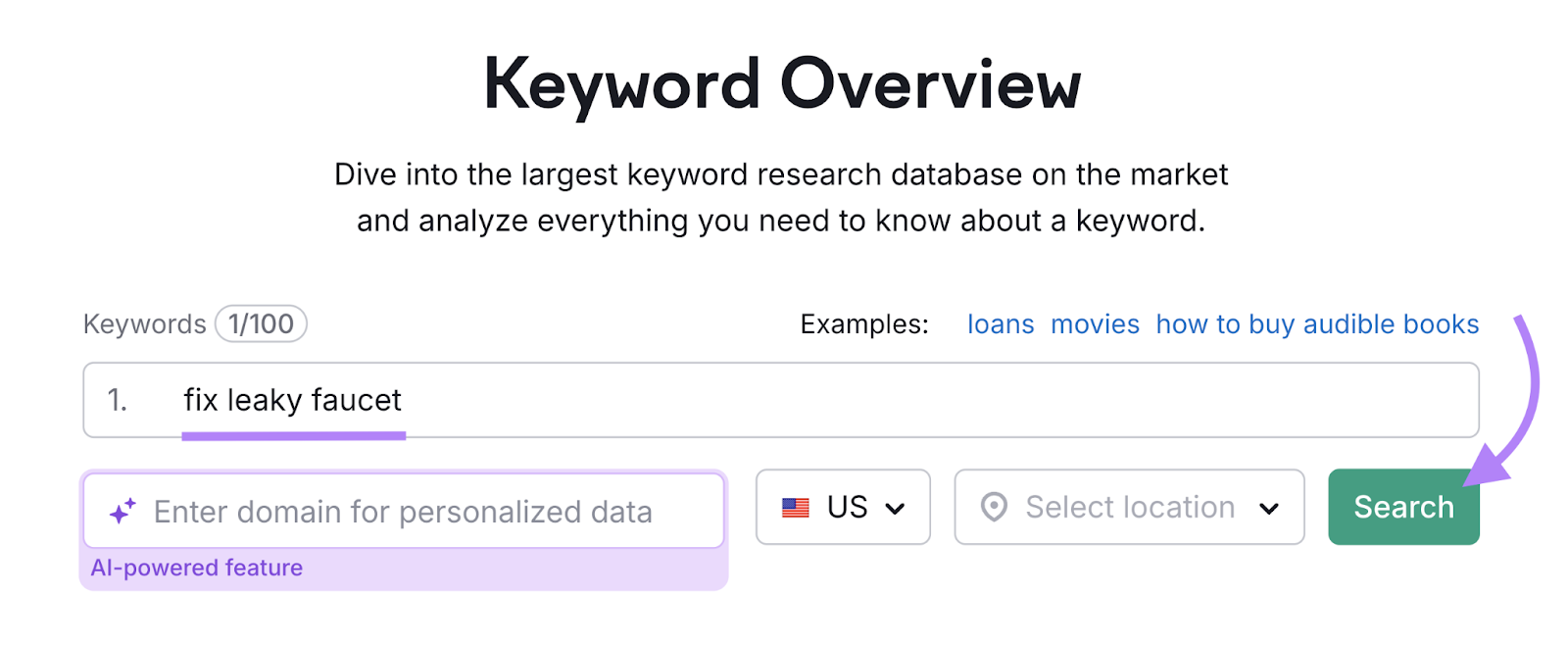
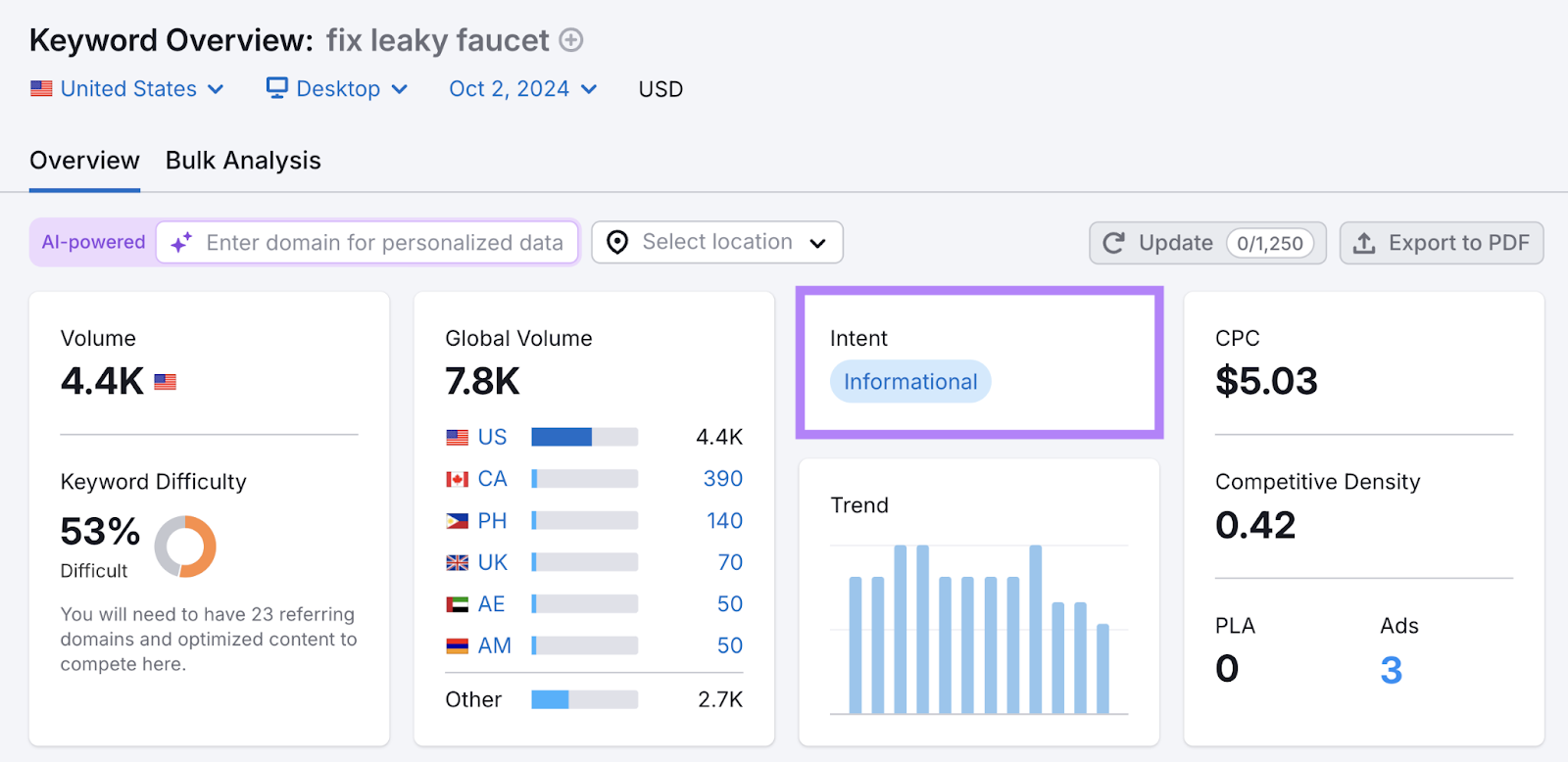
Check the “Intent” box in the default “Overview” report. Here, you’ll see one or more of the four main search intent categories:
- Informational: Users want to learn something
- Navigational: Users are looking for a specific page or site
- Commercial: Users want to do research before buying
- Transactional: Users want to make a purchase or complete a similar action
Next, scroll down to the "SERP Analysis" table in Keyword Overview. Click on the external link icons to visit the top-ranking pages. And study them to understand what users expect.
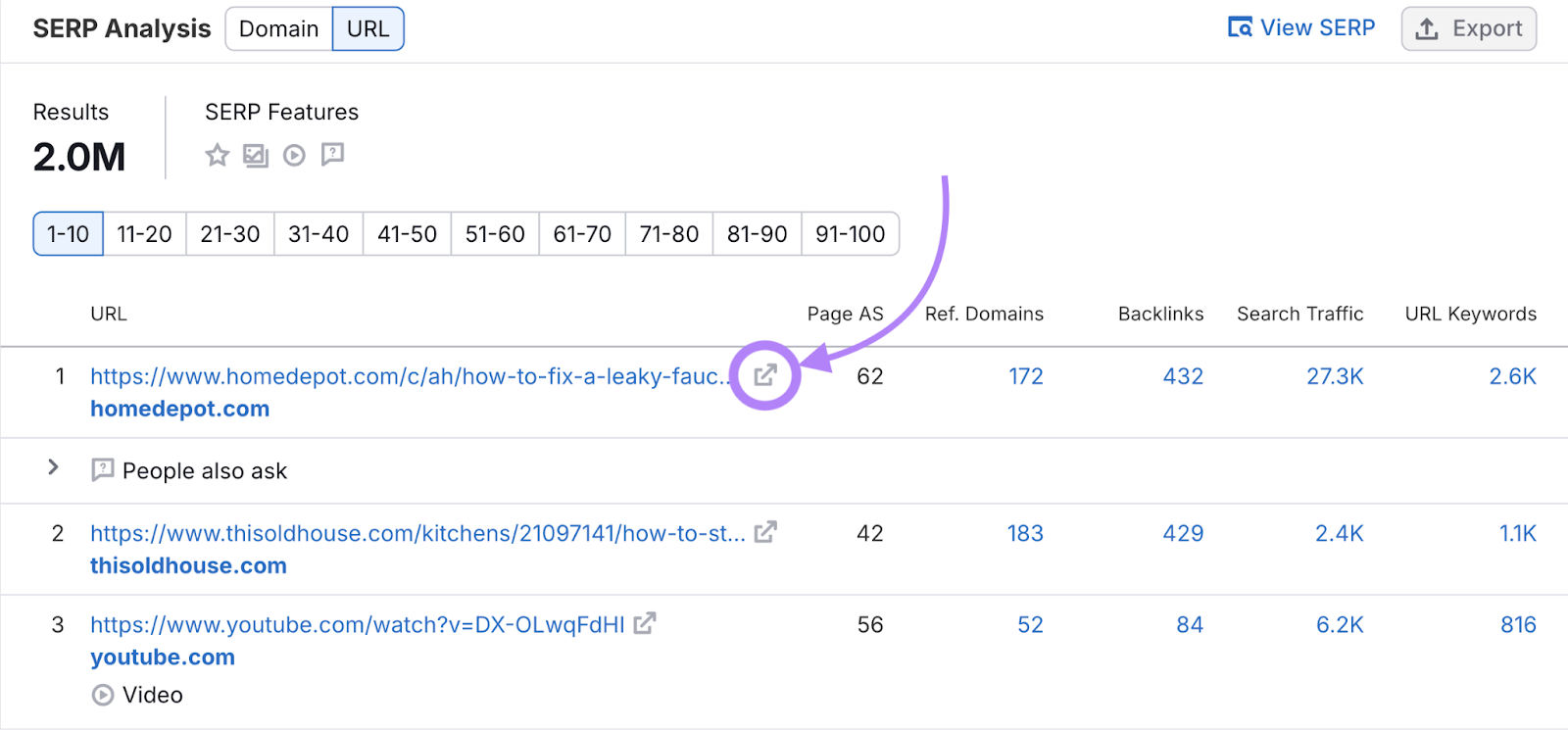
For our "how to fix a leaky faucet" example, the top-ranking pages cover multiple faucet types and provide step-by-step instructions. Some even feature video tutorials, like this page from The Home Depot:
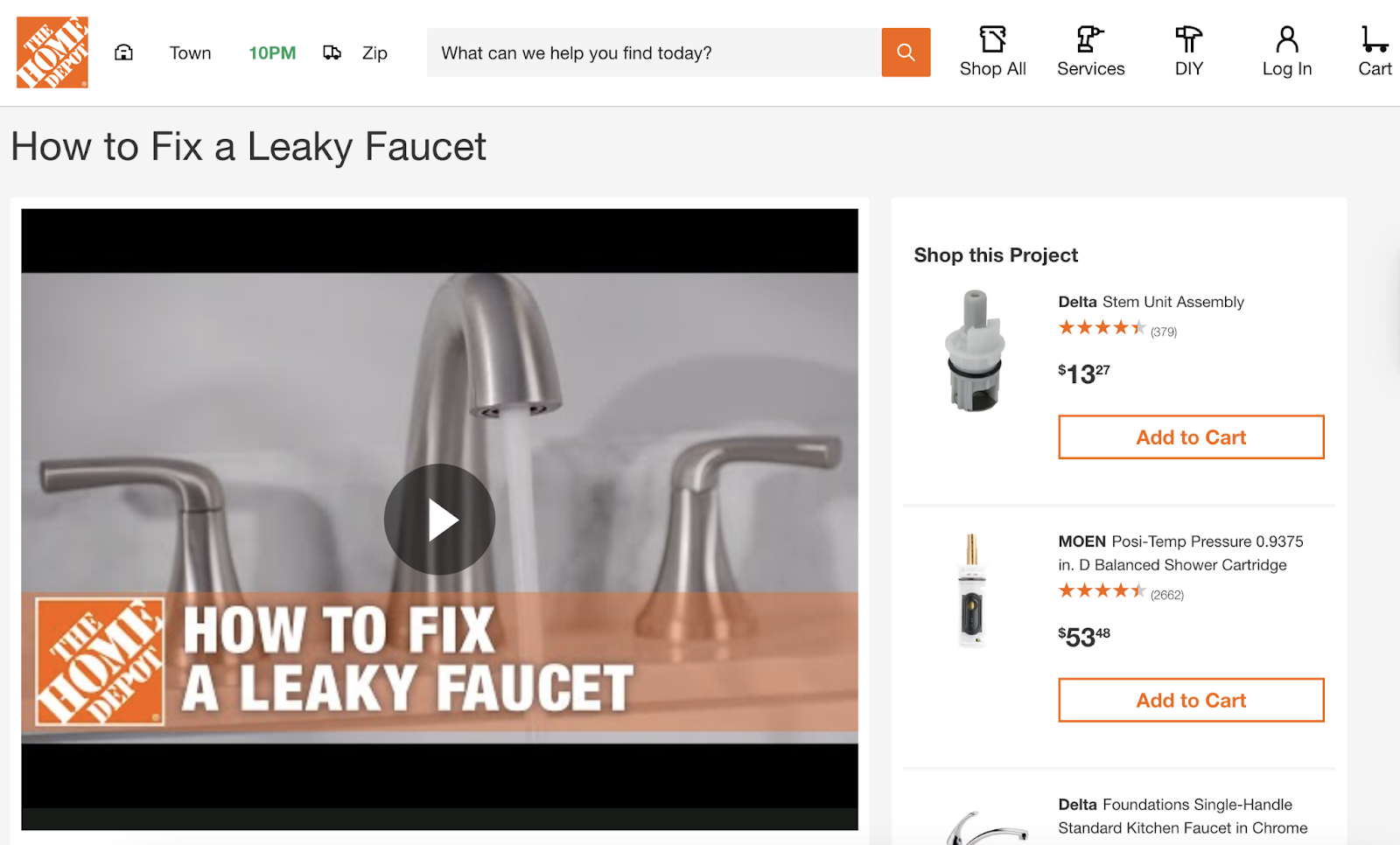
Evaluate whether your page has these elements. If not, incorporating them will help you satisfy user intent. Which can improve engagement and reduce bounce rates.
Further reading : What Is Keyword Intent & How to Align Keywords with User Needs
2. Speed Up Your Website
A slow-loading site prevents users from being able to interact with your content when they want to—which leads to them quickly leaving. This is why you should aim to keep your site as fast as possible.
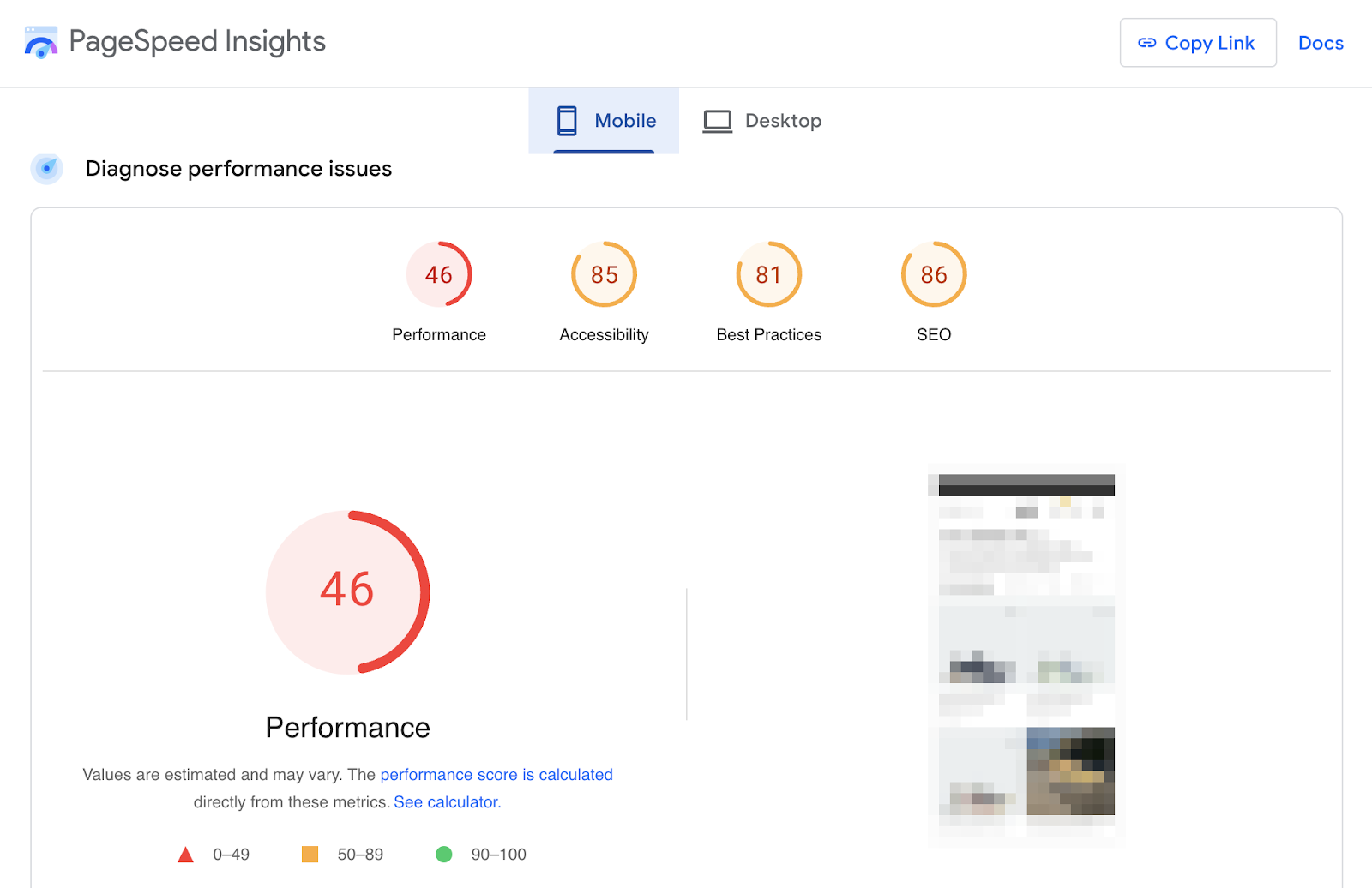
To check an individual page’s speed on your site, use Google’s PageSpeed Insights tool.
It gives you a performance score out of 100. A score of 90 or higher is considered very good.
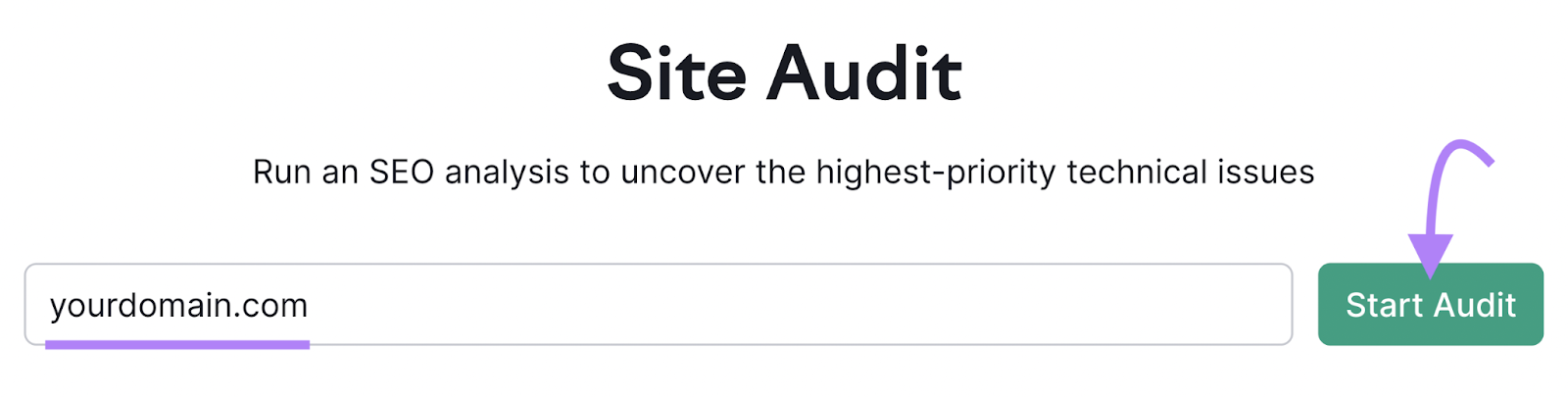
To check the speed across your entire website, use Semrush’s Site Audit tool.
Open the tool, enter your domain, and click "Start Audit."
Next, follow our guide on configuring Site Audit.
Once the audit is done, you’ll see an “Overview” report.
Click “View details” under “Site Performance.”
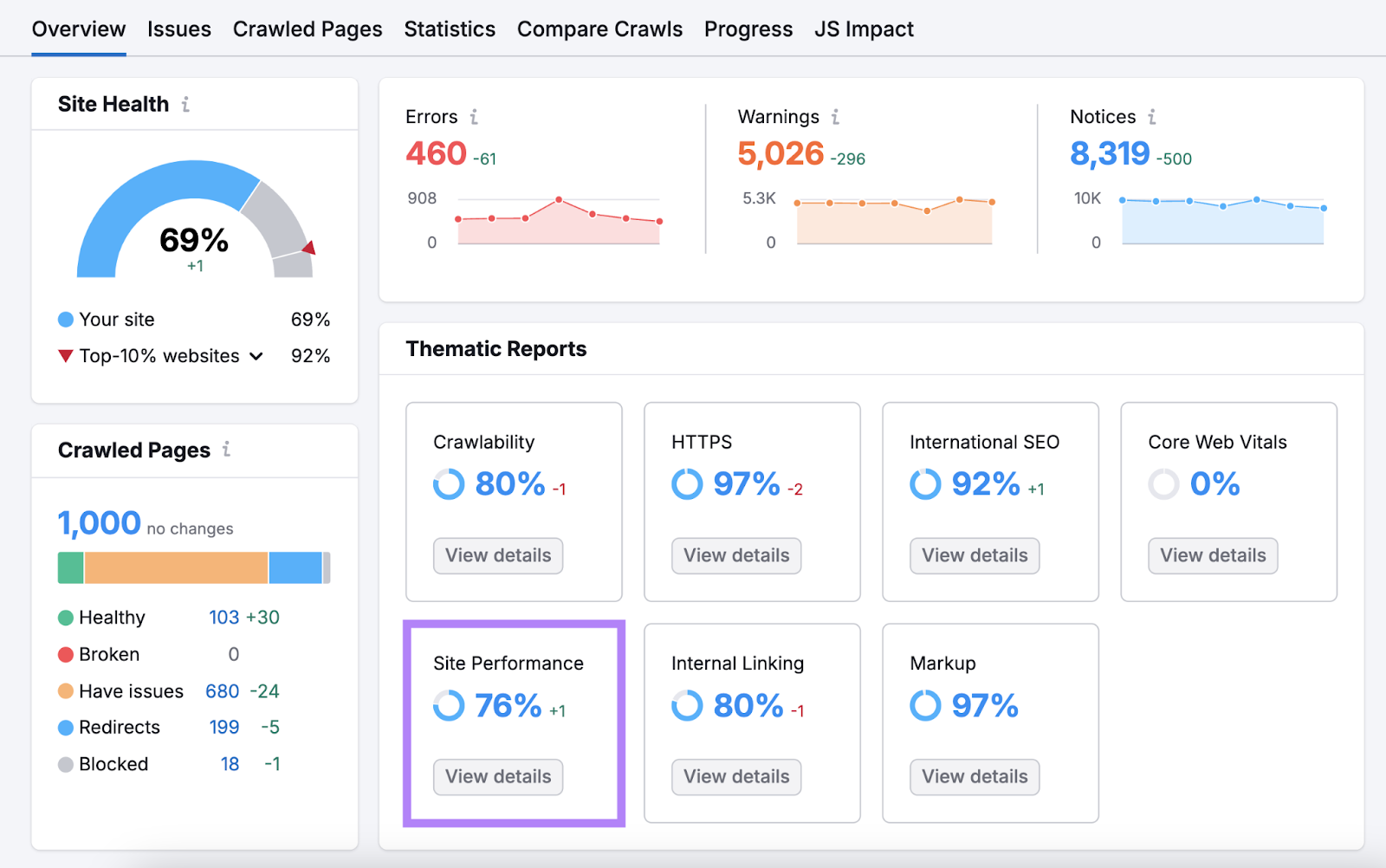
You’ll see the average page load speed.
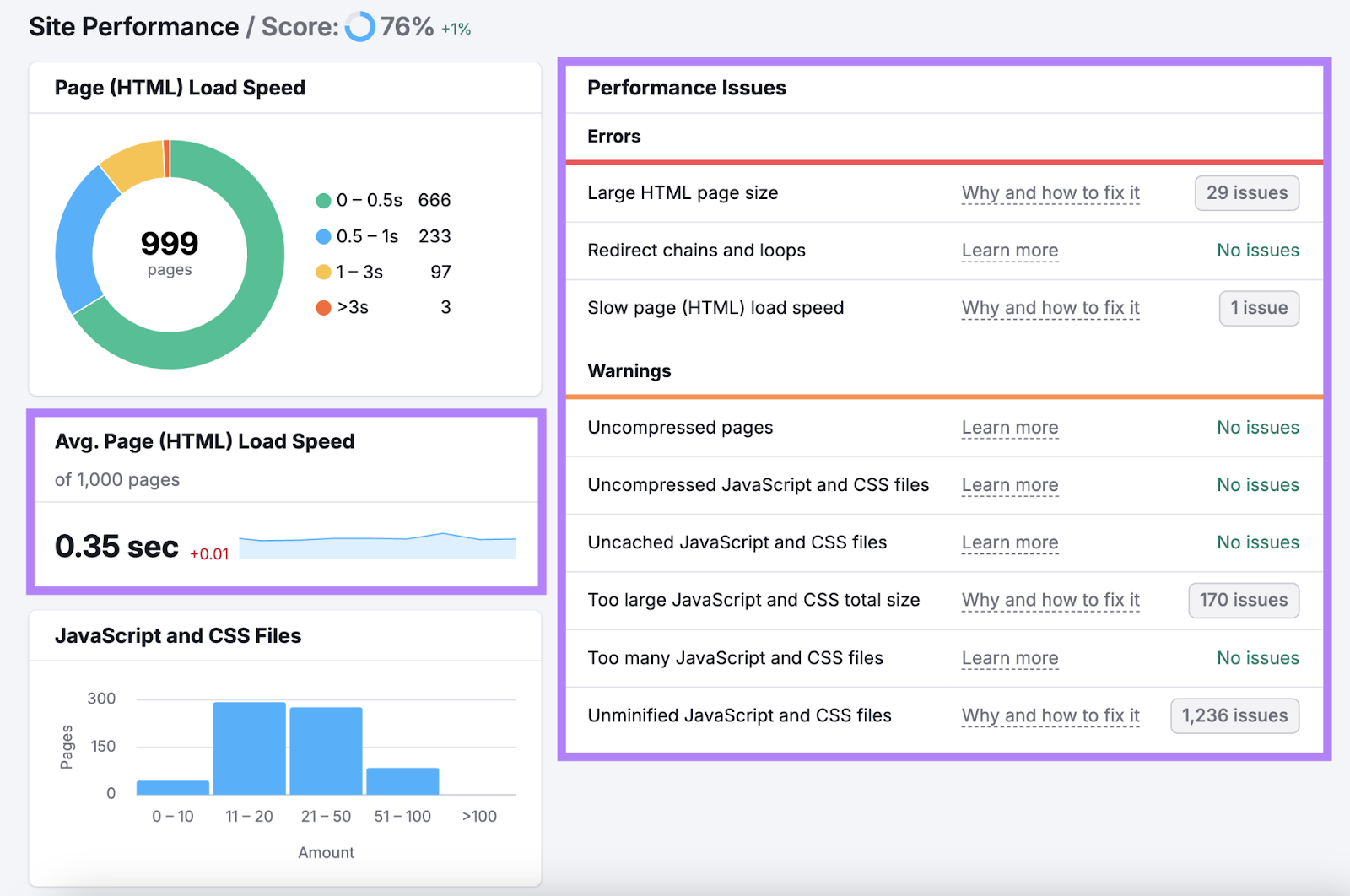
You can also view errors and warnings that are slowing down your site. Click “Why and how to fix it” next to any issue to learn more about it and how to address it.
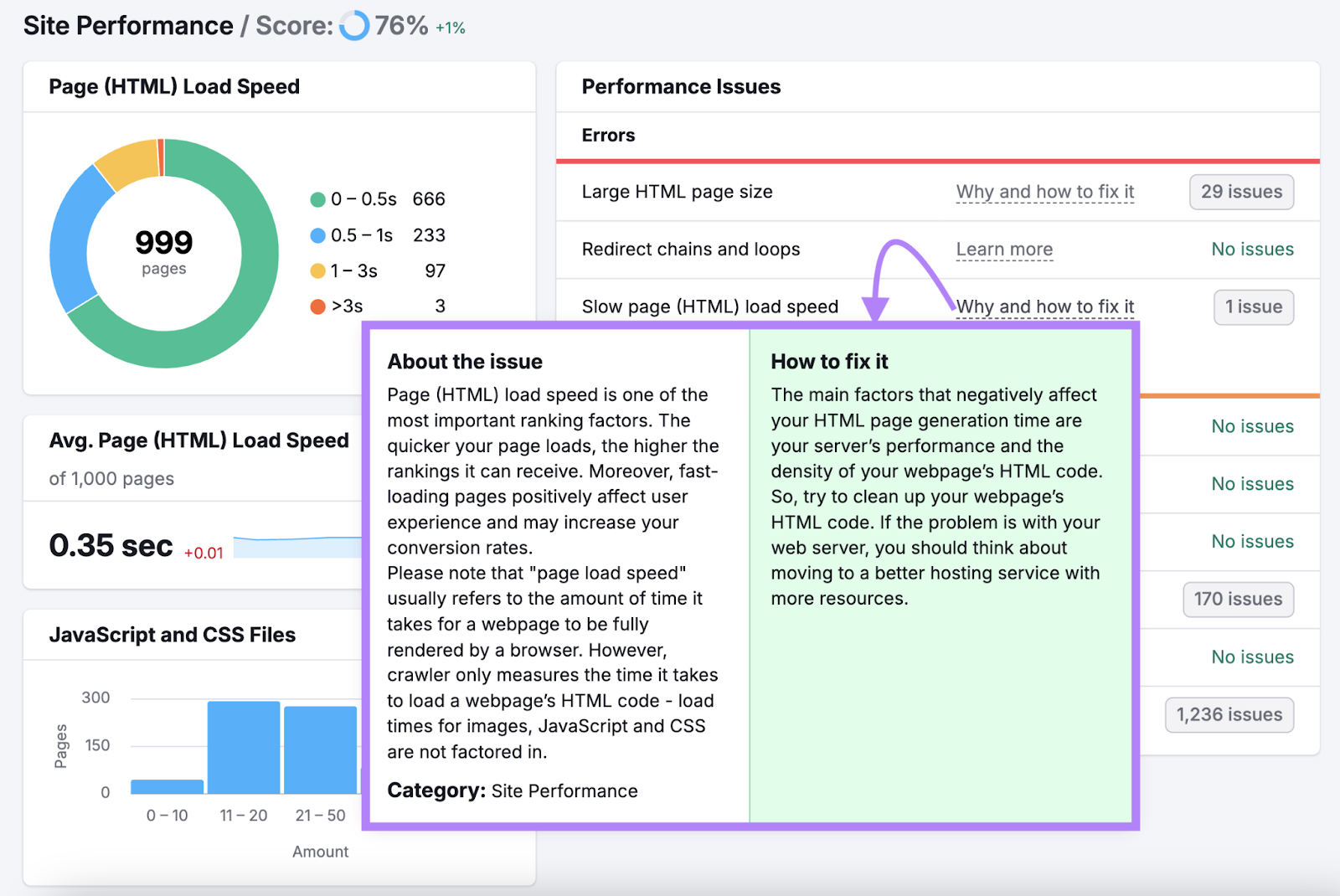
Go through each of the issues and apply the suggested fixes. (You may need to work with a developer for some.)
But in general, here are some steps you can take to speed up your site:
- Optimize images by compressing them with a tool like TinyPNG
- Enable browser caching to allow returning visitors to load your pages faster
- Use a content delivery network (CDN) to deliver content from servers closer to users' locations
- Remove unnecessary code from your pages
3. Improve the User Experience
Providing good user experience (UX) reduces your bounce rate. Because people are more likely to stay and engage when your site is easy to navigate and interact with.
This is especially important when considering how to reduce bounce rate on an ecommerce website, where user-friendly navigation can significantly impact sales.
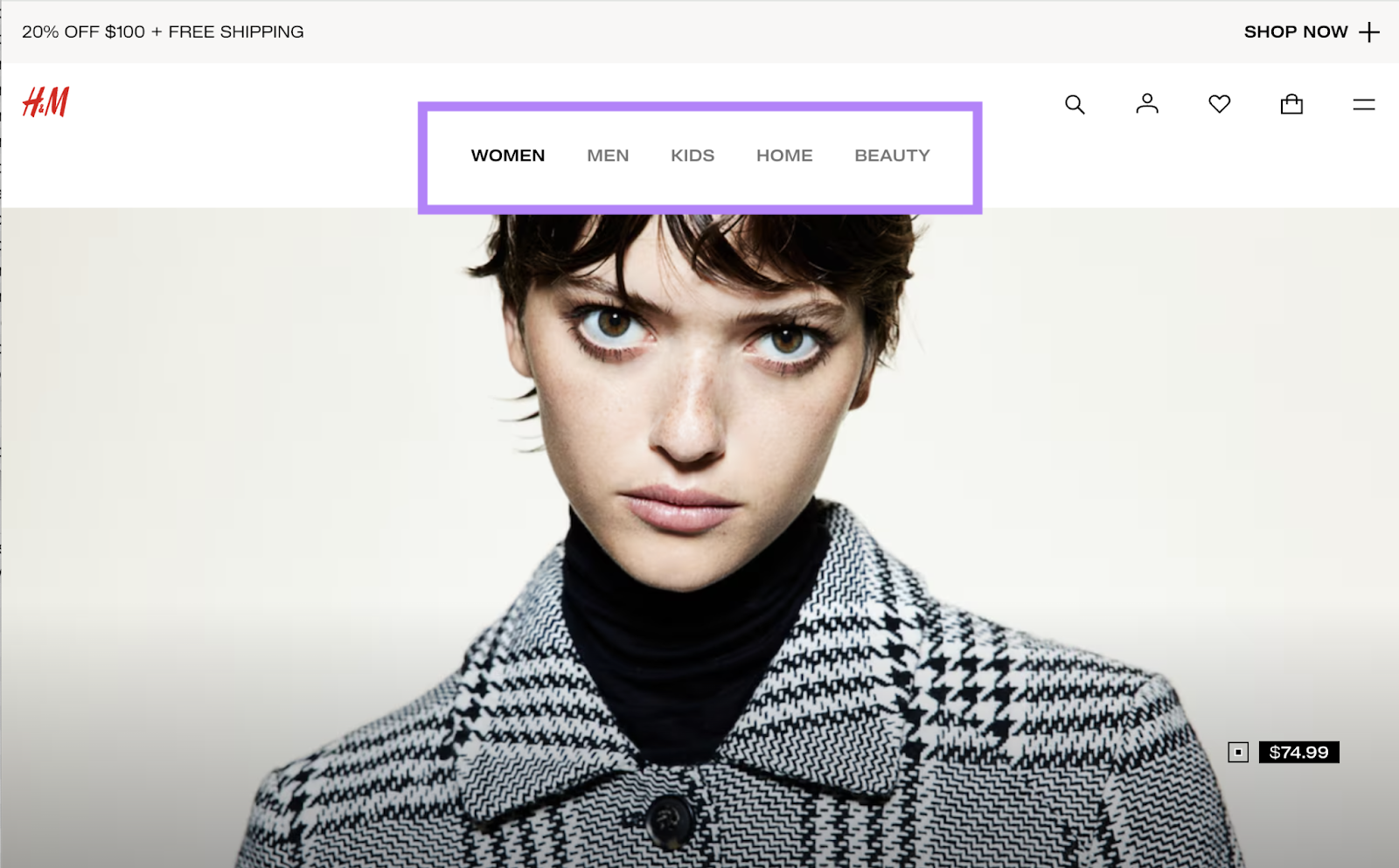
Start by limiting your main menu items to between five and seven options so navigation is simpler. And group related pages under clear, descriptive categories.
For example, an ecommerce site might use categories like "Women," "Men," and "Kids" instead of product types. Like H&M does:
Also, aim for a clean, consistent layout across all pages. Using brand-aligned colors and easily readable fonts.
And structure your content with headings, subheadings, and enough white space to enhance readability. This allows users to quickly scan and find the information they need.
You should also make your site accessible to all users—including those with disabilities—by incorporating:
- Alt text for images
- Proper color contrast
- Keyboard navigation
Finally, ensure your site is optimized for all device types. Meaning text should be readable and buttons should be easy to tap or click on smaller screens.
Focusing on these UX elements will help you create a more engaging site that encourages visitors to stay longer and explore more pages.
Check out our article on UX and SEO to learn more.
4. Create Helpful, Engaging Content
If you’re looking for ideas specifically on how to reduce your blog’s bounce rate, focusing on creating helpful content that answers your visitors' questions is a great option. Because users are more likely to stay on your site when you do this.
Start by understanding who your target audience is and what information they might be looking for.
Use One2Target to do this.
Open the tool, enter up to five competitors’ domains, and click “Analyze.”
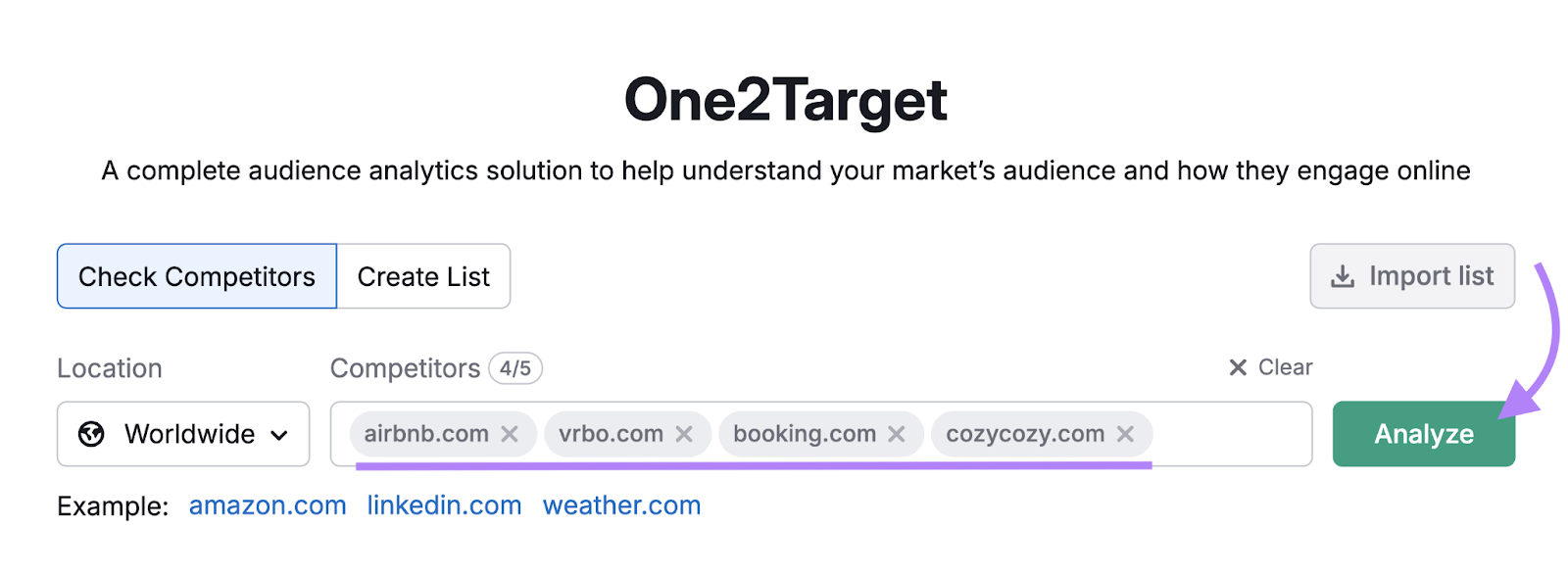
You'll see four reports:
- Demographics: Shows audience age, gender, and location breakdowns
- Socioeconomics: Shows household sizes, income levels, employment statuses, and education levels
- Behaviors: Shows audience interests, device preferences, and social media use
- Audience Overlap: Shows shared audiences between your competitors
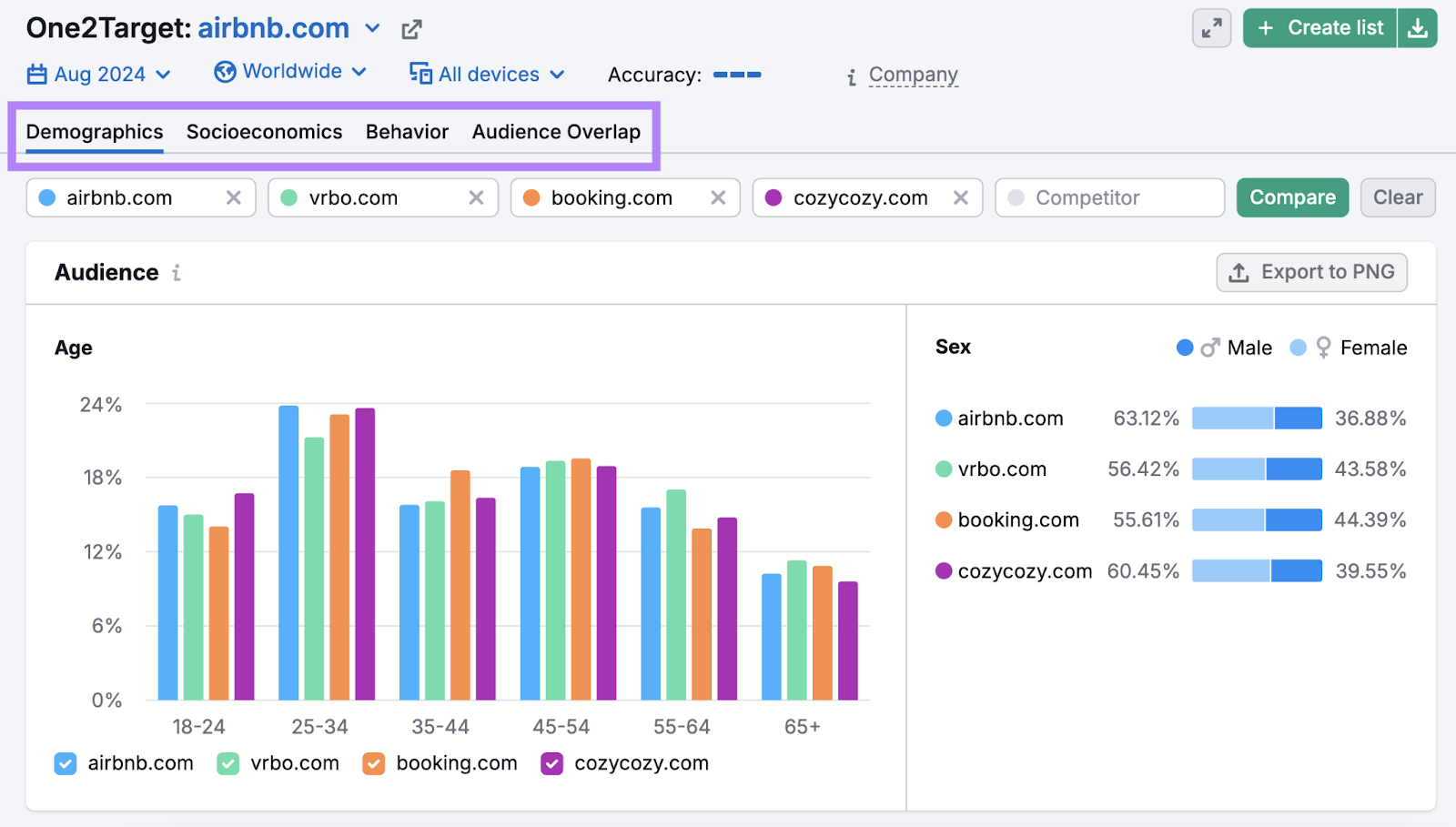
Use these insights to tailor your content's tone, perspective, and cultural references to resonate with your audience.
For example, if your audience is young professionals interested in fitness, you might use more dynamic language. And reference popular workout trends or health apps they're likely familiar with.
When you’re ready to write, follow these tips for creating helpful content:
- Provide actionable advice. Offer clear and practical solutions to readers' problems.
- Show expertise. Show your depth of knowledge by providing unique insights or insider information.
- Use credible sources. Back up your claims with data from reputable sources to build trust with your readers.
- Illustrate with examples. Use real-life examples or case studies to make your content more relatable and easier to understand.
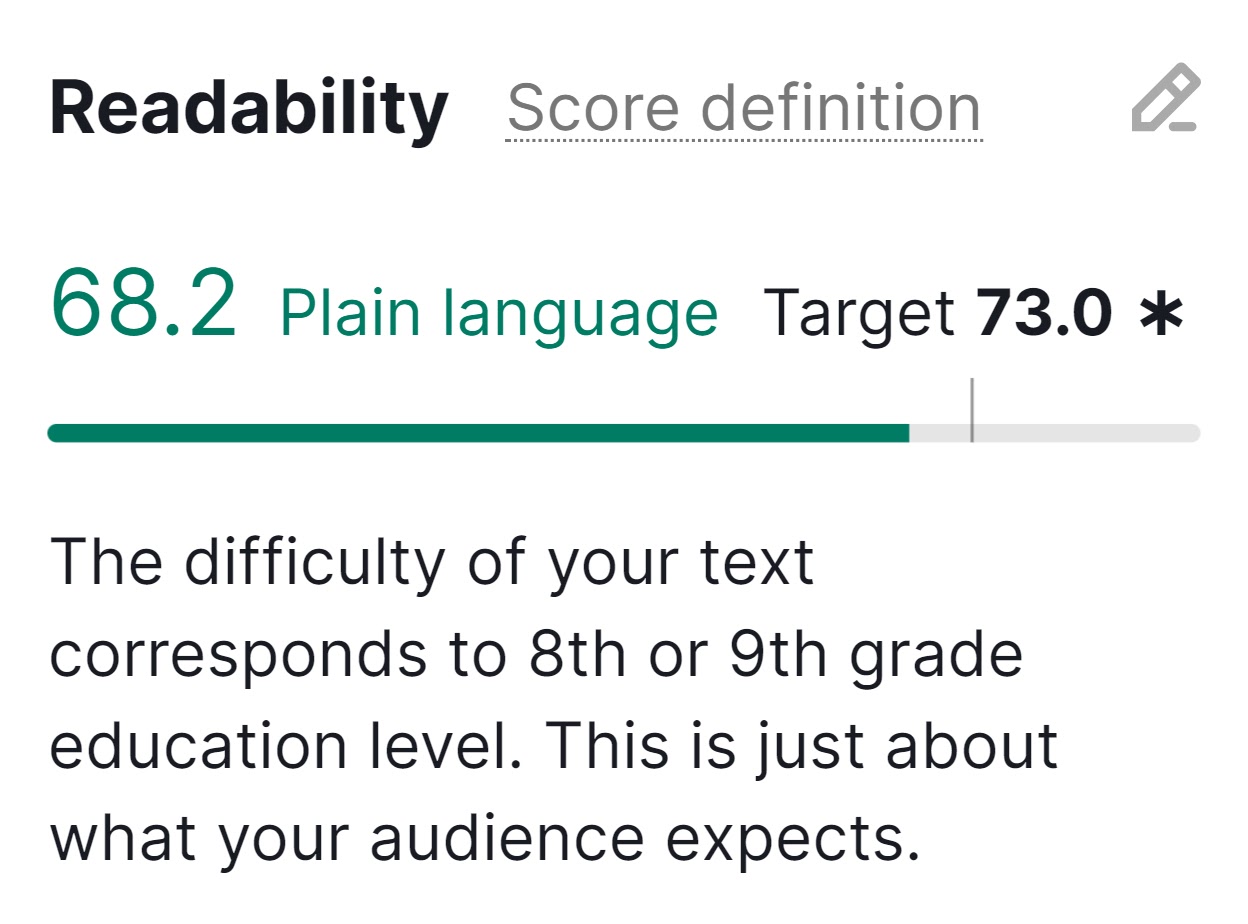
- Tailor content to your audience. Adjust your writing style and complexity to match your audience's reading level. Use Semrush's SEO Writing Assistant to measure your content’s readability.
5. Use Clear Calls to Action
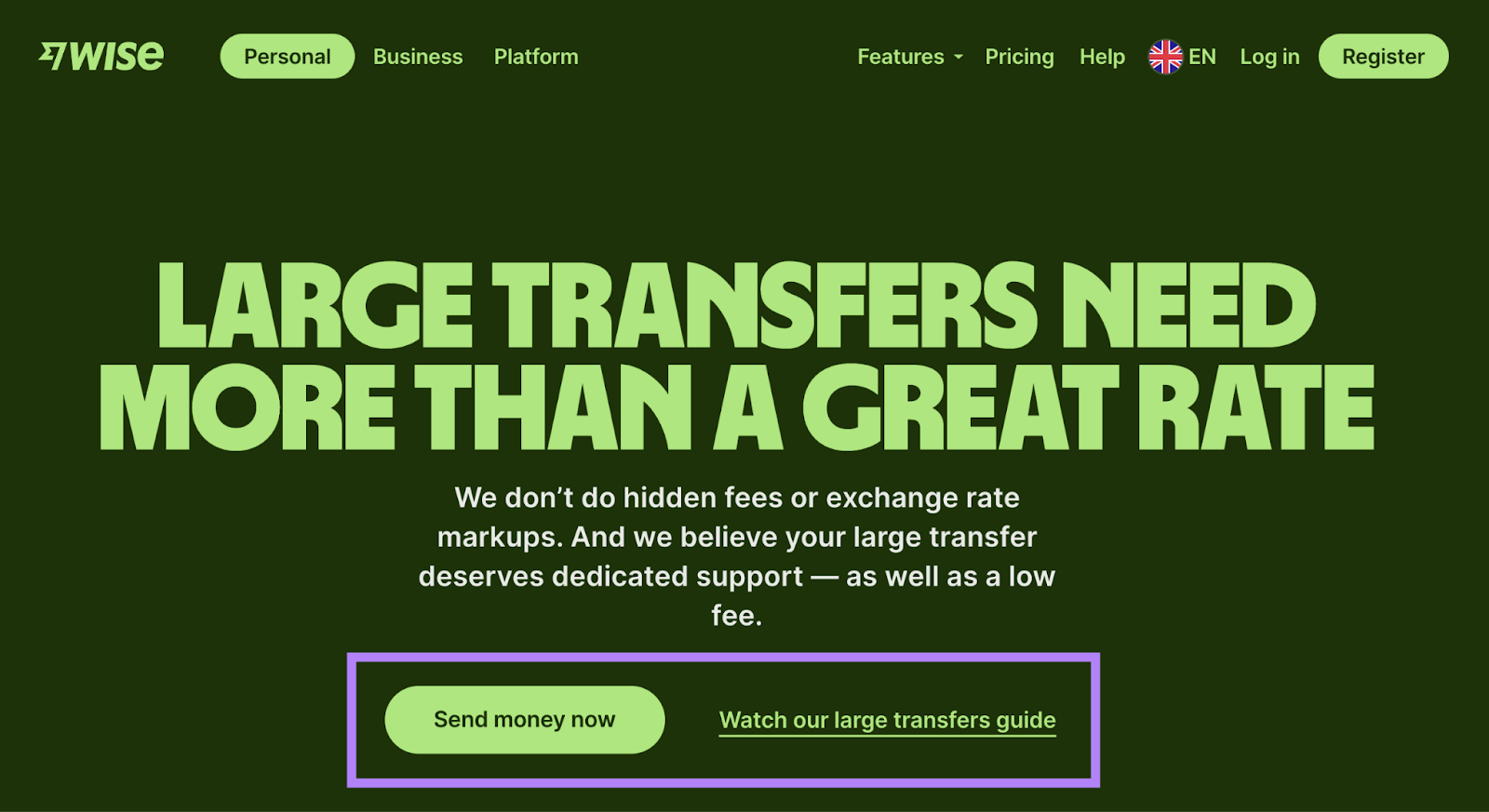
Using clear calls to action (CTAs) on your conversion-oriented pages guides your visitors on what to do next—sign up for a newsletter, make a purchase, etc. Which can reduce bounce rates.
Here’s an example of a strong CTA from Wise:
To create effective CTAs:
- Make them stand out. Use contrasting colors and plenty of white space around your CTAs to draw attention to them.
- Use action-oriented text. Start with strong verbs like "Download," "Subscribe," or "Buy" to clearly indicate the action you want users to take.
- Keep it concise. Aim for two to five words. "Start Your Free Trial" is more effective than "Click Here to Begin Your Free 30-Day Trial Now.”
- Place CTAs strategically. Position your main CTA above the fold (meaning in the section users see without scrolling), where it's immediately visible. For longer pages, repeat CTAs at logical intervals.
Further reading : 30 Attention-Grabbing Call to Action Examples
6. Make Important Content Immediately Visible
Displaying key information above the fold could reduce your bounce rate. Because when users immediately see relevant content, they're more likely to stay on your site.
Here's an example from ClickUp:
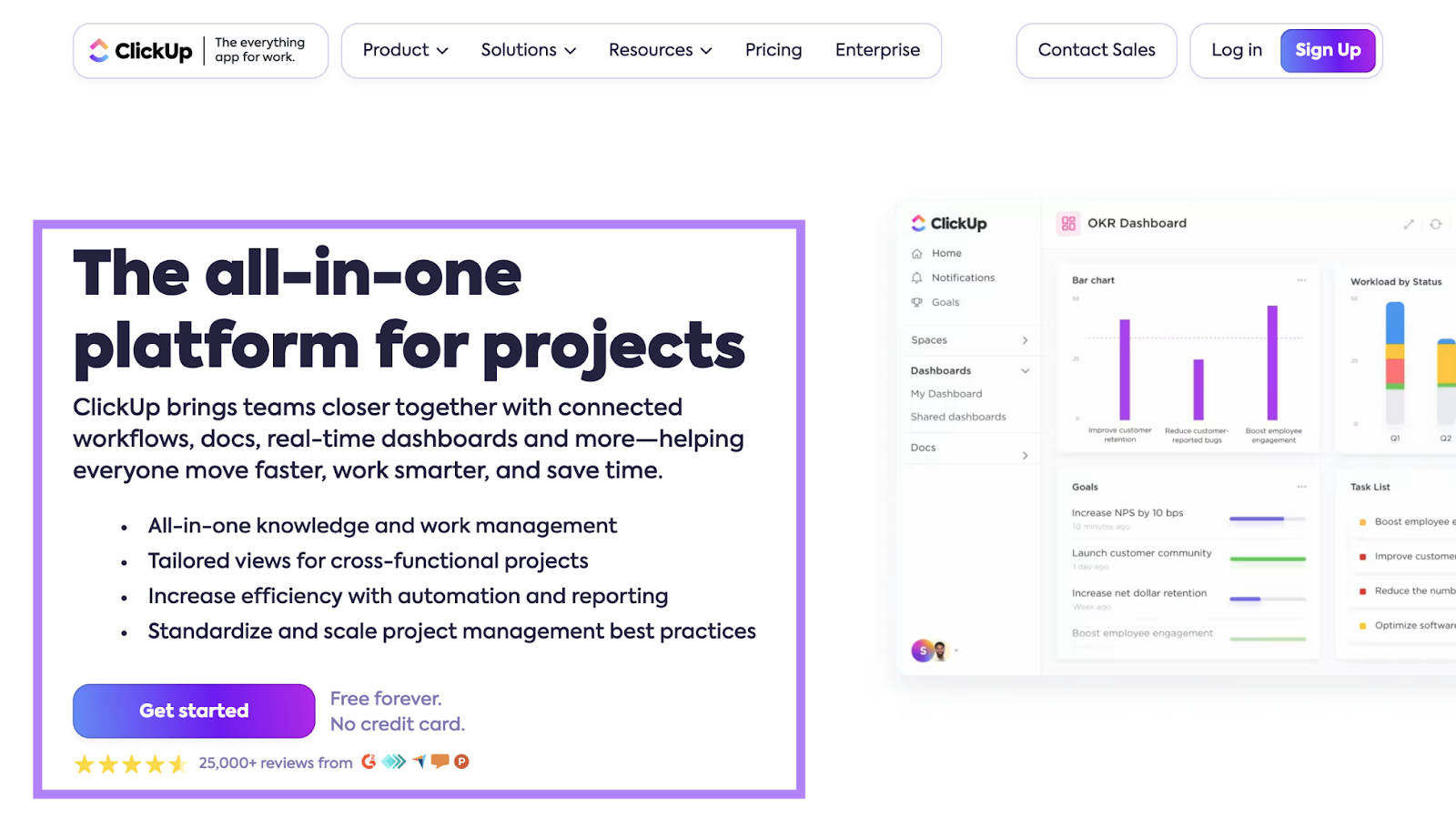
As you can see, the company clearly explains what it offers, who the solution is for, and the main benefits.
To effectively highlight your most important message above the first fold, you should:
- Think about what your visitors want. What are they looking for on your page? Product info? Contact details? Your latest blog post?
- Put the core message first. Make sure the most important information is right at the top, where visitors can't miss it.
- Use visual hierarchy. Design your page layout to draw attention to the most important elements first. Try larger fonts, contrasting colors, and strategic placement.
- Include engaging elements. Use elements like catchy headlines, high-quality pictures, and/or videos to grab attention quickly.
7. Focus on Readability
Content that’s written and formatted with readability in mind ensures visitors can easily skim and digest it. Which reduces the chances of them getting frustrated and leaving.
Consider these two versions of the same content:
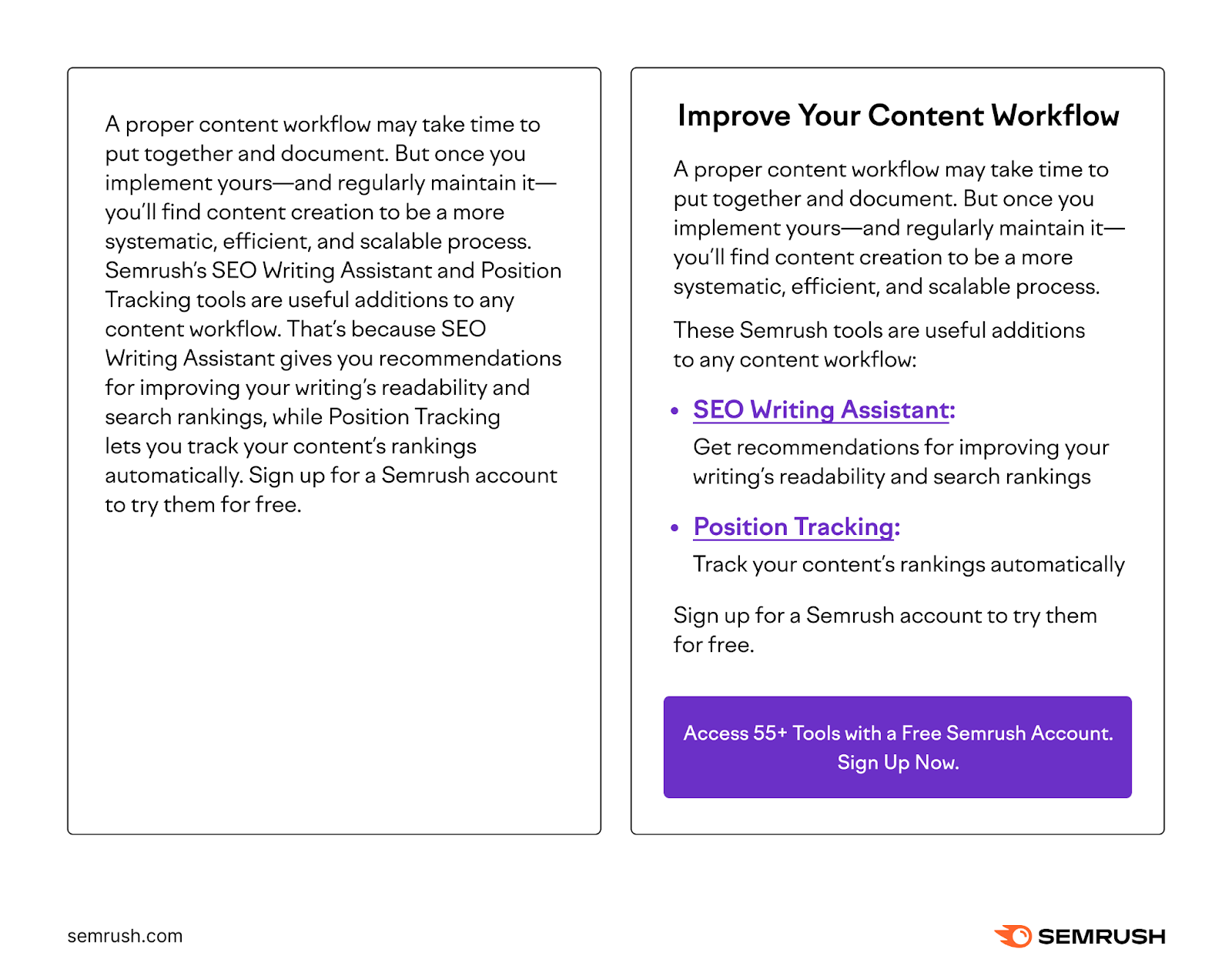
The second version is easier to read.
Here’s how to ensure your content is reader-friendly:
- Use clear language. Avoid jargon that might confuse readers. And convey concepts as clearly as possible.
- Use headings and subheadings. Break your content into smaller sections with clear headings and subheadings. This structure helps readers skim and quickly find the information they need.
- Stick to short paragraphs. Keep paragraphs short—ideally two to three sentences each.
- Include bullet points and lists. Turn data points or steps into bullet points or numbered lists so the content can be more quickly understood.
- Use ample white space. Use margins and spacing between lines and paragraphs to make it easier on the eyes.
- Be selective about your font and color scheme. Use a readable font size and style. And maintain a consistent color scheme that doesn’t distract readers.
8. Add Relevant Images and Videos
Including relevant images and videos can enrich your content and make it more engaging. Which reduces the likelihood of visitors bouncing from your site.
To effectively use visual elements in your content:
- Choose high-quality media. Use high-resolution images and videos that are directly related to the content. Avoid generic stock photos that don’t add real value.
- Add descriptive alt text. Provide alt text for all images to improve accessibility and potentially boost SEO.
- Clarify complex ideas. Use diagrams or infographics to explain difficult concepts visually.
- Show processes. Use step-by-step images or videos to show how to do something.
- Create visual consistency. Use a similar style or color scheme for images across your site to reinforce your brand.
- Use captions when needed. Add explanatory captions for complex images or when extra context is helpful. Not all images need captions.
Just make sure to balance visual elements with text. Because too many images can overwhelm users.
9. Link to Related Pages on Your Site
Linking to other relevant pages on your site (called internal linking) is a great way to provide readers with related content they may be interested in. Which could encourage them to stay and interact with your website.
As an added bonus, it also boosts your SEO by helping search engines discover your pages.
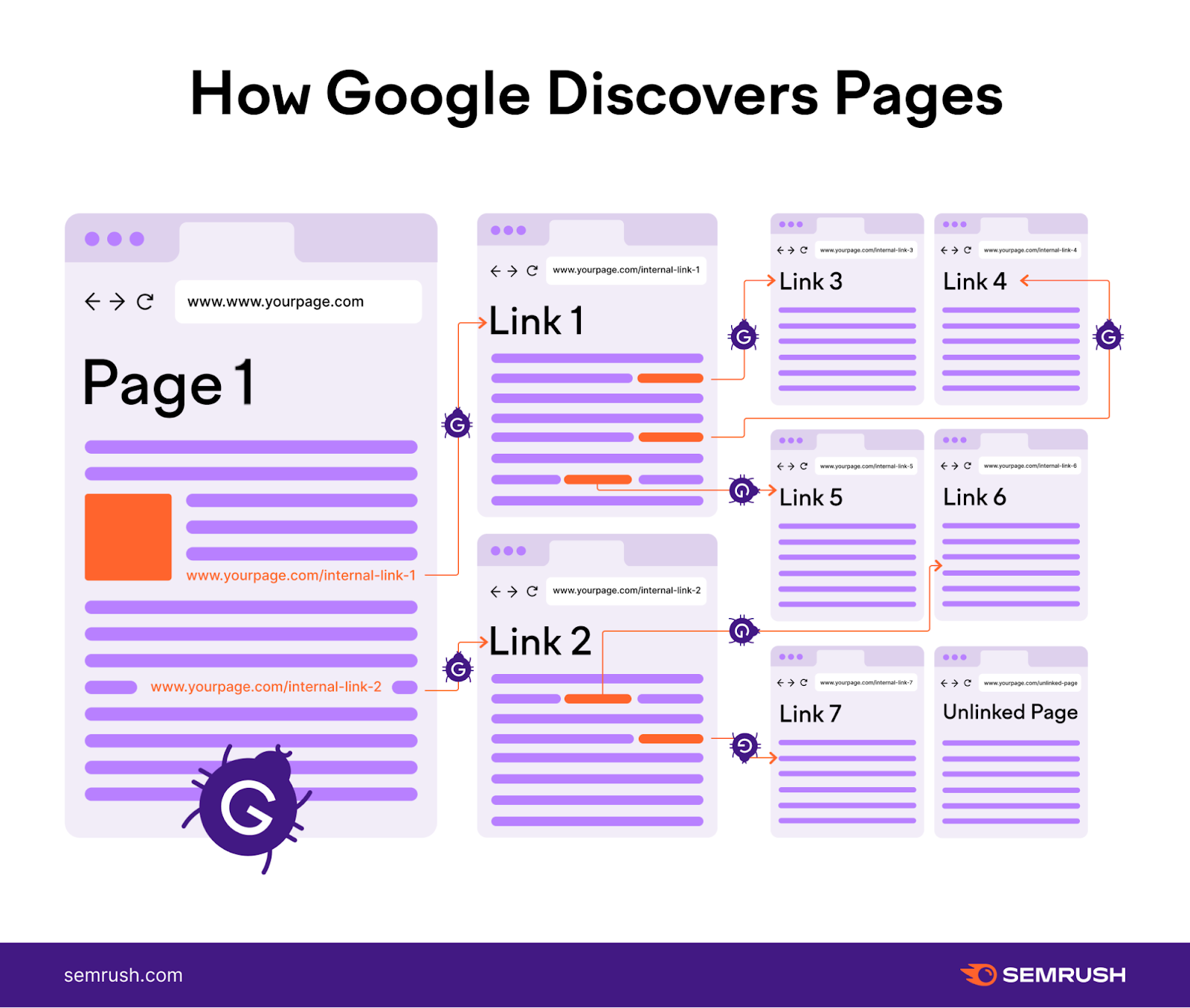
Here are some tips for incorporating internal links:
- Use contextual links. Include links within the body of your content where they naturally fit, guiding readers to related topics.
- Use descriptive anchor text. Make sure the anchor text for your links is informative and relates to the pages they’re linking to. Avoid vague phrases like "click here."
- Add navigation and sidebar links. Use your navigation features and sidebar to help readers to get to the most important places on your website.
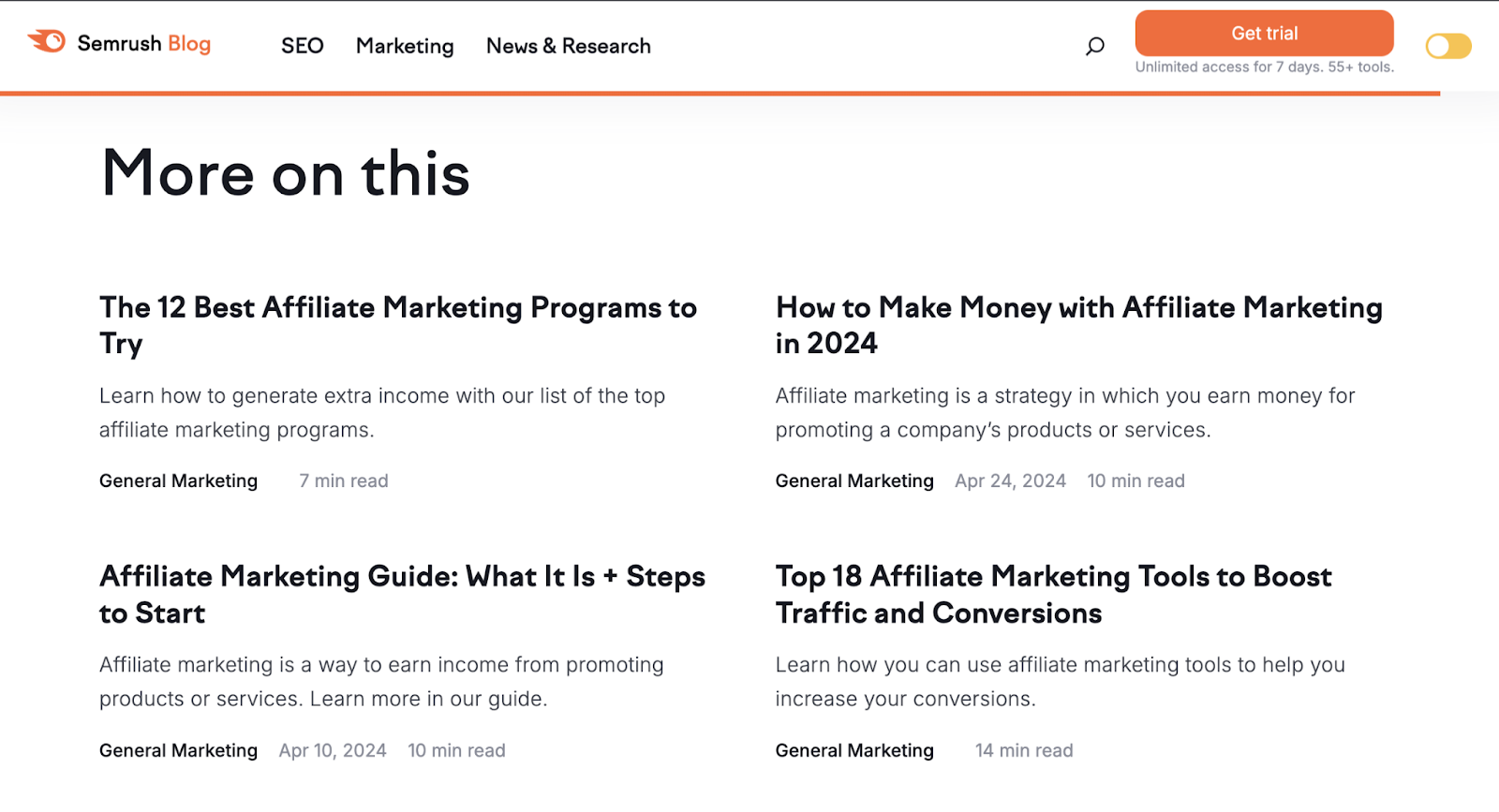
- Try a related articles section. List related articles at the end of blog posts and other informational content. So readers can easily find more content they’re likely interested in. Like we do on our blog:
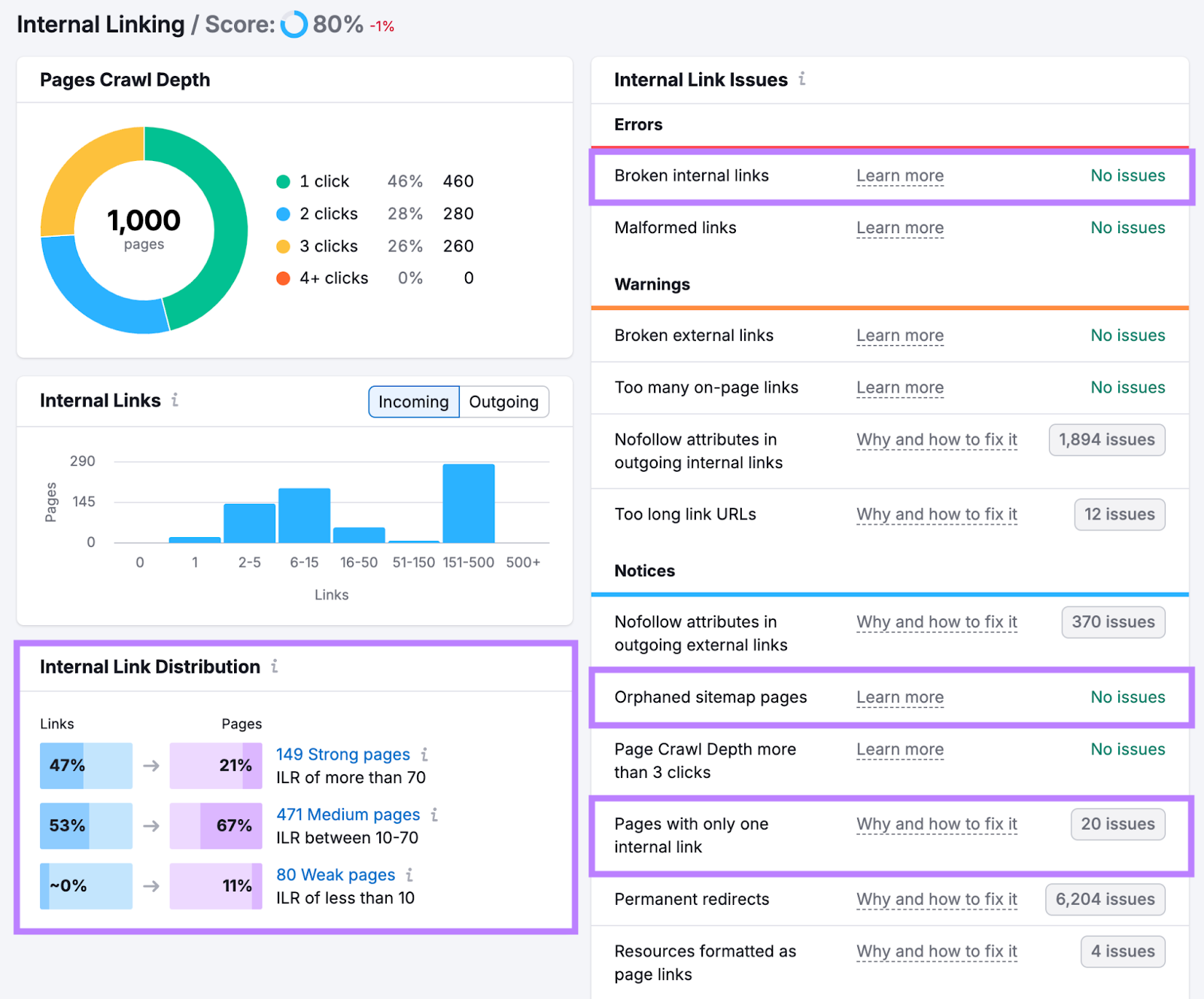
If you need help studying your internal links and finding pages that need more, use Site Audit.
From the “Overview” report, click “View details” under “Internal Linking.”
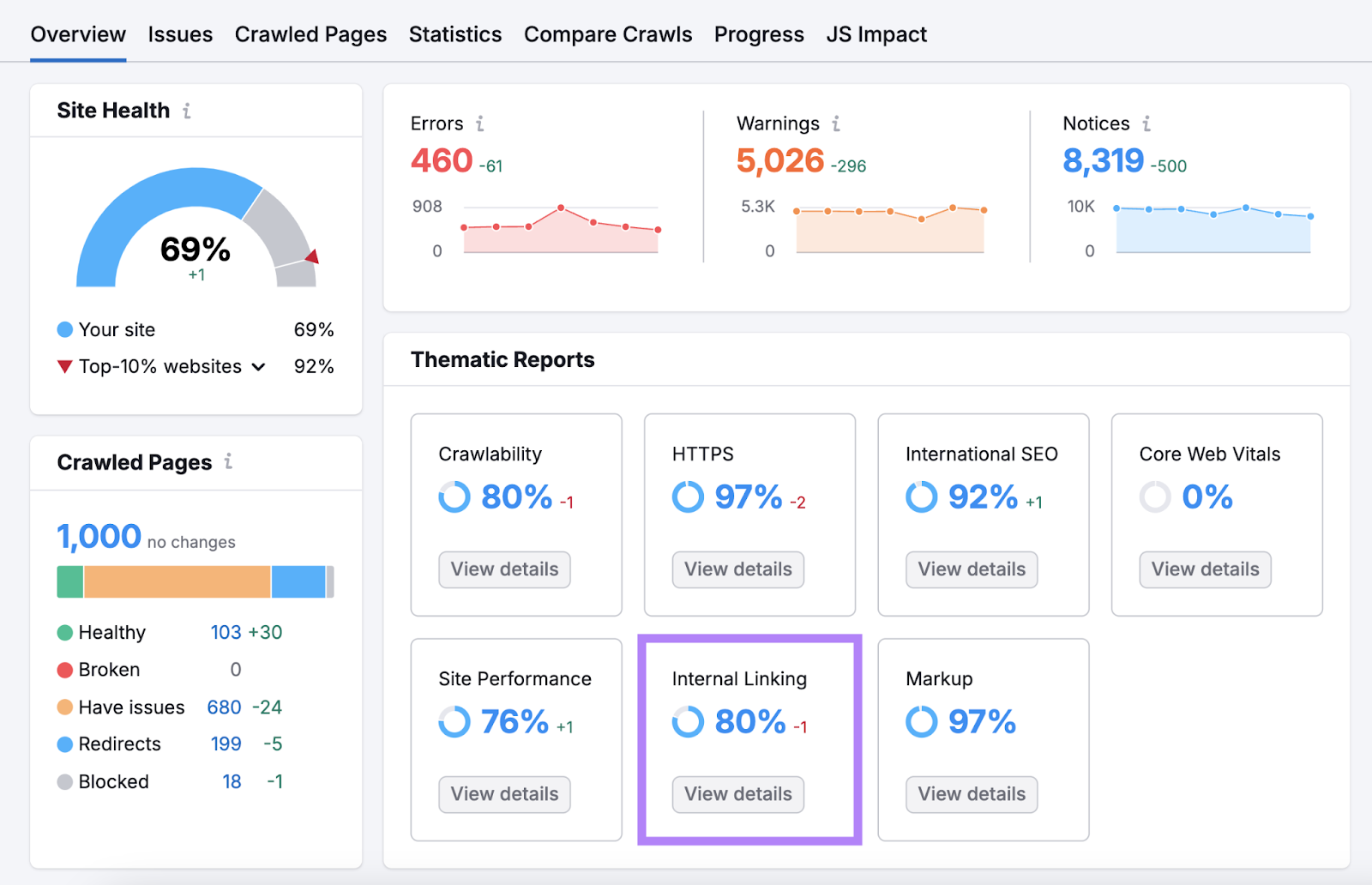
You can now see how internal links are distributed across your site.
There’s also a list of issues related to linking that you should assess. Addressing any of those problems could improve your site’s overall performance.
10. Try A/B Testing
A/B testing involves creating two versions of a page, changing just one element, and seeing which performs better. Which helps you find the most effective elements on your pages to keep visitors engaged.
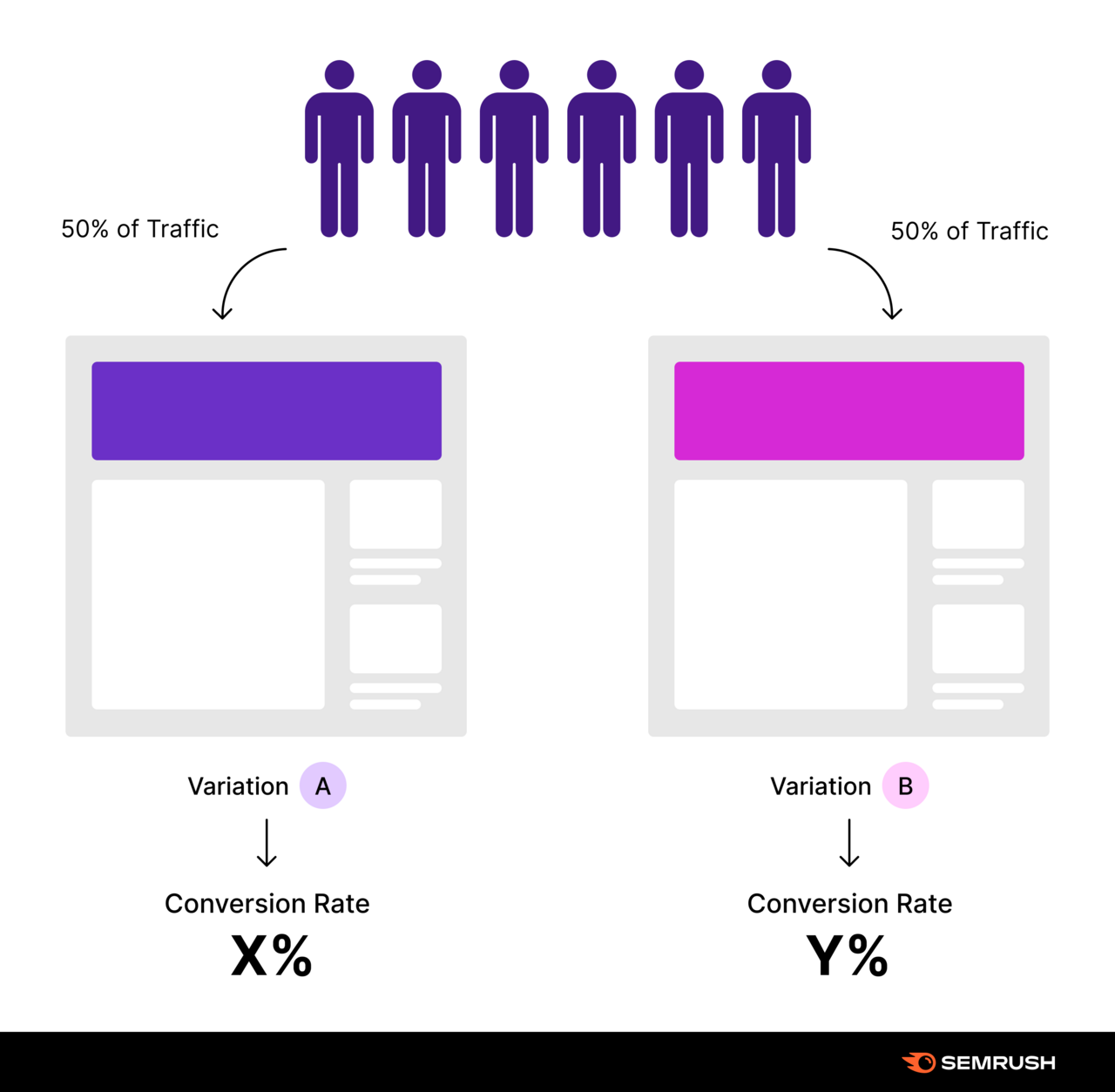
You can test elements like headlines, CTA buttons, images, or content layout.
Run your test for a few weeks to gather enough data. The results will give you insights you can apply to improve multiple pages on your site.
For example, you might test two different headlines on a product page.
After running the test, you find that one headline leads to a 15% decrease in bounce rate. You can then use this information to improve headlines across your site.
Use the Landing Page Builder app to easily create and test different versions of your pages.
Choose from various landing page templates. And edit the page from a simple drag-and-drop interface.
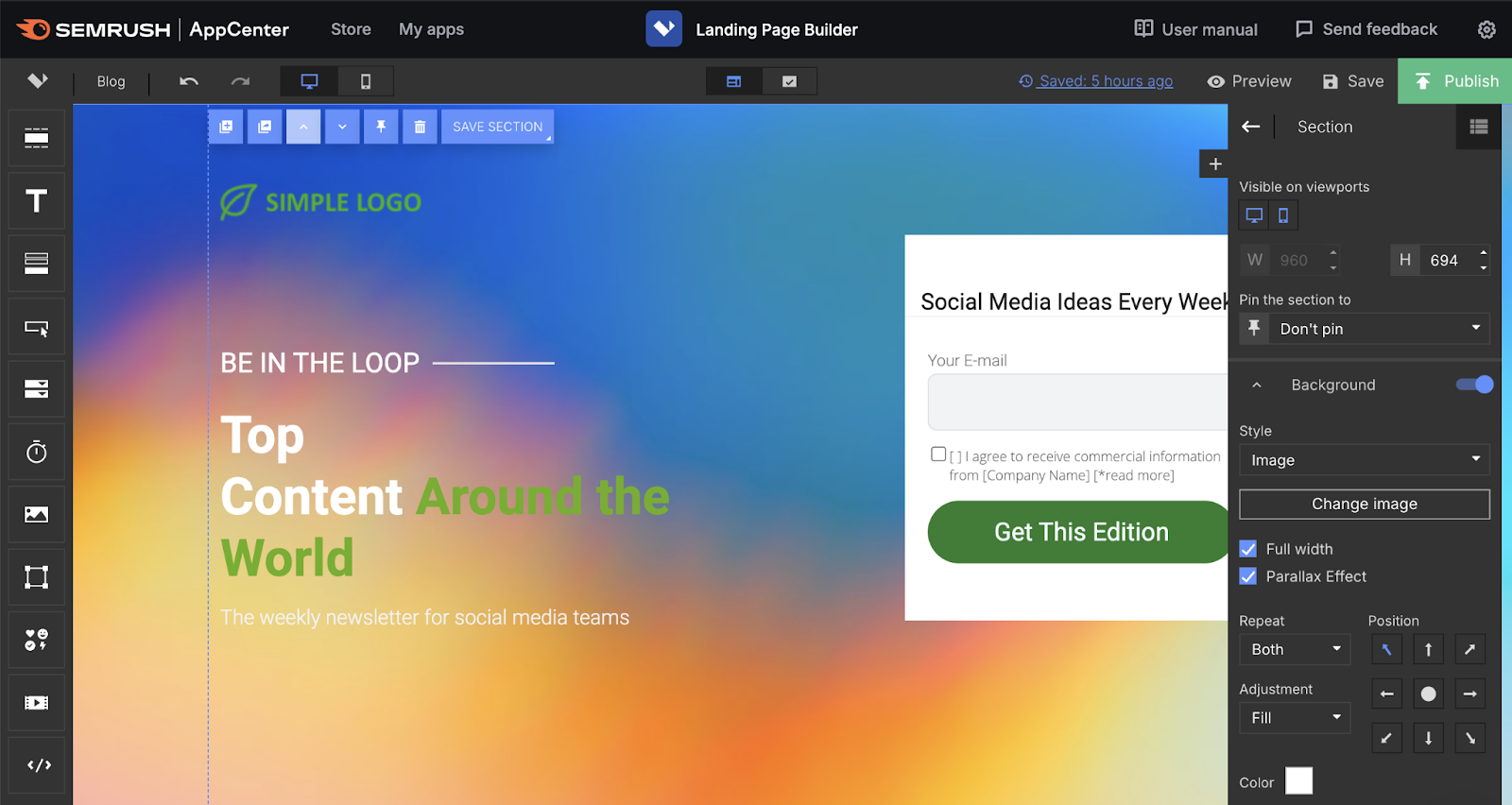
Easily create multiple variants of the page. And then edit specific elements in each variant that you want to A/B test.
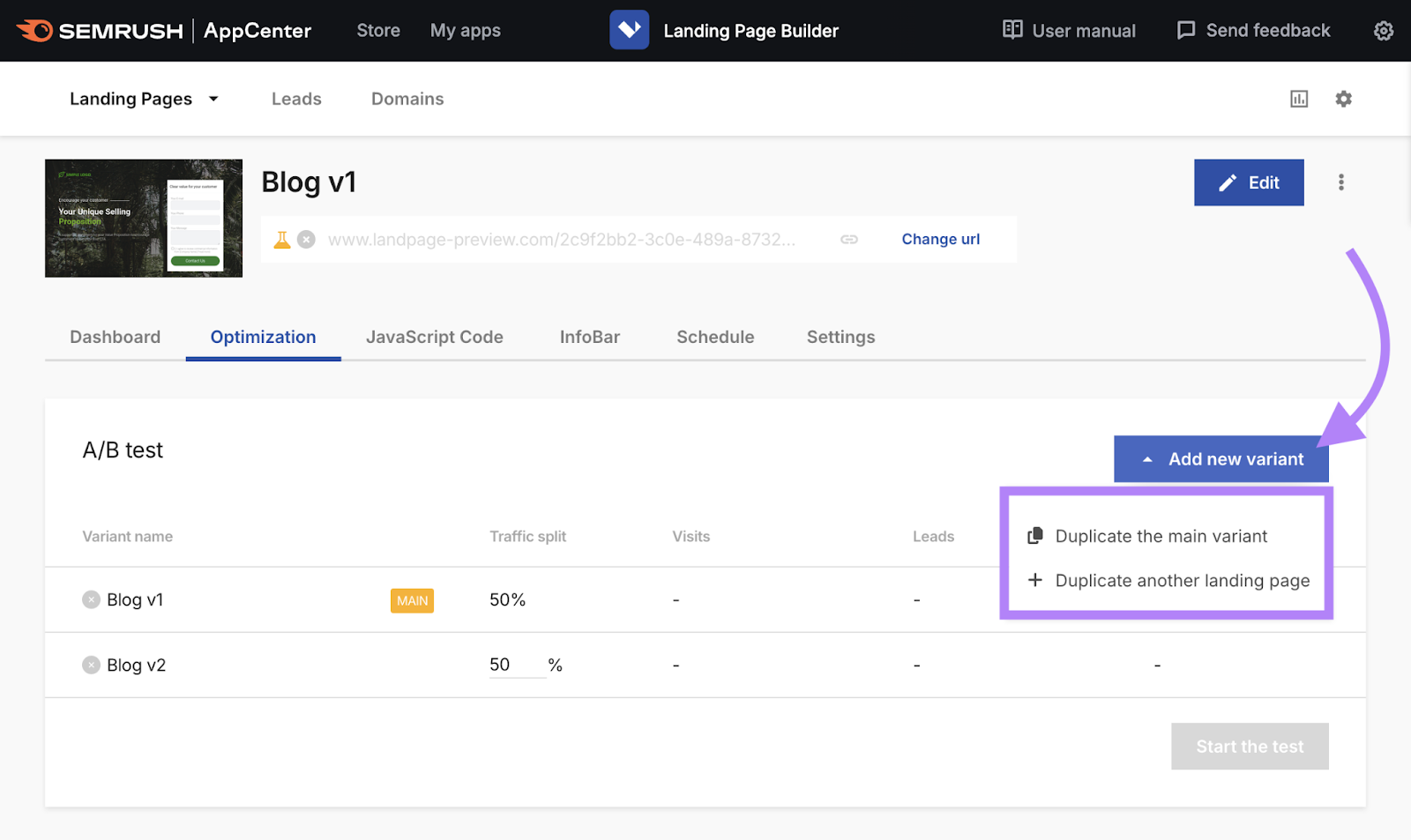
Define the traffic split (how you divide visitors between different variants). And click “Start the test.”
Check out our guide to A/B testing landing pages for more tips.
11. Show Off Social Proof
Social proof builds trust with new visitors by showing them that other people find value in what you offer. Which may prevent them from quickly leaving your site.
You can add social proof to your homepage, landing pages, product pages, and blog posts in prominent places. For example, you can feature:
- The number of customers you serve
- Ratings on review sites like G2 and Trustpilot
- The number of social shares the page has gotten
- Positive things your customers have said
- Names of brands or individuals who use your software
- Awards or certifications your business has received
Here’s an example from Calendly's homepage:
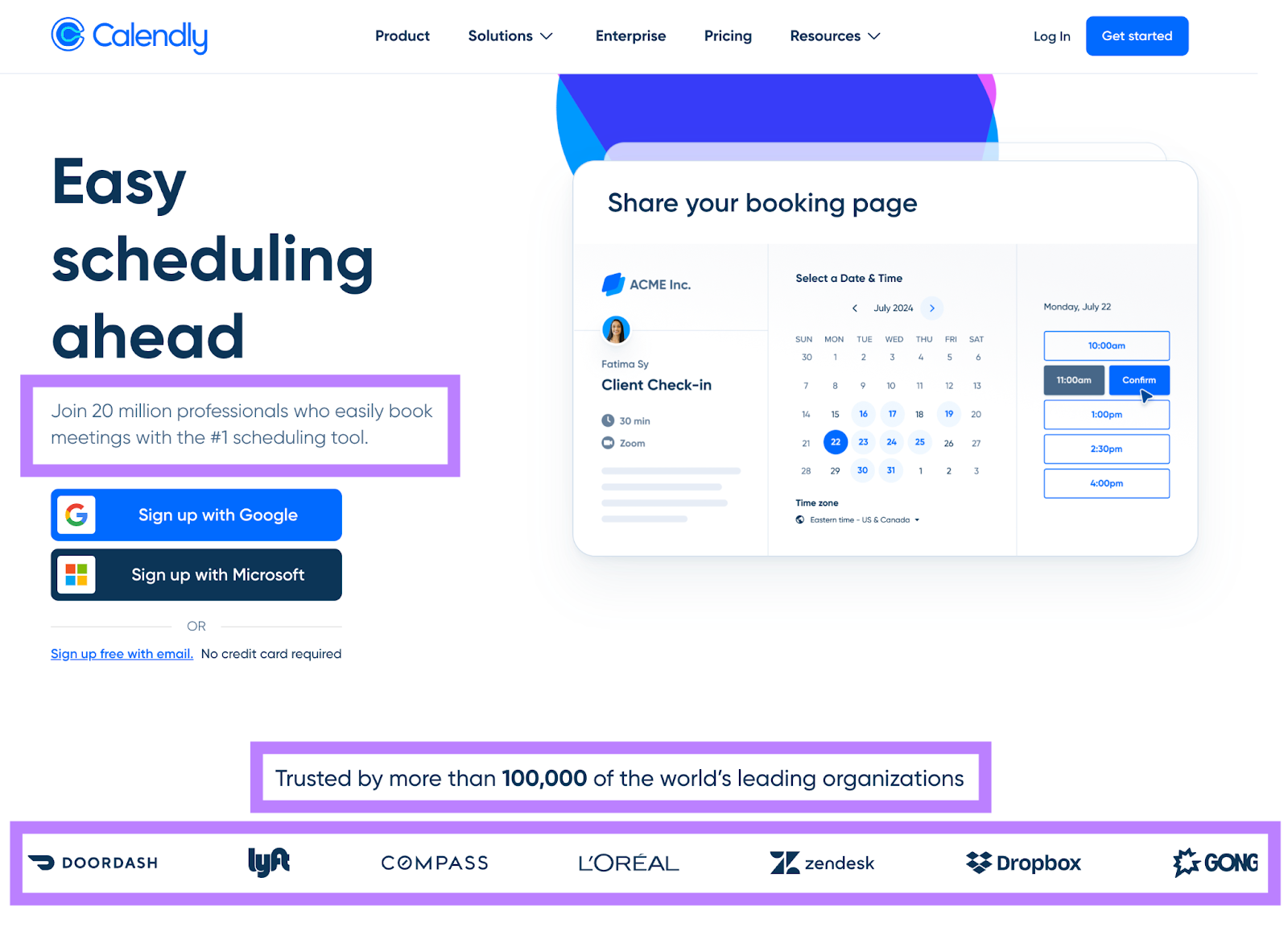
Place some form of social proof high up on the page—so it’s visible. And then add more as needed throughout the page to reinforce your credibility.
12. Be Careful with Ads and Pop-Ups
Overloading your site with ads and pop-ups can frustrate visitors and make them leave quickly. Because they distract from what users came to see or do.
While these elements can be good for revenue or lead generation, they shouldn't ruin the user experience.
Take inspiration from Investopedia—a publication that uses multiple ads on their pages:

But they carefully manage these elements to avoid overwhelming visitors.
You should aim for a similar balance. Here's how:
- Limit quantity. Avoid cluttering your pages with too many ads or pop-ups.
- Choose placement wisely. Position any ads where they're visible but don't interrupt the user's reading or navigation.
- Consider timing. If you must use pop-ups, set them to appear after visitors have spent some time on your site or when they’re about to leave (these are called exit-intent pop-ups).
- Make dismissal easy. Ensure visitors can close pop-ups easily.
- Test different formats. Experiment with various ad types to find what’s least intrusive to your audience.
If you notice more visitors leaving after adding new ads or pop-ups, rethink your approach.
How to Check Bounce Rate and Pick Which Tips to Use
Looking into how visitors interact with your site can reveal ideas on how to reduce bounce rate on your website. There are a few tools you can use for help.
First, you can get ideas on how to reduce bounce rate using Google Analytics 4.
Log in to your GA4 account, then navigate to “Reports” > “Engagement” > “Pages and screens.”
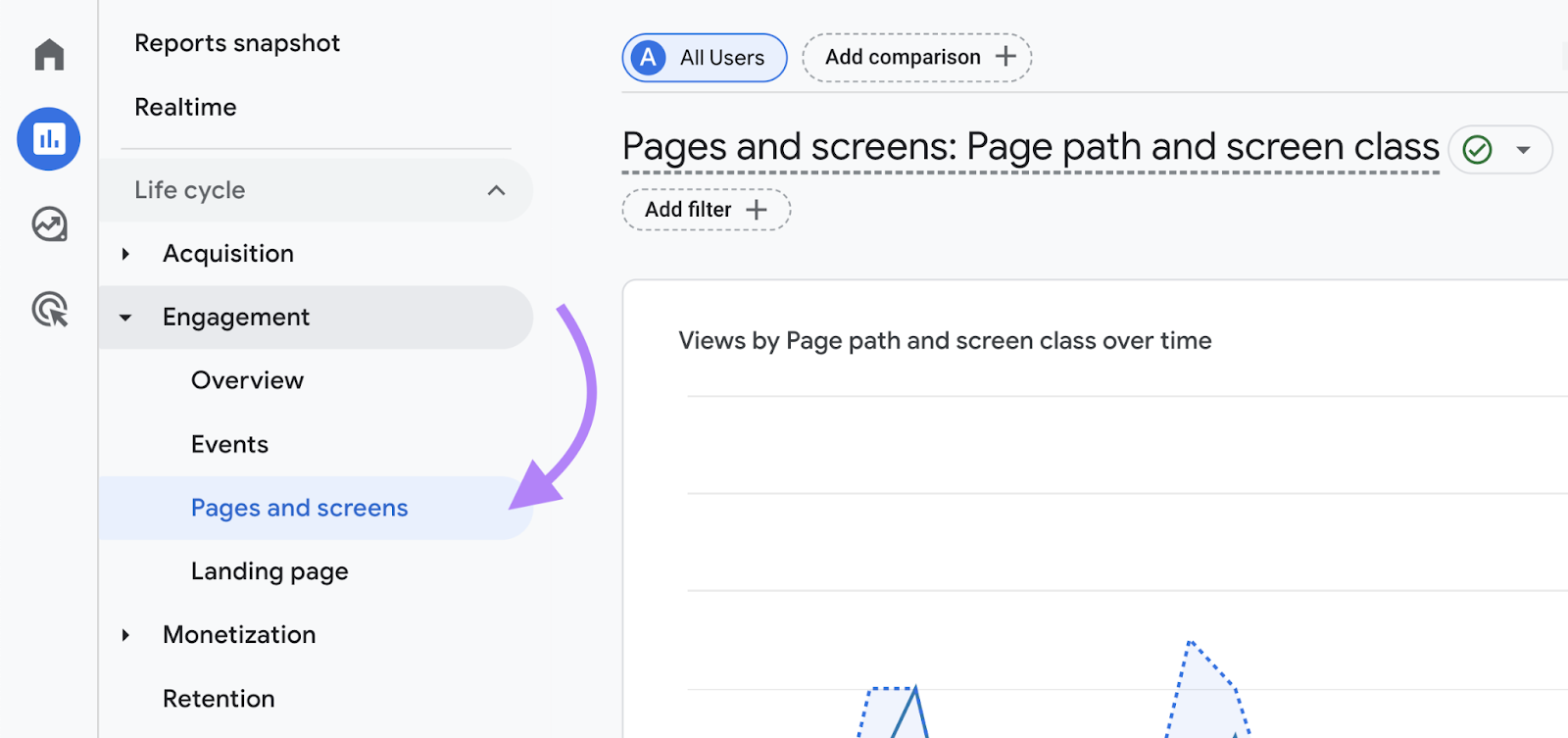
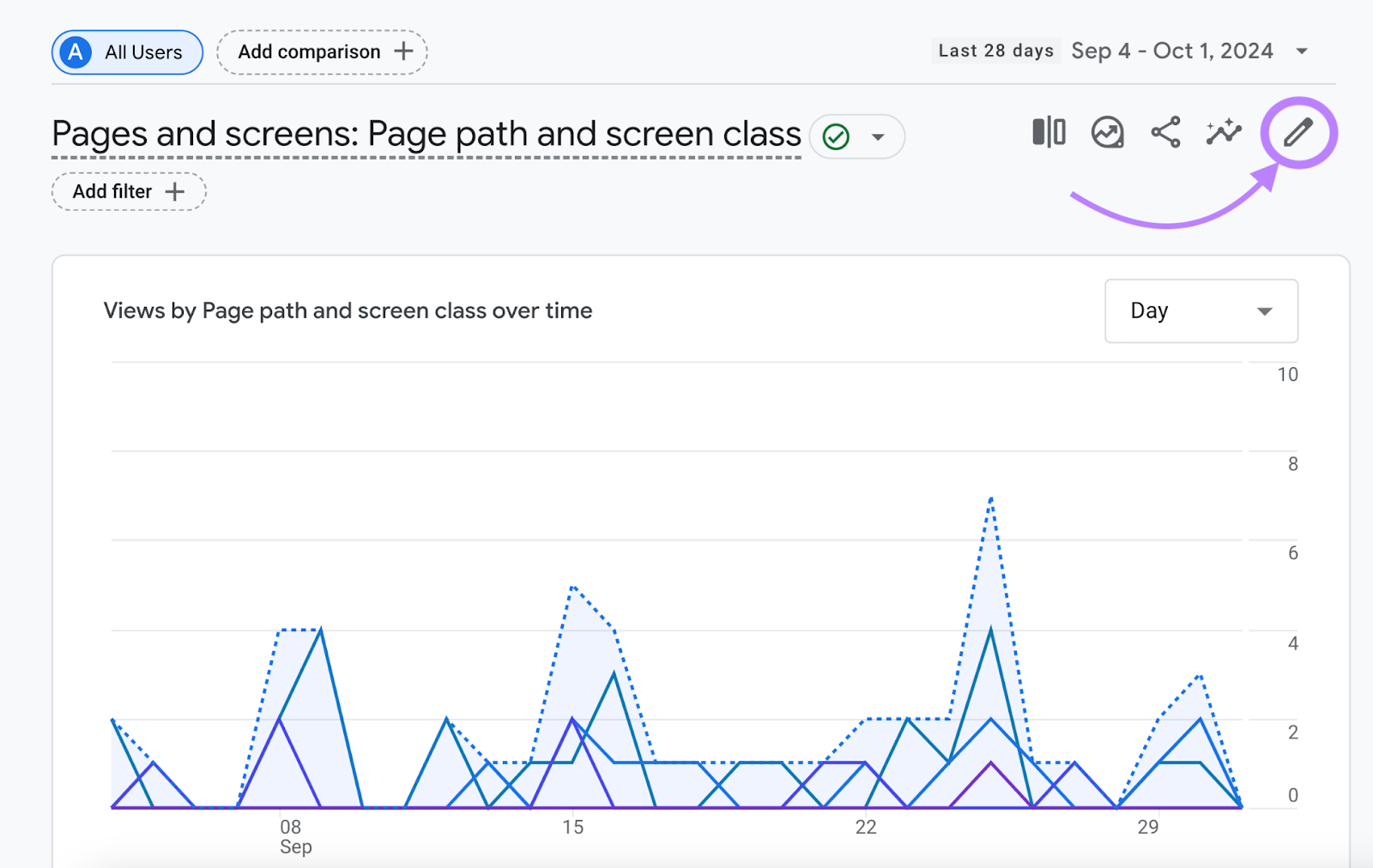
Click the pencil icon in the top right corner of the report.
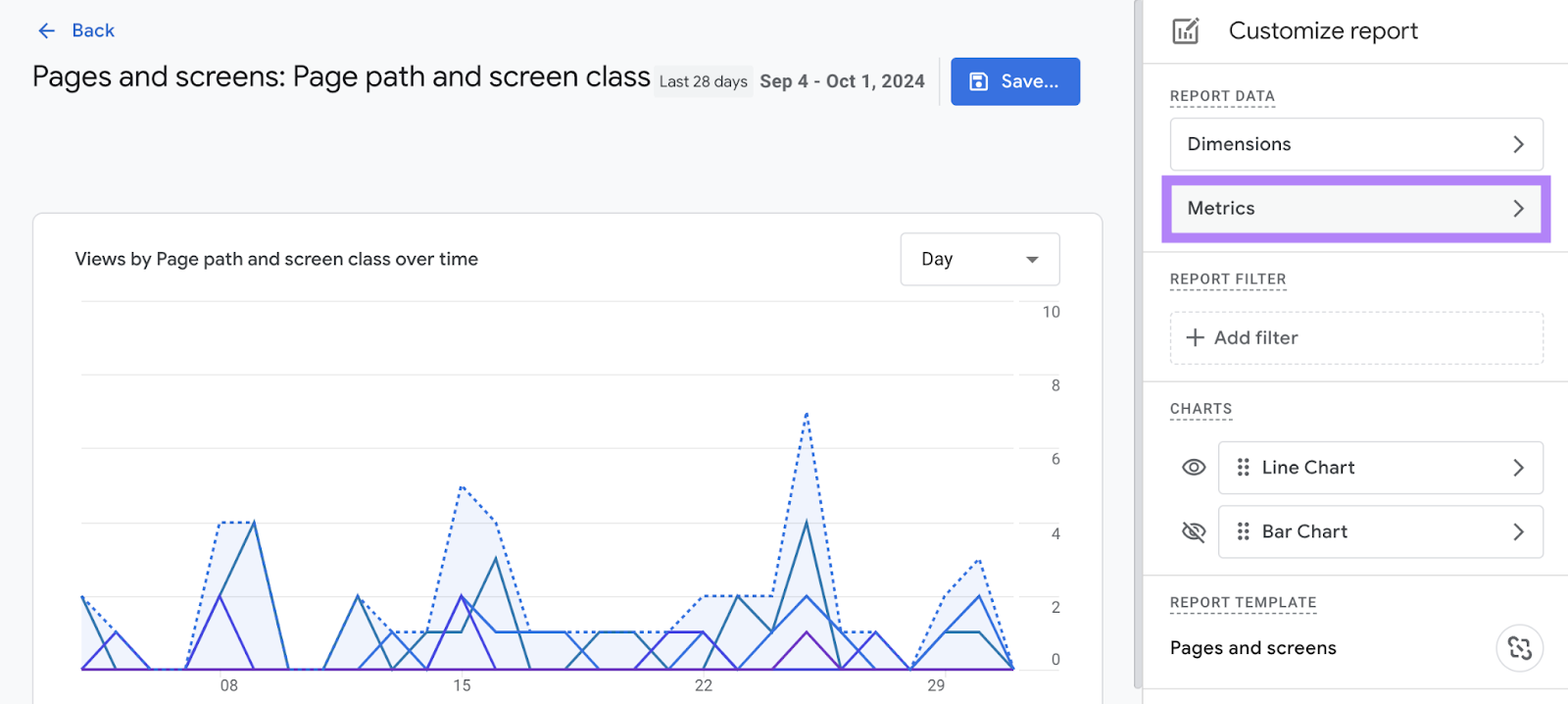
Next, select “Metrics.”
Scroll to the bottom, click the “Add metric” field, type “Bounce rate,” and select “Bounce rate” when it appears.
And click “Apply” to save your changes.
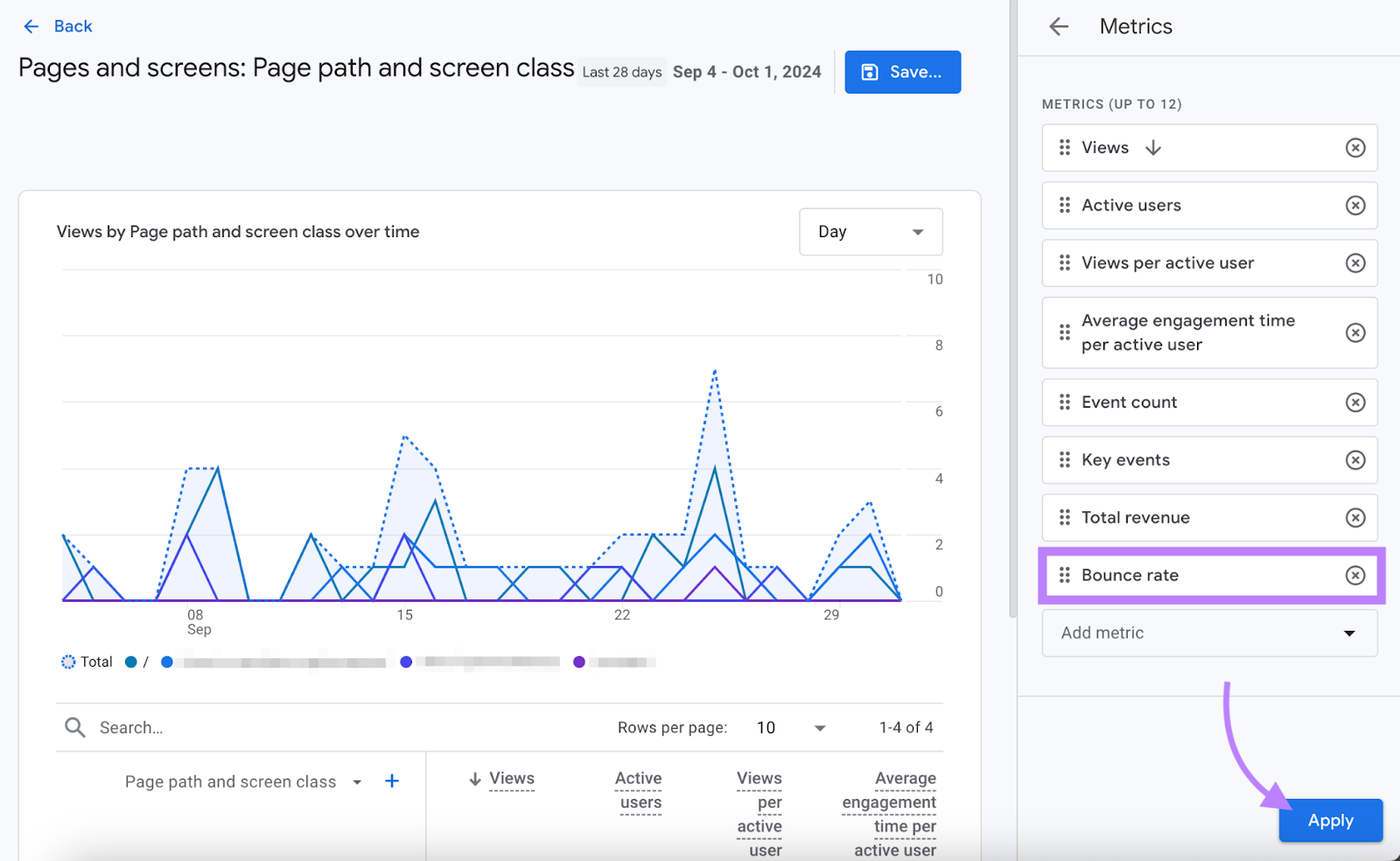
You can now view the bounce rate for each of your pages.
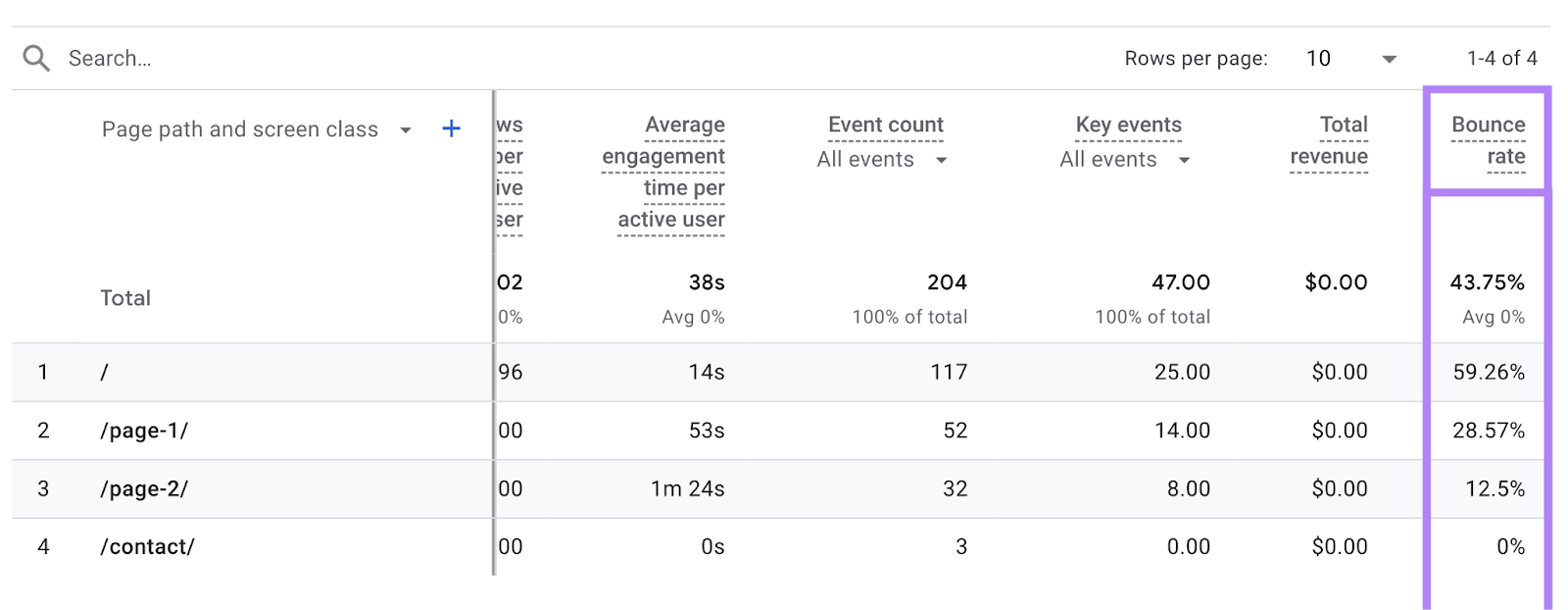
Go through the report to identify pages with particularly high bounce rates. So you can prioritize ones that need the most improvement.
Then, consider using additional tools like Hotjar and Google Search Console to get a fuller picture of user behavior. Which can show you where users click, how far they scroll, and what queries bring them to your site.
Using all the data you’ve collected, see whether you can identify opportunities.
For example, if users are bouncing from product pages, Hotjar might reveal they're not scrolling far. This could indicate your CTAs need work.
Using insights from multiple tools will help you pinpoint the most effective ways to reduce bounce rates across your site.
If you’re having trouble coming up with anything concrete, conduct A/B testing to see what changes make a difference.
Take Action to Reduce Your Bounce Rate
If your bounce rate is high, many factors could be contributing.
Run a comprehensive site audit. Which will help you identify many potential problems.
A great first step is to check your site's loading speed with Site Audit.
Try it today.