Getting Started with Semrush: A Tutorial for Navigating the Essentials (original) (raw)
Ready to improve your website's visibility and attract more customers?
Semrush provides the tools to diagnose and fix issues holding back your business online.
This guide walks you through the steps to maximize Semrush’s potential and see real SEO improvements.
You'll learn:
- Setting up your Semrush command center
- Identifying high-value keywords your competitors miss
- Tracking your keyword rankings over time
- Fixing technical issues that hurt your visibility
- Analyzing competitor strategies for growth opportunities
- Making on-page improvements for quick wins
- Setting up reports to track success
Step 1: Start Monitoring Your Website
The first step to getting started with Semrush is to start monitoring a site.
From the starting screen you’ll be prompted to enter your website name, which will launch an SEO Dashboard and Semrush Folder based on the domain.
- Enter your website’s name and click “Start now.”
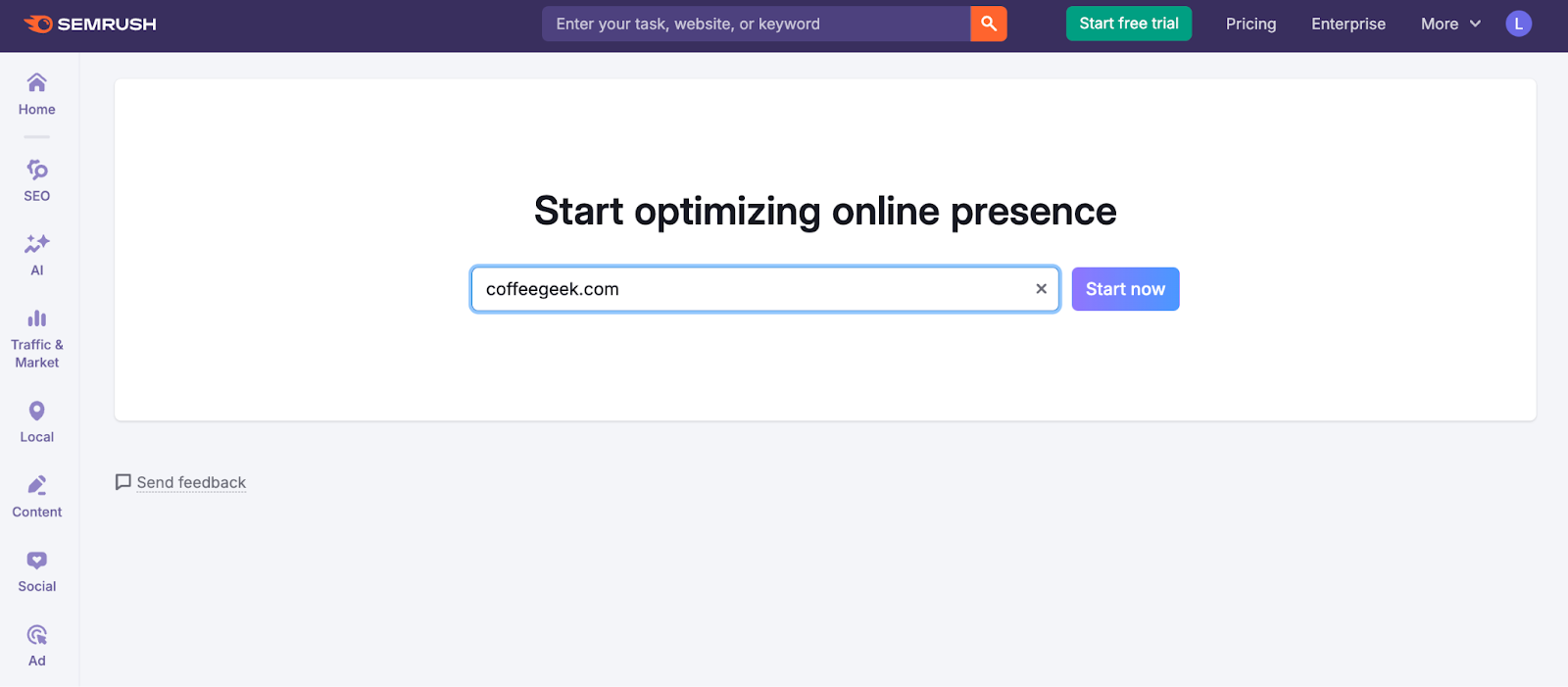
Your SEO Dashboard will appear on the next screen.
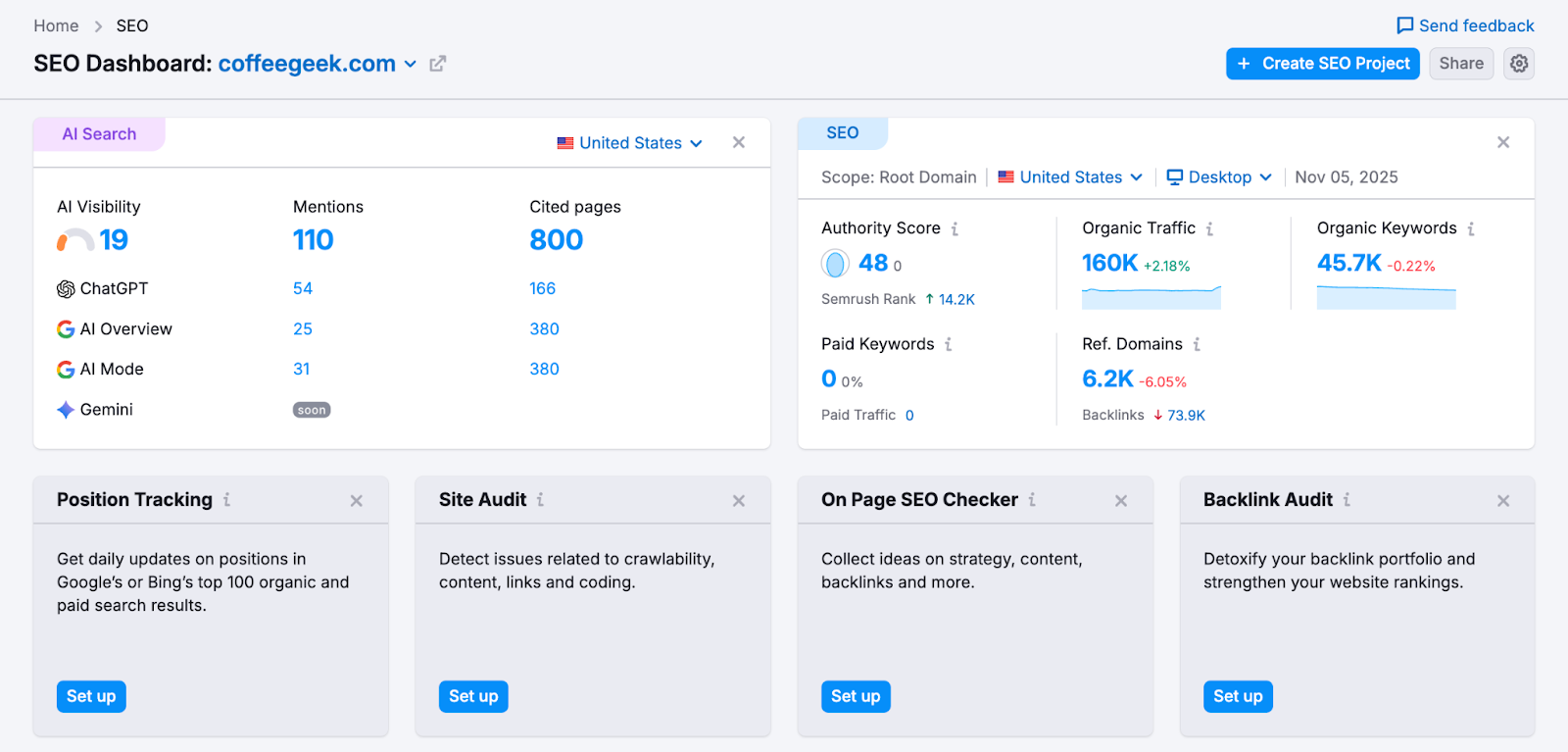
This dashboard is your Semrush command center. It gives you a quick snapshot of your domain’s most important AI search and SEO metrics, pulled directly from the AI Visibility and SEO Toolkits.
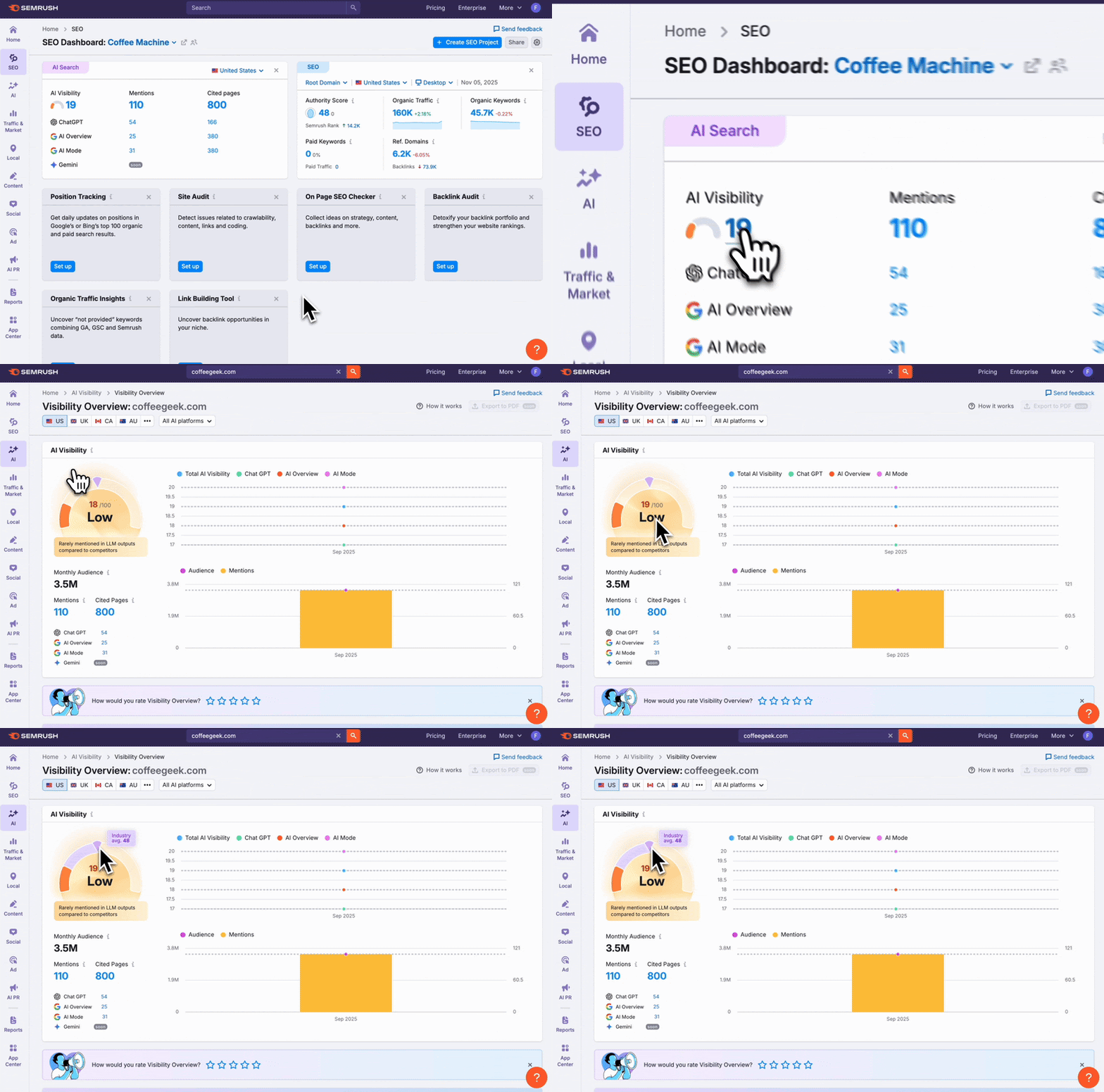
Each blue metric on the dashboard is all clickable and takes you straight to a full Semrush report with deeper data and insights.
For example, click on the AI Visibility metric to open the Visibility Overview report, where you can see how often your brand appears in AI-generated answers across platforms.
From the dashboard, you can click any blue “Set up” button to launch additional SEO monitoring tool.
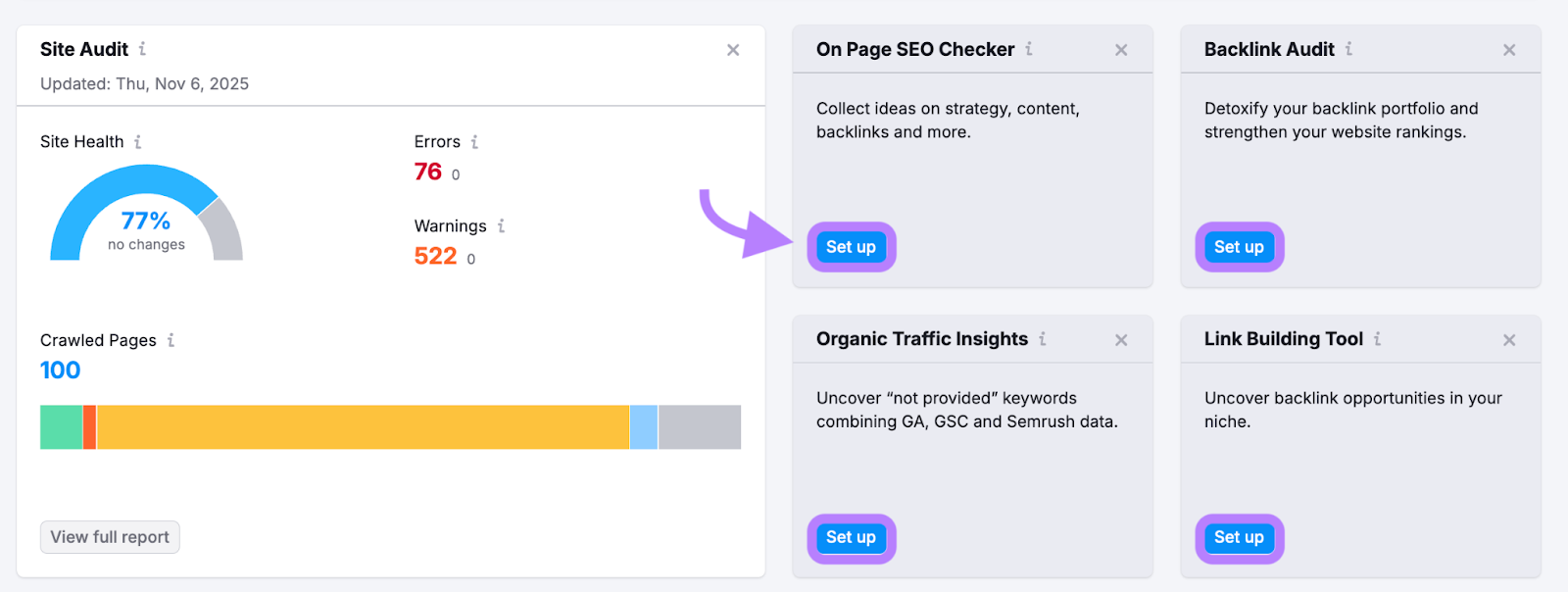
We recommend starting with Position Tracking, Site Audit, and On Page SEO Tool first (more on these below).
As you set up each tool, your dashboard will populate with overview metrics to help you track progress and identify areas for improvement.

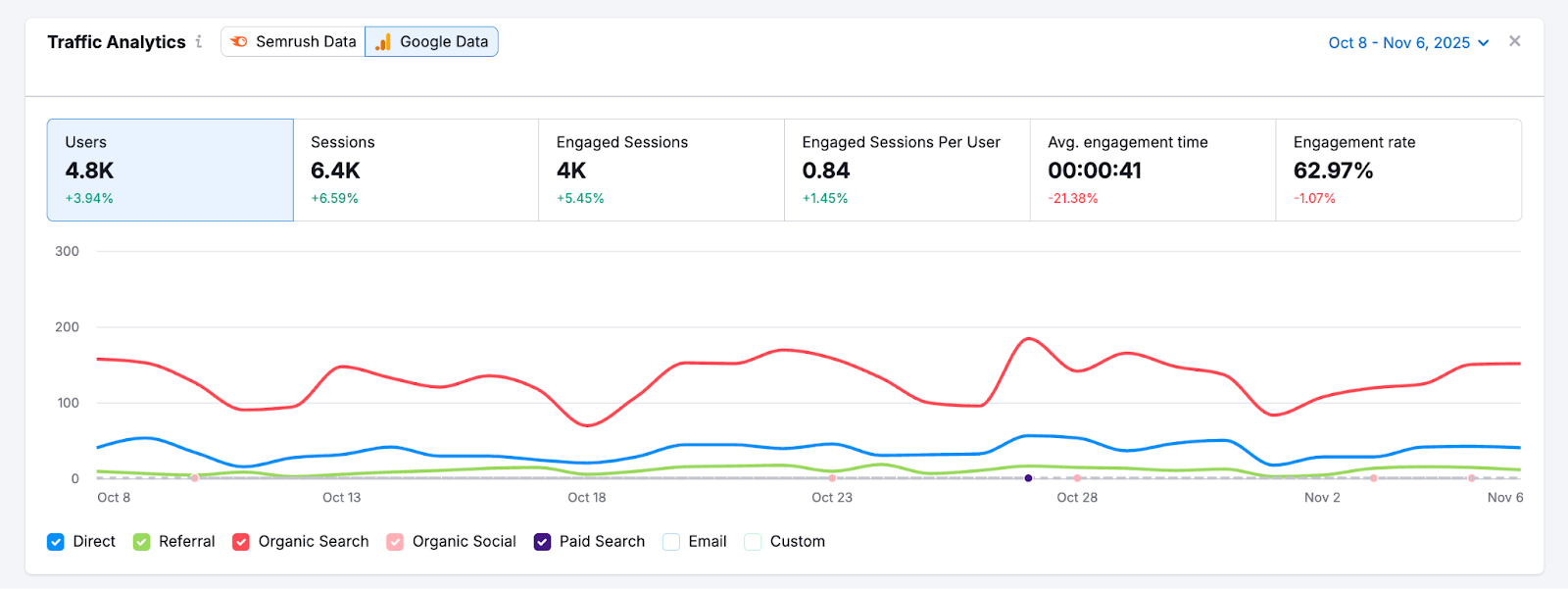
Connect your Google Analytics and Google Search Console accounts to add more website metrics directly in your Semrush dashboard (users, sessions, engagement rate, etc).
Step 2: Find High-Value Keywords Your Customers Search For
Now that your dashboard is set up, use the Keyword Overview tool to discover valuable search terms you’ll use to drive more of the right traffic to your website.
How to use Keyword Overview:
Enter your main product or service keyword to get a snapshot of its potential:
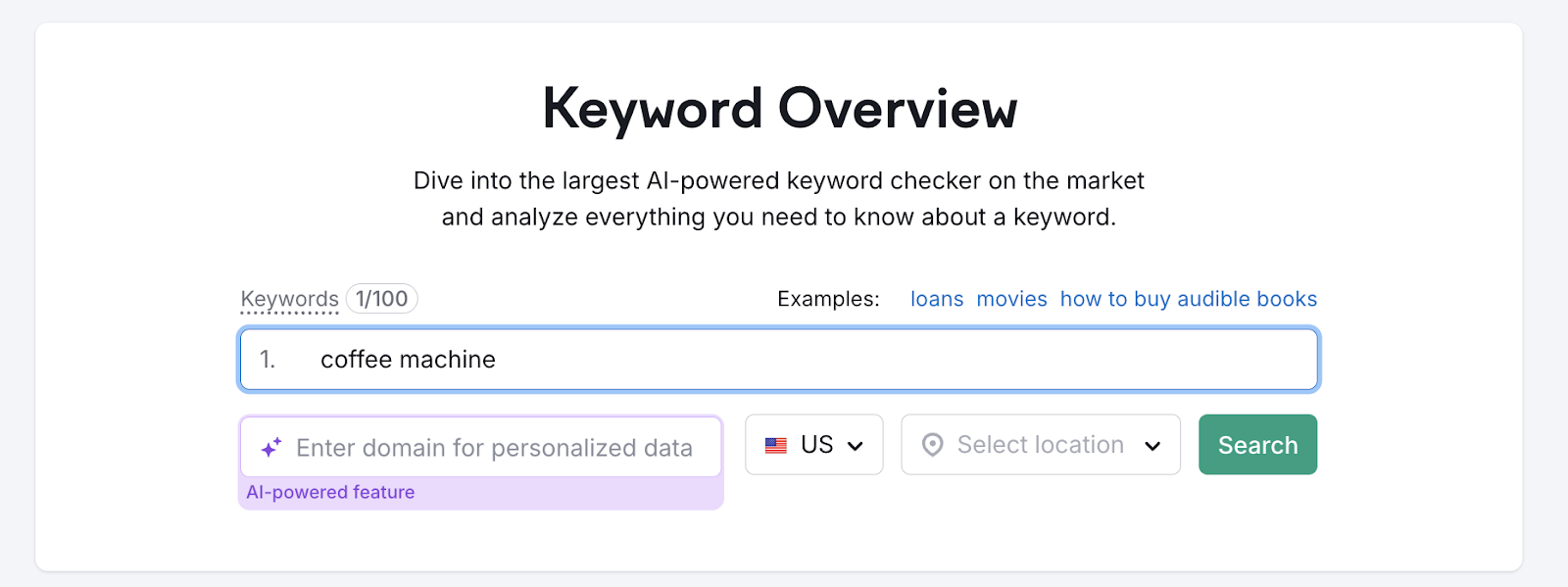
You'll see:
- Search volume: The number of searches a keyword receives per month
- Keyword difficulty: A measure of how hard it is to rank for a keyword
- Search intent: The underlying goal or purpose behind a user’s search query
- Cost-per-click: The average price advertisers pay for each click on an ad triggered by the keyword
- And more

This tells you:
- How much traffic a keyword can drive
- How hard it is to rank
- What kinds of pages already rank
With a free account, you can run 10 keyword searches per day and 10 results per report.
A 7-day free trial gives you access to 3,000 daily searches and 10,000 results per report.
After studying your main keyword, expand your list with additional keyword opportunities.
Go to "Keyword Magic Tool" and enter your seed keyword. You’ll see a list of related keywords that you can filter and assess for your strategy.
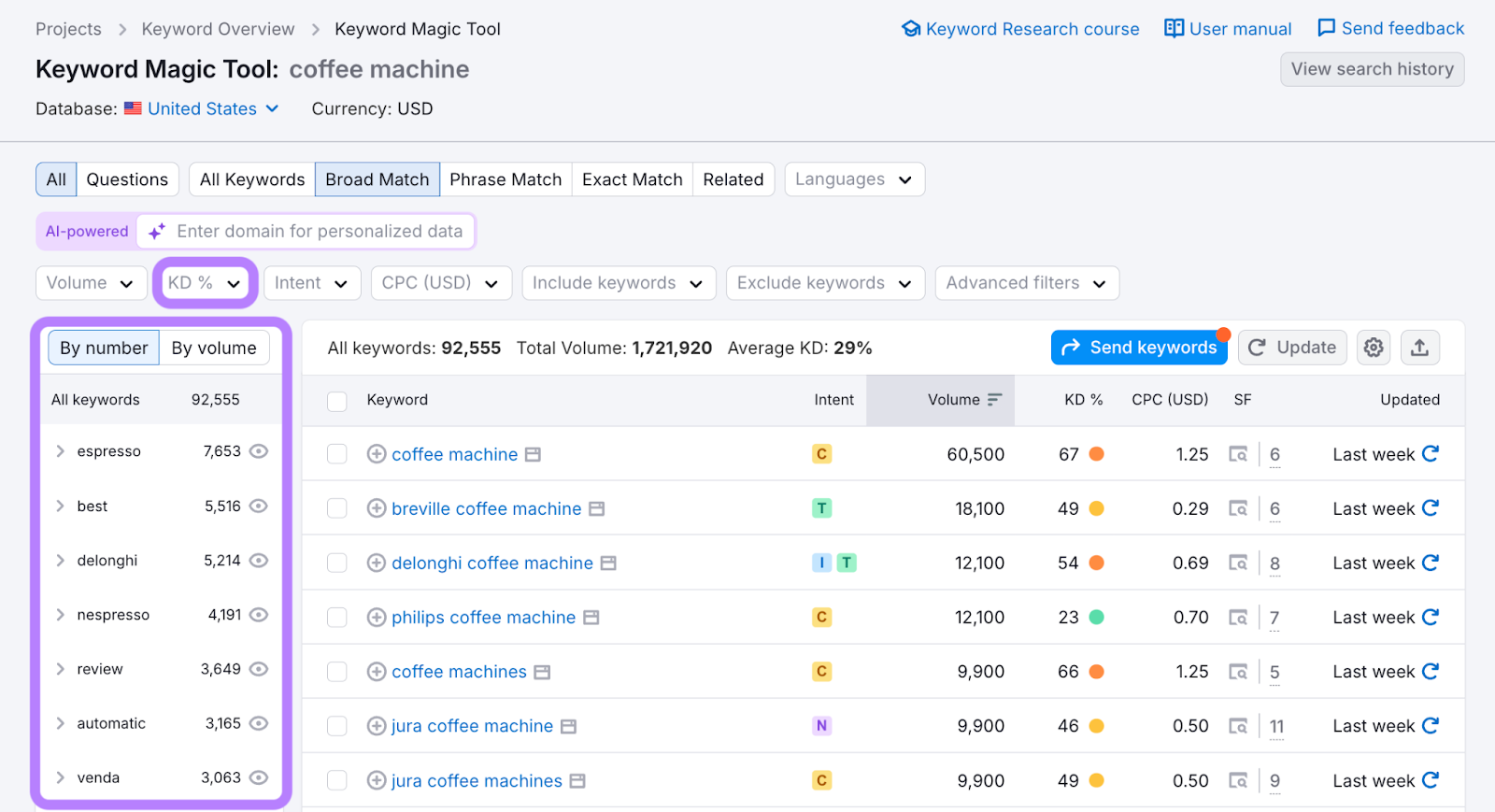
Filter by "Easy" keyword difficulty to find low-competition terms. Use the categories on the left to browse related subtopics
Look for these keyword opportunities that are:
- Low competition (KD% under 50)
- Commercial intent (targeting users ready to make a purchase)
- Relevant to your products or services
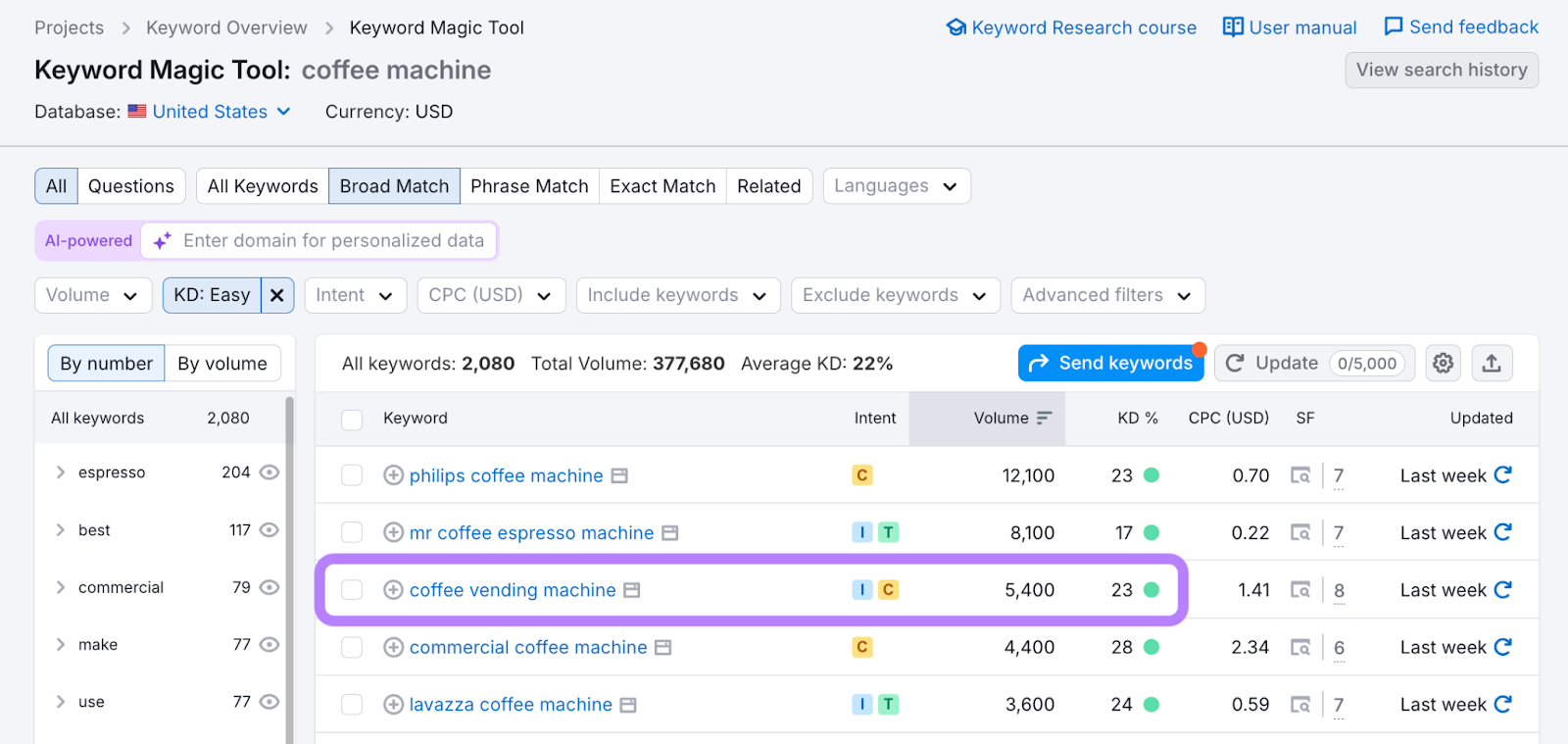
For example, if you run a coffee equipment website, you might find "coffee vending machine" with a good search volume (5,400/month) and low difficulty (23%), making it a valuable target.
Start by focusing on 5-10 high-value keywords. Quality is more important than quantity in your initial strategy.
Step 3: Track Your Keyword Rankings and Progress
After identifying your target keywords, set up Position Tracking to monitor your daily rankings.
How to set up Position Tracking:
Enter your target keywords and location to launch the tool.

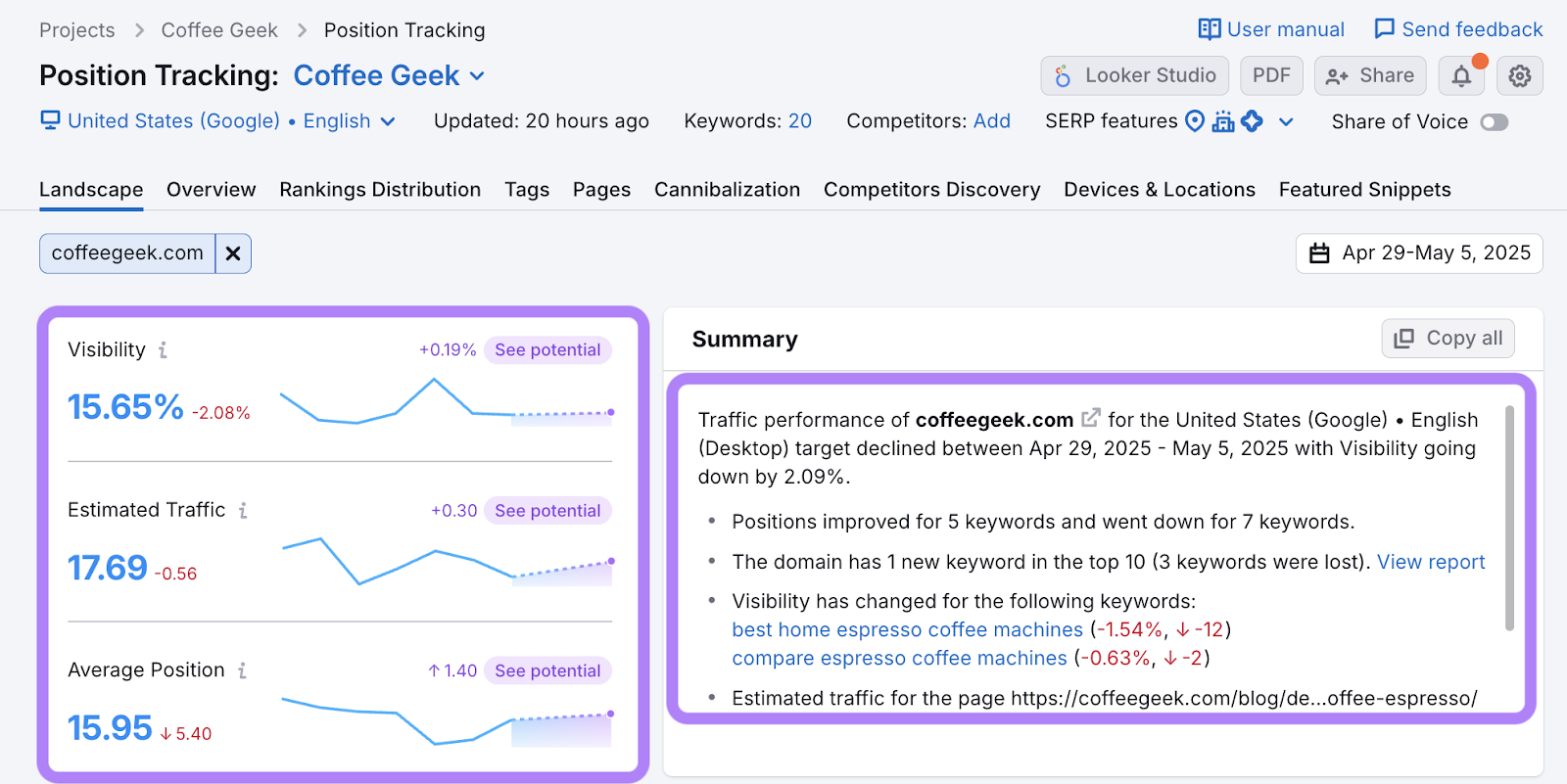
Semrush will show:
- Visibility %: How visible your site is in search results
- Daily position changes: How your rankings change day by day
- Estimated traffic: The traffic you’re likely receiving based on your rankings
- New competitors: Competitors you may not have identified
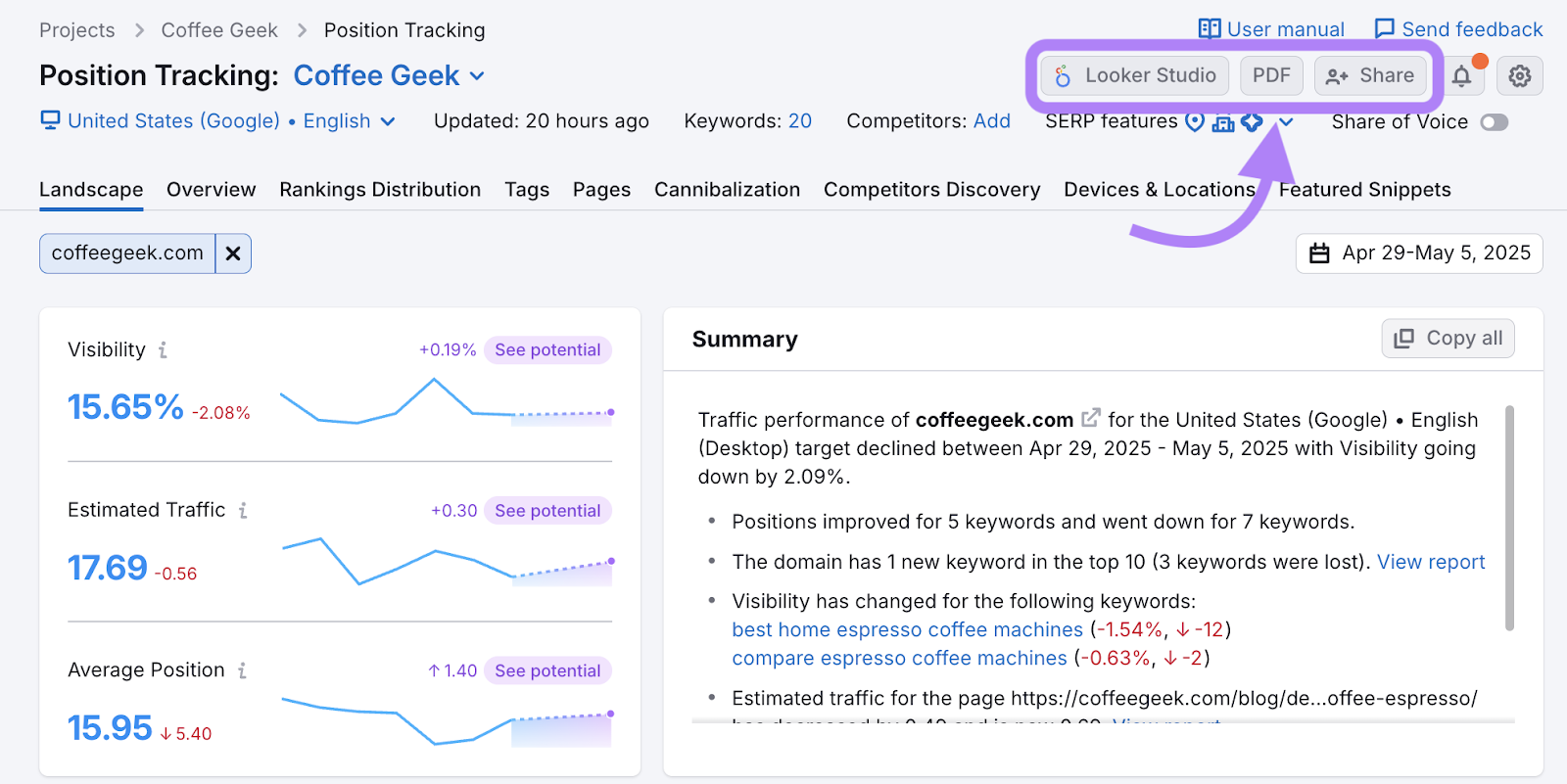
You can also share automated reports and dashboards with clients or stakeholders.
Check these stats weekly to identify trends and celebrate improvements. Even small ranking increases can lead to significant traffic growth.
Step 4: Ensure Your Website Is Technically Healthy
Technical issues can silently sabotage your SEO efforts.
The Site Audit tool scans your site for hundreds of issues that can affect rankings, like:
- Broken internal links
- Slow-loading pages
- Duplicate content
- And more
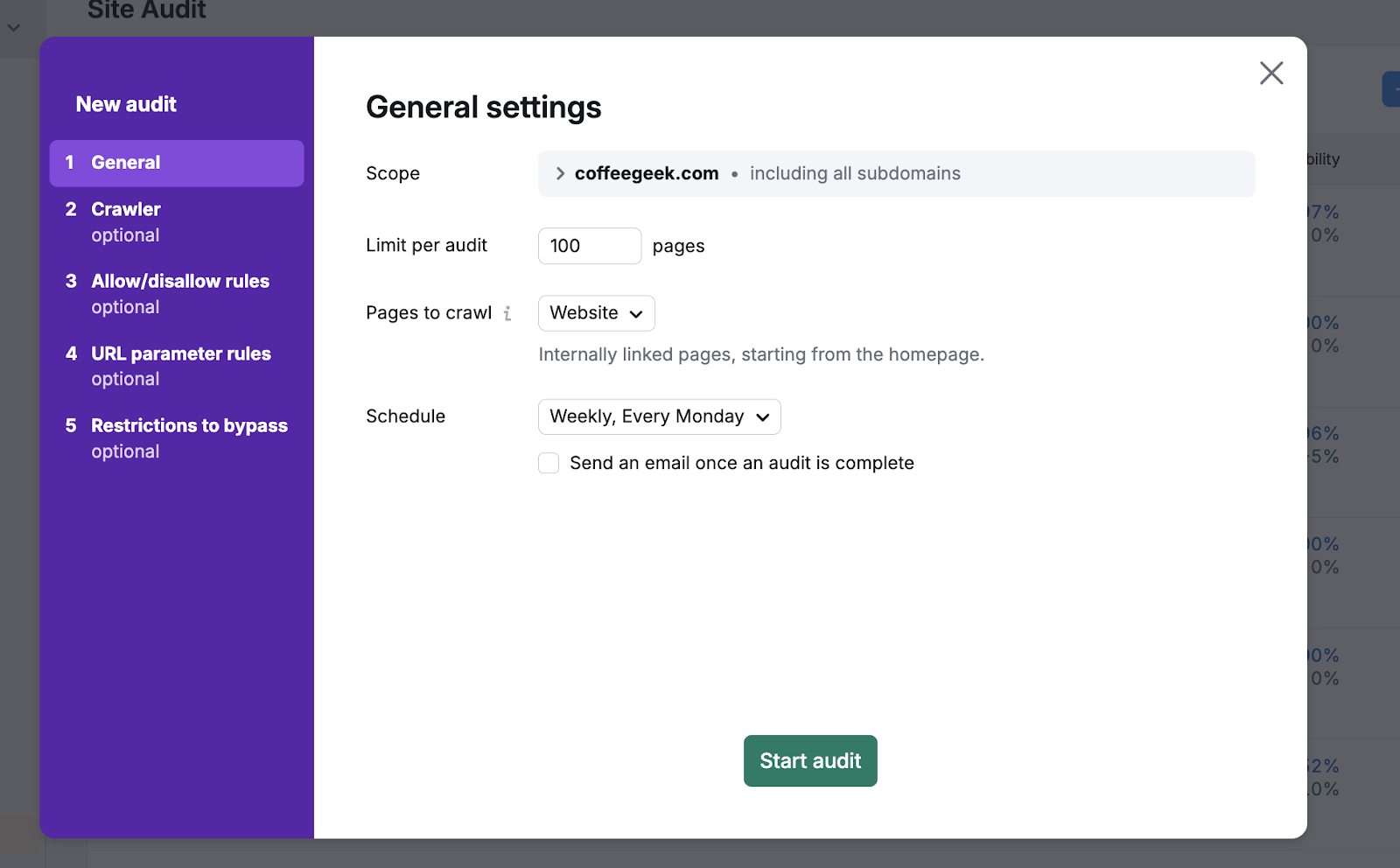
How to run your first Site Audit:
- From your Project dashboard, click "Site Audit"
- Choose your crawl settings (default settings work for most websites)
- Click "Start audit" and wait for the results
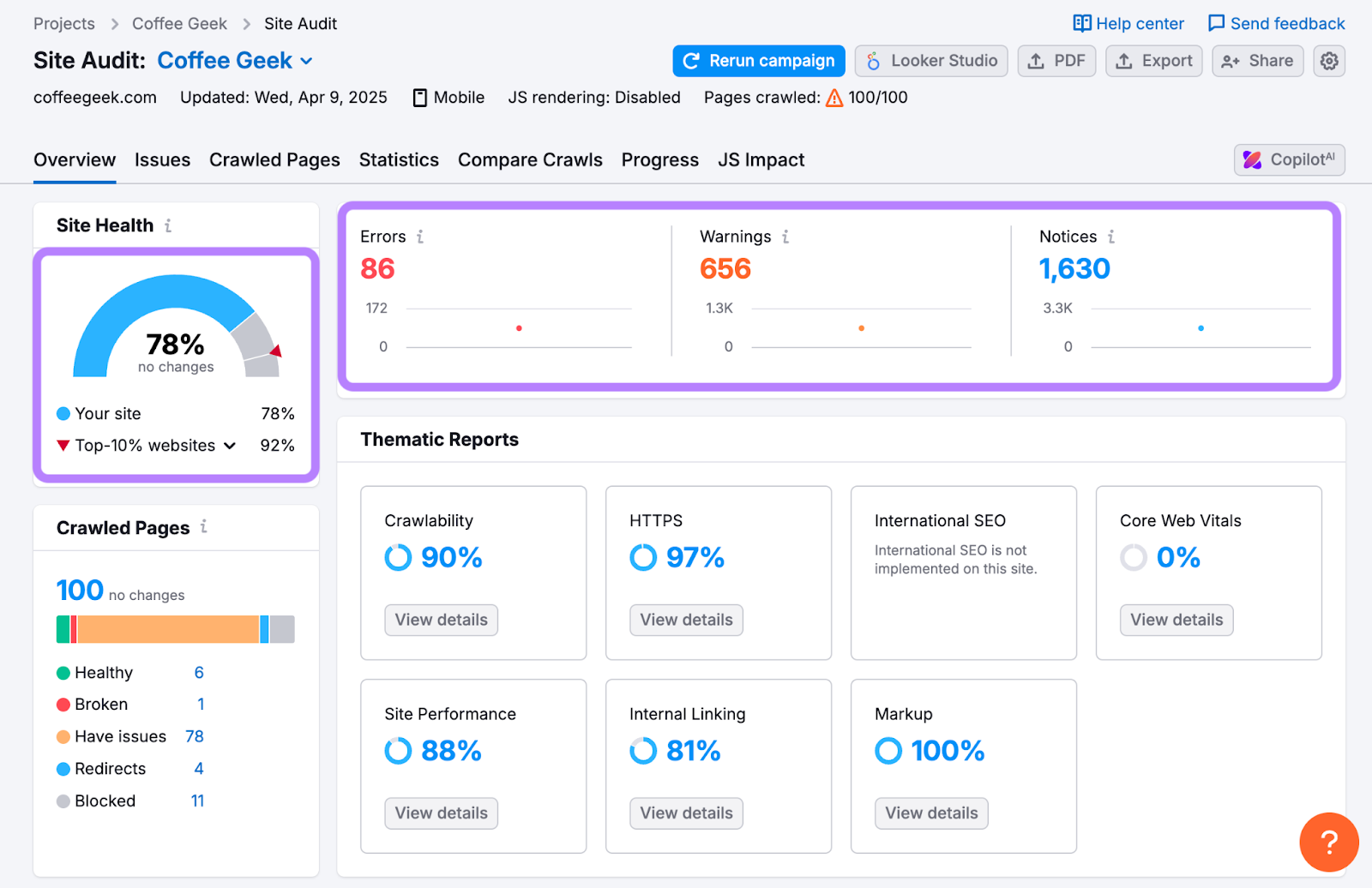
You’ll receive a Site Health score and a prioritized to-do list.
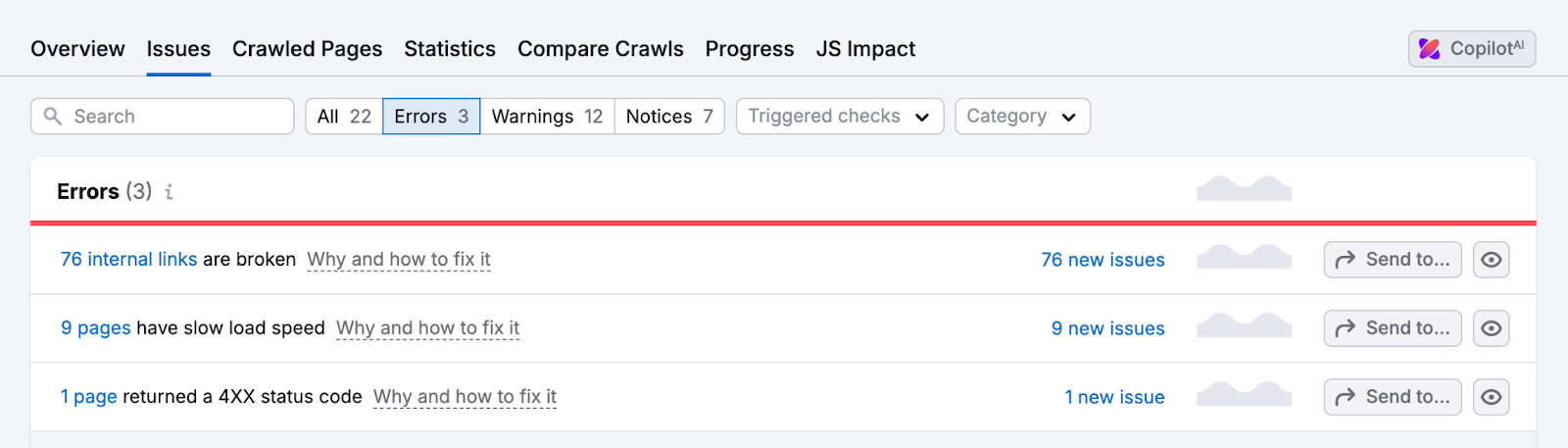
Click on the errors, warnings, and notices to review the issues and take action. Follow the built-in recommendations to fix technical problems.
In the below example, the site has 76 broken internal links and nine slow-loading pages. Prioritize these first.
Set a monthly audit schedule to track your progress over time.
Free accounts can audit 100 pages per month, whereas a free trial of Semrush Pro allows audits of up to 100,000 pages per month.
Step 5: Analyze Competitor Performance to Find Opportunities
Analyzing successful competitors can reveal valuable opportunities for your SEO strategy.
How to analyze competitors using Domain Overview:
Enter a competitor's domain in the main search bar.
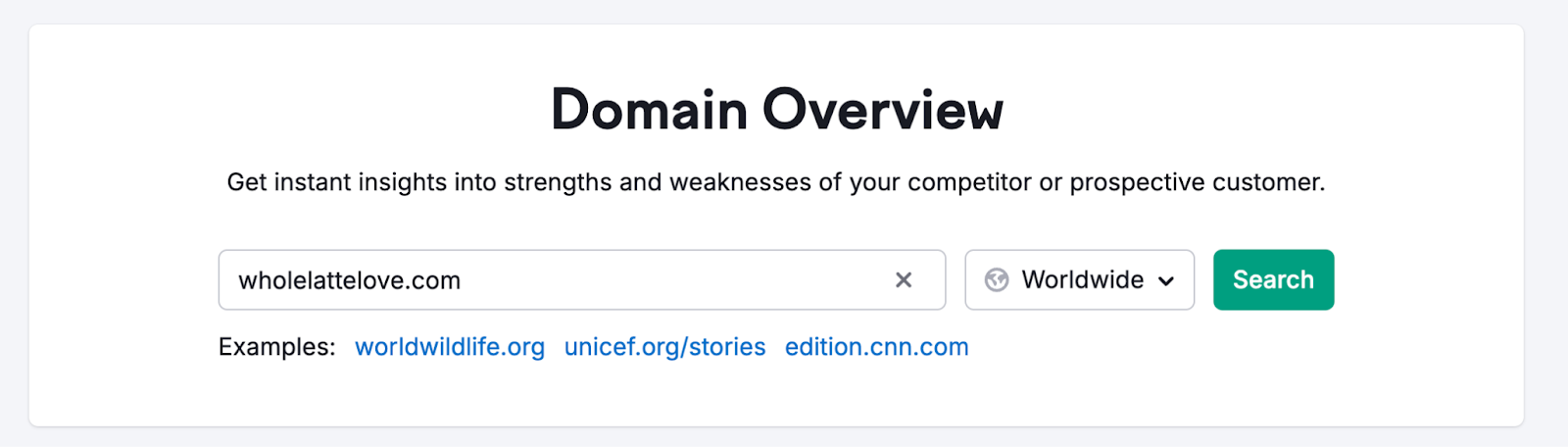
Here’s what you’ll see:
- AI Visibility: A benchmark score (0-100) showing how often a brand appears in AI-generated answers.
- Mentions: The number of times this brand was mentioned in AI responses
- Cited Pages: The number of pages from this domain that were cited as a source for an AI response
- Authority Score:a measure of the site’s authority based on organic traffic and backlinks
- Organic Traffic: Estimated monthly traffic from Google’s organic search
- Paid Traffic: Estimated monthly traffic from Google Ads
- Ref. Domains: The number of domains with links pointing to the site
- Traffic share: The percentage of organic traffic the site received compared to its competitors
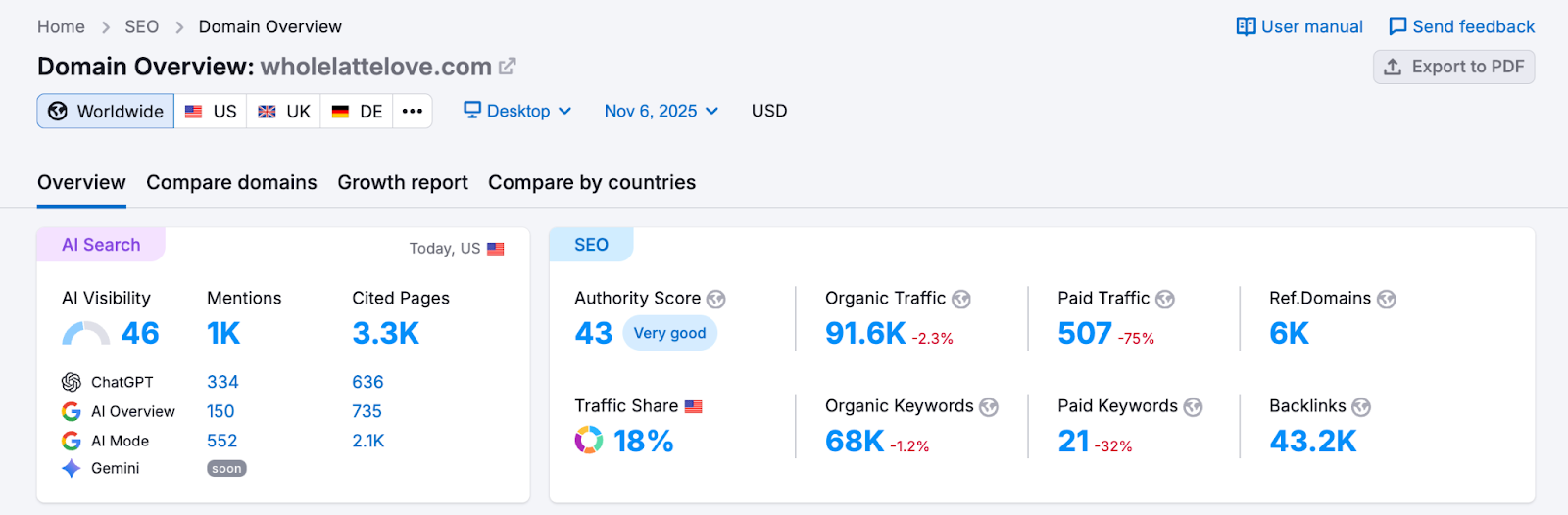
Check your own site to understand your current position. Then, compare competitors that have more traffic to assess your growth potential.
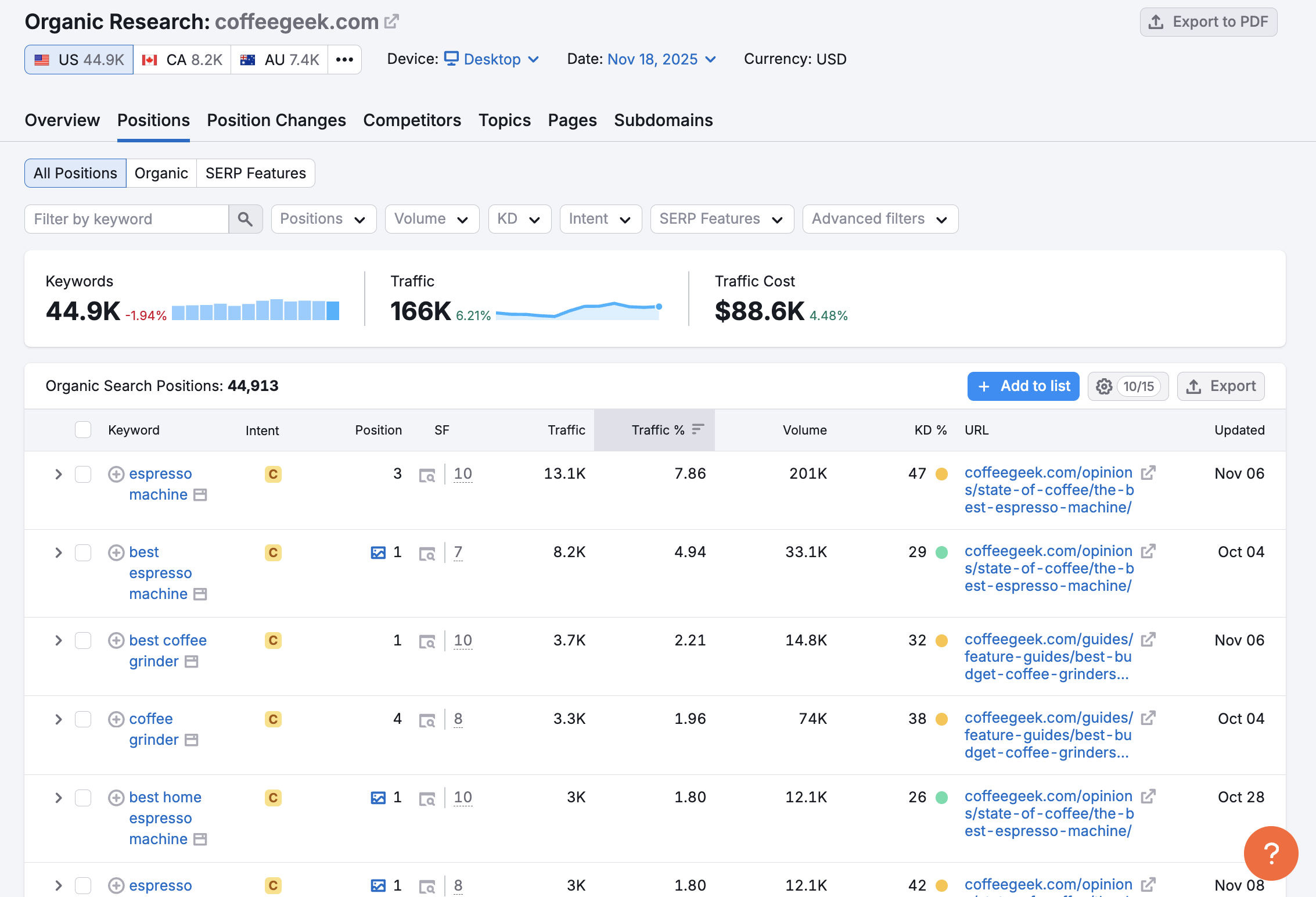
For example, if you run wholelattelove.com (above) and check coffeegeek.com (below), you’ll find they bring in 166K organic visits per month compared to your 91.6K.
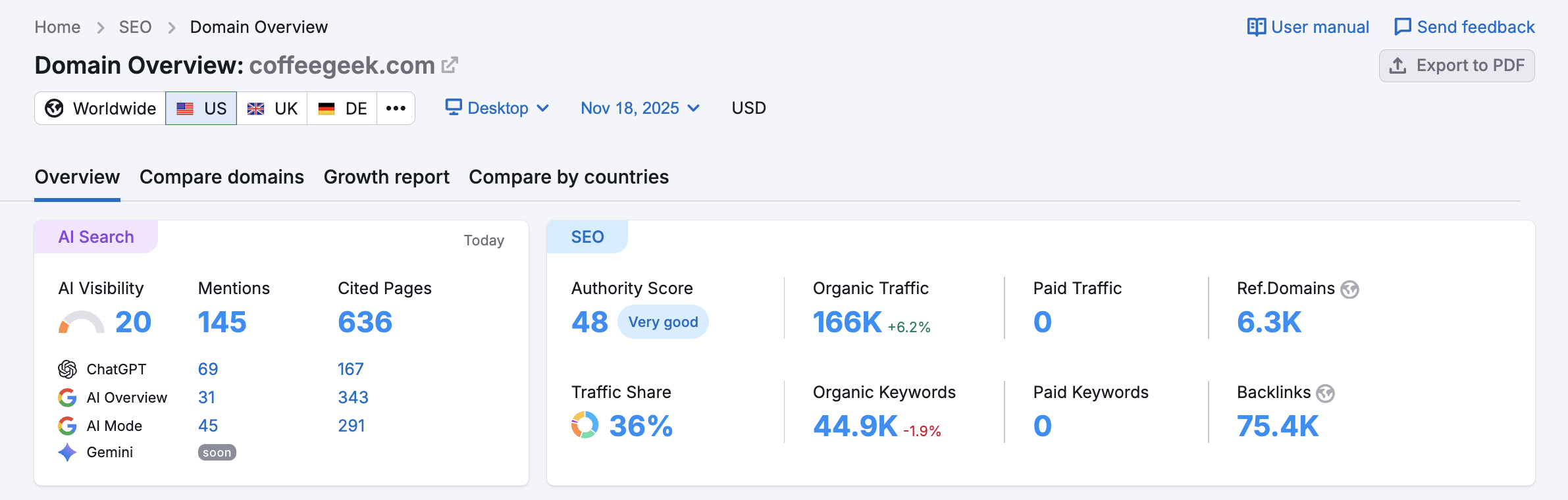
That’s an estimated difference of 74,400 visits. This gap represents meaningful traffic potential you can tap into by targeting similar keywords.
Next, dig deeper with Organic Rankings:
- From Domain Overview, click on the number under Organic Traffic
- Go to the "Positions" tab to see all the ranking keywords they rank for
- Look at the "Position Changes" tab to spot recent keyword wins or losses
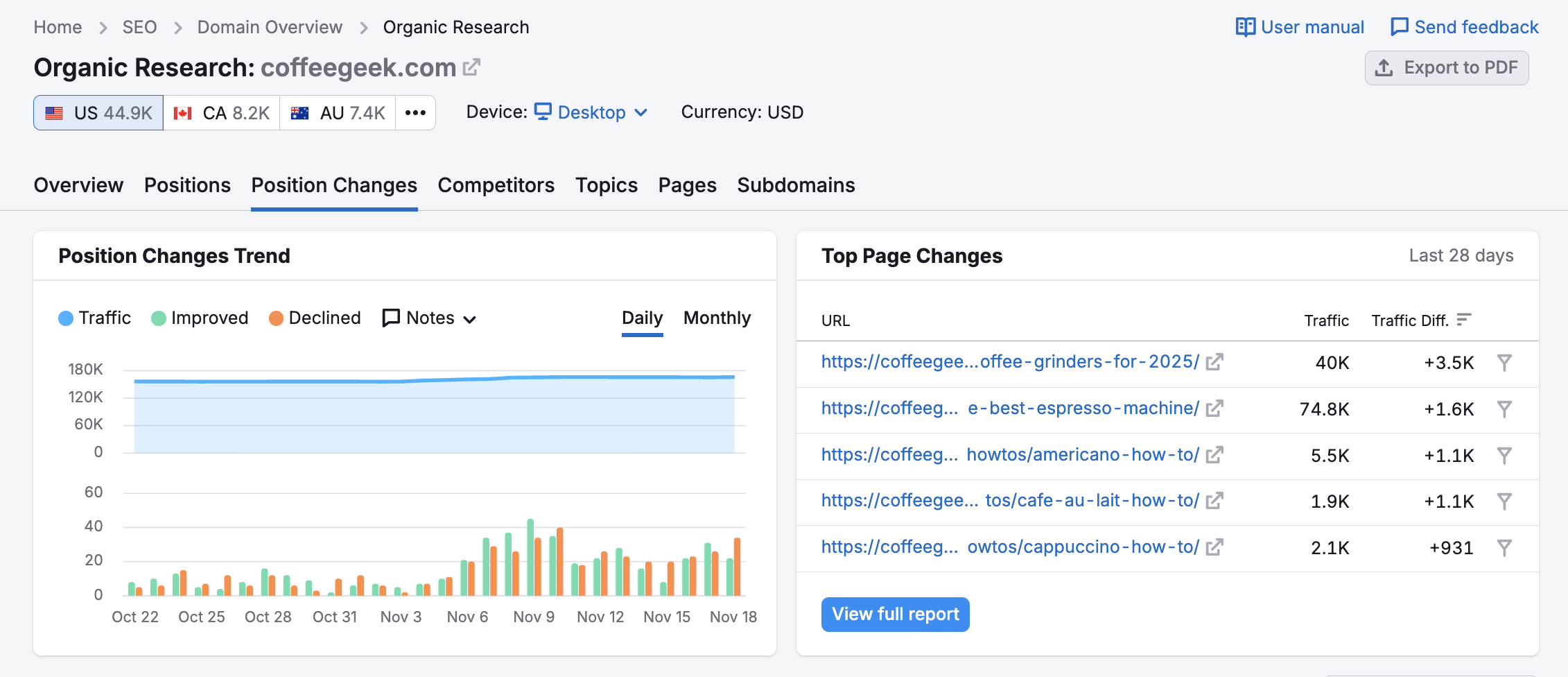
Look at the Top Page Changes list to see where competitors are gaining or losing SEO traction.
This data can help you understand which SEO strategies are working in your niche.
Pro tip: Use the Keyword Gap analysis to find the exact keywords and topics where your competitors rank but you don’t.
Step 6: Optimize On-Page SEO for Immediate Improvements
Now that you've identified technical issues and keyword opportunities, it's time to optimize your existing pages for better rankings.
How to use On Page SEO Tool:
- From your Project dashboard, click “set up” for On Page SEO Tool
- Enter the pages and target keywords you want to optimize
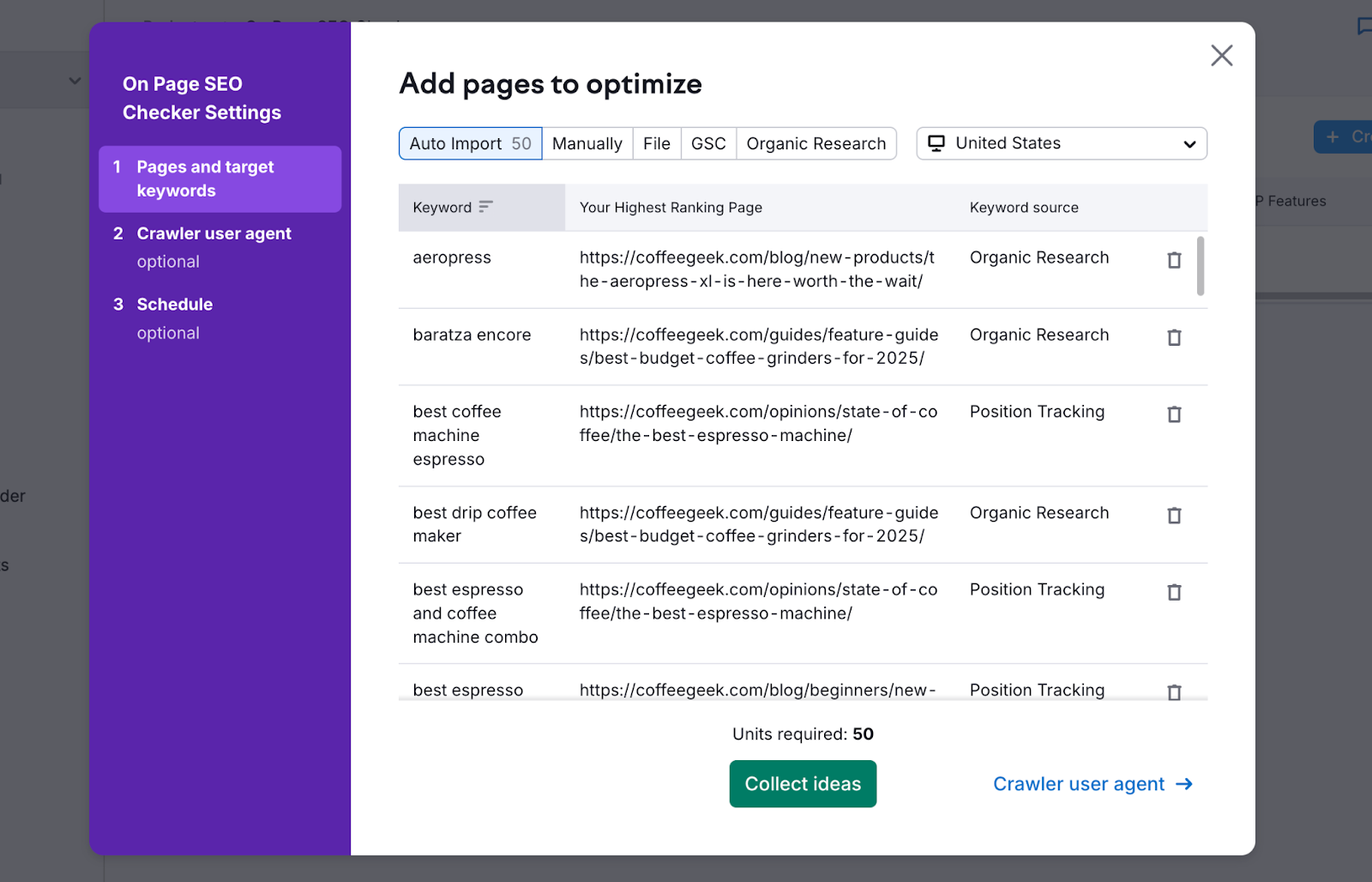
The tool provides actionable recommendations sorted by priority in these categories
- Strategy: Improvements to title and meta descriptions
- Content: Adjustments for word count, readability, and semantics
- User experience: Improvements for mobile-friendliness and page speed
- Technical: Schema markup and HTTPS
- Backlinks: Opportunities for link building
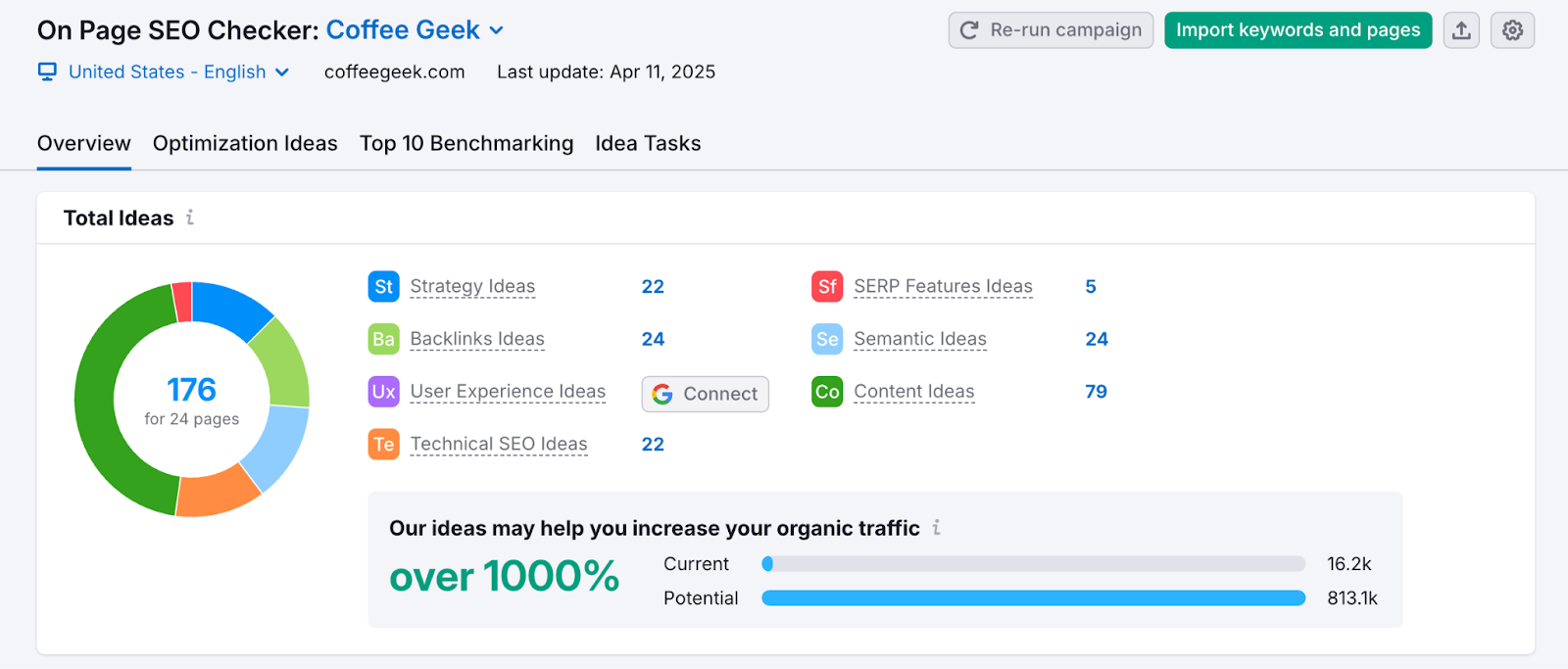
For example, adding your target keyword to the H1 heading and increasing content length could improve rankings for a valuable term.
Start by optimizing your most important pages first for the greatest impact.
Step 7: Set Up Reporting to Track Progress and Share Results
The final step is setting up regular reports to monitor your progress and share results with your team or clients.
How to create your first PDF Report:
- From the left sidebar, go to "Reports"
- Choose from the templates or start with a blank report
- Add widgets for the metrics that matter most to you
- Schedule automated delivery to key stakeholders
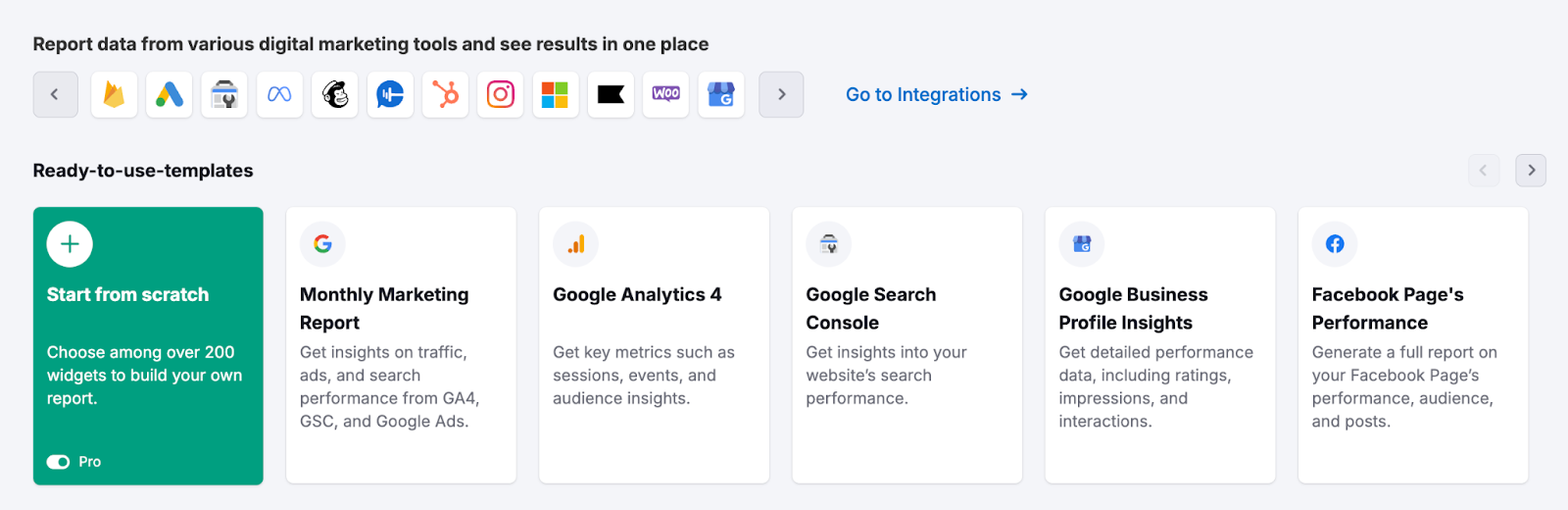
Your reports can include:
- Keyword ranking improvements
- AI visibility and traffic
- Site health progress
- Competitive position changes
- Backlink growth
- Traffic increases
Focus your reports on metrics that show real business impact. For most stakeholders, changes in traffic and conversions are more valuable than technical SEO details.
Next Steps: Your Semrush Success Checklist
- Create your SEO dashboard
- Find 5-10 high-value target keywords
- Set up Position Tracking for those keywords
- Run a Site Audit and fix critical errors
- Analyze 2-3 top competitors
- Implement on-page improvements for key pages
- Set up automated reporting
Following this process will help you build a strong foundation for your SEO strategy. As you gain more experience with Semrush, explore additional tools to enhance your SEO efforts:
- AI Visibility Toolkit to get seen on AI platforms like ChatGPT
- Backlinks to build your link profile
- SEO Writing Assistant to create SEO-optimized content
- Social Toolkit to amplify your content and brand on social media
- Advertising Toolkit to analyze competitors’ paid search strategies
Find More Ways to Win on Every Marketing Channel
Semrush offers solutions for more than just SEO:
- Local Toolkit:Manage local SEO or campaigns for multi-location businesses
- Content Toolkit:Optimize content to support your website and SEO campaigns
- Social Toolkit:Manage social media campaigns to engage your audience
- Advertising Toolkit: Run paid campaigns to reach new customers quickly and effectively
- Traffic & Market Toolkit:Gain deeper insights into your competitive landscape
Additional Resources
The workflows covered in this article are just the beginning of what Semrush can do.
If you need extra help or are looking for more ways to reach your goals, bookmark these resources.
- Semrush Academy: Learn marketing and how to use Semrush with free classes led by top marketing professionals
- Semrush SEO Onboarding Checklist: A checklist to guide you as you get started
Start your 7-day free trial today and see how quickly you can transform your website's performance using the right tools and strategy.