Video Marketing: The Ultimate Guide for 2025 (original) (raw)
What Is Video Marketing?
Video marketing is when you use video content to promote a brand, product, service, or cause.
It involves planning, creating, editing, and sharing videos for different mediums. From social media platforms to websites and vlogs.
Marketing videos can help generate engagement, brand awareness, and leads. This is especially true if your video gets a lot of traction on social media platforms. Like YouTube, Facebook, and Instagram.
For example, cosmetics brand Glossier created a video to promote its foundation and concealer. It generated over 391,000 views.

Videos are more dynamic and interactive than images or text. And easy for viewers to share.
But to reap the benefits, it's essential to have a well-planned video marketing strategy. That’s what we’ll cover in this guide.
Video Marketing Benefits
Social Media Engagement
One of the main benefits of video marketing is more engagement.
A study on what makes news posts engaging found that news articles containing videos get more engagement. Include shares, likes, and comments on social media. Than those with photos only.
This is because video content is often more engaging than static images. And easier to digest than text.
For example, UNILAD shared a video on road marking. It got 155,000 million views, 4,400 comments, and 149,000 reactions.

More social media engagement can translate into increased exposure for your brand.
Additionally, user engagement is a ranking signal on Instagram. And other social channels. So, the more people interact with your content, the greater its reach across the platform.
Website Traffic
Ninety-one percent of marketers say video content helps them get more website traffic, according to a Wyzowl survey. Because videos tend to be more shareable than other types of content.
Videos can also help you get backlinks from other websites and blogs.
Use relevant keywords in video titles, descriptions, and captions. To further increase the reach of your marketing videos. This can boost your SEO efforts. Potentially leading to more traffic. And higher rankings in search results, too.
Leads and Sales
Eighty-seven percent of the companies surveyed by Wyzowl say video marketing helps them increase sales.

Videos featuring product demos, information, and tutorials can influence purchasing decisions. While allowing consumers to discover new brands and products.
It helps leads better understand and research products or services. Which can further drive sales.
Mobile User Targeting
Videos can help you reach your target market. And keep their attention.
According to a Google survey, 55% of consumers say they watch videos on their phones while shopping in-store.
More than half of respondents say online videos help them decide on a brand or product. This could be a product comparison, tutorial, or review.
For example, the video below shows viewers how to use an air fryer. It’s around 13 minutes long. And covers everything a consumer would want to know before buying.

Trust and Authority
Video marketing can establish trust by providing a more personal and engaging experience for viewers. Allowing them to connect with your brand or message on a deeper level.
Videos allow you to showcase your expertise, share valuable insights, and demonstrate transparency. Helping to build credibility and authenticity.
Like this video by HomeDepot:

It provides vital information consumers will need when tackling a home project.
Seeing real people and real situations featured in your videos can also create a sense of reliability and sincerity. Fostering trust between the audience and your brand.
Ask your customers for video testimonials. Share them on your site and social media pages to establish credibility.
Further reading: A Beginner’s Guide to User-Generated Content (Definition, Examples, and Tips)
Types of Marketing Videos
Use a variety of marketing videos to attract, nurture, and convert customers.
Demo Videos
Use demonstration videos to show how a product works. Highlight unboxings, installation, configurations, and key features.
Demo videos should be educational. Their role is to help viewers understand the "how-to" behind a product or service.
For example, this short video shows the Ring Door View camera in action. Viewers can see everyday people using the camera and app.

Brand Videos
Create brand videos to showcase your company's mission, values, or products. And connect with your audience on a more personal level.
This type of content uses storytelling to evoke emotions, get people's attention, and raise brand awareness. It can take various forms. From short documentaries and interviews to animated videos.
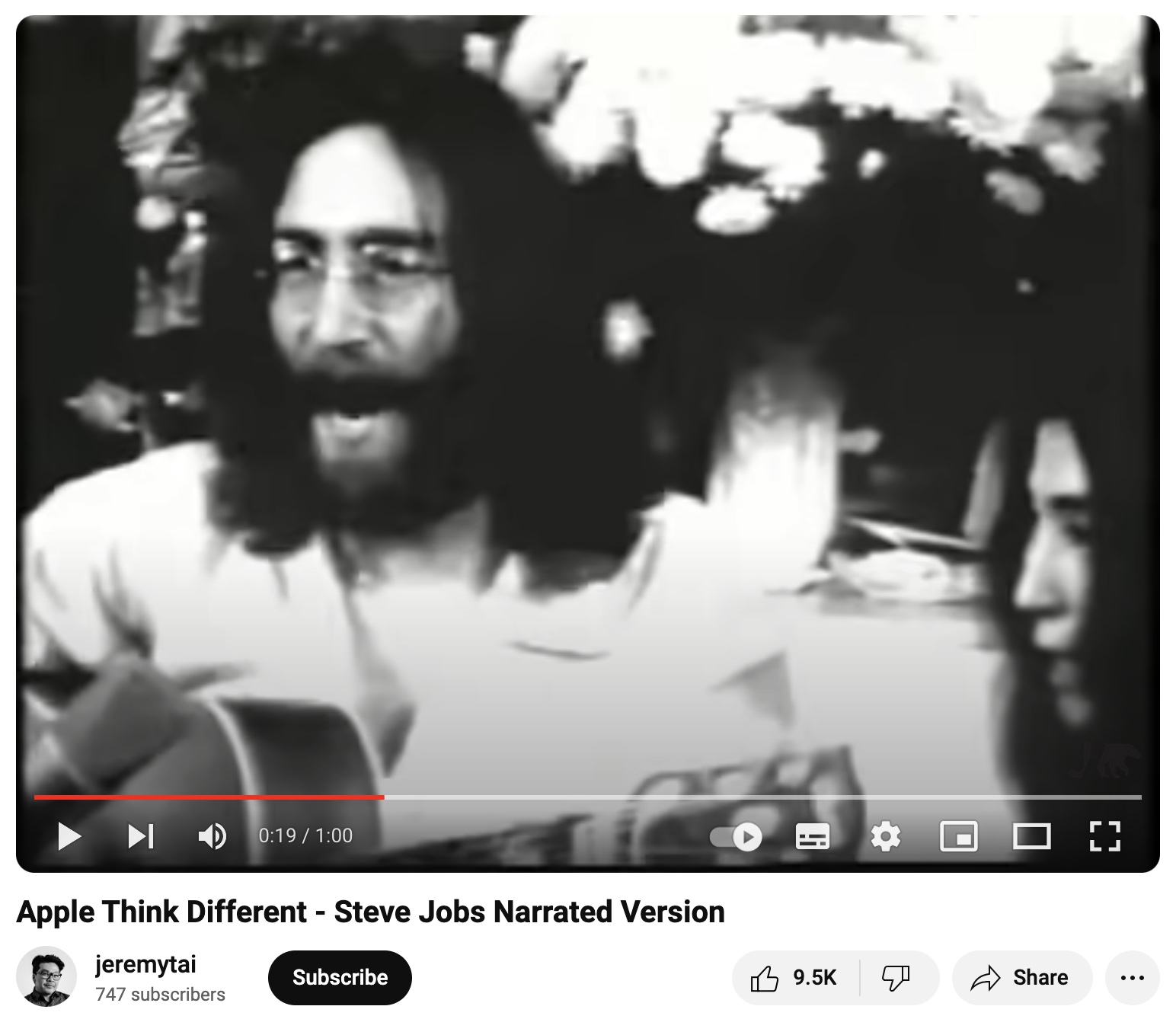
A great example is Apple's "Think Different" video. Which highlights the brand's mission to change the world. It encapsulates Apple's innovative spirit. While encouraging viewers to embrace their uniqueness.
Event Videos
Event videos are a great way to create buzz. And boost ticket sales.
Use this type of video to promote the following events:
- Seminars
- Corporate fairs
- Virtual job fairs
- Awards ceremonies
- Trade shows
Another option is to create event recap videos. This helps show leads what they missed out on. And can increase future sales.
For example, this post-event video appeals to viewers who were unable to attend Content Marketing World. It summarizes the event, highlights key moments, and features snippets of interviews.

Expert Interviews
Interview videos can provide value to your target audience. And help you build credibility.
Depending on your goals, you might interview third-party experts or internal stakeholders.
Like this YouTube video from nutrition company Athletic Greens. Which features Dr. Andrew Huberman talking about gut flora. The brand sells products that support gut health. And this type of content can help lend credibility to its ingredients.

Educational or How-To Videos
Educational and how-to videos should address common challenges or problems. To educate potential and current customers on topics related to your products.
They’re also great for highlighting a product's key features and benefits. And why they matter to customers.
A good example is this marketing video from Semrush. Which shows viewers how to create engaging content that ranks on Google's first page.
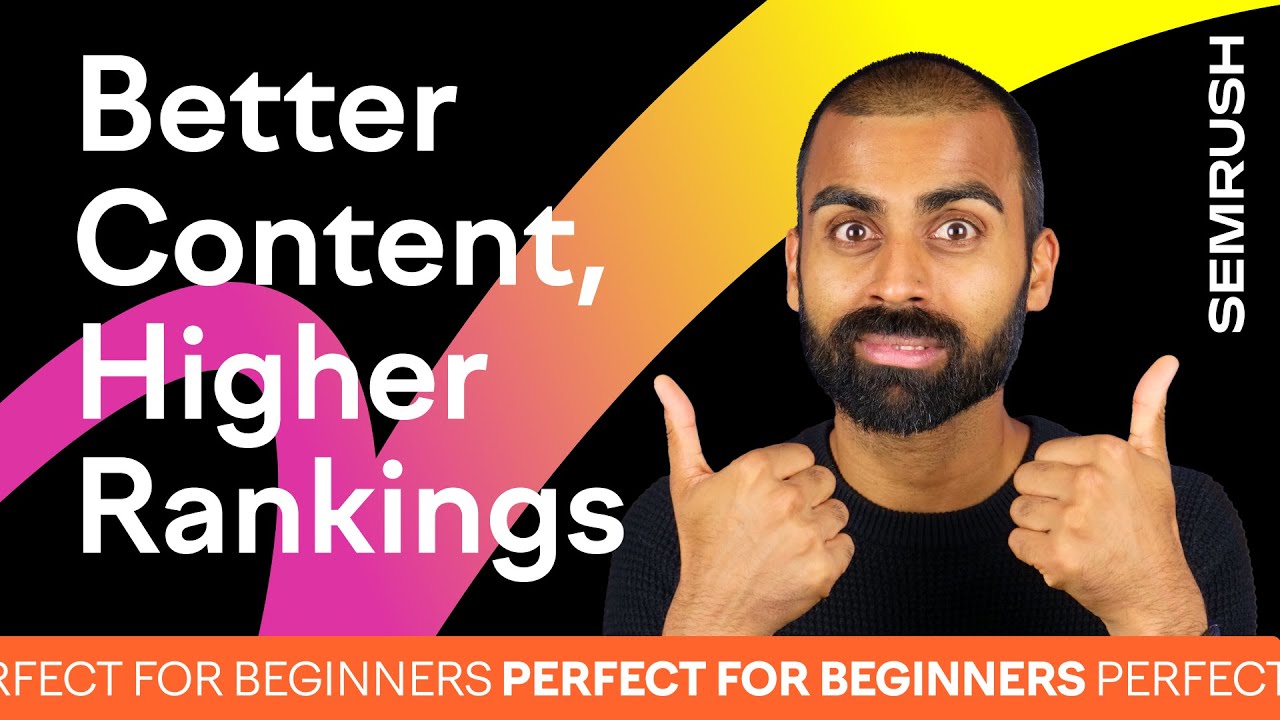
The video focuses on the content production process. And offers actionable tips on how to improve and refine your writing for higher rankings.
Explainer Videos
Explainer videos provide educational content. With a focus on specific products or services. They usually appeal to potential buyers in the awareness or consideration stage.
For instance, you could make a video that shows customers what your product does. And why it's relevant to them. Focus on a problem they're facing. And explain how the product can help.
The video below shows how Google Wi-Fi can boost internet speed. It uses animations to explain the technology behind the brand's Wi-Fi system. In a manner anyone can understand.

This type of content is often short. Offering simple solutions to complex problems.
By comparison, demo videos go into more detail about the product. And its features. They’re also more suitable for customers in the conversion stage.
Animated Videos
Companies can use animations for most types of videos. Especially those that tell a story. Or explain complex concepts.
With this approach, you can get your point across quickly. And potentially reach a wider audience.
For example, this animated video uses fictional characters. It depicts real-life situations where customers can pay with Amazon One. And shows how the product works in a clear, easy-to-understand manner.

Case Study and Customer Testimonial Videos
Case studies and customer testimonial videos serve as social proof. This helps instill trust in your brand. And turn prospects into paying customers.
For instance, we presented an SEO case study on a bakery. By using our SEO tools, the bakery grew mobile organic traffic by 460%.

Showcasing statistics and testimonials from real users is compelling. And may help increase customer trust. If a customer trusts your brand, they’re more likely to take the desired action. Such as buying a product.
Live Videos
Live video enables viewers to interact with your content in real time. Which can lead to higher engagement.
For example, live Q&A videos allow you to answer customers' questions. And connect with your audience on a personal level. Livestreams are also ideal for covering events. Like a product launch. And sharing quick, interesting facts on social channels.
360° and Virtual Reality Videos
According to Google research, 360-degree video ads have higher click-through rates. And get 41% more views, shares, and subscribers than regular video ads.
They enable viewers to virtually explore a location or product from every angle.
For example, real estate agencies use this format to showcase apartments or houses in an immersive way. Customers can virtually walk through each room, see the floor plans, and imagine themselves living there.

Similarly, virtual reality videos make use of headsets and other devices to create an immersive experience. Viewers can explore real or imagined locations. And interact with the environment around them.
Either type of video can help you captivate and delight your audience.
Augmented Reality Videos
These marketing videos blend digital elements with real-world objects or locations.
For example, customers can use the IKEA Place app to virtually customize their living spaces. If someone wants to buy a new desk or rug, they can scan their office with a smartphone. And see how it would look in their home.

This technology enables brands to create interactive experiences. And add new dimensions to storytelling.
Personalized Video Messages
Personalized videos enable you to deliver customized content to individuals or groups of customers.
For example, Nike created over 100,000 personalized animated videos for Nike+ members. Based on fitness data, location, and other factors.

Consider recording personalized videos for high-profile customers who want to know more about specific products or services.
Or, create custom video messages. To thank customers for their business, wish them happy holidays, or celebrate milestones.
Personalized video messages can help you drive sales. And boost customer satisfaction.
How to Create an Effective Video Marketing Strategy
Video content marketing will look different from brand to brand. Depending on the company's size, budget, industry, and target audience.
However, most campaigns share some common steps. Which you should take into account when crafting a video strategy.
1. Align Goals with the Marketing Funnel
A good starting point is to set video goals for your campaigns. For instance, you may want to reach more customers. Or create buzz around your brand.
Consider the different stages of the marketing funnel when setting goals. And create content that aligns with those goals.
A marketing funnel, or conversion funnel, has multiple stages that reflect the buyer's journey.
These stages may differ from one business to the next. But usually include the following:
- Awareness: Potential customers become familiar with your brand and product
- Consideration: At this stage, you'll nurture prospects. And position your product as a solution to their pain points.
- Conversion: Shoppers are already interested in your products. But need an extra push to take the final step. And make a purchase.
- Loyalty: At this point, you'll want to follow up with customers who've made a purchase. And focus on building lasting relationships. The goal is to earn their loyalty and drive repeat business.

Customers at different stages of the funnel have different needs. It’s crucial to adapt your video marketing efforts to each stage of the buyer’s journey.
Attract in the Awareness Stage
Buyers in the awareness stage know little about your brand. Or what you sell.
For instance, a potential customer may have liked your Facebook page. But didn't look further into your products.
At this stage, you'll set a goal to drive brand awareness. By telling the story behind your products through video. The content should inspire, educate, and inform prospects. Rather than sell.
A good example is this brand video from Shopify. Which revolves around entrepreneurship.
Although it barely mentions the brand's name, it shows how Shopify gives people the freedom to run their own businesses.

Convert in the Consideration Stage
Customers in the consideration stage are already interested in your brand and products.
Now is the time to answer their questions. And address pain points. And show how your products would fit into their lives.
For example, share educational or how-to videos, case studies, or expert interviews.
Let's say you’re an affiliate marketer who promotes video editing software for small business owners.
Consider creating a series of videos on relevant topics like:
- What is video marketing?
- How to use video content for brand promotion
- How to create a video campaign using [a specific tool you’re promoting]
- 10 Video marketing tips from industry experts
- 15+ Must-have video editing tools for marketing teams
- 5 Steps to a successful video marketing strategy
Focus on educating viewers. While highlighting the benefits of your products or services. Refrain from being overly promotional.
The goal here is to spark interest. And move prospects further down the funnel.
Close in the Conversion Stage
Now is the time to give customers the push they need to make a purchase.
For instance, share demo or live videos. To show your product in action. Customer testimonial videos and case studies can boost conversion rates, too.
Like this video that shows small business owners how they can benefit from a Semrush subscription:

Delight Customers in the Loyalty Stage
Go one step further and create videos to delight customers who've purchased your products. Think of it as a way to provide further value.
Depending on what you sell, you may create onboarding videos, product videos, or advanced video guides. Webinars can be helpful, too. Especially when it comes to more technical products or services.
Say you offer a software program for small businesses.
Customers have already paid for it. And know how it works. But you can create a series of videos to help them derive more value.
Showcase hidden features, expert tips, or shortcuts.
Further reading : 65 Customer Retention Statistics You Need to Know
2. Define Your Target Audience
Next, create a customer profile that reflects your target audience. This can help maximize your marketing efforts. By getting your videos in front of the right people.
Learn more about your target customers through the following ways:
- Surveys
- Industry reports
- Market research
- Website analytics
- Social media analytics
Use demographic information to decide which types of marketing videos to create. And come up with topics that will resonate with them.
For example, if you have a skincare line, you might target women between 25 and 45 years old who live in the U.S. And earn at least $80,000 per year.
This demographic might benefit from product tutorial videos, comparisons, and real-user makeovers.
3. Plan Video Topics and Formats
Determine what story you want to tell. And how you're going to tell it.
Short videos are great for sharing quick tips. Or advertising a product. These can be a good choice for Instagram or Facebook.
For example, use Instagram Stories to share behind-the-scenes shots, quick tips, or brand messages. Instagram stores can be up to 60 seconds long. And disappear after 24 hours.
You might also consider creating longer educational videos. This type of content may perform better on owned media channels. Such as your website or blog.
It's also a good choice for YouTube. Where the ideal video length is seven to 15 minutes.
4. Plan the Video Production Process
Ask yourself these questions during the planning stage:
- Where will you shoot your video?
- Will you need video equipment? Or will you use your smartphone?
- Will you hire talent?
- Who will be responsible for video editing?
At this point, it’s a good idea to assess your budget. Determine how much you can afford to spend. On video equipment, editing software, and other necessary resources.
If you’re using your smartphone, which works well for social media videos, you may not need a budget at all.
There are also video creation tools that allow you to repurpose existing content into marketing videos. Without the need for equipment, video talent, or editing.
Convert Articles to Videos
If you don’t want or need a large-scale video shoot, turn your existing content into marketing videos instead.
Use AI Video Marketing Automator to convert text into video content. Our tool also doubles as an AI script generator. Which can further free up your time.
When you open the AI Video Marketing Automator app, you have three options:
- URL to Video: Use this feature to convert your blog posts into social videos. Or any other type of video content.
- AI Prompt: Enter a topic. Such as "Video marketing statistics" or "How to take screenshots in Windows 10.” And let AI write the script.
- Blank: Enter your script. Or create a video from scratch.
Let's say you want to turn a blog post about superfoods into a video.
Select the first option, "URL to Video."
The tool will open a pop-up window where you can enter the blog post URL. And the desired video type and length.
You’ll get suggestions for the ideal video length. For each of the major social platforms.

Select the type of images you want to appear in the video. These can be stock photos, 3D illustrations, hand-drawn illustrations, or other visuals from Semrush's library.
When you're done, click "Create Video.” And let the tool do its magic.

AI Video Marketing Automator will extract the main ideas from your blog post. And turn them into a video script. It will add relevant images, voice-overs, and subtitles.
Customize the video by clicking the icons "Voice," "Style," "Music," or "Media" on the left side of the screen.

If everything looks good, click "Export Video" on the upper-right side of the screen.
All you have left to do now is click "Download Video.” And post it on your website or other platforms.

Further reading: Top 10 Content Repurposing Tools
5. Determine How You'll Measure Success
Lastly, decide how you’re going to measure video performance.
For example, you can track the following:
- Views
- Clicks
- Likes
- Shares
- Comments
- Signups
- Conversions
Use these insights to see what you did well. And where you can improve.
How to Make a Video for Your Business
The video production process has three stages:
- Pre-production: In this stage, you'll plan out your content. And set up the studio. You may also need to book talent, purchase video equipment, and tackle the legal aspects. Like obtaining permits or licenses for shooting in public spaces.
- Production: This is when you'll shoot the video. Your team will test equipment, adjust the lighting, and address the small details. Such as makeup and props.
- Post-production: The post-production process includes video editing, voice-over recording, and other relevant steps
We’ve broken the video production process into smaller steps below.
You may be able to skip some steps. Depending on the type of video you’re creating.
Conduct Keyword Research
Keywords can make your videos more discoverable. On social media platforms. And in search engines.
Let's say you want to make an explainer video about protein powder.
Use Semrush's Keyword Magic Tool to check the Volume (how many searches this term gets on average per month). And Keyword Difficulty (KD). Which tells you how challenging it will be to rank for this term.
You’ll also see related terms. Like “vegan protein powder” and “best protein powder for women.” Which get fewer searches per month but have lower keyword difficulty scores.

Once you've decided on a target keyword, use it in these locations:
- Video title
- Video file name
- Description
- Transcript
- Tags
If you're going to post the video on your website, include the target keyword in the page URL.
Prepare the Script
Video scripts have three primary components.
Including:
- Action lines: Write a couple of sentences that describe the actions happening in a scene. ("Go to your desk and unbox the laptop. Look at each component and explain its role.")
- Sluglines, or scene headings: These are brief directions that establish the setting of each scene. They usually specify the location. And time of the day. (“3RD-FLOOR OFFICE—DAY.”)
- Dialogue: This section makes up the bulk of your script. It includes the on-screen text, voice-overs, and the words spoken by the characters.
Your script's length depends on how long the video is going to be.
For example, Lemonlight recommends writing a 60-word script for videos under 30 seconds.
If your video is 60 seconds long, aim for 120 words or so. A two-minute video may require a 240-word script.
These numbers are not set in stone. It all depends on speaking speed.
Overall, your video script should be clear, concise, and relevant to the target audience. Read it aloud several times before shooting for best results.
Set Up the Studio
Shooting high-quality videos requires specialized equipment. But you can also use your smartphone. Or AI Video Marketing Automator.
For example, it's not necessary to use a fancy camera to shoot a 30-second how-to video for TikTok. But if you want to make a brand video or product demo, it may be useful to have access to professional equipment.
Depending on the type of video, you may need the following:
- Video camera
- Shotgun mic or lavaliers
- Tripods
- Basic lighting equipment
- Memory cards
- Audio cables
- Batteries
- External hard drive
If your budget allows for it, you might also consider:
- Camera lenses
- Headphones
- Teleprompter
- Audio recorder
- Gimbal
- Capture cards
- Sound-dampening devices
- Livestreaming monitors
Get the Talent Ready
Talent may or may not be necessary, depending on your budget. And the type of video you want to make.
For example, this video from Semrush Academy features an industry expert on the topic of leadership and people management:

But not all videos require on-screen talent.
Say you want to shoot an explainer video about a specific software program. This might work well with a voiceover only.
Alternatively, use AI Video Marketing Automator. Or AI voice generators.
If you shoot a more complex video, such as a short documentary about your brand, you'll need to prepare the talent. In some cases, it may make sense to hire professional actors.
Give talent the script ahead of time. And be clear about the message you want to convey. Share audience demographics and preferences. So talent can use the right tone of voice. And language.
Shoot the Video
The big day is finally here.
Start by checking equipment. To make sure everything works properly. Have the props ready, adjust the lighting, and position your camera at the appropriate angle and distance.
You'll also need to manually adjust the camera settings. Such as aperture, white balance, and shutter speed. Based on the lighting conditions.
This will ensure accurate color reproduction. And allow you to capture the subject clearly.

Follow these tips to get the best shots:
- Shoot multiple takes. Mistakes can happen, and it's easier to fix them later if you have multiple shots of the same scene.
- Capture a variety of shots, including wide shots, medium shots, and close-ups
- Maintain consistency in lighting, framing, and audio
- Make sure the subject is in sharp focus. Use focus tracking if the subject is moving.
- Diffuse or bounce the light to avoid harsh shadows
- Frame your shots based on the rule of thirds to achieve a better composition. With this technique, you’ll visually break an image down into thirds, resulting in nine equal squares. After that, place your subject in the right or left third where the lines intersect.
- Review the recorded footage in real time to ensure it looks right
- Have some extra batteries, memory cards, audio cables, and other backup equipment on hand. In case of technical issues.
- Communicate with your team at all times. Let them know if there's anything they should do differently, such as changing their tone of voice.
Edit Your Video
If you make a video with AI Video Marketing Automator, it will be easy to edit. But you'll need specialized software to edit long or complex videos. Such as a documentary. Or company culture video.
A popular video editing tool is Adobe Premiere Pro. It allows for multicam editing, 3D editing, and automatic captioning.
Movavi is popular among YouTubers. And novice video editors. Due to its user-friendliness. It has features like motion tracking and noise removal.
Another option is Shotcut, a free, open-source video editor. Beginners will find it more challenging. But it works with 4K videos and covers all the bases.
Choose the Music
The music you use depends on the target audience. And the message you want to convey.
For example, ambient background sounds can create a relaxed atmosphere suitable for home tour videos, some brand videos, or educational videos.
Upbeat music may work better for promotional content. It creates a sense of energy and excitement.
Like this short video on our YouTube channel:
If you’re making social media videos, many platforms let you add music and sound effects for free.
Depending on your budget and video type, you may want to use commercial songs. Or ask your creative team to produce the music.
If you use commercial songs, you may have to pay licensing fees.
Register on websites like the following to find the right music based on your needs and budget.
Record the Voice-Over
Record the voice-over before, during, or after shooting the video. It's largely a matter of personal preference, as each approach has pros and cons.
For example, if you record the voice-over while filming, you may sound more natural. And save time on editing.
The problem is that any retakes on set may require additional voice-over recording. Additionally, syncing the voice-over with the visuals can be challenging.
Follow these best practices:
- Conduct a test recording beforehand. To figure out what works for you.
- Pay attention to sound clarity and volume
- Use a friendly tone
- Get the pacing right
- Speak clearly
- Place the microphone about eight to 12 inches from your mouth
Choose the Right Video Hosting Platforms
Now it’s time to choose a video host.
Online video platforms typically support the following files:
- MP4
- AVI
- MOV
- FLV
- WMV
Some may also accept less common formats, such as ProRes or WebM. Check their requirements in advance. So you can choose the right format.
Hosting your videos on a third-party platform can make it easier to share them online. And reach your audience.
Before choosing a platform, consider your budget, type of videos, and target audience. You'll also want to look into features. And ease of use.
For example, some platforms are private. This makes them suitable for hosting videos you'll only share with your email subscribers, employees, or specific customers.
Here are some video hosting options:
YouTube

YouTube is the second most popular website in the world after Google.
What sets YouTube apart from other video hosting platforms is its reach. Plus, it's free to use. And allows creators to monetize videos.
Key features
- Access to a large audience
- Free unlimited cloud storage
- Share videos privately or publicly
- Add subtitles and closed captions
- Advanced analytics tools
- Livestreaming via YouTube Live
- Monetization options
Further reading: YouTube SEO: How to Boost Your Channel’s Visibility
Dailymotion

Dailymotion is the most popular video player in Europe and has 400 million monthly active users.
Just like YouTube, the platform offers social sharing tools. And flexible monetization options. It also allows creators to stream live videos. And add subtitles or closed captions.
But what makes Dailymotion stand out is its emphasis on short-form video content and animations.
It's also worth mentioning that Dailymotion is less competitive than YouTube. This means you may find it easier to build an audience. Especially if you're targeting European consumers.
Key features
- Unlimited free hosting
- Popular among European consumers
- Audience analytics and engagement tools
- Make your videos public, private, or password-protected
- Ideal for short videos
- Supports 4K and HTML5 video formats
- Allows livestreaming
Vimeo
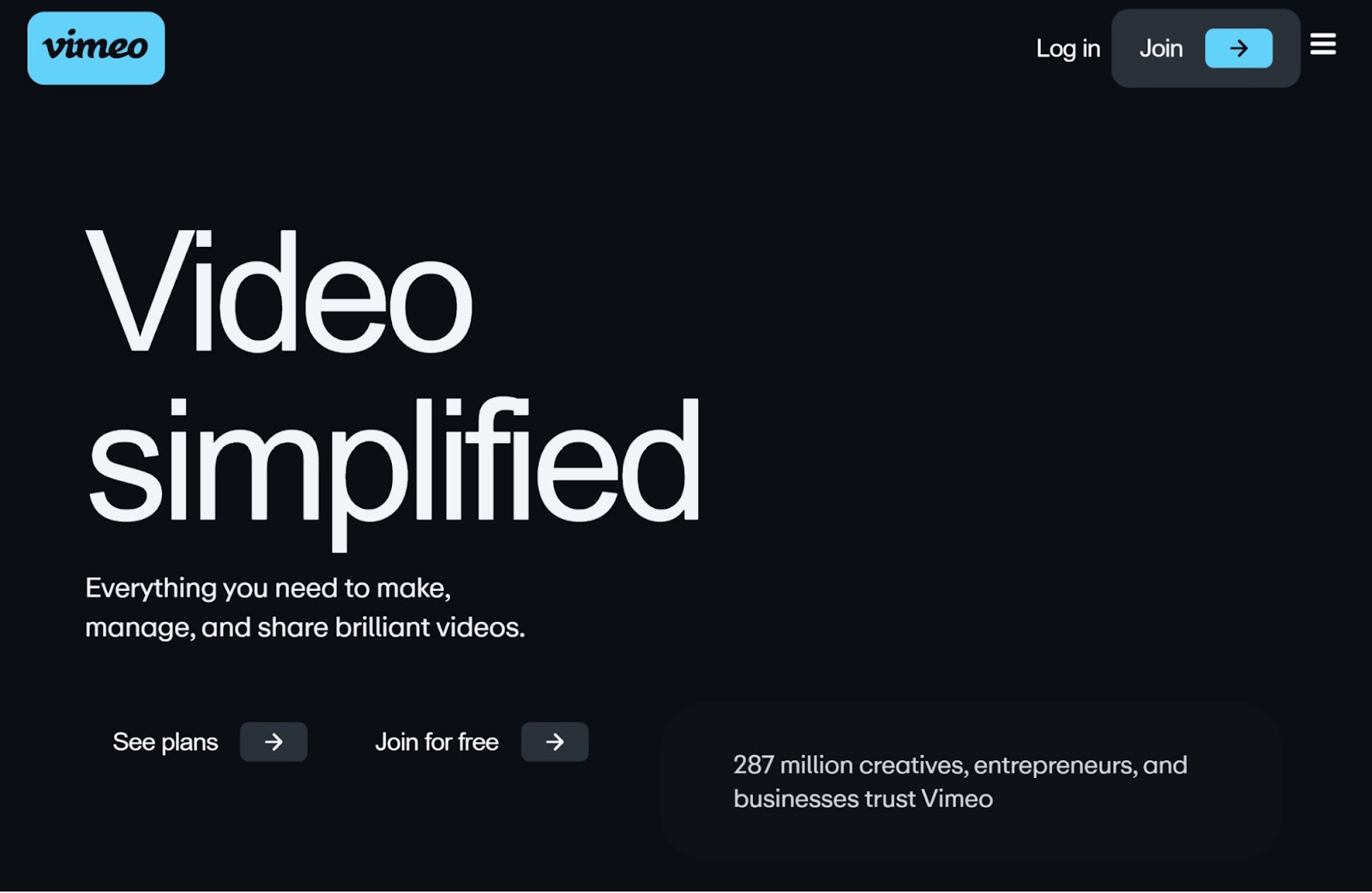
Vimeo has a strong selection of business features. Creators can invite team members to view their private projects, host webinars, and stream to multiple platforms at once.
You can also sell videos on demand. Or as a subscription service.
Vimeo is particularly suitable for sharing original animations, short videos, nature videos, and independent music videos.
Key features
- Free and paid membership options
- A strong focus on collaboration
- Advanced marketing tools
- Video SEO tools
- In-depth analytics
- 360-degree video support
- Live automated closed captioning
- Premium video editing tools
- No ads

Facebook isn't a video hosting platform. But you can use it to publish and share your content for free. Given its large audience, it can make it easier to get more eyes on your videos. And raise brand awareness.
However, Facebook has more limited features and tools for video creators than other platforms. While it's great for sharing social content videos, you may need to use third-party tools. To edit and fine-tune your work.
Like Adobe Express, FlexClip, or Canva.
Key Features
- Unlimited file storage
- Share content directly with your fans and followers
Jetpack VideoPress

The Jetpack plugin has a paid feature called VideoPress. Which allows WordPress users to host and share video content.
With VideoPress, you can embed videos into your WordPress posts. To drive engagement.
There's also the option to add subtitles and captions, make your videos private, or break up a video into sections.
Track your view-through rate (VTR), or the percentage of people who watched an entire video. And other metrics on your WordPress dashboard.
Key features
- Unlimited file storage
- Drag-and-drop interface
- Multiple branding options
- Supports full HD videos
- Unlimited logins for other users (e.g., your in-house team)
- Access to analytics tools
- Customizable media player
- Ad-free
Further reading: 16 Best WordPress SEO Plugins (Free & Paid)
Wistia

Wistia is strictly a video hosting platform. So your content won't appear publicly. Unless you share it with others. Unlike YouTube and other platforms, it targets business professionals. Especially those who create videos for marketing purposes.
Users have access to lead capture forms, advanced analytics, video SEO tools, heatmaps, and other features. Depending on their membership plan.
Stream live events, add background music and calls-to-action (CTAs), record your screen, and enable captions.
Key features
- Access to marketing tools
- SEO-friendly embed options
- Livestreaming
- Custom branding
- Video chapters
- Audience segmentation tools
- Social sharing tools
- Accessibility features
- No ads
Spotlightr

Spotlightr appeals to marketers and other business professionals. Users can brand their videos, encrypt them against unauthorized downloads, and edit the content with just a few clicks.
Given its features, this platform is suitable for corporate videos. And educational content.
For example, host webinars or online courses and embed quizzes into your content. To track learning progress.
There's also the option to add a paywall to your videos. And share them with select customers to generate extra revenue.
Key features
- Customizable video player
- Advanced analytics and reporting tools
- Auto-optimized resolutions
- Pay-per-view gates
- Lead capture gates
- Drag-and-drop functionality
- Audience segmentation tools
- Supports 4K and HTML5 videos
Brightcove

Brightcove appeals to large enterprises. Offering advanced tools for publishing videos at scale.
It features an HTML5-first video player, in-depth analytics, and powerful marketing tools. Users can create branded videos, track their performance across multiple platforms, and deliver interactive video experiences.
The platform also integrates with WordPress, YouTube, Facebook, Shopify, and X. Which can streamline your video distribution efforts. Plus, it enables users to monetize their content.
Given its complexity, Brightcove involves a steep learning curve. And requires technical know-how. But it offers pretty much everything you need. To get the most out of your video marketing campaigns.
Key features
- Customizable video templates
- Lead capture forms
- SEO and marketing tools
- Multiple monetization options
- Stream live videos directly to your site
- Advanced audience insights
SproutVideo

With SproutVideo, companies can deliver live and on-demand videos to their audiences.
Collaborate with your team on the platform, create custom playlists, and share your content across multiple channels.
SproutVideo is easy to use and more affordable than other video hosting platforms for marketing teams. Plus, it allows you to create video landing pages in minutes.
Key features
- Viewer engagement heatmaps
- Advanced analytics tools
- Autoplay option
- Customizable video templates
- Protect your videos with a password
- Add watermarks, CTAs, or lead capture forms to your videos
- Set role-based permissions
Uscreen

Uscreen is an on-demand video hosting platform with over 9.2 million users. It offers flexible monetization tools, automated workflows, and advanced analytics.
A service like Unscreen works best for service-based businesses, educators, and course creators. So, it works well for on-demand fitness, yoga, or cooking classes. But not brand videos or how-to videos.
This platform is similar to Netflix and other streaming services. You upload your videos. And generate revenue from subscriptions.
Users can also sell video bundles. Or charge a one-time fee for access to their content.
Key features
- Flexible monetization options
- No coding skills required
- Livestreaming
- Marketing and analytics tools
- Video website builder
- Get your own mobile app
Determine How You'll Distribute Your Video Content
Sharing your video on the right channels can maximize its impact. And performance. The more distribution methods you use, the more people will see your content.
Ideally, choose five to six distribution channels where your customers are most likely to discover your videos. Include a mix of owned and paid channels.
Further reading: The Ultimate 2024 Guide to Content Distribution (+ Examples)
Owned Channels
These are marketing channels you have full control over. You own them. And you have the freedom to make your own rules.
The most common types of owned media include:
- Websites
- Landing pages
- Blogs
Sharing videos on these channels can be a great way to diversify your content. And provide more value to your audience.
Further reading: What Owned Media Is and How to Master It in 6 Easy Steps
Paid Channels
Paid media involves paying Google, Facebook, or other third parties to promote your content. Paid channels are the platforms where your content will appear.
The biggest benefit of paid media is that it allows for more targeted marketing.
For example, companies can use paid advertising to target specific audience demographics. Such as 20- to 25-year-old men who live in Orlando, Florida, make at least $150,000 per year, and love photography.
Consider using one or more of the following channels. Depending on your budget and goals:
- Display ads: This type of advertising allows you to promote your brand or products on third-party websites and apps. Incorporate videos into your ads. To make them engaging and spark curiosity.
- Out-stream video ads: These are mobile-only ads that appear within editorial content. For example, Forbes and other business websites may feature out-stream ads related to entrepreneurship. The videos play automatically. Putting your brand or products in front of potential customers.
- In-stream video ads: These appear within other videos on online platforms. Like Facebook and YouTube. Viewers see them before, during, or after watching the main video. Depending on the platform. For example, YouTube may display a 30-second video ad before showing the video you clicked on.

- Interstitial video ads: Use these types of ads to display your videos on mobile apps. The ad will take up the full screen and grab viewers' attention.
- Native ads: These ads integrate seamlessly with the platform where they appear. They're relevant to the page content. And don't disrupt the viewer's experience. Think about the ads that appear in your Facebook feed. Or at the top of Google search results.
- Sponsored content: Reach out to influencers, online newspapers, and media outlets that publish sponsored content. If you reach an agreement, they'll share your videos on their websites. Or social media pages. As a result, you may gain exposure and reach a wider audience.
- Influencer marketing: Partner with influencers in your niche or industry to create video content together. Influencer marketing can help you expand your reach. And build credibility.
Measure Video Marketing Performance
Once your video is live, you'll want to see how it performs on different platforms. This will allow you to channel your efforts in the right direction.
First, decide which metrics you want to track:
- View count: The total number of times a video has been viewed
- Play rate: The percentage of people who clicked the play button
- Engagement rate: The number of clicks, likes, and shares your video got on social media
- Click-through rate (CTR): The percentage of views that resulted in a click
- Video completion rate (VCR): The percentage of viewers who watched an entire video
- Conversion rate: The percentage of customers who took the desired action, such as joining your email list after watching a video
- Bounce rate: The percentage of people who leave a video without watching it in full
- Time on page: The amount of time someone stays on a webpage
Most platforms feature built-in analytics tools that enable users to track these metrics. This includes Facebook Audience Insights, Twitter Analytics, YouTube Analytics, and more.
Plus, there are third-party tools that consolidate all your data in one place.
Start with Semrush's Social Tracker.

This tool allows you to monitor your competitors' social media accounts. And see how you measure against them. Learn the number of viewers who watch and interact with their videos.
Social Tracker also shows how many shares, reactions, and comments a video got over the past 60 days. Or 30 days for YouTube. Plus other useful stats. Such as subscriber growth rate and top-performing content.
There’s also a Social Analytics tool that can track video performance. On LinkedIn, Facebook, and Instagram. Users can monitor the number of new followers, profile interactions, audience engagement, and other metrics.
Video Marketing Tips for Social Media
Creating a social media video marketing strategy will help you drive brand awareness, engagement, and sales.
Here are some tips to keep in mind.
Leverage Visuals
As many as 83% of people watch videos with the sound off. This percentage is even higher among mobile users (92%).
Use strong visuals, captions, and subtitles to get your point across. Integrate your company’s colors, logos, and other visual elements. To help make your brand memorable.
Watch your videos before sharing them on social media. To ensure they’re engaging and your message is clear.
Tasty, a food network company, creates recipe videos you can watch. With or without sound. They use bold text overlays and captions to highlight essential details.

Use Short Videos to Drive Engagement
Short-form video content tends to perform better on social media than longer videos.
For example, Instagram Reels get more likes than other types of content on the platform.
In general, short-form video content is under 60 seconds long. And works for sharing quick tips, makeup tutorials, product teasers, or cooking hacks.
This type of content can complement longer videos. Giving viewers a taste of your brand.
For instance, create a 30-minute video on starting a business. And a short 60-second video summarizing its key takeaways.
Hook Viewers
In one survey, about 50% of TikTok users said videos longer than 60 seconds are stressful. Approximately one-third reported watching online videos at double speed.
Start your videos with an interesting fact, a breaking news story, bold visuals, or other attention-grabbing elements. Get to the point quickly. To keep viewers’ interest.
Like our video on the most popular search terms. It starts out with unexpected visuals. And a high-energy host.

Optimize Videos for Different Screen Sizes
To ensure your videos look good on any device, check the requirements of each social media platform.
For example, if you plan to share content on Instagram, use the following:
- 16:9 aspect ratio for landscape videos
- 4:5 for portrait feed videos
- 1:1 for square videos.
TikTok recommends filming your video in portrait (9:16). So it fits any screen size.
Decide which platforms you want to focus on. And then resize your videos accordingly.
Adapt Videos to Different Social Media Channels
One aspect to consider in the video pre-production process is where you're going to share your content.
Facebook, Instagram, TikTok, and other social media channels all have distinct requirements. By adapting your content to each platform, you can grow your reach. And improve the viewer experience.
Instagram Video Best Practices
- Keep your videos around 60 seconds for Stories, 90 seconds for Reels, and up to four hours for livestreams. Instagram Feed Video Posts can be three seconds to 60 minutes long.
- Shoot vertical videos in HD for Instagram Reels. Optimize them with hashtags, product tags, and captions that include your target keywords.
- Use MP4 or MOV for feed videos, Reels, and Stories. These shouldn't exceed 4GB.
- Keep the caption under 2,200 characters for Reels and in-feed videos. And 125 characters for Stories.
- Check Instagram’s Explore page. Incorporate the latest trends into your content. If possible, use a trending audio track to gain more exposure on the platform.
- Respond quickly to comments, direct messages, and videos that mention your brand
Further reading: 6 Instagram SEO Tips to Increase Your Reach
Facebook Video Best Practices
- Ensure your videos have the highest possible resolution. And can keep viewers hooked for at least 60 seconds.
- Use an aspect ratio of 16:9 to 9:16 for Facebook feed, in-stream, and Marketplace videos. And 1.91:1 to 9:16 for Facebook Stories.
- Stick to 240 seconds for in-feed and Marketplace videos. Five to 120 seconds for in-stream videos. And one to 120 seconds for Stories.
- Post new videos at least once a week to build your audience
- Refrain from explicitly asking viewers to like, share, or tag your content. Foster a sense of community. By encouraging them to share their opinions, leave feedback, or ask questions about the video.
- Tease upcoming content to build anticipation and engagement. For example, say something like, "Stay tuned for our next video, where we'll tell you more about [insert topic]."
- Leverage Facebook's Watch Parties, polls, livestreaming, and other interactive features. These elements can help you build engagement. Without explicitly asking for likes or shares.
- If your video marketing campaigns revolve around Facebook, upload your videos directly to the platform rather than linking to YouTube. You can post the same video on both platforms, but upload it to one channel at a time.
YouTube and Facebook are competitors, and their ranking algorithms tend to prioritize native videos. This type of content often gets more exposure and engagement than non-native videos.

Image Source: Facebook
X (Twitter) Video Best Practices
- Keep your videos under two minutes and 20 seconds. X favors short messages, whether in written or video form. The ideal video length is around 15 seconds.
- Add strong visuals to reinforce your message. And keep viewers hooked.
- Showcase your business or products within the first three seconds to improve brand recall
- Aim for an aspect ratio of 16:9 or 1:1 to make sure your videos display in full
- Use the Media Studio. To create compelling video titles, descriptions, links, and interactive elements for your videos.
- Add captions to reach a wider audience. Including people who are hard of hearing or deaf. And those watching your videos on mute.
- Include no more than two hashtags per tweet. These should summarize your message and incorporate relevant keywords (e.g., #ketobrownies or #homeimprovement). Adding too many hashtags can make your post look spammy.

Image Source: Twitter
LinkedIn Video Best Practices
- LinkedIn videos can be anywhere between 75KB and 5GB. Keep them under 10 minutes if you upload them via the LinkedIn mobile app. Or under 15 minutes if you upload them via the LinkedIn website.
- Choose the ideal video length based on your goals. LinkedIn recommends using short, 30-second videos for brand awareness. And longer videos for demand generation.
- Aim for an aspect ratio of 1:2.4 to 2.4: and a resolution of 256x144 to 4096x2304. To make sure your videos look great on any device.
- Upload your content directly to the platform. Remember that LinkedIn, Facebook, YouTube, and other social media channels favor native videos.
- Add supporting copy and hashtags to your videos. For best results, keep your copy under 150 characters.
- Create and share videos aimed at business professionals. These could be industry news, behind-the-scenes shots, product updates, or insider coverage of relevant events. You can also spotlight inspiring employees.

Image Source: LinkedIn
TikTok Video Best Practices
- The videos you create on TikTok cannot exceed 60 seconds. But if you upload a video from your computer or smartphone, it can be up to three minutes long. TikTok Stories can last up to 15 seconds.
- Share high-resolution videos (720p or higher) in portrait mode. Use sound to enhance their appeal on the platform.
- Build your narrative around the latest trends on TikTok. About 77% of users say they prefer brand content featuring trends, memes, or challenges.
- Strike a balance between promotional and educational content. Most users turn to TikTok for entertainment. You risk losing their interest if your videos are too sales-oriented.
- If you plan to use TikTok video ads, update them at least once a week. When consumers see the same ad over and over again, they may become bored and disengaged.
- TikTok features auto-generated captions, creator captions, and text-to-speech. Leverage these features to make your video content accessible to everyone.
- Add hashtags like #ad, #promotion, or #sponsored when promoting products or services in your videos. The Federal Trade Commission requires advertisers and influencers to disclose any relationships they have with a brand.

Image Source: Tik Tok
Further reading: The Hooks of Viral TikToks
Pinterest Video Best Practices
- Pinterest videos can be up to 15 minutes long. However, the platform recommends keeping your video ads between six and 15 seconds for maximum impact.
- Craft video titles of up to 100 characters. And descriptions of no more than 500 characters.
- Use eye-catching cover images for video pins and add captions. These elements can help users who watch your videos without sound get a better understanding of the content.
- Make your brand or product the focal point of the video. Add your brand colors, fonts, logo, and text overlays to every video pin.
- Share videos that encourage some sort of action. Whether it's buying a product, trying a hack, or starting a project.
- Consider repurposing your Instagram Stories, Reels, and TikTok content into video pins. This type of content is short, catchy, and actionable. Which makes it ideal for Pinterest.
- Organize your video pins by topic or category. And publish them on relevant boards.

Image Source: Pinterest
Live Video Best Practices
- Consider using Switchboard Live, StreamYard, Wirecast, or BoxCast to stream to multiple platforms at once. These apps also include video editing tools, video player embedding, screen sharing, and other features that can streamline your work.
- Let your followers know about upcoming livestreams. Promote the video in advance to build excitement and increase viewership.
- Team up with an influencer or industry expert to host the live broadcast. This would allow you to leverage their audience to promote your brand or products.
- Encourage viewers to engage with your video. Encourage them to ask questions. Or share their thoughts in the comments section.
- While live videos rely on spontaneity, you should still have a plan. Draft a brief outline that highlights your key points, goals, and CTAs. And let it guide your stream. Think of it as a road map rather than a script.
- Double-check equipment before going live. Test your mic, lighting, and camera to make sure everything works as expected.
- Save your live videos to repurpose them later on. For example, you could add captions, background music, and graphics. And then share them on social media.
Unlock the Power of Video Marketing
Video marketing is an asset to any brand. Whether you use AI Video Marketing Automator to turn your blog posts into videos. Or create a large-scale production.
Help your videos reach a wider audience by targeting keywords with Keyword Magic Tool. And track essential metrics. Like shares and plays. To ensure your videos resonate with your audience.