Track target keyword rankings with Semrush Position Tracking tool | Semrush (original) (raw)
Position Tracking is a versatile keyword position monitoring tool that keeps you aware of changes in your website’s ranking on search engines.
Rankings Distribution
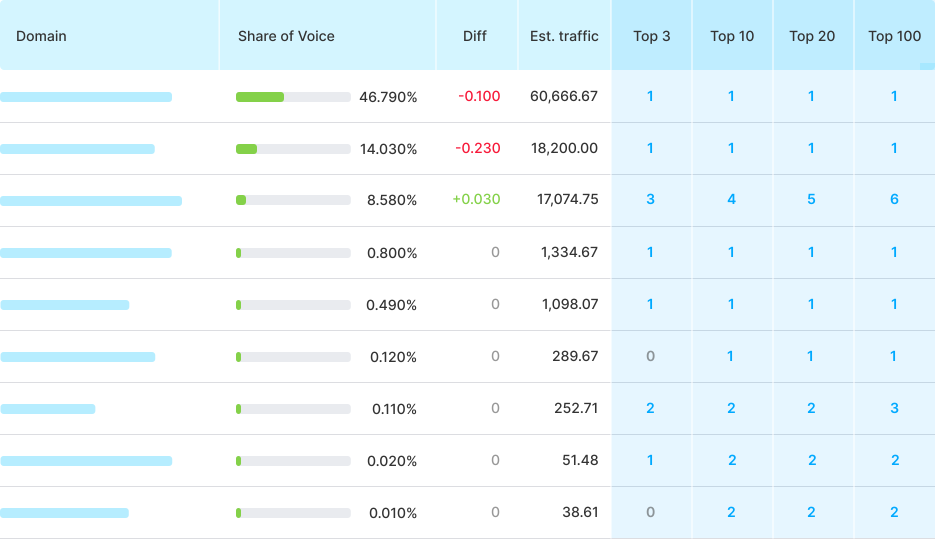
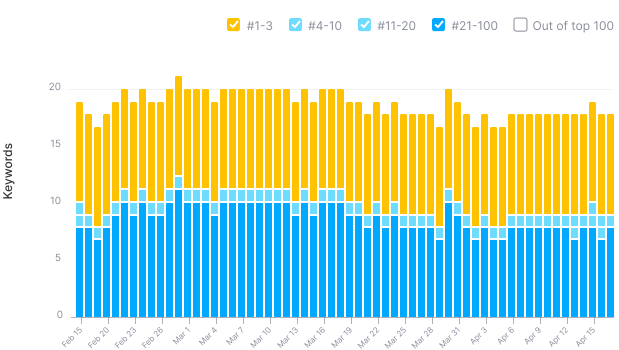
Use this report to compare your and your competitors’ rankings in Google’s organic top 3, 10, 20, and 100. Also, see the top paid SERP results from Google Ads.
Tags
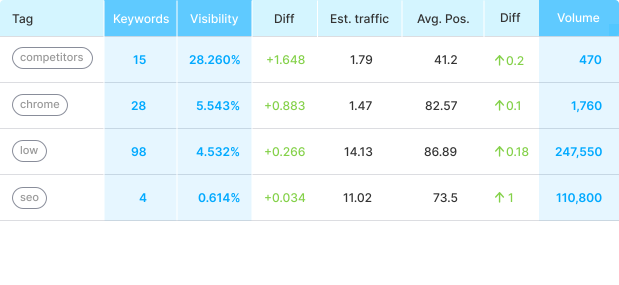
With the Tags report in Position Tracking, you can effortlessly segment thousands of search terms. You can also add the same keyword to different groups–each keyword can have up to five tags.
Landing Pages
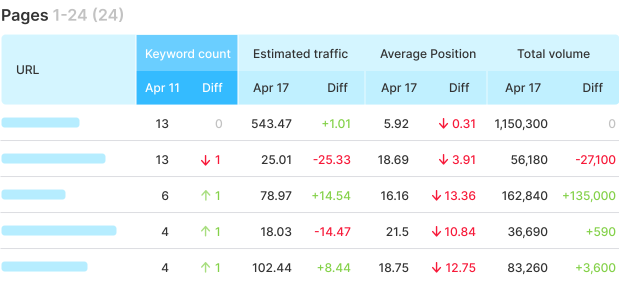
This tab helps you identify the top-performing landing page of your competitor and analyze the metrics of its high-performing keywords. You can also monitor which pages have improved or declined for a particular query.
Competitor Discovery
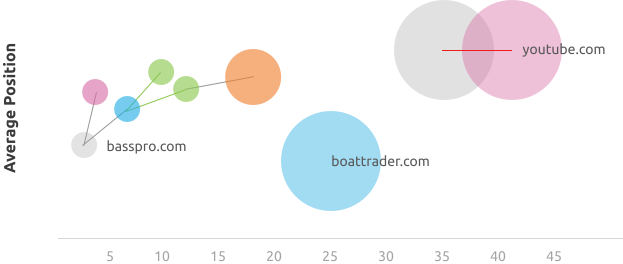
Here you can uncover the domains competing with yours for traffic. You can track their performance on a dedicated Competition Map. You’ll learn to what extent any domain ranking on Google’s top 100 competes with your website for keywords and traffic.
Devices and Locations
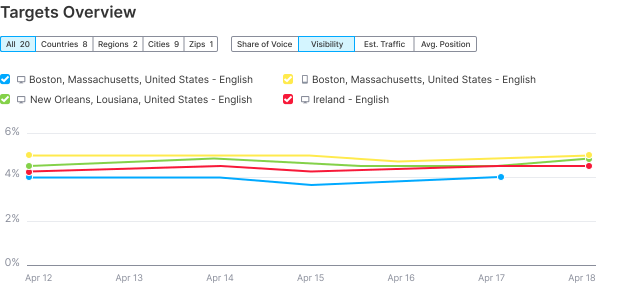
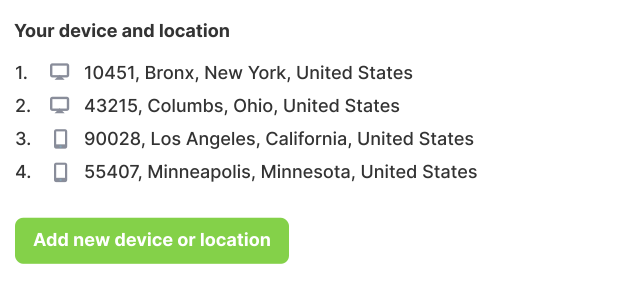
Monitor how a website performs across different locations and devices such as desktop, smartphone or tablet. You can also compare the search volume from different regions to one another.
Featured Snippets
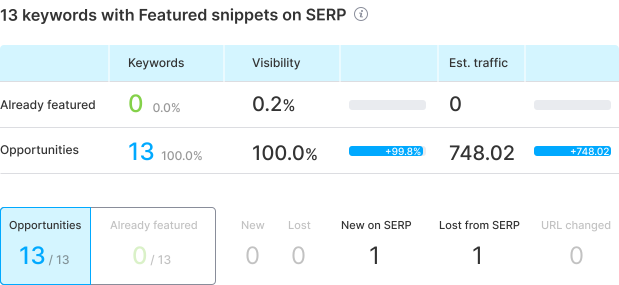
Discover your opportunities to appear at the top of Google’s SERP with the Featured Snippets report. Set up a project to check which keywords are triggering SERP Features with search trends.
Keyword Cannibalization
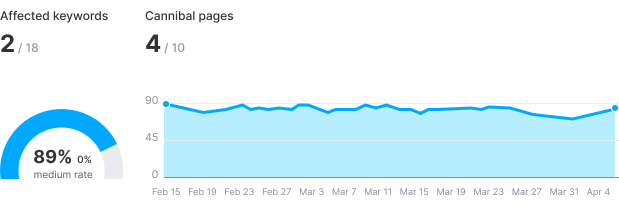
Make sure your content isn’t competing with itself with the Cannibalization tab in Position Tracking. Get suggestions on how to optimize your pages to give each one the best chance at reaching the top of the SERP.
To set things up, just choose a domain (or a subdomain), target keywords, location, and device. Once set, our SERP rank checker tool starts collecting the data from a search engine you’ve specified, and gives you fresh data on that domain’s positioning for the target keywords.
Check the Landscape
Get a quick review of the campaign you’re running and track your competitors’ success. You can see all of the most important keyword metrics and trends over time.
Get a Quick Overview
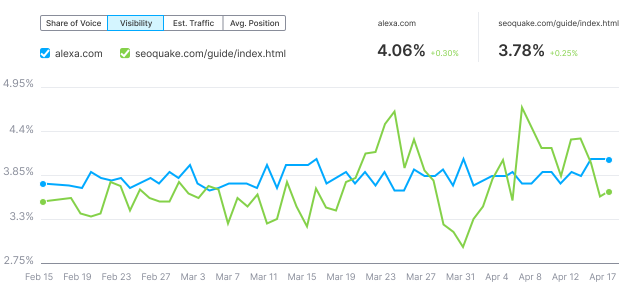
The Overview tab shows you the profitable keywords you’ve chosen for your project. Here you can see detailed graphs of visibility, estimated traffic, and average position for the keywords set.
Create Visual Reports
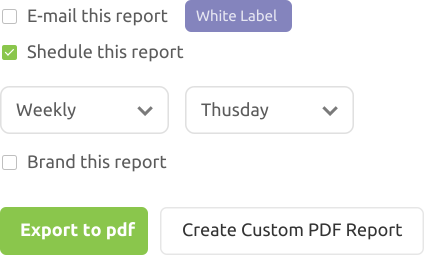
Reporting is easy with Position Tracking. Schedule standard reports to be sent to you and your client, or use the Report Builder to create custom templates.
Add your annotations and additional images to your PDFs. Or, integrate this data into Google Looker Studio and create custom reports and dashboards from there.
With Position Tracking, you can carry out a detailed analysis of your competitors that are driving traffic away from your website. You’ll also get precise information helping you spot new keyword opportunities for your content.
See your share of voice and visibility instantly
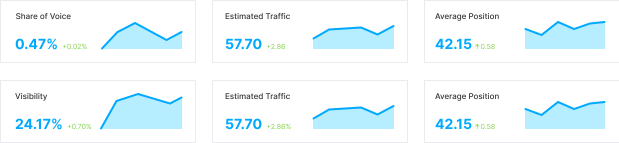
Find out how to increase your brand awareness with the Share of Voice report. How much virtual real estate do you take up in comparison to your competitors? Or, toggle to the Visibility report to see how many top positions your brand ranks for on Google.
Your go-to local search rank tracker
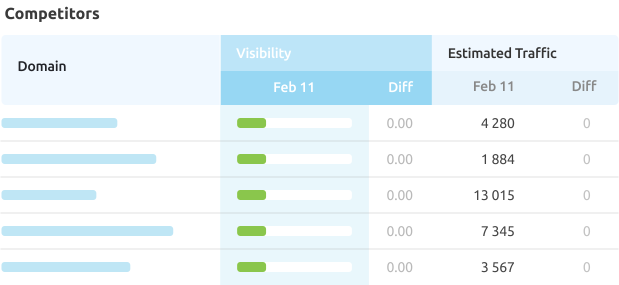
While creating a search engine position tracking campaign with Semrush, you can add up to ten competing domains. Based on the location that you choose for your tracking campaign, the Competitors Discovery feature will show you which local competitors are ranking in Google’s top 100 results for the same keywords that you’re targeting.
Target different devices
Choose to track your positions on desktops, tablets, or smartphones. You’ll also be able to view and compare your own positions for desktop and mobile on the same graph.