AdClarity | Semrush (original) (raw)
AdClarity is a premium advertising intelligence tool available to Pro subscribers in the Advertising Toolkit. It reveals exactly how your competitors run display, video, and social campaigns, helping you uncover what creatives they use, where they publish, and how much they spend. With data from over 650,000 publishers across 50+ global markets, it gives you the insights you need to build smarter, more competitive ad strategies. By highlighting the cost-effectiveness of ads, it helps you understand what works with your audience, ultimately allowing you to avoid wasting budget on underperforming campaigns.
This tool is ideal for businesses that want to go beyond basic ad research and gain strategic insight into how others advertise across channels, what creatives they use, and where they invest their budget.
How to Use the AdClarity Tool
If you’ve ever felt in the dark about where competitors run ads, what messages they push, or how much they’re spending, AdClarity breaks it all down for you. This premium tool reveals new competitive opportunities and gives you the clear insights you need to act with confidence.
Here’s how to unlock its full potential in three simple steps:
Step 1: Set Up Your Parameters
First, select your market from a list of 50+ regions worldwide.
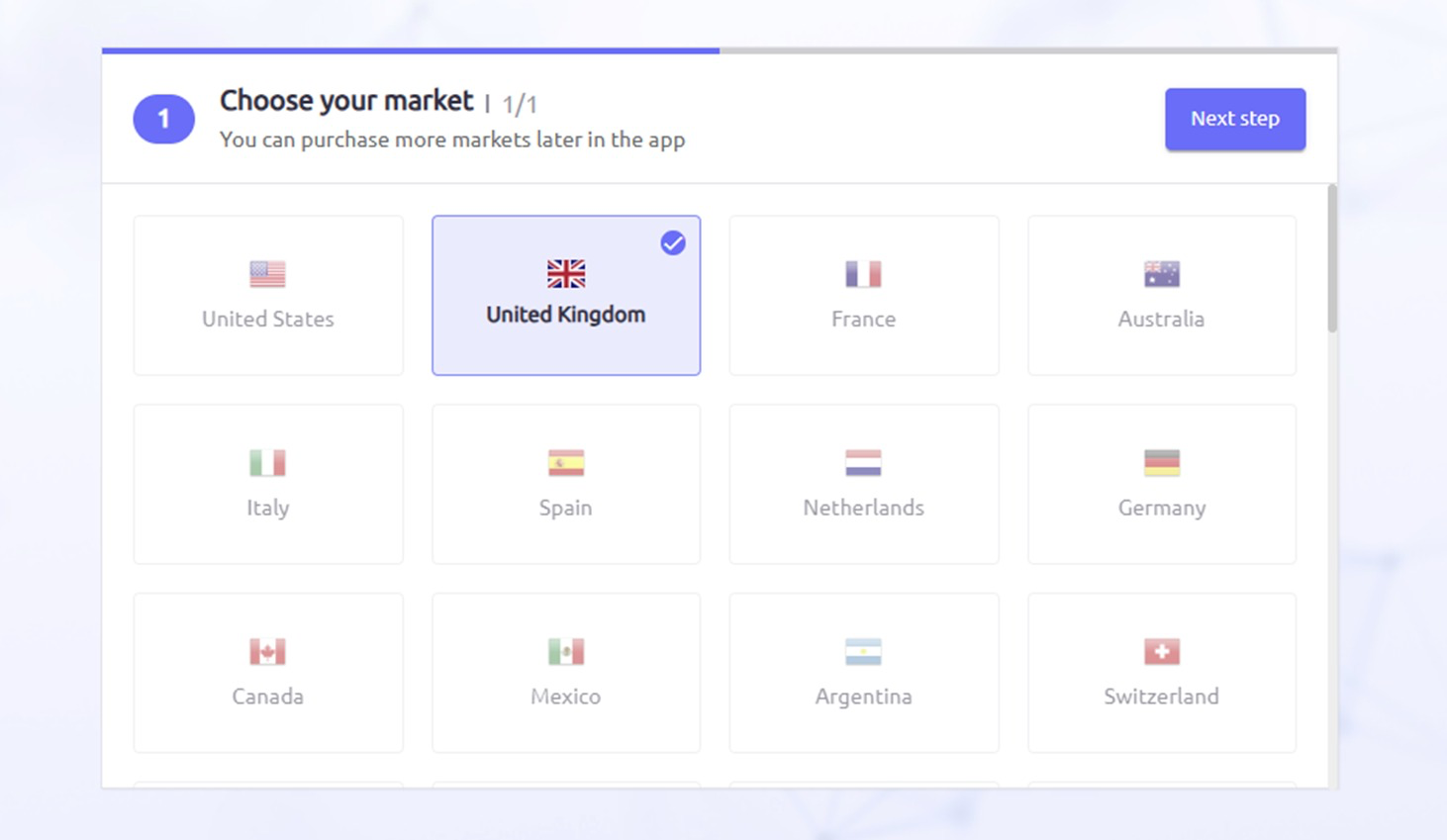
Once you confirm your target location, you’ll pick your channel (i.e. either display, video, or social) to monitor, and then launch the tool.
You’ll now be in the main dashboard. But before you begin, you might want to head to the bottom-left corner of the interface and open User settings.

Here you can choose your currency (for cost estimates) and preferred metrics (numbers, percentages, or both).
For the first 20 reports, the user will have full access to all features, including all platforms and geographies. After reaching this limit, access will be restricted to the user's specified platform and location.
Step 2: Setting Up Your First Report
Use the search bar at the top to start building a report. You can search for Advertisers, Publishers, Campaigns, and Keywords.
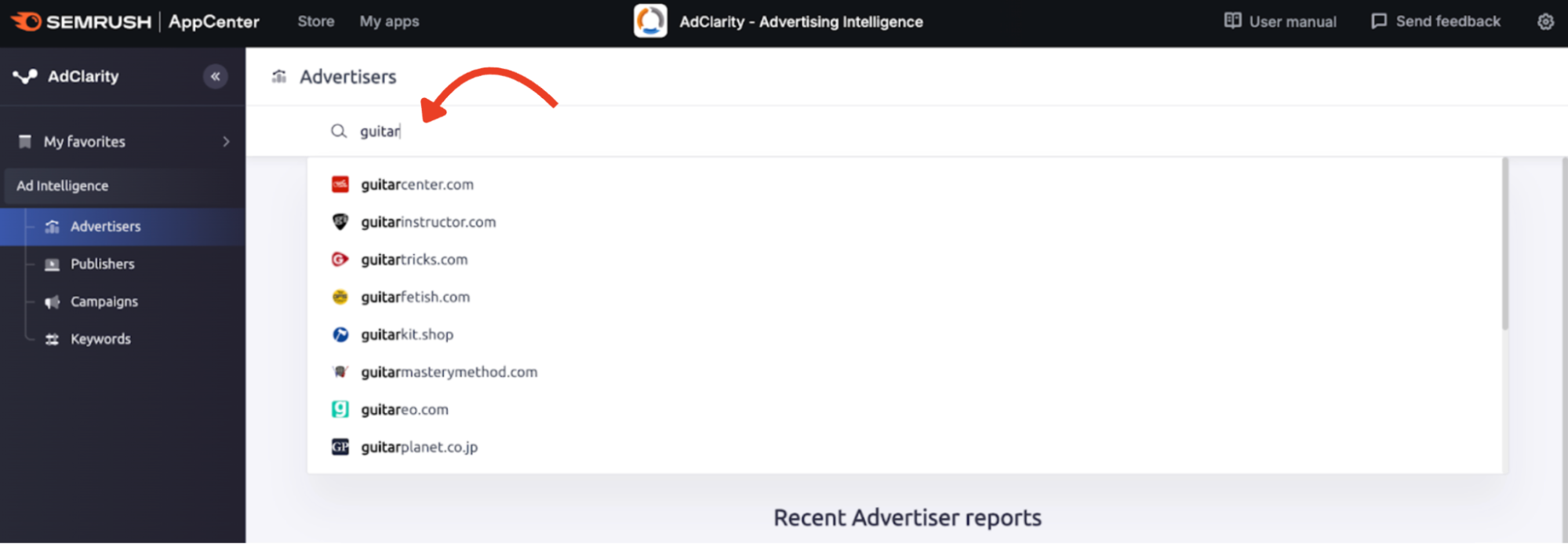
Analyze a single entity or compare up to 10 entities or groups. Use the options beneath the search bar to group data together or compare across selected items.
After submitting, your report will show up to three months of advertising data. Use the filters at the top-left to adjust timeframes, channels, devices, and geography.
Step 3: Understanding the Reports
We’ve touched on how you can use the AdClarity search bar to find data on whatever ad campaign elements you’re looking for. In this step, you’ll see how that data is structured across four report types: Advertiser, Publisher, Campaign, and Keyword. Plus, how to turn those insights into smarter decisions.

Each report includes powerful features, including:
- Top Ads: View the best-performing creatives and ad types for the selected entity
- Ad Placement: Understand where exactly the ads appear on the page or video
- Ad Buying Methods: See how ads were purchased, whether direct, programmatic, or via ad networks
- Share of Voice: Compare domains or groups by impressions, spend, publishers, and unique creatives
- Expenditure Trends: Track how spend or impressions changed over time
- Top Campaigns: View the highest-impact campaigns for the selected entity
- Top Publishers & Top Advertisers: See who’s driving results on either side of the ad market
- YouTube Channels & Social Networks: Break down performance by platform (available on video/social only)
- Top Apps: For mobile-focused campaigns, see the apps generating the most ad visibility
Use the Export function to download data in PDF or Excel format. Pro plans include up to 50 report views and 5 exports per month.
AdClarity is a research tool that helps you understand the competitive ad landscape before planning or launching your own campaigns.
If you are still at the research stage, you may also want to explore:
- Advertising Research for keyword bidding and competitor discovery
- PLA Research for valuable Google Shopping ad data
- Ads History for keyword-based historical ad trends
AdClarity stands out as the most advanced research tool in the suite. It provides:
- Exclusive insights on display, video, and social ads across 50+ markets
- Access to three months of historical data
- Up to 50 competitor report views
- Five ad intelligence exports per month
Ready to move into campaign planning? Head to the PPC Keyword Tool.
Prefer to start publishing? Skip ahead to Ads Launch Assistant.