What Is Schema Markup? + How to Implement It for SEO (original) (raw)
Key Takeaways
- What is schema markup? Schema markup is code that enables search engines to understand and categorize web page content, which Google uses to display rich results that are more engaging and informative than regular search results.
- Why is schema markup important for SEO? Schema markup helps search engines better understand and index your pages while providing users with more detailed information in search results, which can significantly increase click-through rates and improve search visibility.
- What are the most common types of schema markup? The most common schema markup types include local business (showing address, hours, ratings), product (displaying price, availability, reviews), and recipe markup (featuring images, cook times, ingredients) that appear in SERPs and knowledge panels.
- How do you add schema markup to your pages? Use Google’s Structured Data Markup Helper to select your page type, mark up elements like brand names or prices, generate HTML code in JSON-LD format, add it to your CMS, and test it using Google’s Structured Data Testing Tool.
- What are schema markup best practices? Always use JSON-LD format for easier maintenance, choose schema types suited to your business and audience needs, only mark up content that actually appears on the page, and consistently test your structured data for errors.
What is schema markup?
Schema markup is code that enables search engines to understand and categorize web page content. It’s a key part of Schema SEO, helping Google display rich results that are more engaging than regular search results.
If you want your pages to have a prominent and eye-catching spot in relevant search engine results pages (SERPs), you need to implement schema markup or structured data on them.
Need help getting started on schema markup? Let this article be your guide as it answers these questions:
- What is Schema Markup?
- Why is Schema Markup Important for Search Engine Optimization (SEO)?
- Types of Schema Markup
- How to Add Schema Markup for Your Pages
- Schema SEO and AI Visibility
- Schema SEO FAQs
Schema markup is code that enables search engines to understand and categorize web page content. Google uses schema markup to show rich results, which are more engaging for searchers than regular search results.
Why is schema markup important for search engine optimization (SEO)?
Schema markup is important for SEO because it benefits both search engines and users. Structured data gives search engines clear instructions about your page’s content, helping them understand and index your pages more accurately. It also enables Google to display rich results — like images or breadcrumbs — that make your listing stand out in search.
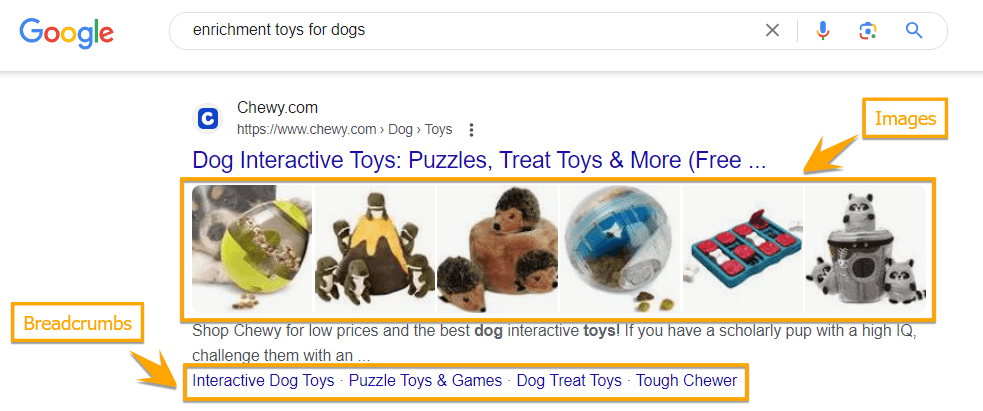
Example of a rich result with images and breadcrumbs
Here’s why schema markup matters:
- Helps search engines understand your content by providing explicit, structured information.
- Improves indexing accuracy, ensuring your pages are categorized and interpreted correctly.
- Enables rich results in SERPs, such as images and breadcrumbs, which enhance visibility.
- Creates a more engaging search experience for users by offering additional details upfront.
- Supports higher click-through rates by showing searchers what they can expect before visiting your page.
Schema markup ultimately enhances both discoverability and user engagement, making it a valuable part of any SEO strategy.
“Schema markup is a powerful tool for keeping up with the evolving world of SEO. It gives search engines and AI systems clear context about your page’s content, helping your site not only rank higher in traditional search results but also get recognized and cited in emerging AI-powered platforms.”
Halley L., Digital Marketer
Types of schema markup
Google can understand 30 types of schema markup for various types of websites. We’re not going to include all of those on this page, but here are some of the most common ones you’ll find in SERPs:
Local business
The local business rich result shows up in the Google knowledge panel, displaying a local service business’s details such as:
- Address
- Business hours
- Phone numbers
- Link to make a reservation or book an appointment
- Ratings
- Reviews
- Information provided by the local business
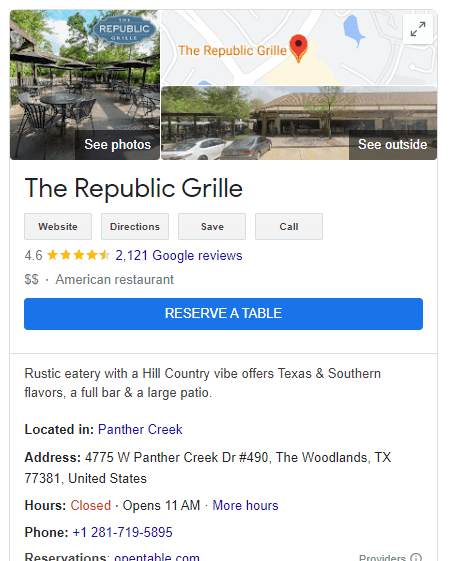
Example of a local business rich result
Product
This schema markup for ecommerce websites provides information about a product, including price, availability, and review ratings.
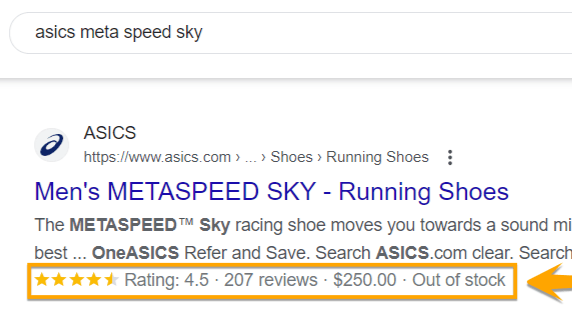
Use Schema markup to display average star rating, price, and availability of products
Recipe
The recipe markup can be shown as an individual rich result or part of a carousel. This markup can appear in SERPs and image results.
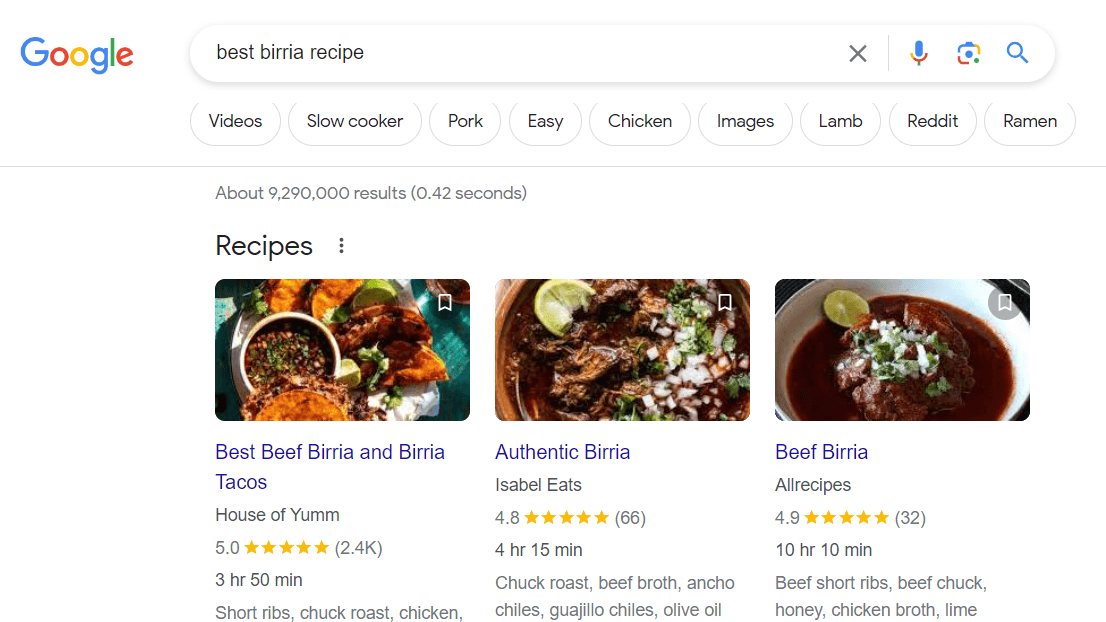
Example of a recipe rich result
How to add schema markup for your pages
Here’s your step-by-step guide to generating schema markup for your pages:
- Visit Google’s Structured Data Markup Helper
- Select a page from your site that you’ll mark up
- Mark up the different elements on your page
- Generate the HTML code
- Add your schema markup code to your site
- Test your schema markup
1. Visit Google’s Structured Data Markup Helper
The Structured Data Markup Helper is a tool that helps you create markup elements on your page.
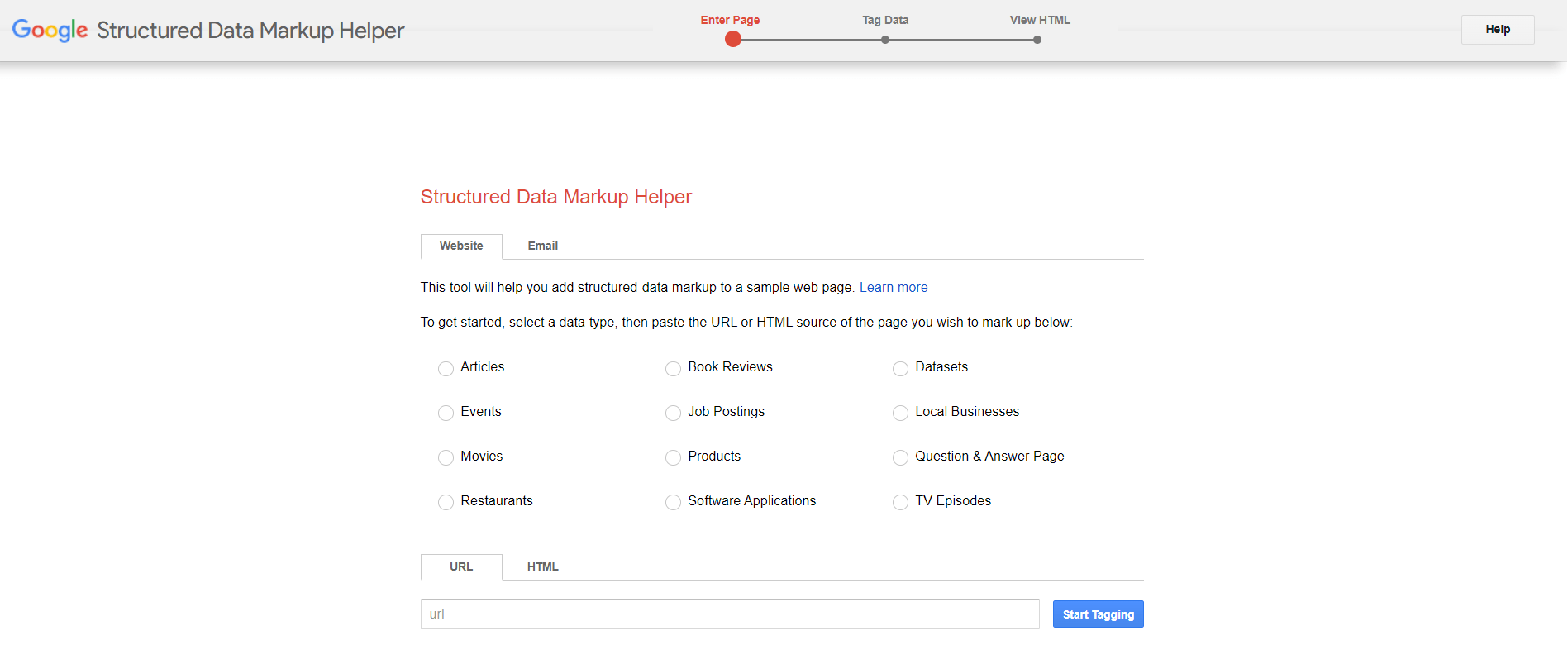
Google’s Structured Data Markup Helper tool
2. Select a page from your site that you’ll mark up
Once you’ve selected a page on your site, tick the radio button of the appropriate data type that you’ll mark on the page on the Structured Data Markup Helper. In our example, we chose the Product markup for a product page.
Then, paste either the page’s URL you want to mark up or your HTML code.
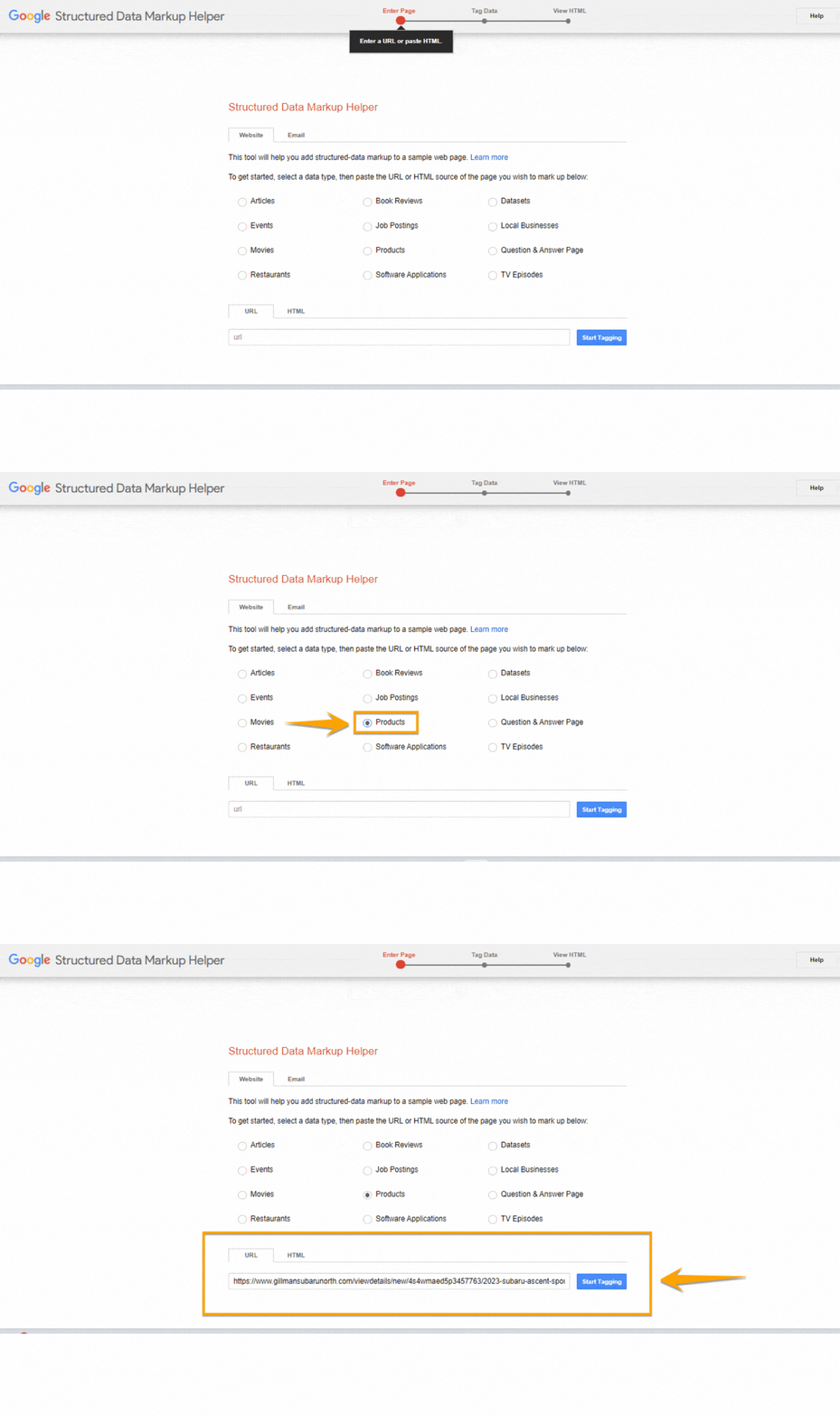
Product option and URL field inside the Structured Data Markup Helper tool
3. Mark up the different elements on your page
If you add your URL, you can start marking up your page by selecting text or images. In the example below, the brand name of the product is selected. On the right side, your recorded tags will appear.
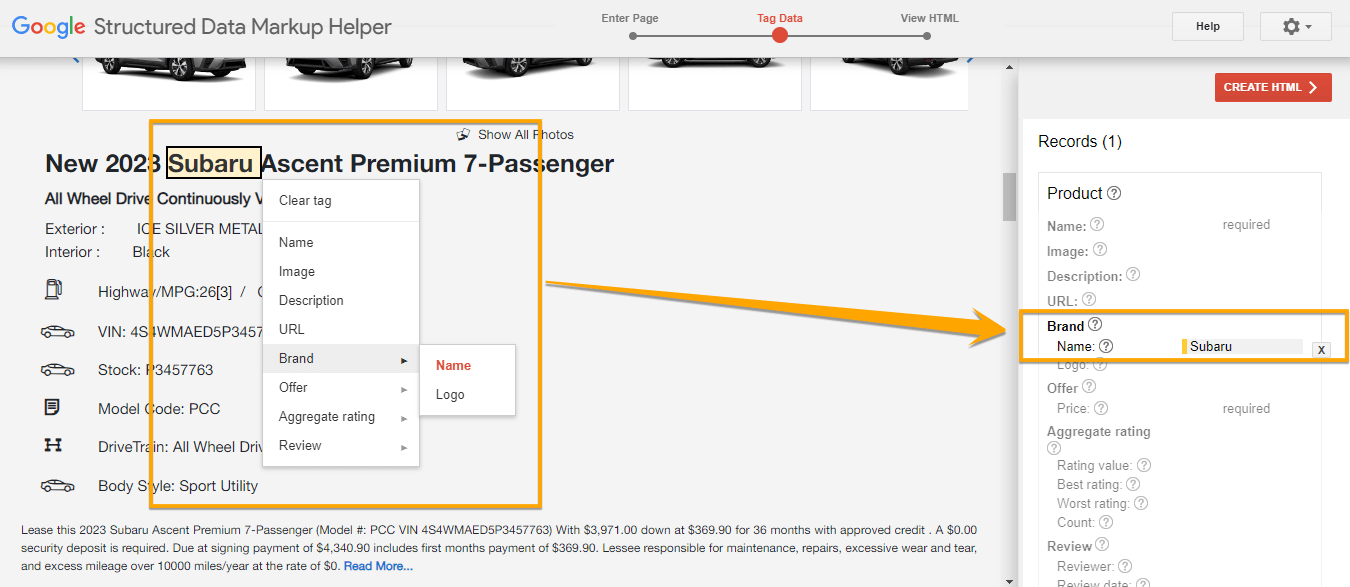
How to tag a brand name using the Structured Data Markup Helper
Want to add other tags? You can click the Add Missing Tags button in the lower right-hand corner to add tags manually.
While a structured data best practice is to add tags only found on the page, you can still add tags like the page URL.

How to add a missing tag using the Structured Data Markup Helper
4. Generate the HTML code
Once you’re done tagging, click the Create HTML red button at the top right corner. You’ll be given the option to download the code in either JSON-LD or microdata. It’s best practice to use JSON-LD.
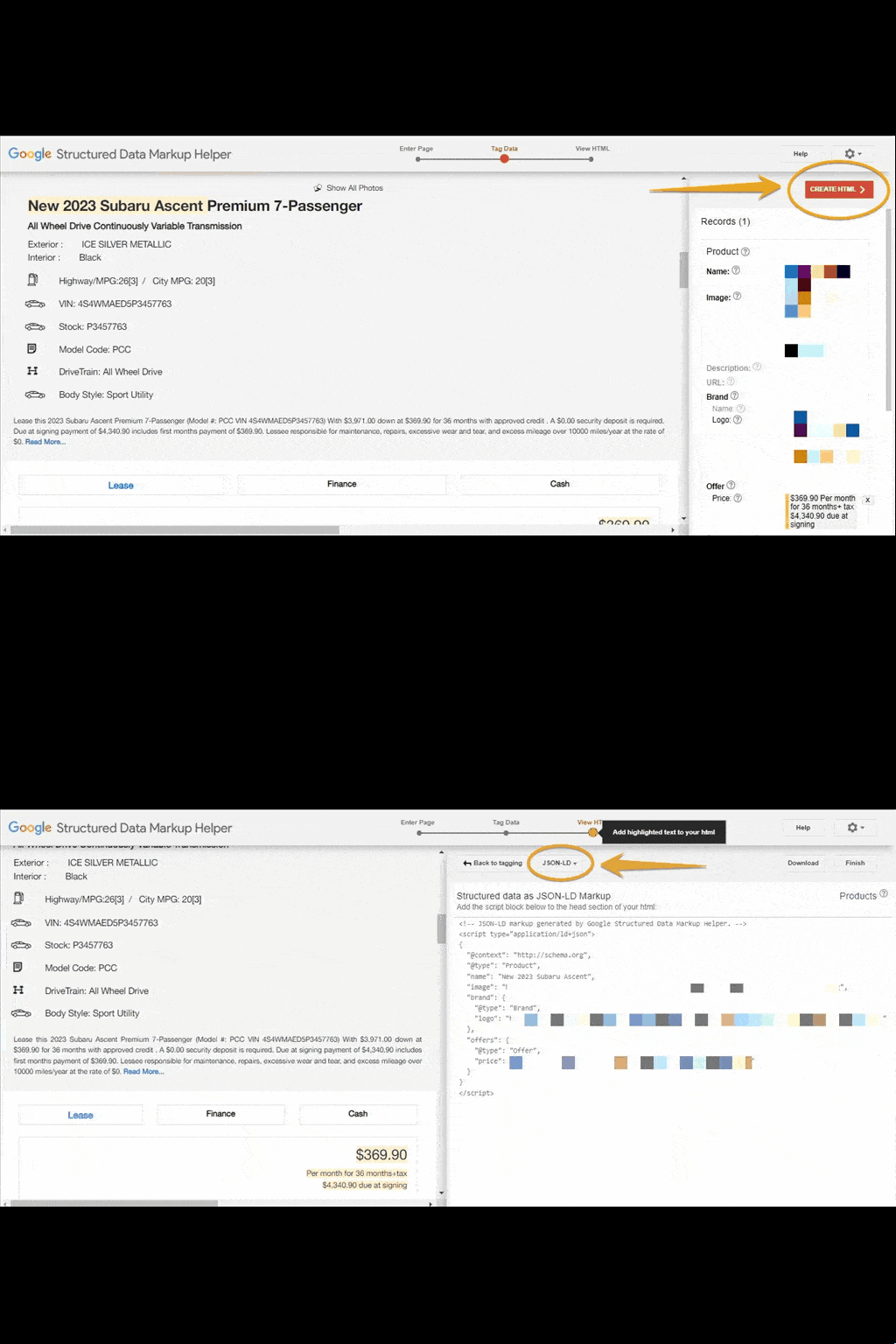
“JSON-LD” option in the Structured Data Markup Helper
5. Add your schema markup code to your site
Log onto your content management system (CMS) and add your code. If you put your HTML instead of URL in the Structured Data Markup Helper in step #2, copy and paste the HTML file, and paste it to your CMS or source code.
6. Test your schema markup
Use Google’s Structured Data Testing Tool to test your markup for any errors. Enter either your URL with the schema markup or the code snippet. The tool will show you the errors and warnings it detects.
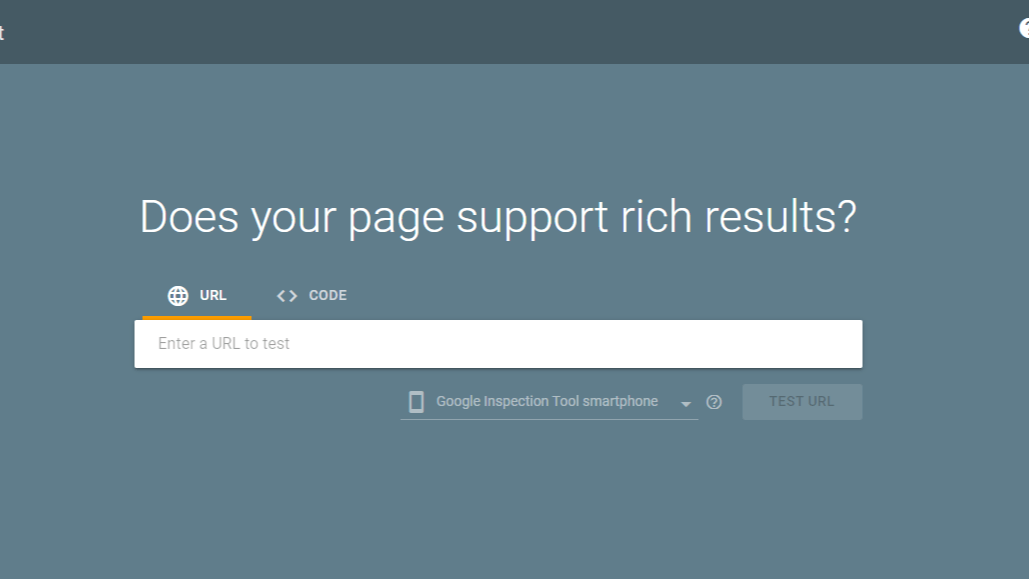
Google’s Structured Data Testing Tool
You can directly edit the code on the Structured Data Testing Tool to fix any errors. Click the Run Test button to check your changes.
Schema markup best practices
Now that you know how to add schema markup on your pages, here are best practices to take note of to maximize its benefits:
- Use the JSON-LD format. While Google supports JSON-LD, Microdata, and RDFa formats, JSON-LD Is the easiest format to maintain.
- Find the most common and suited schema markup for your business. Improve your pages’ click-through rates by using schema markup that will help your target audience and address their search intent.
- Mark up what is on the page. Provide your target audience with the content they expect when they click on the rich result that features your page. For example, your product page’s structured data has the pricing and special offer information. Ensure that the product page has these details, too.
- Always test your structured data. Ensure your page has no schema markup issues by always testing it.
Schema SEO and AI visibility
Structured data doesn’t just help your pages appear as rich results — it also helps your brand get cited in AI-generated answers. In the era of Schema SEO, schema markup gives AI systems like ChatGPT, Gemini, and Perplexity the context they need to understand, trust, and attribute your content accurately.
By adding schema types like Article, FAQ, HowTo, Product, and Organization, you make it easier for AI models to interpret your content and mention your brand in conversational results. These AI citations boost visibility, build brand authority, and position your website as a trusted source in the age of AI-powered search.
“Schema markup is a real asset in helping to navigate and keep up with this new age of SEO! Schema provides lots of information to crawlers and search engines about the topic of your page and the content that’s on it! Providing this information is essential to help you not only increase organic search rankings, but also get pulled and cited by AI tools like ChatGPT and AI Overviews on Google to boost your online visibility and impressions!”
Abby F., Digital Marketing Consultant
Schema SEO FAQs
What is schema in SEO?

Schema, or schema markup, is code added to your web pages that helps search engines understand and categorize your content. In the context of Schema SEO, it enables your pages to show up as rich results, making them more engaging and informative than standard search listings.
How important is schema to SEO?
Schema is essential for SEO because it gives search engines clear instructions about your content. With structured data, your pages are more easily indexed, can appear in rich results, and have a better chance of attracting clicks from users — all key benefits of effective Schema SEO.
What are the types of schema encoding?
The main formats for schema markup are JSON-LD, Microdata, and RDFa, with JSON-LD being the easiest to manage. Common schema types include LocalBusiness, Product, Recipe, Article, FAQ, HowTo, and Organization — all of which can enhance your Schema SEO efforts.
How do I check if my structured data is valid?
You can test your markup using Google’s Structured Data Testing Tool or the Rich Results Test. These tools help you spot errors or missing tags so your schema is accurate, improving both traditional search visibility and AI recognition.
How does structured data help my site appear in AI results?
Structured data gives AI systems like ChatGPT, Gemini, and Perplexity the context they need to understand, trust, and cite your content. Using schema types such as Article, FAQ, HowTo, Product, and Organization makes it easier for your pages to be featured in AI-generated answers, boosting brand authority, visibility, and your overall Schema SEO performance.
Start using schema markup on your website today!
Schema markup enriches how your pages appear in SERPs. It provides a great search experience for your target audience and can increase your pages’ click-through rates.
Ready to optimize your website with schema markup? Our team at WebFX, the company behind SEO.com, can guide you through the process and help you maximize your SEO efforts. Contact us online today to learn how we can elevate your search strategy!

SEO Services That Aren’t Cookie Cutter
Get an SEO strategy that’s tailored for your business, industry, and revenue goals.