The Best VPN Services in 2026 (original) (raw)
We’re very confident that ExpressVPN is the best VPN in the world, especially if you’re looking for intuitive apps that unblock geo-restricted content on all your devices. NordVPN is an excellent alternative, offering even faster speeds and many extra features, while Private Internet Access is a cheaper VPN ideal for anonymous torrenting.
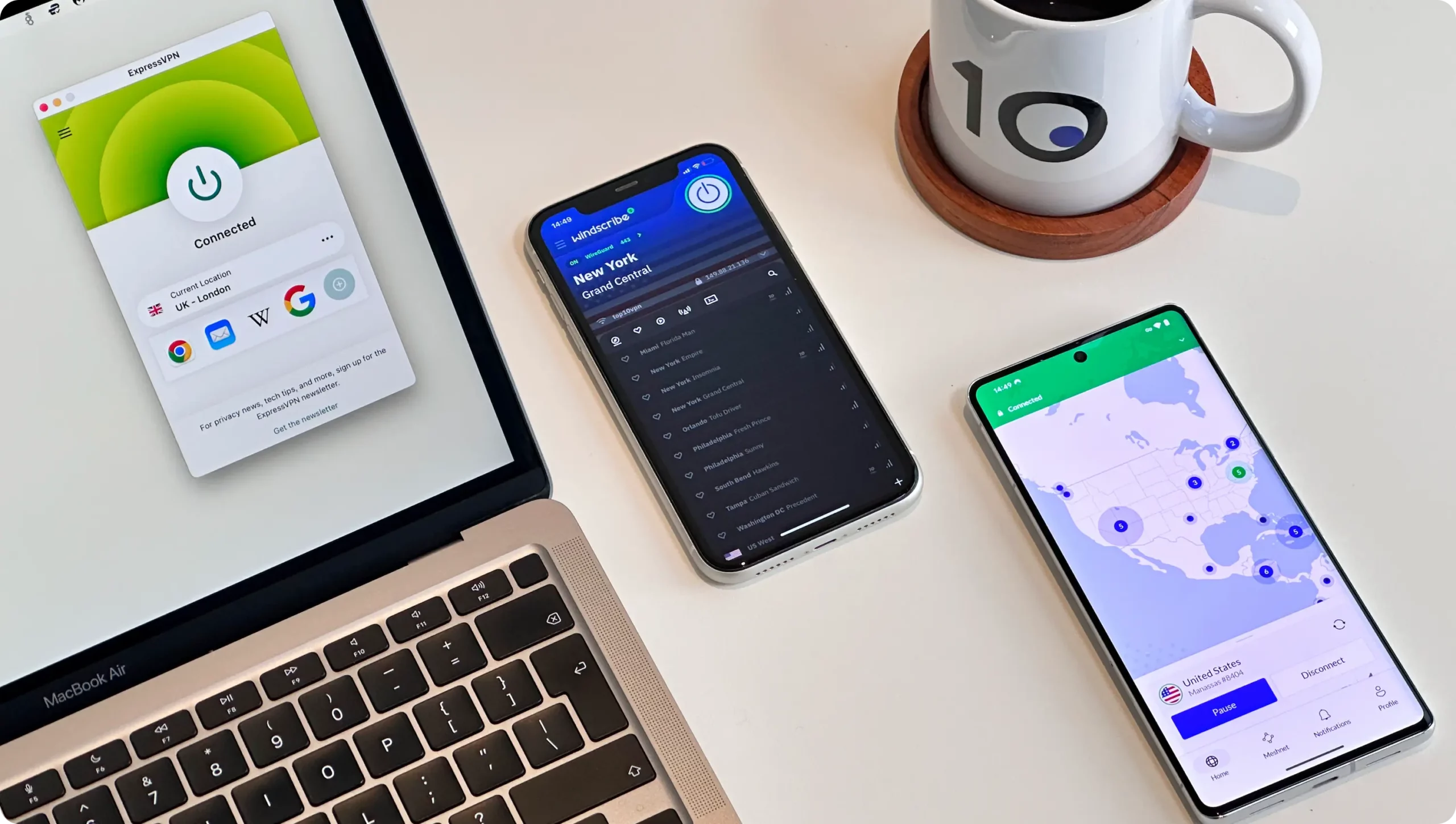
Need a VPN for better online privacy, security, gaming, or streaming? Are you abroad and want to access your favorite websites and apps back home?
You’re in the right place, because here at Top10VPN we tell it how it is.
Many websites will have you believe they’ve tested countless VPNs, and that their rankings are unbiased and free of external influence.
Sadly, top positions on many ‘Best of’ VPN lists are driven by financial incentives, which is why you mostly see the same two brands ranked first and second. And some sites are even owned by VPN companies!
You have to be very careful where you place your trust. There are very few truly independent and knowledgeable VPN experts out there.
Summary: Our Top 10 VPN Rankings
Of the 61 VPNs we tested and reviewed, the 10 below came out on top:
- ExpressVPN: Best VPN Overall
- NordVPN: Best Runner-up
- Private Internet Access: Best VPN for Torrenting
- Surfshark: Cheap VPN with Free Extra Features
- IPVanish: Great VPN for Fire TV Stick
- Proton VPN: Best Free VPN
- CyberGhost: Best VPN Free Trial
- Hide.me: Good at Bypassing Internet Firewalls
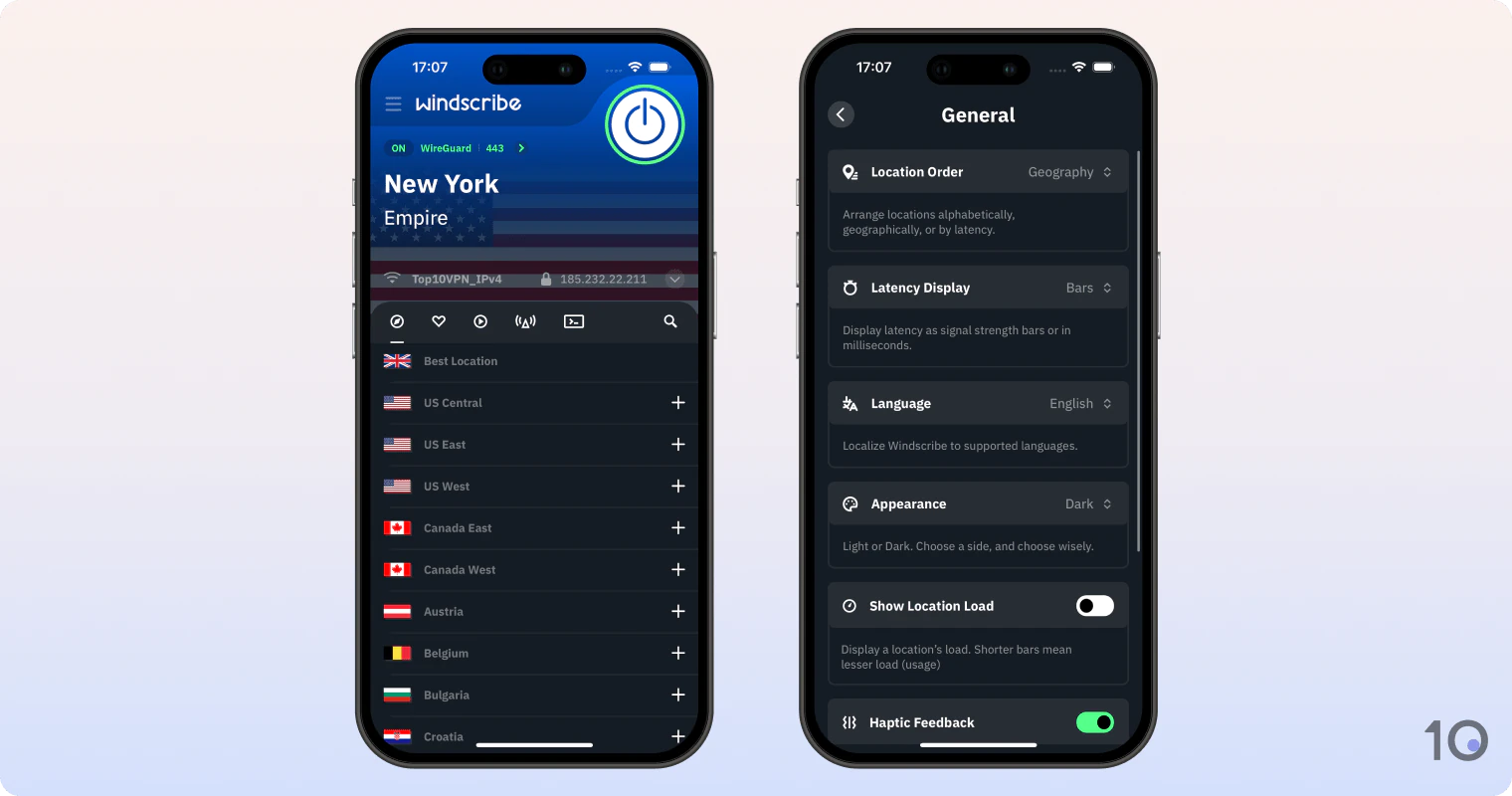
- Windscribe: Unblocks the Most Netflix Regions
- PrivateVPN: Budget VPN for Basic Protection
Why Trust Us?
We’re fully independent and have been reviewing VPNs since 2016. Our ratings are based on our own testing results and are unaffected by financial incentives. Learn who we are and how we test VPNs.
| VPNs Tested | 61 |
|---|---|
| Total Hours of Testing | 30,000+ |
| Combined Years of Experience | 50+ |
If you want to do your own research, you must choose a VPN carefully. Take the time to fully understand a VPN’s privacy policy and security standards, to avoid unexpected (and nasty) surprises.
There are hundreds of VPNs that either perform poorly or seriously compromise your internet security. Nearly 90% of free VPNs we tested suffer from major flaws.
🔄 Recent Updates
We’ve added new information on our chosen VPNs and made our VPN speed comparison table more accessible.
What Is a VPN Exactly?
Simple Explanation
Using the internet without a virtual private network (VPN) is like sending postcards: anyone who handles them, like postal workers, can read your message and can see both your home address and who you’re sending it to.
On the internet, these postal workers are your internet service provider (ISP), potential hackers, or people on the same public WiFi network.
Using a VPN, your internet usage is more like sending a sealed envelope containing coded messages.
Here’s how a VPN works when you connect to a website or use an app:
- Encryption: Before sending, you put your letter into an envelope and seal it. This letter is also written in a secret code that only the recipient can decipher. If someone other than them opens the letter and reads it, they won’t be able to understand it.
- Secure Tunnel: Instead of using the regular mail delivery system, your letter is sent through a secure courier service that uses its own private routes. The courier avoids paths where mail is known to be intercepted.
- IP Address Masking: Rather than including your return address on the letter, the courier places its own address on it. This means that the recipient sees the courier’s address, not yours, hiding your location and identity.
Technical Explanation
A VPN works by creating an encrypted tunnel between your device and a VPN server using standardized protocols (like OpenVPN or WireGuard).
Your data is encrypted at your device before being sent through this tunnel. The VPN server acts as a proxy, making requests to websites and services on your behalf using its own IP address.
The encryption process uses strong algorithms like AES-256 or ChaCha20 for data encryption and RSA-2048 or higher for key exchange.
This means that even if a malicious third party performs a man-in-the-middle attack (where someone intercepts your connection), they would only see encrypted packets, not your actual data.
Here’s how a VPN works when you connect to a website:
- Your traffic is first encrypted by the VPN client
- It’s routed through the encrypted tunnel to the VPN server
- The VPN server decrypts your traffic and forwards it to the destination website
- Return traffic follows the reverse path
This process masks both your IP address and your DNS queries, making it appear to websites and services that the traffic is originating from the VPN server’s location rather than your actual location.
The Best VPNs Compared & Reviewed
The VPNs below will satisfy your needs, whether you’re at home or traveling, but take the time to compare them carefully before choosing one.
You can quickly compare our 10 choices in the table below:
Read our VPN testing methodology to see each VPN’s performance test ratings.
VPN Speed Comparison
The fastest VPN right now is Hotspot Shield, with a speed slowdown of just 1% around the world. It didn’t make our top 10 rankings, though.
The table below shows how our 10 highest rated VPNs compare against Hotspot Shield for speed (download/upload) and latency.
NOTE: We test speeds on a capped 100Mbps line so results are easier to compare worldwide.
- Ranked #1 out of 61 VPN Services
Overall Rating: 9.4/10- Privacy
9.2/10 - Streaming
9.8/10 - Speed
9.7/10 - Security
9.0/10 - Server Locations
9.9/10 - User Experience
9.9/10 - Torrenting
9.3/10 - Device Compatibility
9.9/10 - Additional Features
6.4/10
To learn more, read our VPN testing methodology. - Unblocks over 95% of streaming platforms tested
- Excellent usability & compatibility across platforms
- Consistently fast speeds across any distance
- Proven no-log servers & no data breaches
- Fully-encrypted web browser extensions
- 7-day free trial & cheaper than NordVPN on renewal
- Fewer additional settings than some of its rivals
- No multi-hop servers
- No built-in GPS spoofing on Android
Pricing Plans 12.99/mo12.99/mo12.99/mo4.99/mo over 15 months$2.79/mo over 28 months Local Download Speed 98Mbps (2% loss) Countries with Servers 109 Servers 13,360 Logging Policy No Identifiable Data Simultaneous Connections 10 Jurisdiction British Virgin Islands (Privacy Haven) Support 24/7 Live Chat Compatible with  Windows
 Mac
Mac iOS
iOS Android
 Linux
Linux Amazon Fire TV
 Android TV
 Apple TV
 Router
 Chrome
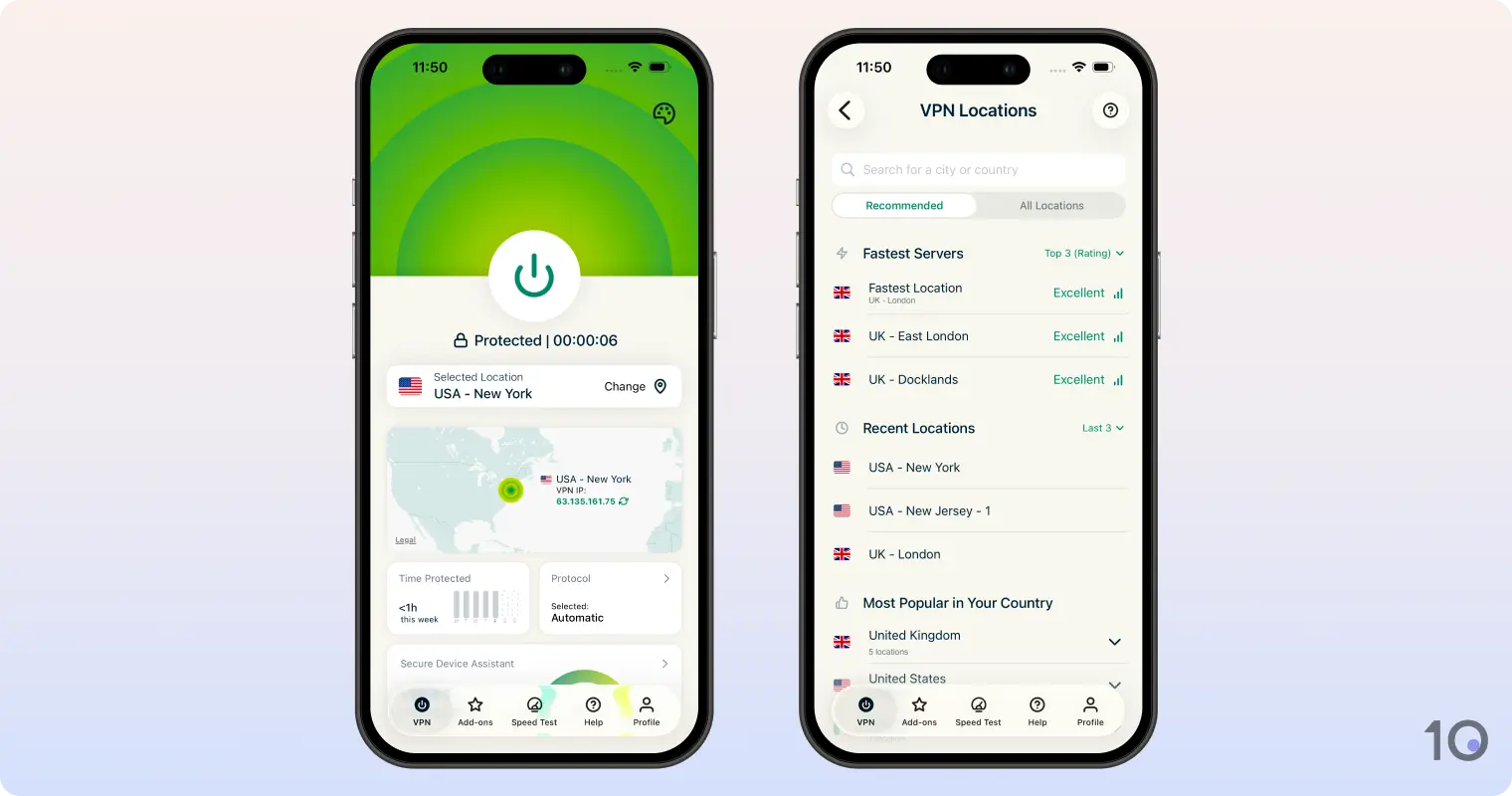
While most review websites rank NordVPN in top spot, ExpressVPN is objectively the better VPN. Without fail, it continues to excel in almost every test we carry out. The VPN’s phenomenal speeds, proven no-log policy, and user-friendliness truly set it apart: it’s incredibly easy and effective to use for just about anything. No other VPN can match ExpressVPN’s impressive user experience and ability to unblock most geo-restricted websites and apps on virtually any device. Video Review 
- Privacy
Excellent for Streaming Geo-blocked Content
After thousands of streaming tests, ExpressVPN continues to be the best VPN for streaming, unblocking 95% of the 120 platforms we tested it with.
Its ability to reliably access geo-restricted content in 109 countries, paired with exceptional streaming speeds, is unmatched.
Here’s a selection of ExpressVPN servers that unblocked popular geo-restricted content:
- For American content: New Jersey - 1
- For Australian content: Australia – Melbourne
- For British content: UK – Docklands
- For Canadian content: Canada – Toronto
- For Indian content: India (via Singapore)
- For Japanese content: Japan – Tokyo
The VPN’s greatly improved IP location accuracy has made it even easier to bypass the toughest geo-restrictions, especially regional and city-specific blocks.
ExpressVPN’s US VPN servers stand out for their exceptional ability to unblock the likes of HBO Max, Disney+, and Amazon Prime Video. Covering 57 cities, they also beat NFL, MLB, NBA, and other US sports blackouts, too.
While ExpressVPN is the undisputed best VPN for US Netflix, with an astonishing 100% success rate, it also unblocks 17 other regions, including Australia, Canada, India, and the UK.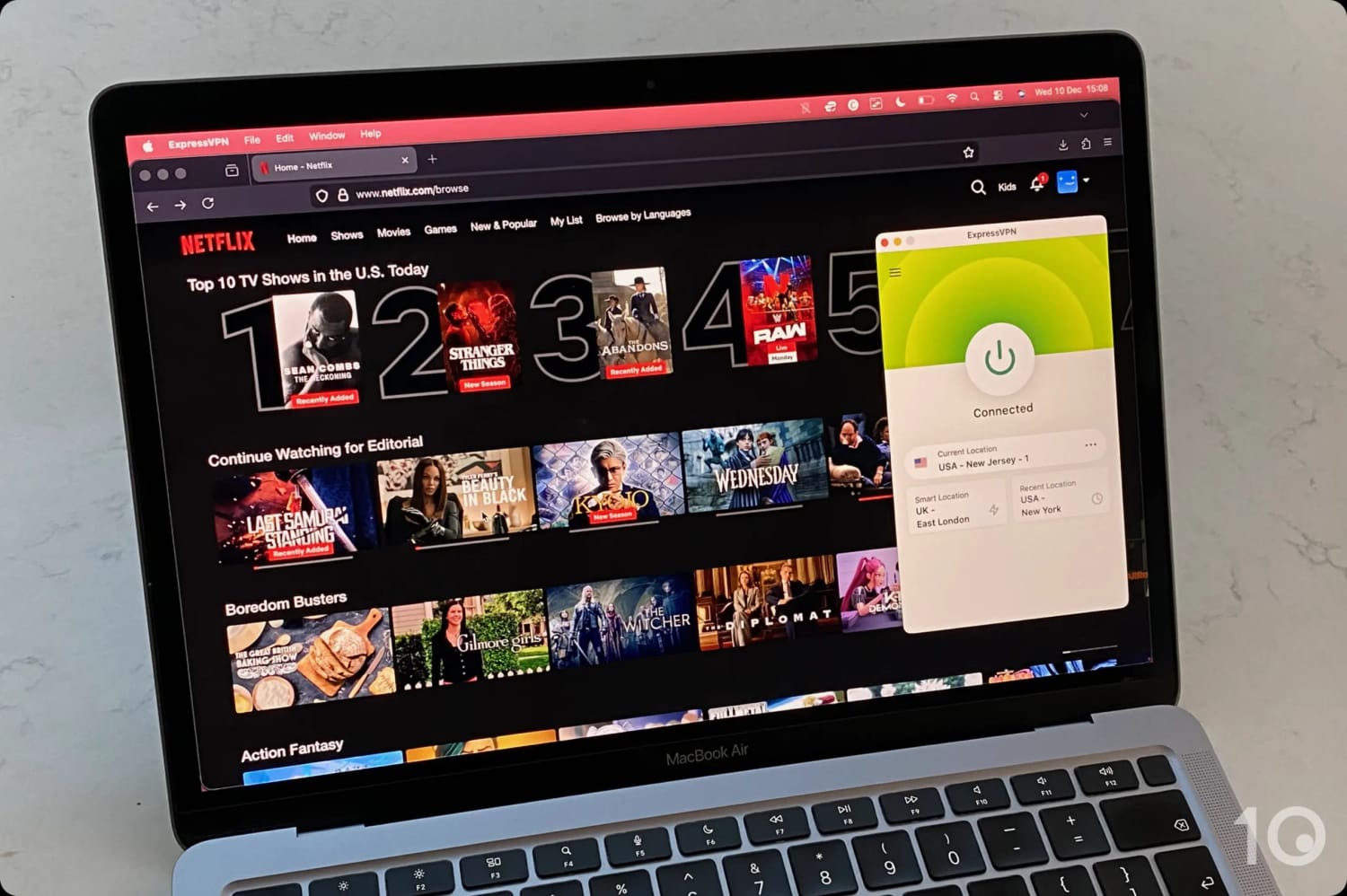
ExpressVPN is the most effective at unblocking Netflix.
It’s a similar story getting round UK geo-restrictions, with vastly improved consistency in streaming BBC iPlayer and Sky from abroad.
On TVs specifically, we enjoyed using the VPN’s simple yet effective Fire TV app, its MediaStreamer (Smart DNS) solution on game consoles, and its unique VPN router app with Roku.
Incredibly User-friendly & Versatile
As we’ve already said, ExpressVPN is by far the easiest and most widely-compatible VPN we’ve used. It’s as close as you can get to a plug-and-play VPN.
While most VPNs require tinkering with settings, or selecting specific servers for certain activities, ExpressVPN makes a lot happen automatically in the background.
All key preferences are preset for you on first load, including Automatic Protocol Selection (for best performance) and the VPN kill switch activation.
Every single app, even the router one, is incredibly well designed, uncluttered, and homogeneous across platforms.
The red, green, and white color palette sits well against any device display and makes it very easy to read the app’s labels.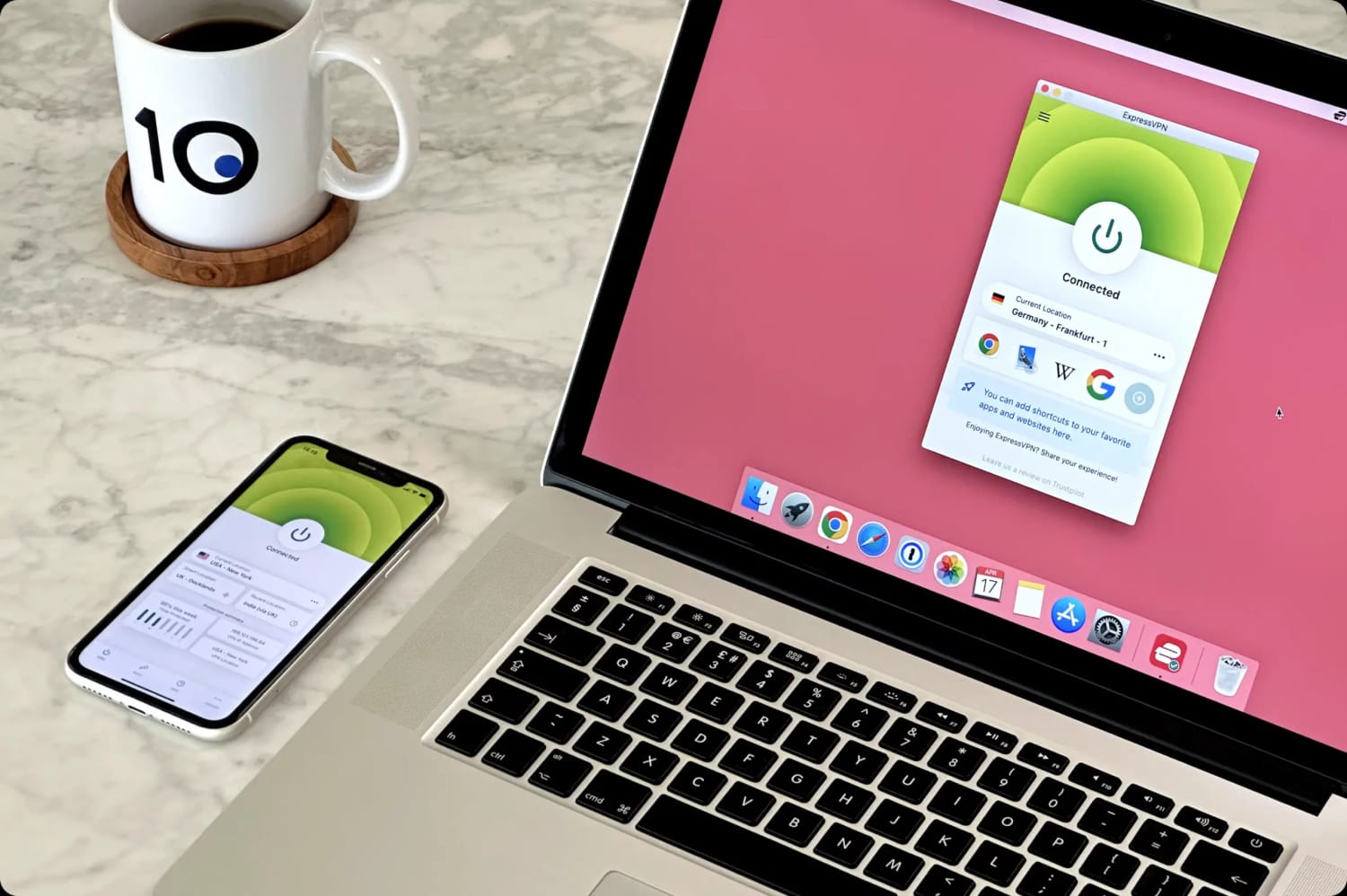
Using it on your computer is almost the same as on your smartphone, which is ideal for VPN beginners.
We love how the mobile apps keep getting better and better, in particular the iOS one which is even easier to use thanks to newly-added Siri, widget, and shortcut integrations.
And out of all the VPNs we tested, ExpressVPN was the quickest (within three seconds) to connect to server locations, whether nearby or far away.
A VPN That Puts Internet Safety First
ExpressVPN performed strongly in our security and privacy tests, too.
All its apps routed our data through secure VPN protocols (the quantum-ready Lightway 2.0, OpenVPN and WireGuard) using AES-256 or ChaCha20 encryption, and RAM-only (diskless) servers that never log activity data.
Real-world tests, including server seizures and independent audits, have confirmed this fact several times.
While ExpressVPN doesn’t offer as many extra features as Surfshark, like multi-hop servers or Android GPS spoofing, it offers all the vital ones.
These include a standard kill switch to prevent IP leaks during (extremely rare) VPN connection failures, and an advanced version that blocks all your device’s network traffic rather than just your internet connection.
Most of ExpressVPN’s servers also use ShuffleIP, built-in technology that automatically assigns you a new IP address (within the same location) for each new website or app you use.
As a paid add-on, you can also get your own dedicated anonymous IP address from one of 22 countries, including the US, UK, Canada and Australia.
A token-based system prevents these static IPs from being linked to your account, preserving your internet privacy.
Much More Affordable Than in the Past
While ExpressVPN has carried a “premium” price tag for many years, things have changed. A recent pricing overhaul has brought prices roughly in line with NordVPN.
While its cheapest price of $2.79/mo over 28 months isn’t the absolute lowest on the market, you really get your money’s worth thanks to the VPN’s superior capabilities and user experience.
If you can afford it, you can’t go wrong with ExpressVPN.
If you want to try it first, ExpressVPN offers a 7-day free trial as well as a 30-day money-back guarantee, which the company has always honored in our experience.
2. 
Overall Rating: 9.2/10
- Privacy
8.8/10 - Streaming
9.4/10 - Speed
9.7/10 - Security
9.1/10 - Server Locations
9.9/10 - User Experience
9.3/10 - Torrenting
9.0/10 - Device Compatibility
8.9/10 - Additional Features
7.6/10
To learn more, read our VPN testing methodology. - Impressive speeds across short & long-distances
- Bypasses most streaming geo-restrictions
- Very high security standards & encryption technology
- Extra features like Multi-hop & Threat Protection (ad & malware blocker)
- Free remote access to your devices via Meshnet
- PC & Mac apps are cluttered
- Pause feature is unnecessary & frustrating
- Renews at a much higher price than ExpressVPN
- Retains connection timestamps for 15 minutes
Pricing Plans 12.99/mo12.99/mo12.99/mo4.99/mo over 12 months$3.39/mo over 24 months Local Download Speed 96Mbps (4% loss) Countries with Servers 127 Servers 9,000 Logging Policy No Identifiable Data Simultaneous Connections 10 Jurisdiction Panama (Privacy Haven) Support 24/7 Live Chat Compatible with WindowsMaciOSAndroidLinuxAmazon Fire TVAndroid TVApple TVRouterChromeMany websites consider NordVPN to be the best overall VPN, and it’s certainly the most popular service due to its aggressive marketing campaigns. However, based on our regular and comprehensive tests, we can honestly say that NordVPN isn’t as good as ExpressVPN. It’s still a great VPN with excellent security attributes, fast internet speeds, and a wide range of extra features. But, its usability and unblocking capabilities fall just short of ExpressVPN’s. The truth many review websites won’t tell you is that ExpressVPN is a more complete VPN, and performed better in 70% of our testing categories. Video Review 
Exceptional Security Standards & Features
What we love about NordVPN is how much it has improved its security standards since a minor server breach in 2018.
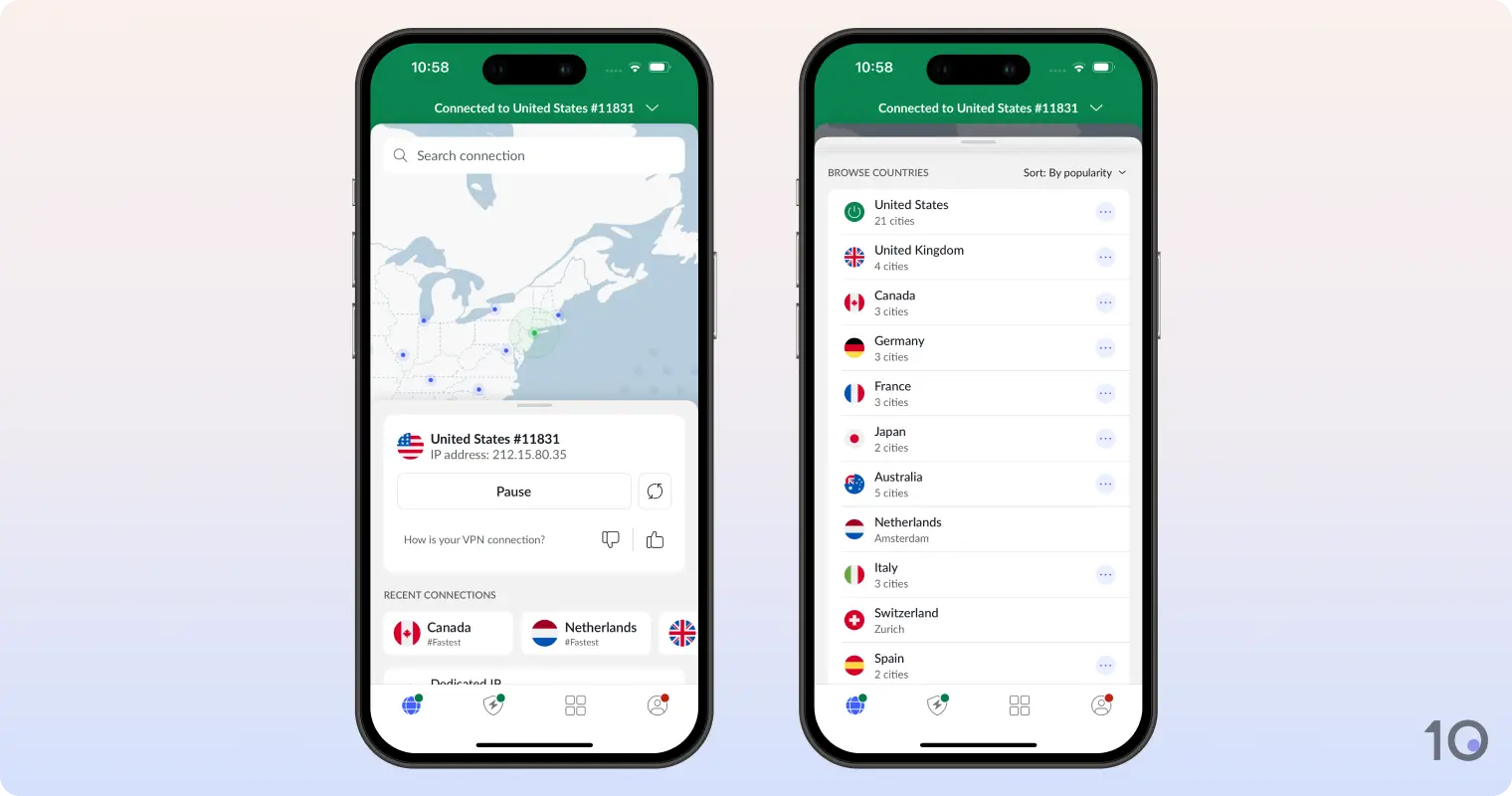
All apps use the quantum-ready NordLynx protocol, a variation of WireGuard, which encrypts traffic through the ChaCha20 cipher.
We analyzed the packets passing through our network using Wireshark, and NordVPN made all our traffic data completely illegible.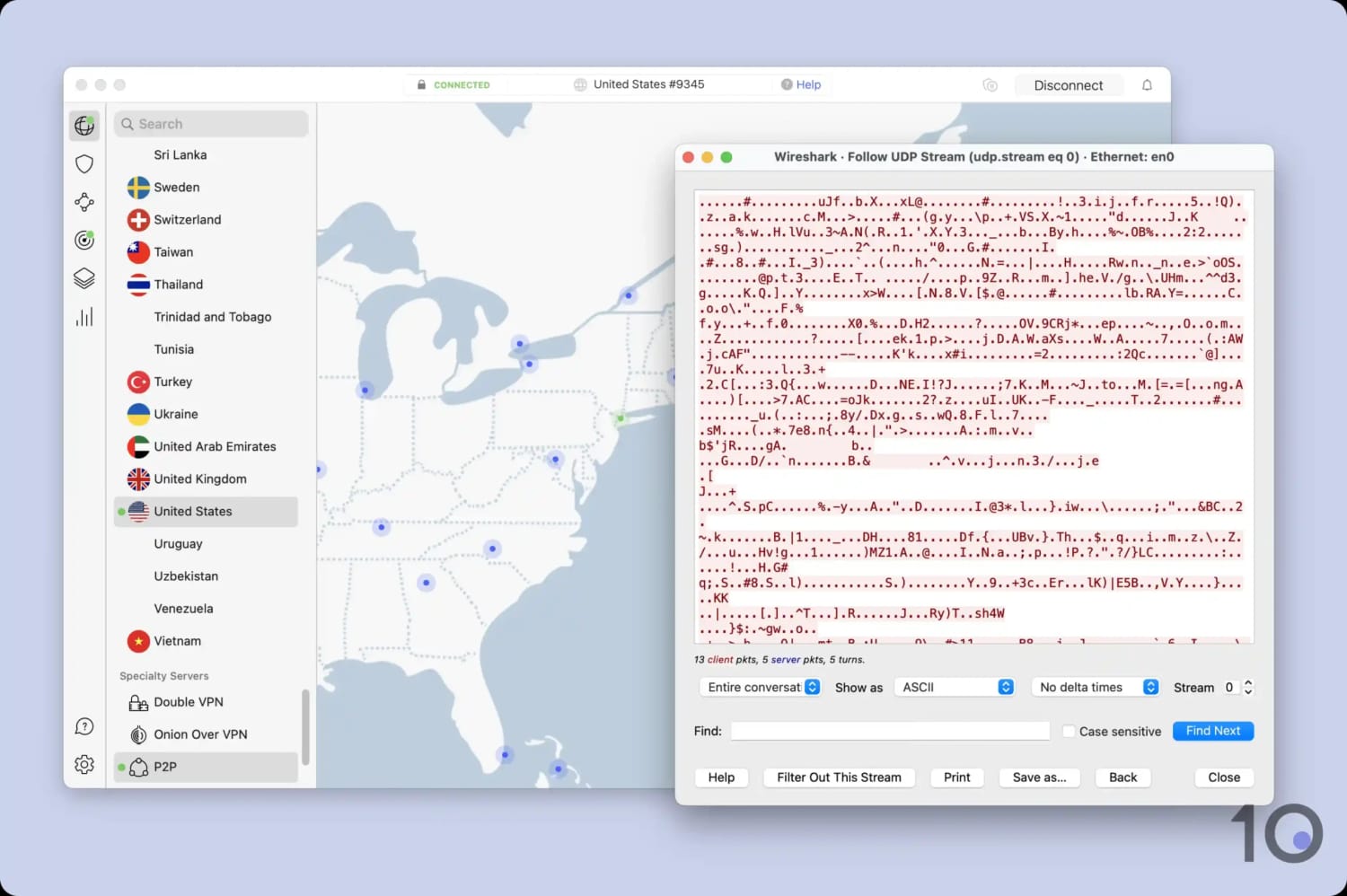
We used Wireshark to verify that NordVPN encrypted our internet traffic.
Alongside the mandatory kill switch, NordVPN also offers multi-hop (double VPN) servers, which routed our web traffic through two separate VPN servers and encrypted it twice.
And just like ExpressVPN, NordVPN uses RAM-only (diskless) servers, making it almost impossible for a third-party to extract user activity data from them.
NordVPN doesn’t log any web activity data anyway: no IP address or internet history logs, nor bandwidth used.
However, it does keep a temporary log of your username and the last connection date for 15 minutes after each session.
Barely Any Speed Loss Around the World
NordVPN continues to deliver exceptional VPN speeds across its network of 10Gbps servers.
On nearby connections, speeds only dipped by 4%, which almost matched ExpressVPN’s 2% slowdown.
On longer-distance connections, NordVPN roughly equaled ExpressVPN’s performance, with an average impact on speed of only 14%.
Connecting to specific locations, NordVPN even beat ExpressVPN. For instance, we experienced superb speeds connecting to its VPN servers in the UK and Canadian VPN locations, allowing us to stream local TV content seamlessly.
Overall, NordVPN’s global server coverage is unmatched, spanning across 127 countries — more than any other VPN right now.
What’s even more impressive is that this extensive reach hasn’t compromised the quality of connections, which remain stable and free of interruptions.
Not as User-friendly as ExpressVPN
We rate NordVPN highly, but we feel slightly let down by the VPN’s less user-friendly and intuitive apps.
Its VPN apps for Mac and PC need design improvements in our opinion. They’re by no means hard to use, but they’re cluttered by ‘Threat Protection Pro’ and ‘Dark Web Monitor’ on the home screen.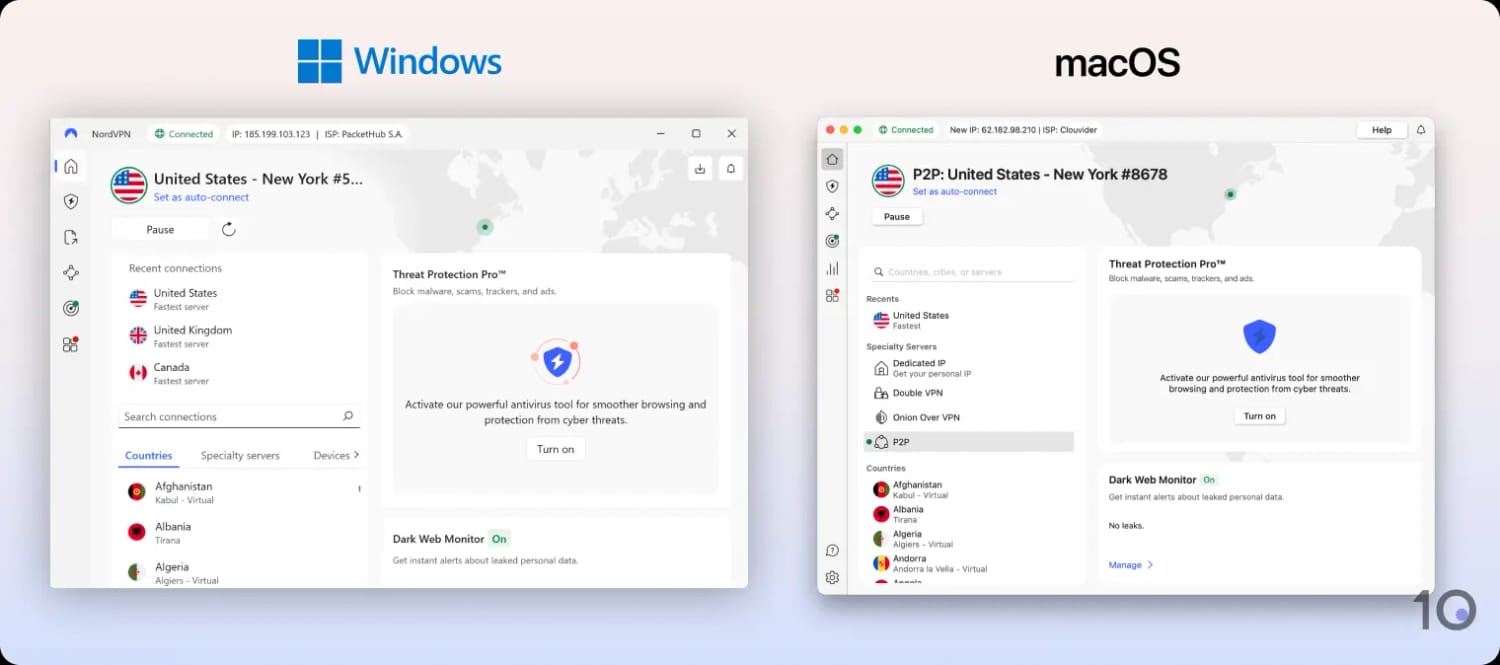
NordVPN’s PC and Mac applications.
NordVPN’s mobile apps are a lot more enjoyable to use, although the kill switch on Android requires fiddly configuration, and it interferes with split tunneling.
While NordVPN has many great features, like its free remote access tool called Meshnet, the “Pause” function is one we really dislike. It only temporarily disables the VPN, automatically reactivating it after a set amount of time.
This makes fully turning off the VPN a two-step process, which on mobile becomes irritating after a while.
3. 
Overall Rating: 9.0/10
- Privacy
9.7/10 - Streaming
6.1/10 - Speed
9.7/10 - Security
9.3/10 - Server Locations
9.6/10 - User Experience
9.5/10 - Torrenting
9.7/10 - Device Compatibility
9.5/10 - Additional Features
7.7/10
To learn more, read our VPN testing methodology. - Proven no-logs policy & torrenting allowed on all servers
- Very affordable high-speed VPN with many built-in features
- VPN locations in 50 US states to bypass US sport blackouts
- Extremely rare port forwarding setting
- Built-in ad blocker (MACE) blocked 90% of ads & trackers
- Anonymous token-based dedicated IPs
- Possibly too many settings for VPN beginners
- No post-quantum protection
- macOS app has usability issues
- Smart DNS doesn't work with streaming apps
- Firestick app is less reliable than its other apps
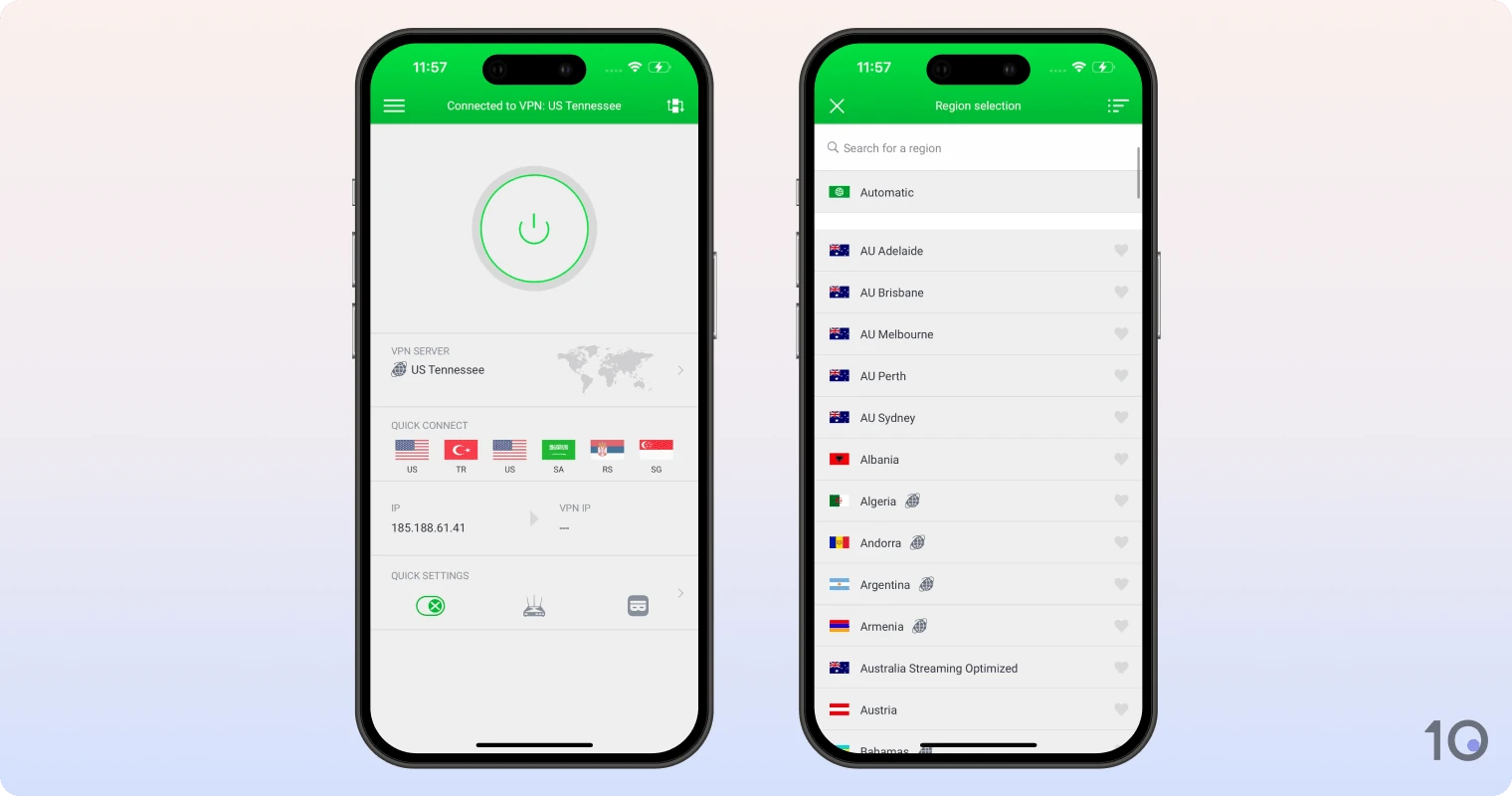
Pricing Plans 11.99/mo11.99/mo11.99/mo7.50/mo over 6 months$2.03/mo over 39 months Local Download Speed 96Mbps (4% loss) Countries with Servers 91 Servers 18,651 Logging Policy No Logs Simultaneous Connections Unlimited Jurisdiction US (Five Eyes Member) Support 24/7 Live Chat Compatible with WindowsMaciOSAndroidLinuxAmazon Fire TVAndroid TVApple TVRouterChromePrivate Internet Access (PIA) performed extremely well in many of our tests. If you need an affordable no-logs VPN for anonymous torrenting and file sharing, then PIA is for you. Surfshark is technically cheaper by a few cents per month, but you get more bang for your buck with PIA, and an even higher degree of online privacy. You can use any of its 18,651 servers with complete confidence that your IP address and internet activity aren’t monitored or linked back to you — all for just $2.03/mo over 39 months. While we don’t recommend using PIA with Smart TVs, and its apps aren’t as well designed as ExpressVPN’s, it remains an excellent cheap VPN that’s seriously worth considering. Video Review 
No-logs VPN Excellent for Torrenting
There are only a handful of verified no-log VPNs on the market, but Private Internet Access is one of them.
The provider’s logging policy has been externally verified several times, and the company releases regular transparency reports to support this.
Not to mention that all the provider’s apps are open-source, for even greater transparency and trustworthiness.
Thanks to its strict no-logs policy and powerful security, Private Internet Access easily outperformed its rivals for anonymous torrenting.
We downloaded multiple test files without any issues.
We were even able to torrent on all of PIA’s servers, including American ones. This is refreshing, considering many VPNs often exclude certain servers from P2P activity for dubious reasons.
And unlike most VPNs, PIA also offers VPN port forwarding, which is useful to increase the number of peers you ‘talk with,’ speeding up torrent speeds.
Using qBittorrent, we downloaded a file at a formidable rate of 9.6MiB/s, which not even ExpressVPN or NordVPN could match.
You can even sign up to PIA anonymously by using a throwaway email address and one of the several anonymous payment methods available.
Rare Server Coverage Spanning 50 US States
Not only is PIA’s server network completely no-logs but it’s also one of the largest for sheer number of endpoints.
Alongside ExpressVPN, it’s also one of only two services to offer VPN locations in every US state.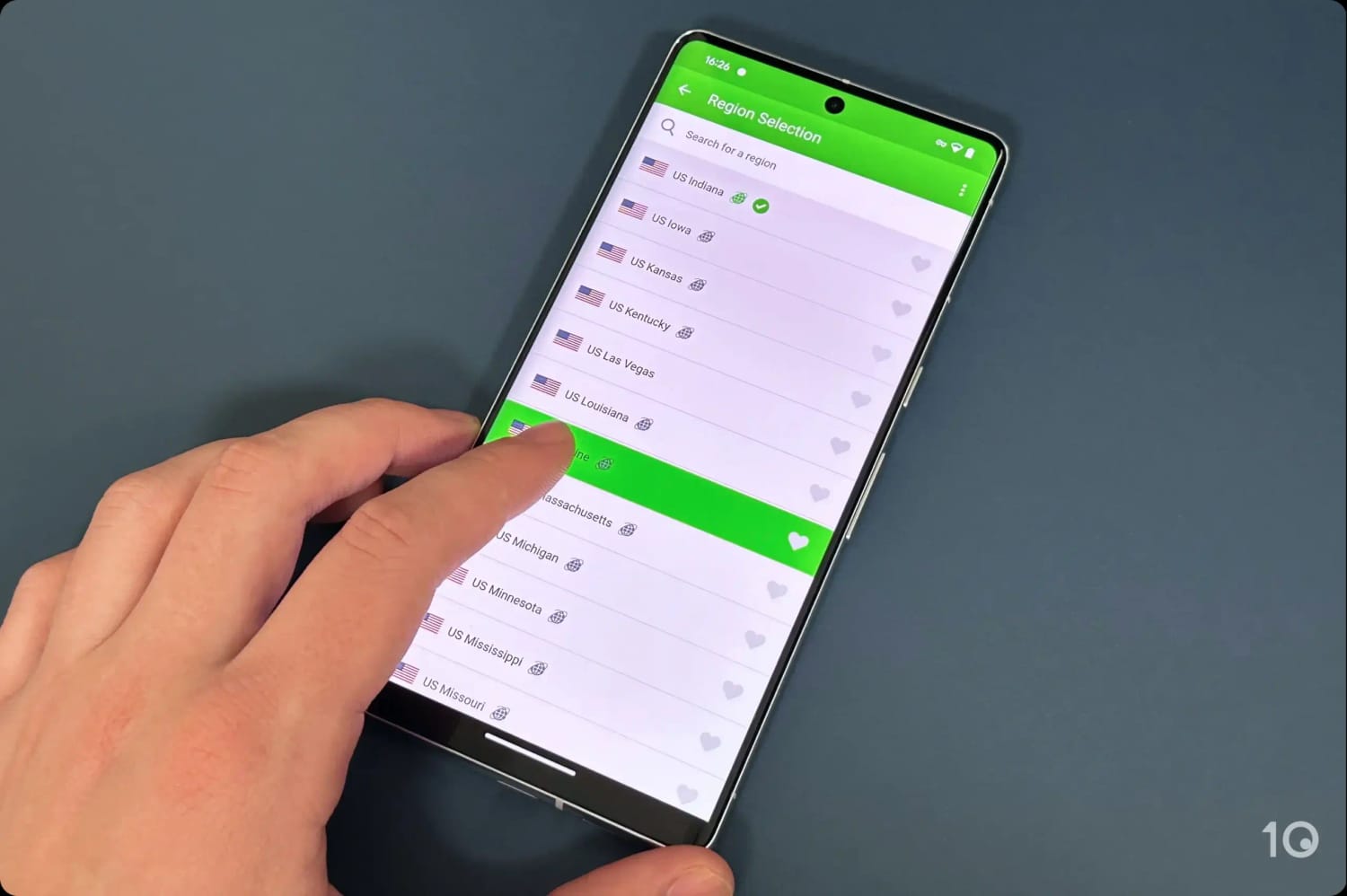
PIA VPN’s US servers in the Android app.
This extensive pool of American IP addresses made bypassing state-level geo-blocks a piece of cake.
Outside of the US, PIA has servers in all popular countries, but ExpressVPN and NordVPN cover more especially in Asia and Africa.
App Usability Needs Improvements
While PIA’s privacy and torrenting test results are unrivaled, and its subscription price very appealing, the software’s usability was a little disappointing.
Simply put, PIA’s apps aren’t as nicely designed as ExpressVPN, and aren’t the easiest to use. There are too many settings to tinker with for the typical VPN beginner.
The macOS app, in particular, is rather frustrating to use, and it even takes over three seconds to load as a windowed app.
We also found out that 75% of US server locations on the Firestick app don’t work with streaming services, and the Smart DNS solution unblocked none.
On the plus side, PIA’s mobile apps are probably the nicest-looking and easiest to use in its arsenal.
4. 
Overall Rating: 8.9/10
- Privacy
8.7/10 - Streaming
9.2/10 - Speed
9.1/10 - Security
8.5/10 - Server Locations
9.5/10 - User Experience
8.5/10 - Torrenting
8.6/10 - Device Compatibility
9.1/10 - Additional Features
8.3/10
To learn more, read our VPN testing methodology. - The cheapest multi-year plan available
- Many advanced security features & settings
- Audited logging policy & diskless servers
- Built-in GPS spoofer on Android & MTU setting
- Dynamic multi-hop with flexible entry/exit nodes
- Unlimited device connections
- Disappointing server connection times
- Slower than ExpressVPN & NordVPN
- No IPv6 leak protection
- NoBorders mode fails in highly censored countries
Pricing Plans 15.45/mo15.45/mo15.45/mo3.19/mo over 15 months$1.99/mo over 27 months Local Download Speed 96Mbps (4% loss) Countries with Servers 100 Servers 4,500 Logging Policy No Identifiable Data Simultaneous Connections Unlimited Jurisdiction Netherlands (EU Member) Support 24/7 Live Chat Compatible with WindowsMaciOSAndroidLinuxAmazon Fire TVAndroid TVApple TVRouterChromeSurfshark gives our top-rated VPNs a run for their money, and for only $1.99/mo over 27 months. Despite its affordability, the VPN has outstanding security credentials, an audited no-logs policy, and numerous extra features such as Android GPS spoofing, dynamic multi-hop servers, and rotating IP addresses. Surfshark’s apps are reasonably intuitive, with choosing servers, changing protocols, and customizing security settings all straightforward to do. Surfshark has some flaws, though. It’s noticeably slower on longer distances, there’s a slight delay connecting to servers on mobile, and it sometimes leaked our IPv6 address. Video Review 
Many Settings for Added Security & Privacy
Surfshark is a secure service, offering many of the essential security features we expect from high-quality VPN providers.
All its applications use ChaCha20 encryption, WireGuard as the default protocol, and include a VPN kill switch.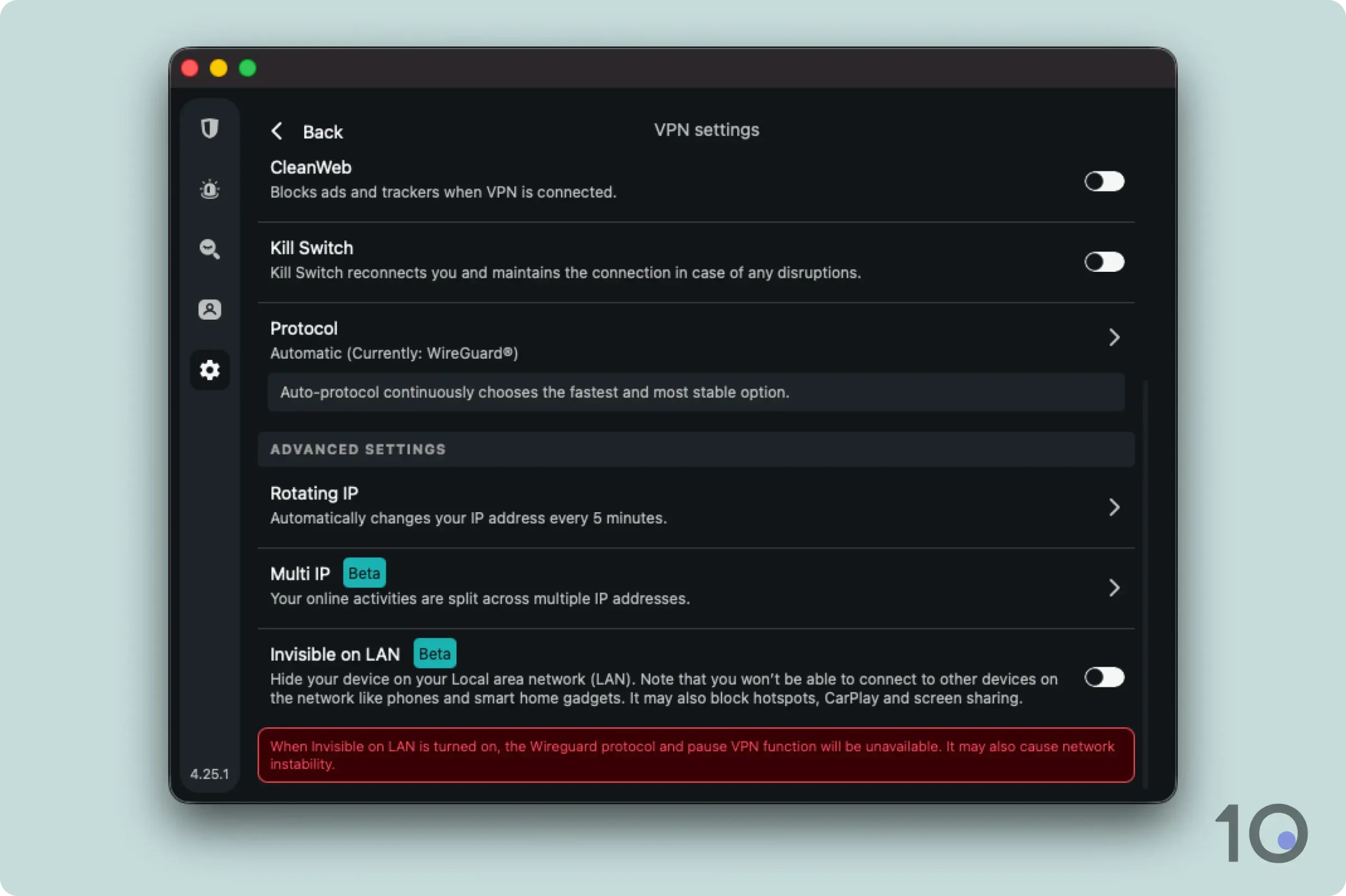
Some of the settings available in Surfshark’s Mac app.
On the plus side, the VPN logs almost nothing about its customers and only uses diskless servers, meaning no identifiable data can be extracted in the event of a breach or server seizure.
Additionally, Surfshark offers a ‘Rotating IP’ feature which, when enabled, changes your IP address every five to 10 minutes without modifying the server location you’re connected to.
The Rotating IP function, which worked smoothly for us, further increases your anonymity and security online without ever revealing your true location.
Rare Ability to Spoof GPS Data
Surfshark has the rare ability of spoofing your GPS location on Android phones. Windscribe is the only other recommended VPN able to do this.
The ‘Override GPS location’ function prevents Android mobile applications using GPS to detect your real location. It’s simple to use, and works as intended.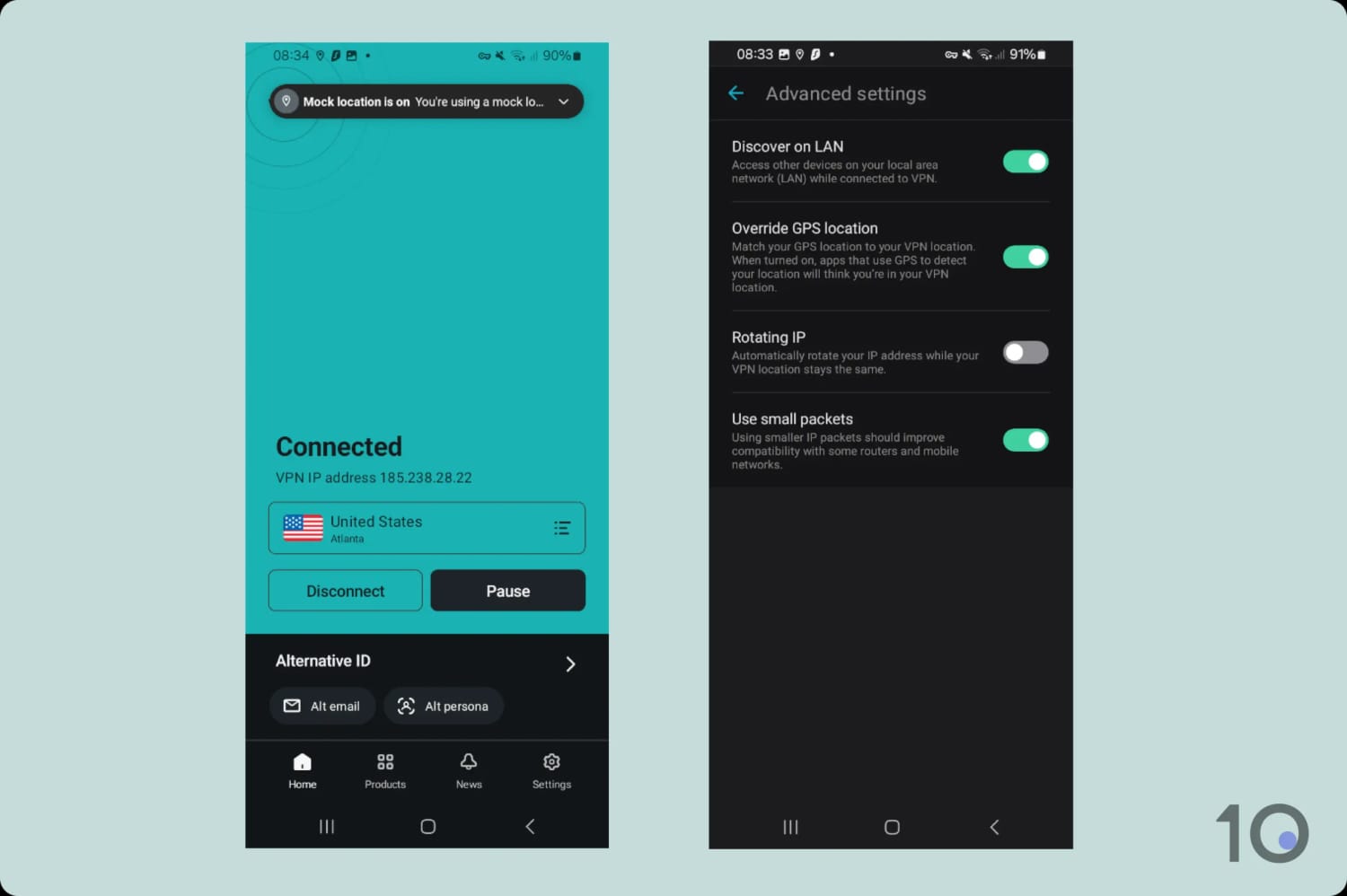
Surfshark’s Override GPS location function on Android.
When activated, this integrated function spoofs your Android device’s GPS coordinates to match your chosen VPN server location.
This is a game-changer for bypassing geo-restrictions on mobile apps like ESPN+ and NBA League Pass, which rely on GPS rather than just an IP address to verify location.
Beyond streaming, Surfshark is an elite VPN for mobile gaming. It allowed us to unlock region-exclusive content (via ‘Override GPS location’), while its MTU setting helped us adjust packet sizes to stabilize ‘wobbly’ cellular connections.
Remarkably, neither ExpressVPN nor NordVPN come with these specific built-in tools.
Slow Server Connections & Moderate Speeds
The issues we have with Surfshark revolve around its disappointing server connection times and speeds across all its applications.
We often found ourselves waiting several seconds trying to connect to popular servers. Once connected, the speeds were definitely not as fast as other top-tier services.
On short-distance connections, our internet speed dipped by 4%, which is comparable to many high-quality VPNs, but worse than ExpressVPN’s 2%.
Over long-range connections, we experienced slowdowns of 17% versus ExpressVPN’s 15% and NordVPN’s 14%.
Despite a full 10Gbps server network, and the experimental ‘FastTrack’ route optimization technology, we’ve only seen speed boosts in small pockets.
The company has started deploying 100Gbps servers, but we don’t expect radical improvements until they’re rolled out beyond the initial testing hubs.
5. 
Overall Rating: 8.8/10
- Privacy
8.8/10 - Streaming
8.9/10 - Speed
9.8/10 - Security
8.5/10 - Server Locations
9.0/10 - User Experience
8.1/10 - Torrenting
9.2/10 - Device Compatibility
8.0/10 - Additional Features
7.0/10
To learn more, read our VPN testing methodology. - Excellent app for Fire TV devices & Kodi
- Fast short-distance download speeds
- No-logs policy & first-party DNS servers
- Highly flexible multi-hop feature
- apk file for side loading on Android boxes
- Unlimited simultaneous connections
- Desktop apps aren't as well designed
- No browser extensions, Smart DNS or router app
- Kill switch causes minor leaks on macOS
- Not quantum-ready yet
Pricing Plans 12.99/mo12.99/mo12.99/mo3.33/mo over 12 months$2.19/mo over 24 months Local Download Speed 96Mbps (4% loss) Countries with Servers 112 Servers 3,100 Logging Policy No Logs Simultaneous Connections Unlimited Jurisdiction US (Five Eyes Member) Support 24/7 Live Chat Compatible with WindowsMaciOSAndroidLinuxAmazon Fire TVAndroid TVApple TVRouterChromeIPVanish is an underrated service that deserves more praise, and its biggest strength is without a doubt its VPN app for Fire TV Stick. The app is ideal for anonymous streaming, especially on Kodi and IPTV apps, thanks to its fast internet speeds, ironclad security, and a strict no-logs policy. IPVanish would rank higher on our list if it wasn’t for two key shortcomings: its apps aren’t as user-friendly as we’d like, and it lacks popular features like browser extensions, dedicated IPs, and a Smart DNS proxy. Video Review 
A Great Fire TV Application
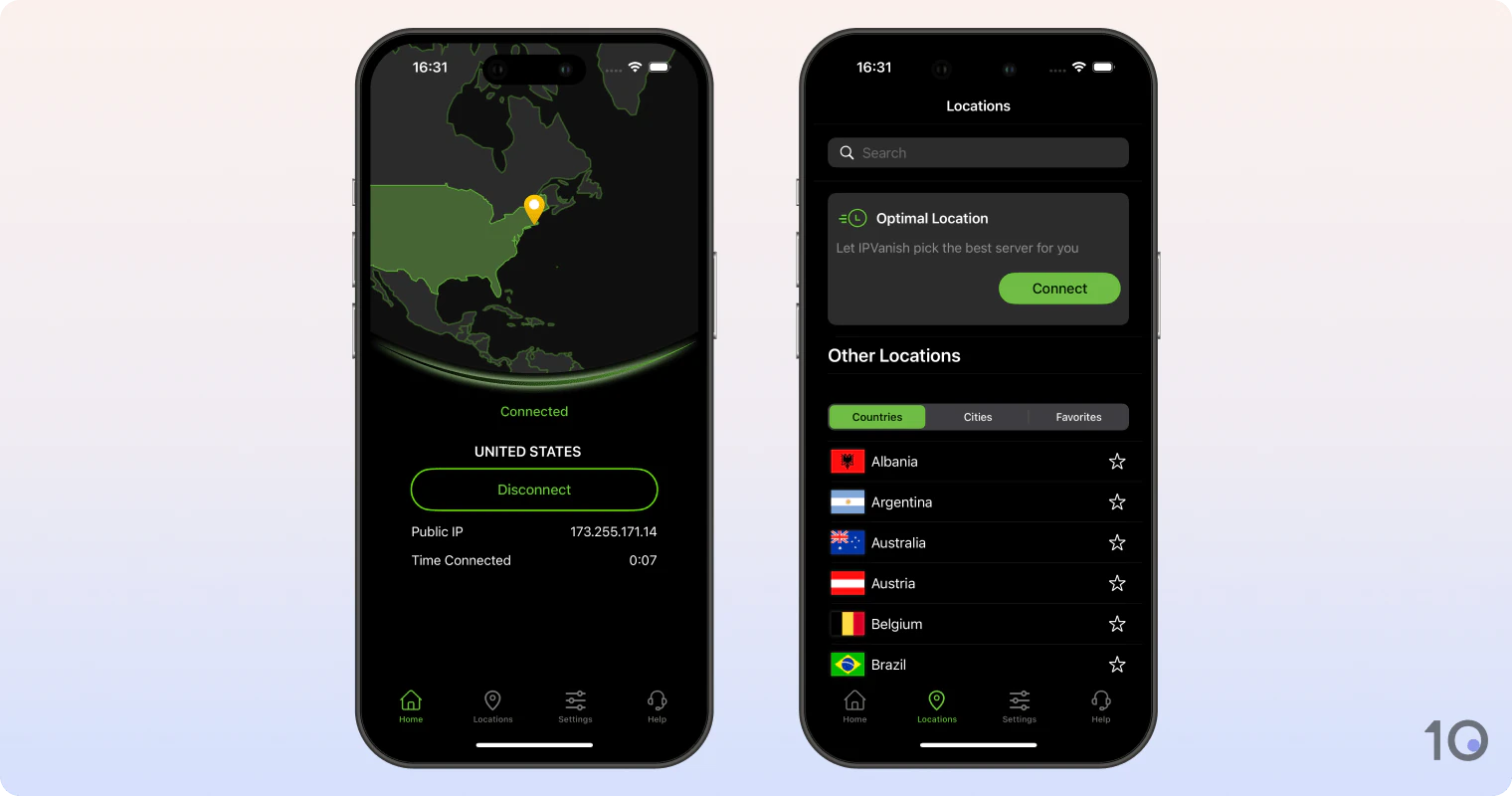
IPVanish remains our highest-rated VPN for the popular Fire TV Stick, and other Fire TV devices.
The app is straightforward to use, and it provides fast speeds connecting to nearby VPN servers. In recent tests, we registered a mere 4% slowdown in our download speeds.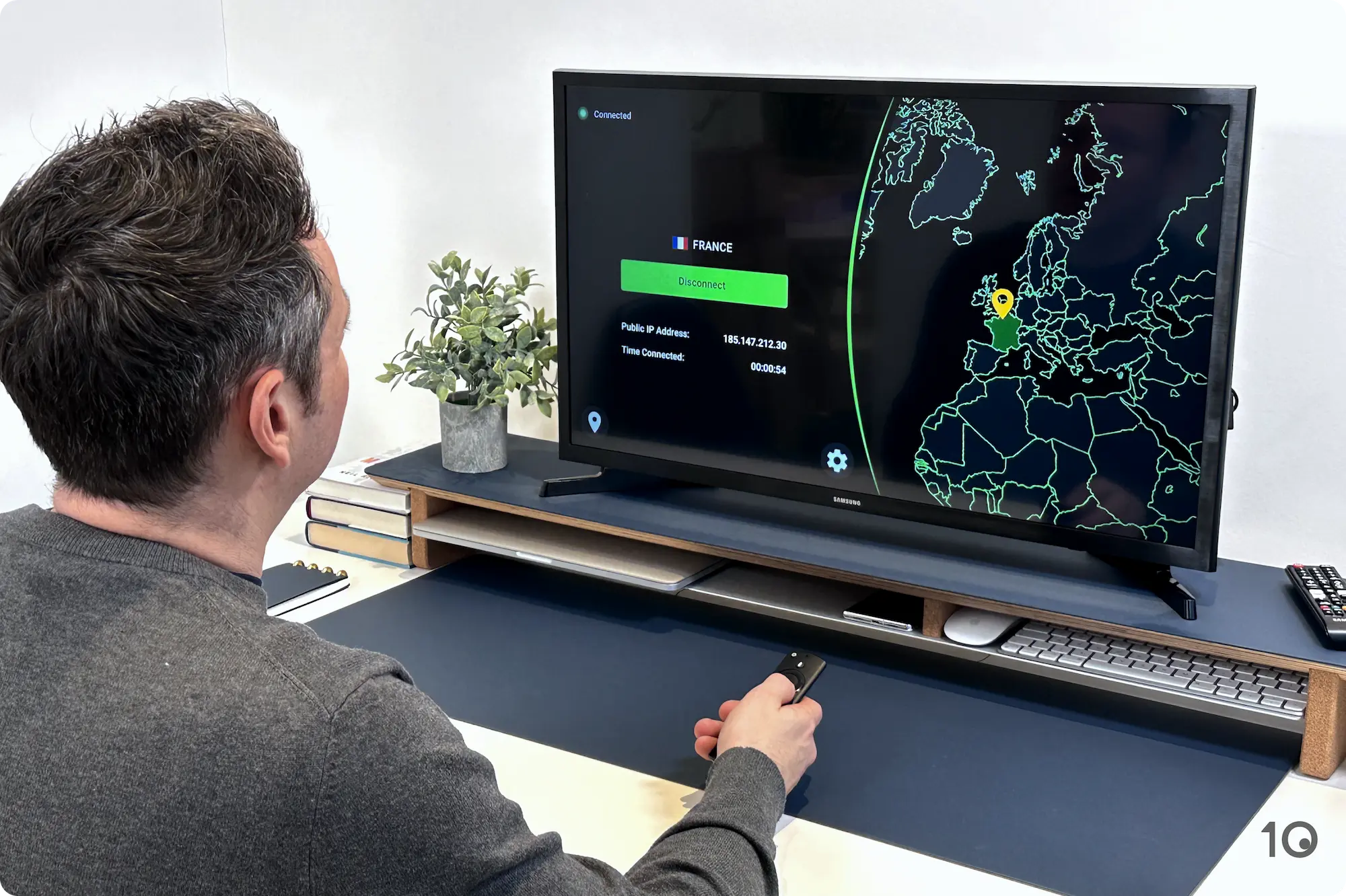
The IPVanish home screen on Amazon Fire TV Stick.
Above all, we found that the VPN app worked perfectly with Kodi and IPTV apps.
The only downside to using IPVanish is that it might not always access your favorite streaming service. It works brilliantly with platforms like Netflix (16 regions), Hulu and HBO Max, but not so well with the likes of Kayo Sports and DAZN.
Zero-Log Servers & 55,000 IP Addresses
Where IPVanish really stands out is keeping internet data transfers private at home and on the go.
All 3,100 physical servers, entirely owned by IPVanish, are completely no-logs. They don’t monitor or store any of your internet activity.
The company is also rolling out RAM-only (diskless) servers, a smart move that follows the industry’s best practices to further protect customers’ privacy.
And you’ll get access to over 55,000 anonymous IP addresses, which is a staggering number of IPs rare among VPN companies.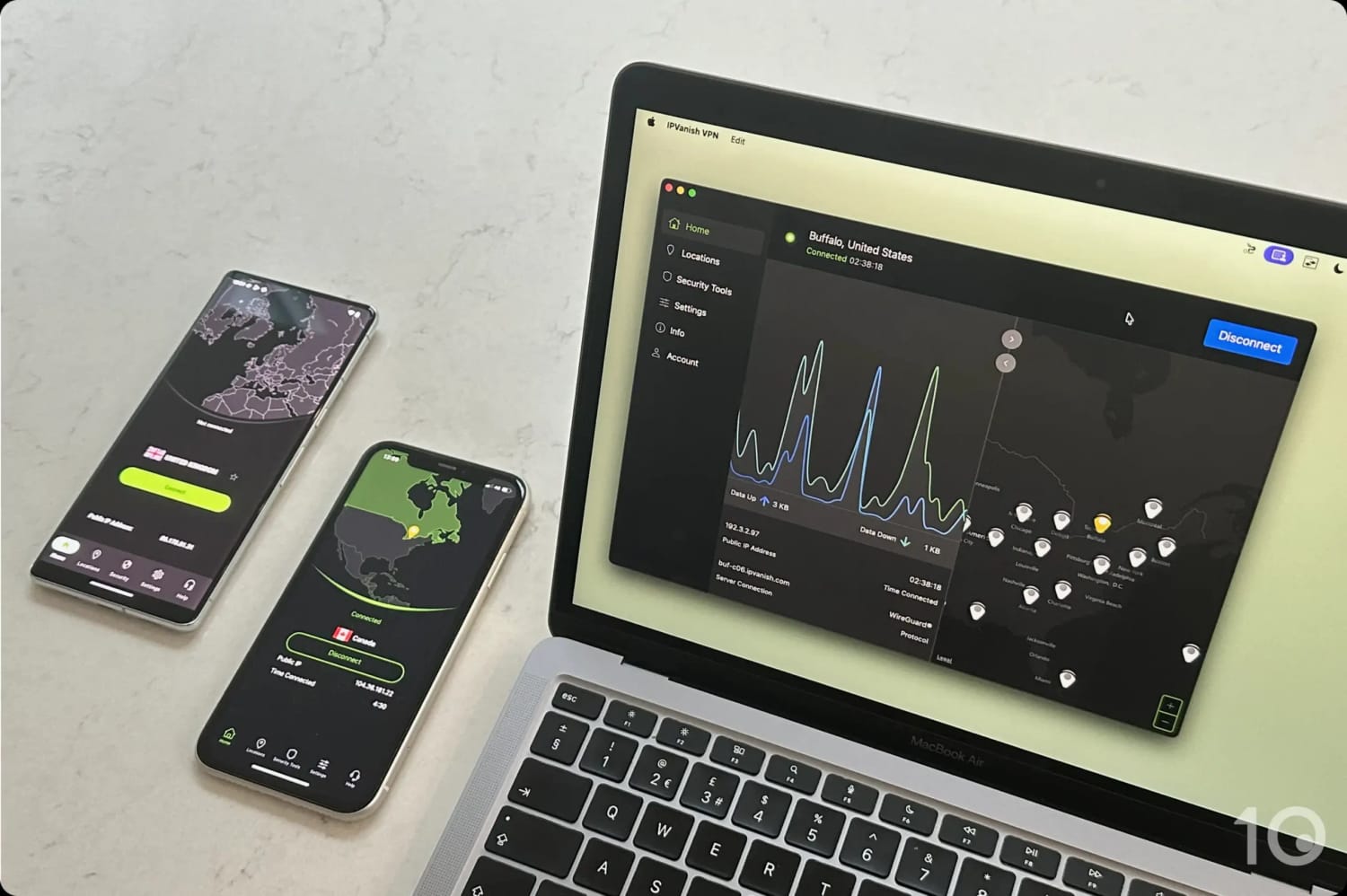
The IPVanish server network is both self-owned and sizeable.
In our security tests, we’ve never suffered an IP or DNS address leak using IPVanish, unless we were switching servers on the Mac app. The company needs to fix this small yet important flaw.
The IPVanish app does have a VPN kill switch, but it isn’t enabled by default, which we really don’t like.
We’ve been told this is by design, to stop new users from inadvertently blocking their internet connections by leaving the app running but not actually connected.
At least, the kill switch toggle on the app’s home screen is prominent and does stay on once activated.
While this is a reasonable compromise, we always push VPN providers to enable kill switches by default, as this is by far the safest option for consumers.
Device Compatibility Is an Issue
IPVanish’s Fire TV software works great but in general the VPN’s apps, especially those for desktop computers, suffer from an out-dated design.
Despite a redesign in 2023, the Windows and macOS apps still don’t look as pleasant and aren’t as user-friendly as ExpressVPN’s.
There’s still too much clutter on the home screens. The prominent data waveform and map don’t provide enough value to justify the space they take up.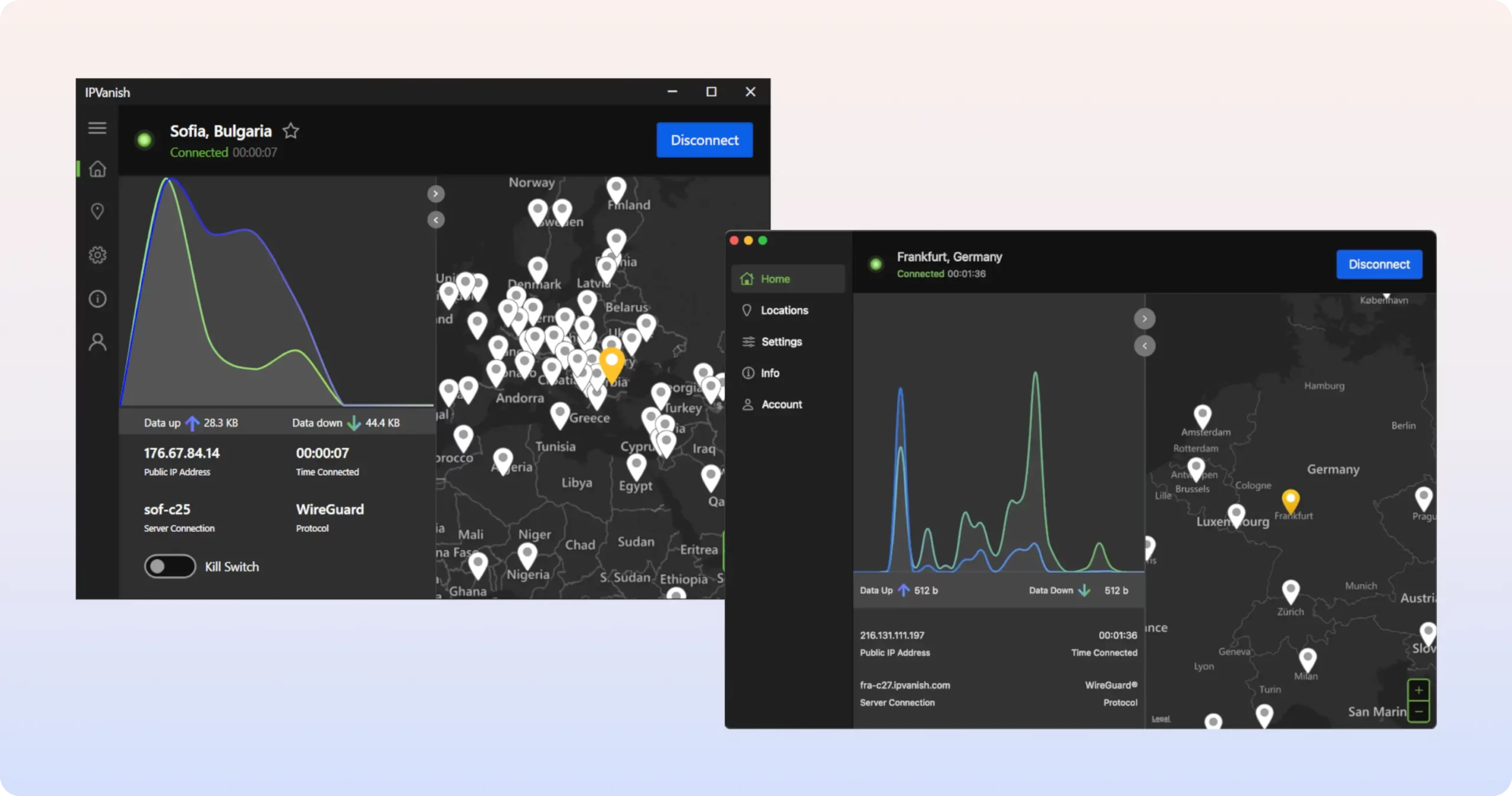
IPVanish’s macOS app (bottom) now uses the same design as Windows.
A recent update introduced sliders to adjust whether the waveform or map area is more prominent, but you still can’t collapse this oversized aspect.
The desktop apps take up a lot more screen space than some other VPNs. Yet more than three-quarters of the home screen could simply be removed – with no real loss of functionality – for a more streamlined experience.
More frustratingly, there are no traditional web browser extensions, Smart DNS proxy, or a router app. The latter two omissions complicate unblocking content on Roku and game consoles considerably.
Not all is bad, though. We love that IPVanish was one of the first VPNs to release a VPN app for Apple TV, which many services still don’t offer.
There’s also an apk file you can use to side load IPVanish on Android devices with no access to Google Play Store (e.g. Android boxes).
6. 
Overall Rating: 8.6/10
- Privacy
9.5/10 - Streaming
6.5/10 - Speed
8.6/10 - Security
9.8/10 - Server Locations
9.7/10 - User Experience
8.3/10 - Torrenting
9.2/10 - Device Compatibility
7.9/10 - Additional Features
6.2/10
To learn more, read our VPN testing methodology. - Free plan has no data usage limits
- Verified privacy-first logging policy
- Impressive speeds on free servers
- All apps are open-source & independently audited
- IPv6 leak blocking capabilities
- Secure Core technology provides stronger encryption
- No 24/7 live chat support
- Speeds of paid version have slowed down
- Free plan doesn't let you choose server location
- Free version doesn't unblock any streaming services
- Torrenting traffic blocked on free servers
- Lacks post-quantum protection
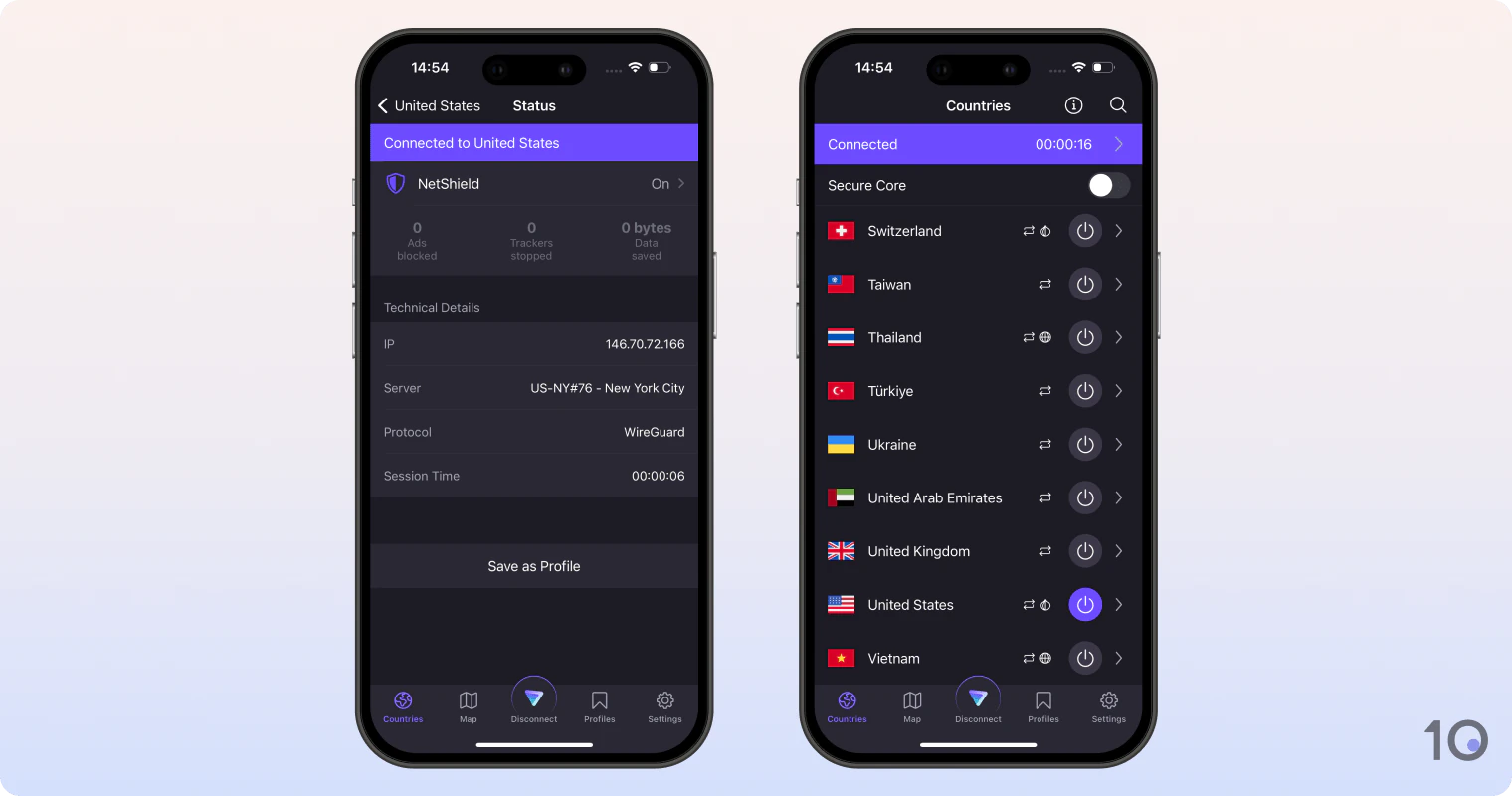
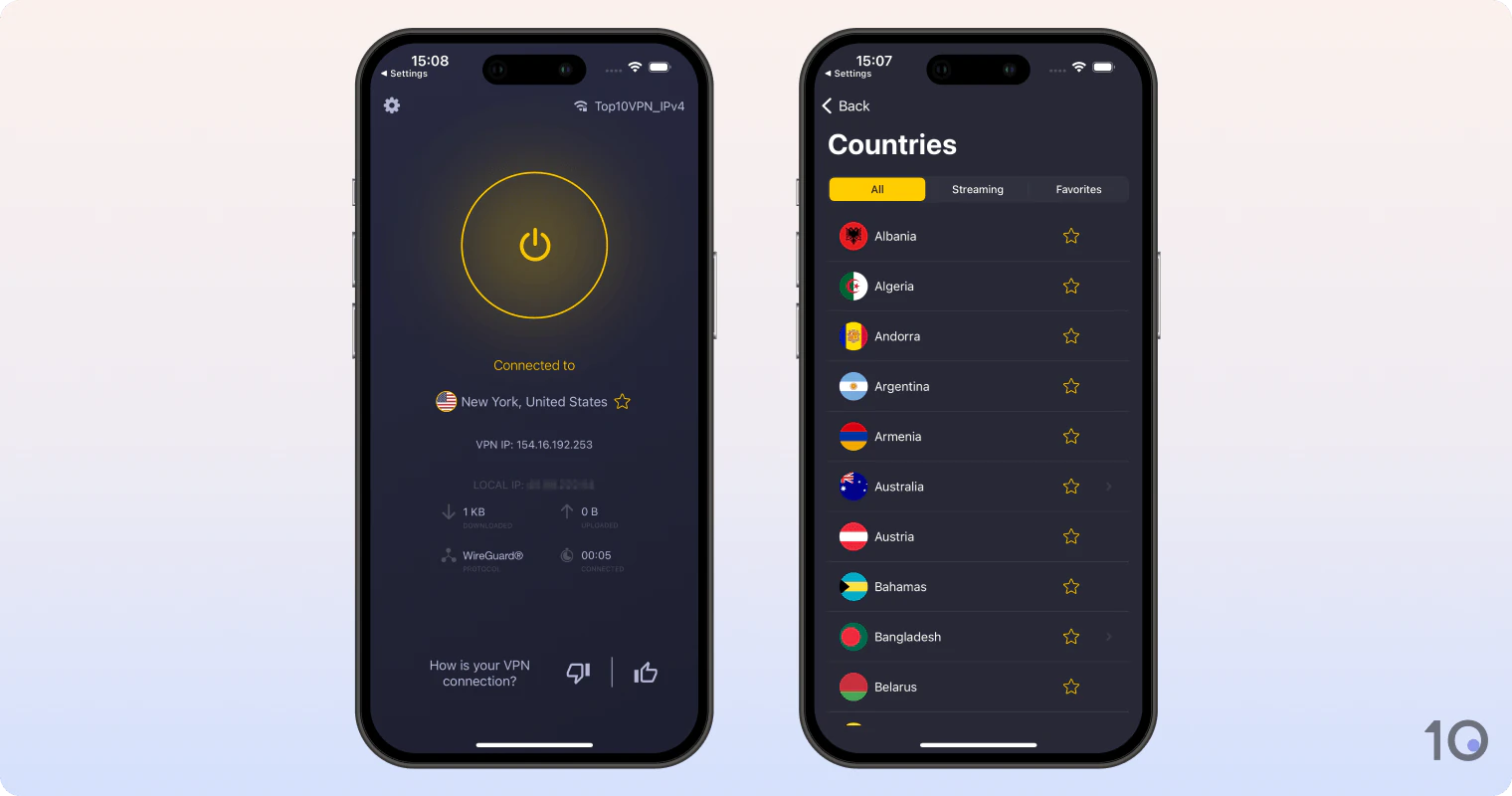
Pricing Plans 9.99/mo9.99/mo9.99/mo3.99/mo over 12 months$2.99/mo over 24 months Local Download Speed 88Mbps (12% loss) Countries with Servers 126 Servers 15,370 Logging Policy No Logs Simultaneous Connections 10 Jurisdiction Switzerland (Privacy Haven) Support Live Chat Compatible with WindowsMaciOSAndroidLinuxAmazon Fire TVAndroid TVApple TVRouterChromeProton VPN is a well-rounded service available as a free and a paid product. The free software is the best free VPN we’ve reviewed, while the paid version has improved massively in recent years and is particularly good for security. All of Proton VPN’s apps are open-source, have been independently-audited, are proven not to store session logs, and are enjoyable to use. While the paid product is rather expensive, the free version offers outstanding value: it’s 100% safe, surprisingly fast, and allows unlimited bandwidth. Unfortunately, it only lets you connect to the nearest free server available, doesn’t beat content geo-restrictions, and blocks torrenting traffic. Video Review 
Our Most Highly-rated Free VPN
Proton VPN’s free app is without a doubt the best free VPN there is. Thanks to its unlimited bandwidth policy, you can leave it running all the time.
In our latest tests, we also recorded impressive speeds connecting to all 10 free server locations. With just 7% average speed loss, it even beat some paid VPNs!
That said, we found 10 free server locations extremely limiting, compared to the 126 available with the paid plan.
But what really frustrated us was that you can no longer choose a free server location: you’re automatically connected to the “fastest” available server, with connections to the Netherlands or Romania just as likely as to the US or Japan.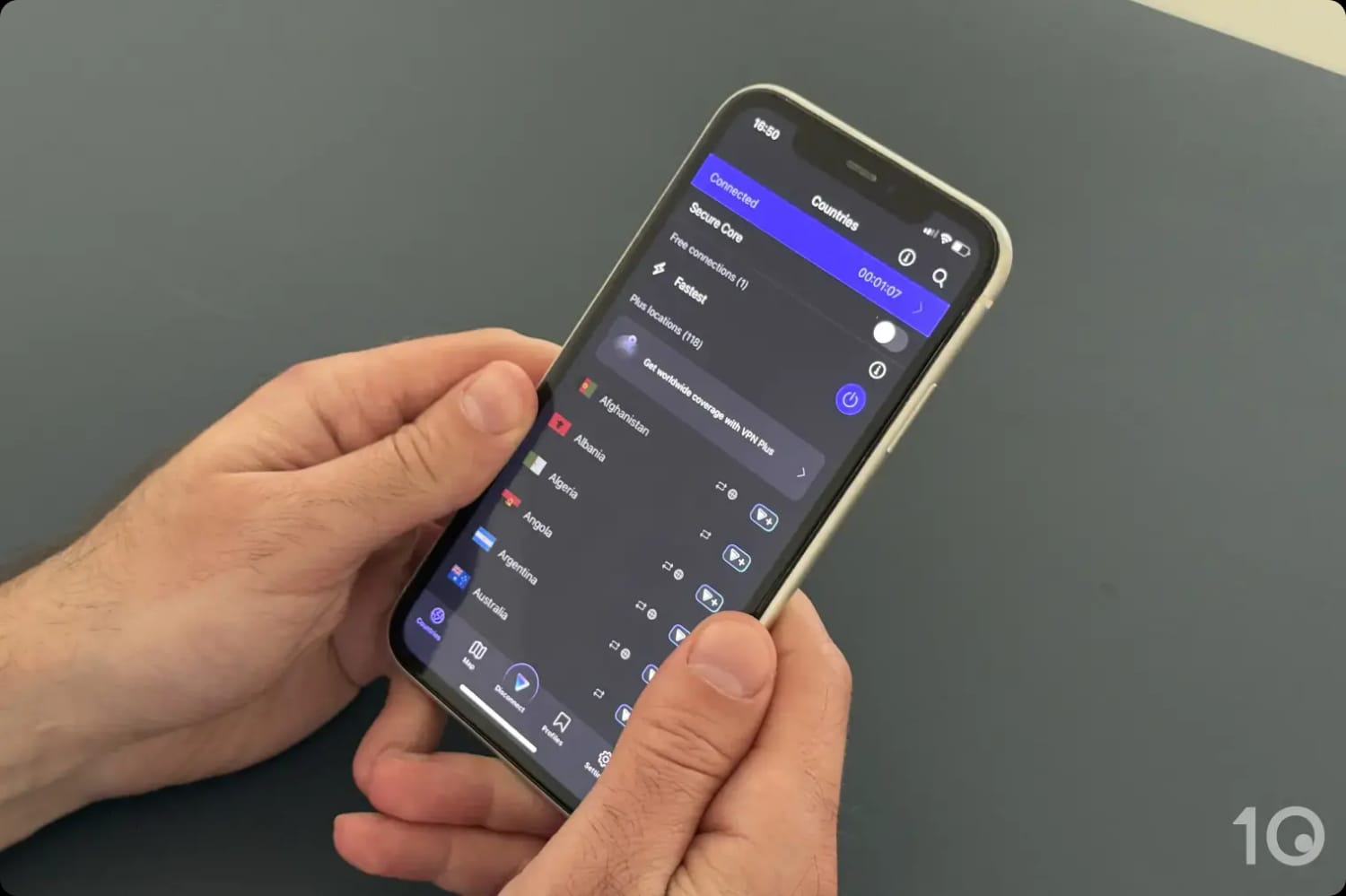
Proton VPN’s free iOS application.
This means you won’t be able to use Proton VPN’s free service to access geo-restricted content. And to add insult to injury, all free servers block P2P traffic. For these activities, Windscribe is a much better choice.
Exemplary Encryption & Security Settings
Proton VPN is synonymous with highly-secure and encrypted VPN connections.
You have the choice of using either OpenVPN or WireGuard protocols (hence AES-256 or ChaCha20 encryption), and it enforces Forward Secrecy (FS).
The paid version of Proton VPN has been constantly improving over the years, especially on the streaming front.
Paid plans also offer Secure Core technology, which further enhances your security by tunneling traffic through one of its 112 dedicated data center servers.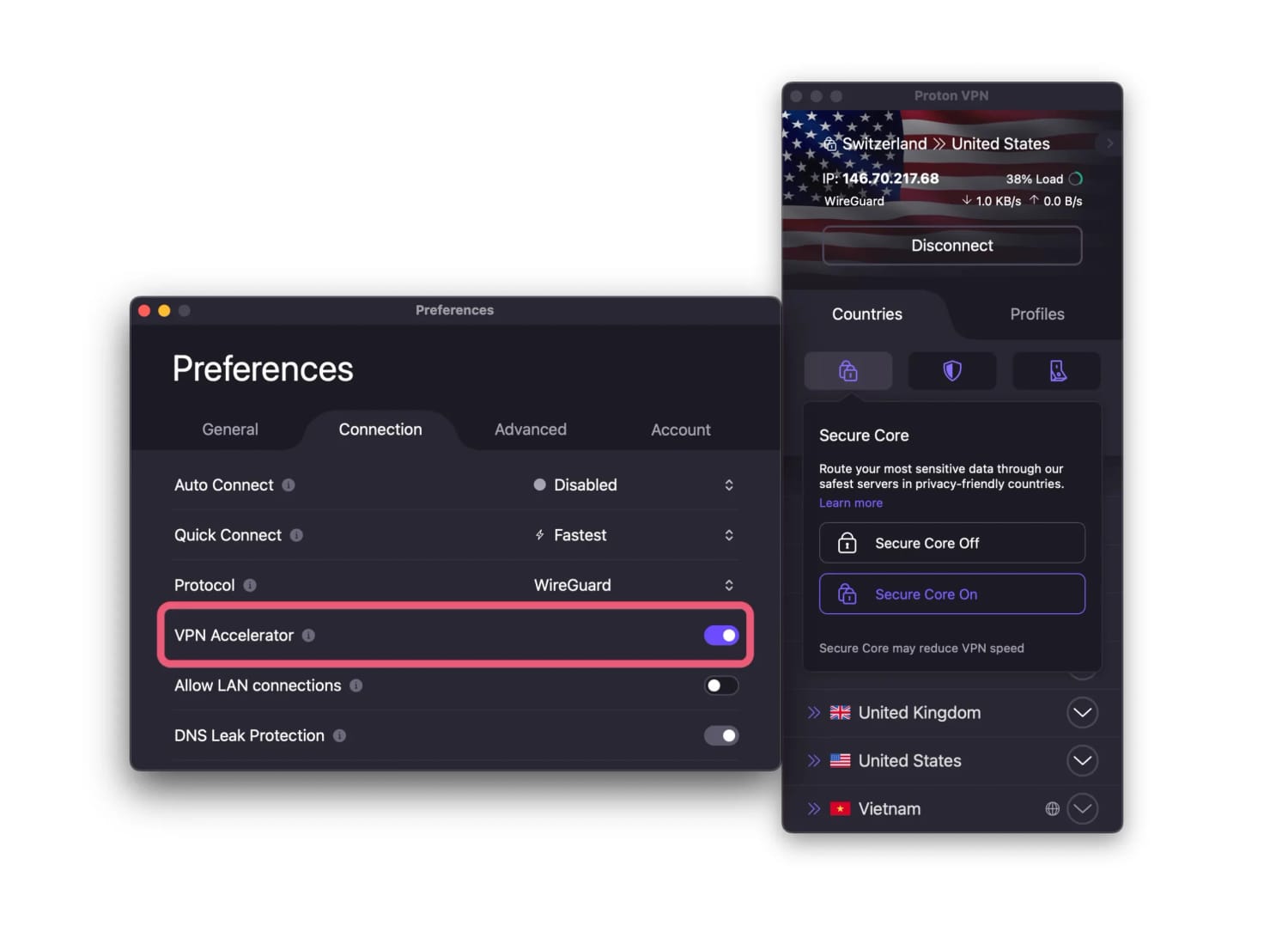
Proton VPN’s settings including Secure Core servers and VPN accelerator.
None of these security credentials impact Proton VPN’s usability: the VPN’s apps look good on every platform, and even its most advanced features are easy to use.
But for a security-focused leader like Proton, the absence of post-quantum encryption is a really surprising oversight. We expected them to be pioneers in this space, not latecomers.
Short-distance Speeds Have Slowed Down
Proton VPN would rank a lot higher if it weren’t for two key shortcomings: slower internet speeds and a high subscription price.
While it’s not a slow service, the paid version of Proton VPN has fallen behind its main rivals speed-wise. This is a big and unexpected surprise.
Even using the WireGuard protocol, its download speeds connecting to nearby locations are consistently slower than ExpressVPN, NordVPN, and all other providers in our Top 10 list.
It’s unclear what’s causing this persistent downtrend, but it’s certainly affecting the Proton VPN’s overall performance.
The good news is that its long-distance speeds are still on par with other high-performing VPNs.
While Proton VPN is a strong choice in general, it just doesn’t represent as good value for your money as the other VPNs ranked higher.
7. 
Overall Rating: 8.3/10
- Privacy
8.6/10 - Streaming
8.0/10 - Speed
8.5/10 - Security
7.9/10 - Server Locations
9.6/10 - User Experience
8.1/10 - Torrenting
8.6/10 - Device Compatibility
8.3/10 - Additional Features
6.9/10
To learn more, read our VPN testing methodology. - 24-hour, three-day & seven-day free trials
- Trials don't require payment or credit card details
- Has the most effective Smart DNS tool
- Neatly-designed apps & free browser extension
- Rare 45-day money-back guarantee
- Not as fast as its rivals over long distances
- Browser extensions only cover four countries
- Mobile & macOS apps lack important settings
- BBC iPlayer & HBO Max servers are unreliable
Pricing Plans 12.99/mo12.99/mo12.99/mo6.99/mo over 6 months$2.03/mo over 28 months Local Download Speed 95Mbps (5% loss) Countries with Servers 100 Servers 12,000 Logging Policy No Identifiable Data Simultaneous Connections 7 Jurisdiction Romania (EU Member) Support 24/7 Live Chat Compatible with WindowsMaciOSAndroidLinuxAmazon Fire TVAndroid TVApple TVRouterChromeCyberGhost offers an excellent VPN free trial, allowing you to try a quality subscription-based VPN without submitting any payment details. In general, CyberGhost is a good all-round VPN that does the basics well. It’s easy to use and has been designed with user experience in mind. The VPN has improved significantly at accessing geo-blocked services, and its Smart DNS tool is particularly good since it’s the only one to unblock apps in countries like the Netherlands and Japan. Areas for improvement remain, though. Above all, we found CyberGhost’s speeds to be inconsistent and slower than other top VPNs, especially connecting internationally. Video Review 
Genuine Free Trials with No Payment Details Needed
CyberGhost is the only top VPN to offer VPN free trials that don’t require upfront submission of payment details.
There are three free trials available: a 24-hour free trial on PC and Mac, a seven-day free trial on iPhone/iPad, and a three-day trial on Android devices.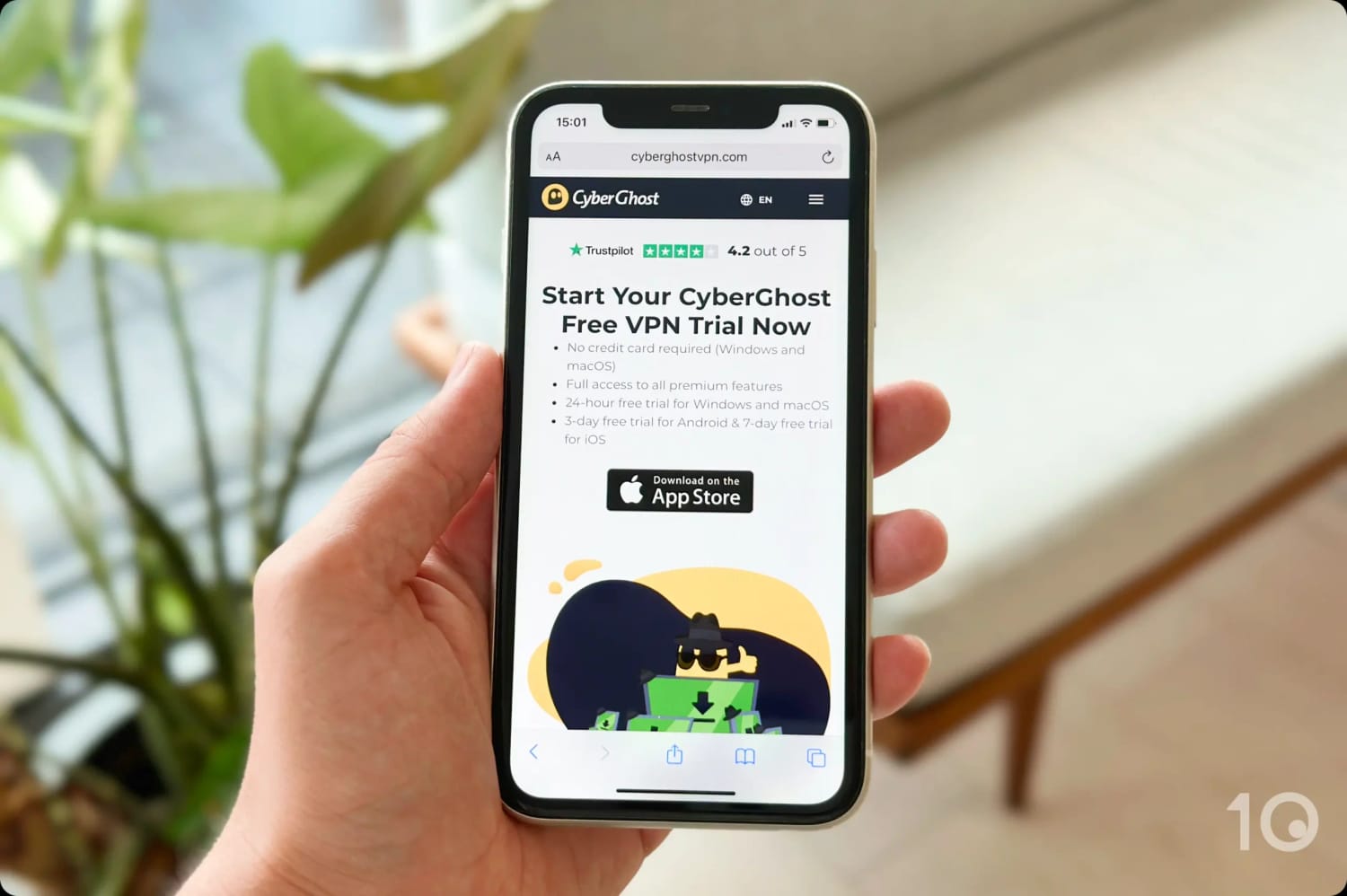
CyberGhost has the best free trial and the longest money-back guarantee.
You can even combine these free trial periods with the VPN’s 45-day refund guarantee to use CyberGhost for free for over 50 days.
Much Improved for Streaming
CyberGhost’s dedicated streaming servers are a lot more successful at unblocking streaming platforms than in the past.
CyberGhost’s past inconsistencies are now gone, and it now unblocks major content platforms like Netflix (10 regions), Disney+, Prime Video, Hulu, and BBC iPlayer.
We streamed BBC iPlayer using CyberGhost’s UK servers.
The service’s Smart DNS service is what really stood out in our tests, though.
In our experience, it’s the most effective DNS tool offered by a VPN service, unblocking geo-restricted content in the US, UK, Netherlands, Germany and Japan.
The tool even has specific configurations for Hulu as well as the American and British Netflix libraries.
Few Settings & Underwhelming Global Speeds
CyberGhost’s features aren’t quite as plentiful as PIA’s or NordVPN’s, but they’re sufficient for the average VPN user.
CyberGhost’s limited settings on iPhone.
The most notable are Wi-Fi Auto Protect, to automatically secure connections on public networks, and Force HTTPS, which redirects insecure HTTP URLs to their HTTPS version.
One of CyberGhost’s main drawbacks is its speed inconsistencies, especially connecting to far-away servers.
Internationally, CyberGhost slowed down our internet speed by 19%, which trails ExpressVPN’s 15% and NordVPN’s 14% by some margin.
This has been the case for a few years now, and we haven’t seen any improvement on this front.
As a result, live streams are blurry at times, and file downloads are generally slower, especially during peak usage.
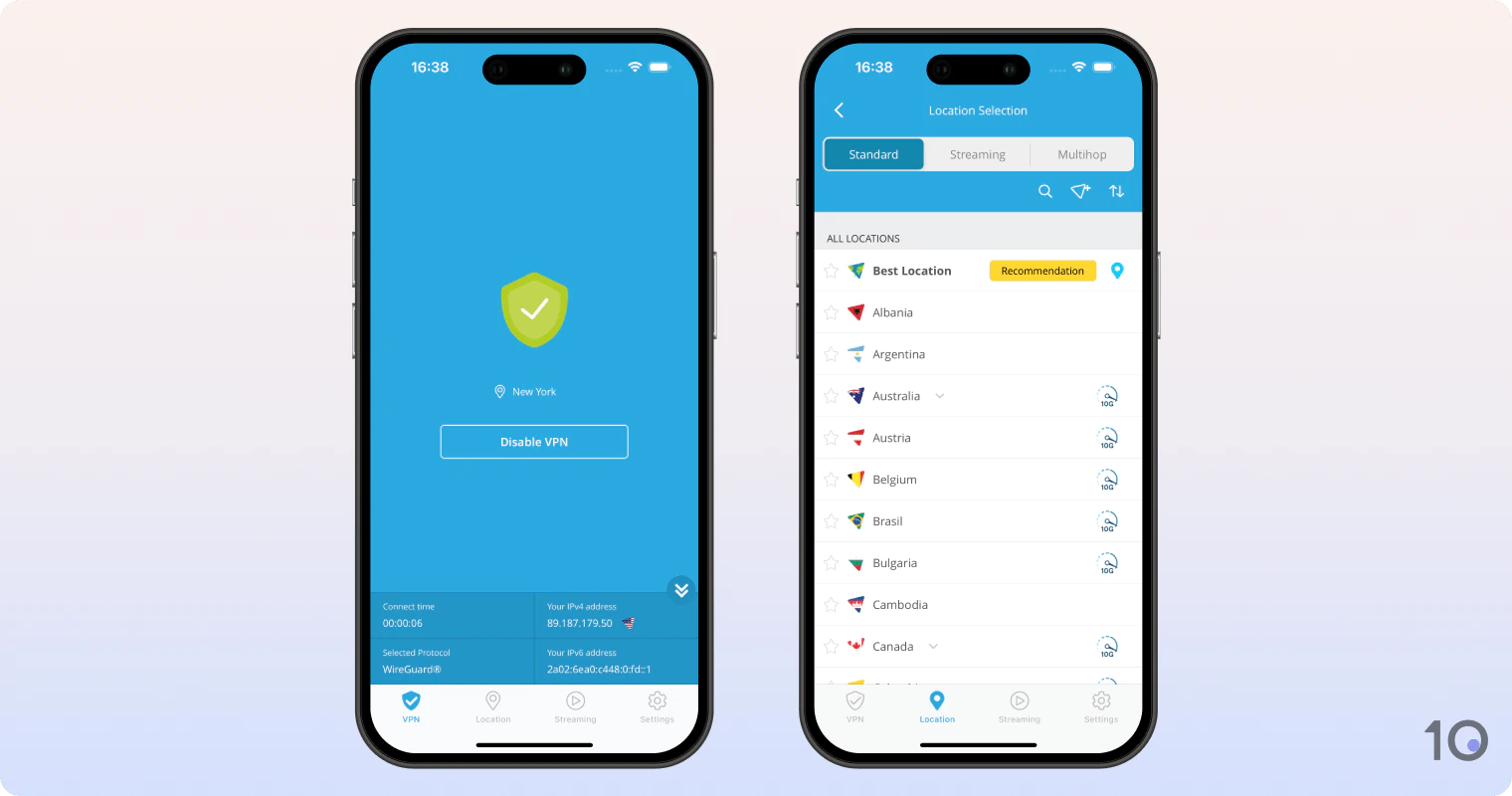
8. 
Overall Rating: 8.3/10
- Privacy
8.9/10 - Streaming
8.4/10 - Speed
9.8/10 - Security
8.5/10 - Server Locations
6.0/10 - User Experience
7.0/10 - Torrenting
9.0/10 - Device Compatibility
7.5/10 - Additional Features
7.7/10
To learn more, read our VPN testing methodology. - Huge improvement in speed & unblocking performance
- RAM-only servers & rare full IPv6 connection compatibility
- Wide choice of multi-hop entry/exit locations
- Works well in countries like China, Russia & Turkey
- Port forwarding setting for torrenters
- 5-day free trial on PC with no payment details needed
- Sub-par app interfaces & usability
- Windows software is overly-complex
- Kill switch isn't active by default
- Doesn't cover some popular countries
- No Smart DNS proxy
Pricing Plans 11.99/mo11.99/mo11.99/mo4.58/mo over 12 months$2.69/mo over 26 months Local Download Speed 97Mbps (3% loss) Countries with Servers 57 Servers 2,600 Logging Policy No Identifiable Data Simultaneous Connections 10 Jurisdiction Malaysia (Privacy Haven) Support Live Chat Compatible with WindowsMaciOSAndroidLinuxAmazon Fire TVAndroid TVApple TVRouterChromeHide.me VPN has made huge strides over the past few years to become a very good VPN, as long as you can get over the software’s unappealing interface. What stands out is the VPN’s ability to run smoothly on both IPv4 and IPv6 connections. This is a rare feature, with most other VPNs either blocking IPv6 connections, or leaking your IPv6 location data. Hide.me is also exceptionally fast, and it even bypasses internet restrictions inside China, Russia, and other highly-censored countries. Video Review 
Surprisingly & Consistently Fast Across the Globe
Hide.me isn’t the fastest VPN we’ve tested, but it’s among the fastest in our top 10 list.
Wherever you are in the world, Hide.me delivers connection speeds fast enough for you to not even notice you’re using a VPN.
We were especially impressed with the service’s upload speeds, which resulted in lag-free video calling and improved P2P file sharing in our tests.
Its download speeds on close connections are also fantastic, losing just 3% connecting to the closest VPN server.
As a result, Hide.me is a good choice if you want VPN protection without having to frequently configure it. You can simply connect once and leave your VPN running 24/7 without any noticeable downsides.
Effective at Beating Strict Censorship
In the past 12 months of testing, Hide.me’s premium version has been able to unblock international websites and apps from China 84% of the time.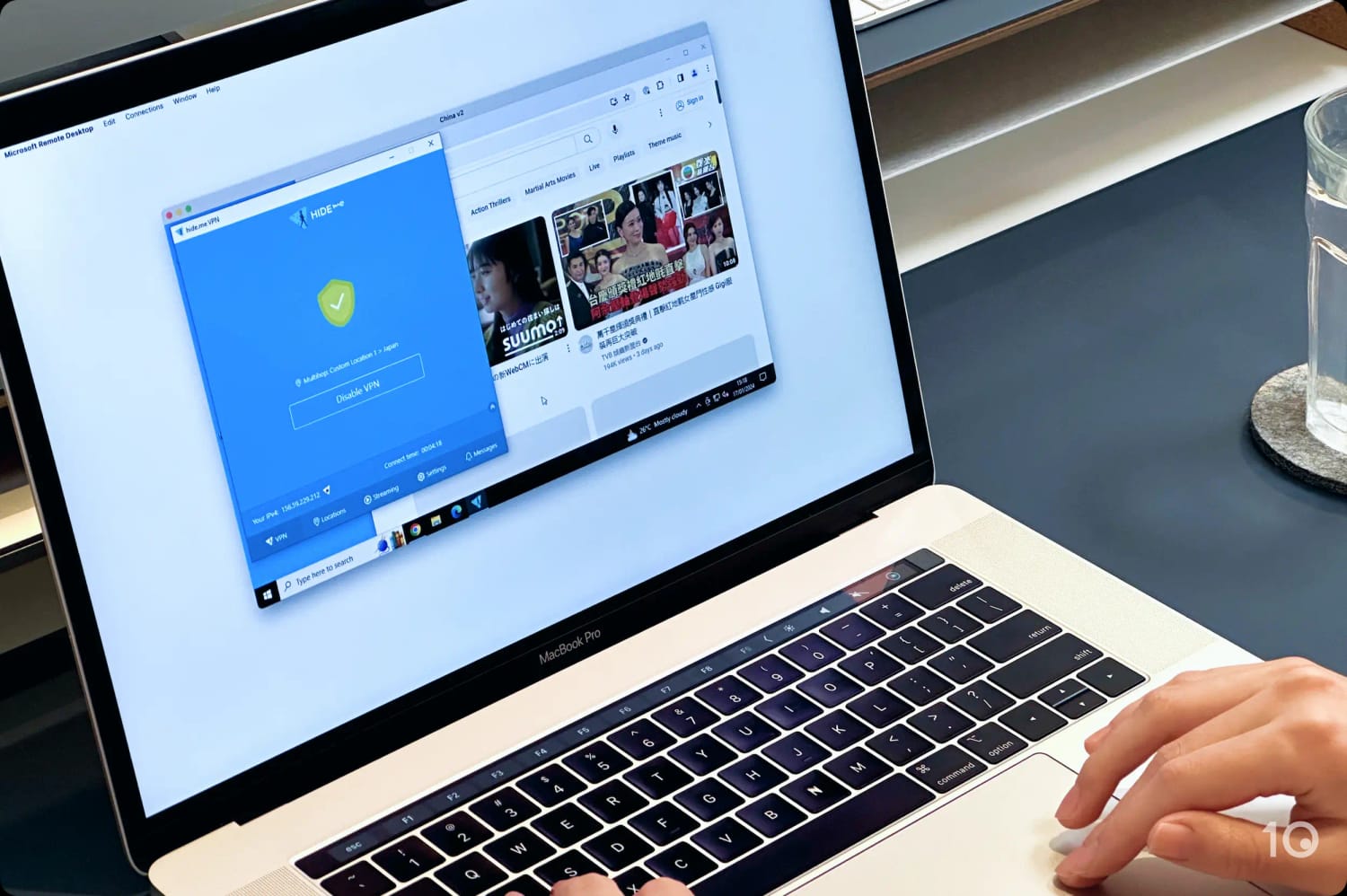
We used Hide.me’s multi-hop feature to bypass the Great Firewall in our tests.
The VPN’s obfuscation technology, in combination with its highly-customizable multi-hop feature, worked effectively to bypass strict web censorship.
To get the most out of the multi-hop servers, ask the service’s helpful customer support for the latest recommended entry and exit nodes. Do this before you travel.
Also, if you connect to standard VPN servers then the VPN won’t be as effective in bypassing aggressive internet filters.
Usability Remains an Issue
In terms of basic functionality, Hide.me is a good product. Having tested Hide.me for years, we particularly appreciate how much it has improved in recent years.
In the past, Hide.me’s apps suffered from regular crashes and abrupt disconnections, but they now offer a reliable experience.
All the VPN’s apps are visually unappealing, though, with outdated designs and unattractive color combinations. They’re also not as easy to use as we’d like them to be.
The Windows client in particular is overly-complex, with unnecessary protocols (SSTP) and adapter configuration options.
9. 
Overall Rating: 8.3/10
- Privacy
9.1/10 - Streaming
8.6/10 - Speed
9.3/10 - Security
8.3/10 - Server Locations
6.7/10 - User Experience
7.0/10 - Torrenting
8.5/10 - Device Compatibility
7.5/10 - Additional Features
7.1/10
To learn more, read our VPN testing methodology. - Windscribe Pro works with 32 Netflix regions, including India & South Korea
- Doesn't collect personal internet traffic logs
- Extra features include multi-hop servers & diskless servers
- Most applications are open-source
- Both paid & free apps bypass internet filters in China
- Unlimited simultaneous connections
- Occasional video blurriness even on paid servers
- IP addresses from fewer countries than competitors
- No free trial options
- No human live chat support
- Smart DNS requires an additional subscription
- Search engine CAPTCHAs triggered on many US servers
Pricing Plans 9.00/mo9.00/mo9.00/mo5.75/mo over 12 months Local Download Speed 97Mbps (3% loss) Countries with Servers 69 Servers 120+ Logging Policy No Identifiable Data Simultaneous Connections Unlimited Jurisdiction Canada (Five Eyes Member) Support Email & Online Resources Only Compatible with WindowsMaciOSAndroidLinuxAmazon Fire TVAndroid TVApple TVRouterChromeLike Proton VPN, Windscribe comes in two versions: free and paid (known as Windscribe Pro). Windscribe Pro’s stand-out attribute is its ability to bypass streaming geo-blocks and aggressive web filters almost without fail. Windscribe’s free VPN is great at unblocking, too. It works with many popular content platforms, and it even bypasses internet filters in China. Sadly, slow international speeds, poor server connection times, and inconsistent customer support let this otherwise great VPN down. Video Review 
Unblocks 32 Netflix Regions
What sets Windscribe apart is how easily the VPN beats Netflix geo-restrictions around the world.
In our tests, we unblocked 32 Netflix regions, including:
- Australia
- Brazil
- Canada
- Germany
- India
- Japan
- Italy
- France
- Mexico
- Netherlands
- South Korea
- Spain
- UK
- US
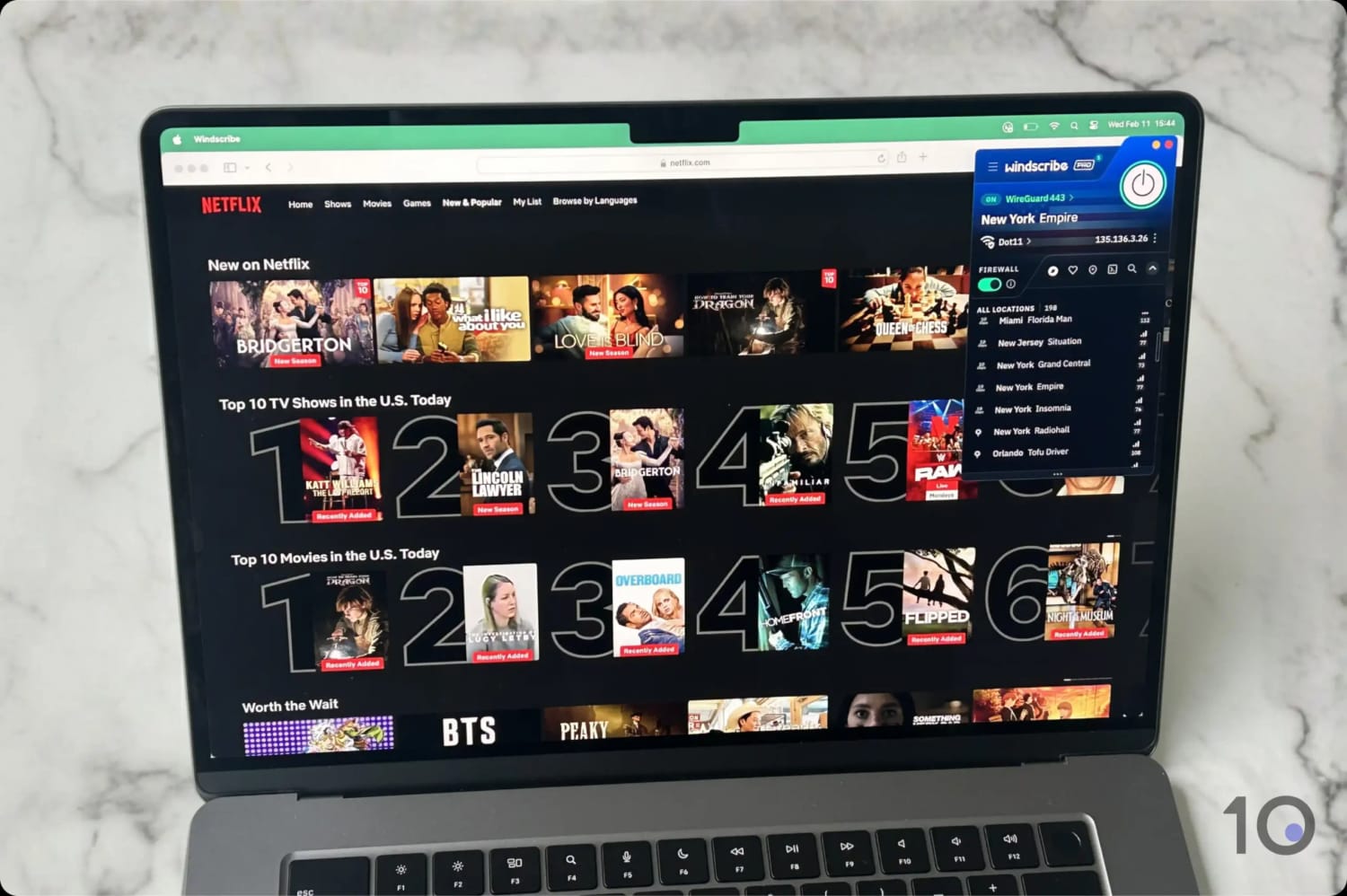
We unblocked 32 Netflix regions using Windscribe.
While the free VPN no longer unblocks US Netflix, it still works with 5 other Netflix regions, HBO Max, Hulu, and more. This is a huge achievement for a free product.
The VPN also works with BBC iPlayer and popular platforms like HBO Max, Hulu, Disney+, and Amazon Prime Video.
Keep in mind that Windscribe’s free VPN is limited by a 10GB monthly data cap, which equates to roughly four hours of HD streaming.
Slower Global Speeds & Connection Times
Windscribe’s great streaming capabilities are sadly hindered by its disappointing international speeds, which are much slower than ExpressVPN and NordVPN.
For instance, we measured losses of up to 20% and 16% when connecting to South Africa and Australia.
These slower speeds visibly affect the quality of the picture. We experienced a blurry broadcast several times in our recent tests.
Furthermore, connecting to certain Windscribe servers took many seconds at best, but many minutes at worst. Sometimes we couldn’t even connect at all.
Because of the lack of 24/7 live chat support, when we couldn’t connect to a server, we had to wait over 24 hours for a support agent to help fix issue.
To put that into perspective, with providers like ExpressVPN and PIA, our issues are typically resolved in under 10 minutes.
Residential IPs in the US & Canada
Windscribe is the only VPN to offer American (Chicago, Dallas) and Canadian (Toronto) residential IP addresses, provided by AT&T and Beanfield respectively.
Residential IPs make your VPN connection appear as a typical household/cellular one, so they’re far less likely to be detected and blocked by web services.
Since these IPs are static and never change, they’re ideal if you need to keep using the same IP address. They do cost an extra $8.00 per month, though.
They’re also shared with a handful of users, so if you want to use your own static dedicated IP address then go for either ExpressVPN’s or PIA’s anonymous dedicated VPN IP solution, instead.
10. 
Overall Rating: 8.2/10
- Privacy
9.3/10 - Streaming
8.2/10 - Speed
9.1/10 - Security
7.0/10 - Server Locations
8.0/10 - User Experience
8.5/10 - Torrenting
9.1/10 - Device Compatibility
6.3/10 - Additional Features
4.5/10
To learn more, read our VPN testing methodology. - Easy-to-use apps suitable for beginners
- Surprisingly effective at beating many streaming geo-blocks
- Solid encryption & no-logs policy
- Fast connections to nearby servers
- Costs only $2.00/month on a 3-year plan
- Still works in China & other highly-censored countries
- Small network of 200 servers
- Slower speeds on long-distance connections
- No PQC, RAM-only servers, multi-hop & other advanced features
- Logging policy hasn't been verified externally
- Still supports the insecure PPTP protocol
- No Smart DNS proxy
Pricing Plans 9.90/mo9.90/mo9.90/mo6.00/mo over 3 months$2.00/mo over 36 months Local Download Speed 96Mbps (4% loss) Countries with Servers 62 Servers 200 Logging Policy No Logs Simultaneous Connections 10 Jurisdiction Sweden (14 Eyes Member) Support Live Chat Compatible with WindowsMaciOSAndroidLinuxAmazon Fire TVAndroid TVApple TVRouterChromePrivateVPN is a relatively small VPN service that punches above its weight. Its affordable price point and no-log user-friendly apps make it easy to secure your internet connections, especially on free public WiFi. This Sweden-based VPN provider is a great choice if you can’t afford one of the very best VPNs. Its basic yet functional apps will satisfy most beginner or casual users. That said, if you want a fully-featured VPN with plenty of server locations, advanced settings, and the fastest speeds, PrivateVPN isn’t the best VPN to choose. 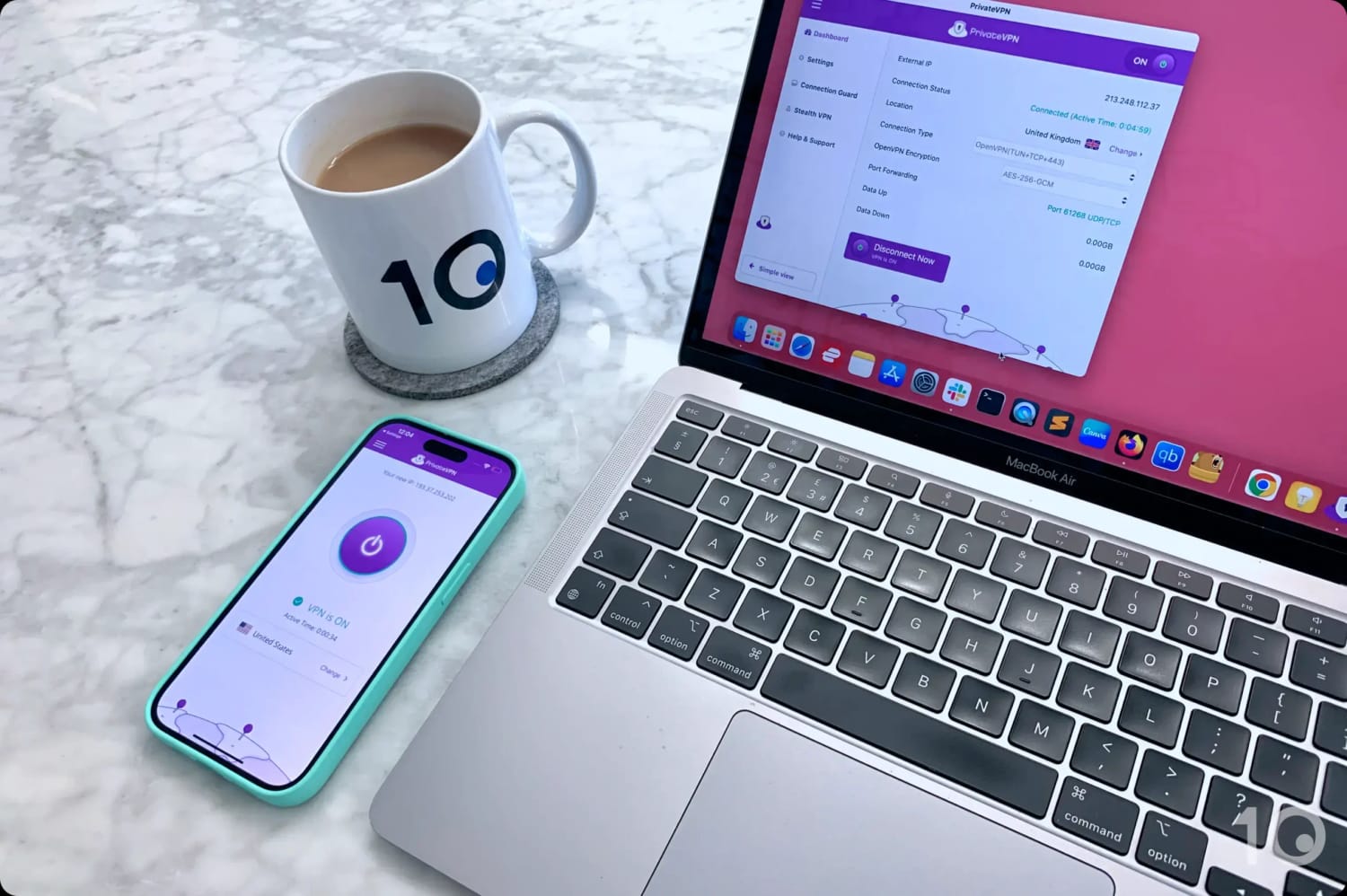
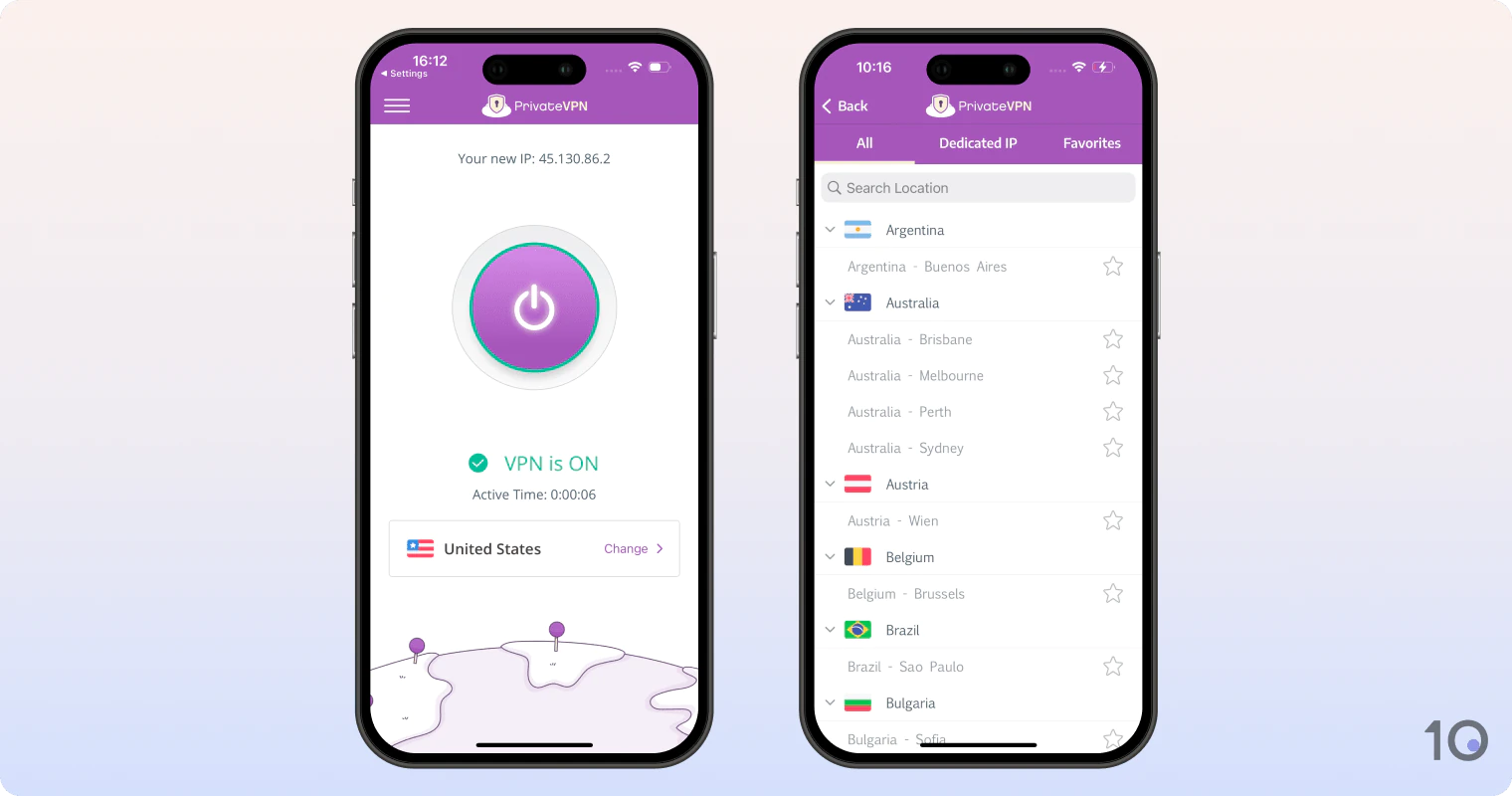
PrivateVPN’s desktop and mobile apps.
Basic Protection on Insecure WiFi Networks
PrivateVPN’s applications are not only beginner-friendly, but they’re also sufficiently secure. Protection is rather basic, but it’s enough to shield you from simple connection attacks.
Through a simple interface, the VPN software encrypts internet connections using the AES-256 cipher and a 2048-bit RSA handshake.
By combining simplicity with good security, PrivateVPN is ideal for securing free public WiFi in airports, hotels, and coffee shops, where there is an increased risk of man-in-the-middle attacks.
That said, the lack of advanced security settings compared to other top-shelf VPNs is apparent. For instance, none of its servers are diskless, and there’s no multi-hop feature.
Moreover, PrivateVPN has yet to implement post-quantum algorithms to protect against future quantum-computing threats.
Easily Beats Streaming Geo-Restrictions
Despite its limited server park, PrivateVPN is surprisingly good at unblocking region-locked websites and applications.
The VPN currently works with 10 Netflix regions as well as Amazon Prime Video, Disney+, and Hulu, to name a few.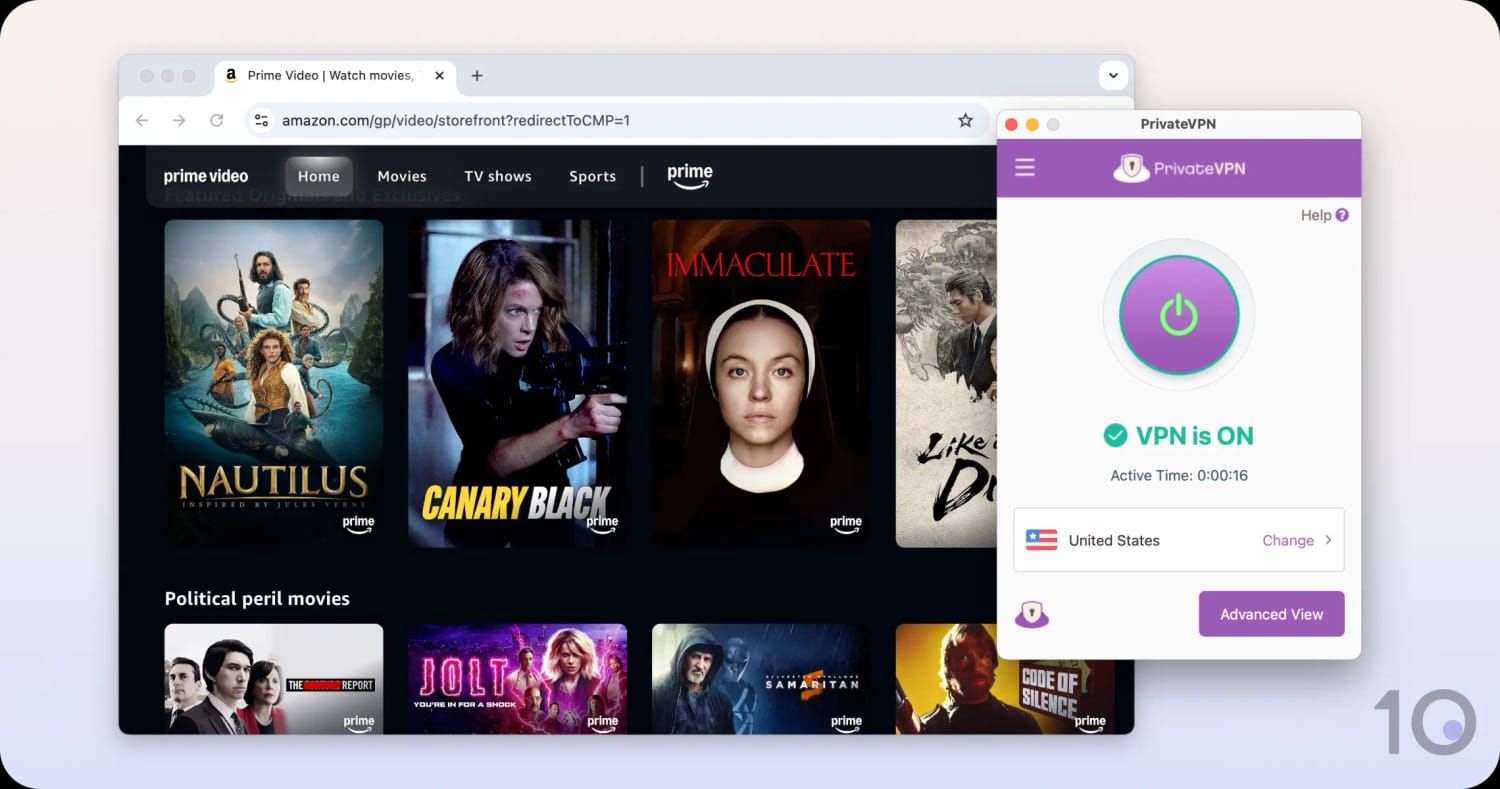
PrivateVPN unblocked Prime Video USA from abroad.
Compatibility is limited, though. There is no Smart DNS service, so you’ll have to set up PrivateVPN on your router to use it with devices like your PS5 or Xbox, which don’t allow direct VPN installation.
Since the service hasn’t developed a dedicated router app, you’ll have to configure the VPN manually which can be challenging if you’re a VPN newbie.
Small & Often Overloaded Server Network
As we’ve already mentioned, PrivateVPN’s main drawback is its small network of 200 servers, which pales in comparison to PIA’s 18,651 and Proton VPN’s 15,370.
This limited server network often causes congestion issues on the network, which is why PrivateVPN’s long-distance connections are often slower than its competitors.
As an indication, we experienced speed losses of 39% and 24% connecting to South Africa and Australia respectively.
As a result, you can’t always expect UHD and 4K quality when streaming international video content.
Popular VPNs That Didn't Make Our List
Of the 61 VPNs we’ve reviewed, many popular ones fell short of the mark for various reasons.
Many of the excluded services had their own strengths in our tests, but they struggled to compete with the best VPN software in relation to speed, server coverage, or unblocking capabilities.
Below are some of the most popular VPNs that fell short of appearing on our top 10 list:
Avast Secureline
Avast VPN offers basic security, is poor at bypassing geo-restrictions, and it logs too much sensitive data. Put simply, it does not perform well compared to the top VPN services.
Hotspot Shield
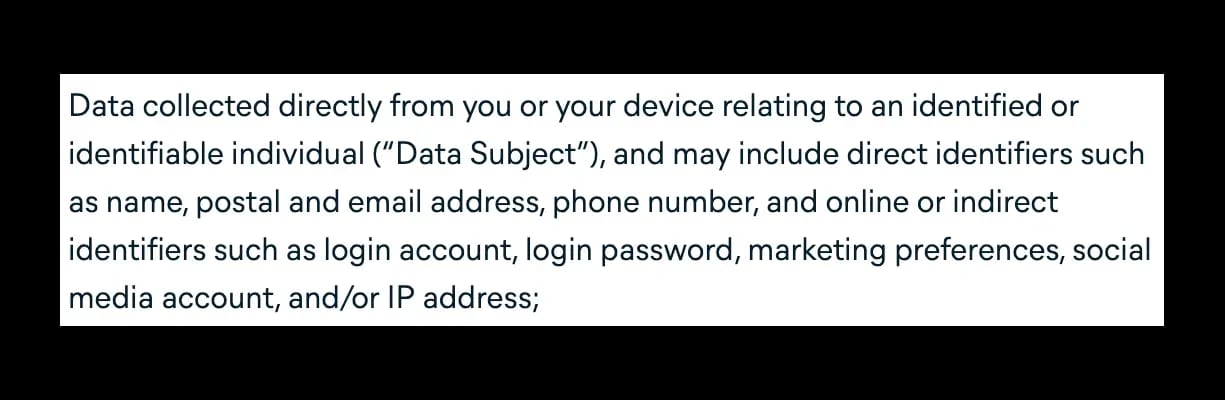
While Hotspot Shield is the fastest VPN right now, it also logs way too much information. This includes your IP address, approximate geolocation, connection timestamps, bandwidth used, device information, and non-personal logs of the websites you visit.
Mullvad
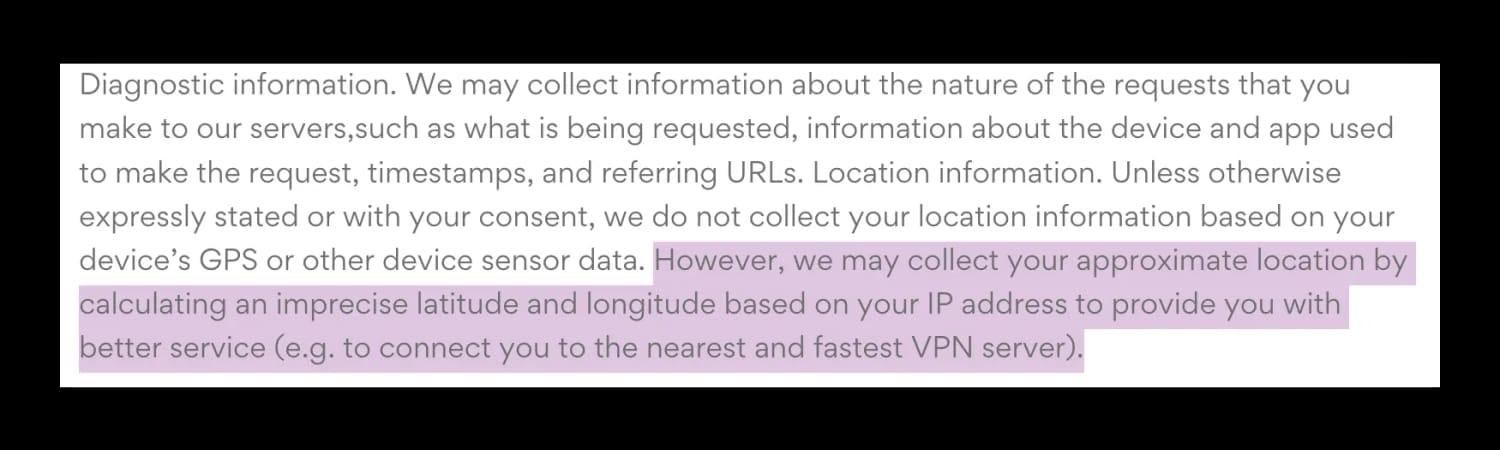
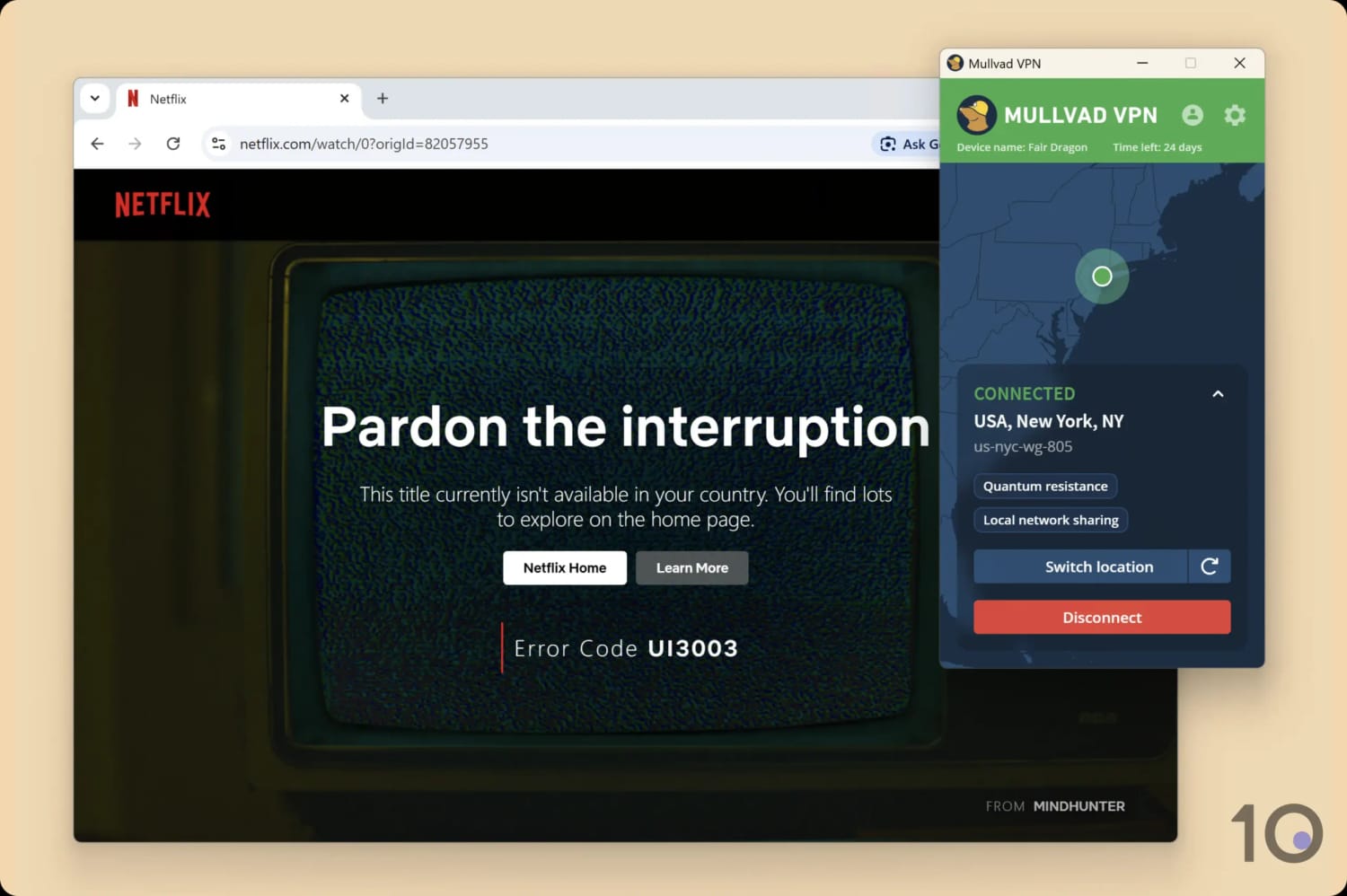
Mullvad is one of the most secure VPNs on the market, but it’s not able to bypass most geo-restrictions around the world. It doesn’t unblock most streaming platforms, and it doesn’t work in high-censorship countries.
Norton Secure VPN
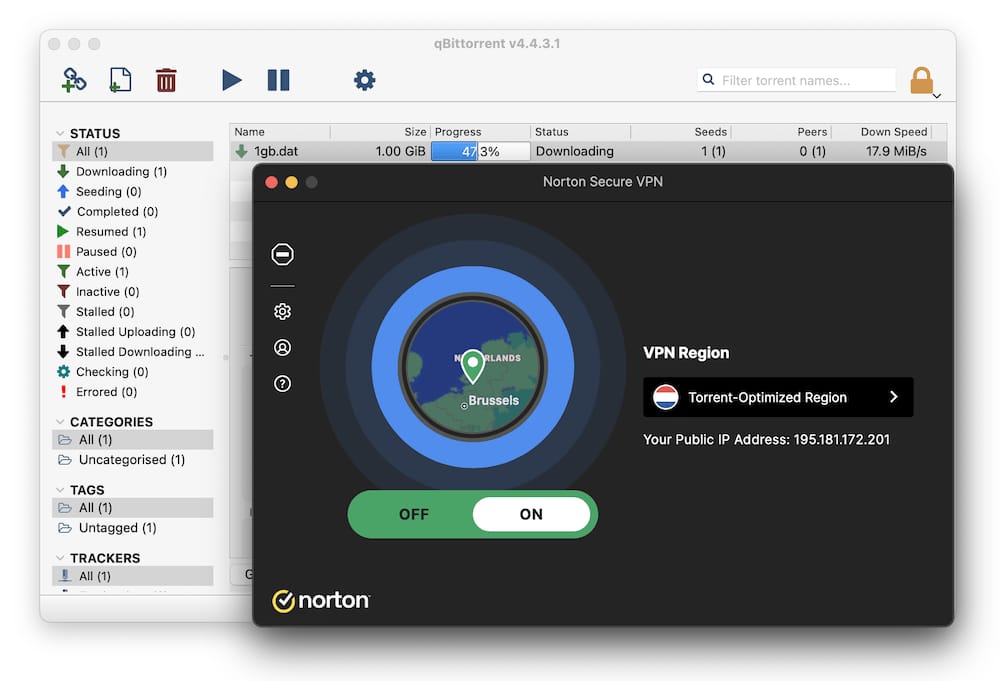
Despite being quite popular, we don’t recommend using Norton VPN. It doesn’t unblock geo-restricted websites and apps, and its server network only covers 29 countries.
More worryingly, it logs your originating IP address and device type, which you don’t want your VPN to do.
PureVPN
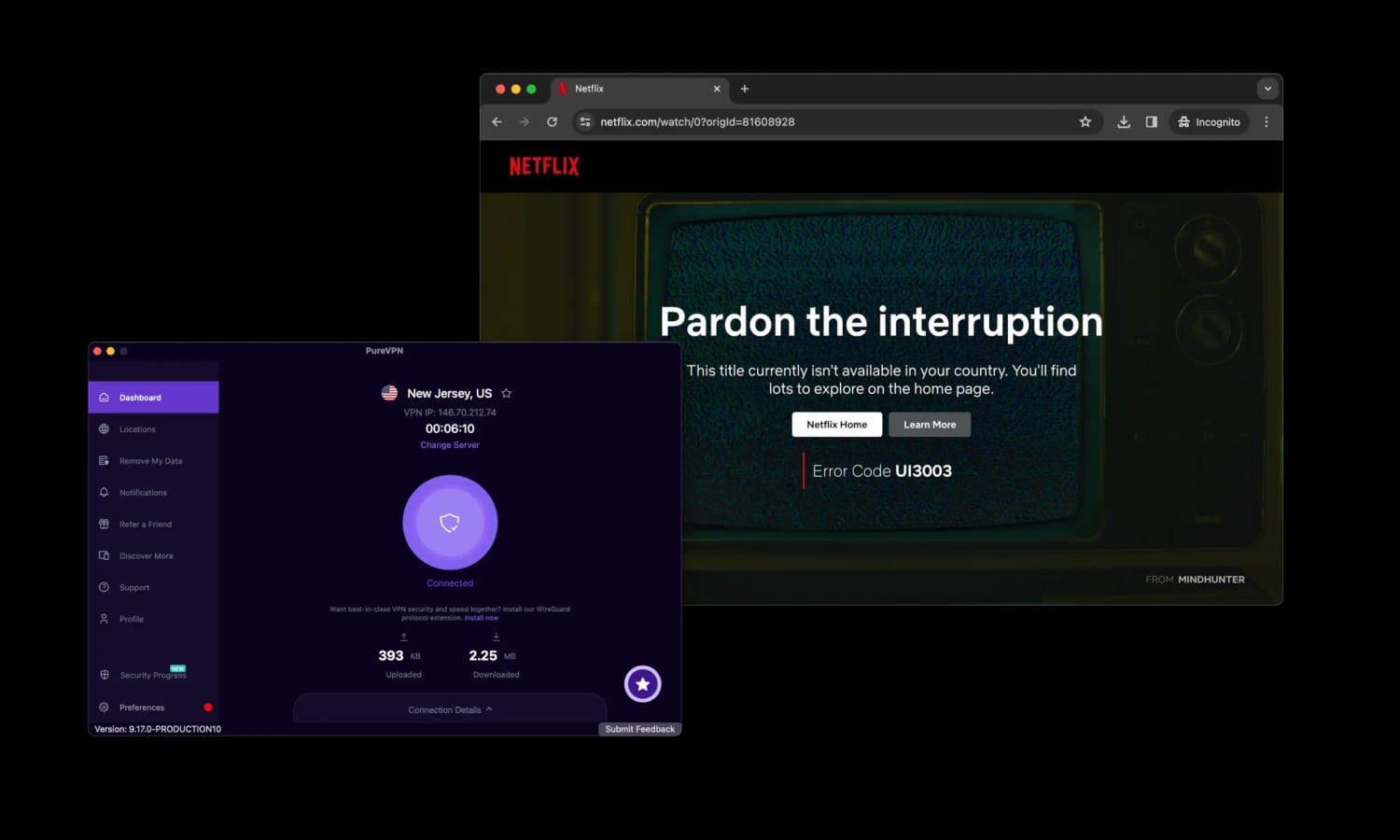
PureVPN doesn’t work with US Netflix, Disney+ or Prime Video, it can’t bypass strict internet firewalls, and its logging policy isn’t privacy-focused enough.
Plus, its kill switch isn’t 100% effective and the company’s customer support is slow to respond at times.
TunnelBear
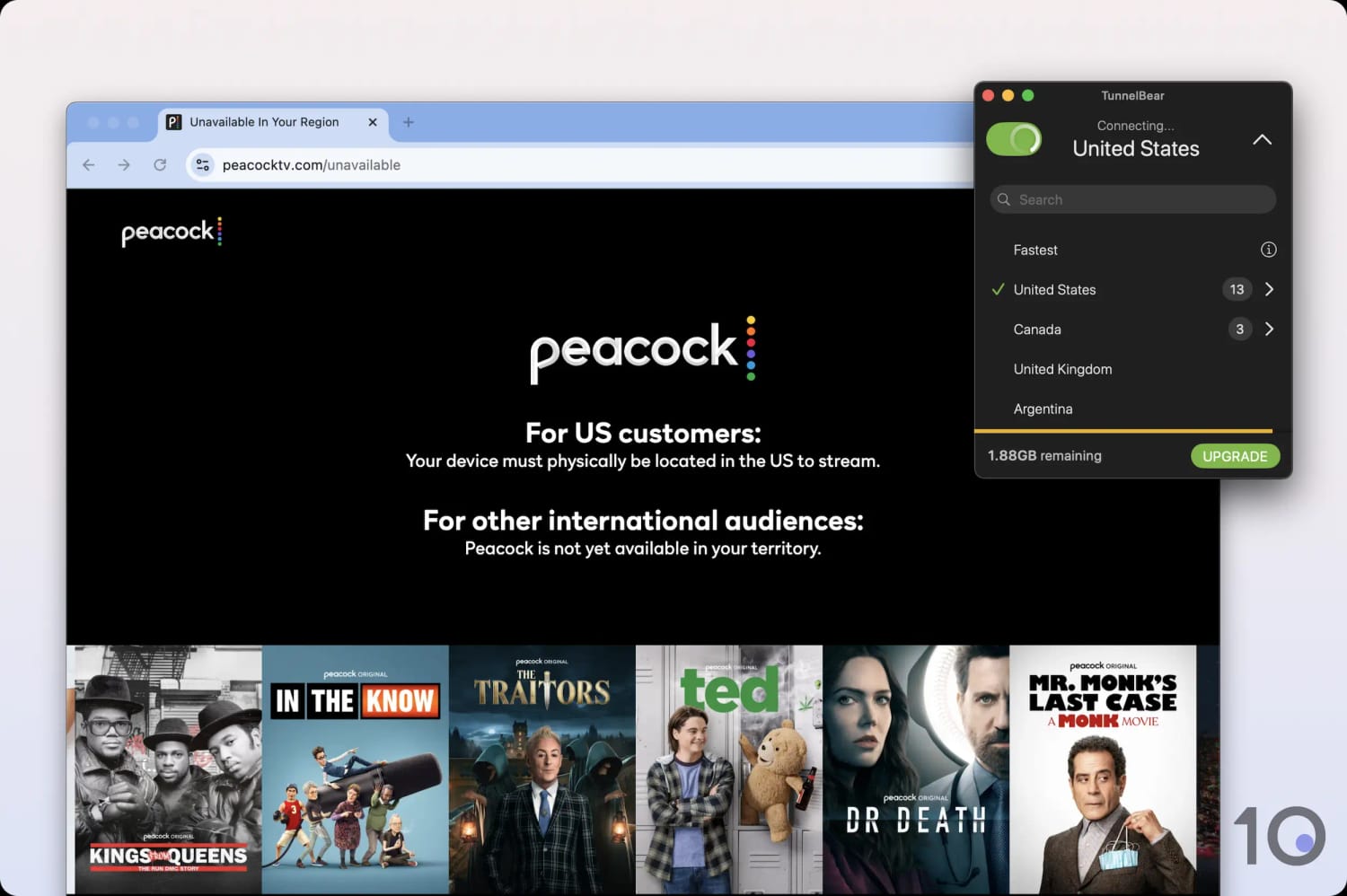
TunnelBear has a constrained server network that struggles to beat most geo-blocks around the world. It also lacks many settings that we expect from top-tier VPNs, such as split tunneling and VPN obfuscation.
VPNs by Purpose & Device
We rate our recommended VPNs extremely highly, but the truth is there is no definitive ‘best VPN’. The right one depends on your specific needs.
Follow the links below to see our recommendations by purpose, device or country.
Checklist: How to Choose a Good VPN
When you look for a VPN, there are many aspects, settings and technical terms to wade through and consider.
Here is a short checklist of what we always expect to see in a reliable and trustworthy VPN:
✅ Privacy: Verified no-logs policy, diskless servers & a safe jurisdiction.
✅ Security: AES-256/ChaCha20 encryption, kill switch & WireGuard/OpenVPN protocols.
✅ Speed: Fast VPN connections to nearby & far-away server locations.
✅ Servers: Large VPN server park covering at least 50 popular countries.
✅ Unblocking: Access to popular geo-blocked (streaming) websites & apps.
✅ Torrenting: P2P traffic allowed on all/most servers.
✅ Usability: User-friendly apps for popular devices, plus Smart DNS & router support.
✅ Simultaneous Connections: Minimum of five but ideally unlimited.
✅ Extra Features: Settings like split tunneling, dedicated IPs & multi-hop servers.
✅ Customer Support: Knowledgeable & responsive 24/7 live chat support.
If a VPN service ticks all of the above boxes then you should have no issue with it.
Price is obviously an important factor, but what’s affordable is different for everyone. All our recommended VPNs offer great value, but what you’re willing to pay rests on your personal budget.
This checklist comes from our exhaustive methodology for testing and rating VPNs, which you can read further below.
The Truth About Many VPN Review Websites
While we prefer not to sling mud at our industry, we believe it’s essential to expose bad practices that could come at your expense.
When you research which VPN to buy, you’ll likely use a tech or news website that reviews them. But, as we said at the start of this guide, many of these websites aren’t being totally honest with you.
Many of them rank VPNs based on financial agreements struck with VPN companies, some of whom own a handful of review websites themselves.
You can spot this by looking at several of their ‘Best of’ VPN pages. If you mostly see the same two VPNs ranked first and second (and often belonging to the same parent company), you’ll know those rankings are biased.
How do we know this? Because it’s simply crazy that the same exact two VPN services could be the “best” for every purpose, device or location.
So, don’t blindly trust websites that review VPNs. Be cautious and diligent before you trust their recommendations.
How We Tested & Chose the Best VPNs
To choose the best VPNs, we put 61 services through our comprehensive and unbiased VPN review process.
We conducted all tests in a consistent environment to minimize external influences and ensure that our recommendations are both fair and directly comparable.
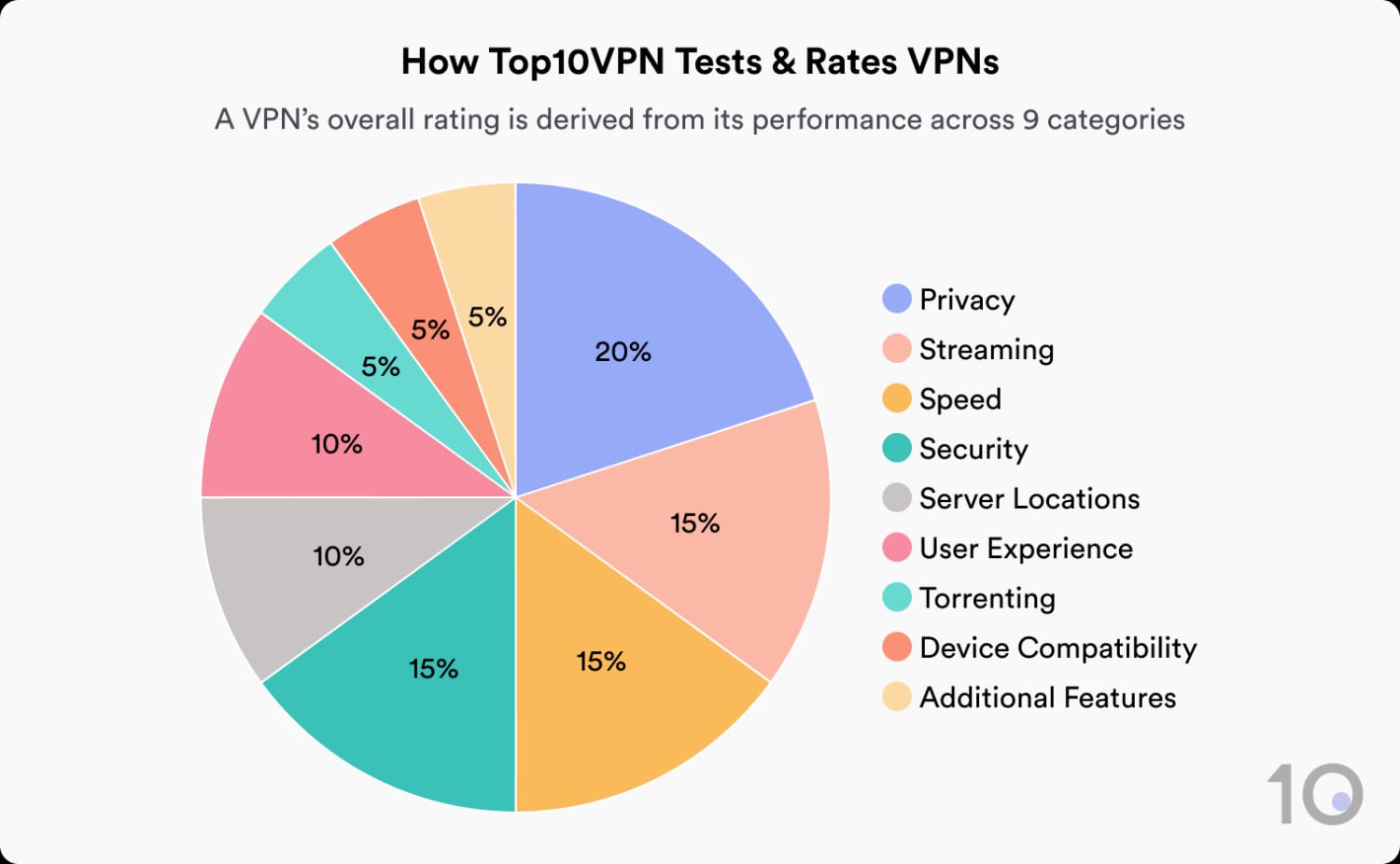
Here’s how our 10 recommendations performed in our nine key testing categories:
Below is a more detailed breakdown of each testing category and its weighting towards the overall rating:
1. Privacy (20%)
- Test Conducted: We read and analyzed each VPN’s privacy policy, and noted which data points it logs about its users and for how long they retain it. We also assessed the VPN’s ownership and history, and tested its privacy-enhancing features.
- Why It’s Important: To ensure your data is protected and that the VPN provider isn’t collecting or selling sensitive information.
- Optimal Result: No-logs policy verified through independent audits and a real-world test, alongside diskless VPN servers that have a proven track record of safeguarding user data.
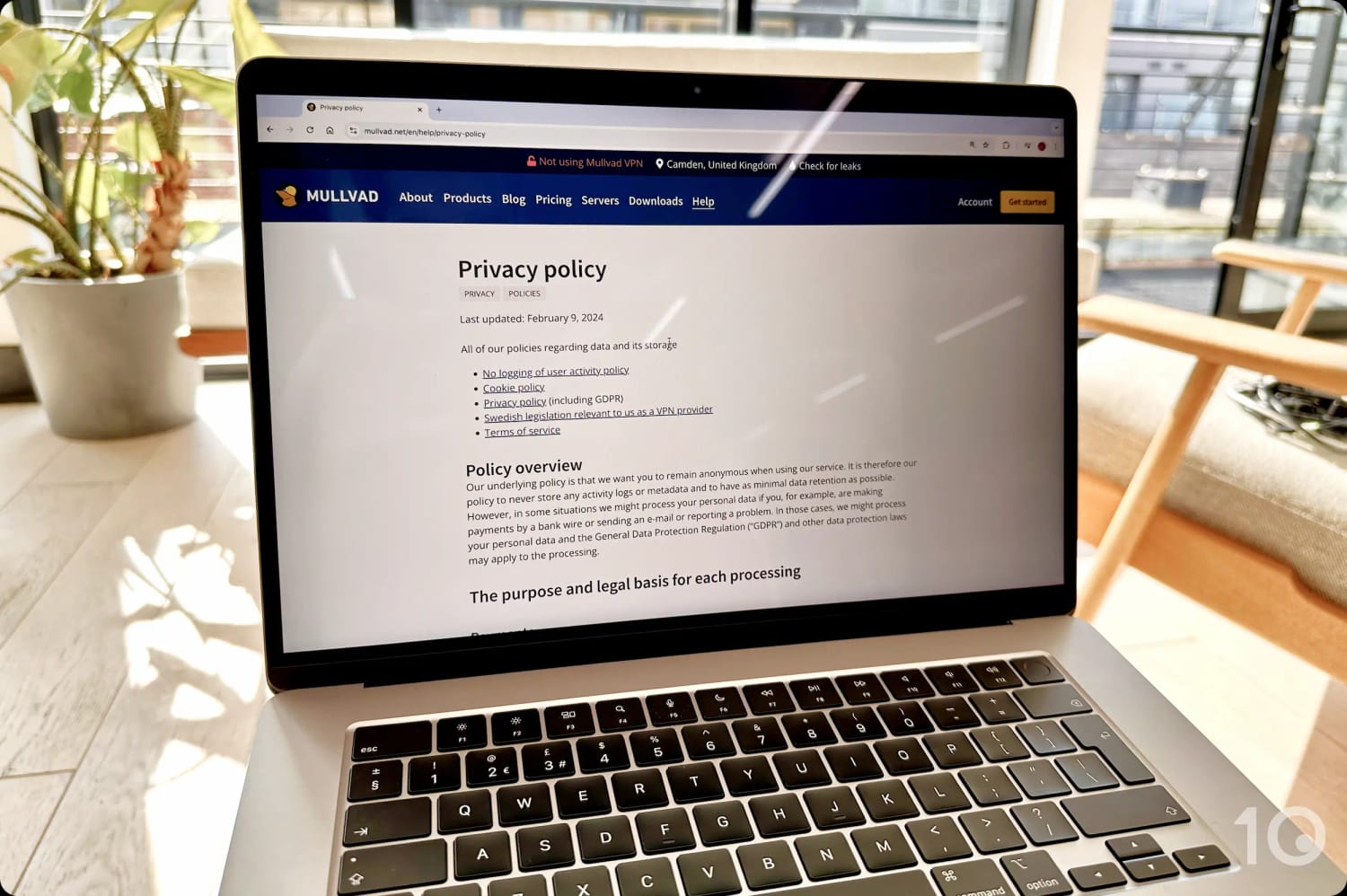
We manually read every VPN’s logging policy and run it through our ratings calculator.
2. Streaming (15%)
- Test Conducted: We connected to servers around the world and attempted to access over 100 different streaming services, including Netflix, HBO Max, Disney+, Prime Video, and BBC iPlayer. These tests are always ongoing to assess the VPN’s reliability.
- Why It’s Important: This is essential for accessing geo-restricted streaming content from anywhere in the world.
- Optimal Result: Consistently unblocks all major streaming services with reliable performance.
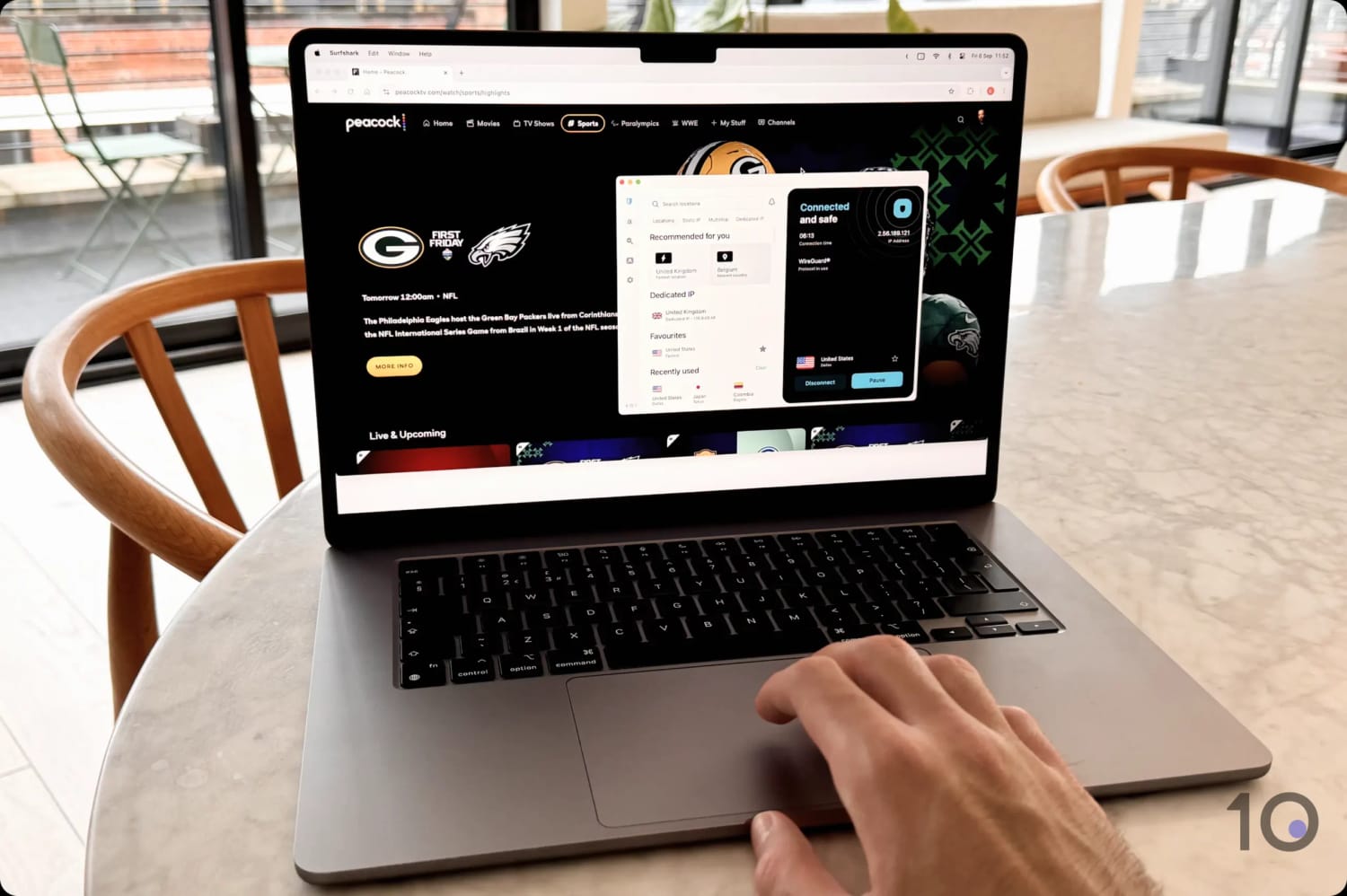
We test every VPN with all the popular streaming services monthly, to ensure our data is always up-to-date.
3. Speed (15%)
- Test Conducted: We connected to the VPN’s servers in locations around the world and measured its download speed, upload speed, and ping.
- Why It’s Important: Fast speeds allow for a seamless experience for many web activities, including streaming, gaming, and downloading files.
- Optimal Result: Less than 10% speed reduction when connected to any server location with the availability of WireGuard or a proprietary VPN protocol.
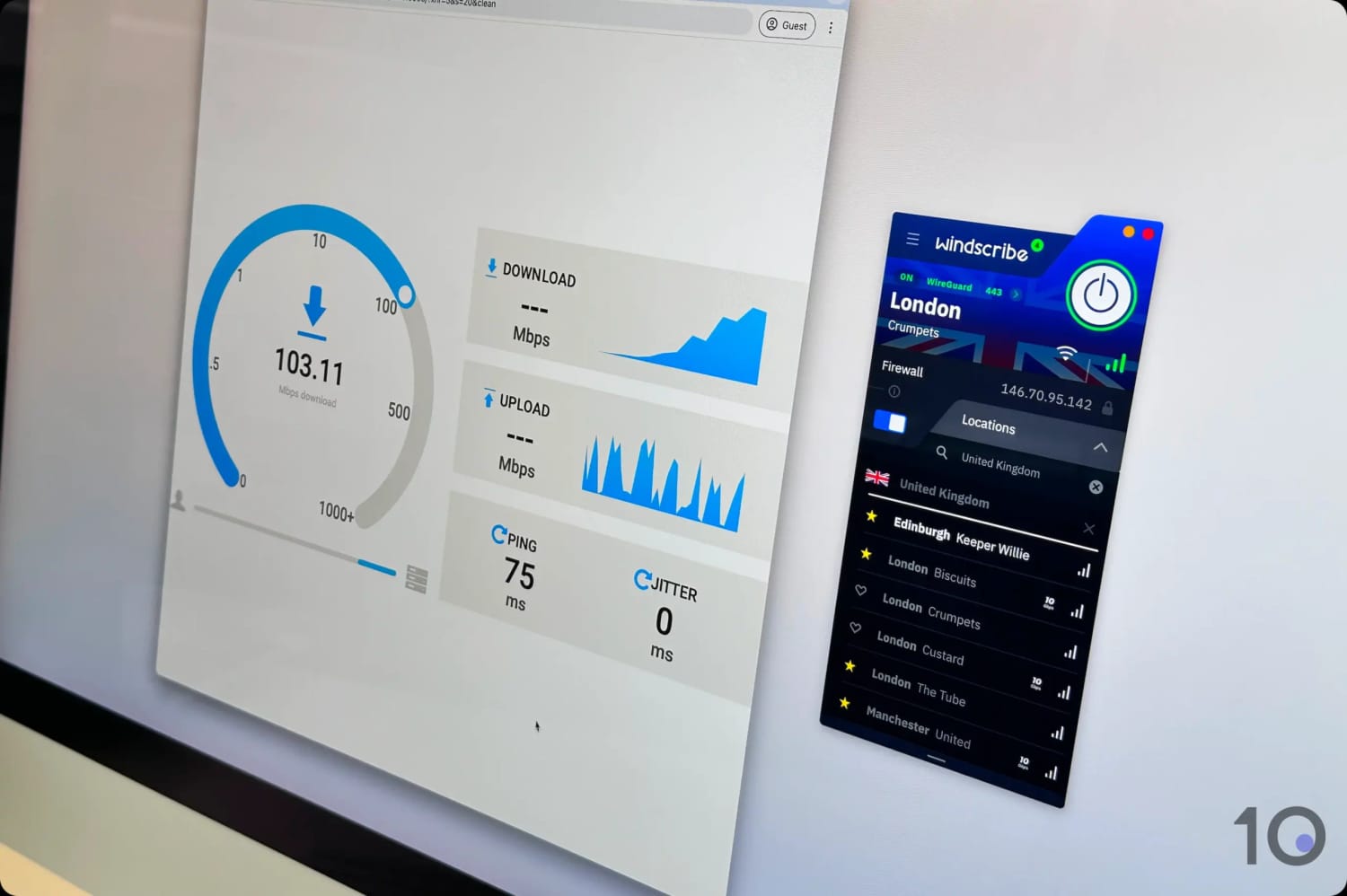
We used our proprietary speed test tool to record each VPN’s speeds.
4. Security (15%)
- Test Conducted: We used packet-sniffing software and leak test tools to assess each security feature including encryption protocols, kill switch, and DNS leak protection.
- Why It’s Important: A secure VPN protects your data from potential threats, like hackers that might intercept or steal it.
- Optimal Result: Traffic effectively secured through WireGuard, OpenVPN or equivalent protocols, AES-256 or ChaCha20 algorithms, and post-quantum cryptography. Servers should run only on RAM, and advanced security settings work correctly.

To verify encryption, we analyzed traffic from each VPN using Wireshark.
5. Server Locations (10%)
- Test Conducted: We analyzed the server locations listed on each VPN’s website, then verified these claims by testing every available location in the VPN software.
- Why It’s Important: A wider range of server locations lets you get an IP address from a wider range of countries, bypass more geo-restrictions, and connect to a server closer to your physical location.
- Optimal Result: Over 100 countries with servers with multiple city-level options and more than 1,000 servers, all verified through our testing.
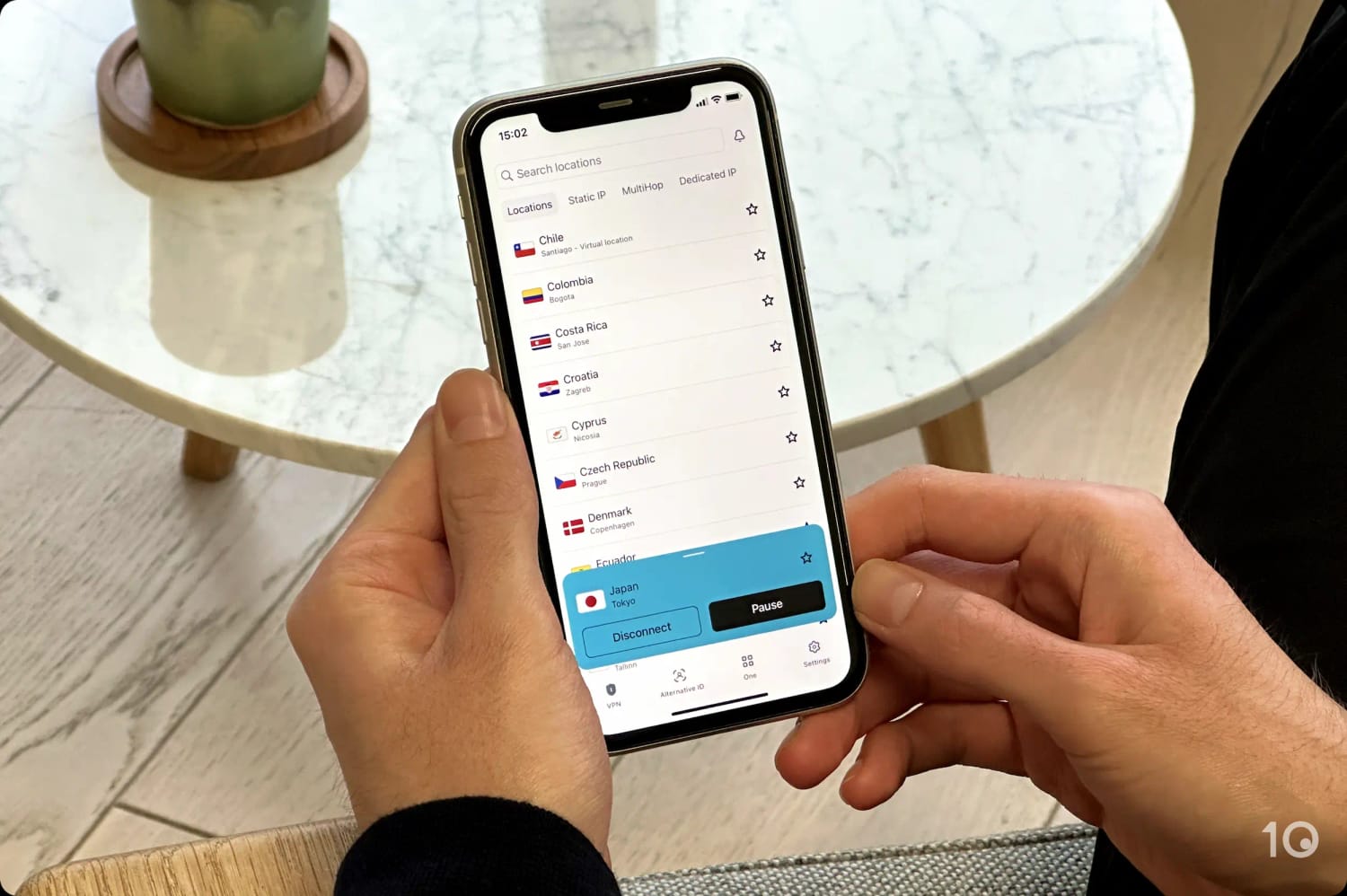
We check the VPN service’s website and directly in its apps to assess the server locations available.
6. User Experience (10%)
- Test Conducted: We downloaded each VPN from scratch and evaluated the download process, setup experience, its app design, and how it felt to use in everyday situations.
- Why It’s Important: To allow you to use the VPN often, regardless of your previous experience with VPNs or similar software.
- Optimal Result: Simple download process, quick and easy onboarding, automatic server selection, consistent cross-platform interface, and minimal connection disruptions.

We use every VPN app hands-on and record our experiences.
7. Torrenting (5%)
- Test Conducted: We performed standardized tests by downloading a self-hosted 1GB torrent file from a private tracker while connected to each VPN’s local servers.
- Why It’s Important: You need both fast speeds and complete privacy while torrenting to prevent your ISP or anyone else in the torrent swarm from monitoring your P2P activity or seeing your real IP address.
- Optimal Result: Fast P2P speeds so you can download the file as quickly as without a VPN, strong encryption, port forwarding, and a no-logs privacy policy.
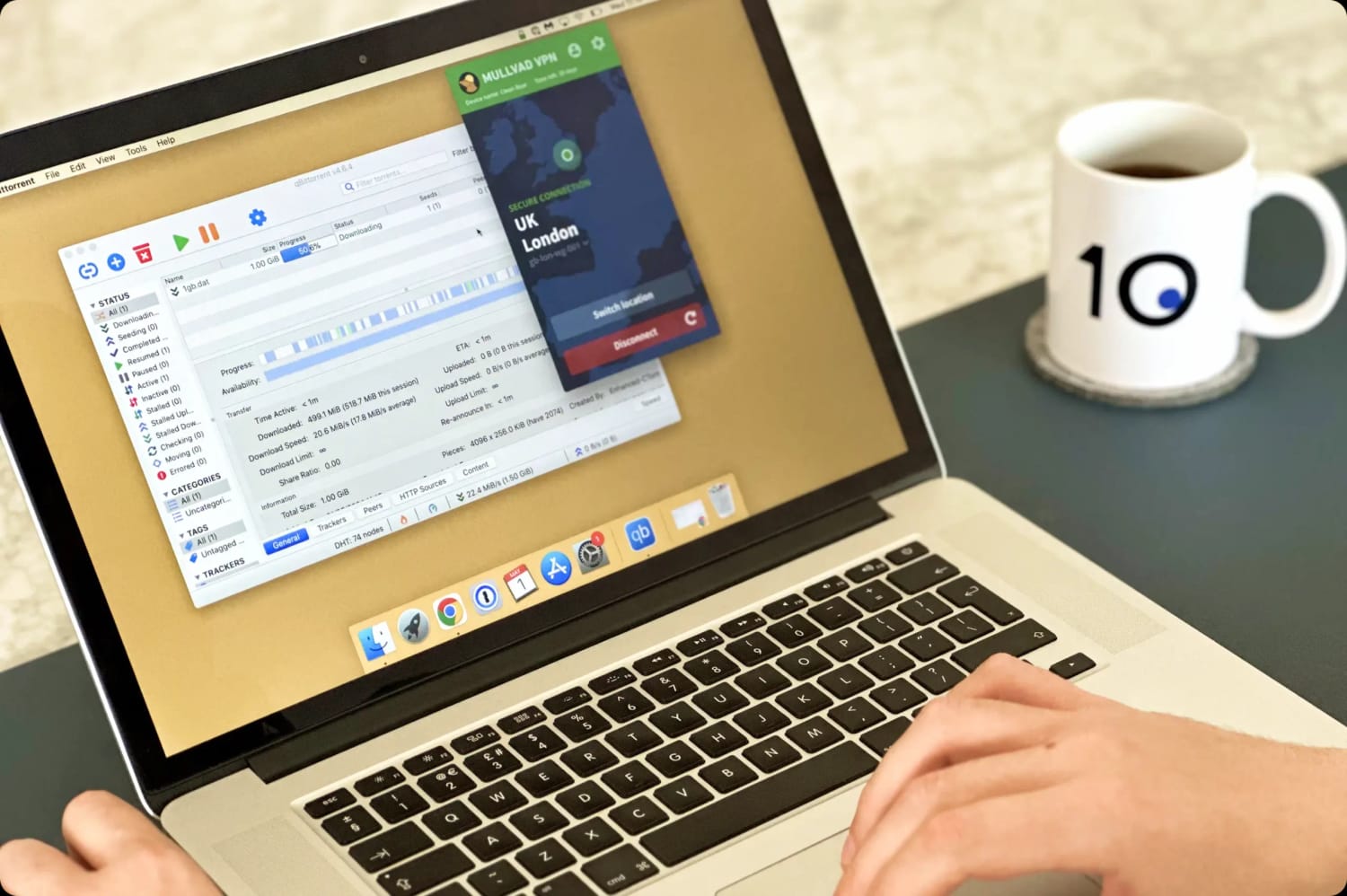
Our torrenting tests are as controlled as possible, using the same 1GB file for each test.
8. Device Compatibility (5%)
- Test Conducted: We installed any available VPN apps to ensure they worked properly. We also checked for browser extensions and a Smart DNS tool.
- Why It’s Important: To ensure you can use the VPN on as many platforms as possible.
- Optimal Result: User-friendly apps for mobile, desktop, streaming devices, and router. Plus, a Smart DNS tool included within the base subscription.
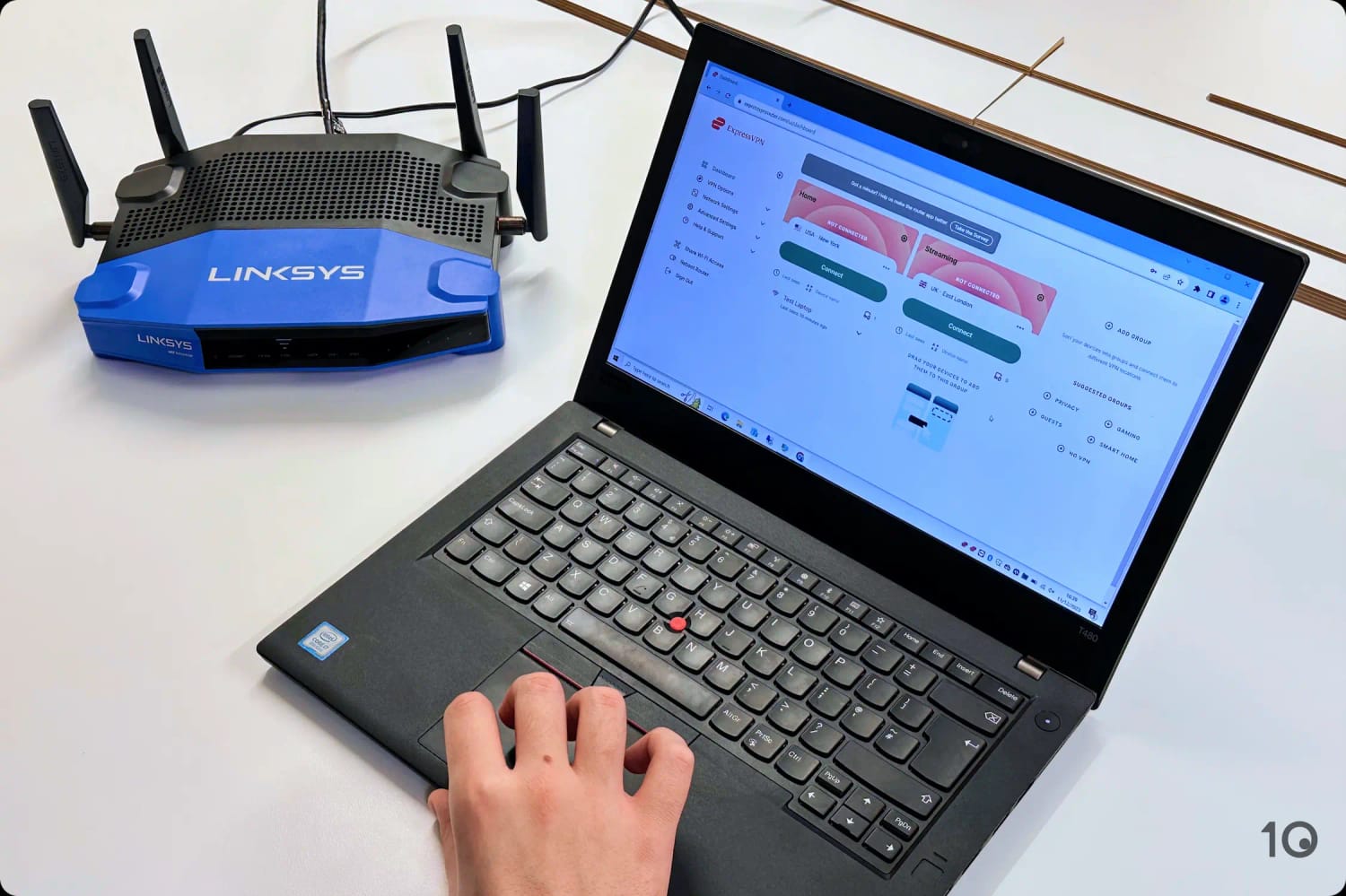
We check the VPN’s entire suite of apps and compatibility options.
9. Additional Features (5%)
- Test Conducted: We checked for extra features like split tunneling and 24/7 live chat and documented our experience of using them.
- Why It’s Important: To accommodate your specific reasons for using a VPN, like bypassing censorship or blocking ads.
- Optimal Result: A variety of useful VPN features, responsive customer support, and effective anti-censorship capabilities.
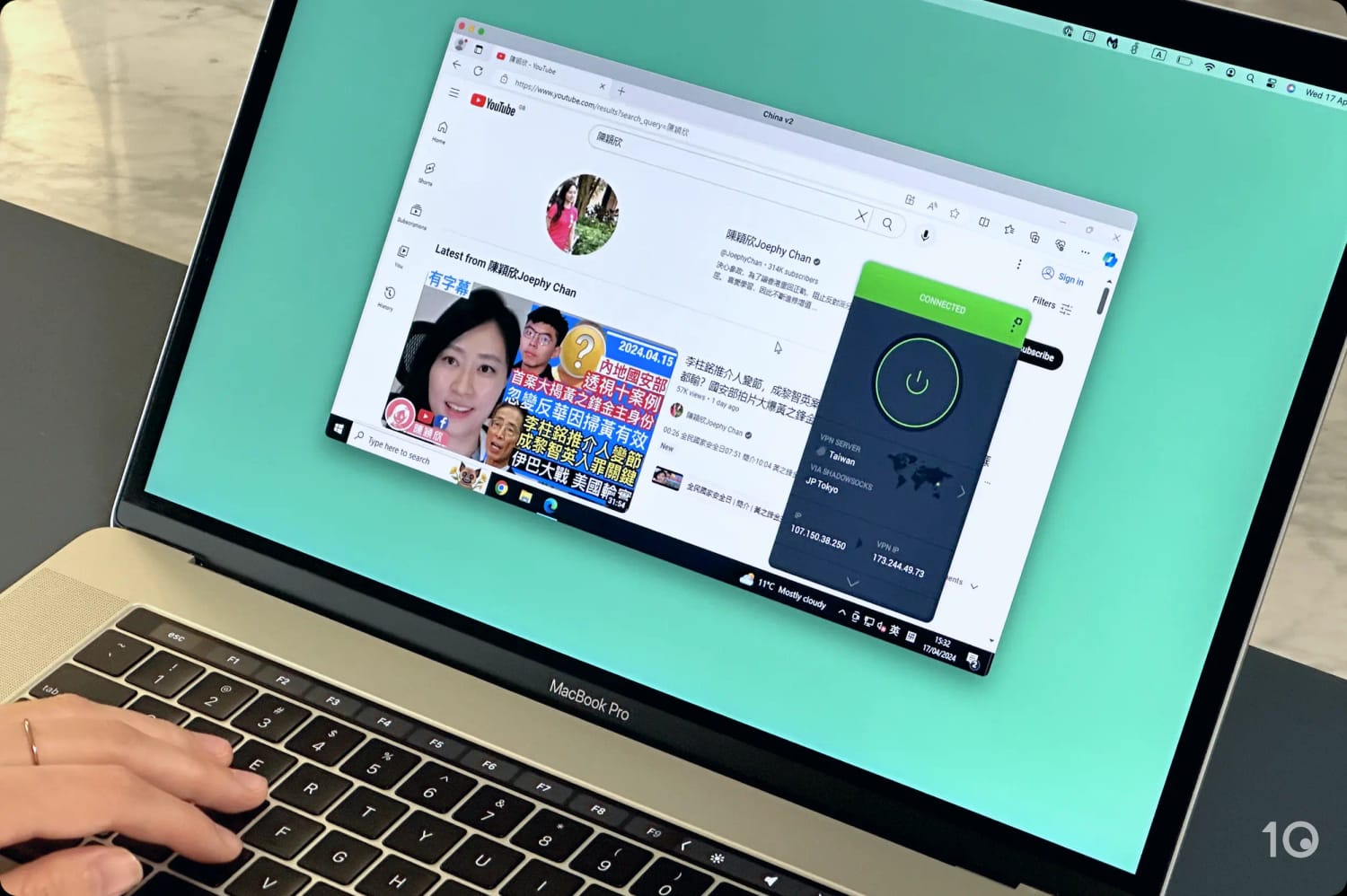
We test whether a VPN bypasses the Great Firewall by remotely connecting to a PC in China.
FAQs
Are VPNs Legal?
VPNs are legal in most countries, including the US, UK, Canada and Australia.
However, VPNs are illegal in Belarus, Iraq, North Korea and Turkmenistan. There are also government restrictions on VPN usage in China, Iran, Oman, Russia, Turkey, and the UAE, although they’re not banned completely.
Are VPNs Safe to Use?
VPN software itself is completely safe to use. In fact, VPNs are actually designed to make using the internet even safer.
The problem is not all VPNs are trustworthy. When you connect to a VPN server, the responsibility for your data shifts from your ISP to the VPN company.
You’re trusting that the company’s claims about its logging policy are honest, and that the VPN itself truly encrypts your data and hides your IP address without leaks.
That’s why it’s so important to carefully research which VPN to choose, and to prioritize services with verified strong security measures and private logging policies.
Many free VPNs, for example, put users at greater risk than using no VPN at all. Some popular free services sell user data to third parties, leak your true IP address, and even make you vulnerable to malware.
Finally, even if you’re using a safe VPN, it’s your responsibility to ensure your activity doesn’t break laws or regulations in your jurisdiction.
How Do I Set Up & Use a VPN?
The process of setting up a VPN depends on the device you’re using it with.
To set up a VPN on a computer or smartphone, simply sign up to the VPN service on its website and use the download link to install the software on your device. Then, sign in to the application with your account details and you can begin to use the VPN.
To use a VPN on Fire TV devices, subscribe to a VPN with a Fire OS application and then search the Amazon App Store for the app. Install the app on your device, sign in with your account details, and then launch the application to start using it.
To use a VPN on devices like Apple TV and games consoles, you’ll need to subscribe to a VPN service with Smart DNS functionality. Once you’ve done so, use the DNS credentials provided by the VPN and then update your device’s DNS settings accordingly to start unblocking content.
Is It Worth Paying for a VPN?
Free VPNs come in a wide spectrum of quality, just like all VPN software. Some free VPNs are perfectly safe and capable of encrypting your data and hiding your IP address.
However, even the best free VPNs are limited by data caps, slower speeds, torrenting restrictions, and inferior streaming capabilities.
It costs money to support a server network, maintain strong security, and constantly refresh IP addresses. Due to the extensive resources required, it simply isn’t possible to match premium VPN services completely for free.
While you can get some of the benefits of a VPN with a free service, it’s absolutely worth paying for a VPN subscription, especially if you want to bypass streaming geo-restrictions, torrent securely, or experience the fastest speeds.
Currently, the average cost of a paid VPN is 3.87permonthonamulti−yearplanand3.87 per month on a multi-year plan and 3.87permonthonamulti−yearplanand11.15 on a pay-monthly basis.
What Can't a VPN Do?
Virtual private networks are great for improving your online security, privacy, and freedom. But even the best VPNs come with limitations.
Below are some things that VPN software can’t do:
- Make you completely anonymous. VPNs can improve your privacy, but they can’t make you completely anonymous. There are other ways to track your activity online including browser fingerprinting, tracking scripts, and traffic analysis.
- Provide complete virus and malware protection. Always use trusted antivirus software, even if your VPN has a malware-blocking tool.
- Store all your passwords securely. Some VPNs now offer password managers, but we suggest using established ones like 1Password.
- Increase your internet speed. The only exception is if your ISP is throttling your connection.
- Block ads. Some VPNs come with an ad-blocker. If yours doesn’t, it’s worth getting one. We recommend uBlock Origin.