Quick Start (original) (raw)
We will update a data file, if an update is needed according to our specified condition.
Data file
We need a sample data file that we want to update (if needed). We are using a YAML file defining the "latest" Jenkins Docker image tag running in our infrastructure.
# data.yaml
container:
  image: jenkinsci/jenkins
  tag: 2.275
Updatecli Pipeline
Updatecli needs at least one manifest to know what update pipeline to apply.
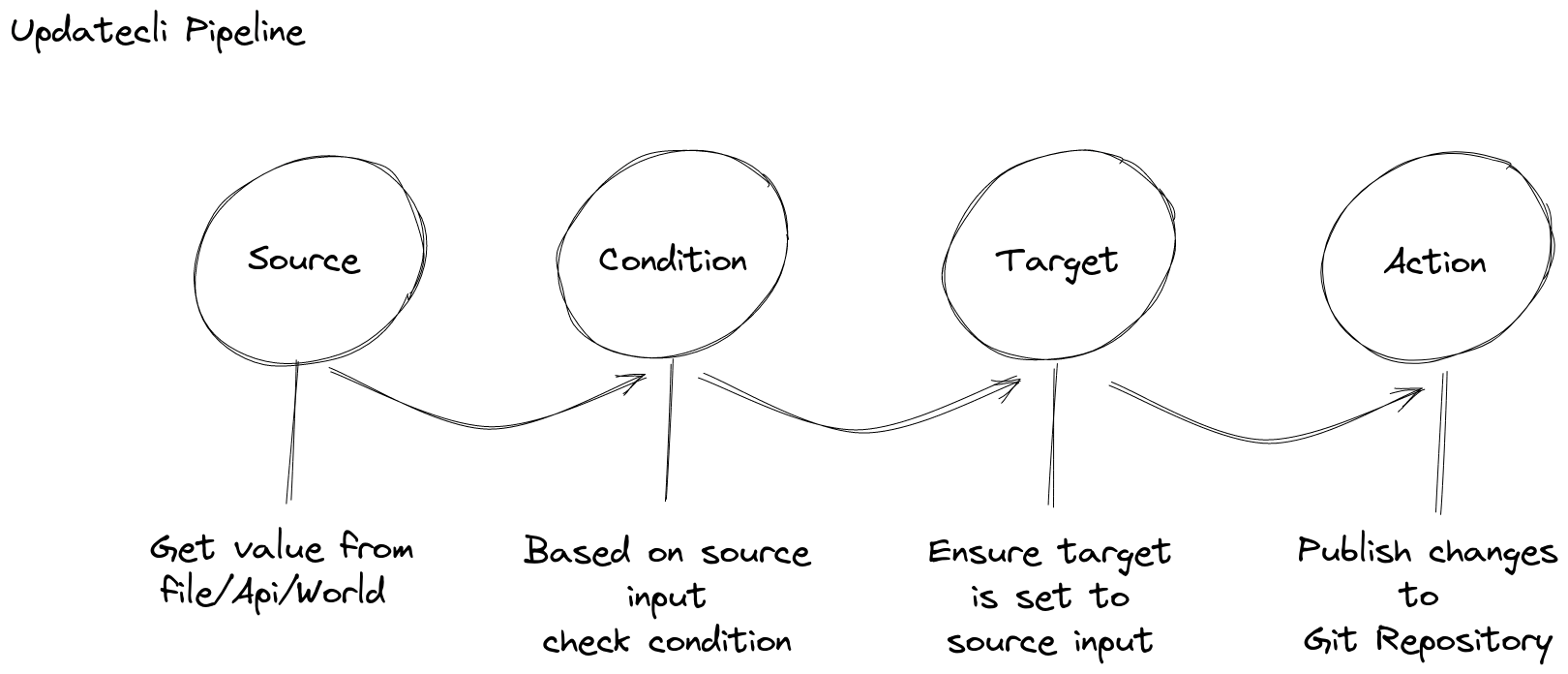
In this manifest, we introduce three important concepts of an updatecli manifest.
- A Source definition describes where a piece of information is coming from. In the current example, we’re looking for the latest Jenkins weekly version.
- A Target definition describes what we want to update based on a source output. In our example, we want to update the key "$.container.tag" in the file "data.yaml" to the version retrieved from the source, the latest Jenkins weekly version.
- A Condition definition defined conditions required to update the target. In this example, we want to test that the docker image "jenkinsci/jenkins:" exists on DockerHub.
# manifest.yaml
name: QuickStart example

# Defines how to get "source" information such as Jenkins version
sources:
  jenkinsVersion:
    name: Get the latest Jenkins weekly version
    kind: jenkins
    spec:
      release: weekly
# Defines "conditions" required to update targets
conditions:
  dockerimage:
    name: Is Jenkins weekly tag published on DockerHub
    kind: dockerimage
    spec:
      image: jenkins/jenkins

# Defines "targets" which need to be updated if different than "source" information.
targets:
  dataFile:
    name: Bump Jenkins Docker Image Tag
    kind: yaml
    spec:
      key: $.container.tag
      file: data.yaml
Source, Condition, and Target behave differently based on the plugin used, which is defined by the key "kind".
Updatecli Execution
Now that we have a data file and an updatecli manifest, describing how to update our file, let’s see how to use updatecli.
So for doing so, please execute the following commands:
- To see what would change:
updatecli diff --config manifest.yaml - To apply the change:
updatecli apply --config manifest.yaml - To see that nothing needs to be changed anymore:
updatecli apply --config manifest.yaml Alternatively, you can copy all commands at once:
updatecli diff --config manifest.yaml
updatecli apply --config manifest.yaml
updatecli apply --config manifest.yaml