Free online PDF Converter | Convert PDF files for free | Wixel (original) (raw)
Turn images into PDFs so they’re compressed, shareable, and uneditable, no matter where they go.
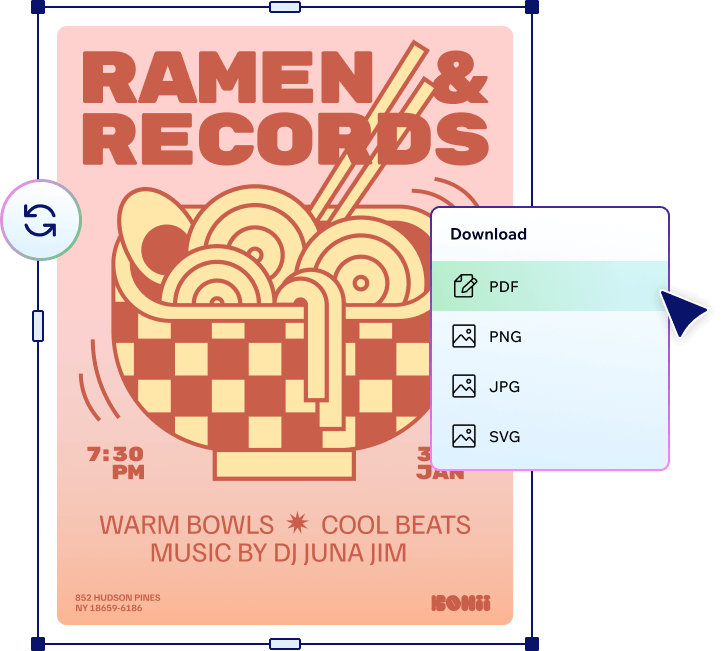
Compatible. Controlled. Compact.
.jpg)
Share anywhere, any way
PDFs offer universal compatibility, which means anyone, using any software, operating system, or device, can open and view them. So if you needed a reason to convert your images to PDFs, there you go.
Maintain your vision
Converting an image to PDF locks in your visuals and preserves them exactly as intended, so you can share freely with peace of mind—because no matter who sees your work, nobody’s touching it, either.

.jpg)
Compress to impress
PDFs can compress even the most high-resolution images into smaller sizes without compromising quality, which lets you save space, speed up downloads and simplify cross-platform sharing, without sacrificing your standards.
How to convert an image to PDF
1. Upload your image
Select an image from your device and upload it into our free online PDF converter. We support most common image formats.
2. Sign in or create a Wixel account
To convert your image to PDF format, you'll need to log in or create a free Wixel account.
3. Choose PDF
Select the PDF format and adjust the quality settings if desired.
4. Convert to PDF and download
Click download to convert your image to PDF and save it to your device.
5. Share anywhere
Share the converted PDF to your preferred platform.

Follow these steps to transform your images into a PDF with our free online PDF converter for smoother sharing.
See what else Wixel offers
Discover more PDF
Learn more about our free online PDF converter

8 image file types and how to use them

Everything you need to know about PDF files (and why they’re so powerful)

How to convert an image into the format you need
FAQs
What is a PDF converter?
Our free online PDF converter changes an image from one format to a PDF (Portable Document Format). Converting an image to PDF preserves its quality and restricts editability. Plus, as PDFs are universally compatible, anyone can access them, regardless of the software, platform, or device they’re using.
How do I convert an image to PDF?
Upload your image to our free PDF converter online, sign in or create a Wixel account, select the PDF format, adjust quality settings if desired, then select download to convert and save the PDF to your device.
What image formats can be converted to PDF?
Our free online PDF converter supports and converts most common image formats, including JPG, PNG and SVG.
Does converting an image to a PDF reduce its quality?
No, converting an image to PDF with our free online PDF converter will not affect its quality.