eSIM - Yes | Malaysia's Most Advanced 5G Network (original) (raw)
- Home
- eSIM
What is eSIM?
eSIM stands for “embedded” SIM, the latest in telecommunications technology widely used in countries such as Japan, South Korea and the USA. This technology uses a virtual SIM card that is built into your device, embracing the convenience and flexibility of eSIM technology.

Activate Anywhere,
Anytime
Activate Yes 5G instantly from the MyYes app. No more waiting for SIM card delivery or visiting a store for SIM activation support.

eSIM as Your
Second Line
Separate your personal and business lines or add an additional line when you travel internationally with a dual-SIM feature in your device.

Zero Risk of
Damaged SIM
Enjoy connectivity without having to worry about getting your physical SIM damaged.
Devices supported by Yes eSIM
Samsung Galaxy A55 5G
Samsung Galaxy A56 5G
Samsung Galaxy S22
Samsung Galaxy S22+
Samsung Galaxy S22 Ultra
Samsung Galaxy S23
Samsung Galaxy S23+
Samsung Galaxy S23 Ultra
Samsung Galaxy S23 Fe
Samsung Galaxy Z Fold 3
Samsung Galaxy Z Fold 4
Samsung Galaxy Z Fold 5
Samsung Galaxy Z Fold 6
Samsung Galaxy Z Fold 7
Samsung Galaxy Z Flip 3
Samsung Galaxy Z Flip 4
Samsung Galaxy Z Flip 5
Samsung Galaxy Z Flip 6
Samsung Galaxy Z Flip 7
Samsung Galaxy S24
Samsung Galaxy S24+
Samsung Galaxy S24 Ultra
Samsung Galaxy S24 FE
Samsung Galaxy S25
Samsung Galaxy S25+
Samsung Galaxy S25 Ultra
Samsung Galaxy S25 FE
Samsung Galaxy S26
Samsung Galaxy S26+
Samsung Galaxy S26 Ultra
Samsung Galaxy Ultra*
Samsung Galaxy Tab S10+*
Samsung Galaxy Tab S10 Ultra*
Samsung Galaxy Tab S9 FE*
Samsung Galaxy Tab S9 FE+*
Samsung Galaxy Tab S10 Ultra*
Samsung Galaxy Tab S9 FE*
Samsung Galaxy Tab S9 FE+*
Nothing Phone (3)
Nothing Phone (3) Pro
HONOR 200 Pro
HONOR 200
HONOR 400
HONOR 400 Pro
HONOR 90
HONOR Magic V2
HONOR Magic V3
HONOR Magic V5
HONOR Magic Vs
HONOR Magic4 Pro
HONOR Magic5 Pro
HONOR Magic6 Pro
HONOR Magic7 Pro
HONOR Magic8 Pro
PORSCHE DESIGN HONOR Magic V2 RSR
PORSCHE DESIGN HONOR Magic6 RSR
Oppo Find X5 Pro
Oppo Find N2 Flip
Oppo Find N3
Oppo Find N3 Flip
Oppo Find N5
Oppo Find X8
Oppo Find X8 Pro
Oppo Find X9
Oppo Find X9 Pro
Oppo Reno 13 Pro 5G
Oppo Reno 14 5G
Oppo Reno 14 Pro 5G
OnePlus 11 5G
OnePlus 12 5G
OnePlus 13
OnePlus 15
POCO F8 Pro
POCO F8 Ultra
Redmi Note 14 Pro 5G
Redmi Note 14 Pro+ 5G
Redmi Note 15 Pro 5G
Redmi Note 15 Pro+ 5G
Redmi Note 13 Pro 5G
Redmi Note 13 Pro+ 5G
Xiaomi 13
Xiaomi 13 Pro
Xiaomi 13 Ultra
Xiaomi 13T
Xiaomi 13T Pro
Xiaomi 14
Xiaomi 14 Ultra
Xiaomi 14T
Xiaomi 14T Pro
Xiaomi 14 Ultra
Xiaomi 15
Xiaomi 15 Ultra
Xiaomi 15T
Xiaomi 15T Pro
Xiaomi 17
Xiaomi 17 Ultra
Xiaomi MIX Flip
Vivo X90 Pro
Vivo X100 Pro
Vivo X200
Vivo X200 Pro
Vivo X300
Vivo X300 Pro
iPhone XR
iPhone XS
iPhone XS Max
iPhone 11
iPhone 11 Pro
iPhone 11 Pro Max
iPhone SE 2 (2020)
iPhone 12
iPhone 12 Mini
iPhone 12 Pro
iPhone 12 Pro Max
iPhone 13
iPhone 13 Mini
iPhone 13 Pro
iPhone 13 Pro Max
iPhone SE 3 (2022)
iPhone 14
iPhone 14 Plus
iPhone 14 Pro
iPhone 14 Pro Max
iPhone 15
iPhone 15 Plus
iPhone 15 Pro
iPhone 15 Pro Max
iPhone 16
iPhone 16 Plus
iPhone 16 Pro
iPhone 16 Pro Max
iPhone 16e
iPhone 17
iPhone 17 Air
iPhone 17 Pro
iPhone 17 Pro Max
iPhone 17e
Find out how to enjoy the best 5G Experience
- Nokia HMD Fusion
How to install Yes eSIM
Get started as a new Yes user

1
Select your preferred plan.
2
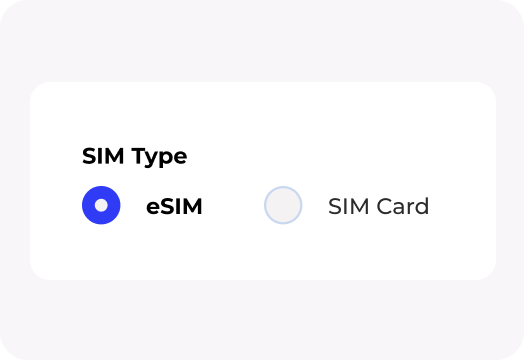
Select ‘eSIM’ option during your checkout process.
3
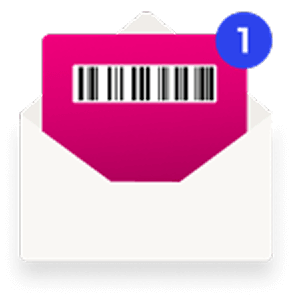
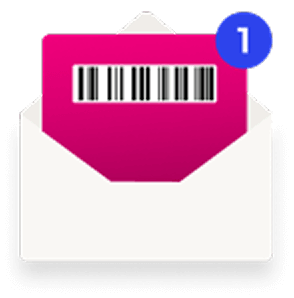
You will receive an eSIM barcode in your email.

4
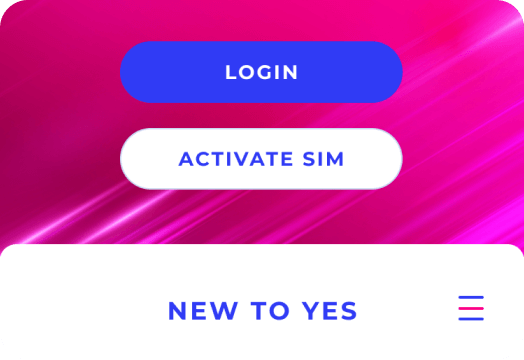
Download MyYes App into your device.
5
Click on ‘Activate SIM’ and scan the barcode.
6
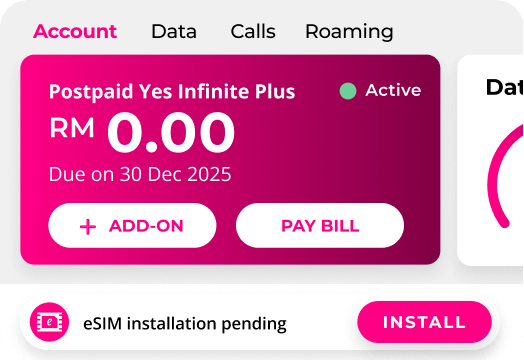
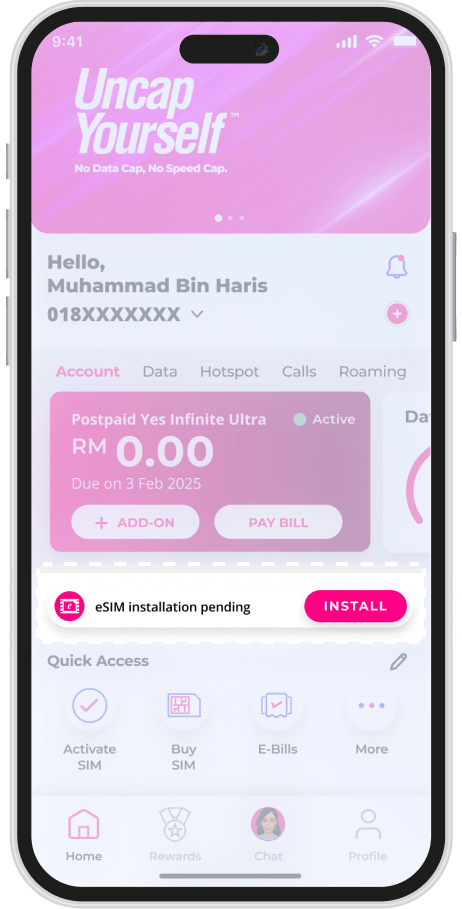
Upon successful activation, you will be auto-logged in to the app. Click on ‘Install’ to set up your eSIM.
1
Download MyYes App into your device.
2
Launch MyYes app, click on ‘New to Yes?’ button, then select plan to purchase.
3
Select eSIM and complete the purchase flow.
4
Upon successful activation, you will be auto-logged into the app. Click on ‘Install’ to set up your eSIM.

1
Purchase preferred plan at a Yes Store or Yes Authorised Dealers.
2
You will receive a login credentials in your email
3
Download MyYes app and log in with the credentials from your email.
4
Log in to MyYes app using the credentials from your email and click on “Install” to set up your eSIM.
How to replace your SIM to Yes eSIM
Upgrade your SIM as a current Yes user, or replace your physical SIM Card.
1Step 1
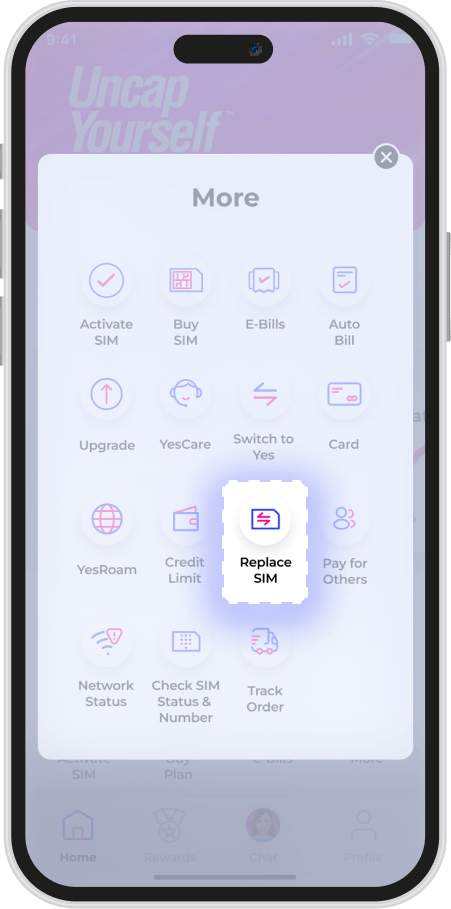
Login and click more in quick access. Look for ‘Replace SIM’
2Step 2
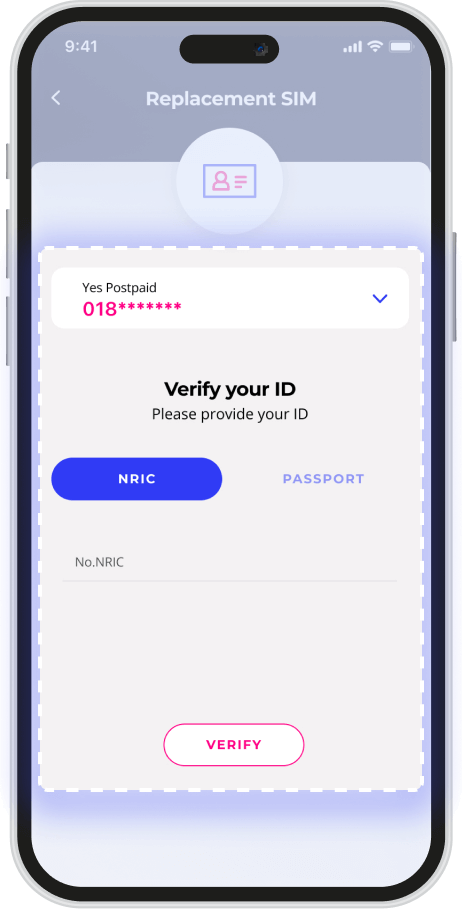
Key in your phone number and ‘Verify’.
3Step 3
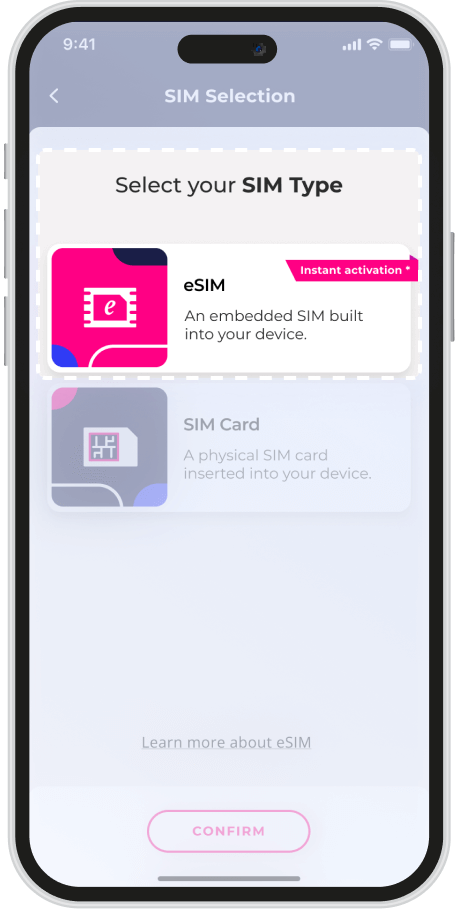
Choose eSIM as selection.
4Step 4
Select ‘Install’ on home screen to switch to eSIM.
Enjoy the best 5G
experience with iOS 17.1
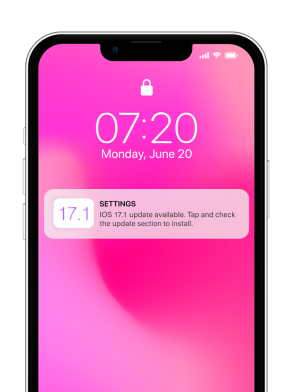
For all iPhone XS models and later, update your device and carrier settings.
Go to Settings > General > Software Update > Update to the latest iOS version.
Go to Settings > General > About > If prompted, please follow the steps to update to the latest carrier settings.
For older iPhones, please enable VoLTE.
Go to Settings > Mobile Data > Mobile Data Options > Voice and Data > Turn on VoLTE.
Please backup your device using iCloud or your computer.