Hello Image Classification — OpenVINO™ documentation (original) (raw)
This Jupyter notebook can be launched on-line, opening an interactive environment in a browser window. You can also make a local installation. Choose one of the following options:
This basic introduction to OpenVINO™ shows how to do inference with an image classification model.
A pre-trained MobileNetV3 modelfrom Open Model Zoo is used in this tutorial. For more information about how OpenVINO IR models are created, refer to the TensorFlow to OpenVINOtutorial.
Table of contents:
- Imports
- Download the Model and data samples
- Select inference device
- Load the Model
- Load an Image
- Do Inference
Installation Instructions#
This is a self-contained example that relies solely on its own code.
We recommend running the notebook in a virtual environment. You only need a Jupyter server to start. For details, please refer toInstallation Guide.
Install required packages
%pip install -q "openvino>=2023.1.0" opencv-python tqdm "matplotlib>=3.4"
Note: you may need to restart the kernel to use updated packages.
Imports#
from pathlib import Path
import cv2 import matplotlib.pyplot as plt import numpy as np import openvino as ov
Fetch notebook_utils module
import requests
r = requests.get( url="https://raw.githubusercontent.com/openvinotoolkit/openvino_notebooks/latest/utils/notebook_utils.py", )
open("notebook_utils.py", "w").write(r.text)
from notebook_utils import download_file, device_widget
Download the Model and data samples#
base_artifacts_dir = Path("./artifacts").expanduser()
model_name = "v3-small_224_1.0_float" model_xml_name = f"{model_name}.xml" model_bin_name = f"{model_name}.bin"
model_xml_path = base_artifacts_dir / model_xml_name
base_url = "https://storage.openvinotoolkit.org/repositories/openvino_notebooks/models/mobelinet-v3-tf/FP32/"
if not model_xml_path.exists(): download_file(base_url + model_xml_name, model_xml_name, base_artifacts_dir) download_file(base_url + model_bin_name, model_bin_name, base_artifacts_dir) else: print(f"{model_name} already downloaded to {base_artifacts_dir}")
v3-small_224_1.0_float.xml: 0%| | 0.00/294k [00:00<?, ?B/s]
v3-small_224_1.0_float.bin: 0%| | 0.00/4.84M [00:00<?, ?B/s]
Select inference device#
select device from dropdown list for running inference using OpenVINO
device = device_widget()
device
Dropdown(description='Device:', index=1, options=('CPU', 'AUTO'), value='AUTO')
Load the Model#
core = ov.Core() model = core.read_model(model=model_xml_path) compiled_model = core.compile_model(model=model, device_name=device.value)
output_layer = compiled_model.output(0)
Load an Image#
Download the image from the openvino_notebooks storage
image_filename = download_file( "https://storage.openvinotoolkit.org/repositories/openvino_notebooks/data/data/image/coco.jpg", directory="data", )
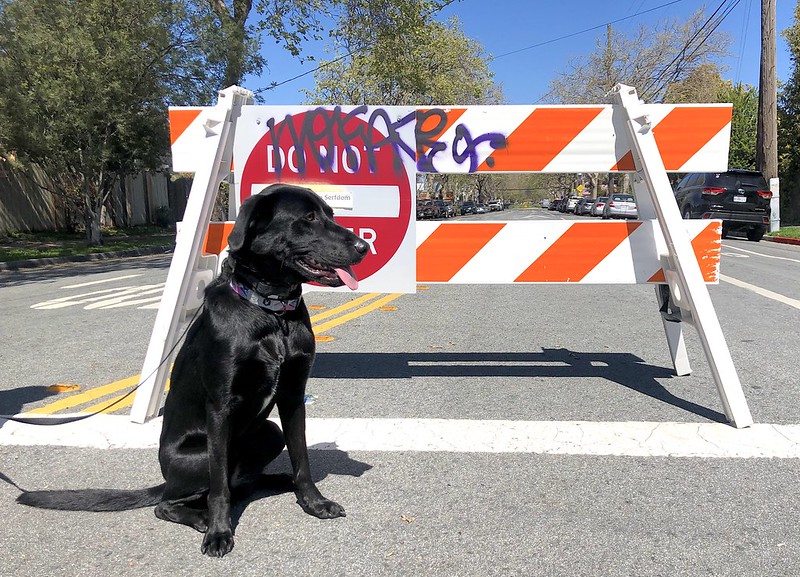
The MobileNet model expects images in RGB format.
image = cv2.cvtColor(cv2.imread(filename=str(image_filename)), code=cv2.COLOR_BGR2RGB)
Resize to MobileNet image shape.
input_image = cv2.resize(src=image, dsize=(224, 224))
Reshape to model input shape.
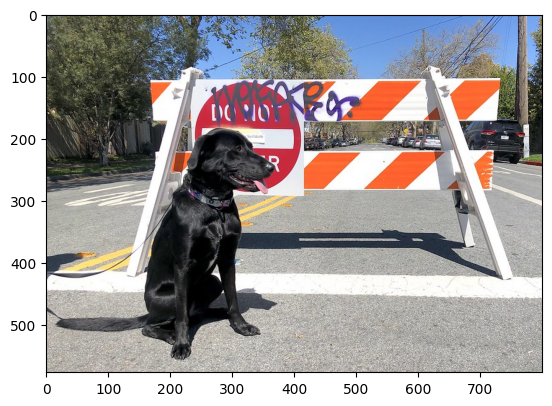
input_image = np.expand_dims(input_image, 0) plt.imshow(image);
coco.jpg: 0%| | 0.00/202k [00:00<?, ?B/s]
Do Inference#
result_infer = compiled_model([input_image])[output_layer] result_index = np.argmax(result_infer)
imagenet_filename = download_file( "https://storage.openvinotoolkit.org/repositories/openvino_notebooks/data/data/datasets/imagenet/imagenet_2012.txt", directory="data", )
imagenet_classes = imagenet_filename.read_text().splitlines()
imagenet_2012.txt: 0%| | 0.00/30.9k [00:00<?, ?B/s]
The model description states that for this model, class 0 is a background.
Therefore, a background must be added at the beginning of imagenet_classes.
imagenet_classes = ["background"] + imagenet_classes
imagenet_classes[result_index]
'n02099267 flat-coated retriever'