::[ edam ]:: » Arduino Makefile (original) (raw)
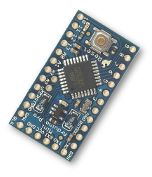 A generic, easy to configure makefile for use with Arduino development.
Features:
- Works with (and requires) Arduino software version 1.0 or later.
- Easy configuration (documented below, reference in the makefile itself).
- Automatic mode: drop-in replacement for the Arduino IDE.
- Manual mode: specify all source files and build parameters manually.
- Detects used Arduino libraries and includes them.
- Supports local (project) libraries and Sketchbook libraries.
- Simple (crap) detection of attached Arduino.
- Reads board parameters from
boards.txt. - Can upload to an Arduino.
- Serial monitor function (like the IDE).
- Generates dependency files.
- Can burn the bootloader to your board.
- Tested on GNU/Linux, OS X and (less so with) BusyBox on Android!
Download
You can get it here…
Download Arduino Makefileversion 0.517K
Documentation
Initial set-up
You will need to have the Arduino software, version 1.0 or later. If you’re using GNU/Linux, you should be able to install it from your package manager. For example, on Debian (and its derivatives, like Ubuntu), you can install the arduino package like this:
$ sudo apt-get install arduino
Or you can just download it and unpack it from arduino.cc. If you do, it is suggested that you unpack it to ~/opt/arduino where it will still be automatically detected. On OS X, you should put the Arduino.app in either /Applications or ~/Applications.
There are a several environment variables that affect how the makefile works. You can look in the makefile its self for a complete reference, but I’ll mention a few now that you might need to set to get started.
ARDUINODIRis the path to where you have installed the Arduino software.BOARDtells the script what type of Arduino you want to build for and upload to.SERIALDEVis the POSIX device name of the serial device that represents your attached Arduino.
If you have installed the Arduino software somewhere unusual, you may need to set ARDUINODIR so that the makefile can find it. You could do this by adding something to your .profile, like the following:
# where the Arduino software is installed
export ARDUINODIR=~/somewhere/arduino-1.0
BOARD is better specified per-project, or even per-build. So you can specify it on the command-line, before running make, like this:
If your project it aimed at one particular type of Arduino, you might want to specify BOARD for the project, rather than on the command-line. One way to do this would be to create the file Makefile in your project directory, which sets BOARD and then includes the main Arduino makefile. For example, the contents of Makefile might look like this:
BOARD := pro5v
include ~/src/arduino.mk
Note: for a complete list of available board names, type make boards.
SERIALDEV, by default, makes a guess at an attached serial device that might be an Arduino. But it’s not a sophisticated guess! If you can’t upload to your Arduino, check that SERIALDEV is correct. (The output of make will tell you what value it is using when it guesses.)
Automatic Usage
There are two ways to use the makefile. If a project directory contains a .ino (or .pde) file, the makefile works in an “automatic” mode.
In automatic mode, you can simply copy arduino.mk to the project directory and rename it Makefile. Alternatively, you could copy arduino.mk somewhere in your home directory (I keep mine at ~/src/arduino.mk) and create a symlink to it called Makefile in your project directory, like this:
$ ln -s ~/src/arduino.mk Makefile
If you want to be able to override or set some variables in the makefile, you can also create your own Makefile (as mentioned in the previous section) and include arduino.mk from there.
These latter two approaches have the benefit that you can update the Arduino makefile once and all projects benefit.
OK, so assuming BOARD (and ARDUINODIR) are set up correctly, you probably only need to type make to build your project now. And if SERIALDEV is correct, make upload will upload it to an attached Arduino!
When in automatic mode, the following things happen:
SOURCESis determined automatically and is made up from:- the main
.ino(or.pde) file - all
.c,.ccand.cppfiles in the project directory - all
.c,.ccand.cppfiles in anyutilityorutilsubdirectories
- the main
LIBRARIESis automatically determined (by scanning files in SOURCES for#included libraries)TARGETis determined automatically (based on the.inofilename)Arduino.his automatically included when building the main.ino(or.pde) file
Note, there can be only one .ino (or .pde) file per project directory (more than one will cause an error). So if you want to split development in to other files, make the other files .c, .cc or .cpp files (which are automatically included in the build).
Also note that for compatibility with the Arduino IDE, you main .ino file is supposed to have the same name as the project directory.
Manual Usage
If your project directory doesn’t contain a .ino (or .pde) file, you must specify the build parameters yourself. In particular, you’ll need to specify SOURCES and any used LIBRARIES. You would do this, typically, in your own Makefile, which would then include arduino.mk.
If your project was written for one kind of Arduino in particular, you might also want to specify BOARD here, as well.
So, an example Makefile might look like this:
SOURCES := main.cc util/Bounce.cpp
LIBRARIES := Wire
BOARD := pro5v
include ~/src/arduino.mk
Note that you will have to manually #include <Arduino.h> in main.cc in the above example. That header is not automatically included, as would be the case if it were a .ino file.
Additional set-up
There are a few other environment variables you might need to know about which I will include here for completeness. The makefile its self is a good reference for all variables.
ARDUINOCONST specifies the value of the ARDUINO constant that is set at build-time. This defaults to 100 if unset, but you can override it.
AVRDUDECONF is the fully-qualified filename of the avrdude.conf file for avrdude. Again, the makefile tries to make some sensible guesses about its value, but you can specify it yourself.
AVRTOOLSPATH is a space-separated list of directories that the makefile will look in to find the avr build tools. It defaults to your environment’s PATH, followed by a couple of subdirectories in ARDUINODIR. If this is not sufficient, you can specify it yourself.
AVRDUDEFLAGS, CPPFLAGS and LINKFLAGS allow you to specify additional command-line arguments to avrdude, the compiler and the linker, respectively. The makefile will append its own stuff to the end of these.
LIBRARYPATH is a space-separated list of directories that is searched in order to find #included libraries. It defaults to “libs” and “libraries” in your project directory, and then “libraries” in your Sketchbook directory and then the Arduino software directory.
TARGET can be set to specify the name of the built target. But this is usually entirely unnecessary.
Make Goals
Here is a full list of goals that arduino.mk supports:
| all | the default; it builds the target |
|---|---|
| target | builds the target |
| upload | upload the previous built target (and builds it as necessary) |
| clean | removes intermediate build files for the target only |
| boards | Display a list of available board types (and valid values for `BOARD`). |
| monitor | Serial monitor. Actually, it starts `screen` on the serial device. |
| size | Display size information about the built target |
| bootloader | Burns any bootloader to the attached Arduino. |
| <_file_> | you can also specify any object files, or the target, as with most makefiles |
Development
You can always drop me an email. Feedback and suggestions are always welcome.
Bugs
You can report bugs at the project’s development site:
Repository
To obtain the latest development code, the bazaar repository is here:
http://bzr.ed.am/make/arduino-mk
last modified: 1:31 pm, 5th March, 2013 — 20 comments