widgets « The LibraryThing Blog (original) (raw)
Archive for the ‘widgets’ Category
NEW: Easy Share for Book Display Widgets
LibraryThing for Libraries is pleased to announce an update to our popular Book Display Widgets.
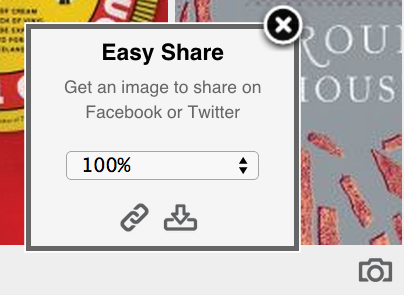
Introducing “Easy Share.” Easy Share is a tool for putting beautiful book displays on Facebook, Twitter, Pinterest, Tumblr, email newsletters and elsewhere. It works by turning our dynamic, moving widgets into shareable images, optimized for the service you’re going to use them on.

Why would I want an image of a widget?
Dynamic widgets require JavaScript. This works great on sites you control, like a library’s blog or home page. But many sites, including some of the most important ones, don’t allow JavaScript. Easy Share bridges that gap, allowing you to post your widgets wherever a photo or other image can go—everywhere from Facebook to your email newsletters.
How do I find Easy Share?
To use Easy Share, move your cursor over a Book Display Widget. A camera icon will appear in the lower right corner of the widget. Click on that to open up the Easy Share box.
 How can I share my widgets?
You can share your widget in three ways:
- Download. Download an image of your widget. After selecting a size, click the “down” arrow to download the image. Each image is labeled with the name of your widget, so you can find it easily on your computer. Upload this image to Facebook or wherever else you want it to go.
- Link. Get a link (URL) to the image. Select the size you want, then click the link icon to get a link to copy into whatever social media site you want.
- Dynamic. “Dynamic” images change over time, so you can place a “static” image somewhere and have it change as your collection changes. To get a dynamic image, go to the edit page for a widget. Use the link there to embed this image into your website or blog. Dynamic widgets update whenever your widget updates. Depending on users’ browser “caching” settings, changes may or may not happen immediately. But it will change over time.
You can also download or grab a link to a image of your widget from the widget edit page. Under the preview section, click “Take Screenshot.” You can see our blog post about that feature here.
Check out the LibraryThing for Libraries Wiki for more instructions.
Interested?
Find out more about LibraryThing for Libraries and Book Display Widgets. And sign up for a free trial of either by contacting ltflsupport@librarything.com.
Labels: Book Display Widgets, new feature, new features, widgets
Widget Contest Winners
Back in March we updated the widgets for sharing a bit of your LibraryThing library on your blog or other web page. We asked for your best widget design, and a bunch of you delivered the goods. I know its been over a month since the contest closed, and would like to assure you that this is at least 80% due to making cool new things for LibraryThing, and only 20% due to the creation of a company skateboarding gang. Such is Springtime.
First Prize. These five winners get a one year membership to the site. Transferable to a loved one if desired. Also their choice of a CueCat or t-shirt. The top 3 will go into the preset styles list on the make widget page.
paradoxosalpha‘s entry reminds me of a math classroom. I’m going to put it in the preset styles as “classroom.” Steal it.
Besides having a great comic collection, stephmo displays them with gusto. Many users do a cool things using the tags from their library to create themed widgets, with a background style to match. Look for it in the preset styles as “shazam.” Steal it.
gordon361 submits another one in green. The covers that float through here are often biographies, military, or history related, and they look very at home on this poker table green background. Its going in the presets as “Poker Table.” Steal it.
pratchettfan‘s widget looks very at home on his blog where it resides. I like his use of color matching.
http://pratchettfan.blogspot.com/ Steal it.
poxd painted outside the lines a bit, using our API and some code from Yahoo to create this. It was too good not to reward.
Second Prize. These 10 winners will recieve their choice of a CueCat or t-shirt.
In no particular order (links go to the widget):
- thegreattim
- Anneli
- SqueakyChu
- monarchi
- megacoupe
- heathmochafrost
- TienSingh
- DevourerOfBooks
- yapete
- jcberk
Everyone who submitted to the Contest threads will recieve a laptop/car sticker, a real-world widget.
If you’re one of the entrants, send a comment to user timspalding or email info@librarything.com to claim your prize. Include your member name, mailing address, and choice of prize, if applicable.
(post by Luke, not Tim)
LibraryThing Best Widget Contest
The new widgets came with a bunch of pre-defined styles—of varying quality. But they also have sharing built in, so members can come up with better ones, and let people know about them.
So, why not a contest?
- Submit your widgets to this Talk thread (http://www.librarything.com/topic/61668)
- Widgets can be of any type—as simple, complex, staid or way-out as you like. You can use your own CSS or JavaScript, but you certainly don’t have to.
- You can submit up to five widgets, but post only one message. Edit if you need to.
- If you want, share where you put the widget, or where you plan to.
- Go ahead and name your widgets, comment on what you were trying to do.
- Post the “Share with other LibraryThing members” link (e.g., this). Posting the script won’t work.
The Reward.
- Contest runs until April 20 at 5pm EST
- We’ll pick a bunch of widgets to add to the default set
- Five members win a membership (for themselves or others), as well as a CueCat barcode scanner or t-shirt
- Ten more members get a CueCat or t-shirt
- First twenty-five members who post get a LibraryThing laptop/car sticker, a sort of real-world widget
Let’s see what you can do!
UPDATE: Luke added a feature to the “share with other LT member” that shows it with *their* books first. You can change it to work with yours instead. This only applies to URLs made now, so edit old ones?
Image:
Example:
http://www.librarything.com/widget.php?shareID=w49d65f9e510f6&sharefrom=LibraryThingLuke
Widgets get a lot better
We’ve just brought live new, improved widgets, available from the make widget page.
Some highlights:
- New “animated” style cycles through your covers in a oddly mesmerizing way.
- Widgets are extensively customizable, so you can fit them to your blog without any special knowledge.
- Power users can do more, with Javascript and CSS customization. Check out Chris’ blog for stylish use.*
- The new widgets are shareable (an example) so members can show off and swap styles. (Yes, we’ll be having a widget-creation contest soon.)
- Widget links don’t go off somewhere, but open up a slick lightbox “mini-book” page, with your information and (optional) links, to LibraryThing and elsewhere. You can, of course, fill in your Amazon Associates code, if you want to make money off your widget.
- Widgets now include (optionally) tags, ratings and reviews. You can filter by reviews and tags too.
- The code is good—based on our improved JSON Books API and designed not to slow down your page (they’re “lazy-loading”). Weirdly this can make the widget look slow. That’s because it’s not slowing down the rest of the page!
- Internationalized from the ground up.
- Orcas, baby!
Go ahead and make a widget.
Talk about it here, or on Talk.
Luke! Widgets were helmed by new employee Luke (member: LibraryThingLuke), who wrote most of the core code, all the styling options, the share system and so forth. Other LibraryThing people helped. Chris—hard at work on collections, we promise—chipped in some attractive styles. Mike wrote the crucial cover-animation code, something he’s been working on for our upcoming Facebook application. I made sure Luke got a list of changes every morning, including at least one thing I wanted the other way the day before.
Luke offered the following thumbnail bio:
“Luke Stevens lives in Portland, Me with his wife and three kids. He enjoys single malt scotch and silver-age comic books. He rides a motorcycle from the early 80’s that elicits laughter from his evil co-workers. Twitter: saintlukas; blog: sacremoo.com.”
*Chris swears by Colourlovers.com.
Labels: new feature, new features, widgets
New JSON API
I’ve just blogged about a new Javascript/JSON API for work info over on Thingology, LibraryThing’s blog for ideas, issues, libraries and labs.
It’s mostly designed to make it easy for people to link to LibraryThing only when we have the book. You can also dress up the link with copy- and review-counts, and an average rating.
I think regular members will be more excited by a JSON API to your own books. This will allow us and members to write new widgets—widget for reviews, for example—and better widgets. I’m want to write them so that all the JavaScript code that comes out it is automatically shared between members, both legally and technically.
The work-info API is a first step. Let’s talk about this and what should come.