Install OpenVINO™ Runtime on Linux From YUM Repository — OpenVINO™ documentation (original) (raw)
Note
Note that the YUM distribution:
- offers both C/C++ and Python APIs
- is dedicated to Linux users only
- additionally includes code samples
Before installing OpenVINO, see theSystem Requirements page.
Install OpenVINO Runtime#
Step 1: Set Up the Repository#
- Create a YUM repository file (
openvino.repo) in the/tmpdirectory as a normal user:
tee > /tmp/openvino.repo << EOF
[OpenVINO]
name=Intel(R) Distribution of OpenVINO
baseurl=https://yum.repos.intel.com/openvino
enabled=1
gpgcheck=1
repo_gpgcheck=1
gpgkey=https://yum.repos.intel.com/intel-gpg-keys/GPG-PUB-KEY-INTEL-SW-PRODUCTS.PUB
EOF - Move the new
openvino.repofile to the YUM configuration directory, i.e./etc/yum.repos.d:
sudo mv /tmp/openvino.repo /etc/yum.repos.d - Verify that the new repository is set up properly.
yum repolist | grep -i openvino
You will see the available list of packages.
To list available OpenVINO packages, use the following command:
Step 2: Install OpenVINO Runtime Using the YUM Package Manager#
Install OpenVINO Runtime#
The Latest Version
Run the following command:
sudo yum install openvino
A Specific Version
Run the following command:
sudo yum install openvino-..
For example:
sudo yum install openvino-2025.4.0
Check for Installed Packages and Version#
Run the following command:
yum list installed 'openvino*'
Note
You can additionally install Python API using one of the alternative methods (conda or pip).
Congratulations! You’ve just Installed OpenVINO! For some use cases you may still need to install additional components. Check thelist of additional configurationsto see if your case needs any of them.
With the YUM distribution, you can build OpenVINO sample files, as explained in theguide for OpenVINO sample applications. For C++ and C, just run the build_samples.sh script:
C++
/usr/share/openvino/samples/cpp/build_samples.sh
C
/usr/share/openvino/samples/c/build_samples.sh
Uninstalling OpenVINO Runtime#
To uninstall OpenVINO Runtime via YUM, run the following command based on your needs:
The Latest Version
sudo yum autoremove openvino
A Specific Version
sudo yum autoremove openvino-..
For example:
sudo yum autoremove openvino-2025.4.0
What’s Next?#
Now that you’ve installed OpenVINO Runtime, you’re ready to run your own machine learning applications! Learn more about how to integrate a model in OpenVINO applications by trying out the following tutorials:
- Try the C++ Quick Start Examplefor step-by-step instructions on building and running a basic image classification C++ application.
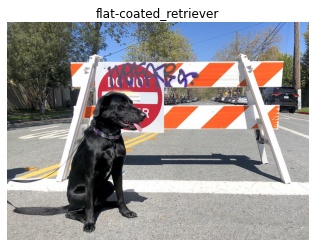
- Visit the Samples page for other C++ example applications to get you started with OpenVINO, such as:

You can also try the following things:
- Learn more about OpenVINO Workflow.
- To prepare your models for working with OpenVINO, see Model Preparation.
- See pre-trained deep learning models on Hugging Face.
- Learn more about Inference with OpenVINO Runtime.
- See sample applications in OpenVINO toolkit Samples Overview.
- Take a glance at the OpenVINO product home page .