🛠️ 35 Helpful Tools Every Executive Assistant Should Know About (original) (raw)
HR Software ToolsSnackNation Office
34 Best Executive Assistant Tools for Smarter, Faster Workdays In 2026

As an Executive Assistant, the number of hats you wear knows no bounds.
Managing your exec’s calendar, coordinating travel, planning events… the list goes on and on.
While there are countless productivity tools out there, researching them all might require more bandwidth than you can afford.
After all, you still have to… you know… do all the things.
That’s why we vetted tons of the best Executive Assistant tools and software out there to bring you a curated list of the top resources we know will make your life easier.
🔎 Need some help finding the right tool?
Jump to the right section to take a deeper dive into tools for executive assistants:
✨ Best for Multitasking and Organization
📅 Best for Scheduling
🤝 Best for Team Engagement
🌱 Best for Team Building & Company Culture
💬 Best for Communication
✈️ Best for Travel Coordination
🎉 Best for Event Planning
Executive Assistant Tools & Software For Multitasking and Organization
1) monday.com
“The platform that manages everything”
As an executive assistant, you don’t have the luxury of losing track of details.
The pillars of any successful organization, executive assistants are responsible for ensuring business processes run as efficiently as possible. Answering phone calls, following up with prospective clients, preparing meeting materials, and completing administrative tasks all require an enormous amount of organizational ability.
Don’t let data silos or departmental disconnect be the reason your executive misses a deadline. The “executive assistant” for executive assistants is monday.com.
We recently surveyed over 1,273 executive assistants in our State of The Executive Assistant Facebook group and found that monday.com was voted their favorite project management tool. Here are a few direct quotes from the survey:
“Great way for multiple people to stay up to date on the same task.”
“We just started using monday.com & it has been a great way for everyone to see what projects are being worked on, who is working on it, etc. It has been very beneficial for us & has helped prove the need for an additional employee.”
“monday.com has helped every department in our company become more organized and improved communication within the teams. I am still new to monday.com and working with my Executive to find the best layout.”
How it works
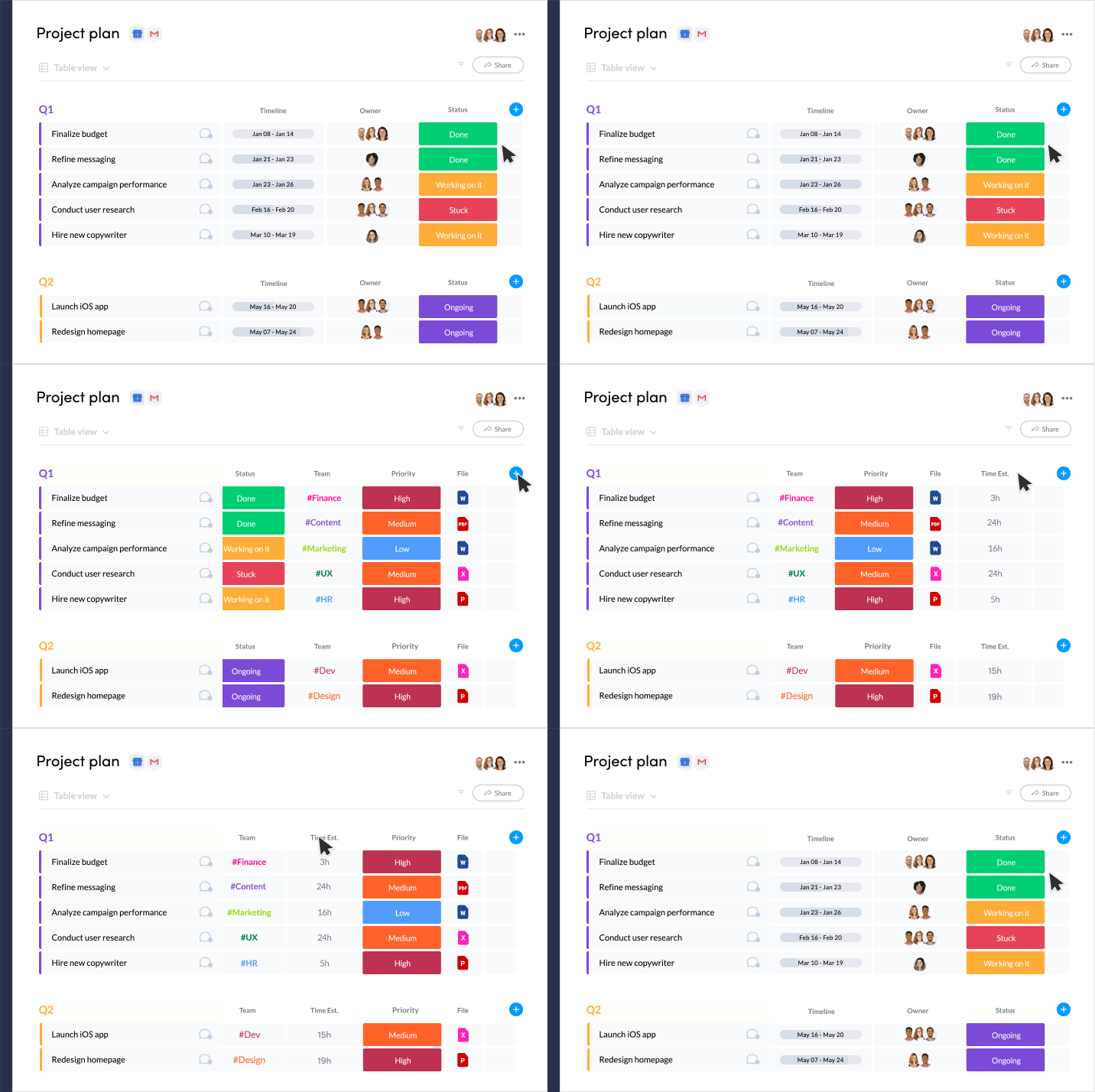
Monday’s cloud-based platform allows executive assistants to keep their organizations as productive as they can be. Using monday.com’s interface, you can make a visually pleasing board of task cards: adding checklists, due dates, collaborators, and workflows so everyone in your team is always in sync.
Savvy EAs use monday.com to give their colleagues peace of mind knowing that they are on top of everything (because we already know you are).
Why we love monday.com for multitasking and organization
- Sign up for a free trial without any financial commitment
- Color-code your tasks so you can evaluate your work at a glance
- View your projects in a calendar mode so your executives never miss a deadline
- Assign tasks to other stakeholders and track their progress in one spot
- Eliminate tedious tasks via automated workflows without coding skills
- Integrate all apps on one platform so launches are never delayed
- Centralize your data so anyone can access important information at any time, even if they need to check from monday.com’s convenient mobile app on the go
2) Vimcal EA
“Finally, a calendar designed for those who actually run the company”
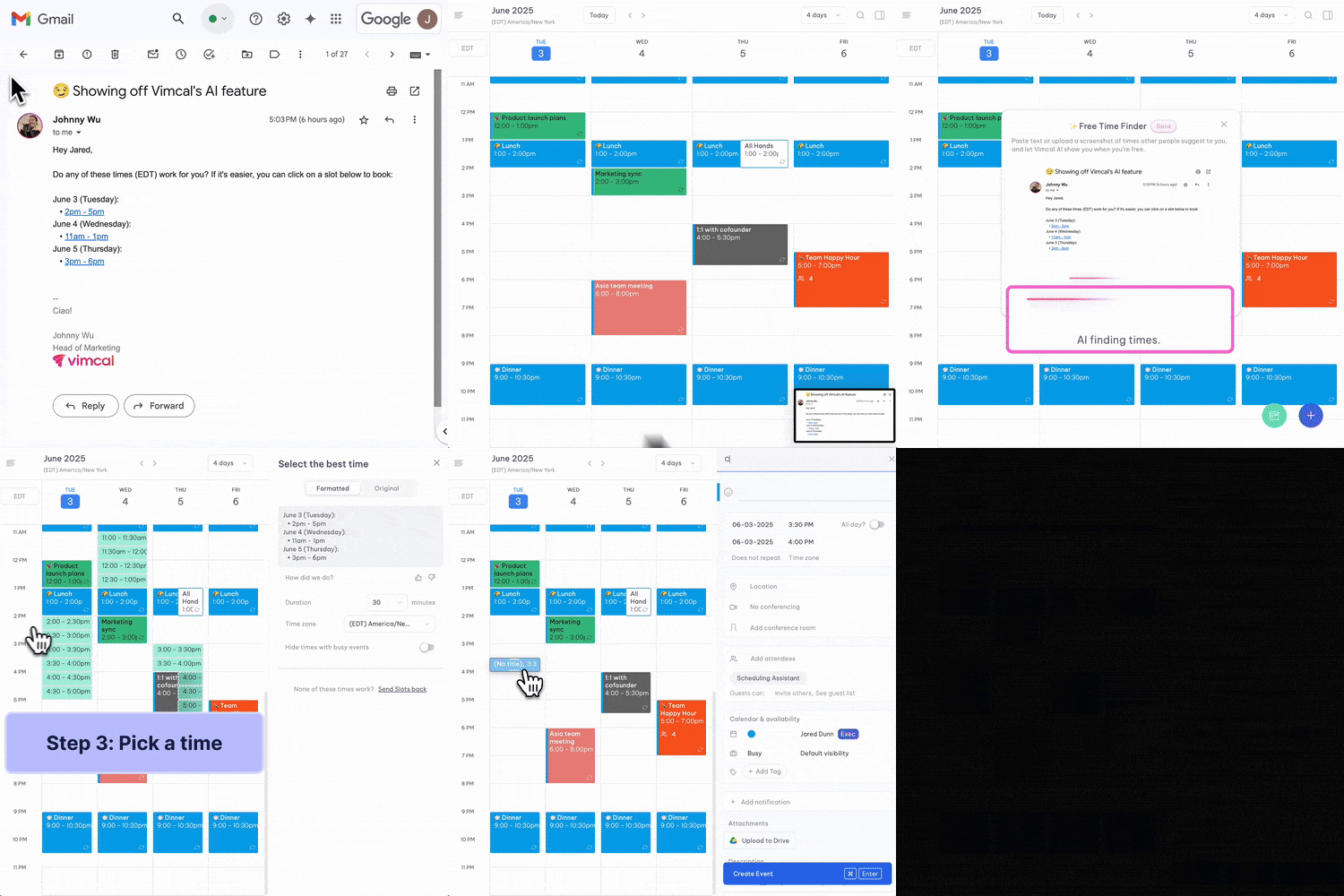
Vimcal EA is the first calendar built specifically for Executive Assistants, recognizing that you’re the most advanced calendar users in the world.
While most scheduling tools are built for execs, Vimcal EA was co-built with EAs to remove the daily bottlenecks that slow you down.
How it works
Vimcal EA layers on top of your existing Outlook or Google Calendar, so there’s nothing new to migrate. Every event syncs seamlessly in both directions.
That means you can keep the systems your execs already use, while gaining powerful new features designed just for EA workflows like instant time zone conversion, multi-exec scheduling, and one-click availability sharing.
Why we love Vimcal EA for multitasking and organization
- Saves 5+ hours a week on scheduling tasks
- 28% productivity gains reported by EAs using it daily
- Built specifically for Executive Assistants, not generic calendar users
- Comes with white-glove support from a team that co-builds features directly with EAs
“This tool has cut the amount of time I spent on my exec’s calendar in half.
Every time I ‘select availability’ and ‘copy to clipboard’, I high five the Vimcal EA team mentally.”
— Alexa Watkins, Executive Assistant at Aescape
3) Sanebox
“Keep emails organized”

SaneBox sorts all your email into the right places, so you’ll never misplace a thing.
How it works
SaneBox uses AI to sort your emails into folders, so that only the most important, urgent emails land in your inbox. Everything else is organized for you into folders for safekeeping.
Why we love Sanebox for multitasking and organization
- Saves you at least 2 hours a week on email
- Includes features that help you stay organized, like SaneBox Snooze, which is like hitting the Snooze button on an email
- Reminds you when to follow up if you haven’t gotten a response in a couple days
- Their BlackHole feature is useful for banishing some senders into Never Never Land
4) Sunsama
“The daily planner that helps busy people strike work-life balance (without sacrificing work or life!)”
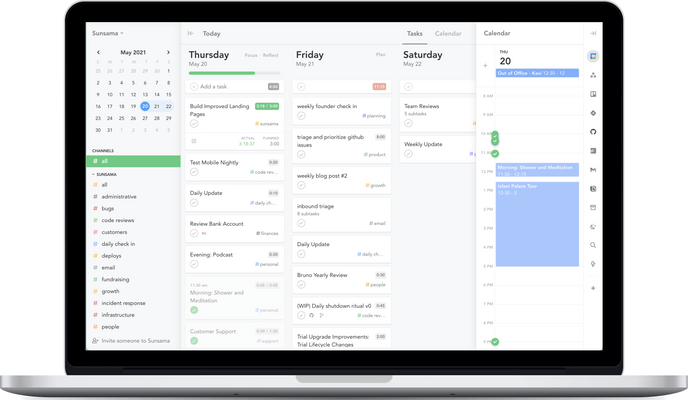
Sunsama was built after years of research by the founders. They discovered that the key to a productive day was to be intentional about what you plan, and how much you plan. This is called the “Daily Planning Ritual” in Sunsama. You do that and never have to worry about burnout or time management again.
How it works
Sunsama makes it easy to create an account and start utilizing its daily planner superpowers. Once you create your account, you’ll see a few prompts to help you make the most out of the tool.
Why we love Sunsama for multitasking and organization
- Helps us be intentional with work and end our days on time
- The Daily and Weekly Planning Rituals help keep us focused on long-term goals
- They have a focus mode which helps us stay on-task
- Nudges when we plan too much, so we can defer work to tomorrow
- Prompts us to end work on time so there is a “end of day” even when working remotely
5) The Assist
“The free weekly newsletter that helps you get sh*t done”

The Assist is a weekly email newsletter that delivers tips, tricks, and advice assistants need to knock out more essential to-dos while also developing personally and professionally.
Each issue features carefully curated, to-the-point takeaways on technology solutions, empowerment resources, assistant strategies and so much more. Plus, with personal stories and insights sourced directly from a thriving EA community, The Assist also provides a thriving support network.
How it works
Simply sign up for the newsletter at theassist.com and then look forward to receiving issues every Tuesday, Wednesday, Thursday, and Saturday.
Why we love The Assist for multitasking and organization
In addition to providing weekly fresh tips on multitasking, organization, and more, The Assist:
- Welcomes and answers community questions and feedback
- Shares stories to help you feel connected to other assistants
- Hooks you up with deals and exclusive offers
6) Cabinet
“An all-in-one calendar management platform for Executive Assistants and built by an Executive Assistant”

Cabinet is an Executive Assistant software that helps EAs tackle even the most complex calendars with ease.
The average EA using Cabinet schedules 5 or more meetings per day and in time zones all around the world. This volume of tricky meetings can lead to tedious workflows that are prone to errors.
Cabinet’s platform sits on top of existing calendars, like Outlook and Google, and helps EAs save time, reduce errors, and improve executive performance when scheduling meetings and events.
How it works
Cabinet’s powerful, automated scheduling tool integrates with Outlook and G-Suite calendars to enable you to offer times to people with just a couple of clicks. It also performs calendar audits and helps executive assistants gain insight into how their executive can make better use of their time.
Why we love Cabinet for multitasking and organization
- Quickly offer availability from the calendar, automatically convert time zones, and track all of the times you’ve offered to folks
- Send group scheduling polls with the option to ask meeting questions and reduce the back-and-forth of group emails
- Monitor your executive’s calendar analytics and give strategic advice on how to better manage their time
- Create profiles for each executive filled with important dates, milestones, travel rewards, preferred hotels, favorite restaurants, meeting preferences, and more
7) Favro
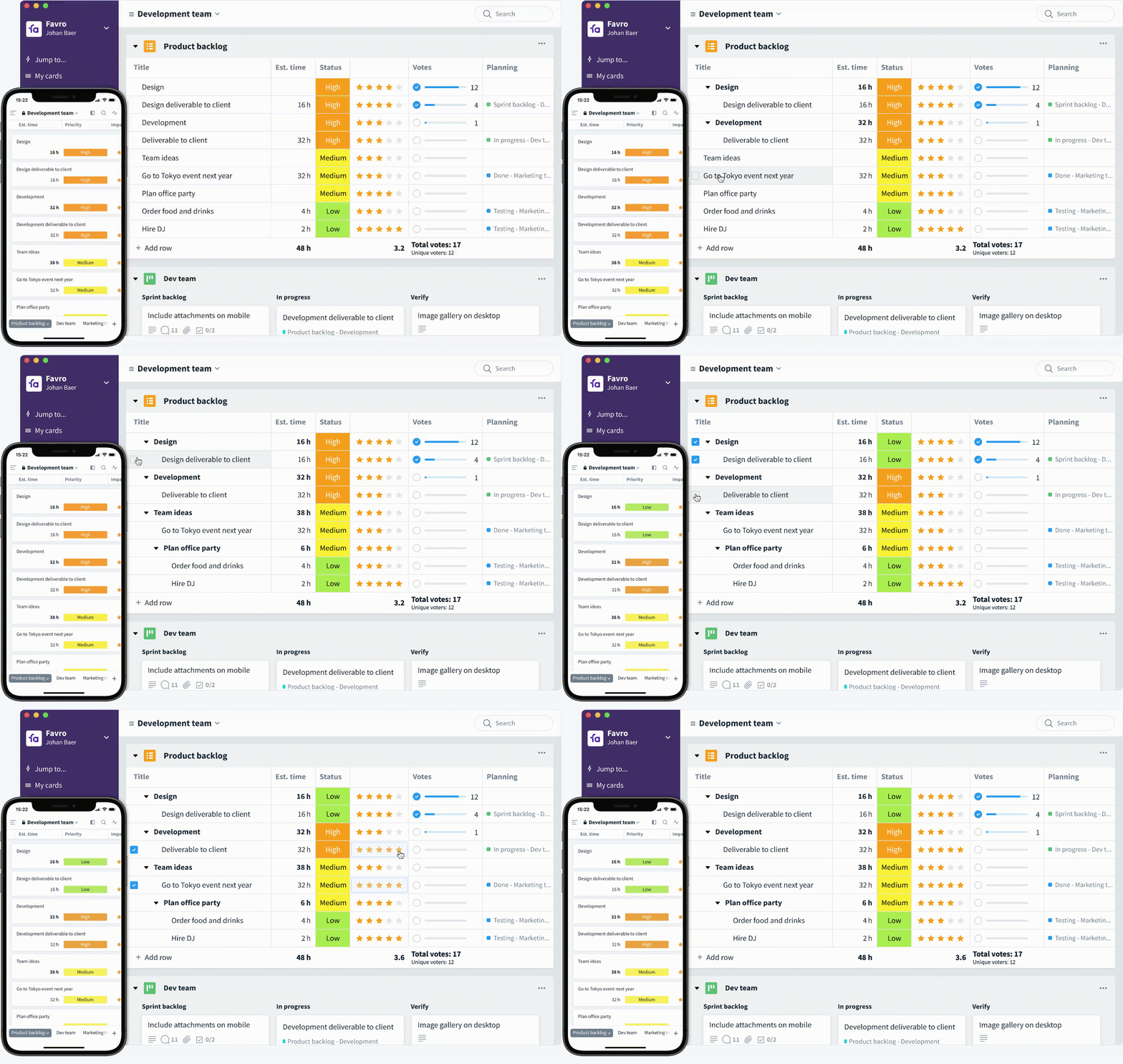
“Simple, beautiful project planning to stay on top of work”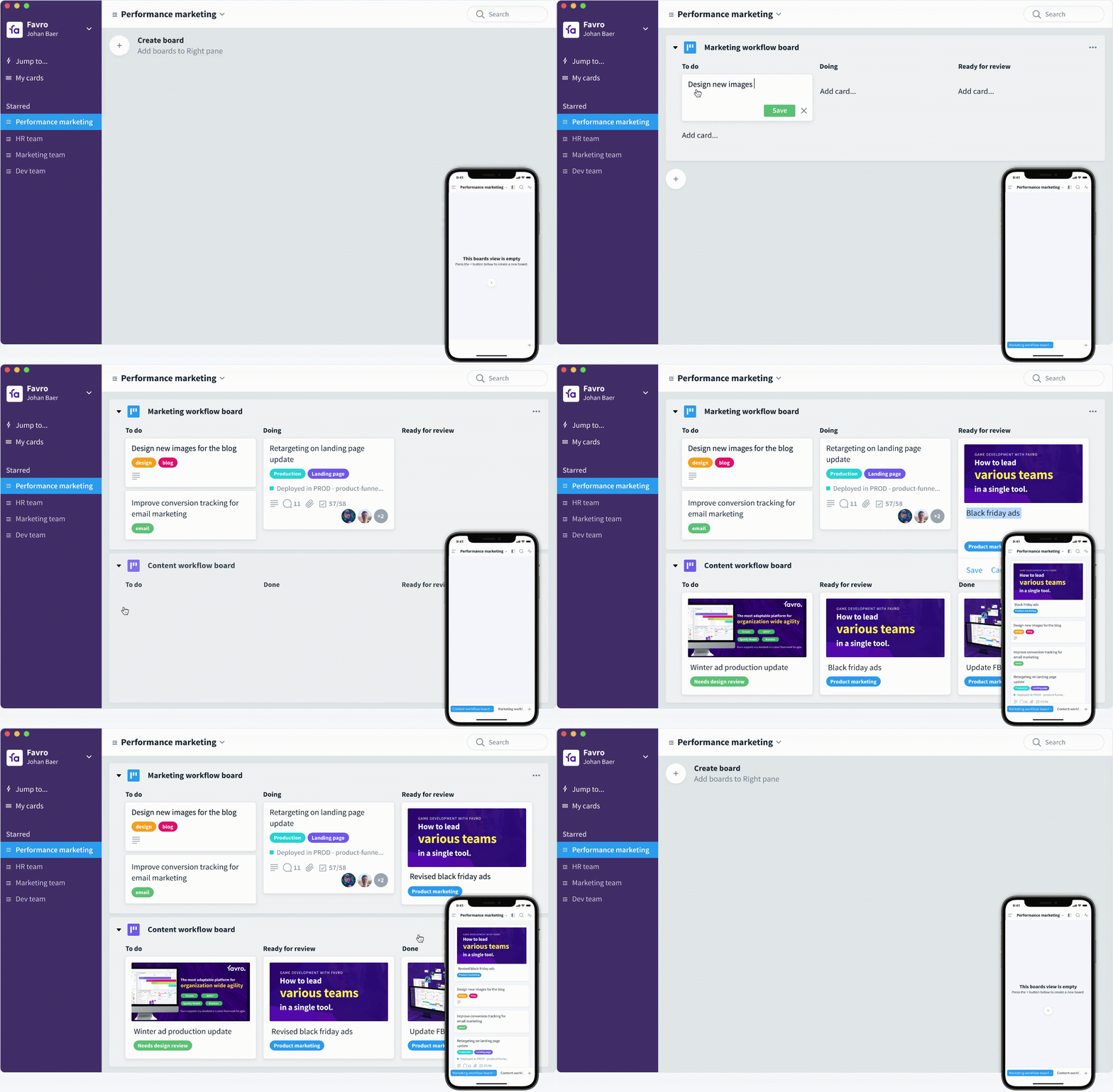 Favro is a visual project planning and execution tool that helps you stay on top of work to get work done.
With Favro, you can bring clarity to work with clear visual cues about work status and progress. That way your team of assistants know exactly what’s happening and what’s coming next.
Pro-Tip: Use Favro’s project dashboard section to give your executive(s) an overview of the time spent on a particular task/event. Many EA’s in our State of the Executive Assistant FB group say that this type of transparency is what helps them when it comes time to ask for a raise.
How it works
Favro helps you plan work using drag-and-drop timelines and Kanban boards. You can add detailed instructions to tasks, add comments, and even include file attachments. And, task checklists can make sure that even the tiniest details aren’t missed.
Why we love Favro for multitasking and organization
Favro makes it super easy to communicate and collaborate with your EA or VA team. Plus, it’s intuitive interface means adjusting work schedules is as easy as drag-and-drop.
- Get a visual overview of work with color-coded projects, milestones, and task tags
- Match your workflow using fully-customizable timelines and Kanban boards
- Unlimited Plan timelines
- 14-day free trial – Use code SNACK when you sign up to receive 25% offw
8) Nifty
“The glue between planning and execution”
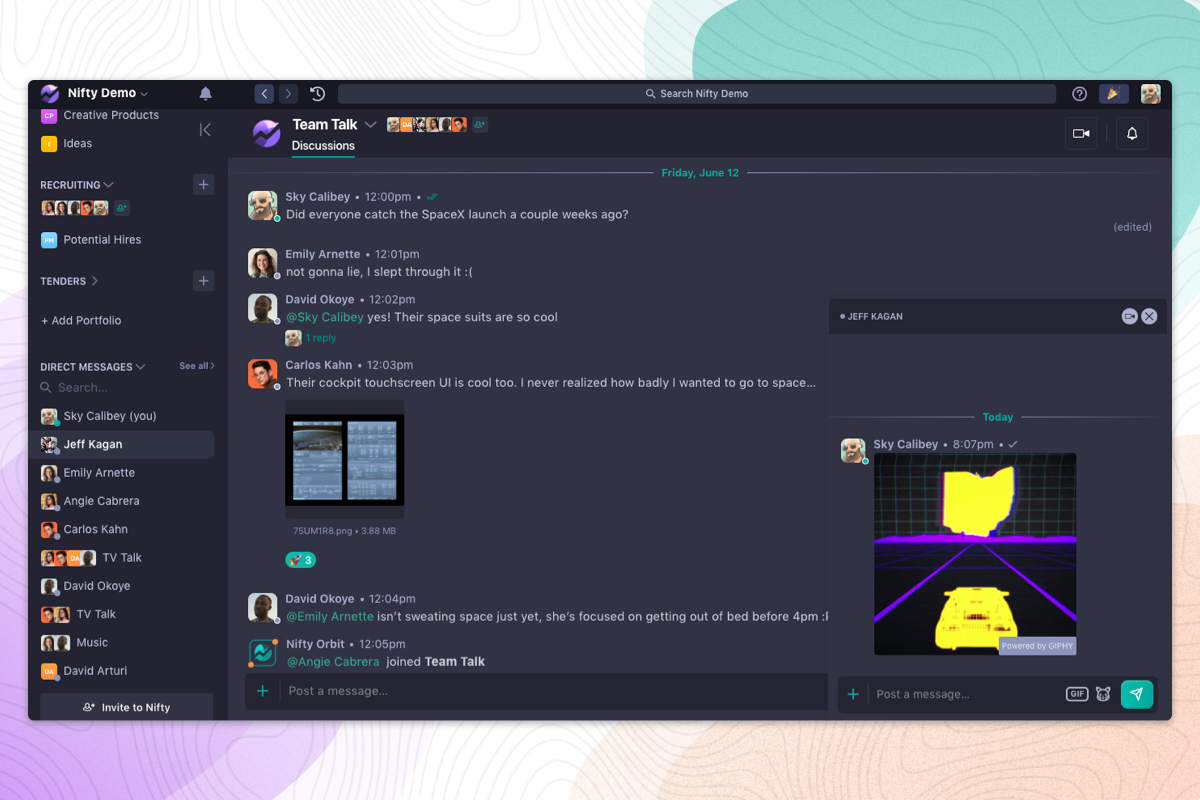
If you’re looking for an easy way to keep complex initiatives as well as daily to-do’s organized and actionable, it literally doesn’t get easier than Nifty. The software is broken down into six modules that truly provide an all immersive hub for teams of all sizes: project homescreen, milestones, tasks, discussions, docs and files.
Nifty is a multiple Gartner Award-winning platform that aligns your entire organization. Famously easy to use yet powerful and flexible, Nifty becomes your team’s communication and execution hub, no matter the task at hand.
How it works
Roll your tasks into big-picture milestones that automate progress as individual efforts are completed. Collaborate with others via tasks, project discussions, and even a direct messenger to keep all of your work in a single space.
Why we love Nifty for multitasking and organization
Nifty comes preloaded with templates that are built for EA’s here and are easy to customize to fit your workflow.
- For all of its capabilities, Nifty is very easy to learn and use.
- Built in docs, including a two-way Google Doc, Sheet, and Presentations bring your notes, content, and specifications directly into your workspace.
- Automations take care of managerial work such as status updates and task assignments, letting you focus on the important stuff.
- Build roadmaps with Nifty’s milestones which are phase-based Gantts that roll up tasks into actionable steps and automate progress as the tasks are completed.
9) Trello
“Manage your team’s projects from anywhere”
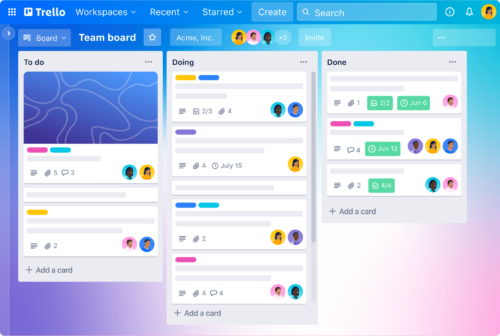
Trello is the ultimate organizational wingman that makes getting things done as easy as pie. With its sleek and intuitive interface, Trello will keep you on top of your game like a boss.
Imagine a digital bulletin board where you can pin your tasks and projects in an easy-to-view format. Trello makes it easy to keep track of deadlines, assign tasks to team members, and monitor progress. The beauty of Trello is that it’s versatile enough to handle anything from planning an office party to managing a complex project. Trello is the glue that holds it all together, making organization effortless and, dare I say it, fun!
How it works
With Trello, you can see the big picture of the entire project while also keeping track of individual tasks, and the colorful and customizable interface makes it easy on the eyes.
Why we love Trello for multitasking and organization
Trello is the perfect organizational tool for busy executive assistants who need to keep track of tasks, projects, and deadlines.
- It’s free to sign up.
- Desktop, web, and mobile versions.
- Keeps every task and project organized in one place.
- Collaborates with team members in real time.
- Fun and colorful visuals make it fun to use.
10) Otter.ai
“Automatic meeting notes”
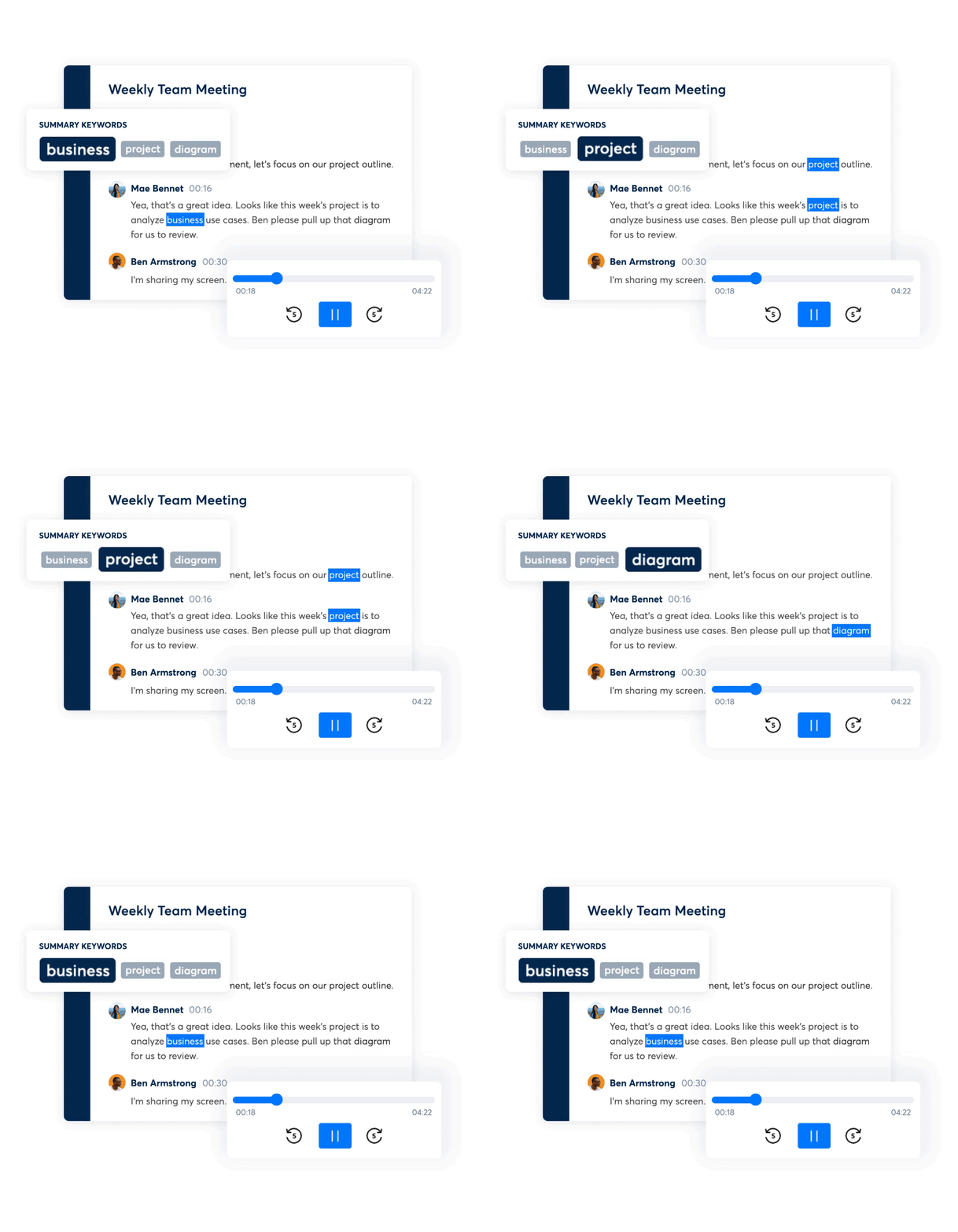
Otter automatically transcribes your audio into text. Text notes full of timesaving ways to search, find, and share with your team no matter where they are. Otter has several integrations with apps like Zoom that make collaboration and remote work faster and more efficient.
How it works
Otter Live Notes lets Zoom call participants create live interactive transcripts directly in Zoom or after a meeting. Otter Live Notes is a powerful tool for those working remotely with a level of collaboration in real-time that rivals any in-person office meeting.
Why we love Otter.ai for multitasking and organization
Otter.ai is the top rated speech-to-text transcription app for good reason. This tool will become your FAVORITE secret weapon for multitasking and organization. Every meeting you sit in on can be cataloged into folders and organized in a way that allows you to quickly send pertinent information when called upon from previous video calls.
Pro-Tip: Many EAs use Otter.ai to automatically transcribe call notes for virtual meetings which will allow you to work on other tasks during a call you would previously have to manually take notes for.
Price: Starts at $9.99/month cancel anytime. Learn more at Otter.ai Plan’s pricing page.
Free trial? Yes, with limited usage and features. Get started.
Notable features:
- Live Notes for Zoom meetings
- Transcribe audio in real-time for meeting minutes
- Import audio and video
- Sync audio & video from Dropbox
- Identify speakers

Executive Assistant Tools & Software For Scheduling
11) Calendar
“Be more productive. Save time. Focus”
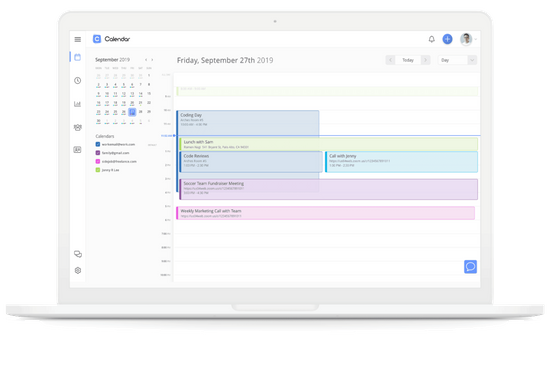 Spend time on the things that matter.
Create one smart view of your calendars and those of your team to create a productive scheduling environment. Calendar thinks, schedules, and syncs for you and your team. Many of the top virtual assistant services use a tool like Calendar to manage their executive’s day-to-day schedules.
How it works
Calendar integrates all your calendars Google, Outlook, Office 365, and iCloud calendars) across a Web and mobile platform (iOS and Android).
Why we love Calendar for scheduling
It incorporates features that allow you to focus on smart time management.
- Smart scheduling with machine learning capability
- Team and people analytics to improve productivity
- Meeting transcriptions to optimize time.
12) Double
“Take your day back”
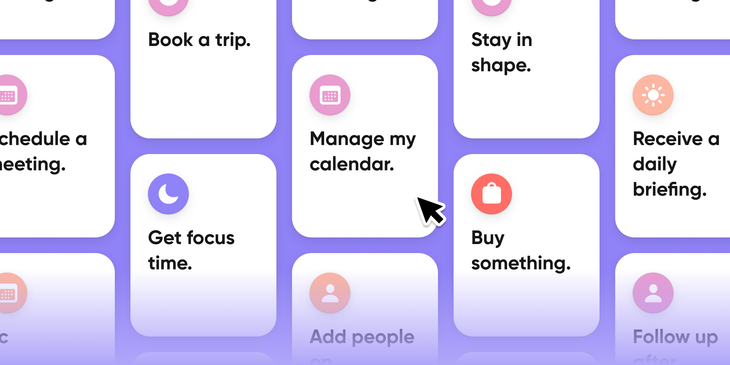
Connect with an assistant who will make your life easier.
Double is an online assistant platform that helps you stay on top of all your to-dos and send daily or weekly reports to your executives. Help them get ready for their day or easily get answers on ongoing projects.
Here’s what one happy executive has to say about double:
“The Double app is one of my go-to apps. The chat per task is absolutely amazing to help keep everything in one spot and move projects faster. Also love sending voice messages with just a tap.”
How it works
Just connect your calendar to Double and it will automatically generate a briefing to send your executive. Add comments directly to events and tasks to share information or ask questions.
Why we love Double for scheduling
It makes it easy for people to get that extra set of hands they’ve been dreaming about for years.
- Thorough onboarding makes getting started fast and easy
- One-tap project assignment
- Leverages the efficiency of tech to connect with experienced human assistants
13) Calendly
“Schedule meetings without the back-and-forth emails”
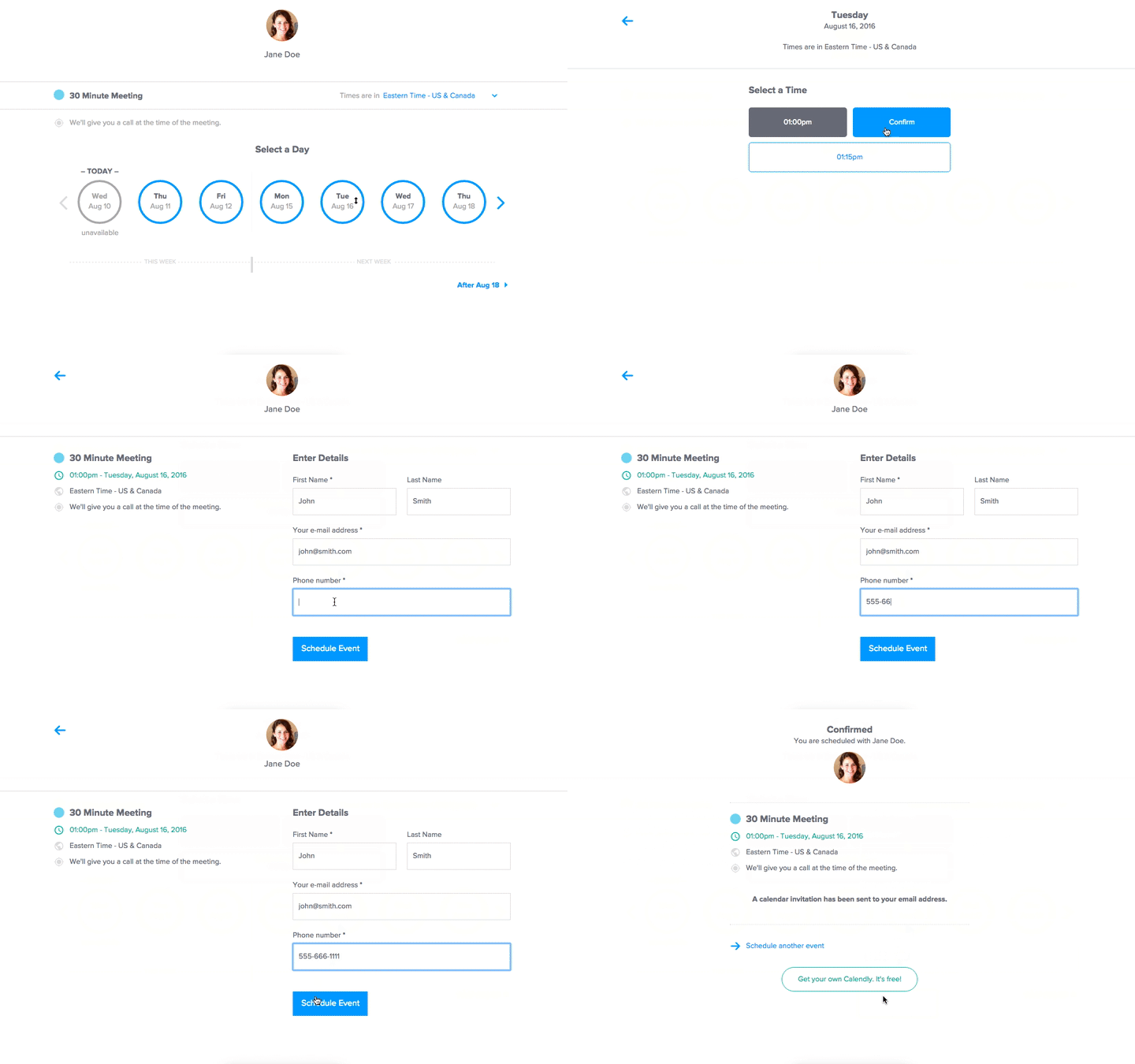
Use Calendly to spend less time scheduling and more time strategizing.
Calendly is an online scheduling app that helps you find the best time to meet.
How many emails does it usually take to nail down one 30-minute appointment for your boss? Well, with Calendly, you’ll probably send just one.
One Calendly client explains what sets Calendly apart:
“A lot of other appointment setting tools are very convoluted. With Calendly, set-up was so nominal; implementation took less than 10 minutes.”
How it works
Calendly works with Google, Outlook, Office 365, or iCloud calendars, and it helps you schedule meetings quickly and painlessly. Just set your boss’s availability preferences and receive a URL that lets invitees view your boss’s schedule and select a time that works.
Why we love Calendly for scheduling
It saves time and stress. Calendly makes “scheduling” an easy to-do.
- Embed features for on-website scheduling
- Multiple calendar integrations gauge holistic availability
- Customize Calendly to align with your brand
Executive Assistant Tools & Software For Recognition and Engagement
14) Nectar
“Reinforce great work anytime, anywhere”
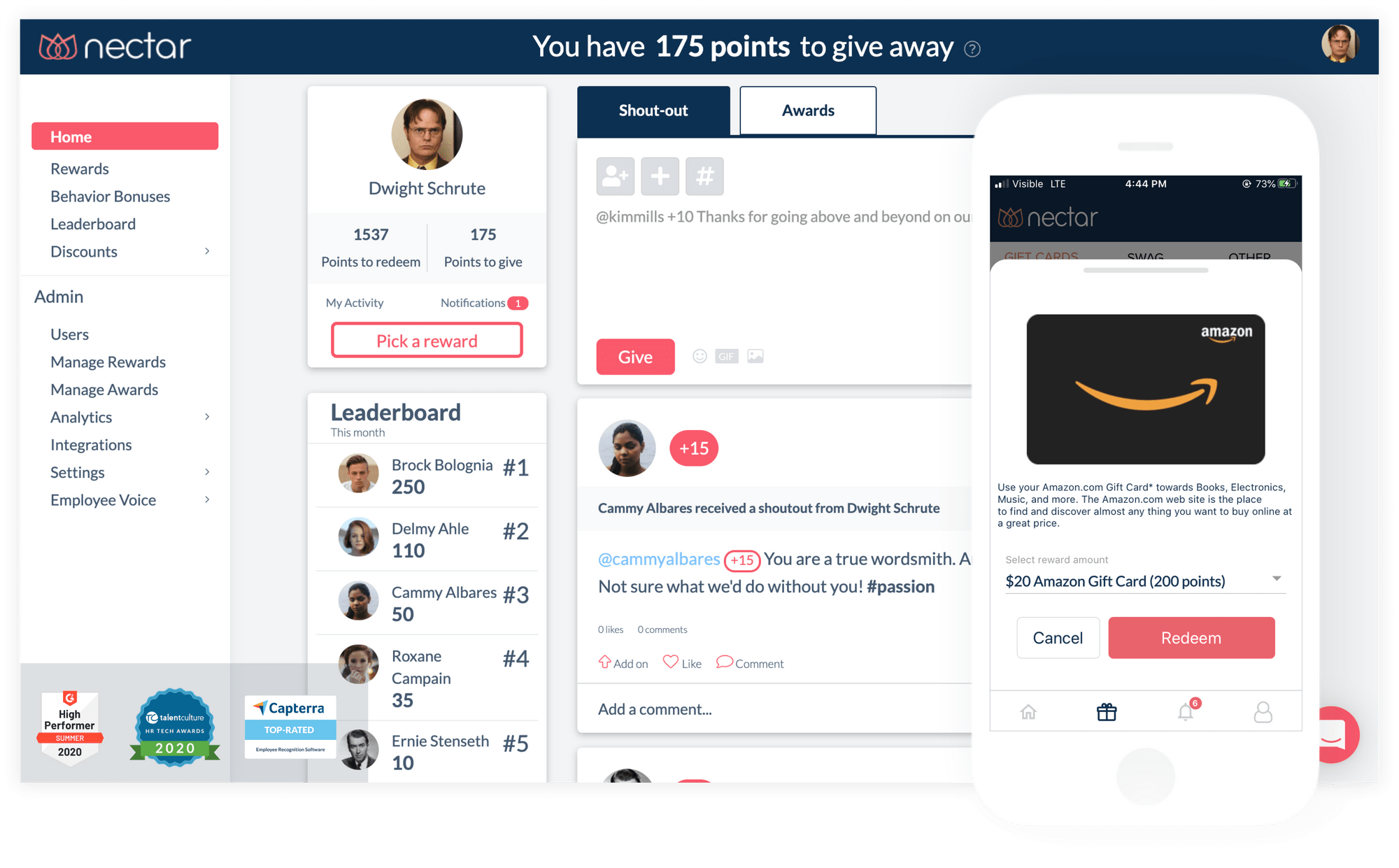
Nectar helps organizations reinforce great work – anytime, anywhere through its top-rated recognition & rewards platform. Managers and frontline employees alike can send meaningful recognition rooted in core values. Streamline your incentives including awards, spot bonuses, birthdays, work anniversaries and wellness challenges to maintain a connected culture.
How it works
Enable everyone in your organization to send shoutouts, spot bonuses and awards in real time. Employees can choose from hundreds of reward options including gift cards or branded swag.
Why we love Nectar for recognition and engagement
- No contracts or implementation fees. It also has multiple pricing tiers if you’re just getting started and don’t need all the bells and whistles
- Integrate Slack, Microsoft Teams and your other software (HRIS/SSO) to make recognition more seamless than ever!
- Hundreds of reward options including a custom swag storefront. Your branded swag is “on-demand” and shipped directly to the end-user once ordered with zero admin overhead
- Incorporate wellness challenges that reward employees for participating
15) Bonusly
“Make recognition fun”
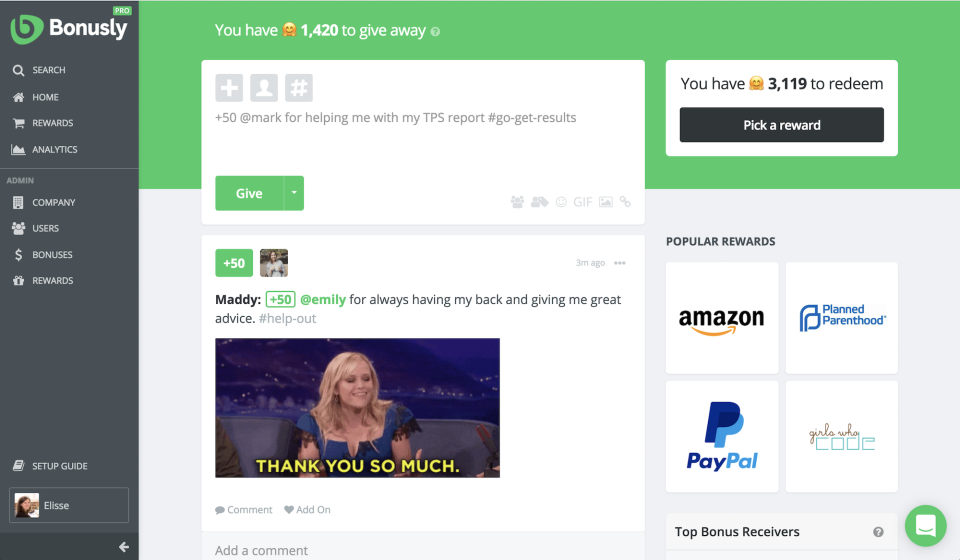
Transform your company culture.
Bonusly is a virtual recognition platform that helps cultivate recognition without demanding too much effort. The platform also provides recognition insights to drive long-term strategies.
What users say about Bonusly:
“Bonusly is absolutely a core part of our culture, now we can’t imagine what we’d do without it!”
How it works
Sign up and immerse your team in a social media-esque landscape of recognition. The intuitive platform walks employees through the whole process.
Why we love Bonusly for recognition and engagement
You can create custom rewards in Bonusly that truly embody your culture.
- In-platform rewards for culture building
- Team-based analytics and reporting
- Public reward feeds to create buzz
16) Assembly
“Recognition and engagement platform that helps scale company culture”

Recognize employees and coworkers with just one touch.
Assembly is an easy-to-use recognition platform that makes appreciation fast and easy. With just one click, you can tell someone how much their help, guidance, or outstanding work meant to you.
What users say about Assembly:
“[. . .] The unique insight into who is positively impacting their colleagues and ultimately the company has been invaluable.”
How it works
Sign up for a plan to give employees everything they need to recognize their peers.
Why we love Assembly for recognition and engagement
Without a platform, recognition can slip through the cracks despite our best intentions. Assembly makes recognition something employees love and always remember to do.
- Built-in recognition
- Distribute cultural rewards
- Track anniversaries and birthdays
17) WorkTango
“Let’s make work better”

Make recognition a daily habit.
WorkTango is an employee experience platform that provides all the tools you need to engage your team. Use the simple interface to manage recognition, rewards, surveys, insights, and more.
Learn how Patagonia leveraged WorkTango to live up to their values. According to this case study,
“Patagonia leans on WorkTango to develop a performance management strategy worthy of its powerful business values and celebrated culture.”
How it works
Launch the platform and let it encourage recognition and gather insights for you. Continuous performance management and surveys let you adapt programs in real time.
Why we love WorkTango for recognition and engagement
WorkTango integrates seamlessly into your workflows and brings a wealth of other insights for improving culture.
- Performance management
- Peer-to-peer recognition
- Engagement surveys
18) Kudos
“Improve connection and engagement when it matters most”
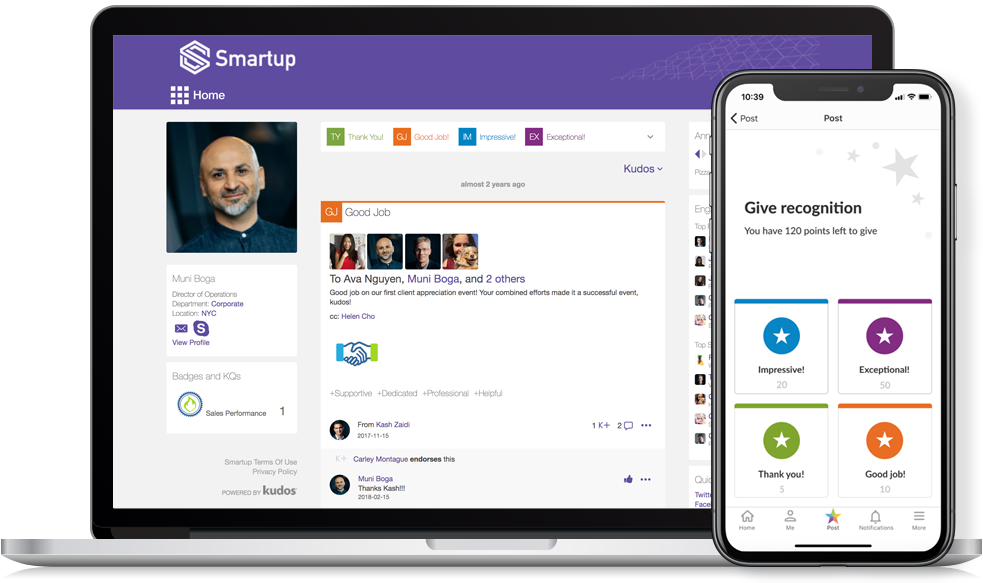
Bring your team together.
Kudos is a virtual software that enables peer-to-peer recognition. The tool let’s employees give each other props for a job well done, but it also provides a platform for other celebrations—birthdays, anniversaries, and more.
What users say about Kudos:
“[. . .] I recommend Kudos to all organizations as it is instant, on the go and fun platform that is very much transparent and what I like the most is that you can give it your own identity in terms of what you want to achieve as an organization.”
How it works
Sign up for a plan and the recognition will grow organically from there.
Why we love Kudos for recognition and engagement
Kudos helps teams grow company culture from the inside, through relationships.
- Customizable rewards for your goals
- Social hub to build even more recognition
- Analytics dashboards reveal what’s going on
(PS – Become your boss’ hero: get your hands on The Assist — the #1 free weekly newsletter made for assistants by assistants.)
Executive Assistant Tools & Software For Team Building and Company Culture
19) Confetti
“Find your next adventure”
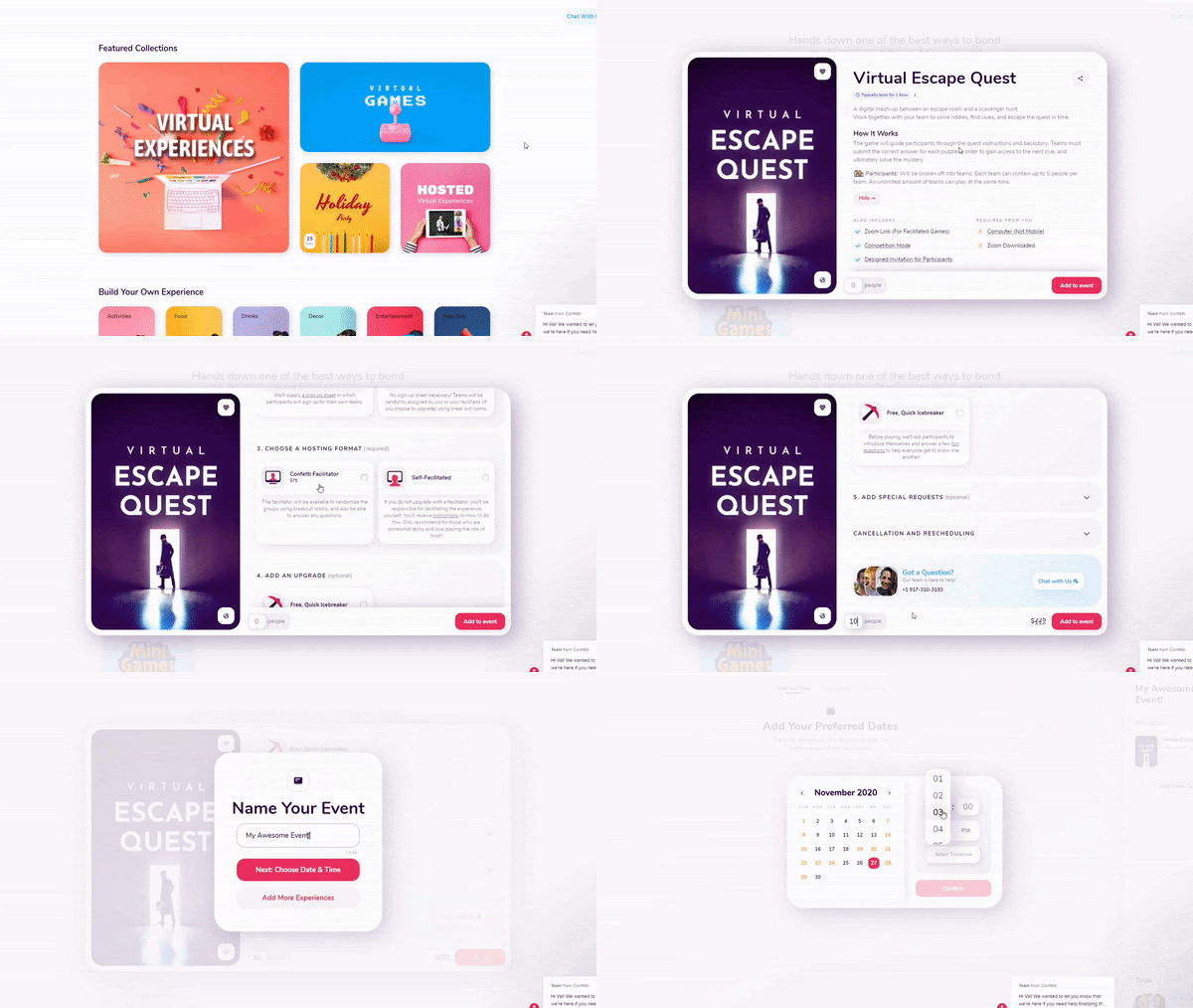
Embark on an experience you’ll never forget.
Confetti is a platform that plans memorable events for you and your teams. Enjoy all the fun and skip worrying about the planning.
How it works
Just browse all the adventures, find one you love, recruit your team, and have fun.
Why we love Confetti for team building & company culture
Confetti offers exciting adventures planned for you. All you have to do is have fun.
- Browse over 400+ unique activities and games
- Point-based system for even more fun
- Flexible timing works with your schedule
20) Quizbreaker
“The fun way to connect & engage your remote team”
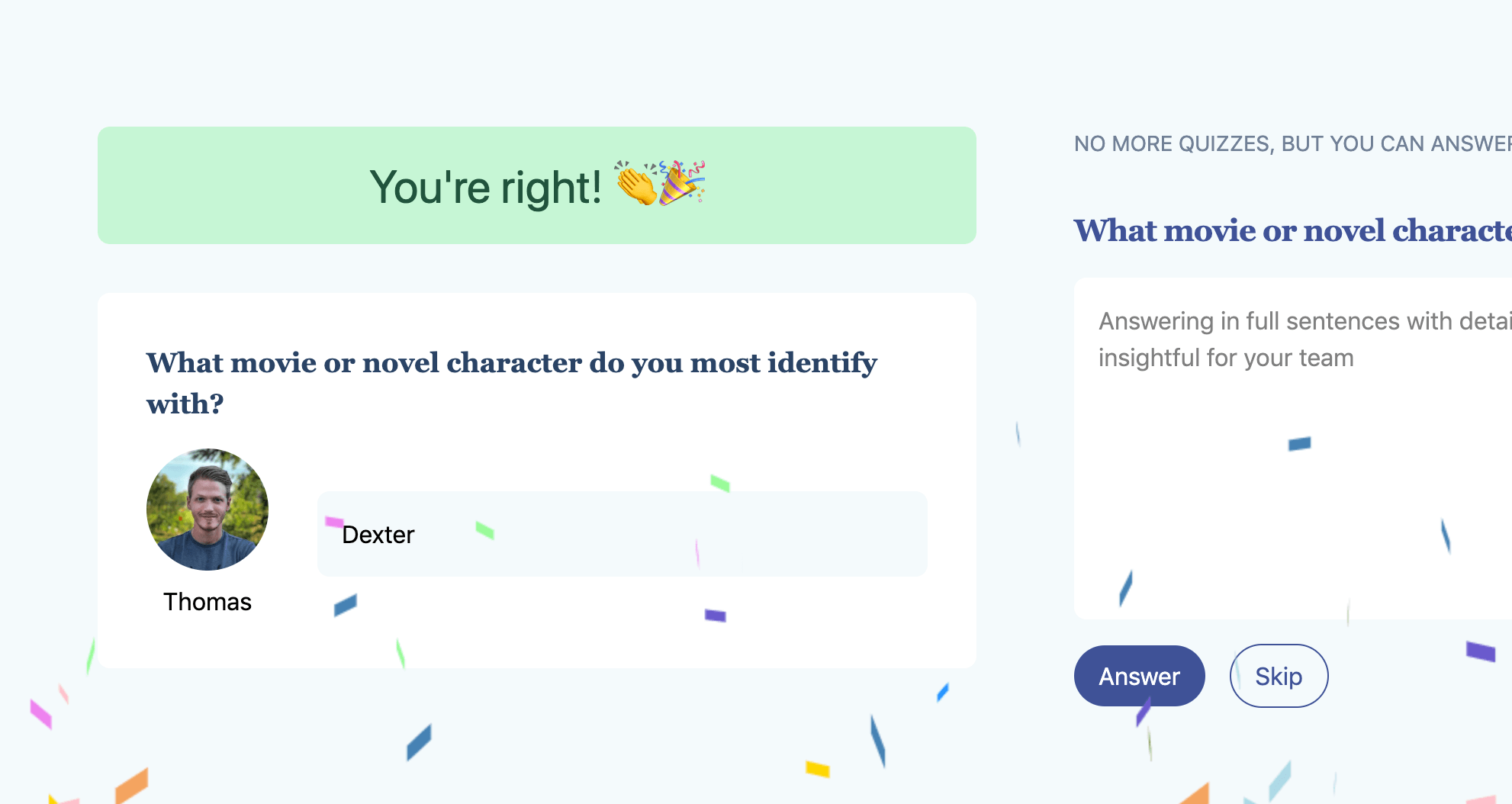
Accelerate the get-to-know-you process.
Quizbreaker is a platform that lets you build and distribute quizzes about your own team. Enjoy the captivating power of quizzes while learning about your co-workers.
Here’s some buzz on Quizbreaker:
“We got great use out of QuizBreaker and now our team is all ramped up. They know each other much better than before. Thanks for the great service!”
How it works
Simply send questions to your team, use their answers to create quizzes, and distribute the quizzes to build relationships.
Why we love Quizbreaker for team building & company culture
Quizzes and tests solidify knowledge. Why else would they be such a huge part of the education system?
- A leaderboard rouses healthy competition
- Employees who know the most about their peers earn achievement badges
- Flexible quiz scheduling
21) The Go Game
“Play professionals who take fun seriously”

Professionally hosted games will redefine your idea of team bonding.
Perfect for bonding and cultivating teamwork, The Go Game will send your team on games, game shows, and even charity work.
Here’s one happy customer review from Yelp:
“Not only was the scavenger hunt fun and creative, but it truly allowed our team to connect and get to know each other.”
How it works
Just reach out to The Go Game team and their experts will be in touch to plan and coordinate the perfect event.
Why we love Go Game for team building & company culture
The Go Game takes people out of everyday experiences, inspiring them to learn new skills and develop new talents.
- Games customized to your goals
- Tons of event style and type options
- Dedicated game hosts run the show
22) Scavify
“The ultimate scavenger hunt app”

Customize a scavenger hunt that makes memories.
Scavify is a scavenger hunt that delivers experiences aligned with your goals. The app even has features, such as scores, photo challenges, and quizzes, to boost engagement during the hunt.
Here’s what one adventurer had to say about Scavify:
“Scavify quickly creates a customized program and app experience that allows participants to stay motivated and engaged. Our employees enjoyed it and we achieved our goal!”
How it works
Simply send out a challenge, track engagement during the event, and then repeat. Use the admin dashboard to see how players are doing and determine if they’re engaged.
Why we love Scavify for team building & company culture
The clean app-based format makes it easy for even large groups to run around while pursuing the same challenge.
- Progress tracking
- In-app photos for social buzz
- A comprehensive admin dashboard helps managers create rich experiences
Executive Assistant Tools & Software For Communication and Emotional Intelligence
23) Whereby
“Where better meetings happen”
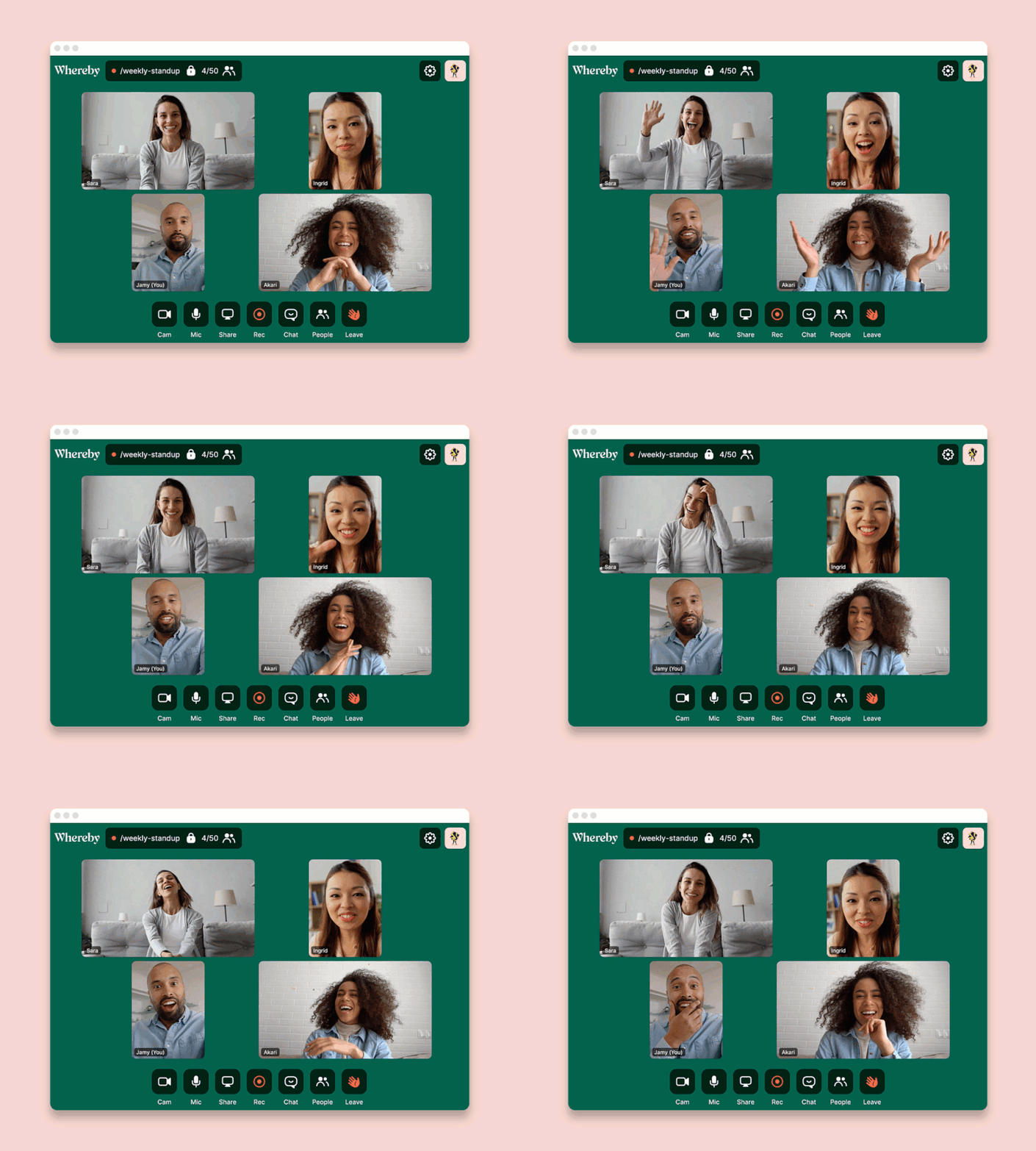
EAs spend a lot of time planning, coordinating, and managing different streams of work and people. To thrive in that setting, it’s important to have powerful, frictionless communication tools.
In a world where ‘video fatigue’ affects many of us, Whereby’s serene color palette and simple UI cuts through the harshness of a typical video meeting. This brings the focus back to people in the meeting – helping them to get work done, fast.
How it works
You don’t need to download an app or any software to use Whereby. Just choose your own personalized URL and meet using your browser – on mobile or desktop – in one click.
Why we love Whereby for communication and emotional intelligence
Created with Scandinavian simplicity at its heart, Whereby’s on a mission to create a productive atmosphere that allows creativity to flourish.
- Voted ‘easiest to use’ video tool – start meetings in one click
- Beautiful, intuitive, human-centric design
- Personalized meeting room with custom backgrounds and your company logo
24) FreeConferenceCall.com
“A free conferencing tool for life”
 Host professional conference calls for free.
FreeConferenceCall.com is a service that lets you make calls, run video meetings, share your screen, and so much more. Create recordings and reports from your conferences, and even make international calls.
Here’s one glowing customer review:
“Free Conference Call allows us to communicate easily with our dispersed teams, our clients, anyone with whom we need to connect and share information. We don’t even think about it anymore, it’s simply another tool we use every day. Windows, Android, iOS, web, we use them all seamlessly. Thank you for such a great, easy communication platform!”
How it works
Simply create an account and instantly start hosting meetings—no reservations required.
Why we love FreeConferenceCall.com for communication and emotional intelligence
It helps you stay connected from all parts of the globe. You can keep togetherness vibes alive no matter where you are.
- Customizable meeting walls
- Video calls for up to 1,000 participants
- Breakout rooms for focused conversations
25) Boomerang
“Easy email reminders”
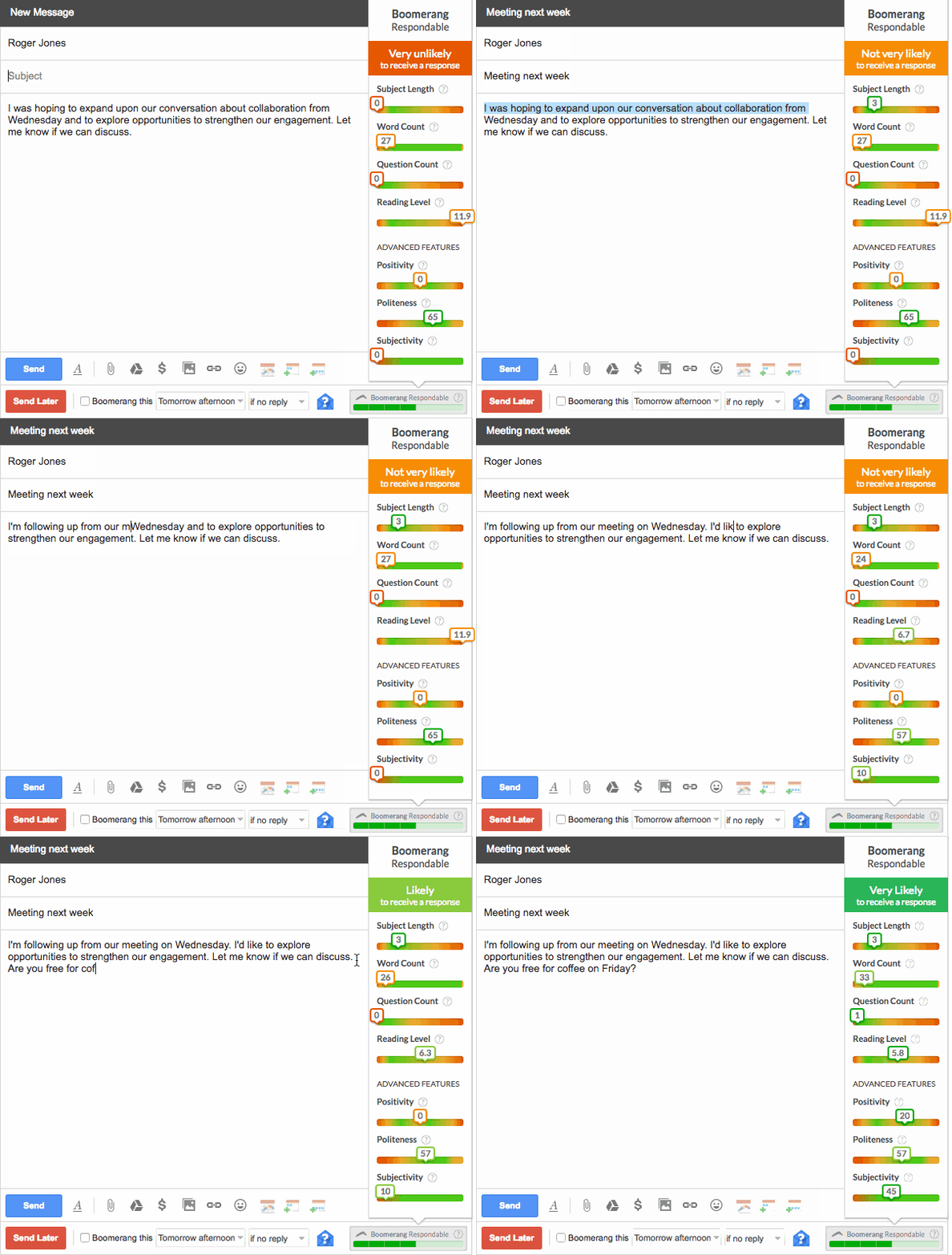
Never forget to respond or follow up on important emails.
Boomerang is a tool you can integrate with Gmail and Outlook. It allows you to schedule emails, set follow-up reminders and organize your inbox for optimal communication.
One happy user explains how this simple tool changed work processes:
“Boomerang has completely transformed the way I process email. With Boomerang, I remove clutter from my inbox and it returns to me at the moment I need it.”
How it works
Just install this extension. A variety of options will appear when you’re working in your inbox.
Why we love Boomerang for communication and emotional intelligence
Boomerang helps you be as conscientious as you want to be.
- Email scheduling works within your time limits
- Inbox pause helps you actually take a break
- Automatic follow-ups resume threads you’ve already forgotten about
Executive Assistant Tools & Software For Travel Coordination
26) TripIt
“An easier trip, every time”
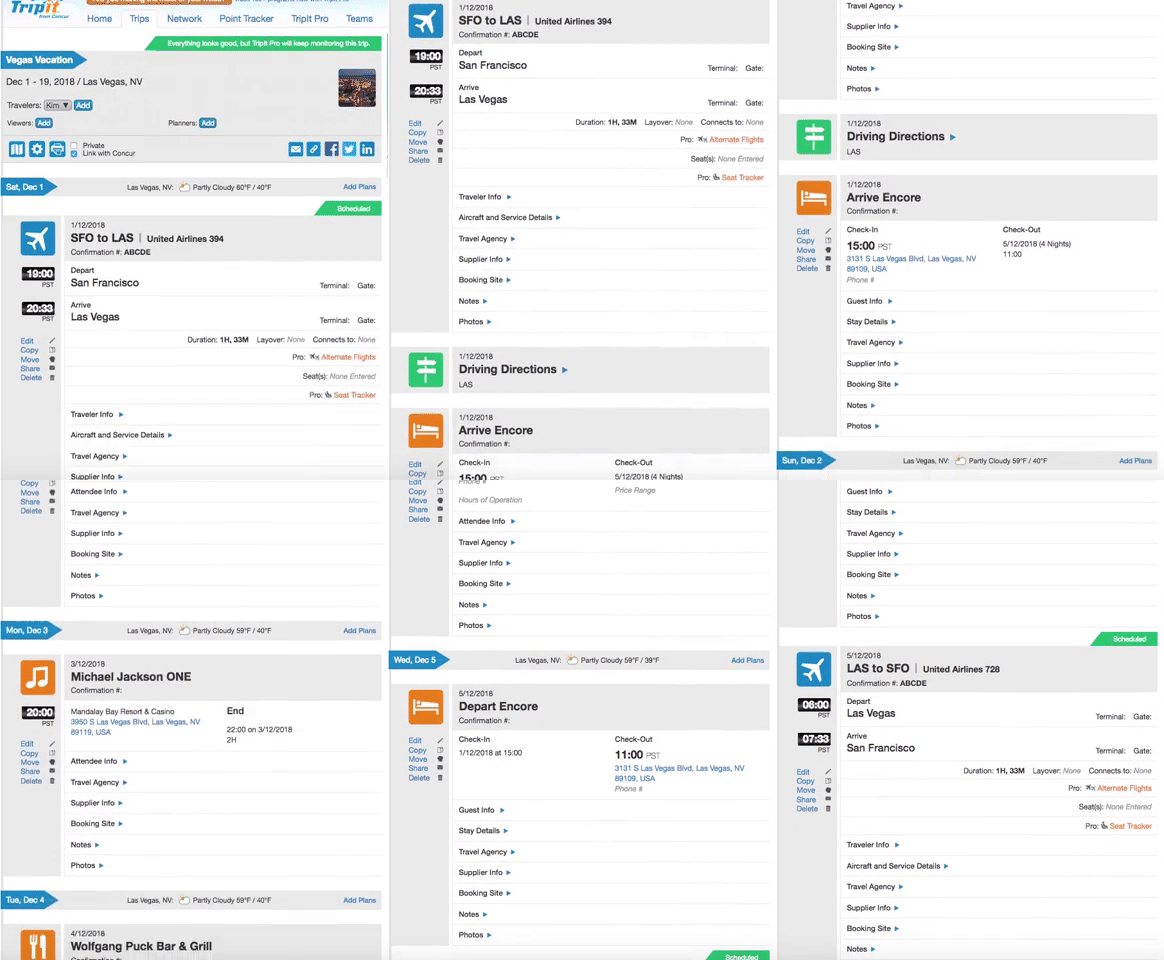
Put all the details of your trip at your fingertips.
TripIt lets you organize information from flights, hotels, restaurants, and car rentals in one place. It even has an automated itinerary feature for sharing key information with your boss.
Here’s what one traveler has to say about TripIt:
“My favorite business travel app so far is TripIt. Carrying all of my itineraries, it saves me during my ‘Where am I, what do I do next?’ panic attacks.”
How it works
You book the travel arrangements and forward confirmation emails to TripItⓇ. The tool adds all the details to your master itinerary.
Why we love TripIt for travel coordination
It makes executive check-ins and homegrown travel itineraries a thing of the past. Using it is like traveling with someone who remembers all the details off the top of their head—without having to check 3 different email accounts.
- Calendar syncing covers all the details
- Airport maps help you find your way anywhere
- Mobile itineraries put key details at your fingertips
27) Expensify
“Don’t just get paid back. Pay it forward”
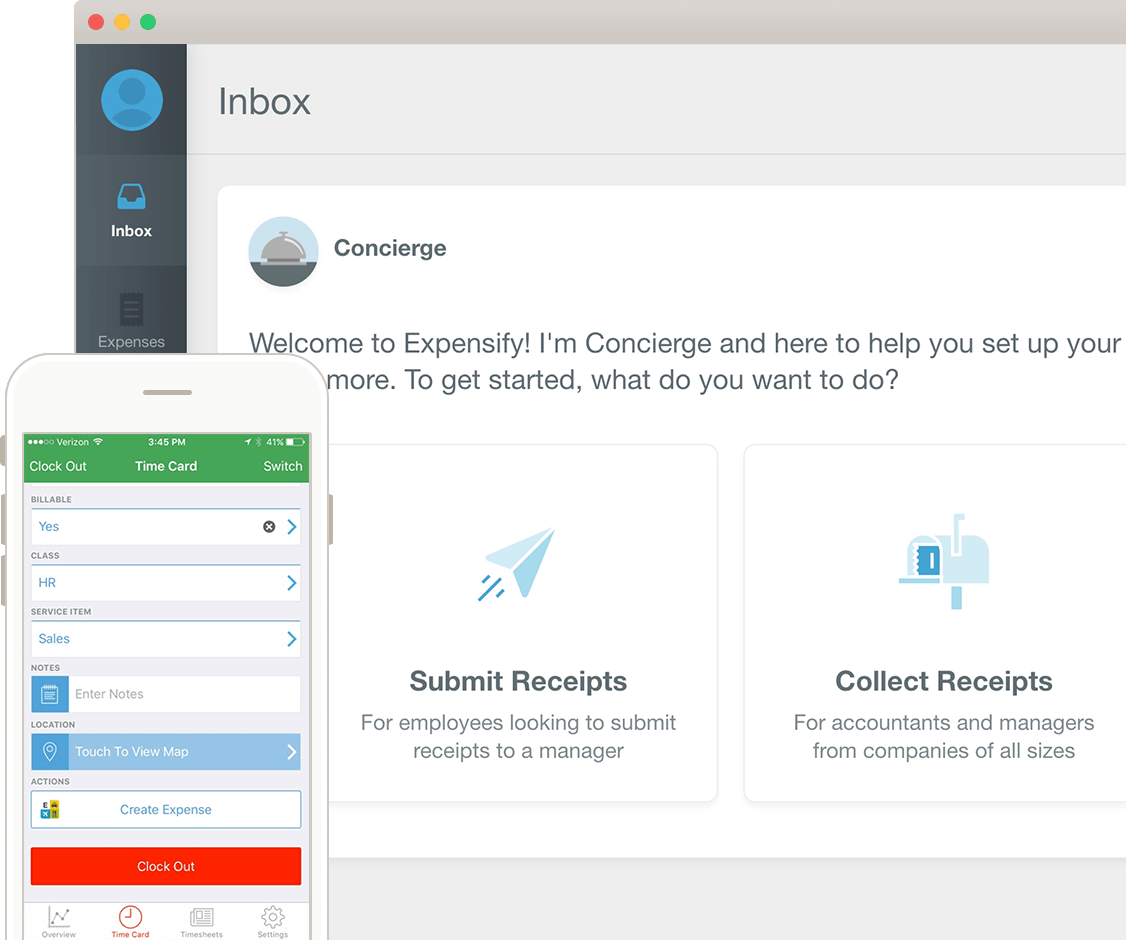
Stop dreading the administrative side of travel with Expensify.
Expensify is software that automates the expensing process. Coordinating travel is hard, and organizing costs introduces a new set of challenges. Expensify makes the process easy.
Here are Expensify “pros” as reported by PCMag:
“Smart improvements to the workflow keep Expensify intuitive.”
“Offers enhancements like automated reimbursements and GPS mileage capture.”
How it works
Scan your receipt to prompt Expensify to generate and submit a report on your behalf. Expensify even has a feature for capturing travel-related transactions and creating reports to help you track the overall cost of a trip.
Why we love Expensify for travel coordination
The travel expensing process closes the loop on the coordination continuum. Expensify makes it easy for EAs to close the loop quickly and efficiently.
- On-the-go receipt tracking
- Connect to utility apps to integrate receipts
- Automatic checks help ensure compliance
28) PackPoint
“A smart packing list app”
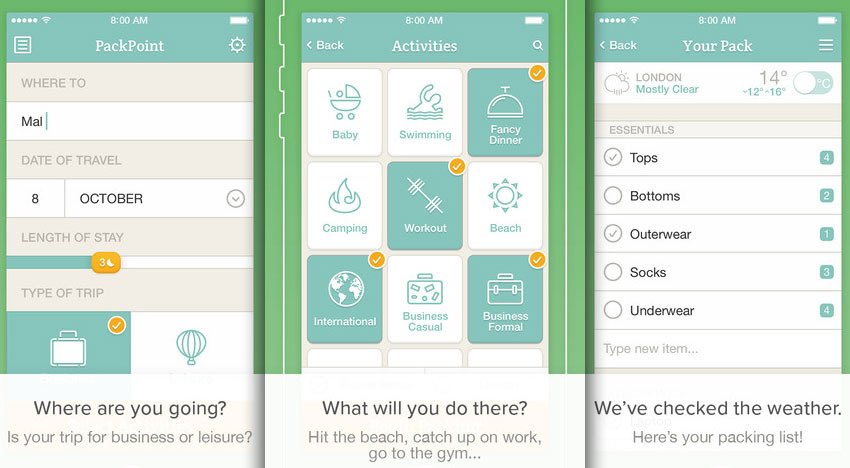
Take travel coordination to the next level with PackPoint.
PackPoint is an app that lets you tell your boss what to pack. It factors in location, length of travel, and activities to generate a fool-proof packing list.
The travel experts at Fodor’s have even named PackPoint the best travel app.
How it works
Download the app and enter a travel location, stay length, and activities. The app will provide a recommended packing list.
Why we love PackPoint for travel coordination
It takes the guesswork out of packing. PackPoint makes the packing process simple, and in turn improves your overall trip. Travel is just more enjoyable when you’ve packed like a boss.
- Easy share functions
- In-app weather checking
- Fine-tuned customizations for different activities
29) Shift
“The desktop app for streamlining your accounts, apps, and workflows”
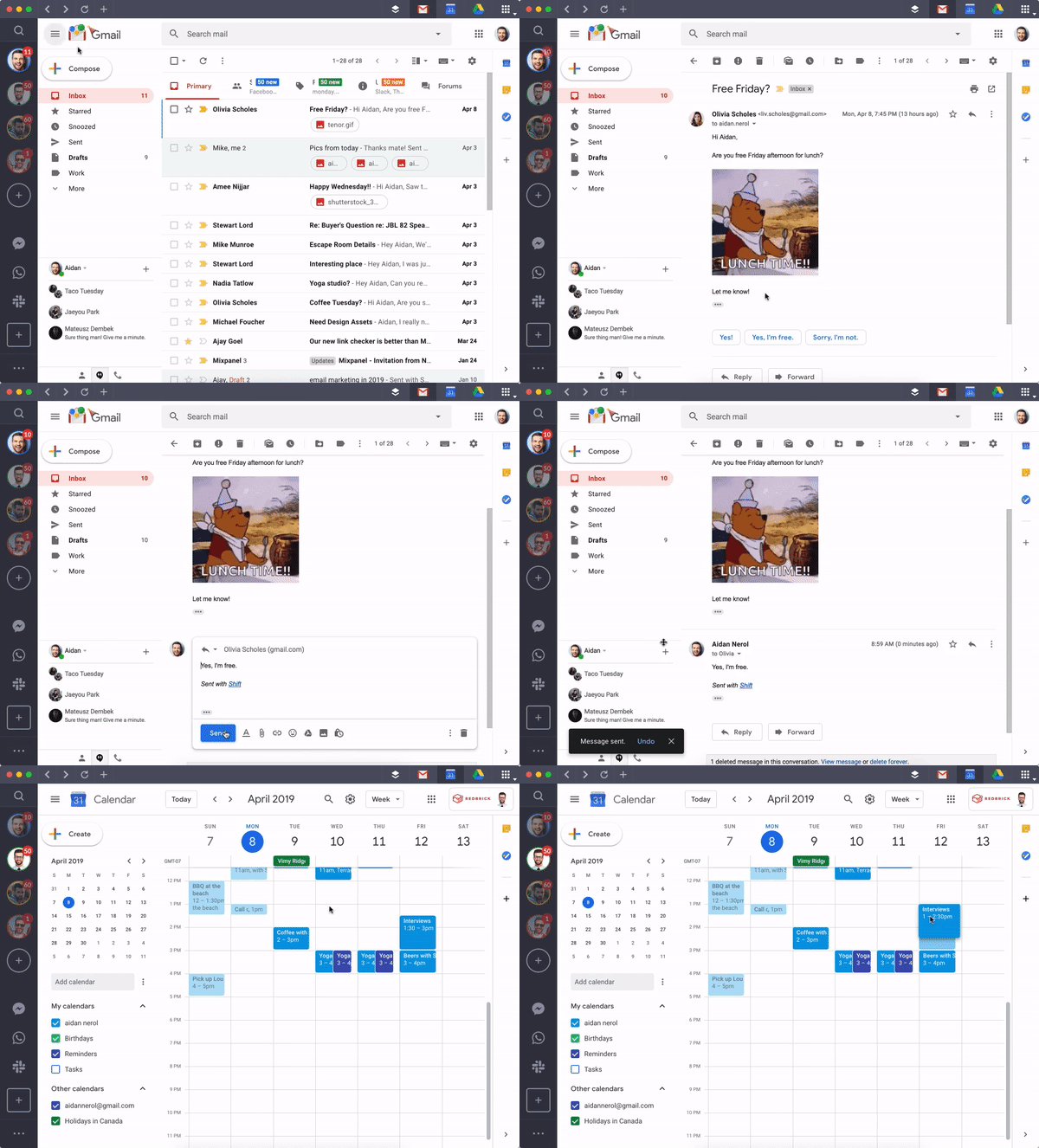
Spend less time transitioning between tools and tasks with Shift.
Shift is an app that empowers you to toggle between login-based apps and work tools without entering or remembering codes. Access all the tools you need within one interface.
Here’s what one happy user has to say about Shift:
“Shift is a genius idea! I love being able to access multiple google drives/emails so conveniently. It is a breeze to have everything in one spot.”
How it works
Shift supports email, calendars, and tons of applications, including Duolingo, Instagram, Basecamp, Asana, and more. Simply download the app and connect other tools and extensions to get started.
Why we love Shift for travel coordination
It frees up brain power that was once wasted on remembering logins and urls. (Using Shift is like cleaning up your workspace to clear your head and boost your productivity.)
- Unified search for crawling multiple apps
- One interface manages tons of tools
- Focused web tabs help you stay on task
Executive Assistant Tools & Software For Event Planning
30) Sched
“Organize better events”
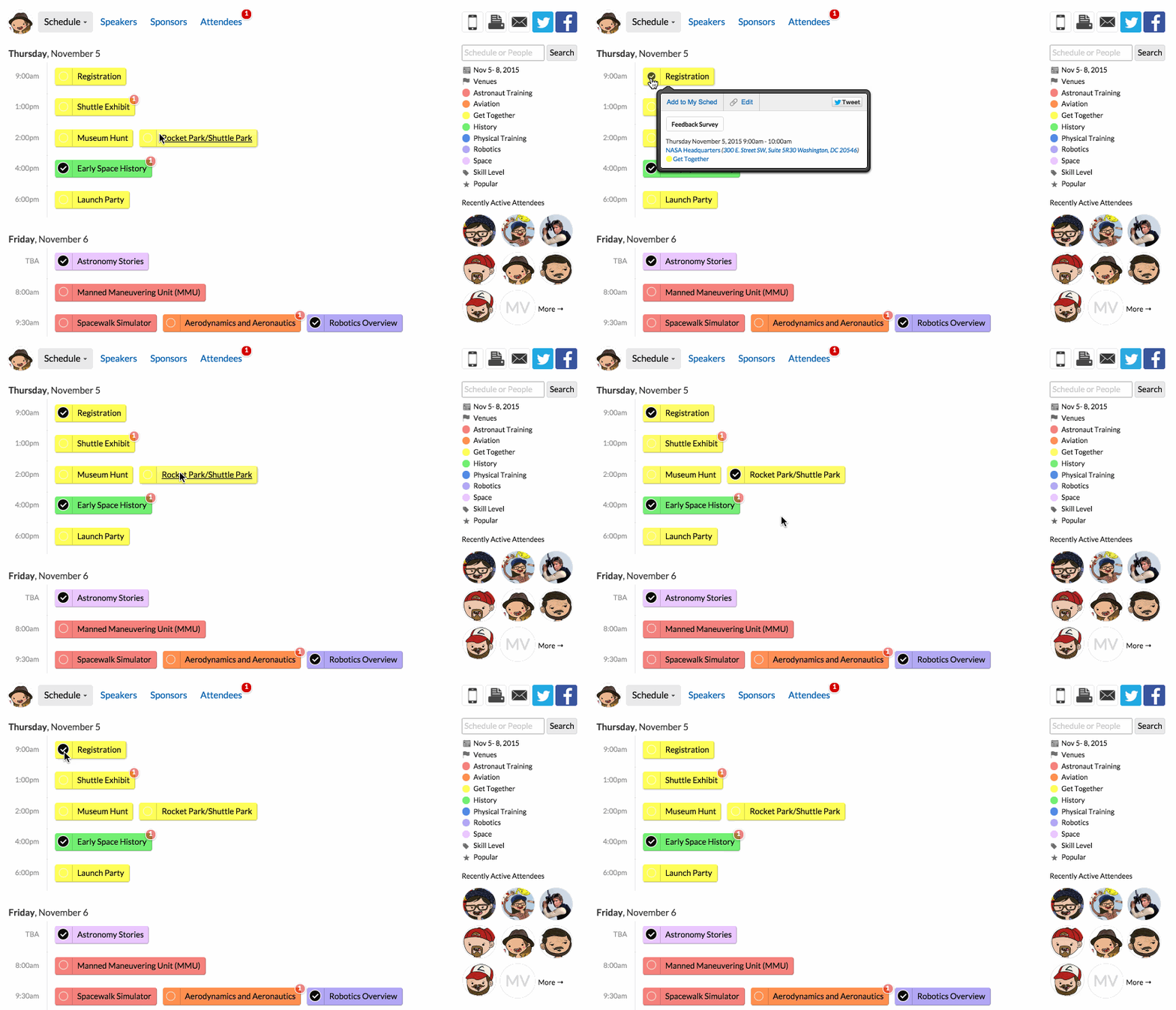
Easily create crowd-pleasing event marketing materials
Sched helps you build an event website and a mobile app so you can keep attendees informed. Perfect for small meetings and large conferences, the tool lets you choose from a variety of features depending on your needs.
Here’s one Sched review posted on Capterra:
“I really enjoy the ease of developing this sched app. Thankfully, sched provides you with formatted spreadsheets, to make loading your conference agenda much easier.”
How it works
You simply enter an event name and dates, and then you’ll be transported to an easy-to-use panel that walks you through building an event website and app.
Why we love Sched for event planning
With user-friendly resources on hand for creating a website and app, planners can focus on other event details.
- Built-in sponsor features
- Brand your own robust event app
- Gather insights for future events
31) Circa
“Home base for all your events”
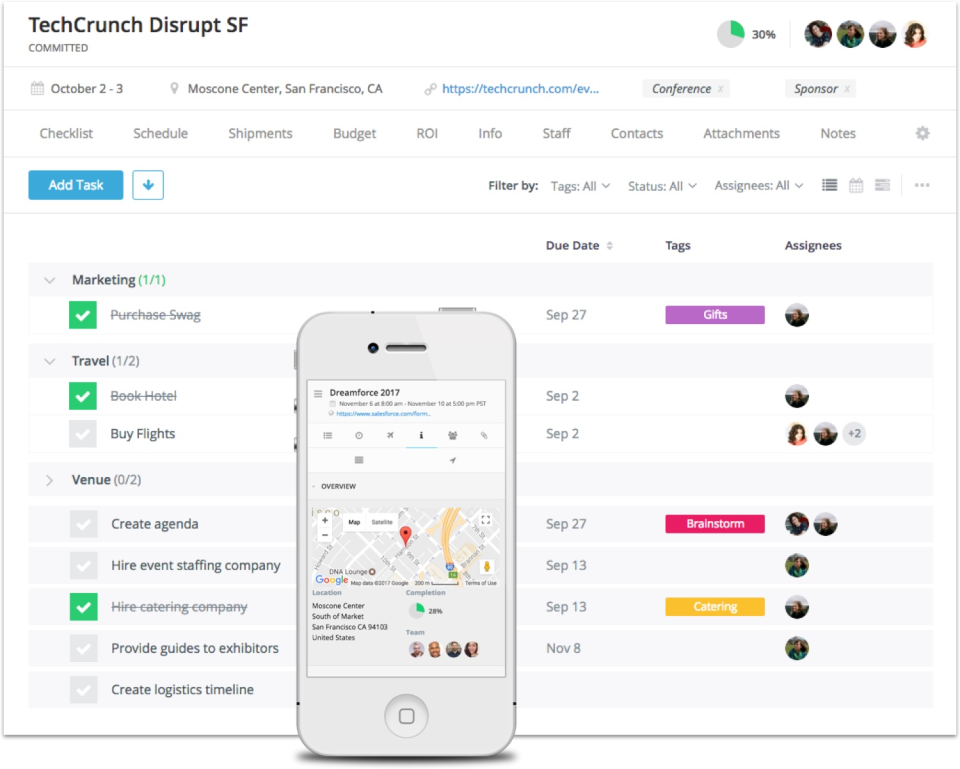
Plan events as if you were a seasoned expert.
Circa helps you with all the behind-the-scenes complexity of event planning. You can use the tool to delegate tasks, manage budgets, administer surveys, and more.
Here’s one happy customer review posted on G2:
“I like that my team can interact all in one place and that our task management is housed on the platform. I also love the calendar views and scheduling views. I love that I can customize my columns and fields on my personal home screen, as I’m the admin and need to be able to see a complete view that is different than the team.”
How it works
Circa runs a powerful platform with tons of features that provide everything you need to plan your event from start to finish.
Why we love Circa for event planning
Circa works as a knowledge hub for your events. Details that once seemed chaotic or hard to remember are now organized, so you can stay calm.
- Built-on ROI tracking
- Budget reporting and expense tracking
- Manage vendor contacts right within the tool
Executive Assistant Tools & Software For Internal Networking
32) Donut
“Connecting with colleagues has never been more important”
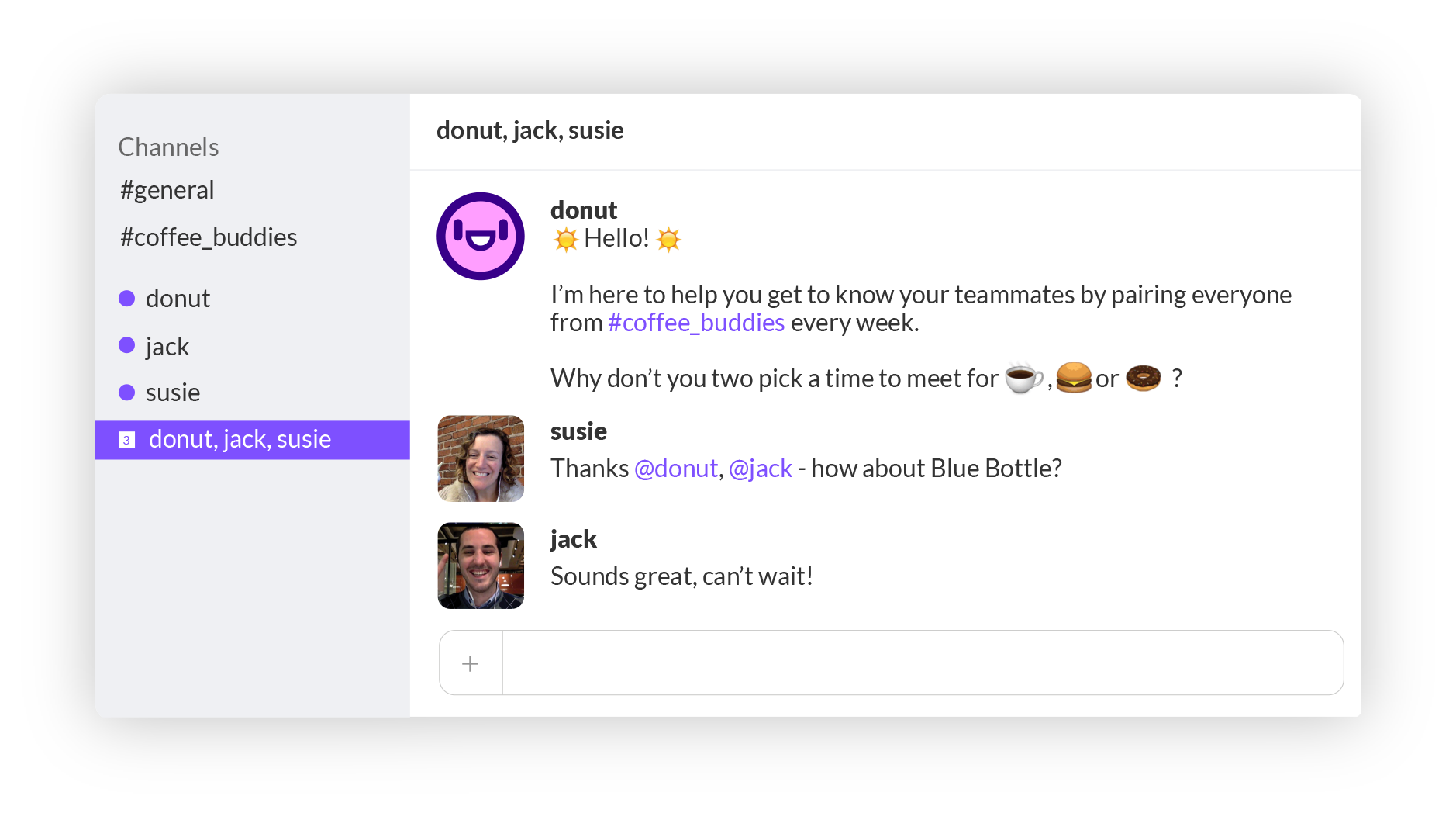
Donut provides a fuss-free automated way to meet casually with co-workers.
Donut makes it easy to set up in-person meetings with people in your company. It’s the perfect way to get to know associates you don’t often interact with.
One Donut user explains how the platform helps cultivate connection:
“Donut is a nice reminder that no matter how busy things get, we’re still here and we still care about you.”
How it works
Donut works within Slack to randomly introduce you to a new person every week.
Why we love Donut for internal networking
Donut pairs you with people to meet, so it removes hesitation and awkwardness from the networking process.
- Works with Slack instead of adding a new platform
- Calendar integrations provide easy scheduling
- Host lotteries to give away special events
33) Quip
“Secure productivity for the enterprise”
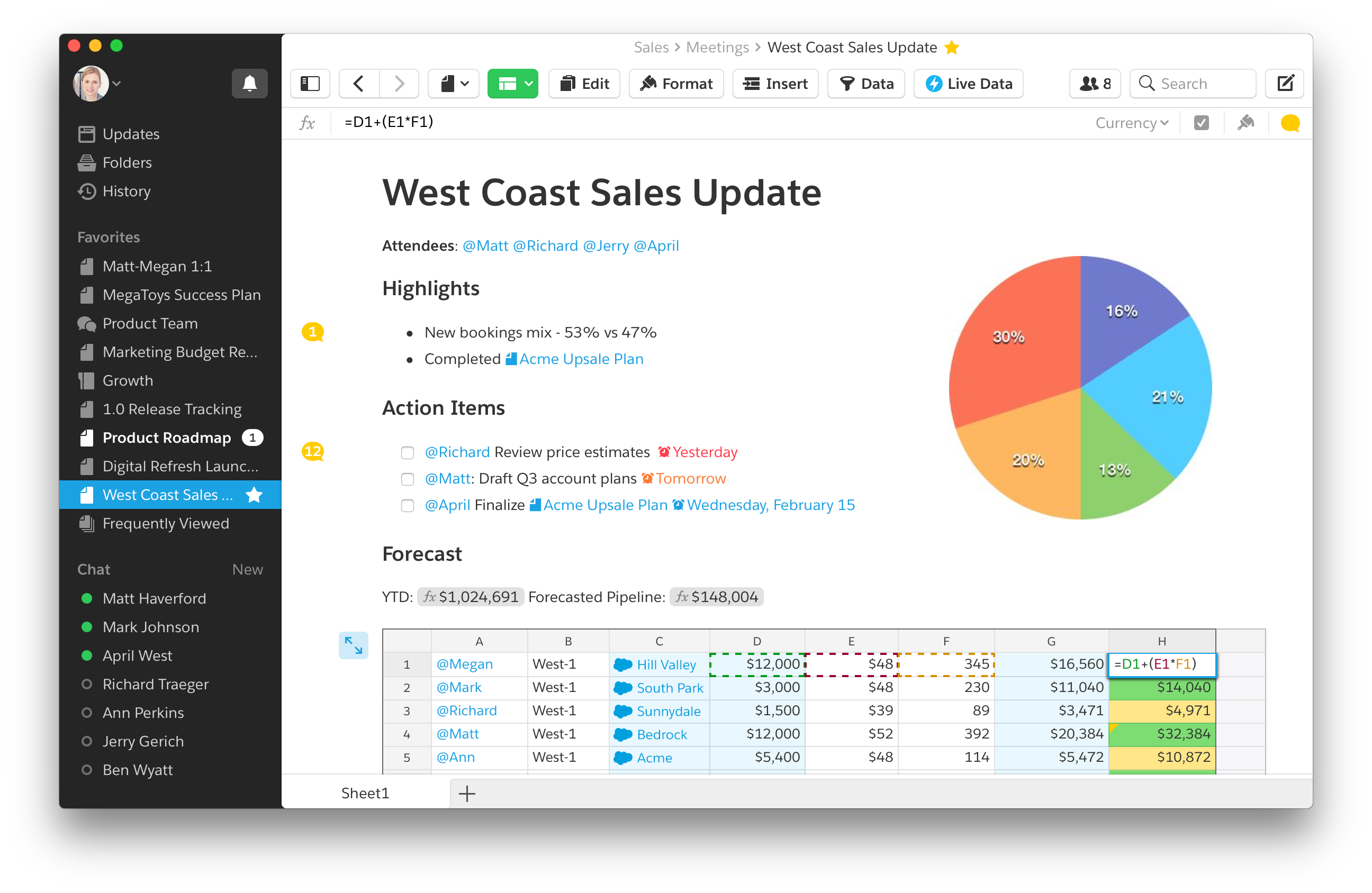
Collaborate seamlessly, anywhere and anytime.
Quip is a collaboration tool that lets teams work on documents and spreadsheets while communicating from start to finish.
One user explains why Quip helps teams stay together:
“More than ever in our industry our teams need to remain connected and efficient; Quip is the simple answer to enable this global collaboration!”
How it works
Using Quip, you can create a meeting, build an agenda, take and share notes, and even incorporate action items that make sure your meeting will actually lead somewhere.
For example, if you learn about a not-yet-announced payroll interface during your meeting with HR, then you can add a follow-up task to help you remember to get the information you need to give your boss a timely FYI.
Why we love Quip for internal networking
We love it as a tool for internal networking because it helps you get the most out of your meetings.
- Built-in chat at the document level
- Team views help users get relevant feedback
- Use templates to start working immediately
34) Brand24
“Online reputation management made easy”
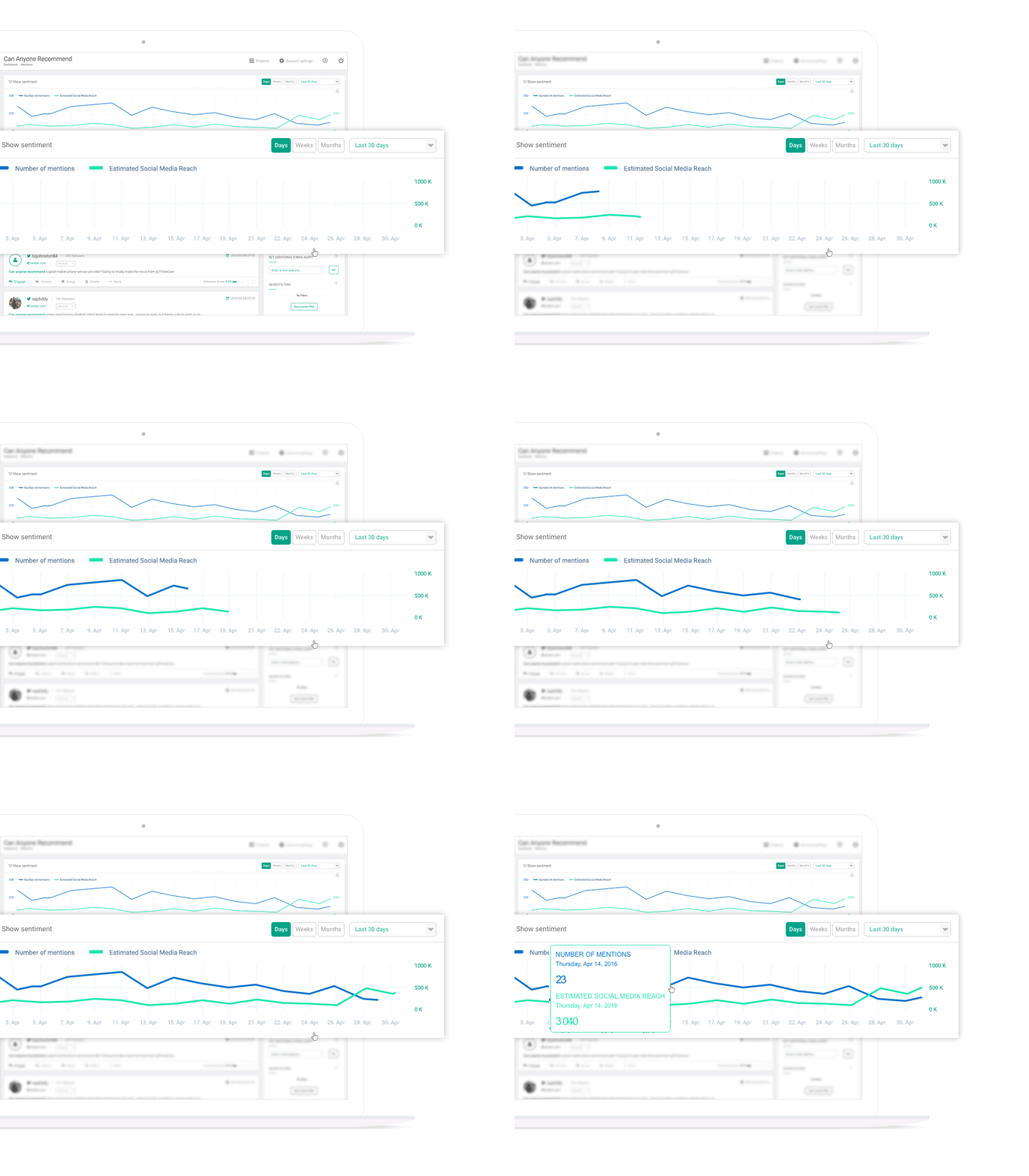
It has never been easier to stay in the know.
This helpful tool for executive assistants doesn’t facilitate internal networking, but it provides brilliant fodder for your meetings. Brand24 aggregates mentions of your brand across the world wide web, making it easy to offer invaluable insights to your boss and peers.
One user explains the value Brand24 brings:
“The user interface of the tool is brilliant and really intuitive and being able to compare projects to work out share of voice is extremely useful. The fact that it can also be used as a sentiment tracker and an influencer sourcing tool makes it extremely good value for money.”
How it works
You simply sign up and search for your brand. Then Brand24’s technology does all the work for you, crawling the web to bring you relevant real-time insights.
Why we love Brand24 for internal networking
It helps you find insights to launch intelligent conversations.
- Sentiment analysis flags help you sort through the buzz
- Browse aggregated mentions in one place
- Filter results to suit your interests
(PS – Get more sh*t done with The Assist — the #1 free weekly newsletter made for assistants by assistants.)
People Also Ask These Questions About Executive Assistant Tools:
Q: What is an executive assistant tool?
- A: An executive assistant tool is any resource that maximizes an executive assistant’s productivity and effectiveness. These tools help with a variety of EA tasks, including calendaring, event planning, travel coordination, and more. See a full list of executive assistant tools here.
Q: What makes a good executive assistant software?
- A: A good executive assistant software should be intuitive to use. Busy EAs don’t have time to watch tutorials to figure out how to use something. Executive assistant software should make an EA’s job more streamlined and should never create more work.
Q: Where can I learn more about the best tools for executive assistants?
- A: You can learn more about the best tools for executive assistants here. The list includes tools for a range of executive assistant work areas and outlines all the details you need to determine if the tools are right for you.