How To Upload And Download Files From AWS S3 Using Python? (original) (raw)
Last Updated : 23 Jul, 2025
Amazon Web Services (AWS) offers on-demand cloud services which means it only charges on the services we use (pay-as-you-go pricing). AWS S3 is a cloud storage service from AWS. **S3 stands for 'Simple Storage Service. It is scalable, cost-effective, simple, and secure. We generally store files in AmazonS3 in buckets. Buckets are the containers for files. The files stored in S3 buckets are called 'Objects' which refers to files, folders, images(png, jpg), GIFs, videos, and any other file formats.
We can upload and download files from S3 in different ways.
- **AWS console - a Graphical User Interface, easy to manage AWS services.
- **AWS CLI (Command Line Interface) - command line control of AWS services.
- **AWS SDK (Standard Development Kits) - programmatical control to AWS cloud services.
Here we are using the third way of accessing AWS services, Let's know how we can make use of python and access our files from S3.
Steps To Create an S3 Bucket
**Step 1: Sign in to your AWS account and click on Services.
**Step 2: Search for S3 and click on Create bucket.

**Step 3: Remember to enter the Bucket name according to the rules of bucket naming. The bucket name must be globally unique and should not contain any upper case letters, underscore, or spaces.

We are creating a bucket named ****"mygfgbucket"** as shown above.
**Step 4: Next, Choose any AWS Region for bucket creation. Here, I have selected my nearest region as ****"Asia Pacific(Mumbai) ap-south-1"**.
**Step 5: Leave the rest of the settings as of now and click "Create bucket".
After creating the bucket successfully, we can then add and download objects/files to our S3 bucket.
Uploading Files to AWS S3 using Python
Here we will be using Visual Studio Code for developing the Python Code. The **boto3 package is used in the below code. This package can be installed using ****'pip install boto3**' from the terminal. Boto3 is the SDK in python for interacting with AWS Services directly.
**Example 1:
Python `
import boto3
Creating an S3 access object
obj = boto3.client("s3")
Uploading a png file to S3 in
'mygfgbucket' from local folder
obj.upload_file( Filename="C:/Users/admin/Desktop/gfg_logo.png", Bucket="mygfgbucket", Key="firstgfgbucket.png" )
`
Syntax to upload file to S3:
$ obj.upload_file
(Filename, Bucket, Key,..)
Parameters:
- **Filename (str):- File path to upload.
- **Bucket (str):- Name of the bucket to upload the file.
- **Key (str):- Name of the key to upload to S3.


Now, let's download a '**SampleSpreadsheet.csv' file from AWS S3 'mygfgbucket'.

Downloading Files from AWS S3 with Python
To download an S3 object using python, we use the download_file( ) method.
Syntax to download the file to S3
$ obj.download_file
(Filename, Bucket, Key,..)
Parameters
- **Filename (str) - Local File path to download to.
- **Bucket (str) - Name of the bucket to download the file from.
- **Key (str) - Name of the file to download from the bucket.
**Example 2:
Python `
import boto3
Creating an S3 access object
obj = boto3.client("s3")
Downloading a csv file
from S3 bucket to local folder
obj.download_file( Filename="Desktop/DownloadedFile.csv", Bucket="mygfgbucket", Key="SampleSpreadsheet.csv" )
`
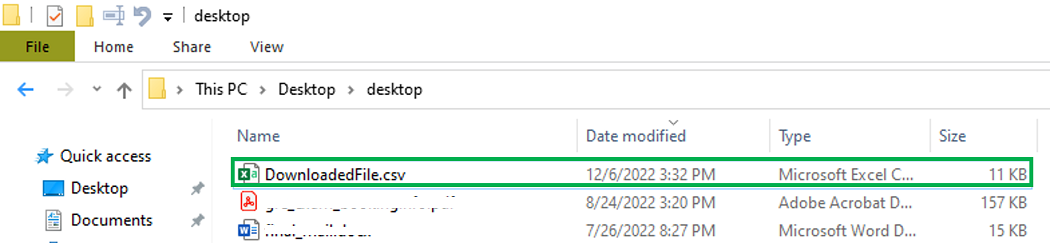
To conclude, the Boto3 package in python is very much useful for managing AWS resources like AWS S3. In this way, we can directly access AWS S3 objects through Python.