Introduction to Flowcharts (original) (raw)
Last Updated : 26 Feb, 2026
Flowcharts are the visual representations of an algorithm or a process. Flowcharts use symbols/shapes like arrows, rectangles, and diamonds to properly explain the sequence of steps involved in the algorithm or process. Flowcharts have their use cases in various fields such as software development, business process modeling, and engineering.
Why use Flowcharts?
Flowcharts are used due to the numerous amount of benefits they provide. Below are some of the important reasons to use flowcharts:
- They provide clarity and simplification to the complex processes and algorithms, which in turn helps other people to understand them easily.
- Flowcharts provide a universal visual language that can be understood by anyone across different teams and helps reduce miscommunications.
- They are an optimal solution for documenting standard operating procedures, workflows, or business processes. This makes it easier to train new employees.
- Flowcharts help in increasing the visualization of the problem being solved which enables more informed and data-driven choices.
Types of Flowcharts
There are many types of flowcharts, each is designed to represent different kinds of processes and information. Some common types of flowcharts are:
- **Process Flowchart: It represents the sequence of steps in a process. They are frequently used in business process modeling, manufacturing, and project management
- **Swimlane Flowchart****:** It organizes the process into different lanes, each representing a different person or department and is used for illustrating how different teams or departments collaborate within a process
- **Workflow Diagram: It represents how tasks, documents, or information move through a system and is commonly used in office processes or software development
- **Data Flow Diagram (DFD)****:** It focuses on detailing the inputs, processes, and outputs. Used in system design and analysis to model the flow of data within a system
- **Decision Flowchart: It focuses on mapping out decision points within a process and the possible outcomes of each decision. It is used in decision-making scenarios
**Symbols used in Flowchart Designs
**1. Terminal/Terminator
The oval symbol indicates Start, Stop and Halt in a program's logic flow. A pause/halt is generally used in a program logic under some error conditions. Terminal is the first and last symbols in the flowchart.
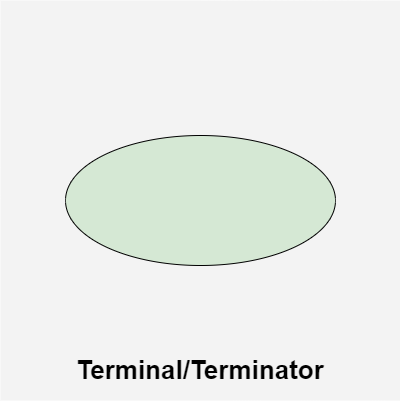
Terminal/Terminator
**2. Input/Output
A parallelogram denotes any function of input/output type. Program instructions that take input from input devices and display output on output devices are indicated with parallelogram in a flowchart.
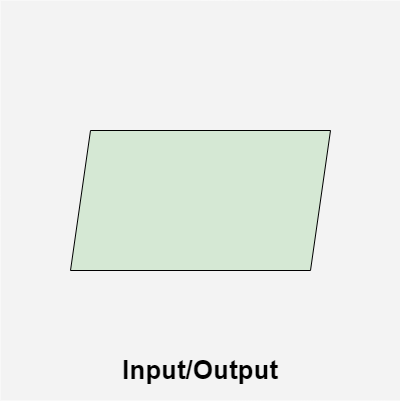
Input/Output
**3. Action/Process
A box represents arithmetic instructions, specific action or operation that occurs as a part of the process. All arithmetic processes such as adding, subtracting, multiplication and division are indicated by action/process symbol.
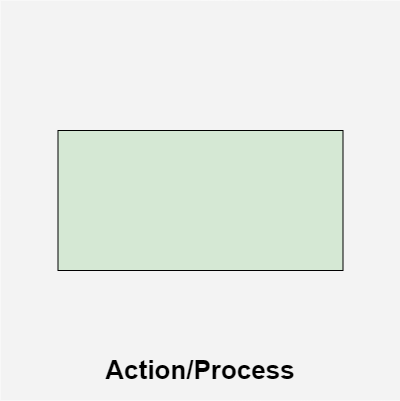
Action/Process
**4. Decision
Diamond symbol represents a decision point. Decision based operations such as yes/no question or true/false are indicated by diamond in flowchart.
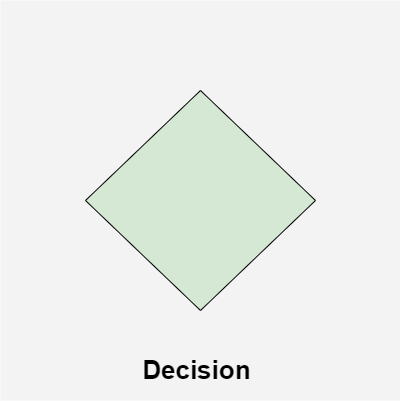
Decision
**5. On-Page Connector/Reference
Whenever a flowchart becomes complex, it is useful to use connectors to avoid confusion. Connectors are used to indicate a jump from one part of the flowchart to another without drawing long or complicated lines. An On-Page Connector shows the continuation of the flowchart on the same page and is represented by a small circle.
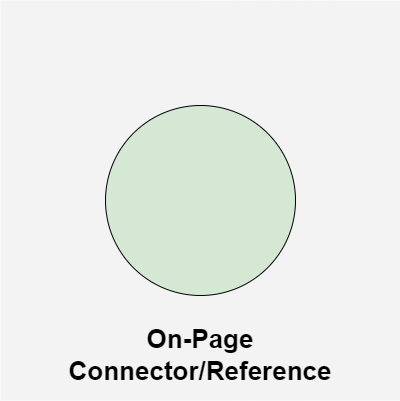
On-Page Connector/Reference
6. Off-Page Connector/Reference
Whenever a flowchart spreads over more than one page, it is useful to use connectors to avoid confusion. Connectors are used to indicate a jump from one part of the flowchart to another without drawing long or complicated lines. An Off-Page Connector shows the continuation of the flowchart on a different page and is represented by a pentagon.
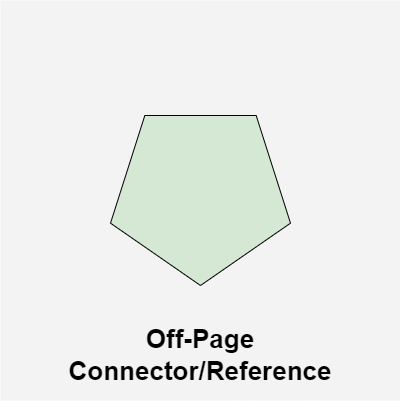
Off-Page Connector/Reference
**7. Flow lines
Flow lines indicate the exact sequence in which instructions are executed. Arrows represent the direction of flow of control and relationship among different symbols of flowchart.
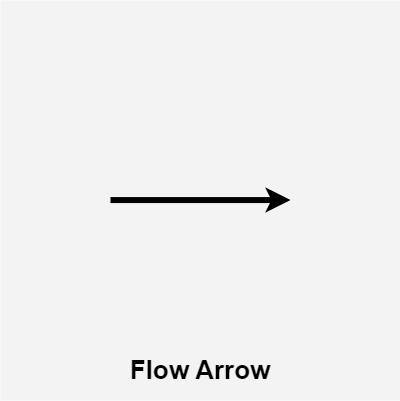
Flow lines
**Rules For Creating a Flowchart
A flowchart is a graphical representation of an algorithm. It should follow some rules while creating a flowchart
- **Rule 1: Flowchart opening statement must be ‘start’ keyword.
- **Rule 2: Flowchart ending statement must be ‘end’ keyword.
- **Rule 3: All symbols in the flowchart must be connected with an arrow line.
- **Rule 4: Each decision point should have two or more distinct outcomes.
- **Rule 5: Flow should generally move from top to bottom or left to right.
Example of a Flowchart
Draw a flowchart to input two numbers from the user and display the largest of two numbers.
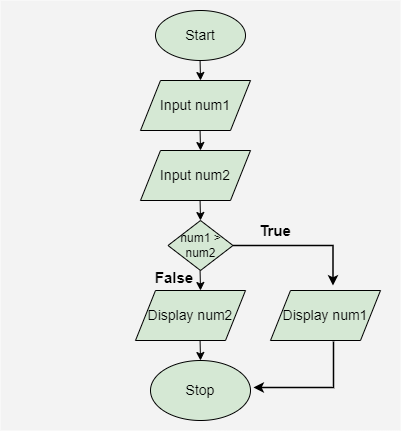
Example Flowchart
Below is the explanation of the above flowchart:
- **Start: The process begins with the **Start symbol, indicating the start of the program.
- **Input num1: The first number, represented as **num1, is entered.
- **Input num2: The second number, represented as **num2, is entered.
- **Decision (num1 > num2): A decision point checks if **num1 is greater than **num2.
- If **True, the process moves to the next step where **num1 will be displayed.
- If **False, the process moves to display **num2.
- **Stop: The process ends with the **Stop symbol, signaling the conclusion of the program.
**Advantages of using a Flowchart
- Flowcharts are a better way of communicating the logic of the system.
- Flowcharts act as a guide for blueprint during program designed.
- Flowcharts help in debugging process.
- With the help of flowcharts programs can be easily analyzed.
- They provide better documentation.
- Flowcharts serve as a good proper documentation.
**Disadvantages of using a Flowchart
- It is difficult to draw flowcharts for large and complex programs.
- There is no standard to determine the amount of detail.
- It is very difficult to modify the Flowchart.
- Making a flowchart is costly.
- If changes are done in software, then the flowchart must be redrawn.