TCP and UDP in Transport Layer (original) (raw)
Last Updated : 9 Dec, 2025
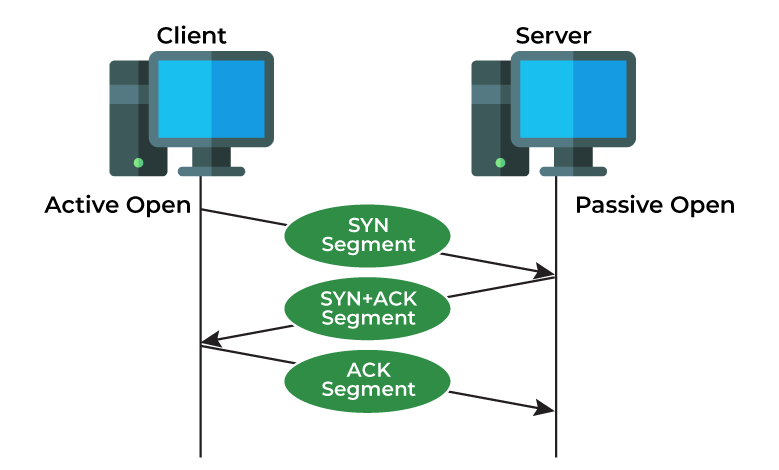
TCP is a Layer 4 protocol that ensures reliable, ordered, and error-checked data delivery between devices. It establishes connections using a three-way handshake and guarantees that all packets arrive correctly.
- Uses a three-way handshake to establish connections
- Breaks data into packets and reassembles them in order
- Retransmits lost or corrupted packets automatically
- Provides reliable, error-checked communication
- Commonly used for web browsing, email, and file transfers
Use Cases of TCP Protocol
TCP (Transmission Control Protocol)** is one of the main parts of the internet which provides reliable and ordered data delivery. Here are some of its key use cases:
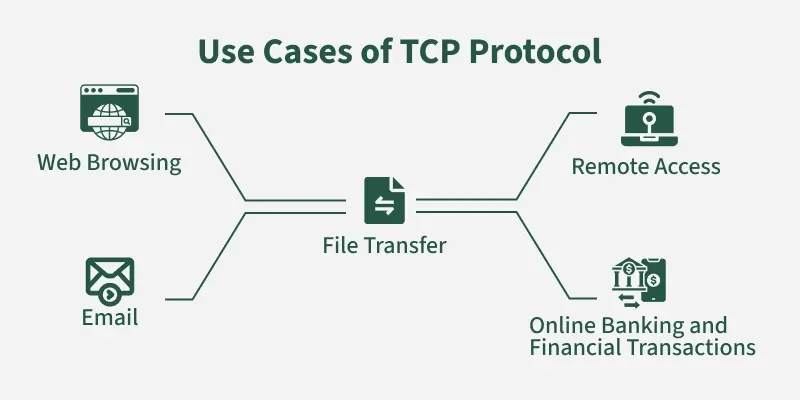
1. Web Browsing
- When you type a URL into your browser, your computer uses TCP to establish a connection with the web server.
- TCP ensures that the HTML, CSS, and JavaScript files that make up the webpage are delivered accurately and in the correct order.
2. Email
- Protocols like SMTP (Simple Mail Transfer Protocol) and IMAP (Internet Message Access Protocol) rely on TCP for sending and receiving emails.
- TCP guarantees that your emails are delivered completely and in the correct sequence.
3. File Transfer
- Protocols like FTP (File Transfer Protocol) and SFTP (Secure File Transfer Protocol) utilize TCP for transferring files between computers.
- TCP's reliability ensures that files are transferred accurately and without data corruption.
4. Remote Access
- Protocols like Telnet and SSH (Secure Shell) use TCP for remote access to other computers.
- TCP ensures that commands and data are transmitted reliably, allowing you to interact with remote systems securely.
5. Online Banking and Financial Transactions
- TCP's reliability and security are crucial for online banking and financial transactions.
- It ensures that sensitive data is transmitted securely and accurately, preventing data loss or corruption.
What is User Datagram Protocol (UDP)?
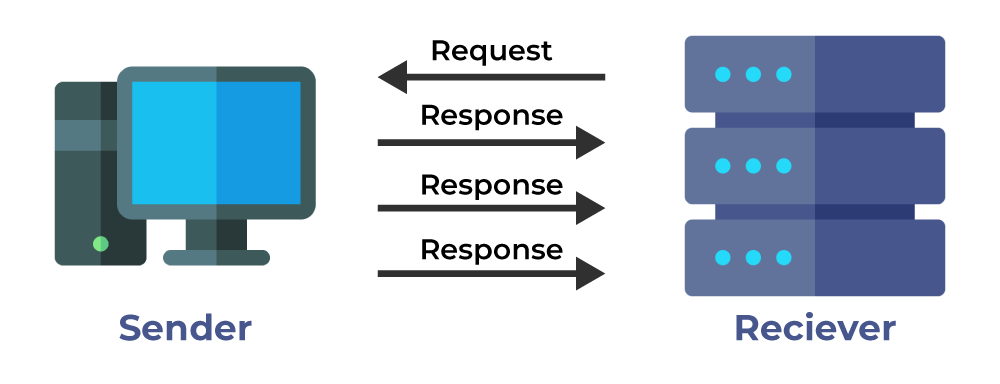
User Datagram Protocol (**UDP**)** is a Layer 4 protocol that sends data as independent datagrams without establishing a connection, offering no guarantees for delivery, order, or error correction. Its low overhead and minimal delay make it ideal for real-time applications where speed matters more than reliability.
- Connectionless communication (no handshake)
- Sends datagrams without delivery or ordering guarantees
- Very low latency and overhead
- No retransmission or error correction
- Used for streaming, online gaming, and VoIP
Use Cases of the UDP Protocol
UDP (User Datagram Protocol) is a connectionless protocol that prioritizes speed and efficiency over reliability. Here are some key use cases of the UDP:
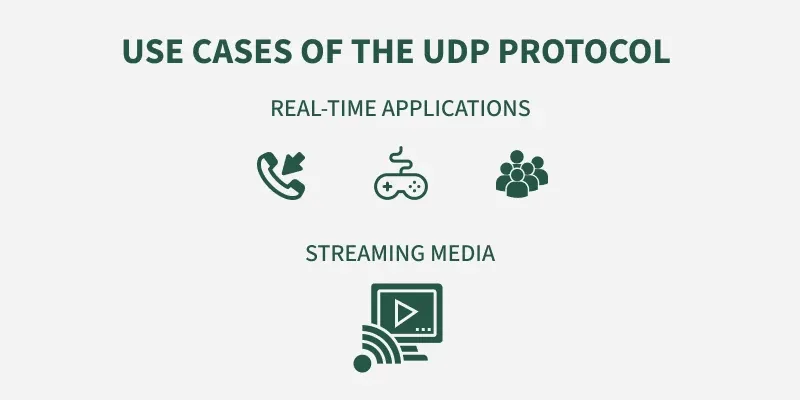
1. Real-time Applications
- Voice over IP (**VoIP**):** Services like Skype, Zoom, and Google Meet often utilize UDP for real-time voice and video communication. While some packet loss is acceptable, minimizing latency is crucial for a smooth conversation.
- **Online Gaming: Many online games rely on UDP for fast, low-latency communication between players and game servers. This ensures responsiveness and prevents gameplay delays.
- **Video Conferencing: Similar to VoIP, UDP is used for real-time video conferencing applications where timely delivery of video and audio streams is essential.
2. Streaming Media
- **Live Streaming: Services like Twitch, YouTube Live, and Netflix use UDP for streaming audio and video content. While some packet loss is acceptable, UDP's speed and efficiency are crucial for delivering a smooth streaming experience.
3. Network Management Protocols
- DNS (**Domain Name System**):** UDP is commonly used for DNS lookups, where quick responses are essential for resolving domain names into IP addresses.
- SNMP (**Simple Network Management Protocol**):** This protocol is used for monitoring and managing network devices. UDP's speed and efficiency make it suitable for collecting performance data from network devices.
- DHCP (**Dynamic Host Configuration Protocol**):** UDP is used for dynamically assigning IP addresses to devices on a network.
4. Broadcast and Multicast
- **Broadcast Applications: UDP is well-suited for broadcast applications where a single message needs to be sent to multiple recipients simultaneously, such as network discovery protocols.
- **Multicast Applications: UDP is used for multicast applications where a message needs to be sent to a specific group of recipients efficiently.
What is TCP vs UDP?
1. Session Multiplexing
- A single host with a single IP address is able to communicate with multiple servers. While using TCP, first a connection must be established between the server and the receiver and the connection is closed when the transfer is completed. TCP also maintains reliability while the transfer is taking place.
- UDP on the other hand sends no acknowledgement of receiving the packets. Therefore it provides no reliability.
2. Segmentation
- Information sent is first broken into smaller packets for transmission.
- Maximum Transmission Unit or MTU of a Fast Ethernet is 1500 bytes whereas the theoretical value of TCP is 65495 bytes. Therefore data has to be broken into smaller packets before being sent to the lower layers.
- MSS or Maximum Segment Size should be set small enough to avoid fragmentation.
- UDP doesn't support this, therefore it depends on the higher layer protocols for data segmentation.
3. Flow Control
- If sender sends data faster than what receiver can process then the receiver will drop the data and then request for a retransmission, leading to wastage of time and resources. TCP provides end-to-end flow control which is realized using a sliding window.
- The sliding window sends an acknowledgement from receiver's end regarding the data that the receiver can receive at a time.
- UDP doesn't implement flow control and depends on the higher layer protocols for the same.

TCP vs. UDP
4. Connection Oriented
- TCP is connection oriented, i.e., it creates a connection for the transmission to take place, and once the transfer is over that connection is terminated.
- UDP on the other hand is connectionless just like IP (Internet Protocol).
5. Reliability
- TCP sends an acknowledgement when it receives a packet. It requests a retransmission in case a packet is lost.
- UDP relies on the higher layer protocols for the same.
- The size of TCP header is 20-bytes (16-bits for source port, 16-bits for the destination port, 32-bits for seq number, 32-bits for ack number, 4-bits header length)
- The size of the UDP header is 8-bytes (16-bits for source port, 16-bits for destination port, 16-bits for length, 16-bits for checksum), it's significantly smaller than the TCP header.
- Both UDP and TCP header is comprised of 16-bit Source port(these are used for identifying the port number of the source) fields and 16-bits destination port (these are used for specifying the offered application) fields.
How to Choose Between TCP and UDP?
**1. On the Basis of Reliability vs. Speed:
- **TCP provides reliable, ordered, and error-checked delivery of data which makes it ideal for applications where accuracy matters more than speed (e.g., web pages, emails, file transfers).
- **UDP offers faster, connectionless transmission without guaranteeing delivery or order, suitable for real-time applications like video streaming, online gaming, or voice calls, where speed and low latency are more important than perfect accuracy.
**2. On the Basis of Connection Overhead:
- **TCP establishes and maintains a connection between sender and receiver, adding overhead but ensuring stable data flow and retransmissions if packets are lost.
- **UDP does not establish a dedicated connection, reducing latency and overhead, but leaving error-handling to the application if needed.
**3. On the Basis of Use Case :
- **TCP is best when demanding correctness such as web browsing, file downloads, and secure data transfers.
- **UDP is preferred when you need minimal delay and can tolerate some data loss such as live broadcasts, online gaming, and VoIP.