Input Devices (original) (raw)
Last Updated : 28 Apr, 2026
Computers perform tasks based on user input, which is provided through input devices. These devices allow users to send data and instructions to the system, helping them control and operate the computer effectively.

Working
Input devices convert user input into signals that the computer can process.
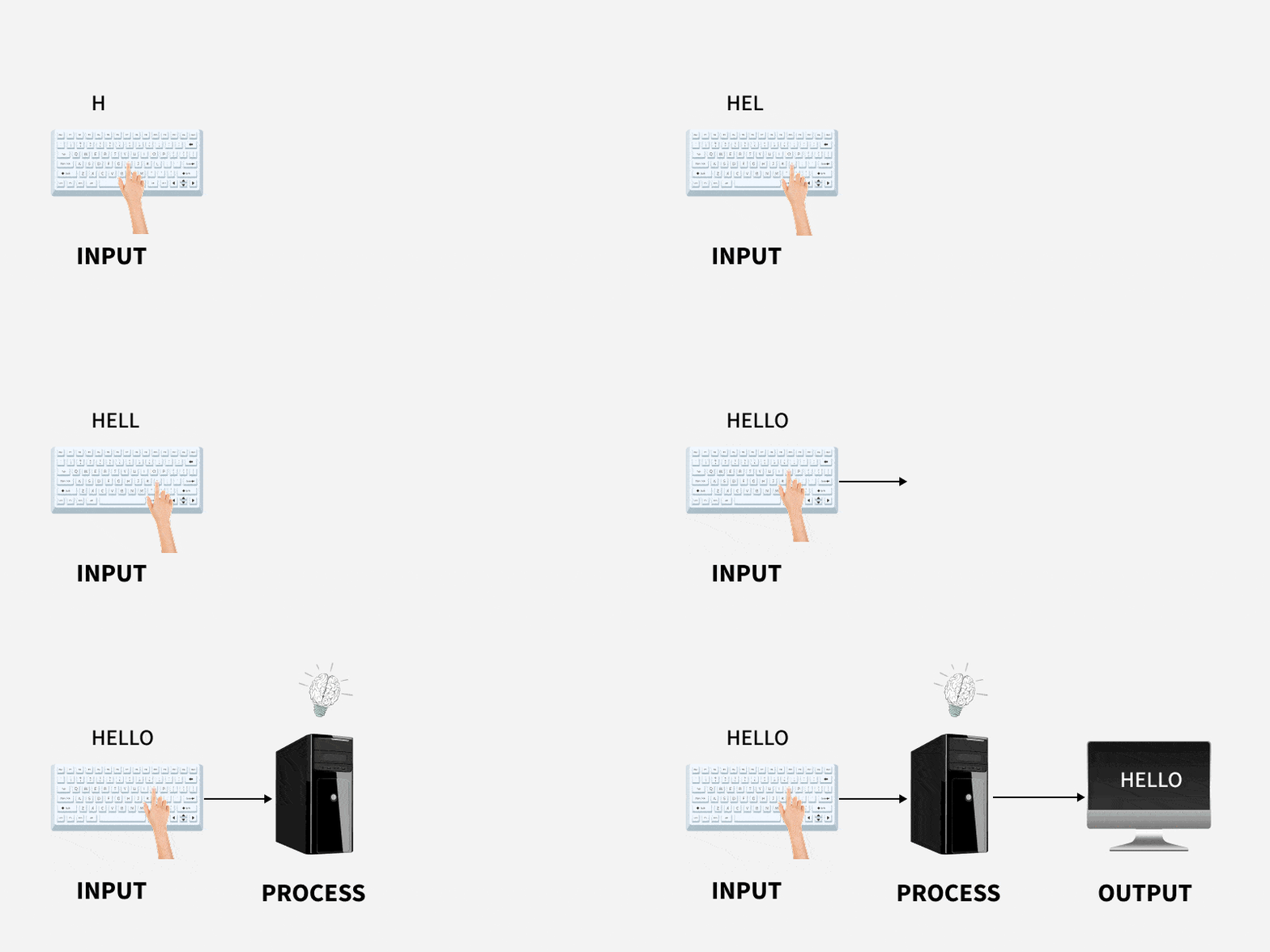
Converts user actions into computer-readable signals.
For example, pressing a key on a keyboard makes the computer receive and use that letter. The device changes actions (like typing or clicking) into signals the computer can understand.
Types
There are Various types of Input Devices and in the below section you will explore all types of input devices.
**1. Keyboard
Keyboard is the most common and commonly used input device. It allow users to input text and commands.
- It contains different keys for entering letters, numbers, and characters.
- Supports multiple layouts (e.g., QWERTY, AZERTY).
- Connects via USB, wireless, or integrated in devices like laptops.
**2. Mouse
The mouse is a small handheld device commonly used to point and control the cursor on a computer screen.
- Includes buttons and scroll wheel for clicking, selecting, and navigating.
- Available in wired, wireless, or optical variants.
- Used to select, drag, and open files or programs.
- Works on a flat surface for movement.
**3. Scanner
A scanner is a type of input device that works in the same way as a photocopier. It's used when there's data on paper that needs to be transferred to the computer's hard disc for further processing.
- Captures images or text from physical documents.
- Converts paper-based data into digital format for storage.
- Enables editing of scanned images before printing.
**4. Barcode Reader
A barcode reader is a device that reads bar-coded data (data that is represented by light and dark lines). To label things, number books, and so on, bar-coded data is often utilised.
- Extracts information from barcodes on products or labels.
- Available as handheld scanners or integrated systems.
- Uses light beams to decode barcode patterns.
**5. Web Camera
A webcam is an input device since it records a video image of the scene in front of it. It can either be incorporated inside the computer (for example, a laptop) or connected via USB.
- Connects via USB or built into devices like laptops.
- Supports video recording and live streaming applications.
- Known as webcam for its web-based functionality.
6. Touchscreen
A touchscreen is a type of input device that allows users to interact with a digital display by directly touching the screen's surface.
- Supports actions like selecting, typing, or drawing.
- Uses virtual keyboards or gestures for input.
- Common in smartphones, tablets, and ATMs.