How To Configure Build Periodically In Jenkins? (original) (raw)
Last Updated : 23 Jul, 2025
Jenkin has now become a very popular open-source automation server used for building, testing, and deploying software. It has several key features, one of which is that it can schedule periodically in Jenkins. In this article, we are going to explore in depth how we can configure builds periodically in Jenkins.
**Basic Terminologies of Build Scheduling
There are mainly four main terminologies, which are used in configuring a build periodically or in scheduling jobs in Jenkins.
- **Build Trigger: Build trigger refers to the event that initiates a build
- **Trigger Type: It defines how a build is triggered (**for example, manually, periodically, because of SCM changes, or on any external events).
- **Schedule Builder: It provides an interface for defining a build schedule (available via plugins).
- **Cron Expression: A format for specifying recurring schedules using keywords or numbers (minutes, hours, days, months, weekdays).
Prerequisites for Configuring Build Periodically in Jenkins
These are the prerequisites that you should follow before configuring the build periodically in Jenkins. Here is the explanation:
- **Jenkins Installation: Make sure you already have installed Jenkins and it is running on your server. If you don't have Jenkins, you can simply install it by visiting their official website.
- **Jenkins Project Setup: Create a Jenkins project if you haven't already created one. You can do this by selecting "New Item" in the Jenkins dashboard and by choosing the appropriate project type like Freestyle project, Pipeline, etc.
- **Access to the Jenkins Dashboard: Ensure you have access to the Jenkins web dashboard. You can typically access it through a web browser.
How to Configure Build periodically in Jenkins
Here is the step-by-step guide to configuring build periodically in Jenkins
**Step 1: Log in to Jenkins Dashboard
This is the first step before proceeding further, You can log in to your Jenkin dashboard using your user ID and password.
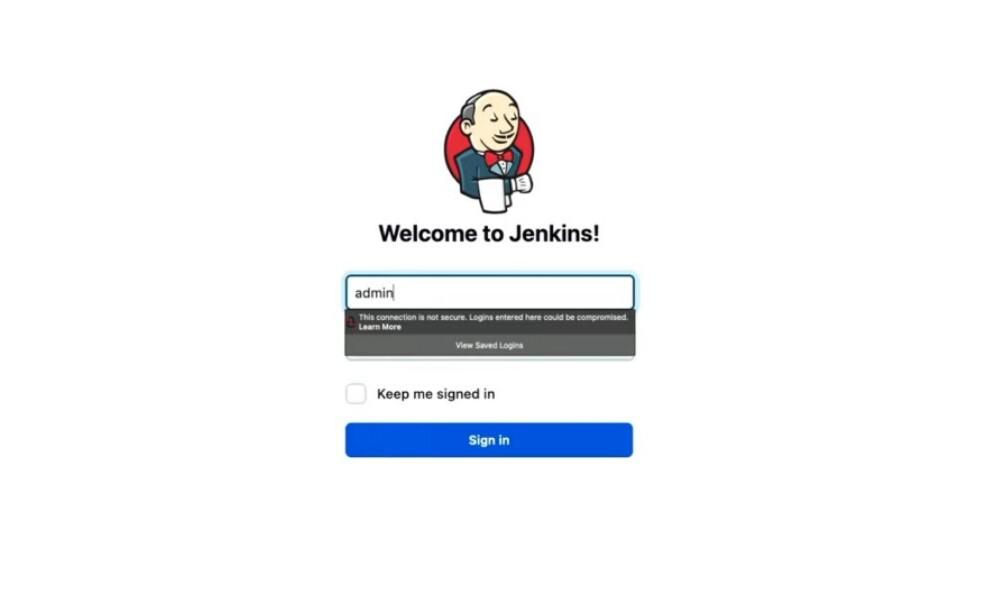
Login to Jenkin
**Step 2: Select a Project
Choose the Jenkins project for which you want to configure the periodic build. If you don't have any project, you can create one by selecting "New Item" and then choosing the project type (e.g. Freestyle project, Pipeline).

Select the Project
**Step 3: Configure Build Triggers
Within your project, first click on the configure tab then find the "Build Triggers" section. Check the "Build periodically" option.

Click on Configure

Navigate to Build Trigger
**Step 4: Specify the Schedule
In the "**Schedule" field, enter the cron expression that will defines when the build should run or in simple words which job will run when. The cron syntax have five fields representing these minute, hour, day of the month, month, and day of the week, respectively.For example: Jenkins provides a helpful "?" character that represent no specific value in the day of the week or day of the month fields.
To schedule build for every minute its cron expression look like this:

Schedule Build for every minute
To schedule build for every 2 minute its cron expression look like this:
H/2****

Schedule Build for every 2 minute
**Step 5: Save the Configuration
You can save the configuration by clicking on save button.

Click on Save
**Step 6: Build Log Output
You can now observe the build log output at the scheduled intervals. Jenkins will initiate the build automatically based on the configured schedule.
Example of Cron Expressions
| Schedule | Cron Expression | Description |
|---|---|---|
| Every minute | * * * * * | Run the job every minute. |
| Every hour | 0 * * * * | Run the job at the beginning of every hour. |
| Every day at midnight | 0 0 * * * | Run the job at midnight every day. |
| Every weekday at noon | 0 12 * * 1-5 | Run the job at 12:00 PM, Monday to Friday. |
| Every Sunday at 3:30 AM | 30 3 * * 0 | Run the job at 3:30 AM every Sunday. |
| Every 15 minutes | */15 * * * * | Run the job every 15 minutes. |
| Every Monday and Friday | 0 0 * * 1,5 | Run the job at midnight, Monday and Friday. |
| First day of the month | 0 0 1 * * | Run the job at midnight on the first day of the month. |
| Weekdays at 8 AM and 5 PM | 0 8,17 * * 1-5 | Run the job at 8 AM and 5 PM, Monday to Friday. |
**Remember:
These are the some point that you should remember while using corn expression to build periodically in Jenkins:
- You must understand your requirement first before choosing a scheduling method.
- Test your schedules thoroughly to assure that they run as per the expectation.
- You should timely monitor your builds to detect potential issues related to scheduling.
Conclusion
Configuring builds periodically in Jenkins is a powerful feature that make sure that the projects are automatically building at regular interval of time, it reduces manual intervention as most of the work is getting done automatically by machine itself eventually simplifies the process and faster it. By understanding and using cron expressions, You can build or schedule jobs periodically as per the project need easily.